What Counts as Social Media Management Software in 2026
Social media management software is any tool that lets you plan, schedule, publish, and analyze content across multiple social networks from one dashboard instead of logging into Instagram, X, LinkedIn, TikTok, Facebook, and Pinterest one at a time. In 2026, the category has matured well beyond “post scheduler” — the best platforms now bundle AI caption assistance, unified inboxes, team approval workflows, and cross-network analytics into a single subscription.
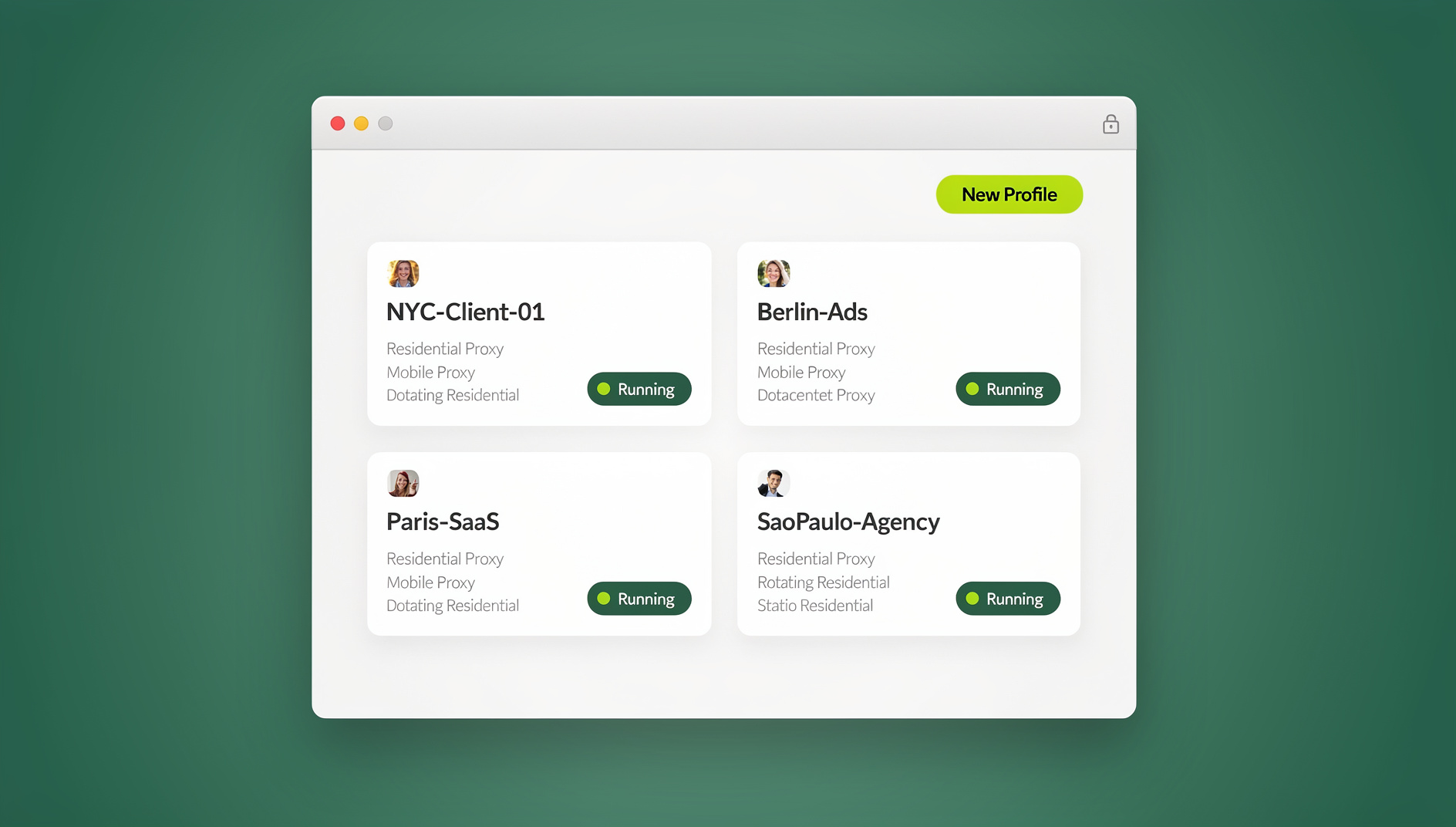

But there’s a second, less-discussed piece of the stack that most “best of” lists skip entirely: the browser layer you actually log into those accounts through. If you or your team manage more than a handful of client or brand profiles, the browser itself — not just the scheduler — becomes a real risk factor. We’ll cover both halves of the equation in this guide: the eight social media management tools worth paying for in 2026, and the multi-login browser layer that keeps those accounts from getting flagged in the first place.
What to Look For Before You Buy
Not every team needs the same feature set. A solo creator scheduling three Instagram posts a week has very different requirements than an agency running 40 client accounts across six networks. Before comparing specific tools, weigh these factors:
| Factor | Why It Matters |
|---|---|
| Network coverage | Confirm the tool natively supports every platform you post to — TikTok and Threads support still varies between vendors |
| Team seats & approval workflow | Agencies need client-review steps before anything goes live; solo users don’t |
| Analytics depth | Basic engagement counts vs. full attribution, competitor benchmarking, and custom reporting |
| Per-account pricing | Some tools charge per social profile, which gets expensive fast for agencies with dozens of clients |
| Unified inbox | Whether comments, DMs, and mentions across all networks land in one queue |
| Account safety | How you actually log into each account — shared logins and constantly-switching browser profiles are a common (and avoidable) cause of platform flags |
The 8 Best Social Media Management Software in 2026
Here’s a genuinely useful rundown of the platforms worth evaluating this year, based on who they’re built for and what they do best.
1. Hootsuite
Hootsuite remains the default choice for larger marketing teams and enterprises that need robust reporting, custom approval chains, and broad integration support (including ad platforms and CRM tools). It supports every major network and is often the first tool agencies standardize on when they need audit trails for client sign-off.
Best for: Enterprise teams and agencies needing detailed approval workflows and reporting.
2. Buffer
Buffer is the cleanest, simplest scheduler on this list — a straightforward calendar, solid analytics, and a genuinely useful free tier for solo creators or very small teams. It intentionally avoids feature bloat, which is exactly why creators who tried and dropped heavier tools tend to land here.
Best for: Solo creators, freelancers, and small teams who want simplicity over depth.
3. Sprout Social
Sprout Social pairs scheduling with genuinely strong social listening and a CRM-style contact history for every follower who interacts with your brand. It’s priced for mid-market and enterprise budgets, but the depth of its reporting and its “Smart Inbox” are hard to match if social listening is a priority.
Best for: Brands and agencies that need social listening plus scheduling in one platform.
4. Later
Later started as an Instagram-first visual planner and has expanded into TikTok, Pinterest, and a genuinely useful link-in-bio tool. Its drag-and-drop visual calendar is still the best in the category for teams that plan content around imagery and short video first.
Best for: Visual-first brands running Instagram, TikTok, and Pinterest.
5. SocialPilot
SocialPilot targets agencies directly with per-account pricing that stays reasonable even at 20-50 client profiles, plus white-label reporting you can hand straight to clients. It’s less polished than Hootsuite but noticeably cheaper at scale.
Best for: Agencies managing many client accounts on a tighter budget.
6. Agorapulse
Agorapulse’s unified social inbox and ROI-focused reporting make it a favorite for teams that spend as much time on community management as they do on publishing. Its “assignment” feature lets you route comments and DMs to specific team members, which larger social teams rely on daily.
Best for: Teams that prioritize inbox management and measurable ROI reporting.
7. Publer
Publer has built a loyal following among budget-conscious teams by offering bulk CSV scheduling, evergreen content recycling, and multi-network support at a noticeably lower price point than the enterprise names on this list. It’s a strong pick if you’re scheduling high volumes of content and don’t need heavy analytics.
Best for: High-volume schedulers who want bulk uploads without an enterprise price tag.
8. Metricool
Metricool combines scheduling, organic analytics, and paid ad spend tracking (Meta Ads, Google Ads) in one dashboard, which makes it popular with marketers who report on both organic and paid performance to the same stakeholders. Its free tier is also more generous than most competitors.
Best for: Marketers who need organic and paid social performance in one report.
Quick Comparison
| Tool | Best For | Pricing Tier | Standout Feature |
|---|---|---|---|
| Hootsuite | Enterprise teams | Premium | Approval workflows & integrations |
| Buffer | Solo creators | Free / Budget | Simplicity, clean UI |
| Sprout Social | Social listening | Premium | Smart Inbox + CRM history |
| Later | Visual brands | Budget / Mid | Drag-and-drop visual calendar |
| SocialPilot | Budget agencies | Budget | Cheap per-account pricing |
| Agorapulse | Community management | Mid / Premium | Unified inbox, ROI reports |
| Publer | High-volume scheduling | Budget | Bulk CSV uploads |
| Metricool | Organic + paid reporting | Free / Budget / Mid | Ad spend tracking built in |
Pricing tiers change frequently — always confirm current plan pricing directly on each vendor’s site before committing.
The Overlooked Risk: Managing Multiple Client and Brand Accounts Safely
Here’s the problem none of the eight tools above actually solve: they schedule content, but they don’t change how the underlying browser looks to Instagram, TikTok, or X when you log in to publish, moderate, or respond. If you’re an agency managing 15 client Instagram accounts, or a marketer running personal and brand profiles side by side, you’re likely logging into all of them from the same browser — same fingerprint, same cookies, same IP.
Why Browser Fingerprints Get Social Accounts Flagged
Every browser broadcasts a fingerprint — a combination of screen resolution, installed fonts, WebGL/canvas rendering, timezone, language, and dozens of other signals — that platforms use to detect suspicious account clustering. When five, ten, or fifty different social accounts all log in from one identical fingerprint and IP address, platforms read that as one operator running a network of accounts, which is exactly the pattern used to detect spam and coordinated inauthentic behavior. The result: shadowbans, temporary locks, or full suspensions, often with no clear explanation and a support process that goes nowhere.
How Send.win Solves the Multi-Account Problem
This is the exact gap Send.win fills for social media managers. Send.win is a multi-login anti-detect browser purpose-built for teams that need to run many accounts without cross-contaminating them:
- Browser isolation: every social profile you manage runs in its own isolated browser environment — separate cookies, cache, and local storage, so no account “sees” another.
- Unique fingerprints per profile: each profile gets its own distinct, consistent fingerprint instead of sharing your one real browser signature across every login.
- Built-in proxies: pair each profile with its own IP so accounts don’t all connect from the same address — critical if you’re managing accounts tied to different regions or clients.
- Team sharing: hand a client’s profile to a teammate or contractor without ever sharing the actual account password.
- Native Desktop app: Send.win ships a native desktop client for Windows, macOS, and Linux, so your team runs profiles locally with full browser performance rather than through a clunky web wrapper.
- Automation API (Team plan): for agencies that also automate parts of their posting or moderation workflow, Send.win’s Automation API integrates with Selenium, Puppeteer, and Playwright, letting scripts drive individual isolated profiles the same way a human would.
If your team already handles managing multiple social profiles securely as part of the job, pairing your scheduler with a proper multi-login browser closes the gap that schedulers alone leave open.
Step-by-Step: Building a Safe Social Media Management Workflow
- Pick your scheduler. Choose one of the eight tools above based on team size, budget, and network coverage.
- Create a separate browser profile per client or brand account. In Send.win, spin up one isolated profile per Instagram, TikTok, LinkedIn, or X account you manage — each gets its own fingerprint and cookie jar.
- Attach a matching proxy to each profile. If a client is based in a specific city or country, route that profile’s traffic through a proxy in that region so login location stays consistent.
- Log into your scheduler’s connected accounts from inside each isolated profile rather than from your default browser, so the OAuth session and any manual logins stay separated per account.
- Share profiles with teammates instead of passwords. Use Send.win’s team-sharing feature so a social media coordinator can post to a client account without ever seeing the actual login credentials — the same approach agencies use to manage multiple ad accounts safely alongside organic social profiles.
- Automate repetitive QA or reporting tasks if needed. Teams on Send.win’s Team plan can script routine checks (e.g., confirming a post published correctly) against isolated profiles via the Automation API using Playwright or Puppeteer.
- Audit profile-to-account mapping monthly. As client rosters change, retire unused profiles and proxies so your workspace stays clean and easy to hand off.
Social Media Scheduler vs. Multi-Login Browser: How They Work Together
These two categories solve different problems, and confusing them is the most common mistake teams make when building their stack.
| Layer | Job | Example Tools |
|---|---|---|
| Scheduler / management software | Plan, publish, and analyze content across networks | Hootsuite, Buffer, Sprout Social, Later, SocialPilot, Agorapulse, Publer, Metricool |
| Multi-login browser | Keep each account’s login fingerprint and session isolated so accounts don’t get linked or flagged | Send.win |
Most schedulers connect to accounts via official APIs for scheduled posts, but community management, manual replies, and initial account setup still happen through a real browser login — which is exactly where the fingerprinting risk lives.
Common Mistakes Agencies Make When Managing Multiple Social Accounts
- Using one browser (even in different tabs or “profiles”) for every client account — Chrome’s built-in profile switcher doesn’t change your underlying fingerprint or IP.
- Sharing real account passwords with freelancers or VAs instead of using profile-level access sharing.
- Skipping proxies entirely and logging into accounts in different cities/countries from one home or office IP.
- Not documenting which browser profile maps to which client, which turns into chaos the moment a team member leaves.
- Relying only on the scheduler’s built-in analytics instead of also tracking follower growth manually to catch a shadowban early.
Pricing Snapshot (2026)
| Tool | Free Tier? | Typical Starting Point |
|---|---|---|
| Buffer | Yes | Free plan available; paid plans budget-tier |
| Metricool | Yes | Free plan available; paid plans budget/mid-tier |
| Publer | Limited | Budget-tier |
| SocialPilot | No | Budget-tier, scales per account |
| Later | Limited | Budget/mid-tier |
| Agorapulse | No | Mid-tier |
| Hootsuite | No | Premium-tier |
| Sprout Social | No | Premium-tier |
| Send.win (browser layer) | 30-day free trial, no credit card | Pro $19/mo, Team $49/mo (Automation API included) |
🏆 Send.win Verdict
Social media management software handles the “what to post and when” — but it does nothing to protect the accounts themselves once you’re managing more than a handful of client or brand profiles. Send.win fills that exact gap: isolated browser profiles with unique fingerprints, built-in proxies, and team sharing so your agency or marketing team can run dozens of social accounts without them getting linked, flagged, or locked. Pair it with whichever scheduler from this list fits your team, and use the Automation API (Team plan) if you need Playwright or Puppeteer scripts to check in on posts across profiles.
Try Send.win free today — start your 30-day free trial, no credit card required.
Frequently Asked Questions
What is the best social media management software for a small team in 2026?
Buffer and Metricool are the strongest picks for small teams — both offer capable free tiers and affordable paid plans without the per-account pricing that makes agency-focused tools expensive at small scale.
What is the best social media management software for agencies?
SocialPilot and Hootsuite are built specifically for agency use, with white-label reporting and approval workflows. Pair either with a multi-login browser like Send.win so client account logins stay isolated as your roster grows.
Can social media management software post to accounts automatically?
Yes — most schedulers use each network’s official API to publish scheduled posts automatically. However, community management (replying to comments, DMs) and some platform features still require a manual browser login, which is where account isolation matters most.
Why do social media accounts get flagged when managing multiple profiles?
Platforms detect coordinated account clusters by comparing browser fingerprints, IP addresses, and login patterns across accounts. If ten accounts all log in from the same browser fingerprint and IP, that pattern resembles spam network behavior even when the accounts are legitimate separate clients.
Is Send.win a replacement for a social media scheduler?
No. Send.win doesn’t schedule posts or provide content analytics — it’s a multi-login browser that keeps each social account’s login isolated with its own fingerprint and proxy. It’s meant to run alongside a scheduler like Buffer, Hootsuite, or Metricool, not replace one.
Does Send.win have a desktop app?
Yes. Send.win offers a native desktop client for Windows, macOS, and Linux, so teams run their isolated browser profiles locally with full performance rather than through a browser-based wrapper.
What is the Send.win Automation API used for?
The Automation API, included on the Team plan, lets Selenium, Puppeteer, or Playwright scripts drive individual isolated browser profiles — useful for agencies that automate routine QA checks, bulk actions, or scraping-adjacent workflows across many social accounts without collapsing them into one shared fingerprint.
How much does Send.win cost?
Send.win offers a 30-day free trial with no credit card required. The Pro plan is $19/month, and the Team plan is $49/month and includes the Automation API along with more profiles and proxy bandwidth.