
AdsPower vs Dolphin Anty: Which Antidetect Browser Should You Choose in 2026?
The AdsPower vs Dolphin Anty debate is one of the most common questions in the multi-account management community — and for good reason. Both are powerful antidetect browsers with free tiers, strong fingerprint spoofing, and active user bases. But beneath the surface, they serve different types of users with distinct strengths and trade-offs.
AdsPower leans heavily into no-code automation with its built-in RPA system, making it a favourite among affiliate marketers and social media managers who need to automate repetitive tasks. Dolphin Anty, originally built for the affiliate and ad-buying community, emphasises team collaboration and a streamlined workflow for managing Facebook ad accounts at scale.
In this comprehensive comparison, we’ll break down every dimension that matters — pricing, fingerprint quality, automation capabilities, team collaboration, browser profiles, proxy integration, and more. We’ll also introduce Send.win as a cloud-native alternative that combines the best features of both platforms without the desktop software limitations. By the end, you’ll have a clear picture of which tool fits your specific workflow.
Quick Overview: AdsPower vs Dolphin Anty at a Glance
Before diving deep, here’s a high-level snapshot of how these two antidetect browsers compare across the most critical dimensions:
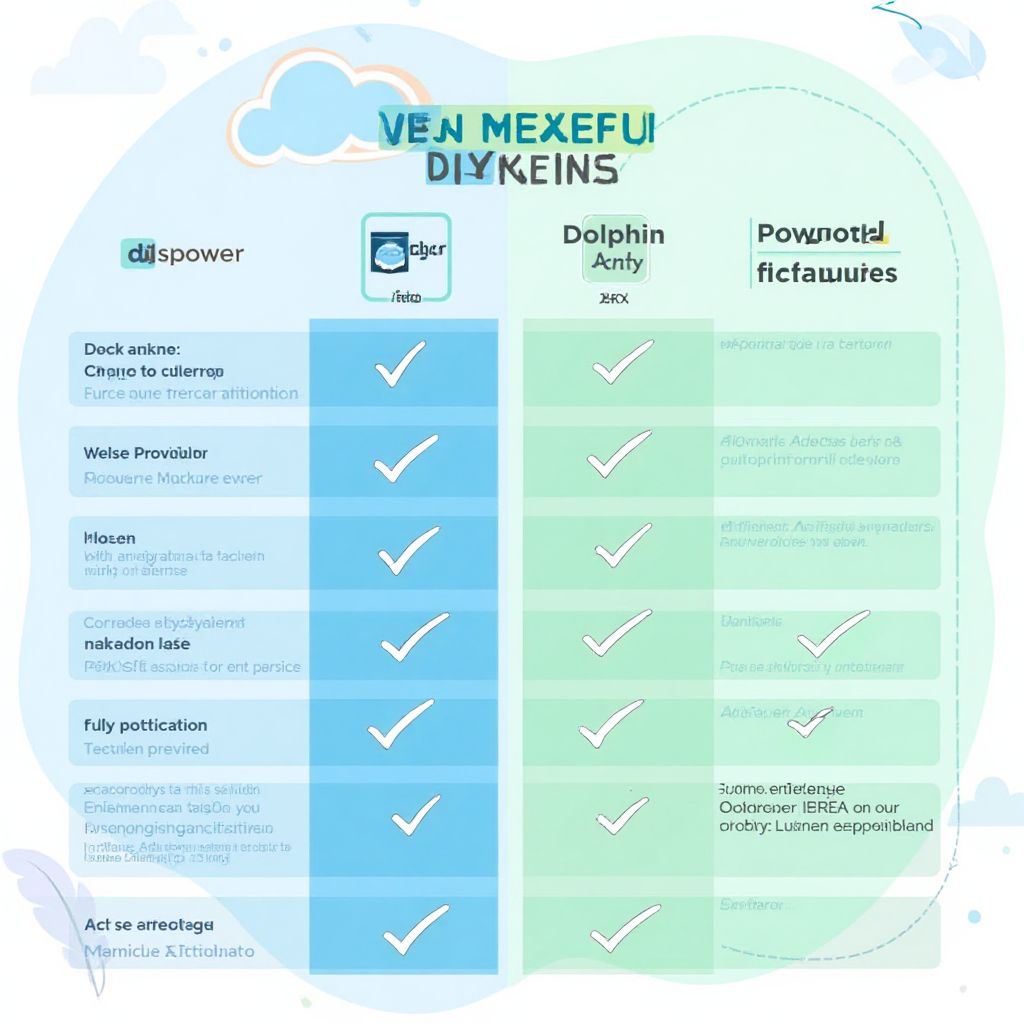
| Feature | AdsPower | Dolphin Anty | Send.win |
|---|---|---|---|
| Founded | 2019 | 2021 | 2024 |
| Type | Desktop Application | Desktop Application | Cloud-Based Browser |
| Free Tier | ✅ 2 profiles | ✅ 10 profiles | ✅ Free tier available |
| Browser Engines | Sun Browser (Chromium) + Flower Browser (Firefox) | Anty Browser (Chromium) | Cloud Chromium |
| Built-in Automation | ✅ Visual RPA | ⚠️ API only | ✅ API |
| Team Collaboration | ✅ Yes (paid plans) | ✅ Yes (strong focus) | ✅ Built-in |
| Cloud Profiles | ❌ Local-first | ✅ Cloud sync | ✅ Fully cloud-native |
| Starting Price (Paid) | $19/month (10 profiles) | $89/month (100 profiles) | Affordable tiers |
| Best For | Automation-heavy workflows | Ad teams & agencies | Cloud-first multi-account management |
Pricing Comparison: AdsPower vs Dolphin Anty
Pricing is often the first factor users evaluate, and the AdsPower vs Dolphin Anty comparison reveals very different pricing philosophies. AdsPower targets individual users and small teams with granular, per-profile pricing. Dolphin Anty bundles profiles into larger plans aimed at teams and agencies.
AdsPower Pricing Structure
AdsPower offers one of the most flexible pricing models in the antidetect space:
- Free plan: 2 browser profiles with basic features — enough to test the platform
- Base plan: Starting at $19/month for 10 profiles
- Pro plan: Starting at $19.99/month with additional automation features and more profiles
- Custom plans: Enterprise pricing for 100+ profiles with dedicated support
How Send.win Helps You Master Adspower Vs Dolphin Anty
Send.win makes Adspower Vs Dolphin Anty simple and secure with powerful browser isolation technology:
- Browser Isolation – Every tab runs in a sandboxed environment
- Cloud Sync – Access your sessions from any device
- Multi-Account Management – Manage unlimited accounts safely
- No Installation Required – Works instantly in your browser
- Affordable Pricing – Enterprise features without enterprise costs
Try Send.win Free – No Credit Card Required
Experience the power of browser isolation with our free demo:
- Instant Access – Start testing in seconds
- Full Features – Try all capabilities
- Secure – Bank-level encryption
- Cross-Platform – Works on desktop, mobile, tablet
- 14-Day Money-Back Guarantee
Ready to upgrade? View pricing plans starting at just $9/month.
AdsPower’s pay-per-profile approach means you only pay for what you use. You can add profiles incrementally, which is ideal for solo operators and freelancers who are scaling gradually. The free tier with 2 profiles is limited but functional — you get access to the core fingerprint spoofing and the basic RPA builder.
Dolphin Anty Pricing Structure
Dolphin Anty takes a different approach with broader tiers:
- Free plan: 10 browser profiles — the most generous free tier among major antidetect browsers
- Base plan: $89/month for 100 profiles
- Team plan: $159/month for 300 profiles with advanced team features
- Enterprise plan: $299/month for 1,000+ profiles with API access and priority support
Dolphin Anty’s pricing favours teams and agencies who need many profiles. The jump from free (10 profiles) to paid ($89/month for 100 profiles) is steep, but the per-profile cost at higher tiers is very competitive. If you need 100+ profiles, Dolphin Anty often works out cheaper than AdsPower.
Pricing Verdict
For individuals and small operations (under 20 profiles), AdsPower wins on price with its granular scaling. For teams needing 50+ profiles, Dolphin Anty’s bundled plans offer better per-profile value. However, both require desktop installations that consume local resources — for a comparison of how these tools stack up against the broader market, check our multi-login tools compared guide.
Fingerprint Quality and Detection Resistance
The entire point of an antidetect browser is to make each profile look like a unique, legitimate device. Fingerprint quality is arguably the most important factor in the AdsPower vs Dolphin Anty comparison — and both platforms handle it differently.
AdsPower Fingerprint Technology
AdsPower offers two browser engines — Sun Browser (Chromium-based) and Flower Browser (Firefox-based) — each with its own fingerprint generation approach. The dual-engine strategy provides flexibility: Chromium profiles work best for most platforms, while Firefox profiles can bypass certain Chromium-specific detection methods.
AdsPower spoofs the following fingerprint parameters:
- Canvas fingerprint (noise injection)
- WebGL renderer and vendor
- Audio context fingerprint
- Screen resolution and colour depth
- Timezone and language settings
- Hardware concurrency (CPU cores)
- Device memory
- Platform and user agent
- Installed fonts list
- WebRTC local IP masking
- Battery API status
- Geolocation spoofing
In real-world testing, AdsPower profiles consistently pass checks on BrowserLeaks, CreepJS, and Pixelscan. The fingerprints are realistic and internally consistent — meaning the spoofed parameters don’t contradict each other (e.g., a Mac user agent won’t report Windows-only fonts).
Dolphin Anty Fingerprint Technology
Dolphin Anty uses a single Chromium-based engine (Anty Browser) with its own fingerprint masking layer. While it only offers one browser engine compared to AdsPower’s two, Dolphin Anty has built a strong reputation for fingerprint quality, particularly among Facebook ad buyers who face some of the strictest detection systems online.
Dolphin Anty covers the same core fingerprint parameters as AdsPower:
- Canvas and WebGL fingerprinting
- Audio fingerprint masking
- Screen and display properties
- Timezone, locale, and language
- Hardware specifications
- User agent customisation
- Font enumeration blocking
- WebRTC IP leak prevention
- ClientRects spoofing
Dolphin Anty also features a “fingerprint checker” built directly into the profile management interface, letting users verify their fingerprint consistency before connecting to target platforms. This is a thoughtful touch that reduces the risk of launching a profile with a flawed configuration.
Fingerprint Verdict
Both platforms offer excellent fingerprint protection that passes major detection systems. AdsPower’s dual-engine advantage gives it an edge in flexibility, while Dolphin Anty’s built-in fingerprint checker adds convenience. For most users, the fingerprint quality difference is negligible — both are significantly better than tools without proper spoofing. To understand why fingerprint isolation matters so much, our best antidetect browser review explains the technical details.
Automation Capabilities: RPA vs API
This is where the AdsPower vs Dolphin Anty comparison reveals the biggest philosophical difference. AdsPower bets heavily on built-in automation, while Dolphin Anty relies on external automation through its API.
AdsPower’s Built-in RPA
AdsPower’s standout feature is its visual RPA (Robotic Process Automation) builder. This no-code tool lets you create automated workflows by recording browser actions and replaying them across profiles. You can:
- Record and replay: Perform actions once, then automate them across all profiles
- Template library: Access pre-built automation templates for common tasks (Facebook posting, account warm-up, data scraping)
- Conditional logic: Add if/else branches based on page content or element presence
- Scheduled execution: Set automations to run at specific times
- Batch operations: Run the same automation across multiple profiles simultaneously
For users who aren’t developers, AdsPower’s RPA is transformative. Social media managers can automate posting schedules, affiliate marketers can automate account warm-up routines, and e-commerce sellers can automate product listing updates — all without writing a single line of code.
Dolphin Anty’s API Approach
Dolphin Anty takes a developer-first approach to automation. Instead of building an RPA tool into the browser, it provides a comprehensive REST API that integrates with external automation frameworks:
- Profile management API: Create, update, delete, and launch profiles programmatically
- Selenium/Puppeteer integration: Connect browser profiles to standard automation libraries
- Webhook support: Receive notifications about profile events
- Batch operations: Manage multiple profiles through API calls
The API approach is more flexible and powerful for developers — you can build any automation workflow you want using familiar tools. But it requires programming knowledge, which makes it inaccessible to non-technical users.
Automation Verdict
AdsPower wins for non-technical users who need automation out of the box. Dolphin Anty wins for developers who want maximum flexibility and integration with existing automation stacks. If you’re somewhere in between, consider whether you have the technical resources to leverage Dolphin Anty’s API or whether AdsPower’s visual builder would save you more time.
Team Collaboration Features
For agencies and teams, collaboration features can make or break an antidetect browser. Both AdsPower and Dolphin Anty offer team functionality, but with different strengths.
AdsPower Team Features
- Sub-accounts: Create team member accounts with configurable permissions
- Profile assignment: Assign specific profiles to specific team members
- Activity logs: Track who accessed which profile and when
- Role management: Define custom roles with granular permissions
- Profile grouping: Organise profiles into folders for different projects or clients
AdsPower’s team features are functional but are locked behind higher-tier plans. The free and base plans are essentially single-user tools.
Dolphin Anty Team Features
- Team workspaces: Dedicated spaces for different teams or projects
- Real-time profile sharing: Multiple team members can access the same profile library
- Transfer profiles: Move profiles between team members without re-creating them
- Role-based access: Admin, manager, and operator roles with predefined permissions
- Notes and tags: Add contextual information to profiles for team communication
- Profile status tracking: Monitor which profiles are in use, available, or flagged
Dolphin Anty was built with teams in mind from the start, and it shows. The profile sharing and transfer features are smoother than AdsPower’s, and the status tracking system helps teams coordinate access to shared profiles without conflicts.
Team Collaboration Verdict
Dolphin Anty wins for team collaboration. Its team features are more mature, more granular, and available at lower tier levels. If your primary use case involves multiple people managing shared profile pools, Dolphin Anty offers a better collaborative experience.
Browser Profiles and Management
The day-to-day experience of managing browser profiles differs significantly between the two platforms.
AdsPower Profile Management
AdsPower offers a clean, tabular interface for managing profiles. Each profile displays its name, group, proxy status, last used date, and assigned tags. You can bulk-create profiles using templates, import/export profile configurations, and quickly duplicate existing profiles with modified parameters.
The dual-engine support (Sun and Flower browsers) adds a layer of decision-making — you need to choose the right engine for each profile based on your target platform. This flexibility is powerful but adds complexity compared to single-engine solutions.
Dolphin Anty Profile Management
Dolphin Anty’s interface is more visual and modern, with card-based profile views alongside the traditional list view. Profiles include status indicators (active, stopped, warming up), which is particularly useful for teams managing ad accounts that need regular activity.
A standout feature is Dolphin Anty’s profile templates. You can create standardised configurations and apply them when creating new profiles, ensuring consistency across your operation. The tagging system is also more sophisticated, supporting multi-level categorisation for complex account structures.
Profile Management Verdict
Both platforms handle profile management well, but Dolphin Anty has the edge in user experience with its cleaner interface and better organisation tools. AdsPower wins on flexibility with dual browser engine support. For managing profiles at scale with a focus on ads management, our browser for ads management guide covers best practices.
Proxy Integration
Proxy support is essential for any antidetect browser — a unique fingerprint is useless if all your profiles share the same IP address. Both AdsPower and Dolphin Anty offer comprehensive proxy integration, but with some differences.
AdsPower Proxy Support
- Protocol support: HTTP, HTTPS, SOCKS5
- Per-profile assignment: Each profile can use a different proxy
- Proxy manager: Built-in proxy management with health checking
- Partner integrations: Direct integrations with proxy providers like Oxylabs, Bright Data, and 922 S5
- Proxy groups: Create proxy pools and rotate automatically
Dolphin Anty Proxy Support
- Protocol support: HTTP, HTTPS, SOCKS5
- Per-profile assignment: Individual proxy per profile
- Proxy checker: Built-in tool to verify proxy speed and anonymity
- Bulk import: Import proxy lists in various formats
- IP change detection: Alerts when a proxy IP changes unexpectedly
- Proxy marketplace: Access to partner proxy providers within the app
Proxy Verdict
Both platforms offer comparable proxy support. AdsPower’s proxy groups and rotation are more advanced for automated workflows, while Dolphin Anty’s proxy checker and IP change detection add useful safety features for ad account managers who need stable connections.
Performance and Resource Usage
Since both AdsPower and Dolphin Anty are desktop applications, local machine performance matters. Running multiple browser profiles simultaneously is resource-intensive, and this is where both platforms share a common weakness.
AdsPower Performance
AdsPower’s resource usage scales linearly with the number of open profiles. Each active profile is essentially a separate Chromium or Firefox instance, consuming 200-500 MB of RAM depending on the pages loaded. Running 10+ profiles simultaneously on a standard laptop (8 GB RAM) can cause noticeable slowdowns, and 20+ profiles may require a dedicated server or VPS.
Dolphin Anty Performance
Dolphin Anty follows a similar pattern. Each Chromium instance consumes comparable resources. Dolphin Anty does offer some optimisation features like profile suspension (reducing memory usage for inactive profiles) and lazy loading, but the fundamental constraint remains: desktop antidetect browsers are limited by local hardware.
Performance Verdict
Both platforms have similar resource profiles — neither has a significant performance advantage over the other. This is actually one of the strongest arguments for considering a cloud-based alternative: platforms like Send.win run profiles in the cloud, eliminating local resource constraints entirely. You could run 50 profiles from a Chromebook without any performance issues.
Real-World Use Cases: Which Tool Wins?
Let’s map the AdsPower vs Dolphin Anty comparison to specific professional use cases:
Facebook Ad Account Management
Winner: Dolphin Anty. Dolphin Anty was originally built for the Facebook ad-buying community, and it shows. The profile templates, status tracking, and team collaboration features are tailored for ad account management workflows. The built-in fingerprint checker helps ensure each ad account profile passes Facebook’s detection before you start spending money.
Social Media Account Farming
Winner: AdsPower. The built-in RPA makes account warm-up and content posting automation straightforward. You can create workflows that simulate natural browsing behaviour, post content on schedules, and interact with other accounts — all automated across dozens of profiles without writing code.
E-Commerce Multi-Store Management
Winner: Tied. Both platforms handle e-commerce use cases well. AdsPower’s automation helps with product listing and price monitoring, while Dolphin Anty’s team features make it easier to coordinate between team members managing different stores.
Affiliate Marketing
Winner: AdsPower. Affiliate marketers often need to manage many accounts across various platforms quickly, and automation is key to efficiency. AdsPower’s RPA and competitive per-profile pricing make it the more practical choice for solo affiliates and small teams.
Agency Work (Multiple Clients)
Winner: Dolphin Anty. Agencies need to segregate client accounts, manage team access, and transfer profiles between team members smoothly. Dolphin Anty’s workspace system and profile transfer capabilities are better suited for this multi-client structure. For a broader look at how AdsPower compares to other enterprise tools, see our AdsPower vs Multilogin analysis.
AdsPower vs Dolphin Anty: Detailed Feature Comparison
Here’s an exhaustive feature-by-feature comparison to help you make your final decision:
| Category | Feature | AdsPower | Dolphin Anty |
|---|---|---|---|
| Pricing | Free profiles | 2 | 10 |
| Cheapest paid plan | $19/mo (10 profiles) | $89/mo (100 profiles) | |
| Per-profile cost (at scale) | ~$0.50–1.00/profile | ~$0.30–0.89/profile | |
| Fingerprints | Browser engines | 2 (Chromium + Firefox) | 1 (Chromium) |
| Canvas spoofing | ✅ | ✅ | |
| WebGL spoofing | ✅ | ✅ | |
| Built-in fingerprint checker | ❌ | ✅ | |
| Automation | Visual RPA builder | ✅ | ❌ |
| REST API | ✅ | ✅ | |
| Selenium/Puppeteer support | ✅ | ✅ | |
| Team Features | Sub-accounts | ✅ (paid) | ✅ |
| Profile transfer | Limited | ✅ | |
| Workspaces | Folders only | ✅ Dedicated workspaces | |
| Activity logs | ✅ | ✅ | |
| Profiles | Cloud sync | Limited | ✅ |
| Profile templates | ✅ | ✅ (more advanced) | |
| Bulk creation | ✅ | ✅ | |
| Proxies | Proxy groups/rotation | ✅ | Limited |
| Built-in proxy checker | Basic | ✅ Advanced | |
| IP change alerts | ❌ | ✅ | |
| Platform | Desktop app | ✅ (Windows, Mac) | ✅ (Windows, Mac, Linux) |
| Cloud/web access | ❌ | Limited |
The Cloud-Native Alternative: Why Send.win Changes the Game
While the AdsPower vs Dolphin Anty debate covers the two most popular desktop antidetect browsers, there’s a fundamental limitation that both share: they’re desktop applications. Every profile you run consumes local CPU and RAM. Your profiles are tied to the machine they run on. And if your laptop dies, your workflow stops until you set up again.
Send.win takes a fundamentally different approach as a cloud-native antidetect browser. Instead of running browser profiles on your local machine, everything runs in the cloud. You access your profiles through any web browser — no downloads, no installations, no hardware constraints.
What Send.win Combines from Both Platforms
- From AdsPower: Intuitive interface, affordable pricing, API automation capabilities
- From Dolphin Anty: Strong team collaboration, cloud profile sync, clean profile management
- Unique to Send.win: Fully cloud-native architecture — zero local resource consumption, access from any device, instant scaling without hardware upgrades
When to Choose Send.win Over AdsPower or Dolphin Anty
- You work across multiple devices: Access the same profiles from your office, home, or mobile
- You have limited hardware: Run dozens of profiles without a powerful desktop
- You value simplicity: No software to install, update, or maintain
- You need team access: Multiple team members can work simultaneously without profile conflicts
- You want to scale quickly: Add profiles instantly without worrying about CPU and RAM constraints
For teams currently debating between AdsPower and Dolphin Anty, Send.win is worth serious consideration as a third option that eliminates the desktop-vs-cloud compromise entirely.
Migration Considerations: Switching Between Platforms
If you’re currently using AdsPower or Dolphin Anty and considering a switch (to the other or to Send.win), here are the key considerations:
Migrating from AdsPower
- Export cookie data: AdsPower allows cookie export for individual profiles — save these before switching
- Document proxy configurations: Note which proxy is assigned to which account
- Save RPA workflows: If you’ve built automation workflows, document the steps so you can recreate them
- Gradual transition: Move 5-10 profiles at a time rather than all at once
Migrating from Dolphin Anty
- Export profiles: Dolphin Anty supports profile export — use this to preserve session data
- Transfer team access: Coordinate with team members to avoid access gaps during migration
- Preserve tags and notes: Screenshot or export your organisational structure
- Verify fingerprint consistency: After importing into a new platform, verify fingerprints match expectations
Migrating to Send.win
Send.win’s cloud-native approach makes migration straightforward. Since profiles are created and managed in the cloud, you can set up your new environment from any device. Import cookies from your existing tool, assign proxies, and verify fingerprint quality — the entire process typically takes minutes per profile rather than hours.
Security and Privacy Considerations
Both platforms handle sensitive data — session cookies, account credentials, proxy configurations — so security matters.
AdsPower stores profile data locally by default, which means your data security depends on your own machine’s security. This is a double-edged sword: local storage avoids third-party cloud exposure, but it also means data loss if your device is compromised or fails.
Dolphin Anty offers cloud synchronisation, meaning profile data is transmitted to and stored on Dolphin Anty’s servers. This enables team collaboration and device independence but requires trusting Dolphin Anty’s cloud security practices.
Send.win uses encrypted cloud infrastructure designed from the ground up for security. Profile data is encrypted at rest and in transit, with role-based access controls ensuring team members only see what they’re authorised to access.
🏆 Send.win Verdict
The AdsPower vs Dolphin Anty debate ultimately highlights a shared limitation: both are desktop applications constrained by local hardware. AdsPower excels at automation with its visual RPA, while Dolphin Anty leads in team collaboration and ad account management. But if you want the best of both worlds — intuitive automation, seamless team sharing, and strong fingerprint protection — without being tied to a desktop application, Send.win delivers it all from the cloud. No downloads. No hardware bottlenecks. No compromise between convenience and security.
Try Send.win free today — experience cloud-native antidetect browsing that combines AdsPower’s ease with Dolphin Anty’s collaboration.
Frequently Asked Questions
Which is better for beginners, AdsPower or Dolphin Anty?
For absolute beginners, AdsPower is slightly more accessible thanks to its lower entry price ($19/month vs $89/month for paid plans) and visual RPA builder that doesn’t require coding knowledge. Dolphin Anty’s free tier offers more profiles (10 vs 2), which is helpful for testing, but the jump to paid plans is steeper. If you want the simplest possible experience, consider Send.win — its cloud-based approach requires no software installation at all.
Can I use AdsPower and Dolphin Anty together?
Technically yes, but it’s not recommended. Running both platforms simultaneously doubles your resource consumption and adds unnecessary complexity. Each tool generates its own fingerprint profiles independently, so there’s no synergy from combining them. Choose one based on your primary use case — AdsPower for automation-heavy workflows, Dolphin Anty for team-based ad account management, or Send.win for cloud-native flexibility.
Which antidetect browser has better fingerprint protection?
Both AdsPower and Dolphin Anty offer excellent fingerprint protection that passes major detection systems including CreepJS, BrowserLeaks, and Pixelscan. AdsPower has a slight edge in versatility with dual browser engines (Chromium and Firefox), while Dolphin Anty includes a built-in fingerprint checker for instant verification. For most use cases, the fingerprint quality difference between the two is negligible.
Is Dolphin Anty’s free tier really free with 10 profiles?
Yes, Dolphin Anty genuinely offers 10 free browser profiles with no time limit. However, the free tier has limitations: no team features, limited cloud sync, and no API access. It’s excellent for testing the platform and managing a small number of accounts, but scaling beyond 10 profiles requires the $89/month Base plan. AdsPower’s free tier is more limited (2 profiles) but its paid plans start at just $19/month.
How does AdsPower’s RPA compare to Dolphin Anty’s API for automation?
They serve different users. AdsPower’s RPA is a visual, no-code automation builder — you record actions and replay them. It’s perfect for non-developers who need to automate repetitive tasks like posting content or warming up accounts. Dolphin Anty’s API is a developer tool that integrates with Selenium, Puppeteer, and custom scripts — far more powerful and flexible, but requiring programming skills. If you can code, Dolphin Anty’s API offers more possibilities. If you can’t, AdsPower’s RPA is the clear winner.
Which tool is better for managing Facebook ad accounts?
Dolphin Anty was originally built for the Facebook ad-buying community and has specific features tailored for this use case, including profile status tracking, team-based account management, and a strong reputation among media buyers. AdsPower is also capable but is more generalist in its approach. For dedicated Facebook ad management at scale, Dolphin Anty has the edge — though Send.win’s cloud-based approach is increasingly popular for ad teams who need device-independent access.
Do I need separate proxies for each profile in both tools?
Yes, both AdsPower and Dolphin Anty strongly recommend assigning a unique proxy to each browser profile. Using the same proxy across multiple profiles defeats the purpose of fingerprint isolation — platforms can still link accounts through shared IP addresses. Both tools support HTTP, HTTPS, and SOCKS5 proxies with per-profile assignment. Invest in quality residential or mobile proxies for the best results.
What happens to my profiles if AdsPower or Dolphin Anty shuts down?
This is a real concern with desktop antidetect browsers. AdsPower stores profiles locally, so you’d retain the data files but lose the ability to use them without compatible software. Dolphin Anty stores profiles in the cloud, so you’d lose access entirely if the service shuts down. Cloud-native platforms like Send.win mitigate this risk by using standard cookie export formats and providing data portability tools, ensuring you’re never locked into a single platform.