Sendwin multi-login feature is what lets one person run dozens of separate, fully isolated account sessions from a single app — no juggling incognito windows, no separate browsers, and no cookie collisions between accounts. If you manage several social profiles, ad accounts, marketplace stores, or client logins, this single capability is usually the reason people switch to Send.win in the first place. This guide updates our original 2023 overview with how multi-login actually works today, a step-by-step setup walkthrough, real benefits backed by specifics (not vague claims), and where Send.win’s Desktop app and cloud browser fit into the picture.

What Is the Send.win Multi-Login Feature?
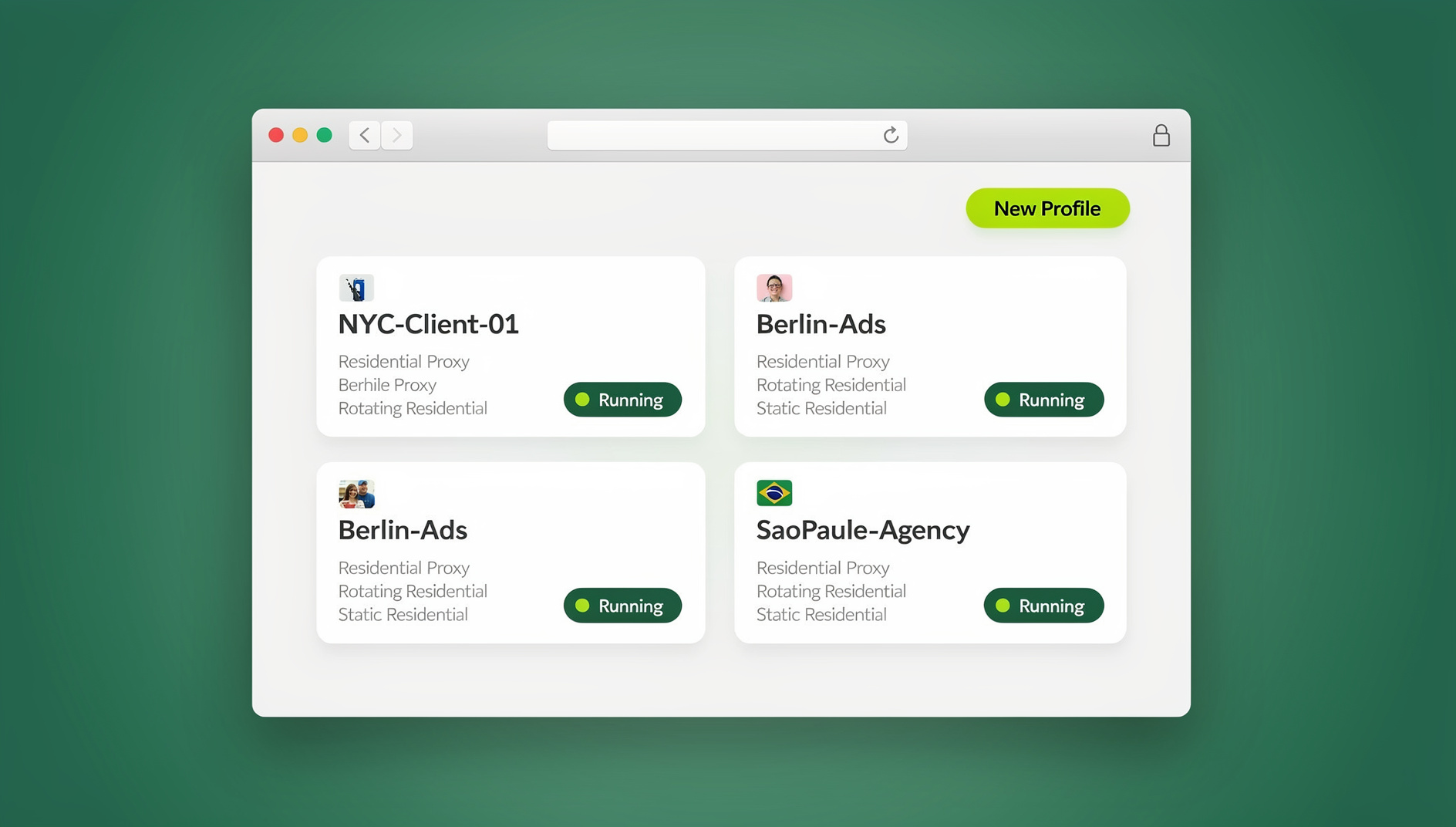
The multi-login feature is the core engine behind Send.win: it creates independent browser “profiles” or “sessions,” each with its own cookies, local storage, cache, and — critically — its own unique browser fingerprint (canvas, WebGL, fonts, timezone, screen resolution, and more). Because every profile looks like a genuinely different device and browser to the websites you visit, you can be logged into ten different Instagram accounts, five different Amazon seller accounts, or a dozen client ad accounts at the same time without any of them triggering “suspicious multiple login” flags or bleeding session data into one another.
This is fundamentally different from Chrome’s built-in “profiles” feature or simply opening multiple incognito windows. Chrome profiles still share the same underlying browser fingerprint, and incognito windows share device-level signals too — platforms can and do correlate them. Send.win’s multi-login profiles are isolated at the fingerprint level, which is why they hold up under scrutiny from platforms that actively hunt for duplicate-account patterns.
How Multi-Login Actually Works Under the Hood
Three things combine to make each Send.win profile behave like a separate device:
- Fingerprint isolation — each profile is assigned a unique, consistent fingerprint so the same profile always looks like the same “device” across sessions, while different profiles never overlap.
- Session/cookie isolation — cookies, cache, local storage, and extensions are fully sandboxed per profile, so logging into Account B never contaminates Account A’s session.
- Built-in proxy support — you can attach a residential, datacenter, or mobile proxy to each profile individually, matching IP geography to the account’s expected location (a US-based Amazon store profile routed through a US residential IP, for example).
Put together, this is what people mean when they talk about an multi-login browser — a tool purpose-built to manage multiple accounts safely rather than fighting your regular browser into doing it.
Step-by-Step: Setting Up Multi-Login Profiles in Send.win
Here’s the actual workflow, whether you’re starting from zero or migrating from spreadsheets and sticky notes to track which browser window is logged into which account.
1. Choose your access mode: Desktop app or Cloud browser
Send.win now ships as a native Desktop app for Windows, macOS, and Linux, which most users install as their primary way to run profiles locally with full hardware acceleration. If you’d rather not install anything — for example, working from a shared or locked-down machine — you can instead run profiles as cloud browser sessions, streamed entirely in the browser with no local install required, metered by monthly cloud-browsing time on paid plans. Pick whichever matches your setup; both create and manage the same underlying profiles.
2. Create your first profile
From the dashboard, click “New Profile,” name it something identifiable (e.g., “Amazon US — Store 2”), and Send.win auto-generates a unique fingerprint configuration for it. You don’t need to manually tune canvas or WebGL values — the system handles that.
3. Assign a proxy to the profile
Attach a proxy that matches the account’s intended geography and connection type. This step is where most account bans actually originate when people skip it, so don’t leave a profile on your home IP if the account is supposed to look like it’s operating from another region.
4. Log in and save the session
Log into the target account inside that profile exactly once. Send.win persists cookies and session state, so you won’t need to re-enter credentials or pass a 2FA challenge every time you reopen it.
5. Switch between profiles instantly
Once multiple profiles are set up, switching is a single click from the dashboard — no closing windows, no clearing cache, no logging out. Each profile opens as its own isolated window you can also keep open side-by-side.
6. Share sessions with your team (optional)
On Team plans, you can grant teammates access to specific profiles without ever handing over the underlying password. This is worth setting up early if more than one person touches the same accounts — see our full walkthrough on how to share sessions to your team in Send.win.
7. Keep each profile’s fingerprint consistent
Benefits of Using Send.win’s Multi-Login Feature
The original benefits of multi-login still hold up, but they go further than “saves time.” Here’s the expanded, current picture.
1. Genuine time savings, not just fewer clicks
Logging into ten accounts separately, each with its own password manager lookup and 2FA prompt, easily costs 15-20 minutes a day for anyone managing multiple accounts. With saved multi-login profiles, that drops to seconds — click the profile, you’re in, already authenticated.
2. One-click account switching without cross-contamination
Because each profile is fully isolated, switching between accounts never risks logging you out of another one or triggering a platform’s “new device” security alert on an account that hasn’t actually changed devices — only your active window has.
3. No extra browsers, VMs, or virtual machines required
Before tools like this existed, the common workaround was running a separate virtual machine or browser install per account — expensive on RAM and painful to maintain. Multi-login profiles replace all of that with lightweight, isolated sessions inside one application.
4. Real-time visibility across every connected account
Because profiles stay logged in and persistent, you can check on the status of five or ten accounts in the time it used to take to check one, which matters for anyone monitoring ad spend, order queues, or DM inboxes across multiple storefronts or pages.
5. Built for multi-tasking across clients and projects
Agencies and freelancers managing several clients’ accounts benefit the most here — each client gets a dedicated profile (and, on Team plans, dedicated proxy and shared access), so nothing gets mixed up between accounts that must stay strictly separate.
6. Lower ban risk from platform duplicate-account detection
Most major platforms — Amazon, eBay, Meta, TikTok — actively look for signals that the same device is running multiple accounts. Fingerprint isolation combined with matched proxies is precisely what breaks that correlation, which is why sellers and marketers running many accounts lean on dedicated multi-login tools rather than stock browser profiles.
7. Team collaboration without password sharing
Traditional account sharing means handing out the actual password, which is a security and accountability problem the moment someone leaves the team. Session sharing solves this by giving access to the session, not the credential — see how session isolation protects data across shared accounts.
Multi-Login Profiles vs. Traditional Methods
| Method | Fingerprint Isolation | Setup Effort | Ban Risk | Team Sharing |
|---|---|---|---|---|
| Multiple browser windows / incognito | None — shared fingerprint | Low | High | Not possible |
| Separate virtual machines | Full, but heavy | Very high (RAM/CPU cost) | Low | Manual, insecure |
| Chrome/Firefox built-in profiles | Partial — same device fingerprint | Low | Medium-High | Not built-in |
| Send.win multi-login profiles | Full, per-profile | Very low | Low | Native, password-free |
Who Should Use Send.win’s Multi-Login Feature?
- E-commerce sellers running multiple Amazon, eBay, or Shopify storefronts that must never appear linked.
- Social media managers juggling client accounts across Instagram, TikTok, Facebook, and X.
- Digital marketers and media buyers running parallel ad accounts across platforms without cross-account flags.
- Agencies needing to hand off specific client logins to specific team members without sharing passwords.
- QA and dev teams that need multiple simultaneous logged-in test sessions.
- Freelancers who work inside several clients’ tool stacks (analytics, CRMs, ad platforms) from one machine.
If you’re comparing tools before committing, our breakdown of the best browser for multiple accounts covers how Send.win stacks up feature-for-feature against the alternatives.
Send.win Multi-Login vs. Other Tools
| Tool | Fingerprint Isolation | Desktop App | Automation API | Entry Price |
|---|---|---|---|---|
| Send.win | Yes | Windows/macOS/Linux | No | $19/mo (Pro) |
| Multilogin | Yes | Windows/macOS/Linux | Selenium/Puppeteer (higher tiers) | Higher entry cost |
| GoLogin | Yes | Windows/macOS/Linux | Limited | Comparable |
| Chrome profiles | No | N/A (built into Chrome) | No native support | Free |
Security and Compliance Considerations
Multi-login is a legitimate operational tool for managing accounts you own or are authorized to manage — it is not a workaround for platform rules you’re not permitted to bypass. Before scaling up profile counts, check the terms of service for each platform, keep proxy geography consistent with the account’s real operating region, and avoid creating accounts purely to circumvent bans, which most platforms explicitly prohibit regardless of the tooling used.
Pricing
Send.win offers paid plans with a 7-day money-back guarantee on your first card purchase. The Pro plan is $19/mo (150 profiles, 5GB proxy bandwidth), and the Team plan is $49/mo (500 profiles, 20GB bandwidth, 16 seats). Both plans support Desktop app installs and cloud browser sessions.
🏆 Send.win Verdict
If your workday involves logging in and out of more than two or three accounts, the multi-login feature alone pays for Send.win’s Pro plan within the first week just in time saved. Add fingerprint isolation, built-in proxies, and password-free team sharing, and it becomes the difference between organised, separate account sessions and a tangle of shared cookies. For teams that need to manage many profiles, the desktop app turns manual profile-switching into a streamlined workflow.
Try Send.win today — start with a paid plan covered by a 7-day money-back guarantee, or preview the cloud demo for free, and see how many isolated profiles it takes before you stop thinking about account switching altogether.
Frequently Asked Questions
What is the Send.win multi-login feature?
It’s the capability that lets you create multiple isolated browser profiles inside Send.win, each with its own unique fingerprint, cookies, and optional proxy, so you can stay logged into many accounts at once without them being linked to each other.
Is Send.win’s multi-login feature different from Chrome profiles?
Yes. Chrome profiles share the same underlying browser fingerprint across all profiles on a device, while Send.win generates a distinct, consistent fingerprint per profile, which is what actually prevents platforms from correlating accounts as belonging to the same person or device.
Do I need to install anything to use multi-login profiles?
Not necessarily. You can install the native Desktop app for Windows, macOS, or Linux for the fastest local experience, or run profiles as cloud browser sessions directly in your existing browser with no install at all.
Can I automate logins across multiple profiles?
No. Send.win does not offer an automation interface on any plan.
How many accounts can I manage with the multi-login feature?
The Pro plan supports up to 150 profiles and the Team plan up to 500, with the option to add extra profiles beyond that for a small per-profile fee.
Is it safe to run multiple accounts on the same platform?
It’s safe from a technical standpoint when profiles are properly isolated with matched proxies, but you should always confirm it complies with the specific platform’s terms of service — multi-login tools manage accounts safely, they don’t override platform policy.
Can my team share access to the same account without sharing the password?
Yes. Send.win lets you share a session directly with teammates on Team plans, so they get working access to the account without ever seeing the actual login credentials.
Does Send.win support proxies for each profile?
Yes, built-in proxy support lets you attach a residential, datacenter, or mobile proxy to any individual profile, matching the IP location to what that account is expected to look like.