What Is a Browser Profile Manager?
A browser profile manager is a tool that creates and switches between multiple isolated browser identities, each with its own cookies, saved logins, fingerprint, and proxy, so you never have to log out of one account to log into another. Instead of five browser windows or constant cookie-clearing, you get a dashboard of ready-to-use profiles. Below we compare the built-in options, seven dedicated tools worth trying in 2026, and how to pick the right one for your scale.
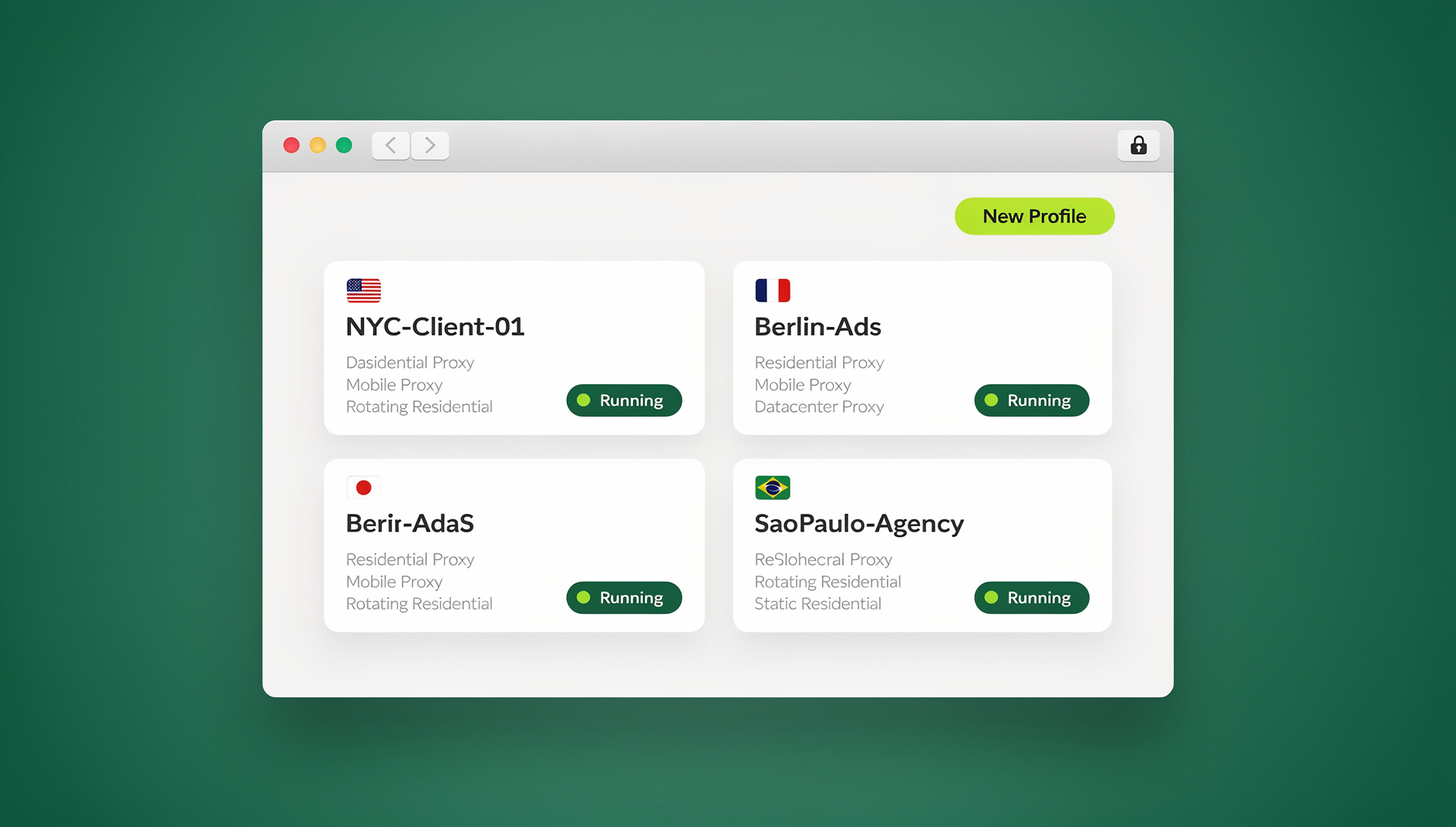

If you’ve ever used Chrome’s built-in profile switcher to separate work from personal browsing, you’ve already used a basic version of this. Dedicated profile managers take the idea much further — fingerprint isolation, per-profile proxy assignment, team sharing, and automation support that Chrome and Firefox were never built for.
Why You Need a Browser Profile Manager
The Multi-Account Reality
Most professionals today juggle accounts across platforms. A social media manager might run ten client accounts on Instagram, Facebook, and TikTok. An Amazon seller might operate several storefronts across marketplaces. Without proper profile management, these accounts bleed into each other — shared cookies trigger security alerts, linked fingerprints lead to bans, and constant login/logout cycles waste hours every week.
Security and Privacy Gaps
Standard browsers store everything in one shared pool. Log into your personal Gmail, then check a client’s Google Analytics in the same window, and Google can connect the two sessions. A browser profile manager draws a hard line between them, preventing cross-contamination of tracking data between accounts that were never meant to touch.
Productivity Drain
Without profile management, switching accounts means logging out, clearing cookies, and logging back in — dozens of times a day for anyone managing more than a couple of identities. A good browser profile manager removes that friction: every account stays signed in inside its own profile, ready the moment you open it.
Built-In vs. Dedicated Browser Profile Managers
| Feature | Chrome/Edge Built-In | Firefox Containers | Dedicated Profile Manager |
|---|---|---|---|
| Separate cookies per profile | Yes | Yes | Yes |
| Unique browser fingerprint | No | No | Yes |
| Proxy per profile | No | No | Yes |
| Team sharing without passwords | No | No | Yes |
| Cloud access from any device | Via Google account | Via Firefox account | Native on cloud-based tools |
| Automation support | Limited | Limited | API support on some tools |
| Practical profile limit | ~10 | ~20 | Hundreds |
Chrome Profiles: The Starting Point
Chrome’s built-in profiles give each one its own bookmarks, history, and extensions — fine for separating work from personal browsing. But every profile shares the same browser fingerprint and IP address, so platforms like Facebook and Amazon can still connect them if they look for it.
Firefox Multi-Account Containers: A Step Up
Firefox Multi-Account Containers improve on this by isolating cookies per container tab — a personal Facebook in one container, a work Facebook in another, both in the same window. Fingerprint data like screen resolution, installed fonts, and WebGL renderer is still shared across every container, though.
Dedicated Profile Managers: The Full Solution
Purpose-built tools give each profile its own cookies, storage, fingerprint, proxy, timezone, language, and WebRTC configuration. To the websites you visit, every profile looks like a different person on a different computer entirely.
7 Browser Profile Managers Compared for 2026
1. Send.win — Cloud Browser Sessions With Team Sharing
Send.win runs each profile as an isolated cloud browser session rather than a local process, so you can open the same profile from a laptop, a tablet, or a different office without installing anything. Sessions persist in the cloud with cookies and logins intact between visits. Its standout feature is sharing: you can hand a teammate live, authenticated access to a profile without ever revealing the password, which matters a lot for agencies handling client accounts. For anyone who prefers to keep profiles on their own machine instead, Send.win’s desktop client — Sendwin Browser — offers the same per-profile isolation locally, with each profile keeping its own consistent fingerprint. Send.win has no automation interface: there is no API, SDK, headless mode or Selenium/Puppeteer/Playwright support on any plan.
2. GoLogin — Desktop-First Profiles
GoLogin is a desktop application built around unique per-profile fingerprints. It’s popular with marketers and e-commerce sellers managing several accounts, and profiles can be shared with teammates, though the handoff is less seamless than a cloud-native tool.
3. Multilogin — Enterprise Profile Management
Multi-login browser platforms like Multilogin were among the first dedicated profile managers and remain a strong enterprise pick. It ships two custom browsers — Mimic (Chromium-based) and Stealthfox (Firefox-based) — with deep fingerprint customization, priced for larger teams.
4. AdsPower — Built for Ad Account Management
AdsPower targets performance marketers running multiple ad accounts across Facebook, Google, and TikTok. It bundles fingerprint browsers with RPA-style automation for repetitive ad-account tasks, though the automation layer has a learning curve.
5. Dolphin Anty — Popular With Crypto and Web3 Teams
Dolphin Anty leans into crypto-adjacent workflows, with a free tier for small teams and an API aimed at automating wallet and exchange account management. Its fingerprint engine is solid but geared specifically toward that niche.
6. Incogniton — Budget-Friendly Option
Incogniton offers a generous free tier and solid fingerprint management for individuals. It’s a reasonable starting point for freelancers and solo operators, though it lacks the team collaboration and cloud features of more advanced platforms.
7. SessionBox — Extension-Based Profiles
SessionBox is a browser extension that opens separate sessions within tabs. It’s the lightest approach — no new browser to install — but it also offers the least isolation, since it runs inside your existing browser process and shares the same fingerprint across every session.
How to Choose the Right Browser Profile Manager
Assess Your Scale
Managing two or three accounts? Chrome profiles or Firefox Containers might genuinely be enough. Past ten accounts — especially on platforms with aggressive anti-fraud detection — you need fingerprint isolation, not just cookie separation.
Consider Your Team Size
Solo users can pick almost any tool on this list. Teams need profile sharing, role-based access, and centralized management, which is where cloud-first tools tend to have the edge — profiles aren’t tied to one person’s laptop.
Evaluate Platform Requirements
Different platforms detect differently. Social networks mostly track cookies and IP addresses. E-commerce marketplaces like Amazon fingerprint aggressively. Ad platforms run some of the most sophisticated cross-account detection around. Match your isolation level to your riskiest platform, not your average one.
Check Proxy Integration
A browser profile manager is only as strong as its proxy support. Each profile needs its own IP — residential, datacenter, or mobile — so accounts don’t share an origin. Look for per-profile proxy assignment with HTTP, SOCKS5, and rotation support.
Browser Profile Management Best Practices
One Profile Per Account
Never run two accounts from the same profile. Even with isolated cookies, shared fingerprint data can still link them. Give every account its own profile, proxy, and fingerprint settings.
Name Profiles Descriptively
Use clear naming conventions — “Client-Nike-Instagram,” “Store-US-Amazon,” “Personal-Email.” Once you’re past fifty profiles, good naming saves real time and avoids embarrassing mix-ups.
Regular Profile Maintenance
Profiles accumulate data over time. Periodically clear caches, refresh cookies, and confirm logins are still active. Stale profiles with expired sessions trigger re-verification flows that can inadvertently link accounts.
Match Fingerprints to Proxies
If a profile uses a US residential proxy, set its timezone, language, and locale to match a US-based user. A German IP with an English locale and a Pacific timezone reads as suspicious to any detection system worth its salt.
Setting Up Your First Profile Manager
Quick Start With a Cloud Browser
- Create an account — sign up with the provider of your choice
- Start a new session — this creates an isolated profile, either in the cloud or as a local process
- Attach a proxy — give the profile a unique IP address
- Log into your account — the session keeps you signed in going forward
- Share with your team — invite teammates to the session without exposing the password
With a cloud-based tool, the whole setup takes under two minutes with no software to install.
For Power Users: Profile Organization
Group profiles by client, platform, or purpose. Use folders or tags to stay organized, and document which profile uses which proxy and credentials in a secure vault rather than memory.
Common Browser Profile Manager Mistakes to Avoid
- Reusing the same proxy for multiple profiles — this links them by IP address, undoing the whole point of isolation
- Changing fingerprint settings frequently — inconsistency on a single profile raises more red flags than a stable, if imperfect, fingerprint
- Mixing personal and professional browsing — keep personal use out of managed profiles entirely
- Skipping the warm-up period — a brand-new profile that immediately performs high-volume actions looks automated; ease into normal usage first
- Sharing credentials instead of sessions — use session-sharing features so passwords never have to leave your hands
🏆 Send.win Verdict
Most of these tools solve fingerprint isolation well enough. Where Send.win pulls ahead is team access: sharing a live, logged-in profile without handing over a password, and running profiles as cloud browser sessions you can reach from any device. If you’d rather keep profiles local, Sendwin Browser gives you the same isolation on desktop, with each profile keeping its own consistent fingerprint.
Try the free Send.win cloud demo — no signup required.
The Future of Browser Profile Management
Profile management is heading toward:
- AI-managed profiles — automatically generating and maintaining realistic browsing patterns and interaction histories per profile
- Biometric profile switching — Face ID or fingerprint readers switching between browser profiles instantly
- Cross-platform continuity — profiles moving between desktop, mobile, and tablet without dropping a session
- Automated compliance — enforcing data handling policies per profile, which matters increasingly for agencies handling client data under GDPR and CCPA
Frequently Asked Questions
Is it safe to use a browser profile manager?
Yes. Browser profile managers are legitimate tools used by professionals worldwide, and they generally improve security by isolating sessions and preventing data leakage between accounts. Pick a reputable provider that encrypts profile data and doesn’t share it with third parties.
Can I use a browser profile manager on my phone?
Desktop-only profile managers typically don’t support mobile. Cloud browser sessions are the exception — since the profile actually runs on a remote server, you can reach it from a phone or tablet browser with no local installation at all.
How many profiles can I manage simultaneously?
Local desktop tools are capped by your computer’s RAM and CPU — usually 10-20 concurrent profiles on a typical machine. Cloud-based profile managers can run far more at once because the computing happens in a data center, not on your device.
Will platforms ban me for using a browser profile manager?
Platforms ban accounts for policy violations, not for the software behind them. A browser profile manager is a tool — how you use it determines whether you stay within a platform’s terms. Managing legitimate business accounts with proper isolation is standard practice.
What’s the difference between a browser profile manager and an antidetect browser?
They overlap heavily. An antidetect browser is a profile manager with a strong emphasis on fingerprint spoofing and detection evasion specifically. A broader browser profile manager might also add team collaboration, workflow automation, and account management features beyond pure anti-detection.
How much does a browser profile manager cost?
It varies by provider and profile count. Send.win, for example, has no free trial: Pro is $19/month or $83.88/year and Team is $49/month or $251.88/year, with the first card purchase covered by a 7-day money-back guarantee. The only free option is the cloud demo at https://send.win/demo-browser/ — a 3-minute preview without signup, 10 minutes a day with a free account.
Do I need a separate proxy for every profile?
For real isolation, yes. Cookies and fingerprint settings only get you halfway — if two profiles share an IP address, that alone is enough for some platforms to connect them. Each profile should have its own residential, datacenter, or mobile proxy.
What’s the difference between Sendwin Browser and cloud browser sessions?
Sendwin Browser is a native desktop app for Windows, macOS, and Linux that runs isolated profiles locally on your machine. Cloud browser sessions run the same isolated profiles remotely, so there’s nothing to install and you can access them from any device. Both give each profile its own fingerprint and proxy — the difference is where the browser actually executes.