What an Island Enterprise Browser for Mac Actually Gives You
Yes. Island Enterprise Browser for Mac ships as a native Chromium-based app for Apple silicon and Intel Macs, alongside Windows and Linux builds. Your IT team distributes it, users sign in through your identity provider, and data controls — downloads, uploads, clipboard, printing, screen capture — are enforced inside the browser itself. The constraint is commercial, not technical: Island sells on quote-based enterprise contracts, so there is no published per-seat Mac licence you can buy on your own.
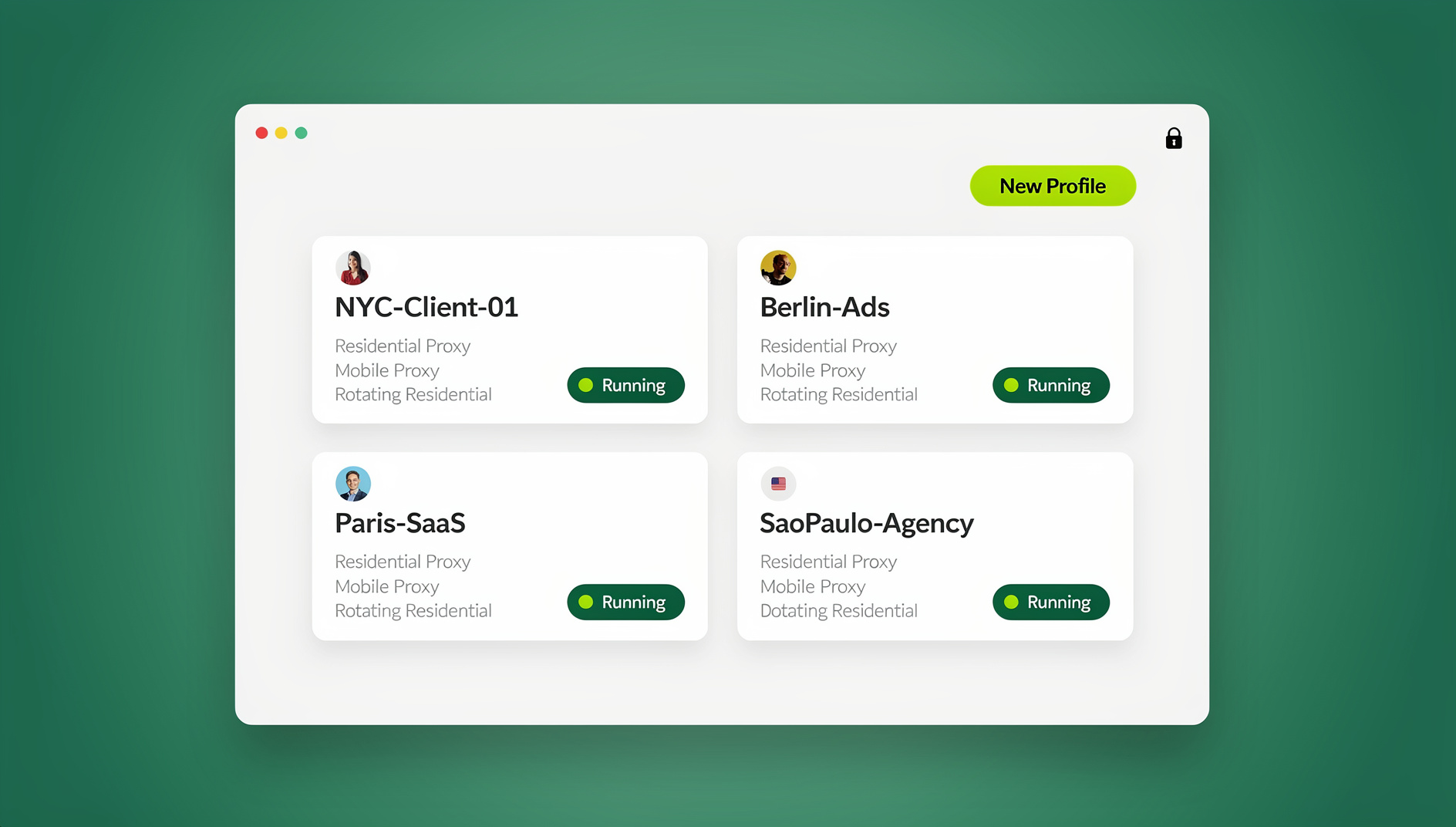

📌 TL;DR Executive Summary
- Core Takeaway: Island runs natively on Apple silicon and Intel Macs and enforces data loss prevention, conditional access, web filtering and audit logging inside a Chromium shell — a different product category from a consumer browser.
- Key Risk/Challenge: Pricing is quote-only, with third-party reports of six-figure annual contracts, and the public macOS build (v0.8.1, published 24 October 2026) is an unsigned, notarization-pending prerelease where only the Apple silicon target has been run on real hardware.
- Recommended Solution: Treat Island as an IT-managed security deployment with a scoped pilot, not a download you try on a whim. If your actual problem is juggling many client logins on one Mac, a browser profile manager such as Send.win addresses that separately.
How Island Enterprise Browser Works on macOS
Island builds on Chromium, so rendering, developer tools and site compatibility behave the way your users expect. The difference sits in the layer around the engine: the browser authenticates the user through your identity provider, reads device posture from the endpoint, then evaluates policy at each action a page tries to take.
Policy is enforced at the action, not the network
A download is checked before bytes reach the disk. A paste into a web form is inspected before it lands in the field. A screenshot of a protected tab is blocked at the point of capture. Because decisions are identity- and device-aware, the same URL can behave differently for a finance user on a managed Mac and a contractor on a personal one. Web filtering and audit logging run alongside, recording which user opened which application in which session.
Isolation, but only where a page needs it
Island’s dynamic isolation model disables high-risk Chromium APIs locally and streams the session into cloud isolation only when a page warrants the heavier treatment. That is a lighter default than pushing every tab through remote isolation, and it explains why the vendor positions the product as an alternative to VDI and VPN rather than an isolation bolt-on. Where remote isolation still earns its budget is covered in our enterprise browser isolation guide.
The parts of a Mac deployment
| Component | What it does | What it means on a Mac |
|---|---|---|
| Policy and DLP engine | Applies identity- and device-aware rules to clipboard, uploads, downloads, printing and screen capture | Rules follow the signed-in user, not the network they happen to be on |
| Dynamic isolation | Disables high-risk Chromium APIs locally, streams cloud isolation only when a page needs it | Everyday browsing stays local instead of routing every tab through a remote host |
| Private Access | Zero-trust access to internal web apps, RDP and SSH without a VPN | Works from any network; private assets stay invisible to the public internet |
| RDP client, smart clipboard, AI assistant, ad and tracker blocker | Day-to-day tooling built into the browser shell | Clipboard mediation is where users notice DLP friction first |
| GenAI governance | Inspects typed prompts, pasted content and file uploads before they reach AI services | Covers the tools your team already pastes into daily |
| DEX analytics | Application usage, performance, network and device health telemetry | Turns “the browser is slow” into evidence, one way or the other |
| Island Desktop (separate agent) | Extends zero trust, DLP, device visibility and DEX to thick apps, native files and the OS | The piece you add when native Mac apps are in scope, not just web tabs |
Island Enterprise Browser on a Mac: Which Build Do You Actually Install?
Availability and support are two different questions. Builds exist for macOS; whether the one you can download is the one you should deploy depends on whether you sit inside a licensed organisation.
Path A: the managed enterprise build
- Confirm commercial scope first. Island is quote-only, so nothing installs until procurement and security have signed off on seats, modules and term.
- Package the signed build and distribute it through your Mac device management tool. Users on a managed fleet should not be pulling installers from a landing page.
- Wire up single sign-on. Policy attaches to the user, so SSO is the control plane rather than an optional extra.
- Define baseline policy before rollout day. Start with downloads, uploads, clipboard and screen capture, because those are the controls users notice and complain about first.
- Run the four-action test on one Mac. Download a file, paste into a web form, print a protected page, screenshot a protected tab. If all four behave as the policy says, the build is wired correctly.
- Add Island Desktop separately if native applications, local files or OS-level activity are in scope. The browser alone does not cover them.
Path B: the public prerelease build
The public download page lists macOS Apple silicon, macOS Intel, Windows x64/arm64 and Linux x64/arm64 builds at version v0.8.1, published 24 October 2026. Two details matter. These are unsigned, notarization-pending prereleases, so on macOS you must open System Settings, go to Privacy & Security, and choose Open Anyway on first launch. And only the macOS Apple silicon build has been run on real hardware so far; the other targets are CI-packaged and awaiting platform verification. That makes this build suitable for evaluation on a spare Mac, not for a fleet.
iPhone and iPad
Mobile coverage comes through a separate app. The App Store lists Island Enterprise Browser as free, 493.5 MB, in the Business category, rated 16+ with unrestricted web access, and it requires iOS 16.0 or later. Free on the App Store does not mean free to use — licensing stays tied to your organisation’s contract.
What Island Costs, and What That Means for a Mac Fleet
Island does not publish a per-user list price. Everything in this table comes from third-party reporting rather than a vendor price list, so read it as orientation and get a written quote.
| Reported figure | What it covers | Source type |
|---|---|---|
| Around $250,000 for one year | Enterprise contract bought through AWS Marketplace | Third-party review reporting |
| From roughly $25,000 per year | Managed service provider deals | Third-party review reporting |
| $500,000 to $1,000,000 per year | Direct enterprise annual plans, the higher end tied to multi-year commitments | 2026 third-party pricing guide |
| Not published | Per-user or per-seat list price | Vendor |
For a Mac fleet, seat count is rarely the main driver. Module scope, term length, and whether you buy through a marketplace or a reseller move the number more. Claims about free trials vary between review sites, so confirm evaluation terms with the vendor before you build a pilot plan around them.
Where Island Sits Among Secure Enterprise Browsers
Island is not alone in this category, and the differences are mostly architectural. The comparison below sticks to what each vendor actually sells.
| Option | Approach | Trade-off worth knowing |
|---|---|---|
| Island Enterprise Browser | Purpose-built Chromium browser with DLP, conditional access, filtering and audit logging | Deep per-action control; quote-only pricing and browser-scoped coverage unless Island Desktop is added |
| Island Desktop | Endpoint agent extending zero trust, DLP, device visibility and DEX to native apps and the OS | Closes the gap the browser leaves open; another agent to package, patch and support |
| Palo Alto Prisma Access Browser | Built from the Talon acquisition; competes on platform bundling | Attractive if you already run the platform; Island argues browser-first depth is greater |
| Chrome Enterprise Premium | The incumbent browser retrofitted with management controls | Lowest switching cost; Island argues that purpose-built controls reach deeper per action |
| LayerX | Extension-based security layer | Much lighter deployment, with less control than a full managed browser |
| Venn (Blue Border) | Runs work in a secure enclave on the device | Positioned at BYOD and contractor use rather than fleet-wide replacement |
One caveat before you read too much into any of this: a good share of the public comparison material is written by a competitor, so weigh the framing rather than the product facts. And if your Macs currently reach internal tools over a VPN client, the real question is architectural — our breakdown of browser isolation vs VPN covers what changes when the browser becomes the access layer.
Six Mistakes Mac Teams Make With Enterprise Browsers
- Shipping the prerelease as production. v0.8.1 is a verification build, and only the Apple silicon target has been run on real hardware. Stage it; do not standardise on it.
- Assuming the browser covers native apps. Island secures browser-based activity. Locally installed applications, local files and OS-level actions need Island Desktop or a different control entirely.
- Letting policy order become the architecture. Rules are prioritised by order rather than by more intuitive logic, so a policy set that grows for two years becomes unreadable. Name rules consistently and document precedence from day one.
- Budgeting from a per-seat assumption. Quote-only means the first number you hear may be a marketplace bundle, a reseller package or a multi-year commitment. Compare like with like.
- Ignoring performance signals. Reviewers on G2 and AWS Marketplace report occasional lag and slower tab switching than a standard browser. On Apple silicon that may be acceptable; on older Intel Macs, test before you commit.
- Expecting the browser to separate account identities. A managed browser governs what data leaves, not who you are on each site. Two logins in one browser profile still share one cookie jar, one storage layer and one fingerprint — which matters when your Mac team runs client accounts side by side. This piece on enterprise browser fingerprinting solutions covers how teams keep per-client identities consistent.
How Send.win Helps With Island Enterprise Browser For Mac
Send.win is a browser profile manager for professionals and teams: every account gets its own isolated browser profile.
- Isolated profiles – separate cookies, storage and sessions per profile
- Fingerprint protection – each profile keeps its own consistent browser fingerprint, so profiles never share one browser identity
- Desktop app + cloud browser – native app for Windows, macOS and Linux, or run profiles in the cloud with no install
- Residential proxies included – on Pro and Team, with timezone and locale matched to the proxy
- Team sharing – share a signed-in profile with a teammate without sharing the password
Try the free cloud demo — no install — or download the desktop app. Paid plans start at $19/month, and your first card purchase is covered by a 7-day money-back guarantee (see pricing).
Where Send.win Fits When a Mac Team Manages Many Accounts
Send.win is a browser profile manager, not an enterprise browser, and it does no data loss prevention, conditional access or audit logging. If your search for an Island enterprise browser for Mac started because your team juggles a dozen client logins in one Chrome window, you have a different problem: identity separation rather than data governance.
What it actually does
Each Send.win profile is isolated, with its own cookies, storage, sessions, fingerprint settings and proxy. You can run profiles two ways. Sendwin Browser is a native Chromium-based desktop app for Windows 10/11 (64-bit), macOS 12+ on Apple silicon and Intel, and Linux (AppImage/.deb). The cloud browser runs profiles on Send.win’s server in Helsinki, Finland, from any device with nothing to install — useful when you need a session on a machine that is not yours. A free cloud demo needs no signup, and a free account gets 10 minutes a day.
Where Mac teams use it
- Agencies managing client accounts: one profile per client, so a session for one brand never carries another brand’s cookies.
- Sellers with several storefronts: each storefront signed in separately, with timezone, locale, WebRTC and geolocation following the proxy’s exit IP automatically.
- QA and support: test as a different user or region without clearing cookies and losing your own session.
- Collaboration: share a profile with a paid teammate and it opens already signed in, with no password changing hands; cloud sync moves logins across devices.
Networking options are residential proxies included on Pro and Team with metered bandwidth, or bring your own HTTP/SOCKS5. For teams running profiles in the cloud rather than locally, this cloud browser for enterprise isolation guide explains how sessions are stored and shared.
What it deliberately does not do
Send.win is built for manual, hands-on work. You open each profile yourself and drive it by hand, and nothing in the product runs a profile unattended, on a schedule or from a script on any plan. It is meant for accounts you own or are authorised to manage, used in line with each platform’s terms. Pro runs 150 saved profiles with 6 seats and 5 GB of proxy bandwidth a month; Team runs 500 profiles with 16 seats and 20 GB. Both allow up to 50 profiles open at once, and the desktop app has no free trial — your first card purchase is covered by a 7-day money-back guarantee.
🏆 Send.win Verdict
Island is the right answer when your Mac fleet needs enforced data controls, zero-trust access and an audit trail — and you can carry a quote-only enterprise contract. It is the wrong tool for the narrower, very common problem of a Mac team running many client accounts side by side. Send.win handles that one: isolated Chromium profiles on macOS 12+ with their own fingerprint settings and proxy, plus a cloud browser when you need a session on a machine that is not yours, at flat monthly pricing rather than a six-figure commitment.
See Send.win plans — Pro from $19/mo with residential proxies included and a 7-day money-back guarantee on your first card purchase, or start with the free cloud demo.
Frequently Asked Questions
Is Island Enterprise Browser available for Mac?
Yes. The vendor ships builds for macOS on both Apple silicon and Intel, alongside Windows x64/arm64 and Linux x64/arm64. The public download page currently lists version v0.8.1, published 24 October 2026. Access is controlled by your organisation’s licence rather than by the download itself.
How do I install Island on a Mac?
Inside a licensed organisation, the signed build is pushed to your Mac by IT through device management, and you then sign in with single sign-on. You can also download the public prerelease yourself and launch it, but that build is unsigned and notarization-pending, so macOS requires you to approve it under System Settings, Privacy & Security.
Is the Island macOS download signed and notarized?
The public v0.8.1 prerelease builds are unsigned and awaiting notarization, which is why Gatekeeper blocks the first launch until you choose Open Anyway. Managed enterprise deployments use a separate, vendor-distributed package. Ask your account team to confirm signing and notarization for the exact build you plan to deploy.
Is Island Browser a replacement for Chrome or Edge?
For work applications covered by policy, yes. It is a standalone Chromium-based browser rather than a managed profile inside Chrome, though Island also offers a companion extension for organisations that cannot move the default browser. Whether it becomes the only browser on a Mac is a policy decision; many teams keep an unmanaged browser for personal use.
What are the system requirements for Island on macOS?
The public download page lists separate Apple silicon and Intel builds but does not state a minimum macOS version, so confirm the supported release with the vendor before standardising. The iOS app requires iOS 16.0 or later. Only the Apple silicon macOS build has been verified on real hardware so far.
How much does Island Browser cost per user?
There is no published per-user price; it is quote-only. Third-party reports cite around $250,000 for a one-year AWS Marketplace contract, MSP deals from roughly $25,000 a year, and direct enterprise plans from $500,000 to $1,000,000 annually for multi-year commitments. Treat those as unverified orientation figures and get a written quote.
Can I use Island on a personal Mac under BYOD?
That depends on your organisation’s policy, not on the browser. The product enforces identity- and device-aware rules, so a security team can apply tighter controls to an unmanaged personal Mac than to a corporate one. Some organisations prefer an enclave-style approach for contractors instead, so ask before you install anything.
Is Send.win an alternative to Island Enterprise Browser?
No — they solve different problems. Island governs what data can leave a browser and who can reach which application. Send.win keeps multiple accounts in separate, isolated profiles with their own fingerprint settings and proxy on macOS, Windows and Linux. Teams that need both usually run them side by side.