Is Kasm Workspaces Better Than Send.win?
Send.win vs Kasm isn’t a contest with an absolute winner — Kasm Workspaces isn’t “better” than Send.win, it’s built for a different job. Kasm is a self-hosted container-streaming platform for IT teams that need full desktops and full infrastructure control; Send.win is a fully managed cloud browser built specifically for running multiple accounts side by side, with team session sharing and no servers to maintain. Below is where each one actually wins.
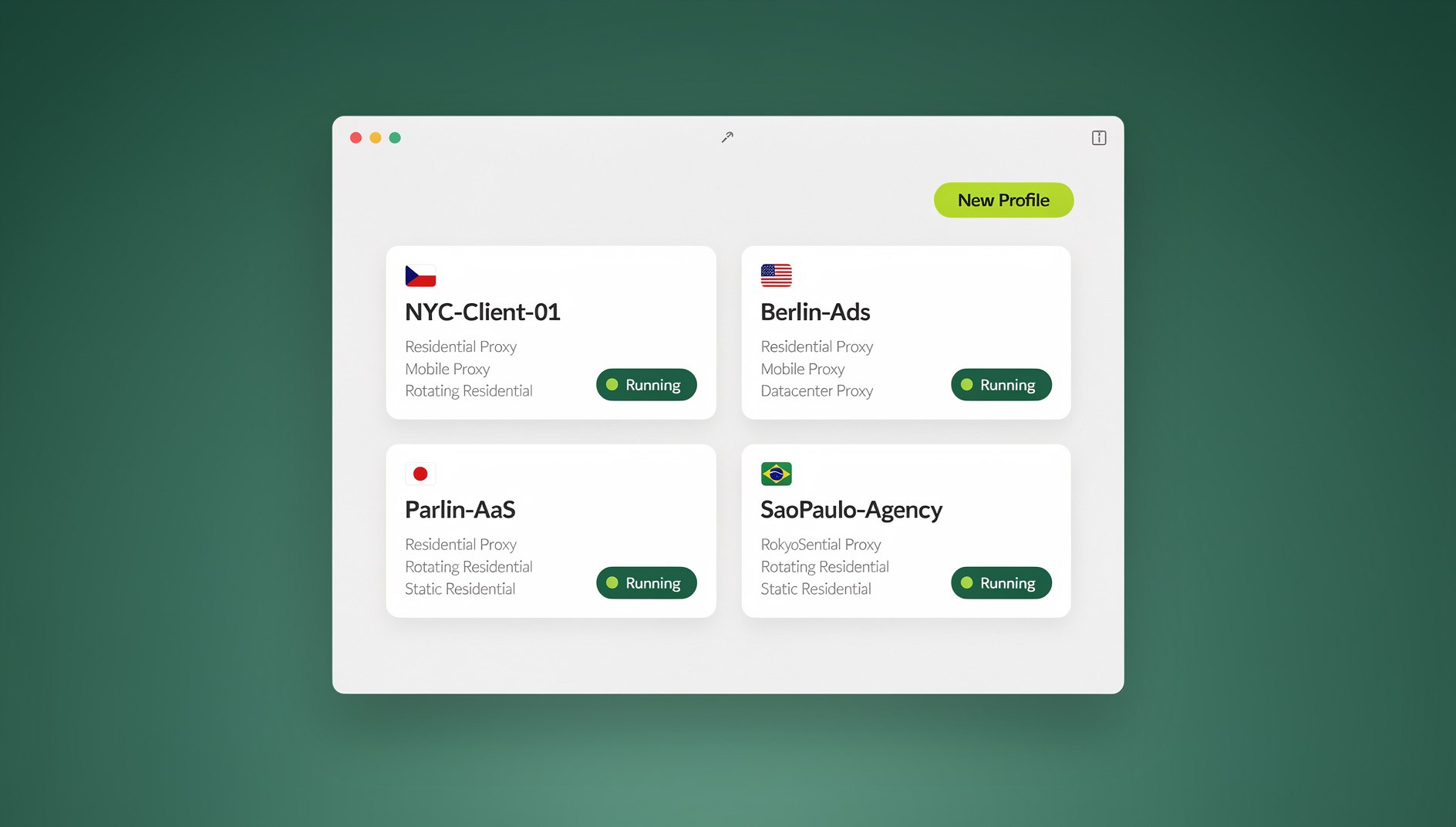

TL;DR: Send.win vs Kasm at a Glance
| Criteria | Send.win | Kasm Workspaces |
|---|---|---|
| Best for | Multi-account browsing, team session sharing | Self-hosted browser/desktop isolation at scale |
| Setup time | Minutes | Hours to days |
| Who runs the infrastructure | Send.win | You |
| Starting price | Pro $19/mo or $83.88/yr; Team $49/mo or $251.88/yr (7-day money-back guarantee on first card purchase) | Free (Community, self-hosted) or $5/user/mo (Enterprise) + server costs |
| Fingerprint isolation | Automatic, per profile | Not a primary feature |
| Full Linux desktops | No — browser only | Yes |
What Is Kasm Workspaces?
Kasm Workspaces is a self-hosted container streaming platform. It runs Docker containers — browsers, full desktops, and custom applications — on your own servers and streams them to users over WebRTC. It’s aimed at IT teams and developers who want complete control over their own browser isolation infrastructure, and it’s frequently deployed for use cases well beyond simple browsing, such as secure remote access to internal tools or disposable environments for opening untrusted files and links.
Kasm Key Facts
- Architecture: self-hosted on your own servers (Docker/Kubernetes)
- Browser types: Chrome, Firefox, Brave, Tor, plus full desktop containers
- Admin skills required: Linux, Docker, networking, SSL certificates
- Community Edition: free, capped at 5 concurrent sessions
- Enterprise Edition: from $5/user/month, plus your own server costs
- Session persistence: configurable — ephemeral or persistent volumes
What Is Send.win?
Send.win is a fully managed cloud browser platform built around multi-account management. There’s nothing to host — you sign up, create browser profiles, and open them from any browser. Each profile carries its own fingerprint, cookies, and optional proxy, and sessions persist automatically between visits.
Send.win Key Facts
- Architecture: fully managed cloud — no infrastructure to run
- Browser types: Chrome-based cloud profiles, plus the Sendwin Browser desktop app for local use
- Admin skills required: none
- Pricing: No free trial; paid plans start at $19/mo (Pro) or $49/mo (Team), with a 7-day money-back guarantee on your first card purchase. A free cloud demo is available at send.win/demo-browser.
- Paid plans: Pro at $6.99/month (annual), Team at $20.99/month (annual)
- Session persistence: always on — logins are saved automatically
- Fingerprint isolation: unique per profile, automatically
Feature Comparison
| Feature | Send.win | Kasm Workspaces |
|---|---|---|
| Hosting | Fully managed cloud | Self-hosted (your servers) |
| Setup time | Minutes — sign up and go | Hours to days (server setup, Docker, SSL) |
| Browser engine | Chrome-based, plus Sendwin Browser desktop app | Chrome, Firefox, Brave, Tor, full desktops |
| Fingerprint isolation | Unique per profile, automatic | Not a primary feature (shared container image) |
| Session persistence | Always on | Configurable (needs persistent volumes) |
| Team session sharing | One click, password never shared | Via admin-managed user accounts |
| Proxy per profile | Built in, per profile | Manual, per container |
| Multi-account management | Core feature | Not the primary design target |
| Full Linux desktop | No — browser only | Yes — Ubuntu, Fedora, Alpine desktops |
| GPU support | Managed by Send.win | NVIDIA GPU passthrough available |
| Automation API | No | Full REST API + SDK |
| Infrastructure cost | Subscription only | Server costs plus Kasm licence |
| Server maintenance | None — Send.win handles it | Full ops responsibility (patching, scaling, updates) |
Architecture Deep Dive
Kasm: Self-Hosted Container Streaming
Your Infrastructure:
  Kasm Manager (control plane)
  Kasm Agent (per server node)
    Chrome Container (user session)
    Firefox Container (user session)
    Ubuntu Desktop Container
    Custom App Container
  Database (PostgreSQL)
  Reverse Proxy (Nginx/Traefik)
  SSL Certificates (Let's Encrypt)

User -> HTTPS -> Your Reverse Proxy -> Kasm Manager -> Assigns Container
                                                     -> Streams via WebRTC
Send.win: Managed Cloud Profiles
Send.win Infrastructure (managed for you):
  Profile Storage
  Fingerprint Engine
  Proxy Router
  Streaming Servers

User -> HTTPS -> Send.win -> Selects Profile -> Isolated Session
                                              -> Unique Fingerprint
                                              -> Assigned Proxy
                                              -> Session Persists
Use Case Recommendations
| Use Case | Better Choice | Why |
|---|---|---|
| Multi-account social media management | Send.win | Built-in fingerprint isolation and persistence |
| Enterprise browser isolation for security | Kasm | Full control, compliance options, air-gapped deployments |
| Agency team sharing client accounts | Send.win | One-click session sharing without passwords |
| Developer workstations in the cloud | Kasm | Full desktop environments (IDE, terminal, custom apps) |
| Quick cloud browser access, non-technical users | Send.win | Zero setup, no servers to manage |
| Security research or malware analysis | Kasm | Disposable containers with full OS access |
| E-commerce multi-store management | Send.win | Persistent logins with unique fingerprints per store |
| Education lab environments | Kasm | Full desktops for students, centralized admin controls |
| Small team or solo operator | Send.win | No infrastructure overhead at all |
| Large enterprise (1000+ users) | Kasm | Custom deployment, full control, compliance requirements |
Cost Comparison
Kasm Total Cost of Ownership
Community (free tier):
  Server: roughly $20-80/month (VPS or cloud instance)
  Capped at 5 concurrent sessions
  Total: roughly $20-80/month

Enterprise (5 users):
  Licence: $25/month ($5/user)
  Server: roughly $40-100/month
  Total: roughly $65-125/month

Enterprise (50 users):
  Licence: $250/month
  Server(s): roughly $200-500/month (multi-node)
  Total: roughly $450-750/month

Hidden costs:
  + Sysadmin time for maintenance
  + SSL certificate management
  + Security patching
  + Monitoring and alerting setup
Send.win Total Cost
Pro: $19/month, or $6.99/month billed annually
Team: $49/month, or $20.99/month billed annually
7-day money-back guarantee on the first card purchase

Hidden costs: none
  - Infrastructure fully managed
  - Updates automatic
  - No server maintenance
  - No SSL management
Team Collaboration: Session Sharing vs Admin-Managed Accounts
The two platforms solve team access in opposite ways. Kasm gives every teammate their own login to the Kasm Manager, and an admin assigns which containers or sessions they can reach — it’s the same permissions model most IT teams already know, but every new hire needs an admin to provision an account, and revoking access means editing user permissions on your own server.
Send.win skips the account-provisioning step entirely: you log into one account, share the specific session a teammate needs, and revoke it with a click when the project ends. Nobody outside your workspace ever touches a password, and there’s no user-management console to keep current. For team browser access built around client accounts rather than internal staff accounts, that difference matters more than it might first appear — agencies onboard and offboard client access dozens of times a year, and Kasm’s model assumes a slower-moving internal team.
Security and Compliance Considerations
Kasm’s self-hosted model is the stronger pick when compliance requires data to stay on infrastructure you own outright — some HIPAA, SOC 2, or government contracts specify exactly that, and no managed SaaS platform can satisfy a requirement to keep everything on-premises. You take on the patching and monitoring workload in exchange for that control.
Send.win’s security model instead leans on isolation and encryption at the platform level: every profile is walled off from every other profile and every other account, session data is encrypted in transit and at rest, and shared sessions can be revoked instantly rather than requiring a password reset across every device that had it. For teams whose main risk is account linkage or credential sprawl rather than a specific on-premises mandate, that’s typically the more practical bar to clear.
When Kasm Makes Sense
- You need full desktop environments — Kasm streams Ubuntu, Fedora, and custom Linux desktops, not just browsers
- Compliance requires it — data has to stay on infrastructure you control (GDPR, HIPAA, SOC 2 environments)
- You have DevOps capacity — a team that can run Docker, Kubernetes, networking, and patch schedules
- Custom workloads — you need to run specific applications beyond a browser
- Large scale — 100+ concurrent users, where self-hosting becomes more cost-effective than per-seat pricing
When Send.win Makes Sense
- You’re managing multiple accounts — this is Send.win’s core purpose, backed by per-profile fingerprint isolation
- You don’t have an infrastructure team — you want cloud browsers without managing servers
- Teams need to collaborate — share logged-in sessions without ever sharing passwords
- You want unlimited virtual profiles without hand-configuring each one’s fingerprint
- Small to medium teams — a subscription is simpler to budget than infrastructure costs
🏆 Send.win Verdict
Kasm wins if you need full remote desktops and are prepared to run your own servers. For everything about running more than one account safely — isolated fingerprints, persistent logins, one-click sharing with your team — Send.win gets you there in minutes instead of days, with no infrastructure to babysit.
Try the free Send.win cloud demo — no signup required.
Frequently Asked Questions
Can I use Kasm for multi-account management?
Technically, yes — you can spin up a separate Kasm session per account. But Kasm doesn’t give sessions unique fingerprints by default, has no built-in per-profile proxy assignment, and needs manual persistent-volume configuration to keep sessions alive between visits. For dedicated multi-account work, Send.win is purpose-built for exactly this.
Is Kasm free?
Kasm Community Edition is free but caps out at 5 concurrent sessions and skips enterprise features like SSO, multi-server support, and detailed logging — and you still cover your own server costs. Enterprise Edition starts at $5/user/month.
Is Send.win free?
Send.win has no free trial. Pro runs $19/month or $83.88/year, and Team runs $49/month or $251.88/year, with the first card purchase covered by a 7-day money-back guarantee. The only free option is the cloud demo at https://send.win/demo-browser/.
Can Send.win run full Linux desktops?
No — Send.win is focused on browser profiles, not full desktop environments. If you need a full Linux desktop in the cloud with a file manager and terminal access, Kasm is the right tool.
Which one has better performance?
Kasm can be faster in absolute terms because you control the server location and specs — you can put a powerful box close to your users. Send.win’s performance depends on infrastructure you don’t manage, but also never have to maintain.
Does either platform offer an automation API?
Kasm does: it ships a full REST API and SDK for building on top of its containers. Send.win has no automation interface — no API, SDK, headless mode or Selenium/Puppeteer/Playwright support on any plan.
Can I migrate from Kasm to Send.win, or the other way around?
There’s no direct migration path since the platforms solve different problems and store session data in incompatible ways. Moving from Kasm to Send.win means creating new profiles and re-logging into your accounts one by one. Moving from Send.win to Kasm means standing up your own servers, installing Docker, and configuring each session manually before you can resume any of the workflows you had running.
Which is better for a small agency managing client social accounts, and does it require technical setup?
Send.win, in most cases — the combination of automatic fingerprint isolation, persistent logins, and password-free session sharing maps directly onto agency work, and setup is just signing up and creating a profile, with no server, certificate, or container to configure. Kasm can technically handle the same workload, but even its free Community Edition expects comfort with Docker, Linux server administration, and setting up your own reverse proxy and SSL certificates before a single session streams — overhead most small agencies would rather not carry. That gap in required expertise is usually the deciding factor long before feature checklists come into play.
Conclusion
Send.win vs Kasm really comes down to managed simplicity versus self-hosted control. Kasm gives you a flexible, powerful container streaming platform — browsers, full desktops, custom apps — but it asks for real infrastructure expertise in return, along with the ongoing labor of patching, monitoring, and scaling that infrastructure yourself. Send.win gives you purpose-built multi-account browser profiles with team sharing, automatic fingerprint isolation, and zero infrastructure to run, at the cost of not offering full desktops or the deep customization a self-hosted container platform allows.
Neither platform is a strict upgrade over the other — they were designed to solve different problems for different teams, and picking the wrong one for your situation means paying either in setup time or in missing capability. For multi-account management and team browser sharing, Send.win is the more direct tool, and its 7-day money-back guarantee on the first card purchase makes it cheap to confirm that before committing. For enterprise browser isolation, developer workstations, and full desktop environments with total infrastructure control, Kasm is the better fit, provided you have the operational capacity to run it well.