The Best Tools to Manage Multiple Instagram Accounts
The best tools to manage multiple Instagram accounts fall into three groups: scheduling platforms that handle posting and content calendars, analytics dashboards that track performance across profiles, and browser isolation tools that keep each account’s device fingerprint separate so Instagram doesn’t flag them as connected. Running more than two or three accounts without the third piece is the most common way creators and agencies end up with restricted or disabled profiles.
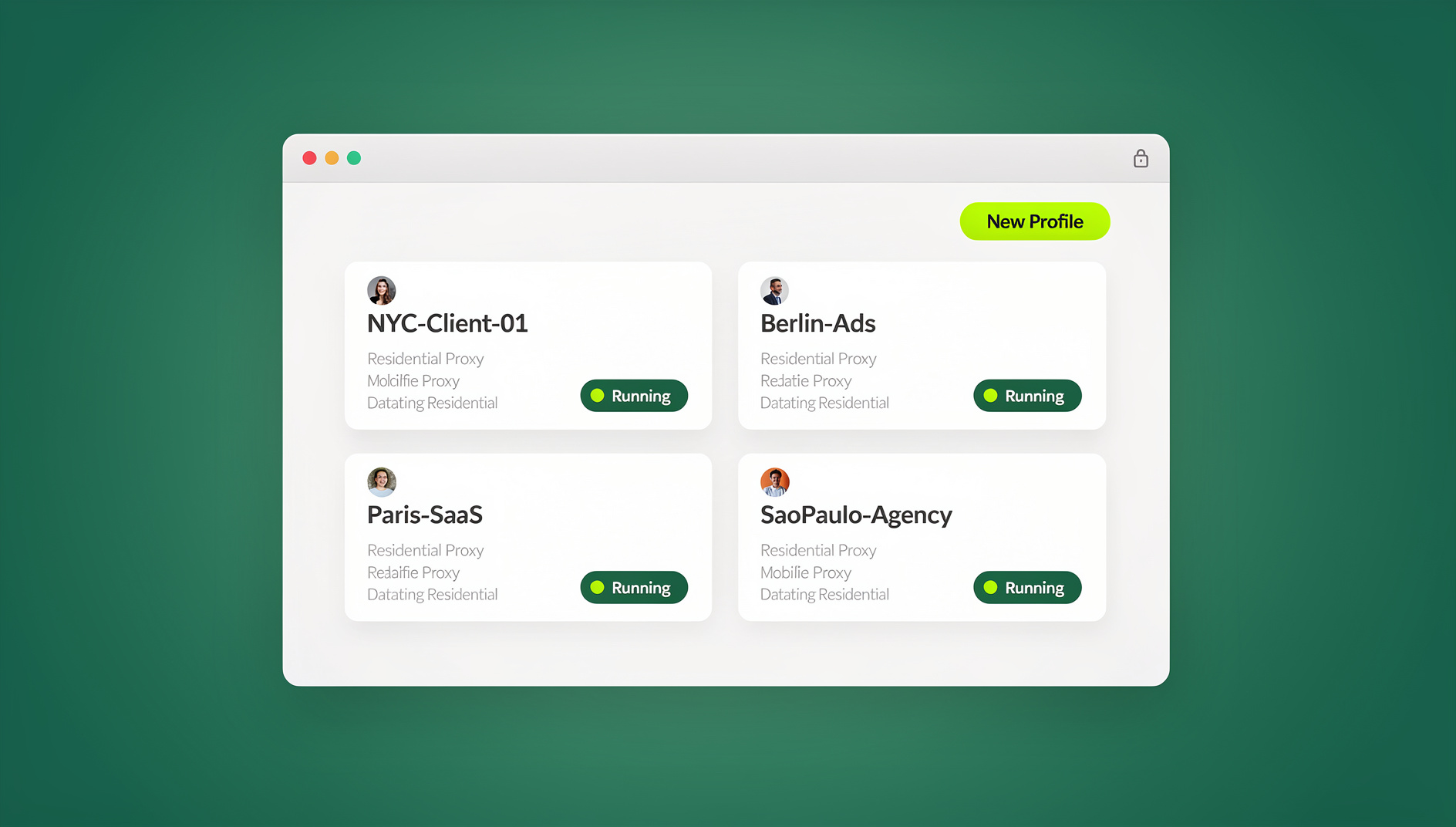

This guide breaks down each category, compares the leading options, and shows how to combine them into a stack that fits your scale — whether you’re a solo creator running three accounts or an agency managing thirty.
Why Instagram Flags Accounts That Look Connected
Instagram doesn’t just look at usernames and passwords. Its detection systems fingerprint the device and browser used to log in — screen resolution, installed fonts, GPU details, timezone, canvas rendering — and combine that with the IP address and behavioral patterns like typing speed or navigation timing. When several accounts share the same fingerprint and IP, Instagram treats them as “linked,” even if you never intended them to be connected. That’s when action blocks, shadowbans, or full suspensions start showing up, often with no clear warning first.
Scheduling and analytics tools don’t touch any of this — they operate through Instagram’s official API or on top of your existing login. Isolation is a separate problem that needs a separate tool, which is why the strongest multi-account setups combine both.
The Four Categories of Instagram Management Tools
| Category | What It Solves | Examples |
|---|---|---|
| Scheduling & Publishing | Plan and auto-post content across accounts | Buffer, Later, Hootsuite, Metricool, SocialBee |
| Analytics & Reporting | Track performance metrics per account | Iconosquare, Sprout Social, native Instagram Insights |
| Account Isolation | Keep device fingerprints and sessions separated | Send.win, GoLogin |
| Content Creation | Design posts, Reels, and Stories | Canva, Adobe Express, CapCut |
Most people running multiple accounts eventually need at least one tool from each row. The order you add them matters less than making sure isolation is in there somewhere before you scale past two or three profiles.
Best Scheduling and Publishing Tools
1. Buffer
Buffer keeps its interface simple, which makes it the fastest tool to actually start using. Content calendars, queueing, and basic analytics cover what most solo creators and small teams need without a learning curve.
| Feature | Details |
|---|---|
| Free Plan | 3 channels, 10 scheduled posts per channel |
| Starting Price | $6/mo per channel |
| Key Features | Post scheduling, link-in-bio, basic analytics |
| Best For | Solo creators and small teams |
2. Later
Later’s visual content calendar shows a preview of your grid before you publish, which matters more for Instagram than almost any other platform. You can drag posts around the calendar and see exactly how the feed will look.
| Feature | Details |
|---|---|
| Free Plan | 1 social set, 5 posts per month |
| Starting Price | $25/mo |
| Key Features | Visual planner, Linkin.bio, best-time-to-post suggestions |
| Best For | Visual brands and influencers |
3. Hootsuite
Hootsuite is built for teams, not solo operators — approval workflows, role permissions, and a shared content library make it the default pick for agencies juggling client accounts.
| Feature | Details |
|---|---|
| Starting Price | $99/mo |
| Key Features | Scheduling, monitoring, team roles, content library |
| Best For | Agencies and enterprise teams |
4. Metricool
Metricool bundles competitor analysis and ad tracking alongside standard scheduling, which makes it good value for anyone who also wants to benchmark against other accounts in their niche.
| Feature | Details |
|---|---|
| Free Plan | 1 brand, basic features |
| Starting Price | $22/mo |
| Key Features | Competitor analysis, SmartLinks, ad tracking |
| Best For | Data-driven marketers |
5. SocialBee
SocialBee’s content categories let you build evergreen post pools that recycle automatically, which keeps accounts active on the weeks you don’t have time to create fresh content.
| Feature | Details |
|---|---|
| Starting Price | $29/mo |
| Key Features | Content categories, post recycling, Canva integration |
| Best For | Content-heavy strategies |
Best Tools for Account Isolation
Scheduling tools manage what you post. They do nothing to stop Instagram from noticing that five “unrelated” accounts all log in from the same fingerprint and IP address. Isolation tools solve that half of the problem by giving each account its own browser identity.
Send.win
Send.win gives each Instagram account its own isolated profile — a unique browser fingerprint, its own cookies, and its own proxy assignment — so accounts stop looking connected to Instagram’s detection systems. It runs two ways: as Sendwin Browser, a native desktop app for Windows, macOS, and Linux where profiles live locally, or as a cloud browser session that opens in the cloud with no install at all, which is useful for a teammate who needs quick access from a shared or unfamiliar machine.
- Isolated profiles with independent fingerprints, cookies, and proxies
- Cloud browser sessions for access without installing anything locally
- Profile sharing so teammates can use an account without the password
- Automation API (Selenium/Puppeteer/Playwright) on the Pro plan, for teams that script routine tasks against Sendwin Browser
- 30-day free trial, no credit card required
If you’re logging in from a browser at all, learning how to log in to multiple Instagram accounts the right way from the start saves you from having to migrate accounts later once one gets flagged.
GoLogin
GoLogin is another antidetect browser worth a look, with a smaller free tier (3 profiles) and a companion mobile app for checking on profiles away from your desktop.
Browser-Native Alternatives
If you’re not ready to pay for a dedicated tool yet, Firefox containers give you basic cookie separation for free, and Chrome’s built-in profile switcher does something similar. Neither changes your device fingerprint, so they won’t hold up once Instagram’s detection gets more aggressive — but they’re a reasonable starting point for two or three low-stakes accounts.
Best Analytics and Reporting Tools
Iconosquare
Iconosquare pulls follower growth, engagement rate, best posting times, and competitor benchmarks into one multi-account dashboard, with exportable reports that are ready to hand to a client. Plans start around $49/mo.
Sprout Social
Sprout Social is the enterprise option, with the most polished reporting in the category — audience demographics, campaign ROI, and presentation-ready exports that don’t need extra formatting before a client meeting.
Instagram Insights (Native)
Every business or creator account gets Insights for free. It’s limited to one account at a time with no cross-account view, but it’s a legitimate option if you only need quick per-post performance checks.
Best Content Creation Tools
Canva
Canva’s brand kits let you keep a separate visual identity — colors, fonts, templates — for each account you run, which matters once you’re managing accounts for different clients or niches.
Adobe Express
Adobe Express connects to Creative Cloud libraries, which is convenient if your team already works inside the Adobe ecosystem for other design work.
CapCut
For Reels, CapCut’s Instagram-optimized templates and AI-assisted editing tools cut down production time across multiple accounts’ worth of video content.
Building Your Tool Stack by Scale
The right combination depends on how many accounts you’re running and what you’re running them for. Here’s a rough guide by scale:
Solo Creator (2-3 accounts)
| Need | Tool | Monthly Cost |
|---|---|---|
| Scheduling | Buffer (free plan) | $0 |
| Isolation | Chrome or Firefox profiles | $0 |
| Content | Canva (free plan) | $0 |
Freelancer / Small Agency (5-10 accounts)
| Need | Tool | Monthly Cost |
|---|---|---|
| Scheduling | Later | $25 |
| Isolation | Send.win Pro (annual) | $6.99 |
| Analytics | Instagram Insights | $0 |
| Content | Canva Pro | $13 |
Agency (20+ accounts)
| Need | Tool | Monthly Cost |
|---|---|---|
| Scheduling | Hootsuite | $99 |
| Isolation | Send.win Team (annual) | $20.99 |
| Analytics | Iconosquare | $49 |
| Content | Canva Teams | $30 |
Common Mistakes That Get Multi-Account Setups Flagged
Most account restrictions aren’t random — they trace back to a handful of repeated mistakes. Knowing them ahead of time is cheaper than recovering from a suspension after the fact.
- Logging into every account from the same browser window. Even with different tabs, a shared browser session can leak cookies and cached tokens between accounts, which is enough for Instagram to draw a connection.
- Reusing one IP address across dozens of profiles. A residential IP suddenly logging into 15 “unrelated” accounts within the same hour is one of the clearer signals Instagram’s systems look for.
- Automating engagement too aggressively. Bulk following, liking, or commenting at bot-like speed — even manually — is the fastest way to trigger action blocks, regardless of how well the accounts are isolated.
- Skipping the warm-up period on new accounts. Accounts that jump straight into heavy posting or DMs in their first days get scrutinized more than ones that build up activity gradually.
- Ignoring early warning signs. A temporary action block is usually a warning, not a one-off glitch. Continuing the same behavior that triggered it tends to escalate to longer restrictions or a full suspension.
None of these mistakes are fixed by switching scheduling tools — they’re solved by isolating sessions properly and pacing activity like a real, individual user would.
Security Best Practices for Multi-Account Management
- Use unique passwords for every account, stored in a password manager rather than reused or written down
- Enable 2FA everywhere using an authenticator app rather than SMS, which is easier to intercept
- Limit third-party app permissions to only what a scheduling tool actually needs
- Audit connected apps quarterly and remove anything you no longer use
- Keep each account in its own isolated environment — browser isolation is what actually stops one flagged account from putting the others at risk
🏆 Send.win Verdict
Scheduling tools like Buffer or Later handle the content side of running multiple Instagram accounts, but they can’t stop Instagram from linking accounts that share a fingerprint. Send.win closes that gap with isolated profiles, unique fingerprints and proxies per account, and a 30-day free trial with no credit card — whether you run it through the Sendwin Browser desktop app or a no-install cloud browser session.
Try Send.win free today — set up isolated profiles for every Instagram account in minutes.
Frequently Asked Questions
What is the easiest tool to manage multiple Instagram accounts?
Buffer is the fastest to set up for scheduling — you can connect accounts and start queueing posts within minutes. For account isolation specifically, Send.win’s profile setup is comparably quick and doesn’t require touching your existing browser configuration.
Do I need an antidetect browser for Instagram?
If you’re running more than a handful of accounts, or any accounts that must never be linked to each other (client accounts, for example), yes. Instagram’s fingerprinting can connect accounts that share a device signature even if the logins themselves are completely separate.
Can I manage Instagram accounts entirely from a computer?
Yes. Instagram’s web interface supports posting, Stories, Reels, and DMs, so paired with a scheduler and isolated browser profiles you can run every account from a desktop without touching a phone.
How much does it cost to manage multiple Instagram accounts professionally?
It ranges from $0 with free-tier tools to $200+/month for a full agency stack with scheduling, analytics, isolation, and content creation combined. Isolation tools like Send.win start with a 30-day free trial, then $6.99/mo on the annual Pro plan.
Which tool is best for scheduling Instagram Reels?
Later and Buffer both support Reels scheduling. Later’s visual planner is particularly useful for seeing how Reels fit alongside feed posts before you publish.
Will Instagram know I’m using a scheduling tool?
Reputable schedulers use Instagram’s official API, which Instagram explicitly supports — it won’t get an account flagged on its own. The risk comes from fingerprint overlap between accounts, not from using a scheduler.
Can I switch between an antidetect browser and my normal browser?
Yes — isolation tools don’t replace your everyday browser, they just handle the accounts you need kept separate. Most people keep a personal account in their normal browser and run client or secondary accounts through isolated profiles.
Do I need a separate proxy for each Instagram account?
It’s recommended once you’re past 3-5 accounts. Sharing an IP across many profiles reintroduces the same linking risk that isolation is meant to solve, so pairing isolated profiles with per-account proxies is the more durable setup.
Conclusion
The right tools to manage multiple Instagram accounts depend on how many profiles you’re running and how much is at stake if one gets flagged. Start with a free scheduler for content, add isolated browser profiles once you’re past two or three accounts, and layer in analytics and content tools as the stack grows. Pairing Send.win for isolation with Buffer or Later for scheduling covers the two things that actually determine whether a multi-account setup survives long-term: consistent content and accounts that don’t look connected to each other.