Time management tips for freelancers aren’t a “nice to have” — they’re the difference between a freelance career that pays the bills with room to breathe and one that quietly burns you out within a year. When you work for yourself, there’s no manager blocking your calendar, no HR department enforcing lunch breaks, and no one telling you when to log off. Every hour of your day is a decision you make alone, which means bad time management doesn’t just cost you money — it costs you evenings, weekends, and sleep.
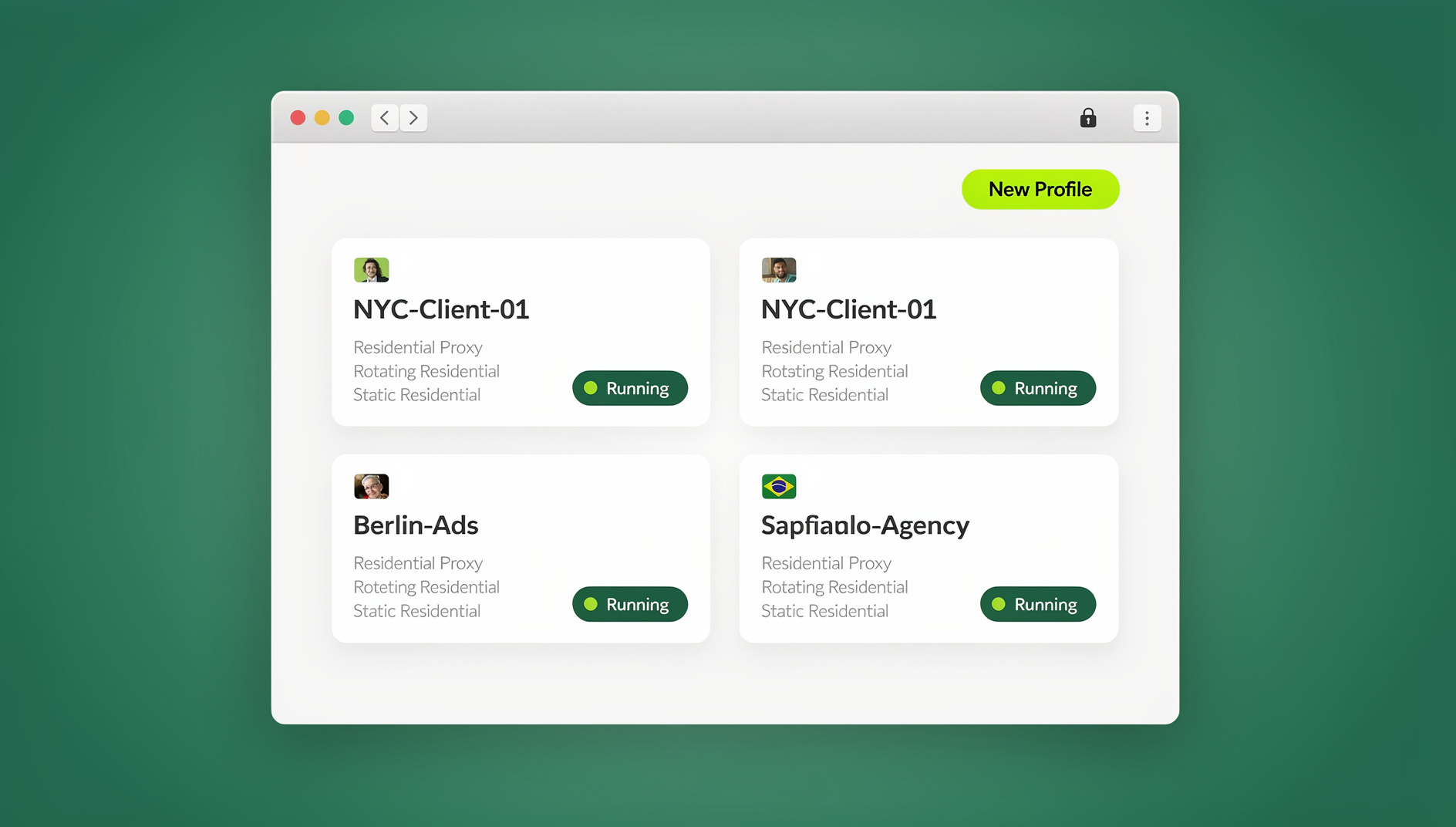

This guide updates the classic advice with what actually works for freelancers in 2026: proven techniques, the tools that support them, and where a modern multi-login browser like Send.win fits into the picture when your “time management problem” is really a “too many client logins and tabs” problem in disguise.
Why Time Management Is the #1 Skill Every Freelancer Needs
Freelancing looks like freedom from the outside — no commute, no 9-to-5, no boss. In practice, most freelancers work more unpredictable hours than employees, not fewer. A 2025 freelance industry survey found that over 60% of independent workers report checking client messages outside of their “official” working hours at least three times a week. Without a structure imposed from outside, you have to build your own — and the freelancers who last five, ten, or twenty years in the business are almost always the ones who treated time management as a core professional skill, not an afterthought.
Good time management for freelancers isn’t about squeezing more tasks into a day. It’s about:
- Protecting billable hours so your income stays predictable
- Avoiding the burnout spiral that ends freelance careers early
- Delivering work on time so clients trust you with bigger, better-paying projects
- Leaving enough energy at the end of the day for a life outside of work
The Time Management Challenges Unique to Freelancing
Freelancers face a different set of time-management obstacles than salaried employees, which is why generic “productivity hacks” often fall flat. The biggest ones include:
No Fixed Structure
Without a manager setting deadlines or an office requiring your presence, the structure has to come from you. Many new freelancers underestimate how much decision fatigue this creates — deciding when to work is its own draining task.
Juggling Multiple Clients and Logins
A single freelancer might be logged into five different client Slack workspaces, three separate Google Workspace accounts, two client-owned social media dashboards, and a handful of project management tools — often needing to switch between all of them within the same hour. Constantly logging out, clearing cookies, or opening private windows to keep client accounts separate eats far more time than most freelancers realize.
Inconsistent Income Pressure
Because pay isn’t guaranteed, freelancers often say “yes” to more work than they can realistically manage, which snowballs into missed deadlines and burnout.
Blurred Work/Life Boundaries
When your office is your kitchen table, “clocking out” is a discipline, not a default.
12 Time Management Tips for Freelancers That Actually Work in 2026
1. Track Every Hour You Work
Time tracking is the single most underused habit among freelancers — especially creatives who get absorbed in a project and lose track of the clock entirely. Use a dedicated time-tracking tool (Toggl, Clockify, or Harvest are all solid free options) or even your phone’s stopwatch if you’re just getting started. You cannot fix a time management problem you haven’t measured. After two weeks of honest tracking, most freelancers are shocked at how much time actually goes to email, admin, and “quick checks” versus billable work.
2. Time-Block Your Calendar Like a Client Meeting
Open your calendar every morning and block out chunks of time for specific tasks — the same way you’d block time for a client call. Treat that block as non-negotiable. Time-blocking works because it converts a vague to-do list (“write blog post, edit client site, invoice”) into concrete commitments with start and end times, which makes procrastination much harder.
3. Set (and Actually Defend) Fixed Working Hours
Give yourself real working hours — 9 a.m. to 5 p.m., or 7 a.m. to 2 p.m. if you’re a morning person — and communicate them to clients. The specific hours matter less than the consistency. Clients adapt quickly to a freelancer who replies predictably within set hours; they take much longer to respect boundaries from someone who sometimes answers at 11 p.m. and sometimes doesn’t reply for two days.
4. Build One Project Management System — Not Five
Tools like ClickUp, Asana, Notion, or Trello work well, but the tool matters less than having a single source of truth. Too many freelancers end up tracking deadlines across five different apps because each client insists on their own tool. Where possible, mirror every client’s deadlines into your own master system so you’re never checking five different dashboards to answer “what’s due this week?”
5. Prioritize With the Eisenhower Matrix
Not every task deserves equal attention. Sort your to-do list into four categories: urgent and important, important but not urgent, urgent but not important, and neither. Freelancers who skip this step tend to spend their best hours on urgent-but-low-value tasks (a client’s “quick question” email) instead of the important, deadline-driving work that actually grows the business.
6. Batch Similar Tasks Together
Context-switching is expensive — research consistently shows it can cost 20-40% of productive time. Instead of answering emails throughout the day, batch them into two or three set windows. Batch invoicing into one admin session per week instead of chasing it task by task. The fewer times you switch between “creative mode” and “admin mode,” the more you get done in each.
7. Templatize Client Communication
CRM tools like HoneyBook or Dubsado let you set up automatic, templated responses for onboarding, proposals, and check-ins. If a full CRM is overkill for your business size, a simple Google Doc with saved responses for common questions (“what’s your turnaround time,” “how do payments work,” “can you send a status update”) saves a surprising amount of daily writing time.
8. Automate the Repetitive Browser Work
If part of your freelance work involves repetitive browser tasks — scraping data for a research client, running QA tests across staging sites, bulk-uploading listings, or pulling reports from a dashboard every morning — you’re leaving hours on the table by doing it manually. Freelance developers and virtual assistants increasingly script these workflows with Selenium, Puppeteer, or Playwright. Send.win’s Automation API (included on the Team plan) lets you run these scripts against isolated browser profiles with proxies and fingerprints already configured, so the same automation that used to take a fragile local script now runs reliably against a clean profile every time.
9. Eliminate Digital Distractions
Whether it’s a notification banner or the temptation to “just check” a client’s dashboard, distractions are one of the biggest silent time-sinks in freelance work. Use website blockers, turn off non-essential notifications during focus blocks, and consider working in a separate room or with noise-cancelling headphones during your highest-priority hours.
10. Protect Breaks, Meals, and Days Off
Skipping lunch to “power through” a task feels productive in the moment but drains your energy for the rest of the day. Build the same rhythm an office job would give you: a real lunch break, short breaks every 60-90 minutes (the Pomodoro Technique — 25 minutes on, 5 minutes off — works well here), and full days off when you need them. Communicate days off to clients in advance so nobody is left wondering why you’ve gone quiet.
11. Don’t Overbook — Learn to Say No
Nearly every freelancer learns this the hard way at least once: taking on more clients than you can realistically serve well. It’s tempting when income is unpredictable, but overbooking leads to missed deadlines, rushed work, and burnout that can take months to recover from. If you genuinely need more income and are searching for new opportunities, browse curated best freelance websites to find quality clients rather than saying yes to every inbound request out of scarcity fear.
12. Streamline How You Manage Multiple Client Accounts
This is the tip most “time management” articles miss entirely, and it’s often the biggest hidden time-drain for freelancers who work with multiple clients: constantly logging in and out of shared accounts, opening incognito windows to keep sessions separate, or maintaining a separate laptop profile per client. A multi-login browser solves this at the root by giving each client their own isolated browser profile — complete with its own cookies, fingerprint, and (if needed) proxy — so you can have five client accounts open side by side without ever logging out of one to log into another. If you’re trying to juggle multiple clients without burning out, this single change often reclaims 30-60 minutes a day that used to go to session-switching busywork.
Time Management Techniques Compared
| Technique | How It Works | Best For | Typical Time Saved |
|---|---|---|---|
| Pomodoro Technique | 25 minutes focused work, 5-minute break, repeat | Freelancers who struggle to start tasks | 1-2 focused hours/day |
| Time Blocking | Calendar blocks assigned to specific tasks | Freelancers juggling multiple projects | Reduces context-switching by ~30% |
| Eisenhower Matrix | Sort tasks by urgency vs. importance | Freelancers with too many “urgent” client asks | Prevents low-value urgent work from eating the day |
| Task Batching | Group similar tasks (emails, invoicing) into set windows | Anyone doing admin + creative work | 20-40% less time lost to context-switching |
| Multi-Login Browser Workflow | Isolated profiles per client instead of manual login/logout | Freelancers managing 3+ client accounts | 30-60 minutes/day reclaimed |
| Browser/Task Automation | Scripted repetitive browser tasks (Selenium/Puppeteer/Playwright) | Freelance devs, QA testers, VAs with repeat tasks | Hours/week on repetitive work |
How Send.win Helps Freelancers Reclaim Time Every Week
Send.win is a multi-login, anti-detect browser built for exactly the kind of account juggling that eats away at a freelancer’s day. Instead of clearing cookies or switching between private windows every time you move from your own accounts to a client’s, Send.win gives every client their own isolated browser profile — complete with a unique fingerprint and, if the work requires it, a dedicated built-in proxy — all inside one dashboard you control.
For freelancers who work across a laptop and a desktop, Send.win’s native Desktop app for Windows, macOS, and Linux keeps every client profile synced and available wherever you’re working, so you’re never stuck rebuilding logins on a new machine mid-project. And if part of your freelance workload involves anything repetitive — scraping product data, running automated QA checks, managing bulk account tasks — the Automation API on the Team plan connects directly to Selenium, Puppeteer, and Playwright, letting you script those tasks against a stable, fingerprint-consistent profile instead of babysitting them by hand.
Teams and small agencies also use Send.win’s session-sharing feature to hand a client account to a subcontractor without ever sharing the actual password — useful if tip #6 above (“consider hiring others to help you”) is part of your growth plan. And if you’re building out your freelance toolkit more broadly, it’s worth pairing this with a look at the best productivity tools freelancers rely on in 2026 — time tracking, project management, and account management all compound on each other.
🏆 Send.win Verdict
Most time management advice tells freelancers to track hours, block calendars, and set boundaries — all good habits. But the hidden time-drain for freelancers working with multiple clients is almost always account-switching: logging in and out, clearing cookies, juggling incognito windows. Send.win removes that friction entirely with isolated per-client browser profiles, a native desktop app for every OS, and an Automation API for freelancers who need to script repetitive browser work. It’s the one tip on this list you can implement in an afternoon and feel the time savings the very same week.
Try Send.win free today — start your 30-day free trial, no credit card required, and see how much time you get back from your first week of client-switching without the login chaos.
Frequently Asked Questions
What is the best time management method for freelancers?
There’s no single “best” method — the strongest results come from combining a few: time-blocking your calendar for deep work, batching admin tasks into set windows, and using the Eisenhower Matrix to prioritize what actually deserves your best hours. Freelancers who juggle multiple clients should also add a dedicated system (like a multi-login browser) for keeping client accounts organized, since account-switching is one of the most common hidden time-drains.
How many hours a day should a freelancer work?
Most sustainable freelance schedules land between 5-7 focused hours a day, not 10-12. Because freelance work lacks the built-in breaks of an office job, working “focused hours” rather than “clocked hours” tends to produce better output and less burnout over the long run.
How do I stop overworking as a freelancer?
Set fixed working hours and communicate them to clients in writing (in a welcome email or contract). Turn off notifications outside those hours, and resist the urge to reply to messages the moment they arrive — most client requests are not as urgent as they feel in the moment.
What tools help freelancers manage time better?
A time tracker (Toggl, Clockify), a project management system (ClickUp, Asana, Notion), a calendar for time-blocking, and — for freelancers managing several client accounts — a multi-login browser like Send.win to eliminate the time lost to constant login/logout cycles.
How do I manage my time when I have multiple clients?
Mirror every client’s deadlines into a single master project system so you’re not checking five separate dashboards. Use isolated browser profiles per client to avoid session-switching overhead, and set a weekly “admin day” to handle invoicing, reporting, and account upkeep across all clients at once instead of piecemeal throughout the week.
Is time-blocking better than a to-do list for freelancers?
Time-blocking tends to outperform an open-ended to-do list because it forces a realistic estimate of how long each task will actually take and commits it to a specific window. A to-do list alone doesn’t account for the fact that a day only has so many hours — time-blocking does.
How can freelancers avoid burnout?
Protect real breaks and days off, avoid overbooking (it’s fine to say no to a client), and build in a buffer between projects rather than scheduling back-to-back deadlines. Burnout is far easier to prevent than to recover from, so treat rest as part of the job rather than a reward for finishing it.
Can automation really save freelancers meaningful time?
Yes, especially for repetitive browser-based tasks — scraping, QA testing, bulk data entry, or report pulling. Tools like Selenium, Puppeteer, and Playwright can script these workflows entirely, and platforms like Send.win’s Automation API (Team plan) let freelancers run those scripts against stable, isolated browser profiles instead of maintaining fragile local automation setups.
What’s the biggest time management mistake new freelancers make?
Not tracking time at all. Without data on where your hours actually go, every other time management tip is a guess. Start there, then layer in time-blocking, prioritization, and account-management tools once you know exactly what’s eating your day.