Running multiple Shopify stores means choosing between one store with Shopify Markets for a single global brand, separate standalone stores for distinct brands or entities, or a Shopify Plus organization with up to nine Expansion Stores under one contract — each path needs its own sync, security, and login strategy to avoid duplicate work and account mix-ups.
What “running multiple Shopify stores” actually means in 2026
Merchants use “multiple stores” to describe at least three different setups, and picking the wrong one early is the single biggest cause of wasted app spend and duplicated work later.
- One store, many regions or languages using Shopify Markets — subfolders or subdomains, localized currency and language, with Shopify automatically handling essentials like hreflang for international URLs.
- Several distinct stores with separate backends — the standard setup for multi-brand portfolios, different tax entities, or regional teams that need full merchandising control.
- A Shopify Plus organization with an Organization Admin and optional Expansion Stores under one Plus contract — separate backends you manage centrally but that don’t share data automatically.
The nuance that trips people up in 2026: Expansion Stores don’t share product or inventory data by default. You need an app or ERP layer to keep catalogs and stock levels aligned across every storefront.
Shopify Markets vs. multiple stores: which one do you actually need?
When one store (Shopify Markets) is the right call
- You sell the same brand and catalog everywhere.
- You want centralized merchandising with localized prices, currency, and language — Shopify Markets adds hreflang automatically and supports subfolder structures aligned with international SEO best practice.
- You’d rather manage one backend for orders, customers, and analytics than juggle several logins.
When separate stores make more sense
- You run genuinely different brands or wildly different product assortments.
- You have separate legal entities or tax setups per country.
- Different regions need distinct merchandising teams, apps, or integrations.
- You’re separating complex B2B and D2C operations (Plus merchants can also run B2B inside one or multiple stores).
When Shopify Plus and Expansion Stores earn their keep
- You need the Organization Admin to manage users, permissions, and billing, and want cross-store performance snapshots in one place.
- You’ll use Expansion Stores — Plus organizations get up to 10 stores on the base contract (1 main plus 9 expansion); more requires approval and additional fees.
- You want native B2B, Launchpad campaign scheduling, and other enterprise automations.
What multiple Shopify stores actually cost in 2026
Add up plan fees, per-store app licenses, and staff time before committing to an architecture — multi-store costs compound in ways a single storefront never does.
| Plan | Admin staff accounts | Typical use case |
|---|---|---|
| Basic | 0 extra (owner only) | Single small store, no delegated staff |
| Grow | 5 | Small team managing one or two stores |
| Advanced | 15 | Growing brand with dedicated merchandising staff |
| Plus | Unlimited | Multi-brand or multi-region operations with Expansion Stores |
Shopify Plus doesn’t publish one universal price — public trackers and Shopify partners put it around $2,300 a month depending on term and region, so treat that as a budgeting ballpark and confirm current numbers directly with Shopify. Beyond the plan fee, remember that apps and themes are typically billed and licensed per store, so a sync app or premium theme you already pay for on Store A gets billed again on Store B. Cross-border selling adds another line item: duties and import taxes can be calculated and collected at checkout on eligible plans, but you’ll need to understand DDP workflows and HS codes first. Keep a simple per-store total-cost-of-ownership spreadsheet — plan fee plus app stack plus payments plus staff time — before you scale past two or three stores.
Access, security, and compliance across more than one store
The more storefronts you run, the more logins, staff accounts, and vendor portals you’re responsible for — and password sharing is the fastest way to lose track of who has access to what.
- Use staff and collaborator accounts instead of sharing passwords. Plus organizations get granular roles, and collaborator accounts don’t count against staff limits.
- Centralize user management in Organization Admin (Plus): bulk invite or suspend staff, enforce two-factor authentication, and review cross-store analytics from one screen.
- Keep concerns separated — even on Plus, each Expansion Store is its own backend. Resist the temptation to hack together a “merge,” and instead use a proper sync app or ERP for controlled data flow.
The tech stack that keeps multi-store operations sane
Catalog and inventory sync (non-negotiable)
Because Expansion Stores and standalone stores don’t share data automatically, a sync layer is the first app you install, not an afterthought.
| Tool | Best for | Notable features |
|---|---|---|
| Multi-Store Sync Power (EGNITION) | Retailers running 2-10 stores | Real-time inventory, product, and collection sync; location-level stock; two-way sync |
| Syncio | Multi-brand or supplier-retailer networks | Real-time inventory and product sync across Shopify (and WooCommerce), order sync, payouts |
| Matrixify | Large catalogs and migrations | Bulk import/export, scheduled updates, multi-location inventory handling |
Automation and campaign scheduling
Shopify Flow now ships on Basic, Grow, Advanced, and Plus, so low-level automation — tagging, fraud flags, inventory routing, notifications — isn’t a Plus-exclusive perk anymore. Launchpad remains Plus-only and is built for scheduling theme changes, discounts, and product visibility windows, which is exactly what you need to run a regional promo across several stores without babysitting a launch manually.
Internationalization, if you’re using Markets
Shopify Markets handles region structure, localized pricing, and automatic hreflang for international URLs. Multi-currency through Shopify Payments delivers local pricing, and duties or import taxes can be collected at checkout in eligible plans and regions.
The multi-store SEO playbook
URL architecture
For Markets (one store), prefer subfolders such as /en-gb/ — Shopify sets these up automatically and they preserve SEO equity better than separate domains. For genuine multi-store setups, use country ccTLDs or branded domains only when you need a distinct link graph, PR profile, or legal separation, and keep canonicalization and hreflang pristine between counterpart pages.
hreflang and duplicate content
Publish genuinely localized content, not just a currency swap, or you’ll trip near-duplicate signals even with correct hreflang in place. Markets covers most of the technical implementation automatically; custom storefronts and separate stores need a developer to wire up hreflang manually.
Product data consistency and analytics
Keep handles, SKUs, and structured data consistent across every store so bulk fixes in Matrixify actually work as intended. Track performance at the store level, then roll everything up in a BI layer — Plus gives you cross-store snapshots inside Organization Admin for a quick read, but a proper rollup still needs its own dashboard.
The same segregation discipline applies if you’re also selling across other marketplaces — sellers running multiple Etsy stores alongside Shopify face nearly identical catalog and login-separation problems.
Keeping every login straight: Send.win for multi-store teams
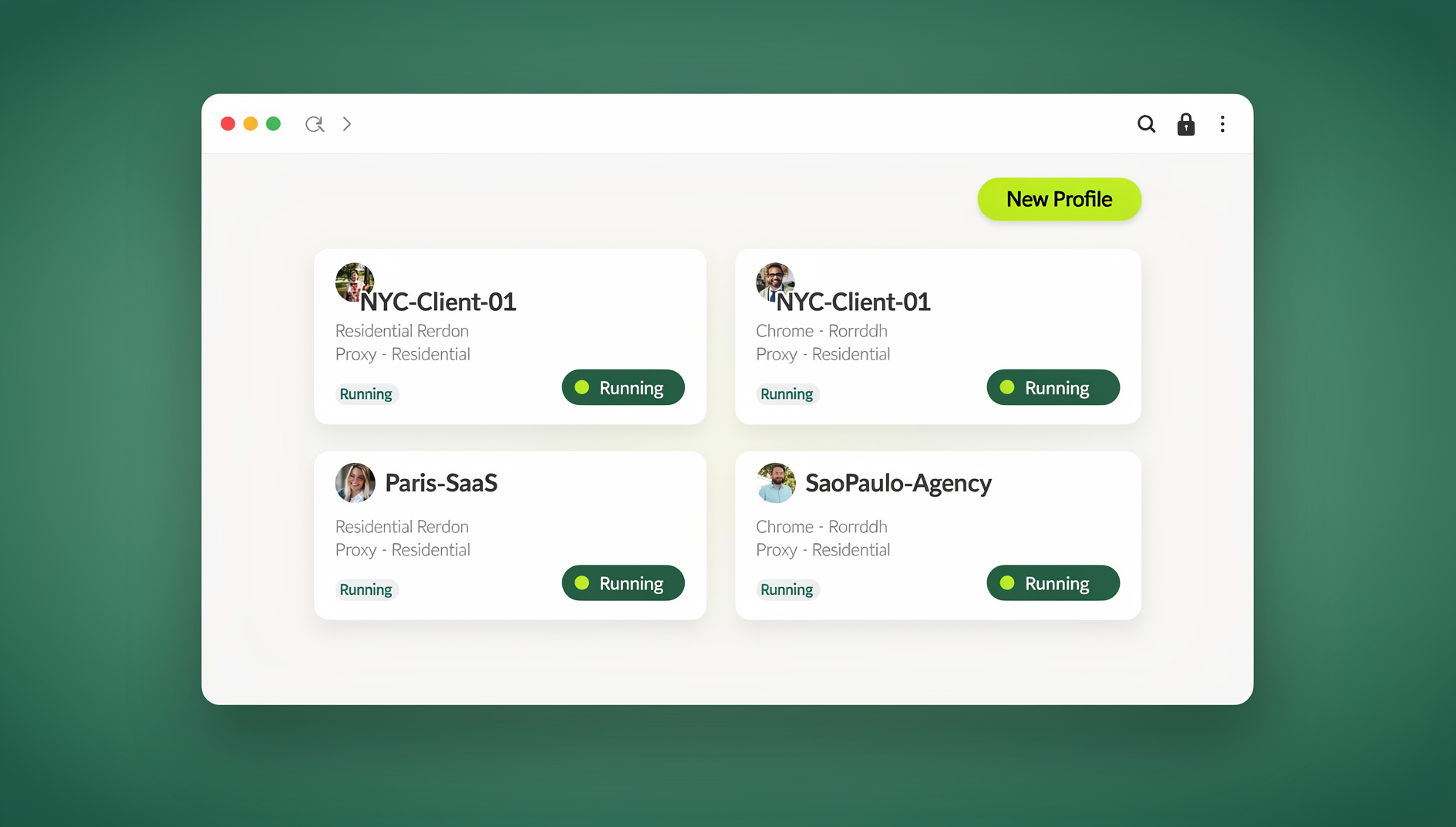
Once you’re past two stores, the operational bottleneck usually isn’t Shopify — it’s the sheer number of logins. Every store admin, ad account, analytics property, and vendor portal needs its own session, and constantly signing in and out (or juggling a pile of browser profiles) is where mistakes creep in.
Send.win solves this with two modes, and you pick whichever fits your workflow: the Sendwin Browser, a native desktop app for Windows, macOS, and Linux that keeps sessions local-first with encrypted cloud sync, or fully cloud-hosted browser sessions that run entirely in the cloud with zero local install and are metered by cloud browsing time. Either way, every Shopify admin, Google/Microsoft/Meta ad account, and vendor portal lives in its own isolated session — no cross-contamination, no re-authenticating five times before lunch.
- One session per store — log into every Shopify backend, ad account, and vendor portal without the cookie collisions that come from stacking accounts in one browser.
- Share access, not passwords — hand a teammate or contractor a session instead of your actual login credentials.
- Bring your own proxy — maintain location or IP separation for QA and regional storefront checks.
- Blur sensitive data before screen-sharing so billing or customer details never leak on a call.
- Automation API — starting on the Pro plan, Send.win supports local browser automation against the Sendwin Browser desktop app using standard tools like Selenium, Puppeteer, or Playwright, so you can script repetitive catalog checks or price audits across every storefront instead of clicking through them by hand.
Send.win’s plans are built for exactly this kind of scaling: a 30-day free trial with no credit card required, then Pro at $19/month ($6.99/month billed annually) with 150 profiles and 5GB of proxy bandwidth, or Team at $49/month ($20.99/month billed annually) with 500 profiles, 20GB of bandwidth, and 16 seats for the whole crew. Both tiers include the Automation API, so you’re not forced onto the top plan just to script anything.
If you’re also running Amazon storefronts alongside Shopify, the login-management problem doesn’t disappear — it multiplies. The same isolated-session approach applies to running multiple Amazon accounts safely, and the broader principle of multi-account management for e-commerce sellers holds across every channel you sell on.
Architecture patterns that work (and when)
Pattern A — one brand, many countries (Markets, one store)
- Structure: example.com/, example.com/en-gb/, example.com/fr-fr/
- Pros: one backend, one app stack, automatic hreflang, centralized inventory.
- Cons: limited once catalogs diverge heavily or tax entities differ by market.
Pattern B — multi-brand portfolio (separate stores)
- Structure: standalone stores per brand and/or region.
- Pros: clean separation of merchandising, branding, and legal entities.
- Cons: requires sync apps for catalog and inventory, and app/theme fees multiply per store.
- Stack: Multi-Store Sync Power or Syncio, plus Matrixify and Flow.
Pattern C — Shopify Plus with Expansion Stores
- Structure: one Plus organization with up to 10 stores (1 main plus 9 expansion) on the base contract; more via approval.
- Pros: centralized user and billing management, native B2B, Launchpad, org-wide analytics snapshots.
- Cons: data still isn’t shared by default — you need sync tooling regardless of plan.
Agencies and larger teams running Pattern B or C at scale usually end up managing dozens of logins across clients — that’s exactly the scenario a multi-session cloud browser built for agency growth is designed to handle.
The 12-point checklist for painless multi-store operations
- Define the split up front — Markets vs. multi-store — and avoid hybrid complexity unless it’s truly necessary.
- Map user access with staff roles and collaborators, and enforce 2FA centrally on Plus.
- Choose one real-time inventory sync app and standardize on it everywhere.
- Normalize identifiers — SKUs, handles, metafields — and bulk-enforce them with Matrixify.
- Automate the boring stuff with Flow, which is now included on Basic, Grow, Advanced, and Plus.
- Schedule promos with Launchpad (Plus) to coordinate sales across stores.
- Localize smartly — use Markets for subfolders and hreflang, and actually translate content to avoid duplication.
- Price in local currency with Shopify Payments multi-currency, and test rounding rules per market.
- Handle duties and taxes at checkout — set HS codes, origins, and DDP labels, and update policy pages.
- Monitor cross-store KPIs with Plus org analytics snapshots, rolled up in a BI layer.
- Harden security — avoid password sharing, and use isolated sessions to share access without exposing credentials.
- Standardize environments with a canonical “reference store” for settings, theme, and metafield definitions to copy into new stores.
Top multi-store management apps compared
| App | Category | Why it’s on this list |
|---|---|---|
| Multi-Store Sync Power (EGNITION) | Inventory sync | Real-time, two-way sync at the location level for 2-10 stores |
| Syncio | Inventory sync | Live product and order sync for multi-brand or supplier networks |
| Matrixify | Bulk data ops | Enterprise-grade import/export and scheduled bulk updates |
| Shopify Flow | Automation | Free on Basic, Grow, Advanced, and Plus — if-this-then-that logic across apps |
| Launchpad | Campaign scheduling | Plus-only scheduler for sales, visibility windows, and theme changes |
A 30-day plan to go multi-store (or multi-market)
Week 1 — decide the architecture. Audit catalog overlap, legal entities, and team structure. Choose Markets for one unified brand with localization needs, or multi-store if brands diverge or entities differ. If you’re on Plus, sketch Expansion Stores and user roles in Organization Admin.
Week 2 — build the foundations. Establish a source of truth for products, SKUs, and metafields. Install a sync app (Multi-Store Sync Power or Syncio) plus Matrixify for bulk operations. Turn on Shopify Payments multi-currency and configure rounding rules.
Week 3 — international SEO and compliance. For Markets, verify hreflang, translations, and URL structure, and test geolocation prompts. Configure duties and taxes at checkout with HS codes and DDP labels. Create staff and collaborator roles, enforce 2FA, and map who gets access to which store.
Week 4 — automate and scale. Build Flow automations for low-stock alerts, VIP tagging, and fraud flags. If you’re on Plus, schedule your first campaign with Launchpad. Set up isolated sessions for every store login and ad platform so switching between them takes one click instead of a password reset.
🏆 Send.win Verdict
Shopify gives you the architecture — Markets, standalone stores, or Plus Expansion Stores — but it doesn’t solve the login sprawl that comes with running more than one of them. Send.win fills that gap with isolated sessions for every store admin, ad account, and vendor portal, whether you prefer the native Sendwin Browser desktop app or a fully cloud-hosted session, plus an Automation API from the Pro plan up for teams that want to script repetitive multi-store checks.
Try Send.win free today — 30 days, no credit card required.
FAQs
How many Shopify stores can I run on one Plus contract?
Up to 10 stores (1 main plus 9 Expansion Stores) at no extra cost on the standard Plus contract. Additional stores require Shopify’s approval and may add fees, and Expansion Stores must remain extensions of the same brand.
Do Expansion Stores sync inventory automatically?
No. Products, collections, and inventory aren’t synced by default between Expansion Stores or standalone stores — you need a sync app such as Multi-Store Sync Power or Syncio, or an ERP layer, to keep them aligned.
Is Shopify Flow available if I’m not on Plus?
Yes. Flow is available on Basic, Grow, Advanced, and Plus as of 2026, so multi-store automation isn’t gated behind the top-tier plan anymore.
Does Shopify handle hreflang and international URLs automatically?
If you use Shopify Markets, the platform automatically generates hreflang for configured markets and supports SEO-friendly subfolder structures. Separate, standalone stores need your own hreflang implementation, usually via a developer.
What does Shopify Plus cost?
Shopify doesn’t publish a single universal price, but industry sources put it around $2,300 a month on multi-year terms, varying by region and term. Confirm current pricing directly with Shopify before budgeting.
How does Send.win help teams running multiple Shopify stores?
Send.win keeps every store login, ad account, and vendor portal in its own isolated session — through either the native Sendwin Browser desktop app or a cloud-hosted session — so switching between storefronts doesn’t mean constantly logging in and out or risking cross-contaminated cookies.
Can I automate routine tasks across multiple Shopify stores with Send.win?
Yes. Starting on the Pro plan, Send.win’s Automation API supports local browser automation with tools like Selenium, Puppeteer, and Playwright against the Sendwin Browser desktop app, which is useful for scripting repetitive checks across several storefronts.
Is there a free way to try Send.win before committing?
Yes — Send.win offers a 30-day free trial with no credit card required, long enough to test session isolation across a real multi-store workflow before choosing between the Pro and Team plans.