A Chrome container extension isolates your browser tabs into separate cookie, session, and storage environments, so you can log into the same site — Gmail, Twitter, Amazon — with several accounts open at once without one login kicking out another. It solves the cookie-collision problem, but it doesn’t touch your browser fingerprint or your IP address, which is why anyone managing accounts professionally usually pairs a container extension with a dedicated isolation tool such as Send.win.

What Is a Chrome Container Extension?
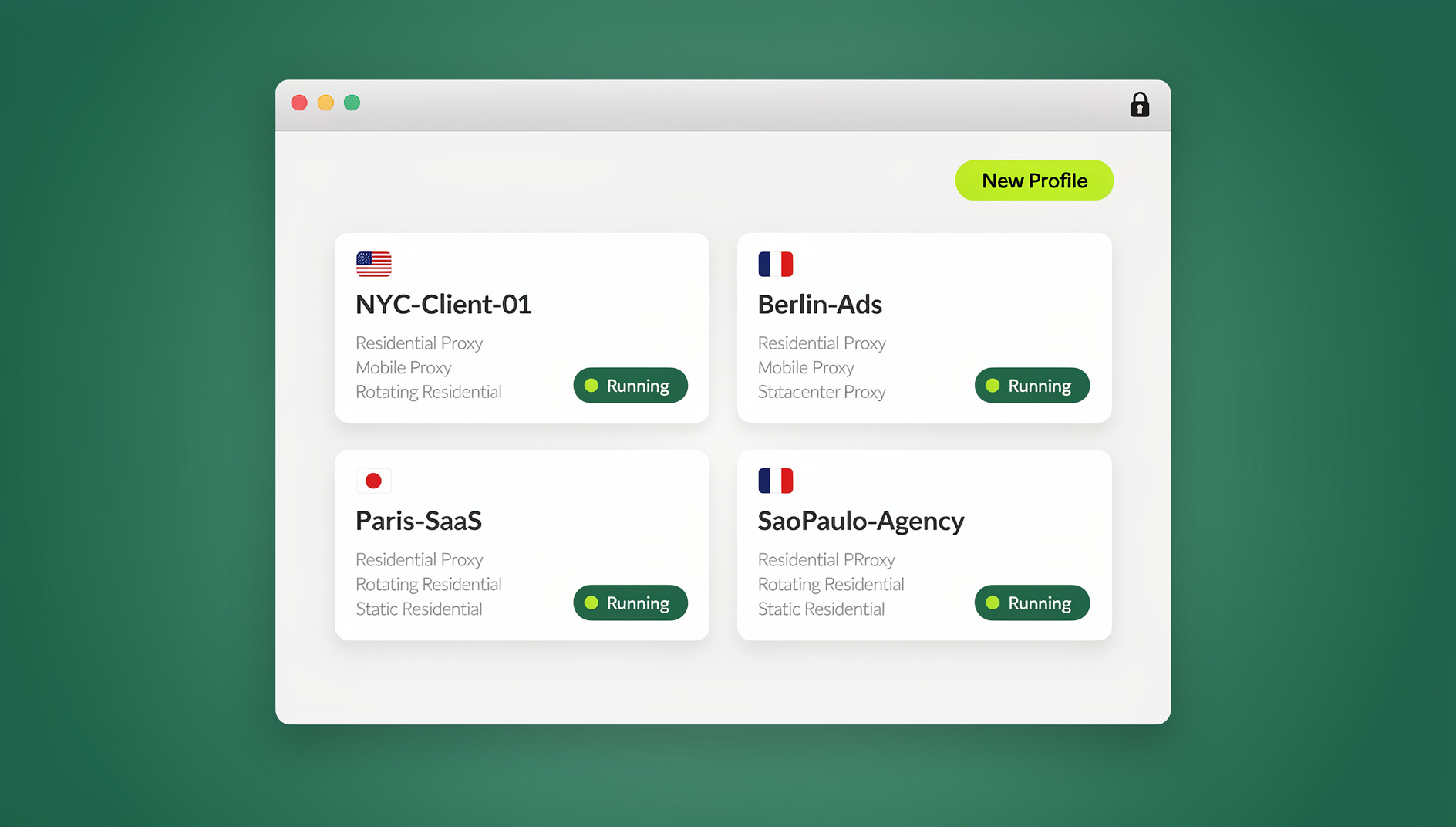
Chrome doesn’t ship a native container feature the way Firefox does. Instead, a handful of extensions recreate the idea: each “container” gets its own cookie jar and local storage, so a site sees every container as a separate visitor even though every tab lives in the same browser window. Log into Twitter as your personal account in one container and your brand account in another, and neither session logs the other out.
If you’ve used Firefox’s built-in Multi-Account Containers, the concept will feel familiar — Mozilla ships that feature for free, and we compare the two approaches later in this guide. Chrome users have to install a third-party extension to get the same in-window separation, and the quality of that isolation varies a lot depending on which extension you pick.
Why You Need Chrome Containers
The Problem Without Containers
Open a fresh Chrome window with no container extension installed and you’ll hit the same wall every time you try to run more than one account:
- All tabs share the same cookies — logging into Account B logs you out of Account A
- Websites track you across every tab through shared localStorage and cookies
- Incognito windows are temporary — everything disappears the moment you close them
- Chrome Profiles work, but each one opens in its own separate window and can’t share a single tab bar
What Containers Solve
A container extension fixes the cookie-collision problem specifically. Four use cases come up again and again:
- Multi-account logins: run Gmail, Twitter, Amazon, or any site with different accounts in different tabs
- Privacy: block cross-site tracking between container groups
- Work/personal separation: keep work cookies away from personal browsing in the same window
- Client management: hold several client accounts open without constantly signing in and out
Best Chrome Container Extensions for 2026
Not all container extensions are built the same way. Some only isolate cookies; others try to mask the browser fingerprint too. Here’s how the main options compare.
1. SessionBox
| Rating | 4.2/5 (Chrome Web Store) |
| Users | 200,000+ |
| Free tier | Yes (limited sessions) |
| Best for | Quick multi-login for a handful of accounts |
SessionBox creates isolated tab sessions with their own cookies and lets you save a session to reopen later. The free tier caps how many sessions can be active at once, and heavier users report Chrome slowing down once you’re juggling a dozen or more container tabs.
2. MultiLogin Extension
| Best for | Professional account managers |
| Free tier | No (paid only) |
| Key feature | Full browser fingerprint isolation |
MultiLogin’s extension goes beyond cookie isolation — it also randomizes canvas, WebGL, and font fingerprints per profile, so each container looks like a different physical computer, not just a different login. That extra layer is why it’s popular with e-commerce and affiliate teams, but there’s no free tier to test it on.
3. Lightweight Tab Container Extensions
Several smaller extensions provide basic container-style tab grouping without the polish — or the price — of SessionBox or MultiLogin:
- Container Tab Groups: color-coded containers similar to Firefox’s tab styling
- Multi-Account Containers for Chrome: a community port of Firefox’s official add-on
- Cookiebro: more granular cookie management per tab group
These are fine for very light use, but most haven’t been updated as frequently as the bigger players, so test carefully before relying on one for anything business-critical.
4. Send.win
| Type | Native desktop app (Sendwin Browser) or cloud browser session — no extension required |
| Free trial | 30 days, no credit card |
| Best for | Full isolation with fingerprint and IP protection |
| Key feature | Per-profile proxies, fingerprints, and encrypted team sharing |
Send.win takes a fundamentally different approach to the same multi-account problem. It works two ways: download the native Sendwin Browser app for Windows, macOS, or Linux and run local-first profiles with encrypted cloud sync, or skip the install entirely and launch a cloud browser session that runs the whole environment remotely, metered by cloud browsing time. Either way, every profile is a genuinely separate browser instance — its own cookies, its own fingerprint, and, if you attach one, its own proxy — rather than a cookie jar living inside a shared Chrome window.
Chrome Container Extension Comparison
| Feature | SessionBox | Chrome Profiles | Firefox Containers | Send.win |
|---|---|---|---|---|
| Multi-account same tab bar | ✅ | ❌ (separate windows) | ✅ | ✅ |
| Cookie isolation | ✅ | ✅ | ✅ | ✅ |
| Fingerprint isolation | ❌ | ❌ | ❌ | ✅ |
| Per-profile proxy | ❌ | ❌ | Limited | ✅ |
| Session persistence | ✅ (paid) | ✅ | ✅ | ✅ |
| Team sharing | ❌ | ❌ | ❌ | ✅ |
| Works across devices | ❌ | Via Google Sync | Via Firefox Sync | ✅ (encrypted cloud sync) |
| Automation API | ❌ | ❌ | ❌ | ✅ (Pro plan and up) |
| Account ban protection | Low | Low | Low | High |
Which Option Should You Choose?
The right pick depends on how many accounts you’re running and what happens if one of them gets flagged:
- Two or three personal logins (email, one social account): Chrome Profiles are free and built in — use them.
- A handful of casual accounts in the same window: SessionBox’s free tier is enough for light use.
- Client or brand accounts where a login mistake is embarrassing but not financially risky: a paid container extension like MultiLogin adds fingerprint masking on top of cookie isolation.
- E-commerce, ad accounts, affiliate, or reselling where a ban costs real money: container extensions stop being enough — you need per-profile proxies and full fingerprint isolation, which is where a dedicated tool like Send.win takes over.
- A team that needs to share access to shared accounts: only a cloud-based profile system lets you hand over a session without handing over a password, so this rules out extensions entirely.
Most people start with whatever’s free and only move to a dedicated multi-account browser once a container extension has already caused a scare — a flagged account, a lost session, or a client asking to share access you can’t safely grant. It’s worth making that jump before the first incident rather than after it.
How to Set Up a Chrome Container Extension
Setting Up SessionBox
- Install SessionBox from the Chrome Web Store
- Click the SessionBox icon in the toolbar
- Navigate to the website where you want multiple logins
- Click New Session to create an isolated tab
- Log into the new account in the isolated tab
- Repeat for additional accounts — each tab keeps its own session
Using Chrome’s Built-In Profiles Instead
- Click your profile icon in the top-right of Chrome
- Select Add (or + Add another account)
- Create a new Chrome profile
- Each profile gets its own window, bookmarks, extensions, and cookies
Limitation: every profile opens in a separate window. You can’t nest containers inside a single window the way Firefox does.
Chrome Containers vs. Firefox Multi-Account Containers
Firefox has one major structural advantage: Mozilla builds multi-account containers directly into the browser, so there’s no third-party extension to install, update, or worry about losing support for. Chrome users are always one developer decision away from their container extension going unmaintained.
| Aspect | Chrome Containers (Extensions) | Firefox Multi-Account Containers |
|---|---|---|
| Built-in support | ❌ (needs extension) | ✅ (official Mozilla feature) |
| Stability | Depends on the extension | Very stable (first-party) |
| Color coding | Extension-dependent | Built-in color/icon per container |
| Auto-assign sites | Limited | Yes (always open site X in container Y) |
| Extension ecosystem | Larger (Chrome Web Store) | Smaller but growing |
When Chrome Container Extensions Aren’t Enough
No Fingerprint Isolation
Even with separate cookies, your browser fingerprint — screen resolution, fonts, WebGL renderer, canvas hash — stays identical across containers. Platforms with any anti-fraud tooling detect this and quietly link your accounts back together.
Shared IP Address
All containers share your real IP address. If a platform flags one account, it can link it to every other account coming from the same IP. Proper session isolation requires a unique IP per profile, not just separate cookies.
Local Data Risks
Container data lives locally in your Chrome profile folder. Anyone with access to your machine can see every container session stored there. Cloud-based solutions instead keep that data encrypted on remote servers, away from the local disk entirely.
No Team Sharing
You can’t hand a container session to a teammate without also handing over the device it lives on. Cloud browser profiles support sharing a session without sharing the password, which makes delegating an account to a teammate or contractor far less risky.
The Professional Multi-Account Setup
For managing more than a handful of accounts — e-commerce, social media agencies, affiliate marketing — the professional approach combines four things at once:
- Unique browser fingerprint per account (canvas, WebGL, fonts, user agent)
- Unique residential proxy per account (different IP, consistent location)
- Isolated cookies and storage so nothing cross-contaminates
- Persistent sessions so accounts stay logged in between uses
This is exactly the setup the best browsers for managing multiple accounts provide out of the box, and Send.win adds one more piece that container extensions can’t touch at all: automation. From the Pro plan up, Send.win’s local Automation API lets you point Selenium, Puppeteer, or Playwright scripts at your desktop profiles the same way you’d connect to any other WebDriver-compatible browser — each script still runs inside its own isolated profile, with its own fingerprint and proxy, so scaling from five accounts to fifty doesn’t mean chaining together five different container extensions and hoping none of them collide. The same discipline applies to any account-heavy workflow — from running multiple accounts on one platform without tripping ban detection, to letting a small team share access without ever handing out a password.
🏆 Send.win Verdict
A Chrome container extension like SessionBox is a perfectly reasonable free way to juggle two or three logins for casual use. But once account bans, client access, or real money are on the line, cookie isolation alone isn’t enough — you need fingerprint and IP isolation that no Chrome extension can deliver. Send.win covers that gap as a native desktop app or a zero-install cloud browser session, with a 30-day free trial (no credit card) and Pro plans starting at $19/mo ($6.99/mo billed annually — 63% off) that include 150 profiles, 5GB of proxy bandwidth, and the Automation API.
Try Send.win free today — set up your first isolated profile in minutes, no credit card required.
Frequently Asked Questions
Does Chrome have built-in containers like Firefox?
No. Chrome doesn’t have a native container feature. You can use Chrome Profiles for basic separation (each opens in a new window) or install an extension like SessionBox for in-window container functionality.
Can Chrome container extensions prevent tracking?
They prevent cookie-based tracking between containers, but they don’t change your browser fingerprint or IP address. For complete tracking prevention you need fingerprint randomization and a proxy per profile as well.
Are Chrome container extensions safe to use?
Reputable extensions from the Chrome Web Store are generally safe, but they do require access to your browsing data to function. Always check the requested permissions and stick to well-reviewed extensions with large user bases.
How many accounts can I manage with a container extension?
Free tiers typically support three to five simultaneous sessions, and paid plans may offer more. For managing ten or more accounts, a dedicated multi-account browser or cloud browser session is more practical and far more secure.
Will container extensions prevent account bans?
Container extensions reduce risk by isolating cookies, but they don’t protect against fingerprint-based or IP-based detection — the two methods platforms rely on most to link multi-account users together. Full ban prevention needs fingerprint and IP isolation, not just cookie separation.
Does Send.win require installing anything inside Chrome?
No installation inside Chrome is needed. Send.win runs as the native Sendwin Browser desktop app for Windows, macOS, and Linux, or as a cloud browser session with zero local install — both give each profile a separate fingerprint, cookie jar, and optional proxy.
Is there a free way to try Send.win before paying?
Yes. Send.win offers a 30-day free trial with no credit card required, so you can test full profile isolation before deciding between the Pro plan ($19/mo, or $6.99/mo billed annually, 150 profiles) and the Team plan ($49/mo, or $20.99/mo billed annually, 500 profiles and 16 seats).
Can I automate logins across multiple isolated profiles?
Container extensions themselves don’t expose an automation API. Send.win does, starting on its Pro plan — you can drive isolated profiles with Selenium, Puppeteer, or Playwright the same way you’d automate any other browser, without cookies or fingerprints leaking between accounts.
{
“@context”: “https://schema.org”,
“@type”: “FAQPage”,
“mainEntity”: [
{
“@type”: “Question”,
“name”: “Does Chrome have built-in containers like Firefox?”,
“acceptedAnswer”: {
“@type”: “Answer”,
“text”: “No. Chrome doesn’t have a native container feature. You can use Chrome Profiles for basic separation (each opens in a new window) or install an extension like SessionBox for in-window container functionality.”
}
},
{
“@type”: “Question”,
“name”: “Can Chrome container extensions prevent tracking?”,
“acceptedAnswer”: {
“@type”: “Answer”,
“text”: “They prevent cookie-based tracking between containers, but they don’t change your browser fingerprint or IP address. For complete tracking prevention you need fingerprint randomization and a proxy per profile as well.”
}
},
{
“@type”: “Question”,
“name”: “Are Chrome container extensions safe to use?”,
“acceptedAnswer”: {
“@type”: “Answer”,
“text”: “Reputable extensions from the Chrome Web Store are generally safe, but they do require access to your browsing data to function. Always check the requested permissions and stick to well-reviewed extensions with large user bases.”
}
},
{
“@type”: “Question”,
“name”: “How many accounts can I manage with a container extension?”,
“acceptedAnswer”: {
“@type”: “Answer”,
“text”: “Free tiers typically support three to five simultaneous sessions, and paid plans may offer more. For managing ten or more accounts, a dedicated multi-account browser or cloud browser session is more practical and far more secure.”
}
},
{
“@type”: “Question”,
“name”: “Will container extensions prevent account bans?”,
“acceptedAnswer”: {
“@type”: “Answer”,
“text”: “Container extensions reduce risk by isolating cookies, but they don’t protect against fingerprint-based or IP-based detection — the two methods platforms rely on most to link multi-account users together. Full ban prevention needs fingerprint and IP isolation, not just cookie separation.”
}
},
{
“@type”: “Question”,
“name”: “Does Send.win require installing anything inside Chrome?”,
“acceptedAnswer”: {
“@type”: “Answer”,
“text”: “No installation inside Chrome is needed. Send.win runs as the native Sendwin Browser desktop app for Windows, macOS, and Linux, or as a cloud browser session with zero local install — both give each profile a separate fingerprint, cookie jar, and optional proxy.”
}
},
{
“@type”: “Question”,
“name”: “Is there a free way to try Send.win before paying?”,
“acceptedAnswer”: {
“@type”: “Answer”,
“text”: “Yes. Send.win offers a 30-day free trial with no credit card required, so you can test full profile isolation before deciding between the Pro plan ($19/mo, or $6.99/mo billed annually, 150 profiles) and the Team plan ($49/mo, or $20.99/mo billed annually, 500 profiles and 16 seats).”
}
},
{
“@type”: “Question”,
“name”: “Can I automate logins across multiple isolated profiles?”,
“acceptedAnswer”: {
“@type”: “Answer”,
“text”: “Container extensions themselves don’t expose an automation API. Send.win does, starting on its Pro plan — you can drive isolated profiles with Selenium, Puppeteer, or Playwright the same way you’d automate any other browser, without cookies or fingerprints leaking between accounts.”
}
}
]
}