How to Manage Multiple Facebook Accounts Without Getting Banned
The safest way to manage multiple Facebook accounts is to give every account its own isolated browser fingerprint, its own dedicated proxy, and a slow warmup period — never reuse a device profile or IP address across accounts you want Facebook to treat as unrelated. Layer that isolation on top of Meta Business Suite for the legitimate side of page and ad management, and you can run several profiles side by side without tripping Facebook’s fingerprinting and network-correlation systems.

Why Facebook Flags Multi-Account Setups
Before picking a workflow, it helps to understand exactly what you’re up against. Facebook’s anti-abuse stack works on four layers at once, and most bans happen because one of these layers was ignored.
Device and Browser Fingerprinting
Facebook collects dozens of signals from your browser to build a unique device profile: canvas rendering output, WebGL renderer/vendor strings, installed fonts, screen resolution and color depth, audio context output, and navigator properties. Two accounts sharing an identical browser fingerprint combination get flagged automatically, even if the IPs and passwords are completely different.
Network Correlation
Facebook maps relationships between accounts using shared IP addresses, subnet patterns, and login timing. If two accounts repeatedly appear from the same IP within a short window of each other, Facebook’s systems assume they belong to one person — regardless of what the profile names say.
Behavioral Signals
Typing cadence, login schedule, content themes, friend-network overlap, and even scroll/mouse patterns feed machine-learning models that quietly correlate accounts over time. This is why accounts created and used identically, minute for minute, tend to get caught even with clean IPs.
Cross-Platform Tracking
The Meta Pixel and Facebook SDK are embedded in millions of third-party sites and apps. That extended network can tie a device or browser to an account even when you’re not on facebook.com at all, which is why cookie hygiene outside Facebook matters too.
Four Proven Strategies for Running Multiple Facebook Accounts
1. Meta Business Suite (the official route)
Meta Business Suite is Facebook’s sanctioned way to manage multiple business assets from one login. It covers unlimited Pages, up to 25 ad accounts per Business Manager, linked Instagram accounts, WhatsApp Business, and granular team-member roles.
The catch: it does not let you run multiple personal profiles, every asset is tied to a single personal account, and if that personal account gets banned, everything underneath it is at risk. It’s the right tool for legitimate multi-page brand management — not for running separate personas.
2. Isolated Browser Environments
For anything beyond one business’s Pages, isolation is the real foundation. Every account needs a unique combination of fingerprint, IP, and session data that never overlaps with another account’s.
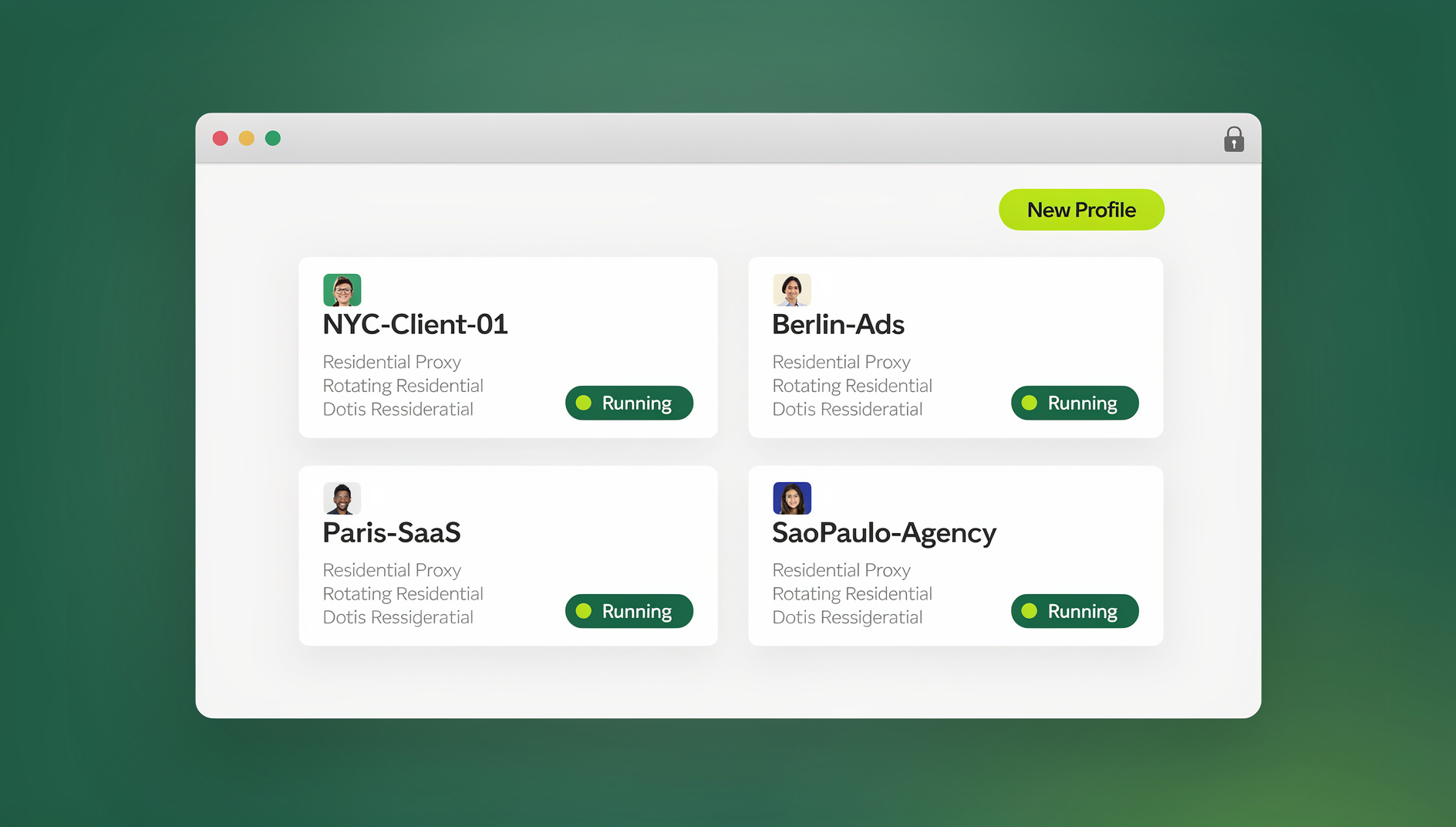
Send.win’s Sendwin Browser desktop app creates a separate profile per account, each with its own fingerprint (GPU/CPU signature, canvas, WebGL, audio), its own cookie jar and local storage, and its own configurable timezone, language, and proxy. If you’d rather not install anything, Send.win’s cloud browser sessions run the same isolated profile remotely in the browser tab, which is handy for teams accessing accounts from shared or unmanaged machines. Either way, the goal is the same: no two Facebook accounts should ever look like they’re coming from the same environment. A good grounding in browser isolation technology makes it obvious why shared profiles are the single biggest cause of mass bans.
3. Dedicated Proxy Infrastructure
Your proxy choice is just as important as your browser setup. Here’s how the options stack up for Facebook specifically:
| Proxy Type | Detection Risk | Speed | Typical Cost | Best For |
|---|---|---|---|---|
| Datacenter | High | Fast | $2–5/proxy | Avoid for Facebook |
| Residential Static | Low | Medium | $3–8/proxy | Established accounts |
| Residential Rotating | Medium | Medium | $5–15/GB | Registration & warmup |
| Mobile 4G/5G | Very Low | Variable | $15–30/proxy | High-value accounts |
| ISP (Static Residential) | Very Low | Fast | $5–10/proxy | Long-term accounts |
Non-negotiable rules: one proxy per account, never shared; match the proxy’s location to the account’s claimed location; keep sessions sticky instead of rotating IPs mid-session on an established account; and test proxy quality before assigning it to anything valuable. A well-matched proxy browser setup removes most of the network-layer risk described above.
4. Account Tiering
Structure accounts by purpose and value instead of treating them all the same:
- Tier 1 – Core accounts: Business Manager admin and primary ad-account ownership. Best proxies, most conservative activity, most careful handling.
- Tier 2 – Operational accounts: daily Page management, community replies, group admin. Replaceable without touching core assets if one gets flagged.
- Tier 3 – Testing accounts: new creative tests, audience experiments. Treated as expendable, minimal warmup investment.
The Complete Setup Workflow
Phase 1: Account Creation
- Spin up an isolated browser environment with a unique fingerprint and its own proxy.
- Register a new email address from a different provider for each account.
- Create the Facebook account using realistic, internally consistent personal details.
- Upload a unique profile photo — never reuse one across accounts.
- Fill out profile details gradually over 24–48 hours instead of all at once.
Phase 2: Warmup (Days 1–30)
| Week | Daily Activity |
|---|---|
| Week 1 | Browse feed 10–15 min, add 3–5 friends, like 5–10 posts |
| Week 2 | Join 2–3 groups, comment on 5 posts, share 1 post, increase friend requests slightly |
| Week 3 | Publish first original post, join 2 more groups, browse Marketplace |
| Week 4 | Create a Page, engage fully, consider connecting Business Manager |
Phase 3 & 4: Operationalize, Then Scale
Once accounts are mature, connect Business Manager and ad accounts, link Pages, configure pixels, and launch campaigns with small starting budgets. From there, monitor account health metrics, scale what’s working, rotate out underperforming accounts, and keep every account on a baseline of regular low-level activity — dormant accounts that suddenly wake up look exactly like the behavior Facebook’s models are trained to catch.
Security Practices That Actually Matter
Credential Management
Use a password manager for unique, complex passwords per account. Enable two-factor authentication through a dedicated authenticator app, not SMS — SMS-based 2FA ties accounts to phone numbers, which is exactly the kind of shared identifier Facebook correlates on. Store backup codes separately from primary credentials.
Environment Hygiene
Never open a managed Facebook account in your personal browser, even once. Keep every account inside its own dedicated profile or cloud session exclusively, and if you’re not using fully isolated environments, clear all cookies and storage before switching contexts.
Team Access
When teammates need access to managed accounts, share the browser profile itself through your multi-login browser rather than sharing passwords directly. That keeps every login inside the same fingerprint environment and prevents someone from accidentally signing in from their personal laptop.
Mistakes That Get Accounts Banned
- Rushing creation: registering several accounts in quick succession from similar environments is the single most common trigger for mass bans.
- Sharing payment methods: every ad account that spends money needs its own card or funding source.
- Cross-posting content: never publish the identical photo, video, or post text across accounts you want kept separate.
- Using the mobile app: the Facebook app ties accounts to a device ID. Stick to isolated browser access instead.
- Letting accounts go dormant, then reactivating hard: a sudden activity spike after weeks of silence reads as suspicious no matter how clean the rest of the setup is.
Fixing Common Account Problems
Account Temporarily Locked
Complete the security check — usually a CAPTCHA or friend-identification prompt — from the exact same environment the account was created and normally used in. Don’t try to unlock it from a different device or network; that only adds a second suspicious signal on top of the first.
Photo Verification Requested
Facebook asks for a face photo more often on new accounts with a fast activity ramp-up. Slow down your activity level immediately and comply with the request to restore access.
Ad Account Disabled
This is separate from a personal account ban. Appeal through Business Manager with the requested documentation, and avoid spinning up a new ad account on the same profile while the appeal is pending.
🏆 Send.win Verdict
If you’re serious about running more than one or two Facebook accounts, isolation infrastructure isn’t optional — it’s the difference between a stable setup and a wave of bans. Send.win’s Sendwin Browser gives each account its own real fingerprint locally, while cloud browser sessions let you or your team access accounts from anywhere without installing anything, all on a 30-day free trial with no credit card required.
Try Send.win free today — set up your first isolated Facebook profile in minutes.
Frequently Asked Questions
Is it legal to manage multiple Facebook accounts?
Yes — there’s no law against owning multiple Facebook accounts. It does violate Facebook’s terms of service, so the consequence is account-level suspension or ban, not a legal one. Many agencies and businesses run this way for legitimate marketing purposes.
What’s the safest tool to manage multiple Facebook accounts?
Cloud-based browser isolation is the safest approach because it combines fingerprint randomization, IP isolation, and session separation in one place, keeping detection risk to a minimum even at scale.
How many Facebook accounts can one person realistically run?
With the right tools and process, experienced operators manage 20–50 accounts. The real bottleneck is content creation and engagement time, not the technology. Start with 5–10 and scale once your workflow is reliable.
Can Facebook detect antidetect browsers?
Facebook can’t directly detect a well-built antidetect browser, but it can catch inconsistencies in a poorly spoofed fingerprint — for example, a GPU renderer that doesn’t match the claimed OS. Quality tools keep every fingerprint parameter internally consistent.
Should I use a VPN or a proxy for multiple Facebook accounts?
Use proxies, not VPNs. VPN IP ranges are shared by thousands of users and Facebook has blacklisted most of them already. Residential or mobile proxies look like ordinary home internet connections and carry far less risk.
Do I need Meta Business Suite if I already use browser isolation?
Often both, for different jobs. Business Suite is the correct tool for managing multiple Pages and ad accounts under one legitimate business login; browser isolation is what you need when you’re running genuinely separate personal-style profiles that shouldn’t be linked to each other at all.
What happens if two of my accounts get linked anyway?
Facebook typically restricts or disables the newer or lower-trust account first, and may flag the older one for review. Audit your setup immediately — check for a shared proxy, a reused device, or cross-posted content — before creating any replacement account.
Comparing Your Options at a Glance
There’s no single right answer for every operator — the best approach depends on how many accounts you’re running and how much is riding on each one. This table lines up the main paths side by side:
| Approach | Personal Profiles? | Isolation Level | Setup Effort | Best For |
|---|---|---|---|---|
| Meta Business Suite only | No | N/A (single login) | Low | One business, multiple Pages/ad accounts |
| Separate physical devices | Yes | High | Very high (cost + hardware) | Very small scale, 2–3 accounts |
| Manual browser profiles/incognito | Yes | Low | Low | Casual use, not recommended for real separation |
| Antidetect/cloud browser (Send.win) | Yes | High | Low–Medium | 5–50+ accounts, agencies, ad operators |
Notice that the two low-effort options — Business Suite and manual profiles — solve completely different problems. Business Suite consolidates legitimate business assets under one identity; it was never built to keep separate personas apart. Manual browser profiles feel like isolation but leave the underlying fingerprint, WebRTC, and canvas signals untouched, which is why they fail the moment Facebook’s correlation models look past the surface. A dedicated antidetect or cloud browser is the only option on this list built specifically to defeat device-level correlation, which is why it’s the standard choice once you’re running more than a couple of accounts that genuinely need to stay unlinked.
Bottom Line
Successfully running multiple Facebook accounts comes down to investment in the right infrastructure, patience through the warmup phase, and discipline about keeping every account separate afterward. Start with Meta Business Suite for legitimate multi-Page work, then layer in isolated browser profiles once you need more than one personal-style account. Get the isolation right and multi-account management becomes a durable advantage instead of a ban waiting to happen.