What Makes a Residential Proxy High Quality?
A residential proxy high quality enough to rely on daily has three verifiable traits: a pool whose opt-in provenance the provider will put in writing, session control that outlasts the task you are running, and a browser whose timezone, language and locale agree with the exit IP. Pool size and price per gigabyte are marketing numbers until those three hold. This guide turns them into tests you can run before you pay.

📌 TL;DR Executive Summary
- Core Takeaway: Quality means a documented opt-in pool, session control that matches your task, and a browser context that agrees with the exit IP. Advertised pool size tells you nothing about your target country.
- Key Risk/Challenge: Provenance is opaque at many providers, and botnet-linked networks have been disrupted. Fraud-prevention vendors also catalogue residential IP ranges and score the addresses for risk.
- Recommended Solution: Work through a written checklist — provenance, ASN mix, sticky duration, concurrency caps, bandwidth billing, refund terms — then run one real workflow for a full day before you sign.
What a Residential Proxy Is, and What Quality Adds
A residential proxy routes your traffic through an IP address that a consumer ISP assigned to a real device. The target site’s lookup returns a consumer ASN and a plausible city instead of a hosting range owned by a cloud provider. That single difference is why residential addresses pass network-level checks that datacenter addresses fail quickly.
Geolocation on those IPs is estimated, not exact. You get country, region, city and ISP or network type — never a household address. A provider promising street-level targeting is describing something it cannot deliver, and that is your first signal to keep looking.
Rotating pools, ISP blocks, datacenter ranges and mobile
The four options solve different problems, and mixing them up is the most common buying mistake. Rotating residential pools are large and cheap per gigabyte but change identity constantly. ISP proxies are IP blocks leased directly from an ISP: more stable, dedicated and more expensive. Datacenter proxies are faster and cheaper still, but they sit on server ranges that risk engines flag quickly. Mobile IPs sit on carrier networks and cost the most.
| Type | Where the IP sits | Stability | Best fit |
|---|---|---|---|
| Rotating residential | Opt-in consumer devices, pooled | New IP per request or per interval | Read-only research, ad verification, price checks |
| Sticky residential session | One peer held for a fixed window | 5, 30 or 60 minutes, 24 hours, up to 7 days at some providers | Logged-in work inside one account |
| ISP proxy | Block leased directly from an ISP | Static, dedicated, costs more | Daily logins that need one stable address |
| Datacenter | Server ranges | Fast, cheap, flagged quickly | Internal QA, staging, public pages with no login |
If you want the mechanics in more depth, our breakdown of residential proxy software explained walks through the gateway and peer layers in plain terms.
How Residential Proxies Work, Hop by Hop
A request makes four hops. Your browser connects to the provider’s gateway, which authenticates you, then forwards the request to an exit peer. The peer’s device opens the connection to the target site and relays the response back. Everything in your browser travelled through someone else’s household connection.
Authentication: credentials or an IP allowlist
Most providers accept a username and password embedded in the proxy URL, or an IP allowlist that only permits connections from source addresses you registered. Credentials work from any network. Allowlists are tighter but break the moment your own address changes, and they fail as a silent connection timeout rather than a clear error — worth knowing before you spend an hour debugging a browser.
Sticky versus rotating sessions
Rotating pools assign a new exit IP per request or per interval. Sticky sessions hold one peer for a window that runs from 5 or 30 minutes up to 24 hours, and up to 7 days on some providers. For anything involving a login, the sticky window has to outlast your working session. Rotate mid-session and the site receives familiar cookies from an unfamiliar network — a visible inconsistency rather than a technical failure.
What the target site actually checks
No single lookup decides anything. Risk engines stack several signals and weigh them together:
- ASN and geolocation. A consumer ISP in the expected city looks ordinary; a hosting provider does not.
- Fresh abuse intelligence. Fraud-prevention vendors refresh proxy and botnet data continuously. IPQualityScore, for example, runs a honeypot network of more than 10,000 traps and processes over 100 million daily transactions from 3,500+ businesses.
- Traffic velocity and IP sharing. Security teams map provider ranges and notice when one IP presents as many apparent sources.
- Latency signature. Residential connections carry slightly higher base latency than expected for the IP’s location, plus persistent jitter from a household link.
- Device consistency. Timezone, language and screen profile are compared against the exit IP’s location.
We cover the signal-by-signal detail in how sites flag a proxy IP, including which inconsistencies get escalated to a human review.
The Eight-Point Quality Checklist
Work through this before signing anything. Each item is something you can verify rather than take on trust.
- Ask for pool provenance in writing. Residential IPs come from opt-in peer SDKs, ISP leases, or — in the bad cases — proxyware and compromised devices. Ask how users opt in, whether peers are compensated, and how abuse is handled. Vague sourcing is a red flag, not a detail. The NetNut network, reportedly built on more than two million infected Android devices such as smart TVs and streaming boxes, was disrupted in July 2026 by Google, the FBI and partners, with 316 threat clusters seen using it in a single week that June. A provider whose pool origin you cannot explain should stay off your shortlist.
- Match the ASN mix to your target. Pools of 30 million to 400 million-plus IPs are normal across leading providers in 2026, but size says nothing about coverage in the one country you need. Ask for a country-level count and the share of consumer ISP ASNs in your region.
- Pin down session control. Confirm the sticky duration options, whether you can renew the same session, and the minimum rotation interval. If your workday is eight hours and maximum stickiness is 30 minutes, you have a problem.
- Check concurrency and per-target limits. Ask how many simultaneous connections your plan allows and whether the provider caps requests per domain. A limit you discover mid-project is a limit you pay for twice.
- Read the bandwidth meter, not the headline price. Find out what counts as billable: failed requests, retries, redirects, the gateway handshake. Check whether purchased gigabytes expire and what overage costs per gigabyte.
- Test geo accuracy before you commit. Request exits in your target city and confirm the reported country, region and ASN type. Estimate, not address — but the estimate needs to land where you need it.
- Run one real workflow for a full day. Take the actual task you need done, not a synthetic ping test. Count completed sessions, re-login prompts, timeouts and gigabytes burned. That single day tells you more than any datasheet.
- Read the contract terms. Refund window, KYC requirements, acceptable-use policy and termination clauses belong in the decision, not in the fine print afterwards.
Matching the Browser to the Exit IP
This is the layer most buyers skip, and it is the one that decides whether a good pool performs. A proxy changes your network path. It does nothing to the browser sitting behind it, which still reports its own timezone, language, screen size and locale settings.
What a mismatch looks like
You attach a Frankfurt exit, the page loads in German, and the profile reports America/Chicago with English-US date formats. Nothing about that request is technically broken, but the two halves disagree, and the disagreement is visible without the site running any proxy lookup at all. Multiply it across a fingerprint and you have an account that behaves like two different machines.
How to keep the two aligned
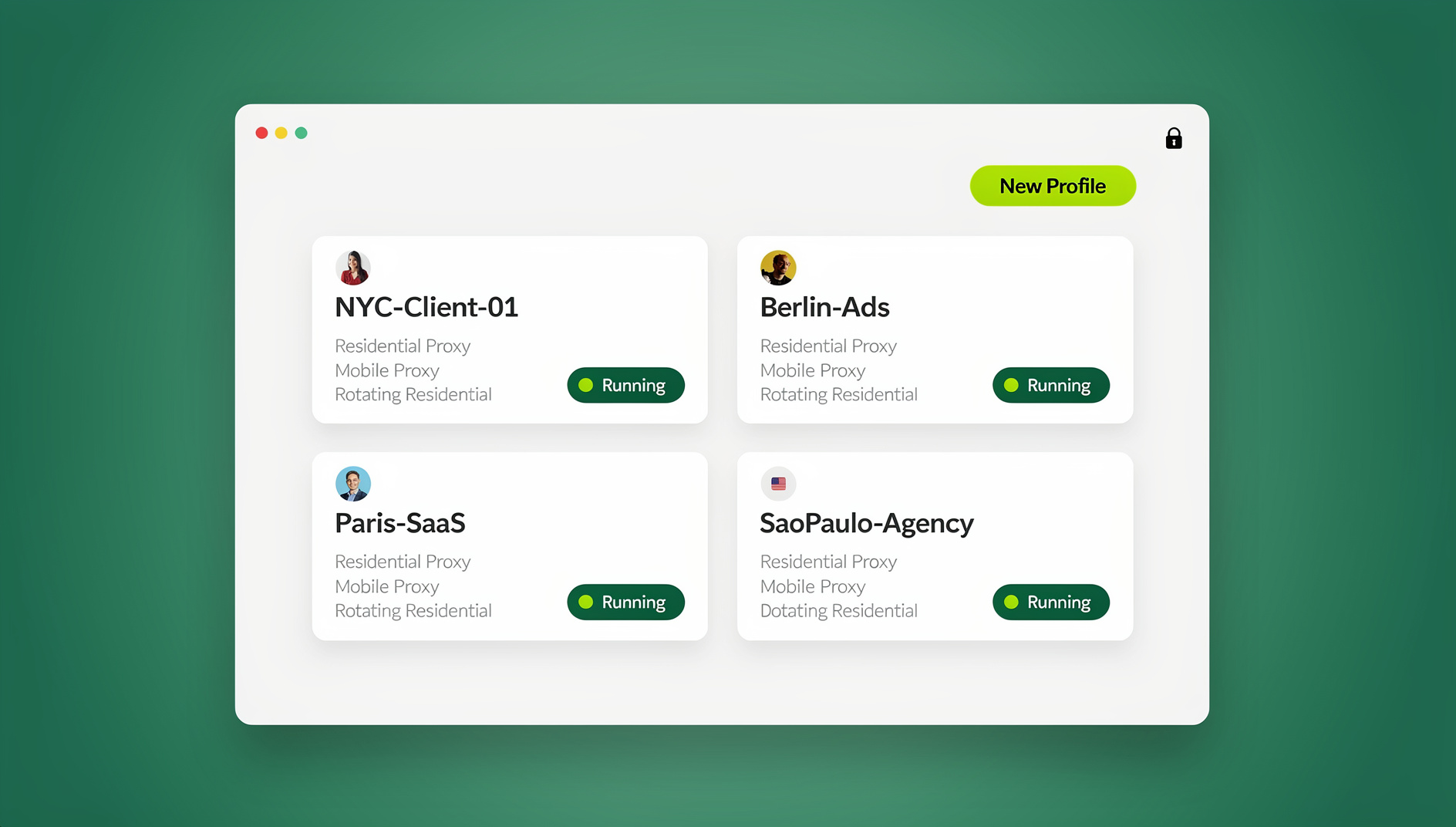
The manual fix is to set the profile’s timezone, locale, language and geolocation by hand every time you change proxy — workable for one profile, error-prone at twenty. Send.win is a browser profile manager that does this per profile: each isolated profile carries its own cookies, storage, sessions, fingerprint settings and proxy, and once a proxy is assigned, the profile’s timezone, locale, WebRTC and geolocation follow the exit IP automatically. Both paid plans include residential proxies with metered bandwidth (5 GB a month on Pro, 20 GB on Team, extra at $6 per GB), and you can attach your own HTTP or SOCKS5 endpoint per profile if you already run a pool you trust. The desktop app runs on Windows, macOS and Linux; a cloud browser on an EU server in Helsinki covers work from any device. What it will not do is drive itself — there is no API, SDK or headless mode on any plan, so the work stays human-paced.
Who Feels Poor Proxy Quality First
Anyone doing logged-in work through a proxy notices bad quality within an hour. The symptom repeats: you sign in, work for ten minutes, then get asked to confirm something again. The cause is usually a rotating exit, a stale pool address already scored as high risk, or a browser context that contradicts the network.
Agencies managing client accounts
A client’s ad account, analytics property or social profile opens from a consistent location or the client notices. Agencies working on Meta should hold access through Business Manager roles rather than passing passwords around, and the exit IP should match where the client expects activity to originate.
Sellers running several storefronts
Amazon requires approval for an additional seller account; if you run more than one with permission, each needs its own isolated browser profile and its own stable exit. Sharing one profile across storefronts creates exactly the mixing problem the approval process exists to prevent.
Social media managers and QA teams
Ad previews, geo-targeted checks and post scheduling all depend on the site seeing the region you say you are working from. QA teams reproducing a checkout as a German shopper need the same thing: an exit IP that matches, with timezone and locale following it.
The economics nobody quotes
Headline price per gigabyte hides three costs: retries that bill but deliver nothing, sessions that fail halfway and have to be repeated, and add-on bandwidth bought at a worse rate than the plan included. A pool that costs more per gigabyte but completes the task in one pass is cheaper. Our guide to comparing residential proxy prices breaks down what belongs in the same spreadsheet.
Common Mistakes That Undermine a Good Proxy
Rotating per request on logged-in work
The fastest way to burn both a budget and a working session. Rotation belongs on read-only tasks. Anything with a cookie jar needs a sticky window that spans the session, ideally on a static ISP address if the work runs daily.
Reusing one profile across unrelated accounts
Two accounts sharing cookies, storage and a fingerprint on the same exit IP defeats the point of buying separate proxies. Isolation per account is the baseline. If you want the comparison between proxy classes before you buy, read residential vs datacenter proxies.
Buying on price per gigabyte alone
Cheap bandwidth with a high failure rate is the most expensive option on the list. Measure cost per completed task instead: gigabytes consumed divided by sessions successfully finished.
Treating a proxy as a fix for enforcement
If an account is restricted or suspended, the route back is the platform’s own appeal or verification process — not a new IP. Proxies support legitimate work on accounts you own or are authorised to manage; they do not change what a platform decides about your account. Running more accounts than a platform permits is a policy problem, and no configuration solves it.
🏆 Send.win Verdict
A high-quality residential proxy only delivers when the browser behind it agrees with the exit IP. Send.win covers that half: isolated profiles with their own cookies, storage, sessions, fingerprint settings and proxy, plus timezone, locale, WebRTC and geolocation that follow the exit IP automatically. It is not a proxy network, so if you already run a pool you trust, attach it per profile as an HTTP or SOCKS5 endpoint; if you do not, residential proxies are included on both paid plans with metered bandwidth. The remaining limits are honest ones — no automation of any kind, and no free trial of the desktop app.
See Send.win plans — Pro from $19/mo with residential proxies and 5 GB of bandwidth, a 7-day money-back guarantee on your first card purchase, or the free cloud demo to test profile isolation first.
Frequently Asked Questions
What makes a residential proxy high quality?
Three properties: a documented, consent-based pool you can trace, session control that matches the length of your task, and accuracy in the details — the exit IP’s region lining up with the browser’s timezone, language and locale. Pool size and price per gigabyte are secondary. A provider that answers provenance questions in writing is usually the one worth testing.
How Send.win Helps With Residential Proxy High Quality
Send.win is a browser profile manager for professionals and teams: every account gets its own isolated browser profile.
- Isolated profiles – separate cookies, storage and sessions per profile
- Fingerprint protection – each profile keeps its own consistent browser fingerprint, so profiles never share one browser identity
- Desktop app + cloud browser – native app for Windows, macOS and Linux, or run profiles in the cloud with no install
- Residential proxies included – on Pro and Team, with timezone and locale matched to the proxy
- Team sharing – share a signed-in profile with a teammate without sharing the password
Try the free cloud demo — no install — or download the desktop app. Paid plans start at $19/month, and your first card purchase is covered by a 7-day money-back guarantee (see pricing).
Where do residential proxy IPs actually come from?
Mostly from opt-in peer SDKs on consumer devices, IP blocks leased directly from ISPs, and, in the worst cases, proxyware installed without clear consent or compromised machines. Ask how peers opt in, whether they are compensated and how abuse is reported. Vague answers about sourcing are the strongest signal to walk away.
Should I use sticky or rotating residential proxies for account work?
Sticky, every time. Logged-in work needs one exit IP for the whole session, so pick a sticky window that outlasts your working day, or a static ISP address if the account is opened daily. Rotating pools suit read-only tasks such as checking prices or verifying an ad placement across regions.
How do I test a proxy before committing to a contract?
Request exits in your target city, confirm the reported country, region and ASN type, then run your real workflow for a day and count completed sessions against re-login prompts and timeouts. Divide gigabytes consumed by sessions finished to get a cost per task. Trial-sized purchases and refund windows exist for exactly this.
Are residential proxies legal?
They are lawful tools in most jurisdictions; legality turns on how you use them and what local rules apply. GDPR governs personal data in the EU, and some countries impose specific restrictions. Reddit’s 2025 suit against several data and proxy companies, amended in February 2026, is a scraping dispute rather than a ruling on proxies themselves. Use them only for accounts and data you are authorised to access.
When should I use ISP or datacenter proxies instead?
Choose ISP proxies when you need one stable address for daily logged-in work and can pay more for it. Choose datacenter proxies for internal QA, staging environments and public pages with no login, where speed and price matter more than network reputation. Residential pools win when the site evaluates the consumer character of the network.
What happened to the NetNut proxy network?
Google, the FBI and partners disrupted it in July 2026. Reporting described a network running on more than two million infected Android devices, including smart TVs and streaming boxes, with 316 threat clusters using it in one week that June. It followed the January disruption of IPIDEA, and reporting noted that degraded operators tend to buy capacity from competitors and become resellers — which is why provenance checks belong in every buying decision.
Does Send.win include residential proxies?
Yes, on both paid plans, with metered bandwidth: 5 GB a month on Pro and 20 GB on Team, with extra bandwidth at $6 per GB. You can also bring your own HTTP or SOCKS5 proxy per profile. Timezone, locale, WebRTC and geolocation follow the exit IP automatically, so the browser context stays consistent with the network.