Can You Really Manage Multiple Social Media Accounts Safely?
Yes — you can manage multiple social media accounts safely, but only if you stop relying on Incognito tabs or shared Chrome profiles. The real fix is isolating each account behind its own browser fingerprint and residential proxy, pairing that with an official scheduler for bulk content, and keeping sessions persistent so you’re never forced to re-authenticate in a way that looks suspicious to the platform’s anti-fraud systems.

Why Platforms Flag People Who Run Several Accounts
Facebook, Instagram, LinkedIn, and TikTok all run automated anti-fraud systems built to catch bot farms and coordinated spam networks. The problem is that a legitimate agency running twenty client accounts from one office produces almost the same signals as a fake-engagement operation. Four signals matter most.
IP Address Overlap
Fifteen different accounts logging in from the same home or office Wi-Fi connection is a textbook bot-farm pattern, regardless of what’s actually happening on those accounts.
Browser Fingerprinting
Canvas hash, WebGL output, screen resolution, and installed fonts combine into a browser fingerprinting signature. When twenty accounts share the exact same signature, platforms link them instantly, no IP address needed.
Cookie Contamination
Logging in and out of different accounts inside the same browser tab leaves traces — cached tokens, local storage entries — that connect the new session to the last one.
Behavioral Patterns
Rapid, repetitive actions across many tabs in a short window (mass-liking, mass-following, mass-commenting) trigger automated throttling regardless of how the accounts are otherwise isolated.
Comparing the 5 Real Methods for Managing Multiple Accounts
Every agency eventually tries some combination of the methods below. The table summarizes where each one breaks down.
| Method | Solves IP overlap? | Solves fingerprinting? | Keeps sessions persistent? | Works for native engagement? |
|---|---|---|---|---|
| Log in / log out on one browser | No | No | No | Yes, but high risk |
| Incognito / Private tabs | No | No | No | Yes, but high risk |
| Multiple Chrome profiles | No | No | Yes | Yes, but medium risk |
| Official schedulers (Hootsuite, Buffer) | Yes (no login needed) | Yes | N/A | No — API only, no DMs/comments |
| Isolated cloud/antidetect profiles | Yes | Yes | Yes | Yes |
Method 1: Manual Log In and Log Out
The free option every beginner starts with: log into Client A, post, log out, log into Client B. It costs nothing but shares cookies and an identical fingerprint across every account, and it’s slow enough that mistakes — like posting the wrong client’s content — are inevitable.
Method 2: Incognito or Private Browsing
Incognito clears cookies when you close the window, which stops simple cross-contamination. It does nothing about your IP address or your browser fingerprint, and you lose the session entirely on close, meaning passwords and 2FA codes every single time.
Method 3: Multiple Chrome Profiles
Chrome’s built-in profiles keep cookies and local storage separate per profile, solving the contamination problem and keeping you logged in. But every profile still shares your Wi-Fi IP address and, in most cases, an identical or near-identical device fingerprint — so a ban on one profile can still be traced back to the others.
Method 4: Official Schedulers
Tools like Hootsuite, Buffer, and Sprout Social publish through each platform’s API instead of a native login, which sidesteps the IP and fingerprint problem entirely for scheduled posts. The tradeoff: APIs are heavily restricted and can’t leave authentic comments, reply to DMs, join groups, or manage every ad-account setting — you still need native access for real community management.
Method 5: Isolated Cloud Browser Profiles
Browser profile managers like Send.win create a fully separate virtual environment per account — its own consistent fingerprint, its own dedicated proxy, and a session that stays logged in indefinitely. This is the only method on the list that addresses all four detection signals simultaneously while still allowing full native engagement.
How Send.win Handles Multi-Account Social Media Management
Here’s the concrete workflow professional teams use once they move past Chrome profiles and schedulers.
Isolated Virtual Profiles
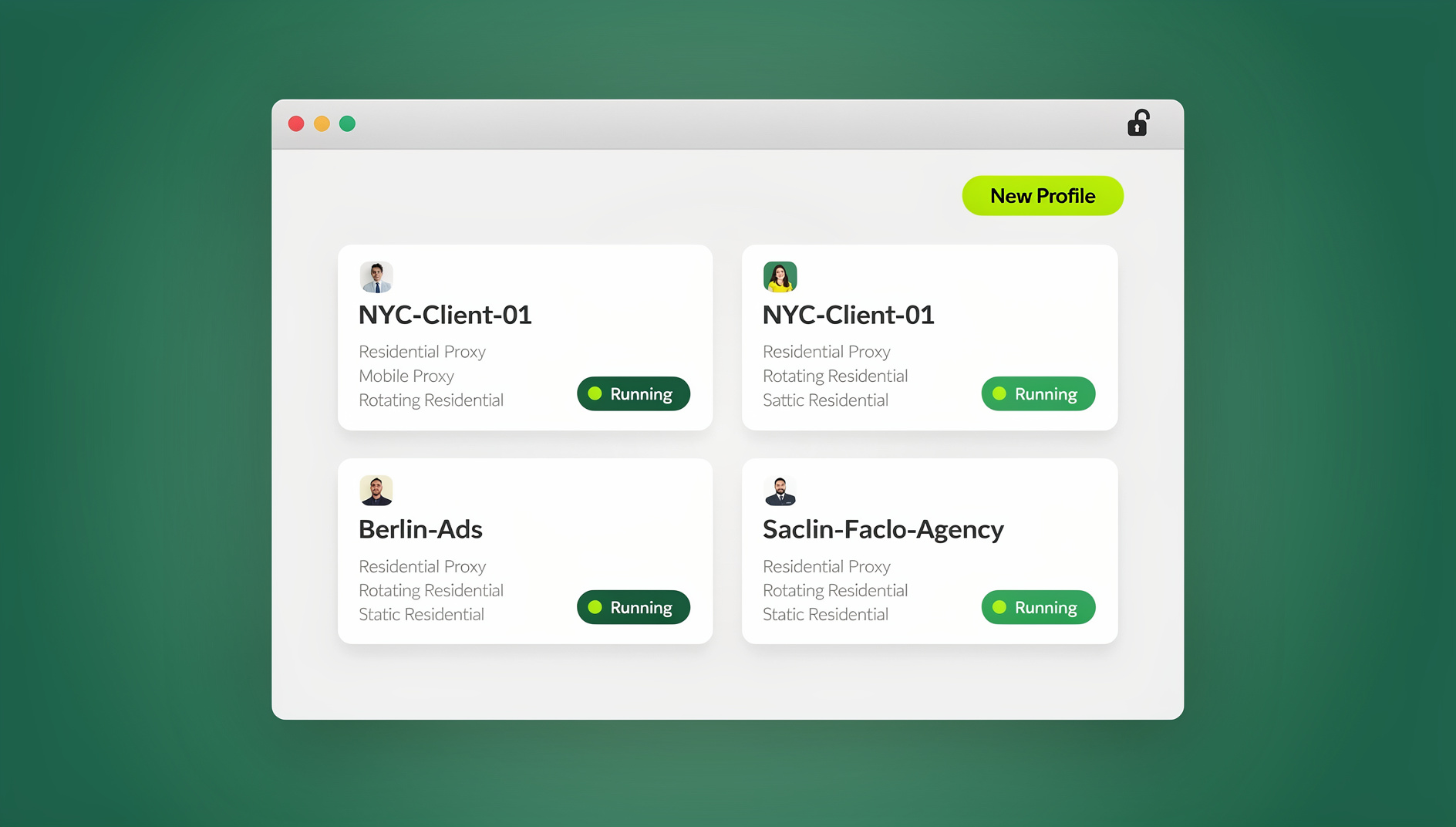
Inside the Sendwin Browser desktop app, you create one profile per account — “Client A Facebook,” “Client B Instagram” — and each one behaves as a distinct device. Send.win keeps a consistent fingerprint per profile, so the platform sees a different “computer” for every account, even though they all run on your machine.
Dedicated Proxies
Attach a residential proxy to each profile so its IP matches the account’s expected location — a New York IP for one client, a London IP for another — instead of routing everything through your office connection.
Persistent Sessions
Log in once, complete 2FA, and the profile stays authenticated. Opening it again tomorrow (or next month) drops you straight back into the account, cutting out hours of weekly re-authentication overhead.
Cloud Browser Access When You Don’t Want a Local Install
If a teammate or client needs to check in on an account without installing the Sendwin Browser desktop app themselves, a cloud browser session opens the same isolated profile directly in their own browser tab — no download, same fingerprint and proxy protections.
Best Practices for Anyone Managing Client Accounts
Never Mix Personal and Client Accounts
If your personal Facebook takes a hit for a controversial post, you don’t want it dragging down algorithmically linked client accounts. Full separation is non-negotiable once money is involved.
Warm Up New Accounts Slowly
Taking over a client account and immediately changing the password, logging in from a new location, and posting fifty times in a day is close to a guaranteed lock. Ease into new access over several days first.
Use Residential Proxies, Not Free VPNs
Datacenter IPs from free VPN services are already well known to social platforms and heavily scrutinized. Residential or mobile proxies, assigned one-to-one per client profile, look like ordinary home connections instead.
Share Sessions, Not Passwords
Handing a teammate a raw password is a security liability the moment they leave the project. Instead, share sessions without sharing passwords — grant a link to the specific isolated profile and revoke it the instant the engagement ends.
Signs Your Current Setup Isn’t Isolated Enough
A few warning signs tend to show up before an outright ban, and catching them early is far cheaper than losing an account. Watch for: a client account suddenly requiring 2FA on a login that used to be seamless, a spike in “unusual activity” security emails right after you switch between tabs for different accounts, or a support ticket asking why several unrelated business accounts appear “linked” during a platform review. Any one of these is a strong signal that your current combination of proxy, fingerprint, and session handling needs tightening before it escalates into a temporary restriction or a full suspension. Treat these as early warnings rather than one-off glitches — the underlying cause almost never fixes itself.
The Same Playbook Applies Beyond Social Media
The logic here isn’t unique to Facebook or Instagram. Teams running multiple Amazon accounts or several Etsy and TikTok Shop storefronts face the identical anti-fraud math: convince the platform’s algorithm that these accounts belong to different humans on different devices. Whether you’re comparing multi-login tools for a five-person agency or a fifty-person one, browser isolation is the common denominator across every platform, not a social-media-specific trick.
Common Mistakes That Still Cause Restrictions
Even teams that already isolate their profiles occasionally get flagged because of a handful of avoidable habits.
Mistake 1: Reusing One Proxy Across Every Client
Buying a single residential proxy and routing every profile through it defeats the point of isolation — the platform can still cluster those accounts by IP even if their fingerprints look distinct. Budget for one dedicated proxy per active profile.
Mistake 2: Mismatched Time Zones and Locale Settings
If a profile’s proxy places the account in London but the system clock and browser language report US settings, that inconsistency is itself a signal worth flagging. Keep proxy location, time zone, and language aligned for every profile.
Mistake 3: Manual Bulk Actions Inside a Single Session
Isolation prevents cross-account linking, but it doesn’t make rapid mass-following or mass-commenting inside one account look any less automated. Rate-limit your own manual activity per account the way a careful manager would even without isolation in place.
Mistake 4: Forgetting to Revoke Access After a Team Member Leaves
When a contractor’s engagement ends, revoke their shared session the same day. A forgotten, still-active session link is a security gap and an accountability problem if a client later asks who touched their account.
Scaling Your Setup as Your Client List Grows
The right level of infrastructure depends on how many accounts you’re actually managing right now, not how many you hope to manage eventually.
Solo Freelancer (1-5 Accounts)
A handful of isolated profiles inside the Sendwin Browser desktop app, paired with one scheduler subscription, covers most solo freelance workloads. Dedicated proxies matter less at this scale if your clients share a rough region, but it’s worth building the habit early.
Small Team (5-20 Accounts)
This is where shared proxies and inconsistent naming conventions start causing real problems. Standardize profile names, assign one proxy per client, and move from sharing passwords to sharing sessions once more than one person touches client accounts.
Larger Agency (20+ Accounts)
At this scale, plan for cloud browser sessions so team members can access a profile occasionally without installing the desktop app themselves, keep a simple log of which proxy and profile belongs to which client, and bake the account warm-up period into every onboarding checklist instead of skipping it under deadline pressure.
🏆 Send.win Verdict
Schedulers solve half the problem and Chrome profiles solve a different half — neither solves both. Send.win isolates the fingerprint and the proxy per account and keeps every session persistent, which is the actual requirement for managing social accounts at agency scale without triggering cross-account bans.
Try the Send.win cloud demo — a 3-minute preview without signup, or 10 minutes a day with a free account.
Frequently Asked Questions
Is it legal to manage multiple social media accounts for clients?
Yes. Every major platform’s terms of service explicitly allow businesses, agencies, and individuals to operate multiple accounts, provided the accounts don’t engage in spam, fake engagement, or coordinated inauthentic behavior.
Why did my client’s account get restricted even though I never violated a policy?
Most restrictions in multi-account setups come from automated anti-fraud pattern matching — shared IPs, identical fingerprints, or unusually fast behavior — rather than a manual review finding an actual policy violation.
Do I need a separate proxy for every account, or can I share one?
Ideally each account gets its own dedicated proxy. Sharing one proxy across several accounts recreates the same clustering risk at the IP layer that isolated fingerprints solve at the device layer.
Can I just use free Chrome profiles instead of paying for a tool?
Chrome profiles solve cookie separation and keep you logged in, which is a real improvement over Incognito. They don’t solve the shared IP address or shared fingerprint problems, so they’re a partial fix rather than a complete one.
Will a scheduler like Hootsuite or Buffer fully replace native logins?
No. Schedulers publish scheduled content through official APIs, but they can’t reply to DMs, leave authentic comments, join groups, or manage every setting that requires native, logged-in access.
How fast should I scale up activity on a newly acquired account?
Gradually. A few days of light, natural activity before ramping up to full posting and engagement volume greatly reduces the odds of an automated lock, even with proper isolation in place.
What’s the safest way to give a virtual assistant access to a client account?
Share the logged-in session directly through a secure link rather than handing over the password. That way the assistant works inside the same isolated, proxied profile, and you can revoke access instantly when the engagement ends.
Does this approach work the same way for e-commerce accounts, not just social media?
Yes. Amazon, eBay, Etsy, and TikTok Shop apply the same IP and fingerprint-based anti-fraud logic as social platforms, so the identical isolated-profile setup applies to multi-store e-commerce operations.
The Bottom Line
You can absolutely manage multiple social media accounts safely — but “safely” means isolating fingerprints and IP addresses per account, not just staying logged in via Incognito or hoping Chrome profiles are enough. Combine an official scheduler for bulk content with isolated, persistent profiles for native engagement, and you can scale from managing two accounts to managing fifty without one restriction dragging the rest down.