How Do You Run Several Google Accounts Without Mixing Them Up?
Google MultiLogin covers two different things: Google’s own account switcher, which keeps up to 10 accounts signed in inside a single browser session, and giving each Google account its own isolated browser profile with separate cookies, storage, sessions and fingerprint settings — what teams do when client accounts must never share a session. This guide walks the profile setup, the proxy and fingerprint checks, Multilogin’s plan limits, and the mistakes that break the whole arrangement.
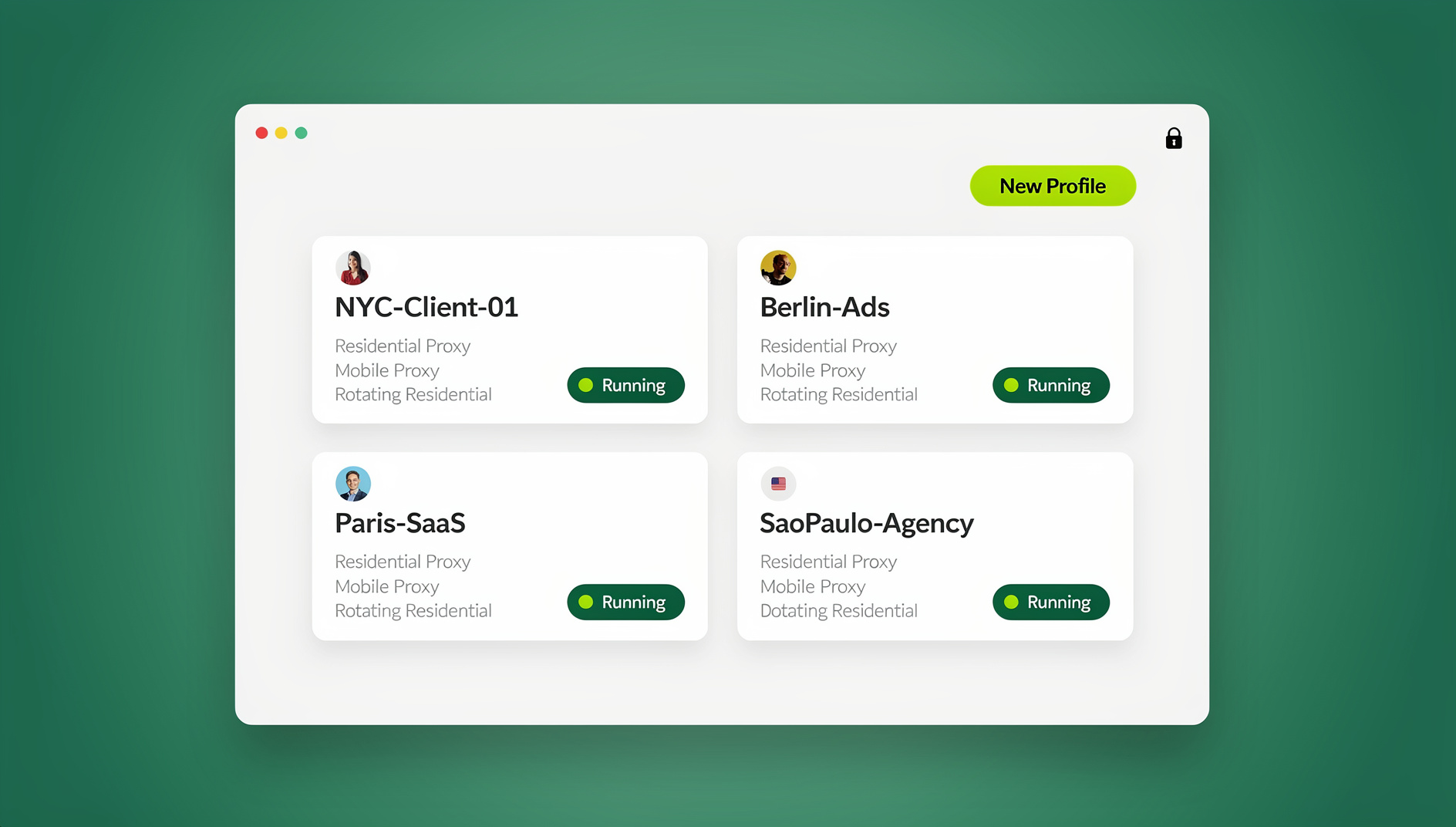
📌 TL;DR Executive Summary
- Core Takeaway: Google’s free switcher holds up to 10 accounts in one session, but they share one cookie jar, one fingerprint and one IP address. One Google account per browser profile is the only way to keep sessions genuinely separate.
- Key Risk/Challenge: A profile manager stores live logins, so plan terms matter — Multilogin’s Free plan deletes every profile after 7 consecutive days of inactivity, and support cannot restore them.
- Recommended Solution: Create one named profile per account, attach the proxy, verify exit IP, timezone and fingerprint before the first sign-in, then record what you checked and when you last opened it.
Google MultiLogin, Multilogin, and One Confusing Name
Three different things share this name, and only one of them is a product you install. Google’s account switcher keeps several Google accounts signed in side by side in a single browser session. Multilogin is a commercial browser profile manager in which each profile carries its own cookies, local storage and stored session. And “MultiLogin” is also the name of an undocumented Chromium OAuth endpoint that infostealer operators adopted in early 2024.
| Term | What it actually is | Where it runs |
|---|---|---|
| Google account switcher | Free Google feature; up to 10 accounts signed in at once | Inside any Chromium or Firefox browser |
| Multilogin | Browser profile manager with a Chromium-based engine and a Firefox-based engine, plus Android cloud phones | Desktop app and cloud |
| “MultiLogin” OAuth endpoint | Undocumented Chromium/Google OAuth endpoint abused by infostealers, public since January 2024 | Inside Chromium browsers |
Keep the three apart and the choice stops being ambiguous: you are picking between a free feature inside one browser session and a paid tool that gives each account a separate profile.
Start With Google’s Free Switcher Before You Pay for Anything
Gmail on the web accepts up to 10 Google accounts signed in at the same time in one browser session. The avatar menu is the normal way to move between them, and each account gets a position in the URL: mail.google.com/mail/u/0/ is the first, /u/1/ the second, /u/2/ the third. The same pattern works for Drive and Calendar, which is why the index gets bookmarked.
Two quirks matter. There is no keyboard shortcut for jumping between Google accounts — shortcuts work inside one account, not across them. And the index is positional: sign one account out and every later account shifts down a number, so yesterday’s /u/2/ bookmark can open a different inbox today.
The real limit is structural rather than numeric. The switcher is one browser session, so every account inside it shares one cookie jar, one browser fingerprint and one IP address. When you need two clients’ Search Console properties to sit in genuinely separate sessions, the switcher cannot give you that separation — and that is the point where a profile manager earns its price.
For the everyday side of account structure — naming, ownership, who on the team may touch what — read this guide to managing multiple Google accounts before you add tooling.
How to Set Up Google MultiLogin With Multilogin, Step by Step
Run these in order. Do not sign in to Google until steps 1 to 6 are done, because moving a live session between profiles costs more time than creating it in the right place.
- Pick a tier against your real account count. Free gives 5 cloud-stored browser or mobile profiles, 200 MB of proxy traffic and 30 mobile minutes, both one-time, with no card and no expiry. Pro comes in 10, 20 and 50 profile tiers; Business starts at 100 and scales to 10,000. Count the accounts you are authorised to manage, add one spare, and buy above that number.
- Choose the engine before you create anything. Multilogin runs profiles on two engine families — one built on Chromium, one on Firefox. A profile and its stored session should stay in one family, so decide which accounts need which engine up front instead of rebuilding profiles later.
- Create one profile per Google account, named for handover. Use client, account and proxy country, for example
acme-search-console-de. Anyone on the team should be able to read the profile list and know which account sits inside each one; a profile called “test2” costs somebody twenty minutes six months from now. - Attach the proxy and confirm what the profile reports. Add the proxy in the profile settings, open an IP checker inside the running profile, and compare exit IP, timezone and language headers. All three should point at the account’s real region; a German account on a Singapore exit IP takes ten seconds to spot.
- Sign in to exactly one Google account per profile. Using “Add another account” inside a profile recreates the shared session you paid to avoid. To verify, open
mail.google.com/mail/u/1/inside the profile: if a second inbox loads, two accounts are signed in and one has to come out. - Check that the profile reports what you configured. Before the account goes in, record canvas, WebGL renderer, audio hash, font list, hardware concurrency and viewport from BrowserLeaks and CreepJS. A Mac user agent next to a Windows-only font stack, or a mobile viewport with desktop hardware, is a configuration error you can fix for free.
- Save the session and note where it lives. Multilogin stores session snapshots per profile, so the login persists without retyping. Confirm whether that profile is cloud-stored or local — on the Free plan a cloud profile not started for 7 consecutive days is deleted permanently, and support cannot restore it.
- Share only with people who should have the account. Pro tiers include 1 or 2 team seats depending on tier; Business adds unlimited seats. Check that the teammate sees the profile in their list and that the account opens already signed in, with no password passed through chat.
Proxy and Fingerprint Checks Before the First Sign-In
Match the proxy to the account’s region
A proxy only helps if the profile agrees with it. Check the exit IP first, then the timezone and language the browser reports, then whether WebRTC exposes a local address. Timezone and locale travel with every page load, so a Frankfurt proxy next to a Pacific-time profile is a mismatch any site can read in a single request.
Keep each profile consistent with itself
Per-profile fingerprint settings exist so that profiles do not share a single browser identity — that is privacy between accounts, not a contest to look unusual. Record what a fresh profile reports, re-check a week later, and confirm nothing drifted. Values that move between sessions in the same profile mean something in your setup is unstable, and an unstable profile is a support ticket waiting to happen.
What a leak test cannot tell you
BrowserLeaks and CreepJS tell you whether a profile reports what you configured. They do not tell you whether a platform will accept your activity, and they are not a permission slip. Sign in only to accounts you own or are authorised to manage, and follow each platform’s terms — that rule sits above every setting on this page.
What Multilogin Costs for Google Account Work
| Plan | Profiles | Proxy traffic | Mobile minutes | Team seats |
|---|---|---|---|---|
| Free | 5, cloud-stored only | 200 MB, one-time | 30, one-time | — |
| Pro | 10, 20 or 50 | 1–3 GB per month | 60–85 | 1–2 |
| Business | 100 up to 10,000 | 5–10 GB per month | 150–450 | Unlimited |
The Pro 50 tier lists at $29 per month, or $19.17 per month on annual billing; Business starts at $40 per month for 100 profiles and $89 per month for 300. Across the paid tiers annual billing works out around 35% cheaper, upgrades are prorated and downgrades apply from the next cycle.
Two cost lines are easy to miss. Cloud phones are real Android instances on ARM servers billed by the minute, with packs from 2,000 minutes ($16.80) to 1,000,000 minutes ($6,720 after a 20% volume discount) — sensible for a mobile-only client workflow, expensive when sessions sit idle. And the Free plan allows no proxy-traffic or mobile-minute top-ups at all, so hitting the 200 MB ceiling forces an upgrade rather than a small purchase.
If you are weighing entry tiers, this comparison of Multilogin free plan alternatives puts the limits side by side.
Seven Pitfalls That Break a Google MultiLogin Setup
- Idle profiles disappear on Free. Start at least one profile every 7 days or every cloud profile is removed, with no restoration. If a client’s Google login lives there, a two-week break is a data-loss event. Fix: diarise a weekly launch, or move client accounts to a paid tier.
- Free has no top-ups and no way back. You cannot buy extra proxy traffic or mobile minutes, and you cannot downgrade a paid plan to Free. Choose the tier as though the decision were permanent.
- Vendor claims are not platform guarantees. Multilogin’s academy page claims you can manage unlimited Google accounts. That is marketing: Google does not publish a per-person account limit, and no profile tool changes what the platform permits.
- A second account inside one profile. The “Add another account” button sits right in the avatar menu, and one click merges two accounts into a session with shared cookies. Fix: one profile, one account, no exceptions.
- Trusting the /u/N/ index. The number is positional, it shifts whenever you sign an account in or out, and there is no shortcut to move between Google accounts. Bookmark by account name instead.
- Automation against platform terms. Multilogin ships a REST API, CLI, Selenium/Puppeteer/Playwright drivers, a headless mode and AI Quick Actions that turn plain-language prompts into workflow steps. Useful for QA on your own properties; most platforms restrict automated access in their terms, and automation pointed at accounts you do not own is off the table.
- Mobile minutes as a hidden budget line. Cloud phones run Android 10 to 15 across roughly 30 device types from about 12 brands, billed per minute. Budget by the minute, not by the seat.
What to Do When Google Restricts One of the Accounts
A restricted or suspended Google account is a platform decision, and the only route back is Google’s own appeal or verification flow. Do not create a replacement profile, do not re-add the account somewhere else, and do not treat a second profile as a workaround — that turns a temporary restriction into a pattern.
How Send.win Helps With Google Multilogin
Send.win is a browser profile manager for professionals and teams: every account gets its own isolated browser profile.
- Isolated profiles – separate cookies, storage and sessions per profile
- Fingerprint protection – each profile keeps its own consistent browser fingerprint, so profiles never share one browser identity
- Desktop app + cloud browser – native app for Windows, macOS and Linux, or run profiles in the cloud with no install
- Residential proxies included – on Pro and Team, with timezone and locale matched to the proxy
- Team sharing – share a signed-in profile with a teammate without sharing the password
Try the free cloud demo — no install — or download the desktop app. Paid plans start at $19/month, and your first card purchase is covered by a 7-day money-back guarantee (see pricing).
Work the process instead: use the recovery options attached to that account, answer the verification request with genuine information, and tell the client what the timeline looks like. If a bulk action, a shared login or an automated job caused the restriction, fix that cause before the account comes back.
When Multilogin Is More Than Your Google Workload Needs
Multilogin is built for volume: Android cloud phones, a REST API, automation drivers, a headless mode, AI Quick Actions. If your actual job is eight Google accounts across three clients, most of that surface is cost and complexity you will never touch — and the automation half is the part most platforms’ terms restrict anyway.
A lighter route for owned or authorised accounts is Send.win. In Sendwin Browser, a desktop app for Windows, macOS and Linux, each profile keeps its own cookies, storage, sessions and fingerprint settings with an optional proxy per profile; timezone, locale, WebRTC and geolocation follow the proxy’s exit IP, so the alignment check in step 4 happens by default rather than by hand. You can share a profile with a paid teammate and it opens already signed in, and cloud sync carries logins across devices. There is no API, SDK or headless mode on any plan — a limit if you need scripted QA, an advantage if you would rather nothing on the team can automate a client account.
Know the trade-offs before you switch: Send.win has no Android cloud phones, and every profile is opened and worked by hand inside the desktop app or the cloud browser. Paid plans start at $19/mo with a 7-day money-back guarantee on the first card purchase, and the free cloud demo needs no install — 10 minutes a day in a browser running on Send.win’s Helsinki server. For seats, profile counts and proxy bandwidth side by side, read Send.win vs Multilogin.
🏆 Send.win Verdict
For a Google multi-account workflow the deciding question is not how many profiles a tool holds — it is whether each profile keeps a stable, self-consistent identity and whether your team can open the right one without swapping passwords. Send.win does that with per-profile fingerprint settings, per-profile proxies and paid-teammate sharing, and it stays deliberately manual: you open a profile and use it like any other browser, by hand, which suits accounts you own or are authorised to manage. If you need Android cloud phones or scripted browser drivers, Multilogin is the better fit — and worth paying for on Business rather than fighting the Free plan’s 7-day deletion.
See Send.win plans — Pro from $19/mo with residential proxies and a 7-day money-back guarantee on your first card purchase, or start with the free cloud demo.
Frequently Asked Questions
How do I sign into multiple Google accounts at once?
Sign in to the first account, click the avatar in the top right and choose “Add another account”. Gmail on the web supports up to 10 accounts in one browser session, and each gets a position in the URL from /u/0/ upward. All of those accounts then share one cookie jar, one fingerprint and one IP address.
Is Google MultiLogin a Google feature or a browser app?
Both names exist separately. Google’s multi-login mechanic is the free account switcher built into Gmail, Drive and Calendar. Multilogin is a commercial browser profile manager. An undocumented Chromium OAuth endpoint called MultiLogin, abused by infostealers in 2024, is neither a feature nor a product.
What was the MultiLogin OAuth vulnerability?
Researchers disclosed in January 2024 that an undocumented Google OAuth endpoint named MultiLogin let stolen Chromium cookies keep access to accounts after a password reset; a full logout of all sessions was the recommended mitigation. It is unrelated to the Multilogin browser product despite the identical name.
Does Multilogin actually work for multiple Google accounts?
It does what a profile manager is supposed to do: each profile carries its own cookies, local storage and session snapshot, so a login persists per profile. Whether Google is comfortable with your activity depends on what you do inside those accounts, not on the profile. The vendor’s “unlimited accounts” claim is marketing, not a platform guarantee.
How much does Multilogin cost and what does the free plan include?
Free gives 5 cloud-stored browser or mobile profiles, 200 MB of proxy traffic and 30 mobile minutes, both one-time, with no card and no expiry. Pro tiers cover 10, 20 or 50 profiles with 1–3 GB of monthly traffic; Pro 50 lists at $29 per month or $19.17 per month billed annually. Business starts at $40 per month for 100 profiles.
Should I use a separate browser profile for each Google account?
Yes, if the accounts must not share cookies, storage or a browser identity — client accounts for different businesses, for example. If you are only flipping between your own personal and work Gmail, the built-in switcher is free and faster. Profiles cost money and pay off only when separation is the requirement.
Is Gmail’s /u/1/ URL the fastest way to switch accounts?
It is a direct link, but a poor bookmark. There is no keyboard shortcut for moving between Google accounts, and the /u/N/ index is positional — sign one account out and every later number shifts. Bookmark by account rather than by index if you rely on it daily.
What happens when Google will not let you add another account?
Gmail’s web switcher tops out at 10 accounts in one session, and Google does not publish how many accounts one person may hold. If you are blocked, review whether every account is genuinely yours or authorised, remove the ones you do not need, and use Google’s verification flow rather than routing around it.