What Does “Ghost Browser for iPhone” Actually Mean?
There is no ghost browser for iPhone you can download today. Ghost Browser, the Chromium app built around Workspaces and cookie-jar Identities, ships for Windows, macOS and Linux only and has never had a mobile build. What iOS offers is narrower: Safari profiles since Safari 17, plus Orion and Vivaldi for separated logins — and a desktop or cloud profile manager once accounts need their own proxies and fingerprint settings.
📌 TL;DR Executive Summary
- Core Takeaway: Ghost Browser is a desktop Chromium browser with Workspaces, cookie-jar Identities and per-tab proxies. There is no iPhone app, so mobile separation comes from Safari profiles, Orion or Vivaldi instead.
- Key Risk/Challenge: iOS profiles split cookies and history, but every profile on the handset still shares one device, one hardware surface and one exit IP.
- Recommended Solution: Use Safari profiles for a personal-versus-work split, and move real multi-account work to Send.win profiles on desktop or its cloud browser, which opens from any device.
What a Ghost Browser Actually Does on Desktop
The name describes software that keeps several logged-in identities apart inside one window, each with its own cookies. Ghost Browser builds that from two layers. A Workspace is a named tab group, usually one per client or project. An Identity is a cookie jar: a permanent one for accounts you keep, a temporary one for single checks that is wiped when you close it. Two sessions on the same site sit in different jars, so signing into the second never overwrites the first.
Where the proxy attaches
Proxies attach at three levels: a whole Workspace, a single Identity, or, on the Pro plan, one tab. The exit IP is what a site records next to the cookie, so two client accounts leaving through one address within the same minute look related however clean the cookie separation is. The free tier keeps proxy control at Workspace or Identity level only; per-tab control is the feature that separates the paid plans.
Sync and team sharing
Private Data Sync moves Workspaces, Identities, cookies and proxy settings to teammates through storage you control: a USB drive, a Dropbox folder, a server you run. Nothing sits on the vendor’s infrastructure, and there is no hosted cloud browser to open from a phone. The changelog is the reliable record of what is current — 2.4.1.0 added Dark Mode, 2.4.1.1 upgraded the browser and its built-in extensions, and the newest note is dated 21 May 2026. Older pages on the same site have carried stale copy for years.
Three Different Products Called Ghost Browser
This is where most iPhone searches go wrong. The name points at three separate things, and only one has a browser you can install.
| Product | What it is | Platforms | Status |
|---|---|---|---|
| Ghost Browser (desktop) | Chromium browser with Workspaces, Identities, per-Workspace/Identity/tab proxies, Private Data Sync | Windows, macOS, Linux | Shipping; free tier with up to three Identities; Basic from $21/month billed annually, Pro from $46/month |
| Ghost Browser (iOS project) | Single-file Swift/SwiftUI/WebKit iPhone and iPad browser sold as source code with rebrand rights | iOS (source only) | Roughly 85% complete at about 6,400 lines of Swift; not on the App Store |
| Ghost Browser (ghostbrowser.app) | Locked-down team browsing with single-use access codes and session audit logs | Web service | Pricing page marked temporarily unavailable |
The iOS project is the one that surfaces in “ghost browser for iPhone” threads, and you cannot install it. It is source code for sale: one Swift/SwiftUI/WebKit file, roughly 85% complete at about 6,400 lines, with canvas noise, a fixed user agent and no cookies, cache or analytics listed as its privacy features. Those are the project’s own claims; no independent measurements of them exist. Buying it starts a development project, not a browsing setup. If you want the desktop field laid out side by side, our Ghost Browser alternatives compared covers what each one actually separates.
How iOS Browser Isolation Works Under the Hood
Every browser on iPhone renders through WebKit, and Apple controls what those browsers are allowed to touch. A browser can partition cookies, history, favorites and tabs. It cannot give a profile its own hardware signature, because the device, the GPU and the network stack are shared by everything installed on the phone.
What Safari profiles actually separate
Safari 17 and later supports multiple profiles. Create one in Settings > Apps > Safari > New Profile, name it after the account it holds, and it keeps its own favorites, history, tabs, Tab Groups and website data, with extensions managed per profile. Profiles sync to any iPhone, iPad or Mac signed in to the same Apple Account, so a work profile follows you across your own hardware.
What no iOS browser separates
Three things stay device-wide. The network comes first: a Safari profile does not carry its own HTTP or SOCKS5 proxy, so every profile leaves through the same Wi-Fi or carrier IP. The hardware and canvas surface that fingerprinting scripts read comes second — the same screen, GPU and font list answer for every profile on the handset. The Apple Account that ties sync together comes third. That gap is why people search for a profile manager on iOS at all; our notes on what iPhone browsers can isolate go further into the limits.
Apple’s own iPhone support page on Safari profiles documents the behaviour and the sync rules in full.
Why Separate Logins Break on a Phone
The first symptom is always the same: you sign in to a second account on the same site and the first one logs out. That is not a bug. One browser profile has one cookie jar, and the session cookie is stored under the same key, so the new session replaces the old. Private Browsing does not help, because the jar is wiped when you close the tab and nothing carries over to the next visit.
The second problem is context. Work accounts usually live in a region, a language and a timezone that do not match the handset in your pocket. Opening a client dashboard from a train presents a carrier IP and a device clock that disagree with months of history from the desktop — the kind of mismatch that triggers a verification step when a support or QA team tries to reproduce a report from a phone.
The third is policy. Platforms that permit more than one account publish a route for it: agencies on Meta use Business Manager roles instead of separate logins, and Amazon requires approval for an additional seller account. A phone stacked with sessions for accounts you do not own is not a workaround; it is what those rules exist to stop. The picture is thin on Android too — Ghost Browser for Android covers how little actually exists.
A Practical Checklist for Multi-Account Browsing on iPhone
- Map accounts to containers first. Write down which account lives in which profile on which browser. Without that map you will reuse one container by accident within a week.
- Create Safari profiles for the split you need. Settings > Apps > Safari > New Profile. Personal plus one per client works to about three or four; past that the profile switcher becomes its own overhead.
- Add a second browser as a second cookie jar. Orion is WebKit-based but runs Chrome and Firefox extensions and offers separate profiles. Vivaldi gives you tab stacking, Workspaces and encrypted private sync. Both need iOS 17.0 or later.
- Keep a single-purpose browser for throwaway checks. Firefox Focus stores no history, passwords or cookies, handles one page at a time, has no sync, and wipes the session when you tap the trash icon.
- Keep region-sensitive accounts off the phone. If a session’s history sits on a desktop with a fixed exit IP, open it there, or open the same cloud session remotely instead of logging in fresh on cellular.
- Record what the platform authorised. Note the approval reference or Business Manager role next to each account, and keep the list somewhere the team can see it.
| Browser | What it separates | Extensions | Minimum iOS | Price |
|---|---|---|---|---|
| Safari 17+ | Profiles with separate cookies, history, favorites, tabs and Tab Groups; per-profile extensions | App Store extensions, managed per profile | iOS 17 | Free, built in |
| Orion | Separate profiles | Chrome and Firefox extensions | iOS 17.0 | Free tier with 200 Kagi searches; Plus $5/month |
| Vivaldi | Workspaces and tab stacking; encrypted private sync | Not listed | iOS 17.0 | Free |
| Firefox | No profile split; Enhanced Tracking Protection on by default | Library includes uBlock Origin | iOS 15.0 | Free |
| Brave | No profile switcher; Tor window, Leo AI, tracker blocking | Not listed | iOS 18.0 | Free, in-app purchases from $9.99/month |
| DuckDuckGo | Blocks third-party trackers; DuckPlayer; one-tap Fire button | Not listed | iOS 15.0 | Free |
| Firefox Focus | No history, cookies or passwords; one page at a time, no sync | None | Not listed | Free |
Where Send.win Fits When the Phone Is Not Enough
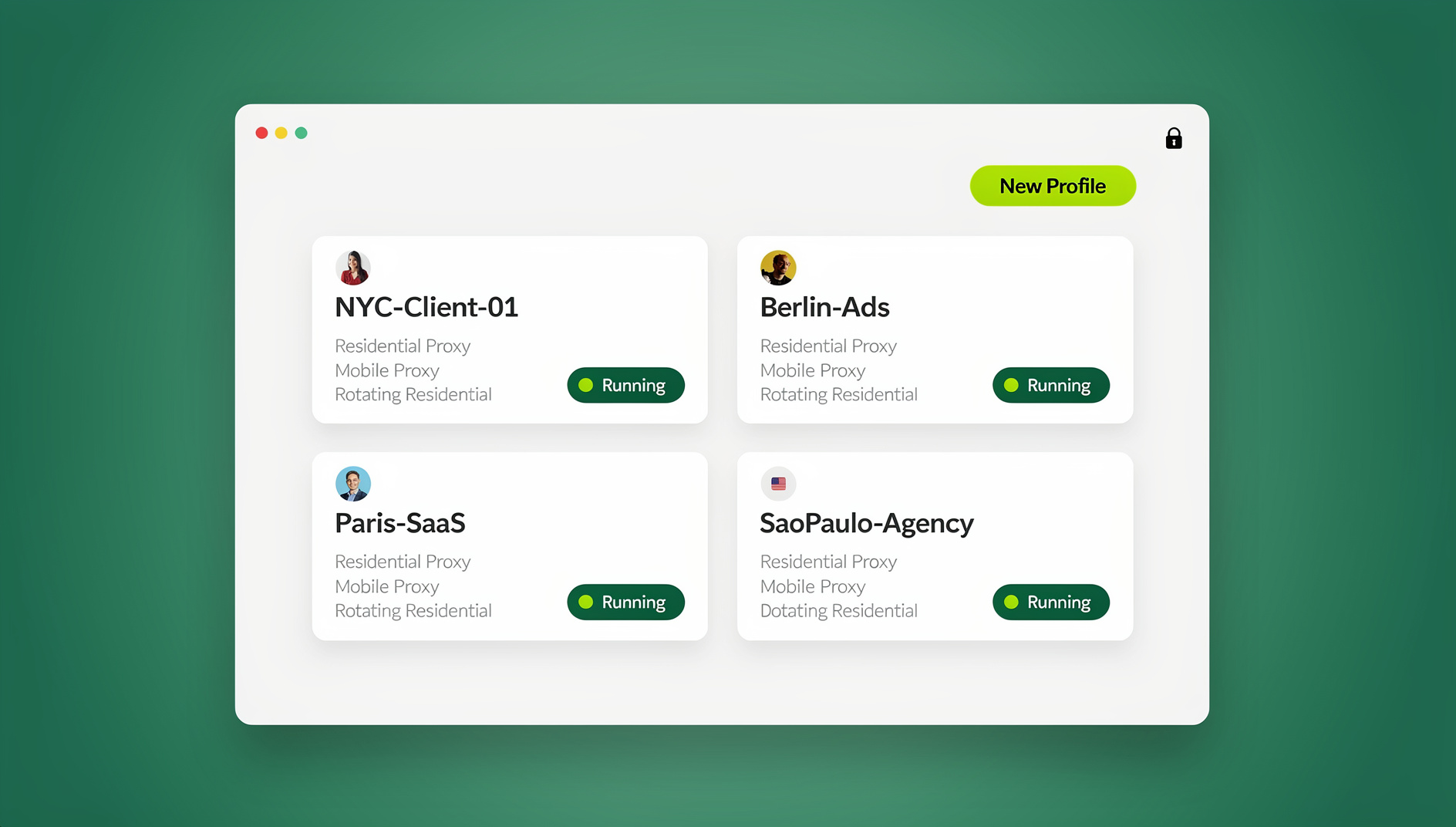
Send.win is a browser profile manager for people who manage accounts they own or are authorised to manage. It runs two ways, and that split decides what a phone can do.
Sendwin Browser is a native desktop app for Windows 10/11 (64-bit), macOS 12+ and Linux, built on Chromium and installed locally. Every saved profile carries its own cookies, storage, sessions, fingerprint settings and proxy. The fingerprint is handled inside the browser engine so each profile keeps one consistent identity rather than sharing the machine’s — the same idea as the fingerprinting protection in Firefox or Brave, applied per profile as privacy protection.
The cloud browser is the part that answers the iPhone question. Profiles run on Send.win’s server in Helsinki, Finland, and open from any device with nothing to install. On a phone, a client session arrives with its own cookies, its own exit IP, and a timezone, locale, WebRTC and geolocation that follow the proxy’s exit IP rather than your carrier’s. Pro includes 20 saved cloud sessions with 3 open at once; Team raises that to 100 with 9 at once. Sharing behaves the same as on desktop: a profile shared with a paid teammate opens already signed in, and no password changes hands. A free cloud demo gives a three-minute preview without a signup, and a free account gets ten minutes a day. If the mechanics are new to you, how cloud browser sessions work explains what sits between the screen and the site.
Pro is $19/month, or $83.88 billed annually ($6.99/month): 150 profiles, 5 GB of proxy bandwidth a month, 6 seats. Team is $49/month, or $251.88 annually ($20.99/month): 500 profiles, 20 GB and 16 seats. Both include residential proxies and bring-your-own HTTP/SOCKS5, and both allow up to 50 profiles open at once. Two limits worth stating plainly: Sendwin Browser has no iOS build, so from an iPhone you work through the cloud browser; and there is no trial of the desktop app — the free option is the cloud demo, and a first card purchase is covered by a 7-day money-back guarantee that crypto payments do not get.
Common Mistakes That Break iPhone Account Separation
- Treating a second browser as a second device. Firefox and Safari on the same phone still share the hardware, the canvas output and the IP. Cookie separation is real; device separation is not.
- Signing a client into a personal profile. One slip puts a client’s session cookie in the jar your own sites read. Rebuild the profile rather than trying to untangle it.
- Leaving iCloud sync on for work profiles. Work tabs and history land on every Apple device you own, including the one you hand to someone else.
- Assuming the source-code project is a product. The iOS Ghost Browser has no App Store listing, no updates channel and no support; getting it to run is weeks of Xcode work before you can log into anything.
- Sharing one profile name across a team. Two people using “Work” on different devices is how logins drift. Give each person a named profile and share the profile itself rather than the password.
- Working around a suspension. A restricted or banned account comes back through the platform’s own appeal or verification process. A new container is not an appeal.
How Send.win Helps With Ghost Browser For Iphone
Send.win is a browser profile manager for professionals and teams: every account gets its own isolated browser profile.
- Isolated profiles – separate cookies, storage and sessions per profile
- Fingerprint protection – each profile keeps its own consistent browser fingerprint, so profiles never share one browser identity
- Desktop app + cloud browser – native app for Windows, macOS and Linux, or run profiles in the cloud with no install
- Residential proxies included – on Pro and Team, with timezone and locale matched to the proxy
- Team sharing – share a signed-in profile with a teammate without sharing the password
Try the free cloud demo — no install — or download the desktop app. Paid plans start at $19/month, and your first card purchase is covered by a 7-day money-back guarantee (see pricing).
🏆 Send.win Verdict
For the thing people actually want from a ghost browser for iPhone — several logged-in identities, each with its own proxy and its own consistent fingerprint — the handset cannot deliver it, and no shipping iOS app does. Send.win splits the job honestly: Sendwin Browser does the heavy multi-account work on desktop with per-profile fingerprint settings and proxies, and the cloud browser puts those same profiles on a phone screen as a remote session, keeping cookies, exit IP and locale with the profile instead of the device.
See Send.win plans — Pro from $19/month with residential proxies included, or start with the free cloud demo and ten minutes a day.
Frequently Asked Questions
Is there a Ghost Browser app for iPhone?
No. Ghost Browser is a Chromium-based desktop application for Windows, macOS and Linux, with no mobile app and no hosted cloud browser. Anything advertised as a Ghost Browser iPhone download is either a different product using the same name or a source-code project that was never published.
What is the iOS Ghost Browser project I keep seeing?
It is an unfinished Swift/SwiftUI/WebKit browser sold as full source code with rebrand rights, described as roughly 85% complete at about 6,400 lines in a single file. It lists canvas noise, a fixed user agent, and no cookies, cache or analytics as its features. It is not on the App Store, so there is nothing to install.
Can you run separate browser profiles on an iPhone?
Yes, in Safari 17 and later. Go to Settings > Apps > Safari > New Profile, and each profile keeps its own favorites, history, tabs, Tab Groups and website data, with extensions managed per profile. Orion and Vivaldi add their own profile and workspace splits on top of what Safari offers.
Do iPhone browsers support Chrome extensions?
Safari supports extensions from the App Store, managed per profile. Orion supports both Chrome and Firefox extensions, which makes it the closest thing to a desktop browsing setup on iOS. Firefox has its own extension library, including uBlock Origin.
Why can’t I log into two accounts on the same site on my phone?
Because one browser profile has one cookie jar, and the site stores its session under a single key. Signing in to the second account overwrites the first. Separate Safari profiles, or a second browser, give each login its own jar; Private Browsing does not, since it wipes on close.
What does a ghost browser actually do?
It keeps several sets of cookies, sessions and proxy settings apart inside one application. In Ghost Browser’s case, Workspaces group tabs and Identities hold separate cookie jars, with proxies assigned per Workspace, per Identity or per tab on the Pro plan. That is profile management, not invisibility.
Is Ghost Browser free or paid?
There is a free tier that allows up to three Identities, with proxy control at Workspace or Identity level only. Basic starts at $21/month billed annually and excludes per-tab control, while Pro starts at $46/month and adds it, according to October 2026 pricing reported by third parties.
Can I manage client accounts from my phone?
Through a cloud browser, yes. Send.win runs profiles on its Helsinki server and serves the session into your mobile browser, so cookies, exit IP and timezone come from the profile rather than the handset. A free demo gives a three-minute preview without a signup, and a free account gets ten minutes a day.