What a Residential Proxy Really Changes About Your Connection
A residential proxy routes your request through an IP address that a consumer internet provider assigned to a real household, so the destination sees that exit IP and its location instead of yours. The case for one over a cheaper datacenter address is fit: geo-testing, ad verification and public price research see traffic arriving from the kind of network an ordinary visitor uses. Why use a residential proxy for that work? Because network origin is the variable you are testing. The proxy changes that origin and nothing else.

📌 TL;DR Executive Summary
- Core Takeaway: A residential proxy swaps the network origin of one app or browser profile for an ISP-assigned household IP, which is why regional testing, ad verification and authorised account work fit it better than hosting ranges.
- Key Risk/Challenge: It does not touch your browser fingerprint, cookies or account history, and rotating IPs does not make a high request volume acceptable under any provider’s terms.
- Recommended Solution: Match the session type to the task — sticky for logins and checkouts, rotating for independent page checks, geo-targeted for market-specific work — then read the acceptable-use policy before you buy.
Everything else about the connection stays as it was. A proxy does not change your browser fingerprint, clear cookies, sign you into an account or protect traffic beyond the hop to the proxy server; those are separate jobs done by separate tools. If you have been comparing residential proxy software, you have probably noticed how often the two ideas get blurred. The proxy supplies the network origin, the browser supplies the client identity, and the session cookie decides who you are to the site. Fix one and leave the others alone, and the mismatch is visible to the server.
Why the IP’s owner is the whole point
IP blocks are registered, and their ownership is visible in WHOIS records and routing tables. A residential address sits inside a consumer ISP range — the same kind of range your home broadband draws from. A datacenter address sits inside a hosting provider’s range, which anyone can look up in seconds. Sites read that ownership early, often before they look at anything else about a request.
Providers build pools in different ways. Some lease addresses through ISP partnerships; others recruit home devices into peer networks in exchange for a free app or service. The second model is where consent gets murky, so it is worth asking a vendor which one they run before you route client work through them.
How a Residential Proxy Works, Hop by Hop
Strip away the marketing and a proxy is a forwarder with a credential check. Your client connects to the proxy endpoint, the provider selects an exit from its pool, and the request continues from there. Session length, geography and protocol are configuration on top of that single hop.
The request path, step by step
- You configure a proxy host, port, username and password in a browser profile or application.
- For an HTTPS site, the client sends a CONNECT request asking the proxy to open a tunnel to that host and port.
- The provider picks an exit node based on your session and targeting settings.
- Traffic flows client → proxy → destination. The destination sees the exit IP, its network owner and its geolocation.
- The response returns along the same path. With CONNECT, TLS runs end to end, so the provider cannot read page contents unless it installs its own certificate — a question worth asking any vendor before you send logins through it.
Four session models with four different jobs
- Rotating: a new exit IP per request or per interval. Fits independent page checks — a price, a stock status, a landing page — where no step depends on the one before it.
- Sticky: one exit IP held for minutes at a time. Needed for logins, forms, carts and any flow where the site expects IP continuity.
- Static or ISP: a fixed address leased over weeks or months. Useful when a service allowlists addresses or a long-running workflow depends on a persistent identity. Pools are smaller and prices higher.
- Geo-targeted: you request an exit in a specific country, region or city. The only honest way to see what a customer in that market sees.
HTTP(S) versus SOCKS5
HTTP proxies understand web requests and are the natural fit for browser work. SOCKS5 operates lower down the stack, handling TCP and, in most implementations, UDP, which makes it the better choice for applications that need more than page loads or for secure file transfer. For profile-based browsing either works; what matters is that your browser supports the type and that credentials are stored with the profile rather than shared across the whole machine.
Residential vs Datacenter vs VPN: Three Tools, Three Jobs
A datacenter proxy is cheaper and lower-latency but tied to hosting ranges that platforms recognise and act on. A VPN encrypts all device traffic and gives every app on the machine one shared exit. A residential proxy changes the origin for one application, or one profile, at a time.
| Attribute | Residential proxy | Datacenter proxy | VPN |
|---|---|---|---|
| Exit IP owner | A consumer ISP | A hosting or cloud provider | The VPN operator |
| Scope of the change | One app or browser profile | One app or browser profile | The whole device |
| What sites typically see | An ordinary ISP address | A known hosting range, often filtered | A known VPN endpoint |
| Geographic targeting | Country, region, city | Usually country | Limited to server locations |
| Main cost driver | Bandwidth, metered per GB | IP count, flat monthly | Subscription per user |
| Effect on fingerprint | None | None | None |
| Good fit | Market checks, ad verification, client accounts | Internal QA, allowlisted APIs, your own systems | Privacy on untrusted networks |
Why use a residential proxy over a hosting range? For fit, not invisibility. Residential IPs are not invisible; they are simply the kind of address a normal visitor arrives from. Detection systems weigh behaviour, client integrity, account history and the action being attempted alongside network context, so anyone telling you a residential IP “cleans” a request is selling rather than explaining. For a closer look at pool quality and pricing models, this comparison of residential vs datacenter proxy options is a useful next read.
Cost is the other real difference. Datacenter IPs are cheap and plentiful; residential bandwidth is metered and priced per gigabyte, so the bill follows page weight rather than seat count. Lease prices vary enormously by geography — a fresh U.S. residential IP has been quoted at up to $95 for two weeks against roughly 30 cents for an Eastern European address. For a small team running a handful of client accounts, bandwidth is the line that moves, not IP count. Watch what eats it: video, oversized images and repeated full-page loads. Blocking heavy assets on monitoring runs and caching what does not change usually stretches a monthly allowance further than hunting for a cheaper per-gigabyte rate.
When the datacenter IP is the right call
Not every task needs consumer addresses. Internal QA of your own staging environment, calls to an API that allowlists your ranges, and any system you own end to end are cheaper and faster from a hosting block. Pay for residential bandwidth when the question is “what does this look like from that market”, not when it is “does my own code still work”.
Who It Helps — and What Stays Off-Limits
Residential proxies earn their keep when the work genuinely depends on network origin: the person doing the task needs to see, or be seen from, a specific market. That is the whole answer to why use a residential proxy, and it is also the test for when not to — everything else is cost without benefit.
Tasks that fit
- Testing your own applications from other regions. Localisation bugs — currency, date format, shipping rules, consent banners — only appear when the request arrives from the right country.
- Ad verification for clients. Confirming a campaign renders where and how it was bought, in the market it was bought for.
- Public price and catalogue research. Reading openly accessible pages at a human pace, within robots.txt and the site’s terms.
- Managing accounts you own or are authorised to manage. An agency running several client storefronts or social profiles needs each identity to arrive from a consistent network, on a consistent browser profile.
- QA and support reproducing regional issues. Replaying a customer’s bug from their country, in a profile that holds no real credentials.
How Send.win Helps With Why Use A Residential Proxy
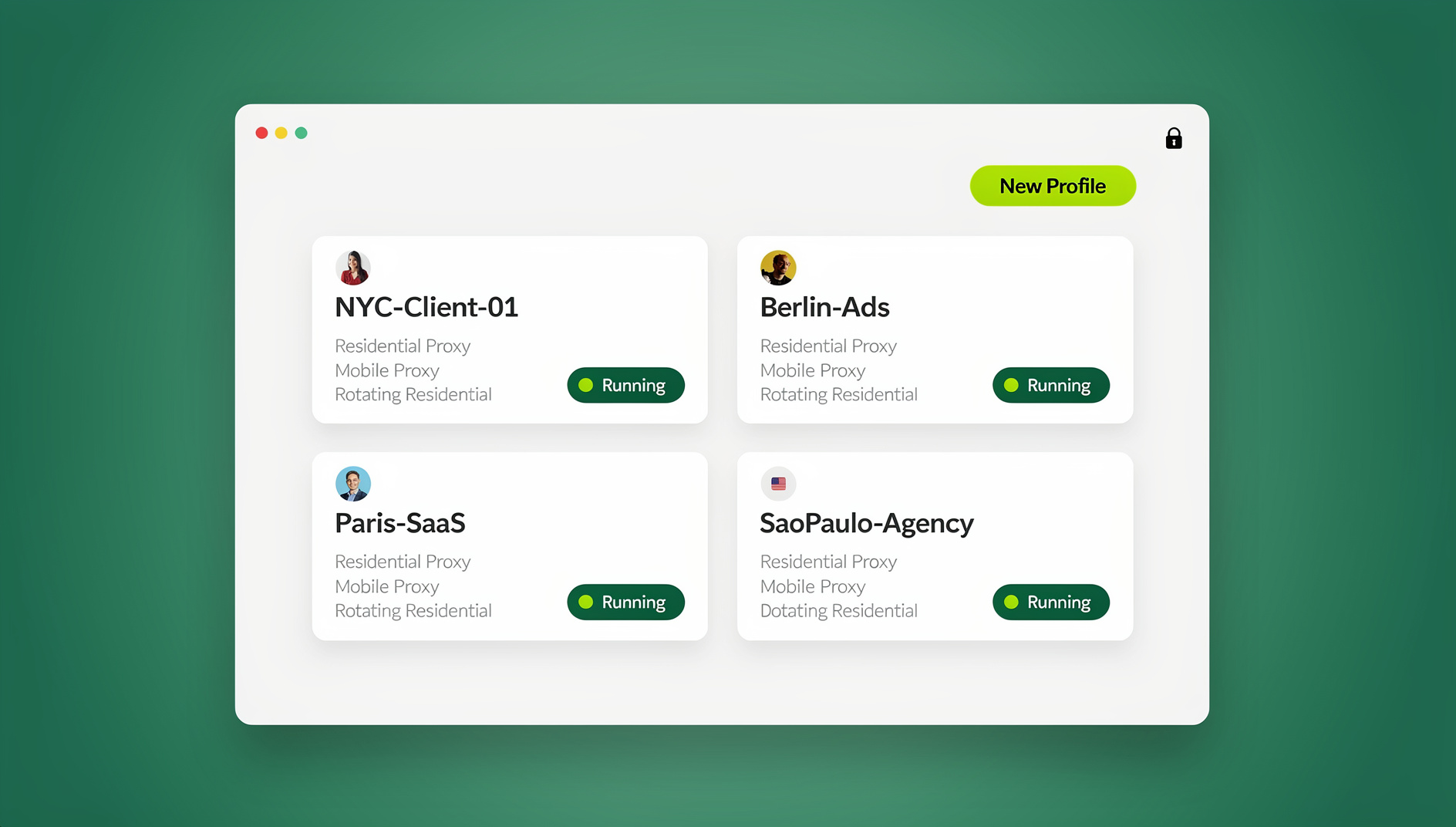
Send.win is a browser profile manager for professionals and teams: every account gets its own isolated browser profile.
- Isolated profiles – separate cookies, storage and sessions per profile
- Fingerprint protection – each profile keeps its own consistent browser fingerprint, so profiles never share one browser identity
- Desktop app + cloud browser – native app for Windows, macOS and Linux, or run profiles in the cloud with no install
- Residential proxies included – on Pro and Team, with timezone and locale matched to the proxy
- Team sharing – share a signed-in profile with a teammate without sharing the password
Try the free cloud demo — no install — or download the desktop app. Paid plans start at $19/month, and your first card purchase is covered by a 7-day money-back guarantee (see pricing).
Boundaries a proxy cannot move
Rotation is not permission. Spreading 10,000 aggressive requests across more IPs just spreads the same problem across a larger pool. Credential stuffing, fraud, scraping behind a login you were not given, and intrusion into systems you do not own are out of bounds under every credible provider policy — and under the law.
Platform rules bite too. Google’s spam policies treat machine-generated traffic — sending automated queries to Google without permission, such as mass rank checking by scraping results — as a violation, and scraped publishing falls under scaled content abuse. Manual actions can follow a spam report regardless of how many IPs the requests came from. Where a platform limits multiple accounts, use its official route: Amazon’s approval process for an additional seller account, or Business Manager roles for agencies on Meta. A proxy is not a substitute for permission, and a suspended account is fixed through the platform’s own appeal or verification process, never through a bigger pool.
Read the Provider’s Acceptable-Use Policy Before You Buy
Provider AUPs are not boilerplate. Two vendors can take opposite positions on the same task: one prohibits collecting data behind a login, another allows non-public access with written authorisation. Some require approval before you load-test even your own site. Read the document against the exact work you plan to do.
Four clauses that decide whether the service is usable
- Public versus logged-in data. Which side of the login wall is permitted, and what counts as authorisation for the other side.
- Robots.txt and rate limits. Many policies require you to follow the target’s robots.txt, published API limits and technical rate limits, and state plainly that many IPs do not make prohibited collection acceptable.
- Load tests and resale. Written approval before a stress test, plus clauses barring resale of credentials outside your organisation or contribution of the provider’s ranges to blocklists.
- Data handling. Proxy use does not transfer liability. You still read the target site’s terms, protect credentials and tokens, and handle collected data under your own compliance programme, GDPR included.
Read the wider picture on residential proxies legal rules — consent, liability, data handling — alongside the policy itself, because the contract only covers what your provider permits, not what the target site or a regulator permits.
Consent runs in both directions
In March 2026 the FBI warned that free VPN apps, cheap streaming boxes and pirated software can enrol home connections in residential proxy networks without meaningful consent, and a November 2026 report described roughly 1.3 million certified Android TV boxes shipped with a hidden backdoor doing something similar. If you install a free networking tool on a machine that also holds client logins, you have handed your network to someone else.
Two habits cover most of the risk. Ask your provider how their pool is sourced — ISP partnership and peer recruitment carry very different consent stories — and audit what runs on your own devices: unexplained bandwidth use, unfamiliar entries in your router’s device list, networking tools you do not remember installing. Remove what you cannot account for, then change credentials on anything that shared the connection.
A Setup Checklist That Matches the Task to the Setting
Most proxy problems are configuration problems. Work through this list before you open a session, and again whenever a workflow starts behaving differently.
- Name the task, then pick the session type. Independent page checks take rotating. Logins, forms and checkouts take sticky, sized to the whole flow. Allowlisted services and months-long identities take static. Anything market-specific takes geo-targeting to the right country and, where available, city.
- Verify the exit before the session starts. Load an IP-check page through the proxy and confirm country, city, ASN and timezone. Two minutes now saves a broken login later.
- Keep geography stable for the life of the session. Changing country mid-session breaks the story the server is reading, and it is one of the most common configuration mistakes reported by proxy users.
- Line up the details sites cross-check. Timezone, locale, WebRTC and geolocation should agree with the exit IP. A browser reporting Berlin time from a São Paulo address is a mismatch you created yourself.
- One identity per profile. Bind each proxy to its own browser profile, with its own cookies and storage, so two clients never share a session jar.
- Budget bandwidth honestly. Metered gigabytes disappear fastest on video, large images and repeated full-page loads. Cache what you can, block heavy assets on monitoring runs, and check the per-gigabyte add-on rate before you scale up.
- Log what you did. Task, session type, region, date. When something breaks, five fields of history beat guesswork.
Keeping the proxy and the profile together
The last mile of this checklist is binding: the exit IP and the browser identity have to travel as one unit. A browser profile manager is built for that. Sendwin Browser gives every profile its own cookies, storage, sessions, proxy and fingerprint settings, so a client’s profile always leaves through the client’s exit. Because timezone, locale, WebRTC and geolocation follow the proxy’s exit IP automatically, step four stops being a manual check you can forget.
Profiles run either in the desktop app on Windows, macOS or Linux, or in Send.win’s cloud browser on its Helsinki server when a teammate abroad needs to see a client’s storefront as a local customer would. Sharing a profile with a paid teammate opens it already signed in, so no password changes hands. What it will not do is run the workflow for you: there is no API, SDK, headless mode or automation interface on any plan, so plan for people driving profiles rather than scripts driving browsers.
Common Mistakes That Get Good IPs Blocked
- Rotating inside a multi-step flow. A new IP between page two and page three of a checkout resembles a hijacked session, because that is what it looks like from the server side.
- Retrying harder when a site answers 403 or 429. Those codes are the server telling you to slow down or stop. More threads and more addresses turn a soft limit into a hard block.
- Sharing one exit across unrelated work. Pools are shared, so two profiles can land on the same address in the same window. If one is a client’s authorised account and the other a test run, the site sees a single network identity doing two different jobs — confusing for you, and noise in your own logs. Push client work onto its own sticky session.
- Ignoring the client side. A residential IP in front of a profile that has never visited the site, carries no history and shares storage with nine other clients is still an odd-looking visitor. IP quality and session hygiene are separate layers, and how sites flag a proxy IP is rarely about the address alone.
- Buying on price per gigabyte alone. Pool composition, targeting granularity, session control and the acceptable-use terms decide whether the cheap option is usable at all.
- Using free proxy lists. You share an exit with everyone else who found the list, and you have no idea who is reading the traffic.
- Assuming “residential” means safe. As hCaptcha’s own write-up notes, the residential label does not identify who is behind a request or prove it came from a home user; detection weighs behaviour, client integrity, account history and the action attempted.
🏆 Send.win Verdict
A residential proxy only solves half of the checklist above: it fixes the network origin, then leaves cookies, storage and fingerprint to whatever browser you happen to be using. Send.win closes that gap by binding a proxy to an isolated profile, so exit IP and client identity stay together across sessions, and cloud sync carries that pairing to another machine when you switch devices.
See Send.win plans — Pro from $19/mo with residential proxies and metered bandwidth included, or start with the free cloud demo to test profile isolation before you commit.
Frequently Asked Questions
What is a residential proxy in simple terms?
It is a relay that forwards your traffic out through an IP address a consumer internet provider assigned to a real household. The site you visit sees that exit IP and its location rather than your own. It changes the network origin of one application or browser profile — nothing else about your browser changes.
Why use a residential proxy instead of a datacenter proxy?
Datacenter addresses belong to hosting ranges that many sites identify and filter, while residential addresses sit in ordinary ISP space. If the task depends on seeing a market the way a local visitor would — regional testing, ad verification, public price checks — residential IPs are the closer match. For internal QA of your own systems, datacenter proxies are cheaper and entirely adequate.
Is using a residential proxy legal?
Buying and using a proxy service is generally lawful; what you do through it is what matters. Work only with accounts you own or are authorised to manage, follow each platform’s terms and the target site’s robots.txt and rate limits, and respect your provider’s acceptable-use policy. Fraud, credential stuffing, unauthorised access and resale of credentials breach those terms.
How is a residential proxy different from a VPN?
A VPN encrypts all traffic from the device and sends it through one shared exit, so every app on the machine looks the same. A proxy applies to a single application or profile, which is why teams running several client identities use proxies per browser profile. Neither one alters your browser fingerprint.
What is the difference between rotating and sticky residential proxies?
Rotating assigns a new exit IP per request or at set intervals, which suits independent page checks. Sticky holds one IP for a window of minutes, which logins, forms and checkouts need because the site expects IP continuity. Choosing the wrong one is the most common cause of a flow failing halfway through.
Do residential proxies hide my browser fingerprint?
No. They only change the network origin. Canvas, WebGL, fonts, hardware details and session state are supplied by the browser, so an IP in one country paired with a fingerprint and timezone from another is itself a mismatch. If identity separation matters, handle it in the browser, per profile.
Can residential proxies still get blocked?
Yes. Poor configuration, excessive request volume, weak pool quality and using a proxy for a task the target forbids are the usual triggers — not the proxy type itself. Spreading aggressive requests across more addresses does not fix the underlying problem, and the signals a site weighs extend well beyond the IP.
How can I tell if my device is being used as a proxy?
Watch for unexplained bandwidth use, unfamiliar apps or services in your router’s device list, and networking tools you do not remember installing. Free VPN apps, cheap streaming boxes and pirated software have all been flagged as recruitment routes for proxy networks. Remove what you cannot account for and change credentials on anything that shared the connection.