What Does an Unlimited Bandwidth Rotating Proxy Actually Bill You For?
An unlimited bandwidth rotating proxy is a plan that charges by IP, by port or by speed tier rather than by the gigabyte, so a heavy workload never produces a per-GB invoice. That model is most common on datacenter and static ISP proxies, usually with a fair-usage clause attached; residential rotation is metered nearly everywhere or sold as non-expiring prepaid traffic, with a small number of unmetered plans as the exception. The plan terms, not the headline, decide whether your cap disappears.
The label splits into three buckets, and only one of them removes the meter. Unmetered plans sell a fixed number of IPs or a speed tier with no gigabyte counter. Unlimited-under-fair-use plans carry a numeric ceiling in the small print and enforce it with throttling, a concurrency cut or an overage line. “Unlimited on select plans” usually means the entry tier is metered and the top tier is not — so the price you first see buys the version with a cap.
📌 TL;DR Executive Summary
- Core Takeaway: Unlimited bandwidth on a rotating proxy means per-IP, per-port or per-speed-tier billing, and it survives mainly on datacenter and static ISP lines, not on residential pools.
- Key Risk/Challenge: “Unmetered”, “non-expiring” and “unlimited on select plans” are three different things, and request headers plus POST data count against every per-GB meter.
- Recommended Solution: Buy per-IP capacity when volume is the constraint, use sticky sessions for logged-in work, and wire whichever proxy model fits into an isolated browser profile.
Why Truly Unlimited Residential Rotation Is Rare
Residential traffic travels through real consumer devices, and the networks that own them charge the provider for every gigabyte that passes through. That cost lands somewhere, which is why residential rotation is priced per GB almost everywhere. An unlimited bandwidth rotating proxy plan built on real devices has to absorb a per-gigabyte cost that never stops, so the label rarely survives the pricing page.
IPBurger states it plainly: rotating residential proxies with unlimited bandwidth do not exist, and the honest route to unmetered rotation is datacenter proxies. IPRoyal makes the same point from the other side, noting that the plans which do advertise truly unlimited rotating bandwidth are usually shared, and that sharing drags performance and success rates down. Newer plan pages soften this with “unmetered” and “non-expiring”, but both terms describe something narrower than unlimited transfer.
Every request is billed with its overhead
Bright Data’s residential pricing page shows how the meter runs: bandwidth is the sum of request headers, POST data, response headers and response data. A page whose HTML weighs 1 MB bills above that once headers and form payloads are counted. If a plan advertises 5 GB, size your workload on the dashboard counter, not the page weight you see in a browser.
Fair use is a real ceiling
Static ISP and datacenter plans that advertise unlimited bandwidth attach a fair-usage asterisk, and according to AIMultiple’s October 2026 comparison the asterisk usually has a number behind it. Bright Data’s fair-use policy for unlimited ISP proxies caps usage at 100 GB per proxy per month, then bills overage at the pay-as-you-go rate after email reminders. Oxylabs enforces its cap as concurrency: up to 100 concurrent sessions for the first 50 GB in a month, then 10 sessions for the rest of the month. Decodo only acts when total traffic passes 10TB for the subscription term and per-IP traffic passes 25 GB, and the consequence is fewer concurrent sessions rather than an invoice.
Webshare goes the other way and ties the label to volume: you need 1,000 premium, 100 private or 75 dedicated proxies before bandwidth stops being counted, against a free tier of 10 proxies and 1 GB a month. Dashboard work, QA browsing and research sit comfortably inside most of these ceilings; sustained multi-terabyte pulling gets throttled, capped or moved to a commercial conversation. Ask what the trigger is, and what happens at it, before you build a workflow around an infinite number.
Three Billing Models Behind “Unlimited” Proxy Plans
Each model answers the volume question differently. Only the per-IP structure produces a genuine unlimited bandwidth rotating proxy; the other two move the meter rather than remove it.
Per IP, per month — the only genuinely unlimited model
Rayobyte sells static ISP proxies from $0.95 per IP per month, and static datacenter from $0.50 per IP per month at scale, both with unlimited bandwidth under a fair-usage asterisk. Cost scales with how many IPs you hold, not how much data moves. When bandwidth is the constraint, this is the structure to look for.
Per gigabyte, tiered by committed volume
Rotating datacenter is still metered, but the rate collapses at volume. Rayobyte’s rotating plans run from $0.0130/GB on the $100/month tier to $0.0080/GB on the $5,000 tier, with pay-as-you-go from $0.30/GB down to $0.23/GB past 351 GB. Billing follows data moved, so idle IPs cost nothing — useful if you keep 500 endpoints configured and use a handful each day.
Non-expiring pay-as-you-go
A third model sells prepaid traffic that never expires. DataImpulse offers 90M+ residential IPs across 195 countries with rotating and sticky sessions and non-expiring traffic; Proxyon announced a similar model in September 2026 with 10M+ IPs in 195 countries; Byteful sells at $3.25/GB residential and $4.25/GB mobile, also non-expiring. None of it is unlimited transfer — it is unmetered by calendar, which suits spiky project work.
7 Rotating Proxy Options, Ranked by How They Bill
The list moves from the closest thing to true unlimited down to metered networks with fine rotation control, then to the browser layer that sits on top of any of them.
1. Rayobyte static ISP proxies — unlimited bandwidth at a fixed price per IP
You rent an IP and use as much bandwidth as fair use allows. The IP never changes, which is what you want behind a logged-in session that must not appear to move between cities.
- Pros: no per-GB invoice; fixed IP per account; predictable monthly cost.
- Cons: fair-usage asterisk; cost rises with every extra IP; the ISP pool is smaller than a residential network.
Best for: agencies holding one stable IP per client storefront, ad account or support console.
2. Rayobyte rotating datacenter — cheap volume, still metered
Rotating and sticky sessions run on the same credential, and the tiered rate drops to $0.0080/GB at the $5,000 commitment level. It is the cheapest per-GB route on this list, and it is not unlimited.
- Pros: lowest per-GB rate at volume; sticky and rotating in one plan; no charge for idle IPs.
- Cons: datacenter ranges rather than residential; still metered; the best rates need a monthly commitment.
Best for: high-volume reads of public pages where you accept metered billing and want the lowest rate.
3. Live Proxies — the plan-level unlimited exception
Live Proxies lists rotating residential and mobile plans from $70 for 4 GB over 30 days, with sticky sessions up to 24 hours, and advertises unlimited bandwidth on select plans.
- Pros: an unlimited tier exists; long sticky window; residential exit IPs.
- Cons: “select plans” carries the weight — the entry tier is metered; get the cap removal confirmed in writing before you scale.
Best for: buyers who need long-held residential sessions on the tier that drops the meter.
4. Bright Data — geo precision, unlimited only under a fair-use cap
Bright Data sells rotating and sticky sessions across datacenter, residential, ISP and mobile, with free country, state, city, ZIP and ASN targeting in 195+ countries; pool sizes are quoted differently from one roundup to the next, so judge it by coverage rather than a headline count. Its unlimited ISP proxies come with a fair-use cap of 100 GB per proxy per month, with overage billed at the pay-as-you-go rate after email reminders, and Geekflare’s May 2026 roundup lists pay-as-you-go residential from $4 per GB. Identity verification comes before residential or mobile traffic flows.
- Pros: the deepest targeting here; very wide country coverage; targeting rules cost nothing extra.
- Cons: metered per GB with header overhead counted; the unlimited line is a 100 GB-per-proxy ceiling, not free transfer; mandatory KYC; monthly minimum commitment with the cycle starting on the 1st.
Best for: checks that must land in a specific city, ZIP or ASN rather than just a country.
5. IPRoyal — the longest sticky window
IPRoyal runs 64M+ residential IPs in three modes: randomized, sticky for up to seven days, and manual, with the rotation interval set anywhere up to 24 hours in the dashboard widget. Pay-as-you-go starts at $1.75 for 1 GB, and its ISP and datacenter lines are unmetered while mobile carries a daily soft cap.
- Pros: seven-day sticky sessions; manual rotation on demand; low entry price; unmetered ISP and datacenter options.
- Cons: residential is fully metered; the cheap entry volume runs out fast.
Best for: workflows that need one IP held for days — a seller dashboard, a booking system, a support tool.
6. NodeMaven — rotation controlled per credential
NodeMaven sets rotation in the username, so one account can run a rotating credential and a sticky credential against the same location at once. Byteful lists it at $8.50/month for 2 GB of residential and mobile traffic, with 30M+ residential and 295K+ mobile IPs across 190+ countries and unlimited concurrent sessions.
- Pros: two behaviours from one subscription; no dashboard switching; useful when different workflows need different session rules.
- Cons: metered; small allowance at entry.
Best for: teams that need rotating and sticky traffic side by side without buying two plans.
7. Send.win — profiles first, proxies bundled and metered
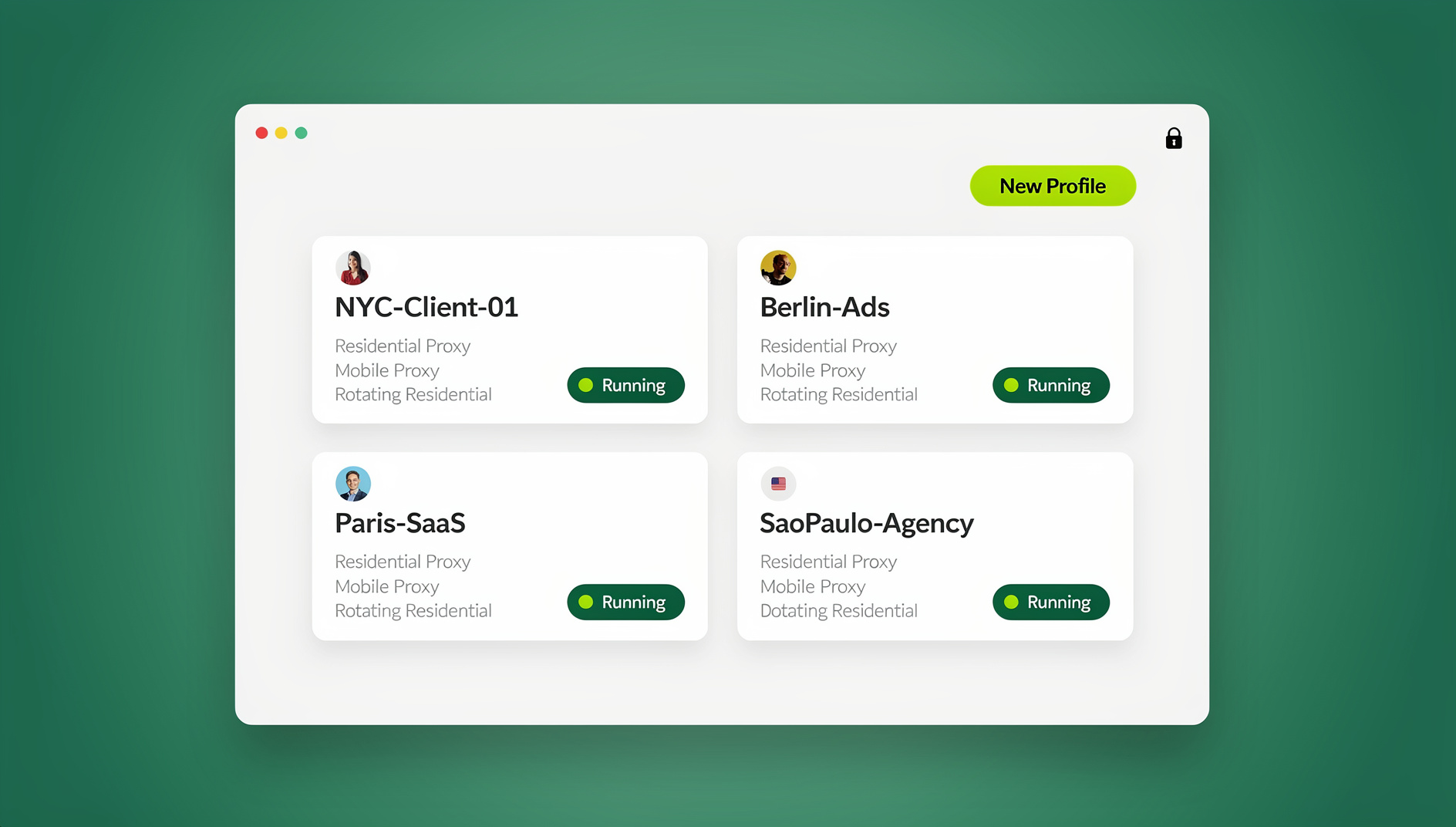
Send.win is a browser profile manager, not a proxy network. Each isolated profile keeps its own cookies, storage, sessions, fingerprint settings and proxy. Residential proxies are included on Pro (20 proxies, 5 GB/month) and Team (20 proxies, 20 GB/month); Pro runs 150 saved profiles and 6 seats at $19/mo or $83.88/yr ($6.99/mo), Team runs 500 profiles and 16 seats at $49/mo or $251.88/yr ($20.99/mo). Up to 50 profiles open at once, timezone, locale, WebRTC and geolocation follow the proxy’s exit IP, and a profile shared with a paid teammate opens already signed in.
- Pros: isolation and proxy in one place; bring-your-own HTTP/SOCKS5, so you can point each profile at a per-IP datacenter plan and put unlimited-bandwidth economics underneath; cloud browser runs on an EU server in Helsinki with nothing to install; sharing and cloud sync built in.
- Cons: bundled bandwidth is metered (5 GB on Pro, 20 GB on Team, $6/GB after that); no API, SDK or headless mode on any plan; no free trial of the desktop app — only the free cloud demo at 10 minutes a day.
Best for: teams running client accounts in isolated profiles who want their own proxy plan underneath a managed browser. Set-up follows the same pattern as one profile per account.
Unlimited vs Metered: Full Comparison Table
The table adds three more networks — Decodo, Webshare and the non-expiring pay-as-you-go sellers — so you can see how metered rates stack up against per-IP billing.
| Option | Proxy type | Billing model | Unlimited bandwidth? | Entry price | Best for |
|---|---|---|---|---|---|
| Rayobyte static ISP | ISP, static | Per IP per month | Yes, under fair use | From $0.95/IP/mo at scale | One fixed IP per account |
| Rayobyte static datacenter | Datacenter, static | Per IP per month | Yes, under fair use | From $0.50/IP/mo at scale | Cheap fixed IPs at volume |
| Rayobyte rotating datacenter | Datacenter, rotating | Per GB, tiered | No | $0.0130/GB at $100/mo; $0.30/GB PAYG | High-volume metered reads |
| Live Proxies | Residential and mobile | Per plan (4 GB over 30 days) | On select plans only | From $70 | Long sticky sessions |
| Bright Data | Residential, ISP, datacenter, mobile | Per GB, monthly minimum | ISP only, capped at 100 GB per proxy per month | PAYG on all proxy types, residential from $4/GB; KYC | City, ZIP and ASN targeting |
| IPRoyal | Residential, ISP, datacenter | Residential per GB; ISP and datacenter per IP | ISP and datacenter unmetered; mobile daily soft cap | $1.75 for 1 GB residential | Seven-day sticky sessions |
| NodeMaven | Residential and mobile | Per GB | No | $8.50/mo for 2 GB | Rotation set per credential |
| Decodo | Residential and datacenter | Pay-as-you-go per GB; Pay/IP for dedicated | Dedicated static residential and datacenter, fair use above 10TB per term and 25 GB per IP | From $4/GB | Per-request rotation, 30-minute sticky |
| Webshare | Residential and datacenter | Pay-as-you-go per GB | Only at 1,000 premium, 100 private or 75 dedicated proxies | From $3.50 for 1 GB | Direct, backbone and rotating endpoints |
| DataImpulse / Proxyon | Residential | Non-expiring PAYG | No, but traffic never expires | Varies by volume | Project work with idle months |
| Send.win | Bundled residential plus BYO proxy | Per plan, metered GB | No | $19/mo with 5 GB | Isolated profiles per client account |
Match the Rotation Setting to the Work, Not the Price Tag
The fastest way to waste money is buying per-request rotation for a workflow that needs one stable IP for an hour. An unlimited bandwidth rotating proxy fixes the invoice, not the session behaviour. Per-request rotation suits reading public pages at volume. Session-sensitive work — a seller dashboard, a support console, a social account you are authorised to manage — breaks when the exit IP changes mid-session, because the platform sees a login jump from one network to another.
Control points differ by provider, so compare them directly: IPRoyal exposes an interval up to 24 hours plus manual mode, Decodo rotates per request or holds one IP for up to 30 minutes, NodeMaven binds the behaviour to the credential. Pick the control that matches your cadence rather than the network with the biggest IP count. Working through rotating vs sticky sessions before you buy saves a support ticket later.
Cookie continuity is the other half of the decision. Rotation changes the exit IP; the profile keeps its cookies, storage and session history. Move that session onto an IP in another country while the browser’s timezone and locale still report the old one and the platform sees a login that changed networks mid-conversation. Bind a profile to one proxy for the life of the account — in Send.win each profile holds its own proxy settings, and timezone, locale, WebRTC and geolocation follow the exit IP — and spend rotation on the work that carries no login.
Fair Use, KYC and the Bandwidth You Didn’t Count
Three clauses decide whether an unlimited bandwidth rotating proxy stays unlimited once a real workload hits it.
- The fair-use ceiling. Ask what volume triggers review, and whether the answer is throttling, a forced upgrade or suspension. Throttling is the common one and it is quiet: Oxylabs keeps your IP but cuts ISP concurrency from 100 sessions to 10 once a month passes 50 GB, so a parallel job that finished in an hour now takes ten. A plan described as unlimited with an enterprise-only footnote is a metered plan.
- Verification. Bright Data requires a compliance step before residential or mobile traffic flows, and ProxyScrape asks you to explain how you will use the proxies before the account is activated. ProxyScrape’s terms took effect on 1 September 2026, sit under Belgian law, and include a Fair Use Policy plus termination without refund for verification or illegal-use breaches. Budget days, not minutes, if your project starts on a Monday.
- Overhead accounting. Request headers, POST data, response headers and response data all count, so a 5 GB allowance buys less page content than the number suggests.
Unmetered residential does exist, and it is worth knowing what it looks like: ProxyScrape sells unlimited residential traffic by speed tier rather than by the gigabyte, across 8M+ residential IPs in 195+ locations, with sticky sessions up to 12 hours and no per-GB overage on those plans.
Check the billing cycle as well. Bright Data’s monthly minimum commitment starts its cycle on the 1st, so a purchase late in the month produces an invoice pattern that looks wrong until you read the dates.
How Many Gigabytes Does Your Workload Really Use?
A page view costs far more than its HTML suggests: most of the bytes are images, JavaScript bundles, web fonts and XHR or fetch calls, and client-side rendering plus trackers keep firing well after the page looks loaded. Understanding how browser bandwidth is measured explains why two teams running the same job can land on wildly different meters.
Build your estimate from three numbers you can measure: average bytes per session, sessions per day, and the retry rate. Retries, failed pages, JavaScript-heavy targets and rechecks push real request volume well past the first estimate, so add them on purpose rather than discovering them on the invoice.
Measure one session before you size a month
Log bytes transferred per session, requests by resource type, time to first byte, and the gap between domcontentloaded and load. A CDP client or the browser’s own network panel gives you all four for a few representative pages; multiply that sample out instead of guessing from page weight alone.
Cut the bytes you never needed
Request interception is the biggest single lever. Blocking images, fonts and known tracker domains usually removes more traffic than a plan upgrade adds, but use pattern-based rules rather than deny-all: some sites fire heavier fallback requests when an asset fails, and you end up paying for the workaround. Caching assets you re-fetch on every session does the same job with less code.
Unlimited bandwidth does not lift the site’s limits
Whatever the proxy plan says, the target site still sets its own rate limits, request budgets and account rules. An unmetered port removes your provider’s counter, not the site’s. Keep concurrency modest, stay inside each site’s terms, and use proxies only with accounts you own or are authorised to manage.
How to Test an “Unlimited” Plan in Your First Week
Most of a proxy contract is verifiable inside seven days.
- Buy the smallest tier that includes the feature you actually need, not the tier the sales page pushes.
- Run a fixed workload — a set list of pages, a fixed number of sessions — and record the dashboard counter before and after.
- Confirm the rotation interval and the sticky ceiling from your own dashboard, not the marketing page.
- Check the exit IP location and make sure timezone and locale follow it; a mismatch flags a session long before bandwidth does. This proxy browser setup walkthrough covers the checks.
- Ask support, in writing, what triggers a fair-use review.
- Verify the refund terms and the cancellation route before the window closes. A rotating proxy setup guide covers the credential formats you need for step two.
One rule holds across every provider: use proxies only with accounts you own or are authorised to manage, and follow each platform’s terms. Rotation is an infrastructure choice, not a licence to exceed a platform’s account limits — where a platform restricts multiple accounts, use its official route, such as Amazon’s approval process for an additional seller account or Business Manager roles on Meta.
🏆 Send.win Verdict
Send.win does not sell unlimited bandwidth and does not pretend to: Pro bundles 5 GB/month of residential traffic and Team bundles 20 GB, with extra GB at $6. What it solves is the layer above the proxy — isolated profiles with their own cookies, storage, sessions, fingerprint settings and proxy, a cloud browser that runs on an EU server with nothing to install, and sharing that opens a profile already signed in for a paid teammate. Pair it with a per-IP datacenter plan through bring-your-own HTTP/SOCKS5 and the unlimited-bandwidth economics sit underneath genuinely separate browser identities.
See Send.win plans — Pro from $19/mo (or $83.88/yr) with residential proxies included, Team from $49/mo for 500 profiles and 16 seats, or start with the free cloud demo at 10 minutes a day.
Frequently Asked Questions
Do unlimited bandwidth rotating proxy plans really exist?
Yes, but only in specific product lines. Static ISP and datacenter proxies sold per IP per month commonly carry unlimited bandwidth under a fair-usage clause. Residential rotating proxies are metered per GB almost everywhere, because the device networks bill the provider for every gigabyte that moves.
Which proxy type offers unlimited bandwidth?
Datacenter and static ISP first. The unmetered group is small: IPRoyal runs ISP and datacenter lines without a traffic cap, ProxyScrape bills unlimited residential by speed tier instead of by the gigabyte, and Bright Data, Oxylabs, Decodo and Webshare attach a fair-use threshold to the same promise — a per-proxy monthly cap at Bright Data, a concurrency drop at Oxylabs, and a minimum of 1,000 premium, 100 private or 75 dedicated proxies at Webshare.
What is the difference between rotating and sticky sessions?
A rotating session changes the exit IP on a schedule or per request, spreading load across the pool. A sticky session holds one IP for a defined window — up to seven days on IPRoyal, 30 minutes on Decodo, 24 hours on Live Proxies. Logged-in work needs sticky; public page reads usually do not.
How much do rotating proxies cost per GB?
Metered residential pay-as-you-go runs from about $1.50 to $10 for the first gigabyte across the ten providers in Geekflare’s May 2026 roundup, and the rate drops with committed volume. Flat-rate unlimited ports price differently: ProxyTee charges $29 a month for one port and $13.99 per port in bulk, so compare that against your measured monthly GB rather than against a per-GB sticker.
Can residential proxies have unlimited bandwidth?
Yes, but the list is short. ProxyScrape sells unlimited residential traffic billed by speed tier instead of by the gigabyte, with no per-GB overage, and it verifies how you intend to use the proxies first. Everywhere else the wording points to a higher commitment level or a fair-use review, so ask for the cap removal in writing before you move a high-volume workload onto a residential pool.
How often should a rotating proxy change IP?
As often as the task needs and no more. Per-request rotation suits reading public pages; a session that holds a login should keep one IP for its whole lifetime. Providers that let you set the interval — IPRoyal up to 24 hours, NodeMaven per credential — save you from buying two separate plans.
What does a fair usage policy on unlimited proxies actually allow?
It usually allows ordinary use and puts a number behind the ceiling: Bright Data caps unlimited ISP traffic at 100 GB per proxy per month before overage billing, Oxylabs drops ISP concurrency from 100 sessions to 10 after 50 GB in a month, and Decodo acts only above 10TB per subscription term and 25 GB per IP. Exceeding the trigger brings throttling, fewer concurrent sessions or an invoice, not a ban. Reselling the connection or breaching a target site’s terms is a separate matter and usually grounds for suspension.
Why do rotating proxies still get CAPTCHAs?
An IP is one signal among many. Sites also read fingerprint consistency, headers, cookies, session history and behaviour patterns. A fresh residential IP attached to a mismatched browser profile looks stranger than a stable IP attached to a consistent one, which is why profile-level isolation matters as much as the proxy.
How Send.win Helps With Unlimited Bandwidth Rotating Proxy
Send.win is a browser profile manager for professionals and teams: every account gets its own isolated browser profile.
- Isolated profiles – separate cookies, storage and sessions per profile
- Fingerprint protection – each profile keeps its own consistent browser fingerprint, so profiles never share one browser identity
- Desktop app + cloud browser – native app for Windows, macOS and Linux, or run profiles in the cloud with no install
- Residential proxies included – on Pro and Team, with timezone and locale matched to the proxy
- Team sharing – share a signed-in profile with a teammate without sharing the password
Try the free cloud demo — no install — or download the desktop app. Paid plans start at $19/month, and your first card purchase is covered by a 7-day money-back guarantee (see pricing).
{
“@context”: “https://schema.org”,
“@type”: “FAQPage”,
“mainEntity”: [
{
“@type”: “Question”,
“name”: “Do unlimited bandwidth rotating proxy plans really exist?”,
“acceptedAnswer”: {
“@type”: “Answer”,
“text”: “Yes, but only in specific product lines. Static ISP and datacenter proxies sold per IP per month commonly carry unlimited bandwidth under a fair-usage clause. Residential rotating proxies are metered per GB almost everywhere, because the device networks bill the provider for every gigabyte that moves.”
}
},
{
“@type”: “Question”,
“name”: “Which proxy type offers unlimited bandwidth?”,
“acceptedAnswer”: {
“@type”: “Answer”,
“text”: “Datacenter and static ISP. IPBurger’s position is that unmetered rotation realistically means datacenter, and Rayobyte prices static ISP from $0.95 per IP per month and static datacenter from $0.50 per IP per month at scale, both with unlimited bandwidth under fair use.”
}
},
{
“@type”: “Question”,
“name”: “What is the difference between rotating and sticky sessions?”,
“acceptedAnswer”: {
“@type”: “Answer”,
“text”: “A rotating session changes the exit IP on a schedule or per request, spreading load across the pool. A sticky session holds one IP for a defined window — up to seven days on IPRoyal, 30 minutes on Decodo, 24 hours on Live Proxies. Logged-in work needs sticky; public page reads usually do not.”
}
},
{
“@type”: “Question”,
“name”: “How much do rotating proxies cost per GB?”,
“acceptedAnswer”: {
“@type”: “Answer”,
“text”: “Residential pay-as-you-go sits roughly between $1.75 and $6 per GB at small volumes, and SOAX’s enterprise tier starts from $0.32/GB. Rotating datacenter is far cheaper: Rayobyte runs from $0.0130/GB on a $100/month plan down to $0.0080/GB at the $5,000 tier.”
}
},
{
“@type”: “Question”,
“name”: “Can residential proxies have unlimited bandwidth?”,
“acceptedAnswer”: {
“@type”: “Answer”,
“text”: “Rarely, and treat the claim with care. Some plans advertise unlimited bandwidth on select residential tiers, but the wording usually points to a higher commitment level or a fair-use review. Ask for the cap removal in writing before you move a high-volume workload onto a residential pool.”
}
},
{
“@type”: “Question”,
“name”: “How often should a rotating proxy change IP?”,
“acceptedAnswer”: {
“@type”: “Answer”,
“text”: “As often as the task needs and no more. Per-request rotation suits reading public pages; a session that holds a login should keep one IP for its whole lifetime. Providers that let you set the interval — IPRoyal up to 24 hours, NodeMaven per credential — save you from buying two separate plans.”
}
},
{
“@type”: “Question”,
“name”: “What does a fair usage policy on unlimited proxies actually allow?”,
“acceptedAnswer”: {
“@type”: “Answer”,
“text”: “Normal human-scale usage without a cap, while the provider keeps the right to throttle, cap or renegotiate abnormal consumption. Sustained full-line saturation, reselling the connection, or traffic that breaches a target site’s terms are the usual triggers. Get the threshold in writing if your workload is heavy.”
}
},
{
“@type”: “Question”,
“name”: “Why do rotating proxies still get CAPTCHAs?”,
“acceptedAnswer”: {
“@type”: “Answer”,
“text”: “An IP is one signal among many. Sites also read fingerprint consistency, headers, cookies, session history and behaviour patterns. A fresh residential IP attached to a mismatched browser profile looks stranger than a stable IP attached to a consistent one, which is why profile-level isolation matters as much as the proxy.”
}
}
]
}