Managing multiple social profiles securely across Threads, Bluesky, and X has become a daily operational challenge for marketing teams, agencies, e-commerce brands, and independent creators. What used to mean juggling one or two logins now means running a dozen brand voices, regional accounts, and client profiles at once — often from the same laptop, the same IP address, and the same browser fingerprint. That combination is exactly what triggers shadowbans, forced logouts, and account suspensions on all three platforms. This guide breaks down why the old approach of separate browser windows, incognito tabs, or shared passwords in a spreadsheet no longer holds up, and how a purpose-built multi-login solution like Send.win keeps every Threads, Bluesky, and X profile isolated, authenticated, and safe from cross-contamination — without forcing your team to install anything or hand out credentials.
Why Threads, Bluesky, and X Create a Uniquely Difficult Multi-Account Problem
Threads, Bluesky, and X are not interchangeable platforms — each has its own trust-and-safety model, its own definition of “suspicious” login behavior, and its own tolerance for automation. Running multiple accounts across all three at once multiplies the number of things that can go wrong.
The Rise of the Multi-Platform Social Team
Brands rarely commit to a single social network anymore. A single marketing team might run a corporate Threads account, three regional X handles, and an emerging Bluesky presence to capture early-adopter audiences — plus client accounts if the team is an agency. Every one of those accounts needs its own login, its own posting schedule, and its own audience voice. Multiply that by five clients and you have 20+ active sessions that all need to stay separate.
What Happens When Sessions Collide
When multiple accounts share the same browser profile, cookies, cache, and local storage bleed together. That is how a scheduled post ends up on the wrong client’s Threads account, or why X flags a “new device” login every time someone switches accounts mid-shift. Platforms read these collisions as anomalies — an X account that looks like it is logging in from five different regions in one afternoon is exactly the kind of pattern automated fraud and bot-detection systems are built to catch.
The Real Risks of Manually Juggling Threads, Bluesky, and X
It is tempting to think incognito windows or separate browsers are “good enough.” In practice, they solve almost none of the underlying problems.
Browser Fingerprinting and Shadowbans
Incognito mode clears cookies on close, but it does not change your device’s canvas, WebGL, font list, or hardware fingerprint. If ten social profiles are all opened from the same fingerprint and the same IP, the platform’s anti-abuse systems can link them — even without shared cookies. That linkage is often what precedes a shadowban or a sudden “unusual activity” login challenge.
Credential Sharing and Insider Risk
Passing account passwords over Slack, email, or a shared spreadsheet is still one of the most common ways social accounts get compromised or accidentally locked. A departing freelancer, a leaked spreadsheet, or a reused password on a breached third-party site can hand over control of a brand’s entire Threads or X presence.
Comparing the Common Approaches
| Method | Fingerprint Isolation | Credential Safety | Team Sharing | Setup Effort |
|---|---|---|---|---|
| Separate incognito windows | None — same device fingerprint | Manual password entry each time | Not possible | Low, but repetitive daily |
| Multiple physical devices | Real isolation, but expensive | Still requires shared logins | Physical handoff only | High cost, hard to scale |
| Shared password manager | None | Exposes raw credentials | Risky, no revocation | Medium |
| Send.win profiles | Unique fingerprint per profile | No password exposure needed | One-click, revocable | Minutes per profile |
How Send.win Secures Multiple Social Profiles
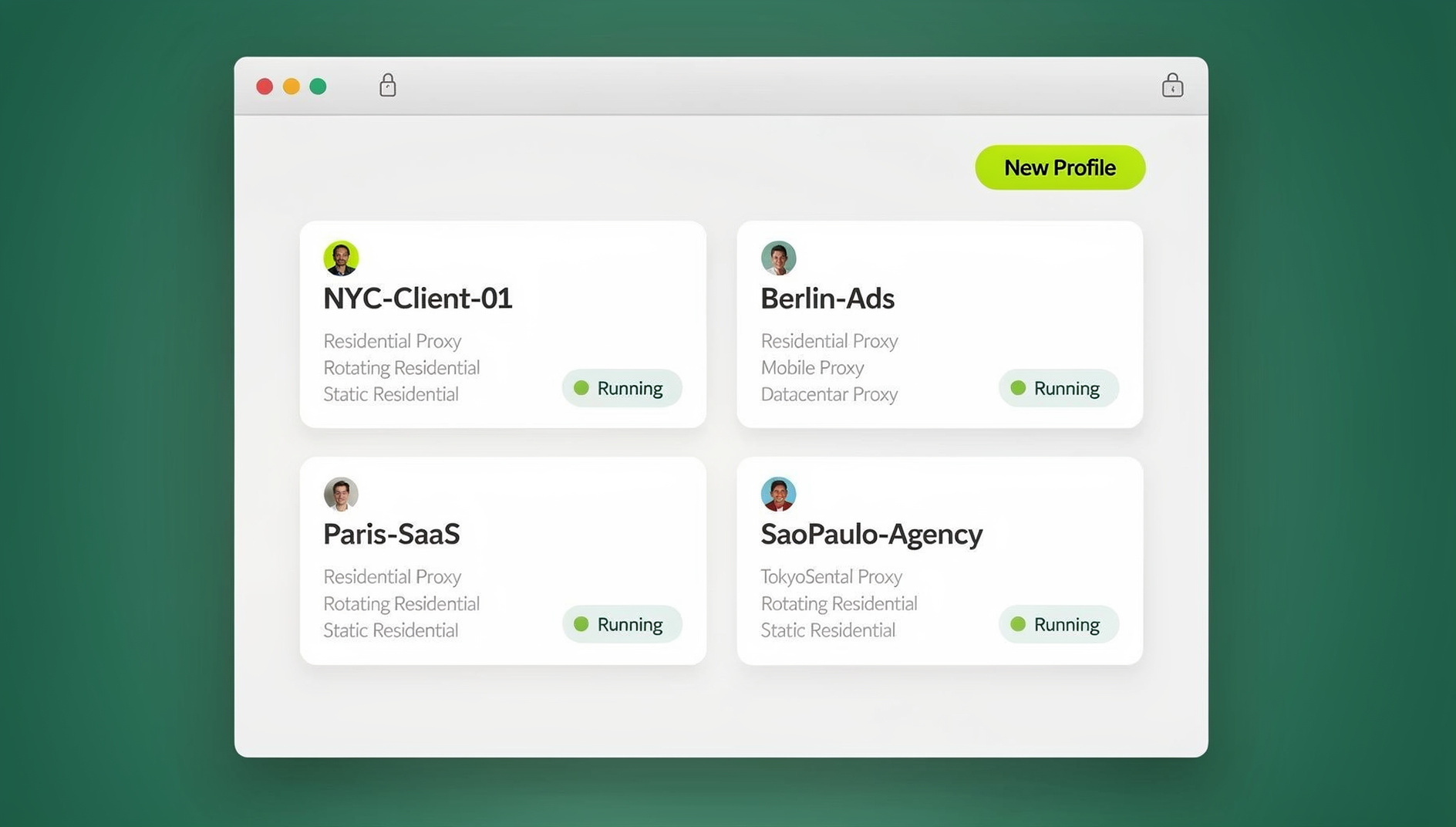
Send.win was built specifically for the “many logins, one operator” problem that social teams, agencies, and e-commerce sellers all share. Instead of one browser identity for everything, each Threads, Bluesky, or X account gets its own isolated profile with a distinct, consistent digital fingerprint, its own cookie jar, and its own storage — so the platform sees what looks like a genuinely separate device logging in every time.
Unique Fingerprints Per Profile
Every profile in Send.win generates its own canvas, WebGL, font, and hardware signature that stays consistent across sessions. That consistency matters as much as the isolation itself — platforms trust a profile more when its fingerprint looks the same on day 30 as it did on day 1, rather than shifting every time you reopen the browser.
Built-In Proxies for Geo-Consistent Logins
X, Threads, and Bluesky all pay attention to whether a login’s IP address matches the account’s usual geography. Send.win’s built-in proxy support lets teams assign a consistent residential or datacenter IP to each profile, so a regional X handle always logs in from the region it claims to represent, rather than jumping between office and home networks and triggering location-mismatch flags.
Team Sharing Without Passwords
When a profile needs to be handed to a freelancer, reviewer, or new team member, Send.win shares the session itself — not the underlying password. Access can be scoped, time-limited, and revoked instantly, which closes the most common insider-risk gap in social media account management.
Desktop App vs. Cloud Browser Sessions: Choosing the Right Send.win Mode
Send.win offers two distinct ways to run isolated profiles, and picking the right one depends on how your team actually works.
| Capability | Desktop App | Cloud Browser Sessions |
|---|---|---|
| Where it runs | Installed locally on Windows, macOS, or Linux | Runs entirely in the cloud — no local install |
| Best for | Power users running many profiles from one machine daily | Teams that need access from any device, anywhere |
| Access from a new device | Requires installing the app first | Log in from a browser tab, on any laptop or shared computer |
| Metering | Local resources; no cloud-time metering | Metered by monthly “cloud browsing time,” included on paid plans |
| Ideal use case for this topic | An in-house social manager who owns one workstation | Agencies with remote reviewers, freelancers, or multi-location teams needing quick, install-free access to client accounts |
For social teams specifically, cloud browser sessions are usually the better fit: a freelance copywriter reviewing a Bluesky draft, a client checking their X account from a hotel laptop, or a new hire onboarding on day one can all open the exact same isolated profile from a browser tab — nothing to install, nothing to configure locally. That is a meaningful advantage over tools that require every collaborator to install a separate desktop client before they can touch an account.
Automation API: Scaling Beyond Manual Posting and QA
Larger agencies and product teams managing dozens of Threads, Bluesky, and X accounts eventually hit a ceiling with fully manual workflows. Send.win’s Automation API, included on the Team plan, connects Selenium, Puppeteer, and Playwright scripts directly to isolated profiles. That opens up practical use cases beyond posting: automated login-health checks across every regional account, scripted QA of a new content template before it goes live on a client’s Bluesky account, or scheduled verification that a batch of X sessions haven’t been logged out overnight. Teams that already use Selenium or Playwright for internal QA tooling can point those same scripts at Send.win profiles instead of building fingerprint-safe automation from scratch.
Step-by-Step: Setting Up Isolated Profiles for Threads, Bluesky, and X
- Start a free trial. Sign up at send.win — 30 days free, no credit card required.
- Create one profile per account. Add a separate profile for each Threads, Bluesky, and X handle you manage, naming them clearly (e.g., “Client A — X — US”).
- Assign a matching proxy. Attach a built-in proxy from the region each account represents so IP geography stays consistent.
- Log in once per profile. Each profile’s cookies, cache, and storage stay isolated from every other profile — no manual cookie clearing needed.
- Choose Desktop or Cloud. Run daily-driver accounts through the Desktop app; use Cloud browser sessions for anything a remote reviewer, client, or freelancer needs to reach without installing software.
- Share access, not passwords. Use Send.win’s team sharing to hand a profile to a collaborator with a revocable, scoped link instead of a shared password.
- Layer in automation where it helps. On the Team plan, connect Playwright or Selenium scripts via the Automation API for repetitive QA or health-check tasks across your account list.
Best Practices for Managing Threads, Bluesky, and X at Scale
Keep a Consistent Posting Cadence Per Profile
Erratic bursts of activity from one profile followed by long silences look unnatural to platform trust systems. A steady, human-paced schedule per account — even a modest one — reads as more legitimate than an automated-looking burst pattern.
For teams also juggling scheduling tools alongside login management, this is where a solid session isolation setup pays off — each scheduled account behaves like its own independent device, so cadence differences between accounts don’t bleed into a single suspicious pattern.
Match Proxy Geography to Each Account’s Claimed Location
If an X account is presented as a regional brand voice for Southeast Asia, its login IP, timezone, and language settings should all agree. Mismatches between claimed location and actual login patterns are one of the fastest ways to trigger a security review.
Separate Reviewers From Owners
Not everyone who touches an account needs full owner access. Send a scoped, time-limited session to a proofreader or client for review, and reserve full account control for the actual owner.
Document Your Profile Map
As account counts grow past ten or twenty, an internal reference sheet mapping profile name, platform, region, and owner prevents accidental cross-posting far more effectively than memory alone. This becomes especially important for teams that also handle managing multiple Bluesky accounts alongside X and Threads, since Bluesky’s newer, faster-growing user base means account counts on that platform tend to climb quickly.
Treat X Separately From Legacy Twitter Habits
Many teams still run old Twitter-era workflows on X without adjusting for its current detection systems. Reviewing how to handle Twitter/X accounts in the same browser safely is worth revisiting even for teams that have run X accounts for years, since enforcement patterns shift regularly.
Use a Genuinely Isolated Browser, Not Just Isolated Tabs
Regular browser tabs, even in different windows, can still share underlying device signals. Teams that want true separation without maintaining separate physical machines get the most reliable results from a cloud browser with no local footprint, which keeps every session’s fingerprint and storage genuinely distinct from the device it’s viewed on.
Send.win Pricing for Multi-Profile Social Teams
| Plan | Price | Best For | Key Inclusions |
|---|---|---|---|
| Pro | $19/mo ($6.99/mo billed annually — 63% off) | Solo social managers or small brands | 150 profiles, 5GB proxy bandwidth, cloud sync |
| Team | $49/mo ($20.99/mo billed annually — 57% off) | Agencies and multi-client social teams | 500 profiles, 20GB bandwidth, Automation API, 16 seats, profile sharing |
Both plans start with a 30-day free trial and no credit card required, so teams can test isolation and sharing on real Threads, Bluesky, and X accounts before committing.
🏆 Send.win Verdict
Managing Threads, Bluesky, and X accounts securely comes down to one thing: keeping every profile’s fingerprint, cookies, and credentials genuinely separate from every other profile — without adding friction for the people who need access. Send.win does exactly that, whether your team prefers the Desktop app for daily-driver accounts, Cloud browser sessions for install-free access from anywhere, or the Automation API for scripted QA across dozens of profiles at scale.
Try Send.win free today — set up your first isolated Threads, Bluesky, or X profile in minutes, no credit card required.
Frequently Asked Questions
Is it safe to manage multiple Threads, Bluesky, and X accounts from one computer?
It can be, but only if each account runs in a genuinely isolated environment with its own fingerprint, cookies, and IP consistency. Running everything through the same browser profile, even with incognito windows, leaves enough shared device signals for platforms to link the accounts together.
What is the difference between Send.win’s Desktop app and Cloud browser sessions?
The Desktop app is a native client installed on Windows, macOS, or Linux, best for a power user managing accounts from one primary machine. Cloud browser sessions run entirely in the cloud and require no local install at all, making them the better choice when a profile needs to be accessible from any device — a client’s laptop, a freelancer’s home computer, or a shared team workstation.
Will using a multi-login tool get my Threads, Bluesky, or X account banned?
No — the risk profile runs the opposite direction. Platforms flag accounts for suspicious behavior like shared fingerprints across unrelated accounts or IP geography that doesn’t match a login’s claimed region. A tool that gives each account its own consistent fingerprint and matching proxy reduces, rather than increases, the chance of triggering those flags.
Can I share a Bluesky or X account with a freelancer without giving them the password?
Yes. Send.win’s team sharing feature hands over the isolated session itself, with scoped, time-limited, and revocable access, so a freelancer or reviewer never sees the raw account password.
Do I need the Automation API to manage social profiles, or is it only for developers?
Most social teams can manage day-to-day posting without it. The Automation API becomes valuable once you’re running QA scripts, login-health checks, or scheduled verification across a large number of accounts — it’s included on the Team plan for Selenium, Puppeteer, and Playwright users.
How many social profiles can I run on Send.win’s plans?
The Pro plan supports up to 150 profiles with 5GB of proxy bandwidth, while the Team plan scales to 500 profiles, 20GB of bandwidth, and 16 seats — enough for most agencies running client accounts across Threads, Bluesky, and X.
Do proxies matter if I’m only managing accounts for one country?
Yes, even single-country operations benefit from consistent IP assignment per profile. Without it, switching between home, office, and mobile networks while managing the same account can look like erratic location-hopping to a platform’s fraud detection.
Is there a free trial before committing to a paid plan?
Yes — Send.win offers a 30-day free trial with no credit card required, long enough to set up isolated profiles for your real Threads, Bluesky, and X accounts and confirm the workflow fits your team before paying anything.
Conclusion
Threads, Bluesky, and X each reward consistency and punish the kind of fingerprint and IP collisions that manual multi-account management inevitably creates. The fix isn’t more spreadsheets or more incognito windows — it’s giving every profile its own real, isolated identity. Whether that means running the Desktop app for a core set of daily accounts, using Cloud browser sessions so a distributed team can reach client profiles from anywhere without installing anything, or wiring the Automation API into your QA pipeline as account counts grow, Send.win covers all three modes from a single platform, built around the isolation and secure sharing that social profile management actually demands in 2026.