What Does a Cheap Virtual Browser Actually Cost You?
A virtual browser runs on a remote server or container and streams to your screen, so nothing installs locally. The paid plans in this list start between $4.50 and $15 a month, and several free tiers cut you off after two or three minutes. A cheap virtual browser is one whose session limits, retention and seat count match the work you actually do: disposable runs for a quick look, reusable profiles if you sign in every day.
📌 TL;DR Executive Summary
- Core Takeaway: The cheapest paid cloud browsers here run from $4.50 to $15 a month, but most free tiers stop at two or three minutes and one session.
- Key Risk/Challenge: The headline price hides session caps, missing seats, wiped cookies, metered bandwidth and fair-use rules that get accounts reviewed.
- Recommended Solution: Match the tool to your session type. For one-off checks a free tier is enough; for recurring client logins across a team, Send.win Pro at $19/mo (or $6.99/mo billed annually) bundles isolated profiles, residential proxies and 6 seats.
Why the Monthly Price Is the Least Useful Number
Two plans at the same sticker price can cost wildly different amounts per hour of real work. Four things decide it: how long a session lasts, how often you need one, whether anything survives between sessions, and how many people share the account.
Session length
Free windows are short by design. TestMu AI caps free sessions at two minutes, Browserling gives 10 sessions a month of three minutes each, and MyBrowser offers three minutes with no sign-up at all. Two or three minutes is enough to check that a page renders and useless for anything that waits on a login code.
Persistence
Some tools keep nothing. Kasm’s hosted Cloud Browser is deleted after use, Browserling runs disposable virtual machines, and files you download inside a Browser.lol session vanish when the session ends. Others sell persistence as an upgrade: Browser.lol’s saved browser profiles sit on paid tiers and hold browser state outside the session itself.
Bandwidth and fair use
Cloud browsers that route through residential IPs meter data, either as an allowance or per gigabyte, and few cheap tiers include much of it. A published fair-use threshold is a review trigger, not a cap: Browser.lol sets no general bandwidth limit but flags sustained use above roughly 500 GB a month. For the full breakdown of what a monthly fee really covers, this guide to what a virtual browser budget buys walks through it line by line.
8 Cheap Virtual Browser Options, Cheapest First
Each entry is priced from the vendor’s own page or a verified roundup, with the limits that actually bite. Prices are USD as published.
1. GoLogin Cloud Browser — $4.50/month
The lowest paid entry on this list. GoLogin’s Cloud Browser Professional plan includes three runs of up to 15 minutes on hosted profiles that use residential IPs. GoLogin is a browser profile manager, so the tiers above this one are where profile counts and longer working sessions live.
- Pros: cheapest paid hosted profile here; 15-minute runs beat every free tier on the list; residential IPs included.
- Cons: three runs is a demo-sized allowance, and the price climbs as soon as you need working time.
Best for: testing whether hosted profiles suit your workflow before you commit budget.
2. MyBrowser — $8/month
MyBrowser sells speed of access: three minutes free with no sign-up, then an $8/month Starter plan. It is built for opening a page quickly from a device you don’t trust, not for living in.
- Pros: fastest path from zero to a remote browser; low monthly price.
- Cons: no persistent logins, no team features, no proxy control to speak of.
Best for: opening a suspicious link or a geo-restricted page from a borrowed laptop.
3. Browser.lol — free with ads, Plus at $9/month
You can start a session with no account at all. The anonymous tier is ad-supported and gives you a lower session-start allowance and a smaller browser selection; registering a free account raises both. Plus at $9/month removes ads and adds temporary email, exit-location selection, custom proxy support, a residential data allowance and saved browser profiles.
- Pros: no signup to test it; the cheapest route to a session with a chosen exit location; saved profiles on Plus.
- Cons: sessions are temporary by design, and the fair use policy bans reselling session access, extra accounts to dodge tier limits, proxying for third parties and excessive scraping.
Best for: one-off checks where nothing needs to survive the session.
4. Kasm Workspaces — free Community Edition, hosted from $10/month
Kasm runs containerised desktops and browsers. The Community Edition is free and allows 5 concurrent sessions, but only for personal, non-profit and testing use; commercial use needs Starter or Enterprise licensing. Its hosted Cloud Browser starts at $10/month, and each session is deleted after use. If you would rather run the stack yourself, this guide to the self-hosted virtual browser covers that route.
- Pros: genuinely free for testing and personal use, with five concurrent sessions; strong container isolation.
- Cons: no commercial use on the free edition; hosted sessions give you no persistent logins.
Best for: IT and QA teams proving out isolation without a subscription.
5. BrowserStack Live — $12.50/month billed annually
BrowserStack’s Live Freelancer plan is $12.50/month billed annually, and Live plans carry unlimited minutes. The free trial gives you 30 minutes of Live, 60 minutes of Automate and 100 screenshots or responsive checks, which is enough to see whether the browser matrix fits your project.
- Pros: unlimited minutes for manual testing; real desktop and mobile browsers; predictable per-user price.
- Cons: built for testing, not for daily work inside a signed-in account; one seat per tester.
Best for: QA and front-end teams running manual cross-browser checks on demand.
6. TestMu AI Virtual Live — $15/month per parallel
TestMu AI prices by parallel, not by seat: $15/month per parallel billed annually, with free sessions limited to two minutes. That structure rewards a team running several test sessions side by side and punishes anyone who wants one window open all afternoon.
- Pros: cost scales with concurrency instead of headcount; a clean machine per run.
- Cons: the shortest free sessions here; five parallels cost $75/month.
Best for: teams running parallel test sessions across browsers.
7. Send.win — Pro $19/mo or $83.88/yr ($6.99/mo); Team $49/mo or $251.88/yr ($20.99/mo)
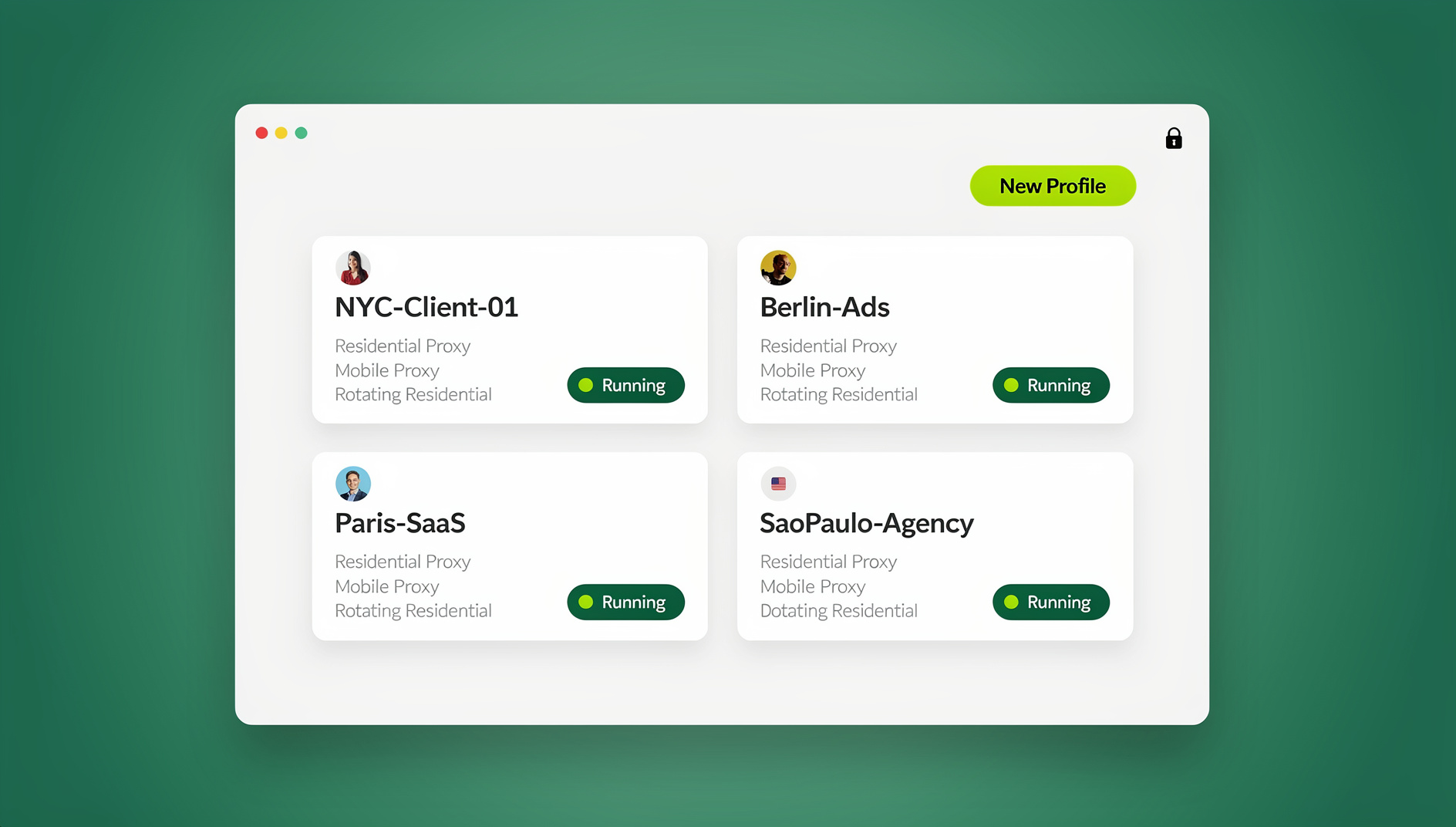
Send.win is the one entry here built around reusable profiles rather than disposable sessions. Each isolated browser profile keeps its own cookies, storage, sessions, fingerprint settings and proxy. You run them in the Sendwin Browser desktop app on Windows, macOS or Linux, or in the cloud browser on Send.win’s server in Helsinki, Finland, which needs nothing installed.
Pro covers 150 saved profiles, 20 residential proxies with 5 GB/month of bandwidth, cloud sync for 20 profiles, 20 saved cloud sessions and 6 seats. Team raises that to 500 profiles, 20 GB/month, 100 saved cloud sessions and 16 seats, and adds page blocking in shared sessions. Both allow up to 50 profiles open at once, and both put residential proxies inside the subscription rather than selling them as a separate service.
- Pros: proxies included instead of billed on top; share a profile with a paid teammate and it opens already signed in; desktop and cloud under one subscription; a free cloud demo gives 10 minutes a day, with a 3-minute preview that needs no signup.
- Cons: no trial of the desktop app; more than you need if a three-minute window covers the task.
Best for: agencies, social media teams and sellers who sign into the same client accounts every day. First card purchases carry a 7-day money-back guarantee.
8. Browserling — free tier, Analyst at $49/user/month
Browserling hands you disposable virtual machines in a tab: 10 free sessions a month of three minutes each, or the Analyst plan at $49 per user per month billed annually for longer runs.
- Pros: a free monthly allowance; a clean VM every session.
- Cons: the highest per-seat price here; three-minute free sessions; no saved state.
Best for: a quick look at how a page behaves in an unusual browser or OS.
Cheap Virtual Browser Comparison Table
| Option | Cheapest paid entry | Session limit | Keeps logins between sessions | Team seats |
|---|---|---|---|---|
| GoLogin Cloud Browser | $4.50/mo | 3 runs of up to 15 min | Hosted profiles on higher tiers | Not at this tier |
| MyBrowser | $8/mo | 3 free minutes, no signup | No | No |
| Browser.lol | Plus $9/mo | Tier-based session-start allowance | Saved profiles on paid plans | No team plan |
| Kasm Workspaces | Hosted from $10/mo | Free edition: 5 concurrent sessions | No — deleted after use | Concurrent sessions; commercial use licensed |
| BrowserStack Live | $12.50/mo billed annually | Unlimited minutes on Live plans | No — test sessions | One per user |
| TestMu AI Virtual Live | $15/mo per parallel | Free sessions 2 min | No | Priced per parallel |
| Send.win | Pro $19/mo or $83.88/yr ($6.99/mo) | No daily cloud browsing limit; 50 profiles open at once | Yes — isolated profiles keep cookies and sessions | 6 (Pro) / 16 (Team) |
| Browserling | Analyst $49/user/mo | Free: 10 sessions/mo of 3 min | No — disposable VMs | One per user |
Free Tier or Cheap Paid Plan: Where the Line Falls
Free tiers answer one question well: does this vendor’s browser render and behave the way I expect? They answer almost nothing else. A two-minute cutoff exists so you can check a login page, not complete a task inside it. BrowserStack publishes the exact split on its plans and pricing FAQ: 30 minutes of Live, 60 minutes of Automate, 100 screenshots and responsive checks.
Paid plans start to pay for themselves at the point where you redo setup work every session. If you enter the same login, accept the same cookie banner and pass the same verification code three times a day, a $9 to $19 subscription buys back more time than it costs. What free and near-free cloud sessions give up is documented in these free cloud browser risks, and most of it is about retention rather than speed.
What a Cheap Virtual Browser Can’t Do
Keep things. Anything disposable is disposable: files downloaded inside a session usually disappear with it, and integrated mailboxes have retention limits. If a workflow depends on a file or a verification code arriving tomorrow, you need saved profiles, not a session.
Bend fair use. The cheap end of the market is cheap partly because the rules are strict, and those rules attach to the account, not to the plan you bought. Reselling session access, opening extra accounts to get around a tier limit and proxying for third parties are the usual triggers for a review, and no upgrade undoes one.
Replace platform rules. If a platform limits how many accounts you may hold, a browser does not change that. Amazon requires approval for an additional seller account, and agencies working on Meta properties do it through Business Manager roles. Send.win’s acceptable use policy says the same in one line: use it only with accounts you own or are authorised to manage.
Run unattended jobs. Code-driven browsers exist and are priced per use: Browserbase at $20/month with a 1-hour free allowance, Browserless at $25/month billed annually with 1,000 units free each month, Browser Use Cloud at $0.02 per browser hour plus traffic. They are separate platforms with their own terms, built for unattended runs, and they are not where you keep a signed-in client account.
Choosing a Cheap Virtual Browser for a Small Team
Team maths changes the ranking. Three people on a $12.50 per-user plan is $37.50 a month before you add a proxy subscription; five testers on a $49 per-user plan is $245. Compare that with plans that price seats in: Send.win Pro includes 6 seats and Team includes 16, with residential proxies inside the monthly price.
Three questions settle most decisions. How many profiles must stay signed in between sessions? How many people touch them? Does the exit IP need to match a specific country? If the first answer is “a handful”, a disposable cloud browser is enough. If it is “dozens, shared across a team”, a profile manager that shares live cloud sessions beats stacking cheap single-user plans.
Check what happens when a teammate leaves, too. Shared profiles and cloud sync move access with the team instead of leaving it in one person’s saved passwords. The real cost of cheap profiles breaks down how per-profile add-ons quietly change the bill.
🏆 Send.win Verdict
Send.win isn’t the cheapest line on this list, and it doesn’t pretend to be. It earns its place when the job is recurring work in accounts you manage: isolated profiles with their own cookies, storage, fingerprint settings and proxy, a cloud browser in Helsinki you can reach from any device, residential proxies inside the price, and profile sharing that opens already signed in for a paid teammate. If you only need three minutes in a throwaway browser, pick a free tier instead.
See Send.win plans — Pro from $19/mo or $83.88/yr ($6.99/mo) with 150 profiles, 5 GB of proxy bandwidth and 6 seats, backed by a 7-day money-back guarantee on your first card purchase; the free cloud demo gives you 10 minutes a day to test it first.
Frequently Asked Questions
What is a cheap virtual browser and how is it different from a VPN?
A virtual browser is a real browser running on a remote server or container, streamed to your screen, so pages load on that machine rather than yours. A VPN only reroutes your own browser’s traffic through another network. The virtual browser changes the whole environment — cookies, storage, downloads and exit IP.
Is there a free virtual browser I can use without installing anything?
Yes. Browser.lol starts sessions without an account on an ad-supported tier, MyBrowser gives three minutes with no sign-up, Browserling allows 10 sessions a month of three minutes, and Send.win’s cloud demo runs in your browser with a three-minute preview and no signup. All of them run server-side, so nothing installs locally.
How long can a free cloud browser session last?
Short. TestMu AI limits free sessions to two minutes, Browserling and MyBrowser give three, and BrowserStack’s trial allows 30 minutes of Live in total rather than per session. That covers a rendering or login-flow check, not a working session.
Does a cheap virtual browser keep my logins between sessions?
Usually not. Kasm’s hosted Cloud Browser is deleted after use, Browserling runs disposable virtual machines, and Browser.lol treats sessions as temporary — its saved browser profiles on paid plans are what hold state. On Send.win each profile keeps its own cookies and sessions, which is why the same profile opens signed in next time.
Which cheap virtual browser is best for cross-browser testing?
BrowserStack Live is the strongest fit at $12.50/month billed annually with unlimited minutes on Live plans, and TestMu AI at $15/month per parallel works if you need several sessions at once. Both are testing tools, so use them to check pages rather than to hold a client account open all week.
Can I run a virtual browser from a Chromebook or iPad?
Yes, if it is the cloud kind: a cloud browser streams to any modern browser, so a Chromebook, iPad or locked-down work laptop works fine. The Sendwin Browser desktop app is different — it installs on Windows 10/11, macOS 12+ or Linux and runs profiles locally.
Is it cheaper to pay monthly or annually?
Annually, almost always, and the gap is largest at the low end. Send.win Pro is $19 monthly or $83.88 a year, which works out to $6.99 a month, and Team is $49 monthly or $251.88 a year at $20.99 a month. Start monthly if you are unsure, then switch once the workflow proves itself.
Can I use a cheap virtual browser for client accounts I manage?
Yes, provided you are authorised to manage those accounts and you follow each platform’s terms. Separate isolated profiles keep one client’s sessions away from another’s, which is the main practical reason agencies use them. Where a platform limits how many accounts you may hold — Amazon’s additional seller approval, Meta’s Business Manager roles — use the official route.
Run Cheap Virtual Browser in the Cloud With Send.win
Send.win’s cloud browser runs isolated browser profiles on a server in the EU — open a clean session from any device without installing anything:
- Instant cloud sessions – launch an isolated browser in seconds, no local install
- Isolated profiles – separate cookies, storage and fingerprint settings per session
- Cloud sync & profile sharing – pick up the same profiles on the desktop app (Windows, macOS, Linux) or share them with your team
- Residential proxies included – on Pro and Team, with timezone and locale matched to the proxy
You can try it right now: the Send.win demo browser opens an isolated cloud session directly in this browser tab. Paid plans start at $19/month, with a 7-day money-back guarantee on your first card purchase — see pricing.