Why Managing Multiple Gmail Accounts Got Harder, Not Easier, in 2026
If you juggle a personal inbox, a work account, a couple of side-hustle addresses, and maybe three or four “throwaway” accounts for testing, newsletters, or client work, you already know the pain: Google keeps getting better at noticing when several Gmail accounts share the same browser fingerprint, IP address, and device signals. What used to be a simple matter of clicking your profile photo and switching accounts now triggers “unusual activity” warnings, forced phone verification, or — in the worst case — a suspended account.
The core problem is that Google’s built-in multi-account switching was never designed for real separation. It’s a convenience feature layered on top of a single browser session, which means every account you add still shares the same canvas fingerprint, WebGL signature, cookies, and IP. Google’s fraud systems are explicitly built to correlate exactly those signals across accounts. The more Gmail accounts you run from one browser, the more “linked account” flags you accumulate — even when every account belongs to you and nothing shady is happening.
This guide walks through why Google’s native tools fall short, where browser extensions and profile switching still leave gaps, and the step-by-step method (using proper browser isolation and unique fingerprints) that keeps multiple Gmail accounts genuinely separate, safe, and easy to manage — whether you need two accounts or two hundred.
Google’s Native Multi-Login: What It Actually Does
Google offers a few ways to handle more than one Gmail account, and each one solves a different, narrower problem than “keep my accounts fully separate.”
Built-In Account Switcher
Clicking your avatar and choosing “Add another account” lets you stay logged into multiple Gmail accounts in one browser window, switching between inboxes without a full logout. It’s fast, but every account you add is still tied to the same browser session, the same local storage, and the same device fingerprint Google can see.
Chrome Browser Profiles
Chrome (and Firefox) profiles create a separate cookie jar and extension set per profile, which is a real improvement over the account switcher. However, profiles still run on the same physical machine, the same operating system fonts, the same GPU, and — unless you manually configure otherwise — the same IP address. Google can still correlate profiles that always appear together from one home or office network.
Incognito / Guest Windows
Private windows clear cookies on close, but they don’t touch your canvas fingerprint, WebGL renderer string, screen resolution, or IP. For a one-off check of a second account, incognito is fine. For daily management of five, ten, or fifty accounts, it’s not a workflow — it’s a workaround.
Why “Just Use Different Browsers” Doesn’t Fix It
A common workaround is spreading accounts across Chrome, Firefox, Edge, and Brave. This helps with cookie isolation but does nothing about the two signals Google weighs most heavily:
- IP address — every browser on the same Wi-Fi network still reports the same public IP, which is the single strongest “these accounts belong together” signal Google has.
- Device and hardware fingerprint — canvas rendering, WebGL, audio context, installed fonts, and hardware concurrency are visible to any site regardless of which browser wrapper you’re using, and they’re nearly identical across browsers on the same machine.
This is exactly the gap that proper browser fingerprinting protection is designed to close — masking the underlying hardware signals rather than just separating cookies.
Common Pitfalls That Get Gmail Accounts Flagged
| Pitfall | Why It Happens | What It Looks Like |
|---|---|---|
| Same IP across accounts | All accounts logged in from one home/office network | “Verify it’s you” prompts, temporary lockouts |
| Identical fingerprint | Same browser, same OS, same hardware signature | Accounts silently linked in Google’s backend |
| Rapid switching | Logging in/out of many accounts in a short window | Automated abuse detection triggers |
| Recovery phone/email overlap | Reusing the same recovery contact for every account | Accounts explicitly cross-referenced by Google |
| No session persistence | Clearing cookies constantly forces repeat 2FA challenges | Frequent re-verification, poor productivity |
None of these pitfalls require anything malicious to trigger — they’re just the natural result of managing multiple Gmail accounts the way most people do: same laptop, same network, same browser, different tabs.
The Fix: Isolated Profiles With Unique Fingerprints Per Account
The reliable solution is to give each Gmail account its own fully isolated browser profile — its own cookies, its own fingerprint, and (ideally) its own IP via a dedicated proxy — so that from Google’s perspective, each account looks like it’s being used on a genuinely separate device by a genuinely separate person, because in every measurable way, it is.
This is precisely the category Send.win was built for, and it’s worth understanding that Send.win isn’t a single tool — it gives you three distinct ways to run isolated profiles, and picking the right one for your situation matters.
Option 1: The Send.win Desktop App
For most individuals and small teams, the native Send.win Desktop app (Windows, macOS, and Linux) is the primary way to run Gmail profiles. Each profile is a self-contained browser environment with its own fingerprint, cookies, local storage, and proxy assignment — installed once, then reused every day without re-entering credentials or re-verifying 2FA constantly.
Option 2: Cloud Browser Sessions (No Install Needed)
If you need to check a Gmail account from a laptop that isn’t yours, from a phone browser, or from a shared office computer where you can’t install anything, Send.win’s cloud browser sessions run the profile entirely in the cloud — you access it through a normal browser tab, with the exact same isolated fingerprint and proxy as your desktop profile, and nothing local ever touches disk. Cloud browsing time is metered monthly on paid plans, alongside cloud sync, profile sharing, and team seats, so this is a genuinely separate, billed capability — not a marketing rename of the desktop app. For anyone framing this as “I need to manage Gmail accounts from anywhere without installing software,” cloud browser sessions are the actual answer, not the desktop client.
Option 3: Automation API (Team Plan)
Agencies and dev teams that need to spin up or test dozens of Gmail-linked profiles programmatically — for QA, onboarding automation, or bulk account provisioning — can use Send.win’s Automation API on the Team plan, which supports Selenium, Puppeteer, and Playwright. Each scripted session still runs inside its own isolated, fingerprinted profile, so automated workflows don’t collapse the separation you’ve built manually.
Step-by-Step: Setting Up Multiple Gmail Accounts With Send.win
Here’s the actual workflow, whether you’re setting up two accounts or twenty.
- Start your free trial. Send.win offers a 30-day free trial with no credit card required, so you can test the full workflow before paying anything.
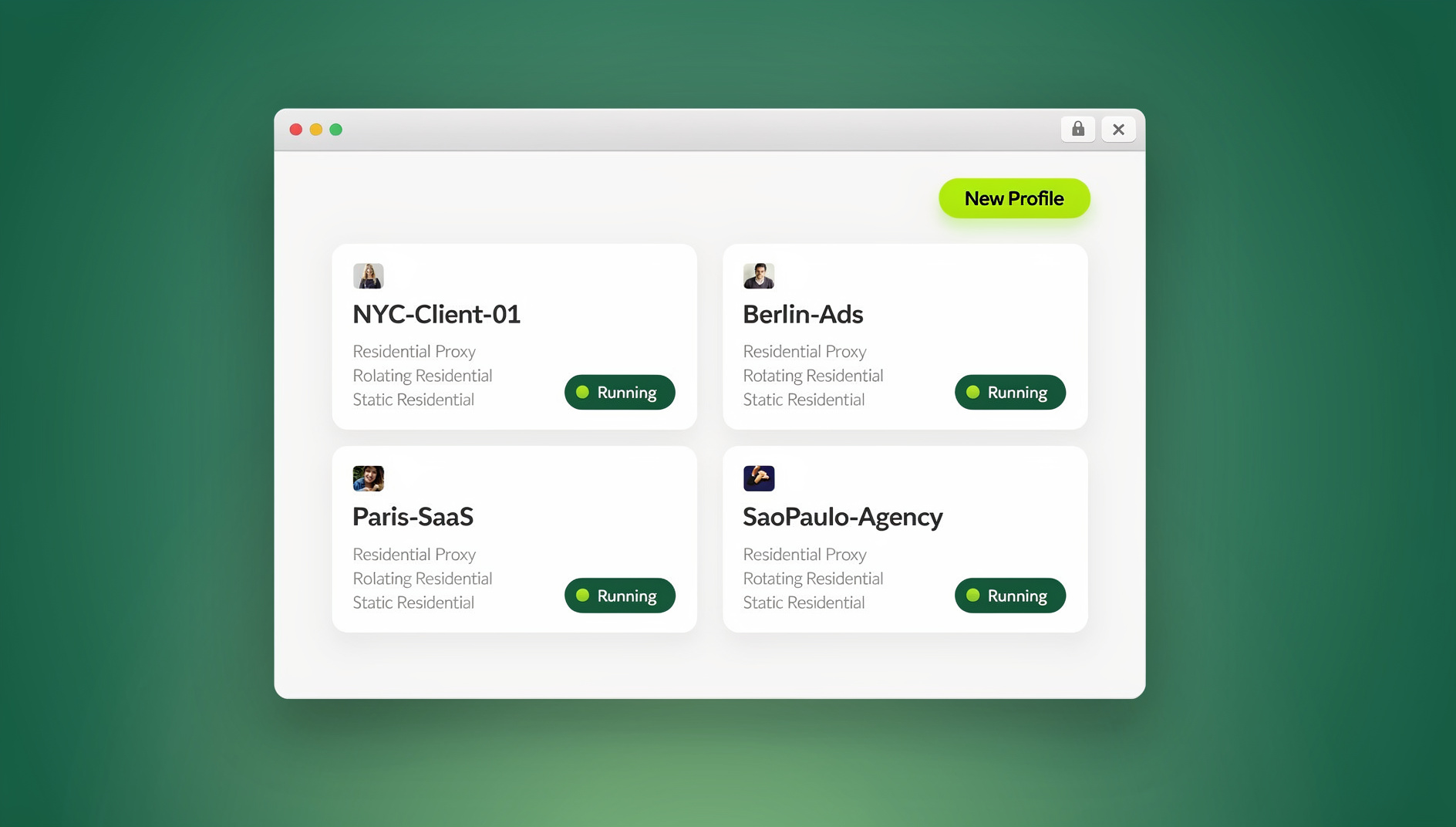
- Create a new profile per Gmail account. Inside the Desktop app (or a cloud session), click “New Profile” and name it after the account it will hold — e.g., “Work Gmail,” “Client A Gmail,” “Personal Gmail.”
- Assign a unique proxy to each profile. Send.win includes built-in residential and datacenter proxies, or you can attach your own. Matching each Gmail account to a distinct IP (ideally in a plausible geographic location) is the single highest-impact step for avoiding “unusual activity” flags.
- Log into Gmail inside that isolated profile — once. Because the profile persists cookies and session data between launches, you won’t need to re-authenticate every time you open it, and Google sees a consistent, familiar device on each return visit.
- Repeat for every account. Each new profile gets its own canvas, WebGL, font, and timezone fingerprint automatically — no manual configuration needed.
- Organize profiles into folders or tags if you’re managing accounts across multiple clients, brands, or departments, so switching between ten-plus accounts stays fast.
- Share access without sharing passwords. If teammates need to log into shared Gmail accounts (a support inbox, a shared marketing address), use Send.win’s profile-sharing feature to grant access to the isolated session itself — never the raw credentials.
For teams that manage shared inboxes this way, our walkthrough on how to add a proxy to any session covers the IP-matching step in more depth, and it’s worth doing properly the first time rather than retrofitting it later.
Comparison: Methods for Managing Multiple Gmail Accounts
| Method | Fingerprint Isolation | IP Isolation | Session Persistence | Best For |
|---|---|---|---|---|
| Google account switcher | None | None | Good | 1-2 accounts, casual use |
| Chrome/Firefox profiles | Partial (cookies only) | None | Good | 3-5 accounts, low risk tolerance needed |
| Multiple browsers | Minimal | None | Good | Not recommended alone |
| Session extensions (SessionBox-style) | Partial | None (unless paired with a proxy tool) | Good | Light multi-account browsing |
| Send.win (Desktop, Cloud, or API) | Full, unique per profile | Full, built-in proxies per profile | Excellent, persistent per profile | 5 to 500+ accounts, teams, agencies |
The gap widens fast once you’re past a handful of accounts — this is the same reason a dedicated multi-login browser outperforms manual browser-profile juggling for anything beyond casual personal use.
Best Practices and Productivity Habits
Batch Similar Tasks by Account
Rather than bouncing between inboxes throughout the day, block time to handle each Gmail account’s correspondence in one pass. Isolated profiles make this fast since switching doesn’t require re-logging in.
Use Descriptive Naming Conventions
Name profiles by purpose, not just email address — “Client-Acme-Support@gmail” is easier to scan at a glance than a bare address when you’re managing a dozen or more accounts.
Match Timezone and Locale to the Account’s “Home”
If a Gmail account is meant to represent a specific region or client, match the proxy’s location, browser locale, and timezone to that region. Mismatched timezones are a subtle but common trigger for verification prompts.
Don’t Reuse Recovery Information
Each Gmail account should ideally have its own recovery phone number or, at minimum, a distinct recovery email. Shared recovery contacts are one of the strongest signals Google uses to explicitly link accounts together.
Keep Sessions Warm
Logging into a fresh Gmail account and immediately abandoning it looks suspicious. Let new accounts “age” with normal usage patterns — checking inbox, replying to a few emails — before relying on them for anything important.
Security Considerations When Running Multiple Gmail Accounts
Isolation solves the fingerprinting and IP-correlation problem, but it doesn’t replace basic account hygiene. Enable two-factor authentication on every account, use a password manager to generate unique passwords per Gmail account (never reuse one password across accounts, isolated or not), and periodically review each account’s “Recent Security Activity” page inside Gmail to confirm nothing unexpected is happening.
If you’re managing accounts as a team — a support inbox multiple agents access, or client accounts shared across an agency — proper session isolation also protects you internally: one compromised teammate’s device doesn’t expose every account’s raw password, only the specific session they were granted.
It’s also worth separating “personal inbox management” from “business-scale multi-account operations.” If you’re mostly juggling a work and personal Gmail, browser profiles might genuinely be enough. If you’re managing Gmail accounts tied to e-commerce stores, ad accounts, or client work at scale, the productivity and safety math shifts heavily toward dedicated isolation — a distinction covered well in our guide to managing multiple Gmail and social accounts without losing hours a week to re-logins and lockouts.
🏆 Send.win Verdict
If you’re managing more than two or three Gmail accounts, browser profiles and incognito windows are a temporary patch, not a real fix — Google’s fraud systems correlate IP and fingerprint signals regardless of which browser wrapper you use. Send.win gives every Gmail account its own isolated fingerprint and proxy, available through a native Desktop app for daily use, cloud browser sessions when you need access from any device with zero install, and an Automation API for teams that need to provision or test accounts at scale.
Try Send.win free today — start your 30-day free trial, no credit card required, and set up your first isolated Gmail profile in minutes.
Frequently Asked Questions
Is it legal to manage multiple Gmail accounts?
Yes. Google’s Terms of Service permit multiple accounts as long as each one is used for legitimate purposes and not to evade a suspension, spam, or manipulate systems like reviews or ad platforms. Personal, business, and client-management use cases are all allowed.
How many Gmail accounts can I safely manage at once?
There’s no hard cap from Google, but the practical limit depends on your isolation method. With basic browser profiles, most people run into flags after 3-5 accounts. With properly isolated profiles and unique proxies (via a tool like Send.win), users routinely manage dozens to hundreds of accounts without issues.
Will using a multi-login browser get my Gmail accounts banned?
No — the opposite is true. The goal of tools like Send.win is to make each account look like it’s used from its own genuine device and location, which reduces false “unusual activity” flags rather than causing them. Bans typically result from ToS violations (spam, abuse, evading a suspension), not from using isolation software responsibly.
What’s the difference between the Send.win Desktop app and Cloud browser sessions?
The Desktop app is a native client you install on Windows, macOS, or Linux and is the primary way most users run profiles day-to-day. Cloud browser sessions run the same isolated profile entirely in the cloud, accessible from any device through a normal browser tab with no local installation — useful for shared or unfamiliar computers, and metered by monthly cloud browsing time on paid plans.
Do I need the Automation API to manage multiple Gmail accounts?
Most individuals and small teams don’t — the Desktop app or Cloud browser sessions cover manual, day-to-day account management. The Automation API (Team plan) is for agencies or developers who need to script account creation, testing, or bulk provisioning with Selenium, Puppeteer, or Playwright.
Can I share a Gmail account with my team without sharing the password?
Yes. Send.win’s profile-sharing feature lets you grant teammates access to an isolated browser session holding the logged-in account, without ever revealing the underlying password — useful for shared support or marketing inboxes.
What’s the biggest mistake people make managing multiple Gmail accounts?
Reusing the same recovery phone number or email across accounts. It’s convenient, but it’s also one of the strongest signals Google uses to explicitly link accounts together, which can cascade a single suspension across every linked account.
How much does Send.win cost?
Send.win offers a 30-day free trial with no credit card required. Paid plans start at $19/month for Pro (150 profiles, 5GB proxy bandwidth), with a Team plan at $49/month (500 profiles, 20GB bandwidth, Automation API, 16 seats) for agencies and larger teams.
Conclusion
Managing multiple Gmail accounts in 2026 isn’t just about clicking between inboxes anymore — Google’s fraud detection has gotten sophisticated enough that fingerprint and IP correlation matter as much as good password hygiene. Native tools like the account switcher and browser profiles work for light, casual use, but they leave clear correlation signals that scale badly past a handful of accounts. Isolated profiles with unique fingerprints and proxies — whether run locally through a desktop app, from anywhere via cloud browser sessions, or scripted through an automation API for scale — are what actually keeps every account genuinely separate, safe, and easy to manage, no matter how many you run.