Managing multiple OnlyFans accounts the right way comes down to one thing: making every profile look, browse, and log in like it belongs to a completely different person. Creators run second and third accounts to segment niches, protect income from sudden suspensions, or test new content angles — and agencies run dozens of creator accounts side by side. The problem is that OnlyFans (like every major platform in 2026) doesn’t just check your username and password; it fingerprints your browser, tracks your IP, and watches your login patterns to cluster “related” accounts. Get sloppy and you risk a linked suspension that takes every profile down at once. This guide walks through the account architecture, technical isolation, security practices, and tools — including Send.win — that let you run multiple OnlyFans profiles safely in 2026.
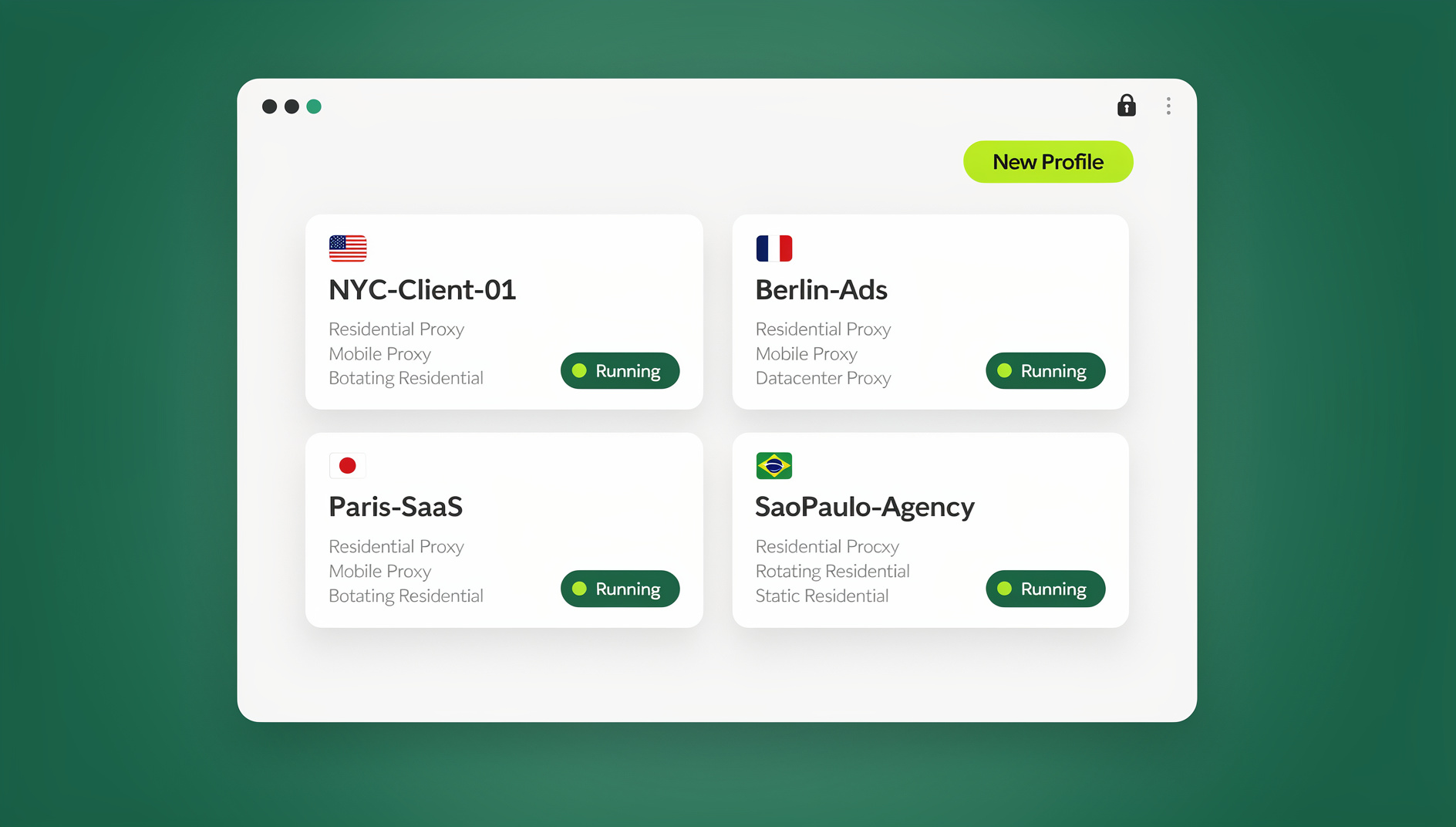
Why Creators and Agencies Run Multiple OnlyFans Accounts
There’s rarely a single reason someone ends up managing more than one OnlyFans profile. The most common motivations include:
- Niche segmentation: Splitting fitness, cosplay, ASMR, or premium-messaging content into separate accounts lets you tailor pricing, tone, and posting cadence to each audience instead of diluting one profile with mixed content.
- Revenue resilience: A sudden restriction on one account doesn’t zero out your income if a second, fully independent profile is still active and earning.
- Brand experimentation: New offers, bundle pricing, or a different content style can be trialed on a secondary account before you commit your main brand to it.
- Agency-scale management: Agencies running 10, 50, or 100+ creator accounts need a system that keeps every client’s session, proxy, and login history completely separate — both for OnlyFans’ policies and for the creators’ own privacy.
The upside is real, but so is the enforcement risk. Before setting up a second profile, it helps to understand exactly what OnlyFans is watching for.
How OnlyFans Actually Detects Linked Accounts
OnlyFans doesn’t explicitly ban creators for owning multiple accounts — plenty of top earners run several. What gets accounts suspended is evidence that they’re connected. That evidence comes from a handful of signals most people don’t think about:
| Signal | What It Reveals | How to Neutralize It |
|---|---|---|
| Browser fingerprint (canvas, WebGL, fonts, user agent) | Two “different” accounts logging in from the identical fingerprint look like the same device | Run each account in its own isolated profile with a unique fingerprint, not just a new browser tab |
| IP address | Simultaneous logins from the same IP strongly suggest one operator | Attach a dedicated residential or mobile proxy to each profile |
| Payment/payout details | Shared bank accounts or e-wallets tie payouts to one identity on the backend | Use fully separate payment and payout methods per account |
| Login timing patterns | Accounts that always log in and out within seconds of each other look scripted | Stagger session start/end times naturally |
| Device/session storage | Shared cookies, cache, or local storage between tabs can leak session data across “separate” accounts | Keep cookies, cache, and storage sandboxed per profile |
Notice that none of these are solved by simply opening a new incognito window. That’s the mistake most creators make when they first try to scale past one account — and it’s exactly where deliberate account architecture and technical isolation come in.
Account Architecture: Building Each Profile as a Standalone Business
Unique Identity Per Account
Every OnlyFans profile should be able to stand on its own if OnlyFans ever audits it. That means a distinct email address and phone number for registration (a free email service paired with an inexpensive VoIP or SMS number works fine), a separate identity-verification submission per account, and separate payout rails so no two profiles share a bank account or e-wallet.
Phased, Organic-Looking Rollout
Don’t create five accounts in one sitting. Stagger sign-ups over days or weeks so account creation looks like normal, human growth rather than a batch operation — rapid, simultaneous account creation is one of the fastest ways to trigger an automated review.
Brand Differentiation
Give each account its own username, bio, profile photo, and content theme. Obvious repetition across “different” profiles is a red flag to both OnlyFans’ systems and to subscribers who cross-follow multiple creator accounts.
Technical Isolation: The Layer Most Creators Get Wrong
Why Separate Chrome Profiles Aren’t Enough
Chrome profiles, incognito windows, and even separate physical devices still leak a shared fingerprint if the underlying browser engine, fonts, GPU, and network path are the same. Fingerprinting scripts collect dozens of data points — screen resolution, installed fonts, WebGL renderer, audio stack, timezone — and cluster accounts that share too many of them, even across “different” browsers on the same machine.
This is exactly the gap an antidetect/multi-login browser like Send.win is built to close: each OnlyFans profile gets its own isolated browser environment with a unique fingerprint, its own cookie jar, and its own proxy, so nothing bleeds between accounts.
Three Ways to Run Isolated OnlyFans Sessions with Send.win
Send.win gives creators and agencies three distinct ways to work, and picking the right one depends on your setup:
| Mode | What It Is | Best For | Install Required? |
|---|---|---|---|
| Desktop app | Native Windows, macOS, or Linux client running isolated browser profiles locally on your machine | Solo creators who want a persistent local setup and full control over each profile | Yes, one-time install |
| Cloud browser sessions | Profiles run entirely in the cloud and stream into a browser tab — nothing touches your device | Creators or VAs who need to log into OnlyFans from a shared, public, or borrowed computer with zero local footprint | No — access from any device with a browser |
| Automation API | Selenium/Puppeteer/Playwright-compatible endpoints for scripted, programmatic profile control (Team plan) | Agencies automating repetitive, compliant workflows — scheduled logins, content upload pipelines, analytics pulls — across dozens of creator accounts | No local install; scripts connect via API |
For most individual OnlyFans creators, cloud browser sessions are the fastest way to get isolated, fingerprint-unique logins running without installing anything — you open a link, the session streams in, and it disappears when you’re done, leaving no trace on a shared or public computer. Agencies juggling many creator accounts, on the other hand, tend to mix the desktop app for day-to-day team logins with the Automation API for repetitive scripted tasks.
Matching Proxies and Timezone to Each Profile
Isolation without geography-matched proxies is only half the job. Attach a dedicated residential or mobile proxy to every profile so each account’s declared location, timezone, and IP line up — Send.win’s built-in proxy support handles this per session so you’re not juggling a separate proxy subscription on top of your antidetect browser.
Step-by-Step: Setting Up an Isolated OnlyFans Profile in Send.win
- Create your Send.win account and start the 30-day free trial — no credit card required.
- Choose your mode: install the desktop app for a local setup, or launch a cloud browser session if you want zero local footprint.
- Create a new profile for the OnlyFans account you’re setting up. Each profile generates its own unique browser fingerprint automatically.
- Attach a proxy that matches the geography you want that profile associated with — residential or mobile, depending on your risk tolerance.
- Register or log into OnlyFans inside that isolated profile using the account’s own dedicated email, phone number, and payment details.
- Label and save the session so you (or a teammate) can return to the exact same fingerprint, cookies, and proxy every time — this consistency is what keeps the account looking stable to OnlyFans over time.
- Repeat per account, staggering creation over several days rather than launching every profile in one sitting.
Security and Privacy Best Practices
Proxy and VPN Strategy
Favor residential or mobile proxies over datacenter IPs — datacenter ranges are heavily flagged and trigger more captchas and reviews. Use “sticky” proxies that hold the same IP for a session’s duration so you don’t look like you’re bouncing between locations mid-session, and rotate proxies periodically rather than reusing the same IP indefinitely across logins.
Authentication Hardening
Enable two-factor authentication on every account, use a password manager to generate unique credentials per profile, and never reuse a recovery email or phone number across two OnlyFans accounts — that single overlap can undo everything else you’ve isolated.
Behavioral Normalization
Vary login times, session lengths, and posting schedules across accounts. Perfectly synchronized activity — logging into five accounts within the same 30-second window every day — is itself a fingerprint, just a behavioral one instead of a technical one.
Automation and Productivity Hacks for Multi-Account Creators
Once your accounts are properly isolated, the next bottleneck is time. A handful of workflow habits make multi-account management sustainable:
- Batch content production: Shoot and edit content for all your active profiles in dedicated sessions rather than context-switching daily.
- Scheduled posting and DM templates: Use OnlyFans’ native scheduling plus saved reply templates so fan engagement doesn’t require you to be logged into every account simultaneously.
- Scripted, compliant automation: Agencies on Send.win’s Team plan can use the Automation API to script repetitive, policy-compliant tasks with Playwright, Puppeteer, or Selenium — things like pulling analytics dashboards or automating scheduled logins across many creator profiles — instead of a VA manually clicking through each one.
- Centralized analytics tracking: Export earnings and engagement data from each account into one spreadsheet or dashboard so you can compare performance without keeping every tab open at once.
Monetization Strategies Across Multiple Profiles
Running several accounts only pays off if each one is monetized deliberately:
- Tiered subscription models: Offer a lower-priced “teaser” tier on one account and a premium, high-touch tier on another rather than one-size-fits-all pricing.
- PPV and tips optimization: Test different pay-per-view price points and bundle offers per account and keep what converts best for that specific audience.
- Cross-promotion, carefully: If accounts are meant to be publicly linked (e.g., a main account promoting a niche side account), do it transparently through your own linked bio or socials — not by logging into both from the same unisolated session, which is what actually creates backend linkage risk.
Agency Workflows: Managing Multiple Creators and Team Members
Agencies have a second layer of complexity on top of account isolation: giving team members and virtual assistants access without ever handing over raw passwords. Send.win’s team seats let you share a specific creator’s isolated session with a VA or manager while keeping login credentials completely hidden, and you can revoke that access instantly the moment a contractor’s engagement ends. This is the same problem covered in our team browser access-sharing guide — the goal is shared access, not shared passwords.
For agencies scaling past a handful of creators, the same multi-login browser approach used for OnlyFans works identically across social platforms, so your team ends up running one tool instead of five.
Send.win vs Other Multi-Account Tools for OnlyFans
| Tool | Isolation Approach | Cloud Access | Team Sharing | Automation API |
|---|---|---|---|---|
| Send.win | Per-profile unique fingerprint + built-in proxies | Yes — cloud browser sessions, no install | Yes — share sessions without passwords | Yes (Team plan) — Selenium/Puppeteer/Playwright |
| Multilogin | Deep fingerprint template control | Limited | Yes | Yes, but requires local install and heavier resources |
| Ghost Browser | Chromium fork with tab-based proxy control | No | Basic | No native automation layer |
For a broader breakdown of how these categories stack up, see our full session isolation guide, and if you’re running well past a handful of profiles, our walkthrough on managing 100+ accounts from one browser covers the scaling considerations in more depth.
Troubleshooting and Recovery
Handling Suspensions
If an account is suspended, don’t immediately log into it from the same isolated profile repeatedly hoping to “fix” it — that reinforces the exact pattern that likely got it flagged. Submit an appeal through OnlyFans support, document your case (identity verification, payout history), and give the review process time to run before taking further action on that profile.
Preventing Relinking After a Suspension
Once one account has been flagged, treat every other profile as higher-risk by association. Rotate that profile’s proxy, avoid logging into any other account from the same session immediately afterward, and double-check that no payment method, email, or phone number is shared between the suspended account and your remaining active ones.
🏆 Send.win Verdict
Managing multiple OnlyFans accounts safely comes down to isolation, not luck — a unique fingerprint, a matched proxy, and clean session hygiene per profile. Send.win covers all three in one place: run profiles locally with the desktop app, log in from anywhere with zero-install cloud browser sessions, or script repetitive agency workflows through the Automation API on the Team plan.
Try Send.win free today — start your 30-day free trial, no credit card required, and set up your first isolated OnlyFans profile in minutes.
Frequently Asked Questions
Is it against OnlyFans’ rules to have more than one account?
OnlyFans doesn’t explicitly ban creators from owning multiple accounts. The risk comes from accounts appearing linked through shared IPs, browser fingerprints, or payment details — not from multiple ownership itself.
How many OnlyFans accounts can I safely run at once?
There’s no official cap. What matters is whether you can maintain proper isolation — a unique fingerprint, dedicated proxy, and separate payment method — for every single account. Agencies with proper tooling routinely manage dozens; individual creators without isolation tools should stay conservative.
Will using a VPN alone keep my accounts separate?
No. A VPN changes your IP address but does nothing about your browser fingerprint, cookies, or login timing patterns — all of which OnlyFans’ detection systems also check. You need full session isolation, not just IP masking.
What’s the difference between Send.win’s desktop app and cloud browser sessions?
The desktop app installs natively on Windows, macOS, or Linux and runs profiles locally on your machine. Cloud browser sessions run entirely on Send.win’s infrastructure and stream into your browser tab, so there’s nothing to install and no local footprint — useful for logging into OnlyFans from a shared or public computer.
Can I automate posting or logins across multiple OnlyFans accounts?
Yes, within reason. Send.win’s Automation API (Team plan) supports Selenium, Puppeteer, and Playwright for scripting repetitive, compliant tasks like scheduled logins or analytics pulls across many profiles — this is aimed at agency-scale operational efficiency, not spam or platform abuse.
How much does Send.win cost?
Send.win offers a 30-day free trial with no credit card required. Paid plans start at Pro for $19/month, and the Team plan is $49/month and includes the Automation API plus additional team seats.
What happens if OnlyFans suspends one of my accounts?
Submit an appeal through OnlyFans support and avoid immediately reusing that account’s exact session pattern. Treat your remaining accounts as higher scrutiny risk in the short term — rotate proxies and confirm no shared payment or contact details exist between the suspended account and your active ones.
Can my team or a virtual assistant manage OnlyFans accounts without seeing my passwords?
Yes. Send.win lets you share an isolated session with a team member or VA without exposing the underlying login credentials, and you can revoke that access instantly whenever needed — ideal for agencies coordinating creators and staff.