The safest way to share online accounts securely is to hand a teammate a live, isolated browser session instead of the password itself. Send.win does exactly that: it opens a separate, isolated profile for the account, lets you invite someone into that session, sets it to expire automatically, and lets you revoke access instantly — without anyone ever typing or even seeing the real login credentials.
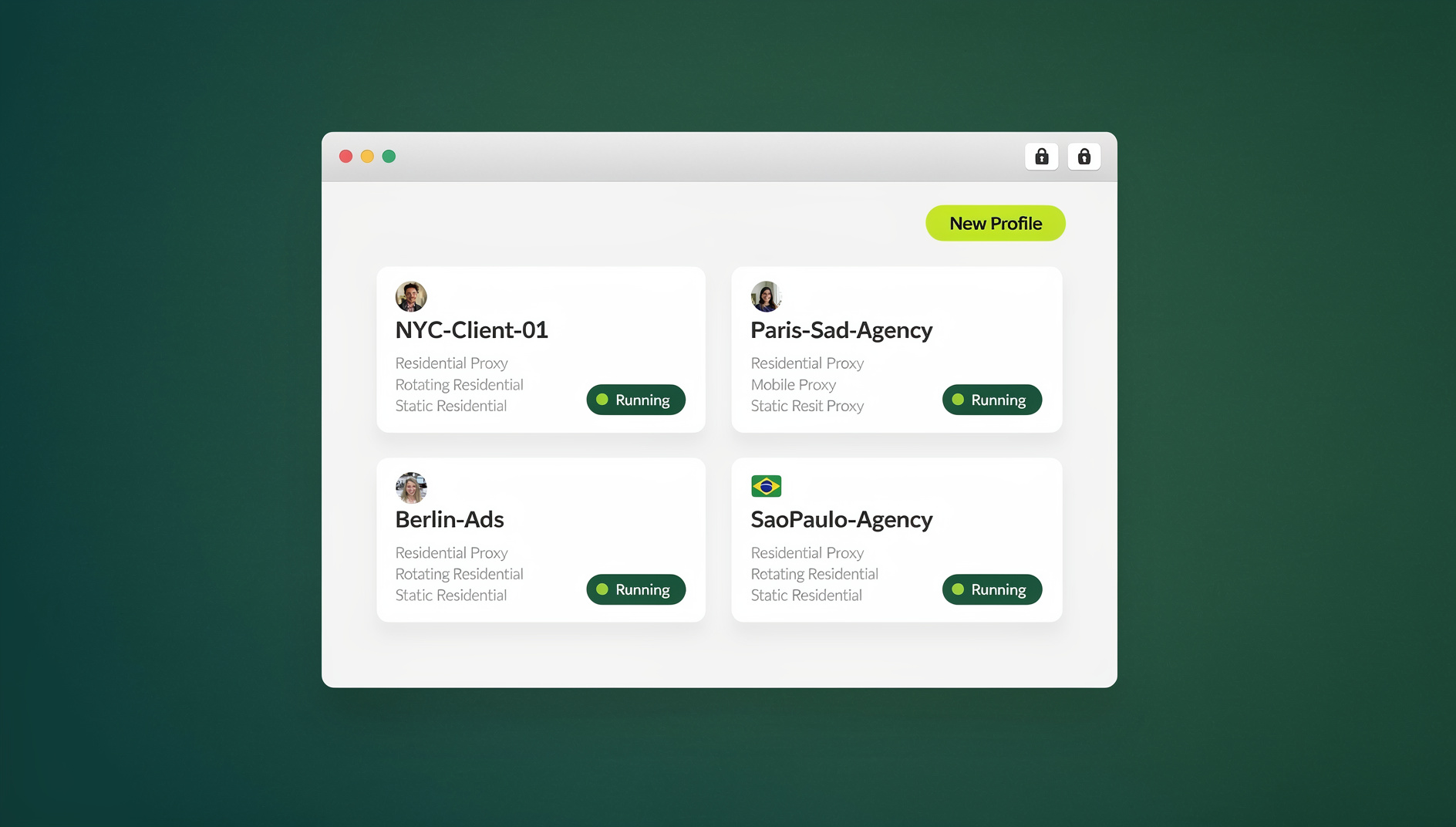
If you have ever pasted a password into Slack, a shared doc, or a support ticket, you already know how fast that can go wrong. Someone reuses it somewhere else, it sits in chat history forever, and when the person leaves the team you’re stuck resetting every account they ever touched. Below is a practical breakdown of why password sharing keeps causing problems, how Send.win replaces it with session sharing, what the product actually is (and isn’t), current pricing, and how to roll this out across a team without creating new risk.
Why Handing Out Passwords Is a Bad Idea
Sharing a login — even with someone you trust completely — creates problems that have nothing to do with whether they’re trustworthy:
- Credential sprawl: passwords end up pasted into chats, tickets, spreadsheets, and password managers that outlive the reason they were shared.
- Policy violations: plenty of platforms (ad networks, SaaS tools, banks) explicitly forbid multiple people logging in with one set of credentials, and shared logins can trigger account flags or suspensions.
- Messy offboarding: when a contractor or employee leaves, you have to remember every account they had the password to and reset each one — assuming you can even remember the list.
- Cross-contamination: logging into the same account from multiple browsers or devices mixes cookies, cached sessions, and fingerprints in ways that can trip fraud detection on ad platforms and marketplaces.
A tool built around isolated, disposable sessions solves both problems at once: the person doing the work never learns the password, and their activity happens inside a container that doesn’t leak into anything else.
Password Sharing vs. Session Sharing, Side by Side
It’s easier to see why session sharing wins once you line the two approaches up against each other on the things that actually matter day to day:
| Factor | Sharing the Password | Sharing a Send.win Session |
|---|---|---|
| Credential exposure | Recipient sees and can reuse the actual password | Recipient never sees the password at all |
| Revocation | Requires changing the password everywhere it was shared | One click ends access instantly |
| Audit trail | Hard to tell who logged in and when | Access tied to a specific invited session |
| Cross-contamination risk | High — multiple logins from different devices/IPs | Low — each session is isolated |
| Sensitive data exposure | Recipient sees everything on the account | Billing and owner pages can be blurred or blocked |
| Offboarding effort | Reset every shared password manually | Revoke or let the session expire |
What Send.win Actually Is
Send.win is built around two distinct ways of working, and understanding both matters before you decide how to hand off access to a teammate, contractor, or client.
Sendwin Browser: the native desktop app
Sendwin Browser is a real, downloadable desktop application for Windows, macOS, and Linux. It’s local-first, meaning your sessions and profiles live on your machine, with encrypted cloud sync so you can pick a session back up on another computer without losing your logins, cookies, or settings. This is the mode most people reach for when they want persistent, isolated profiles for ad accounts, marketplaces, or client logins that they’ll come back to again and again.
Cloud browser sessions
The second mode runs entirely in the cloud, with zero local install. Nothing executes on your device — you’re streaming a remote browser session, and usage is metered by cloud browsing time rather than a flat subscription seat. This mode is a natural fit for quick, one-off account access: handing a session to a client who doesn’t want to install anything, or letting a contractor do a five-minute task without ever touching your laptop.
Either mode gets you to the same outcome for account sharing: you create an isolated session, log into the target account inside it, and then invite someone into that live session instead of texting them a password.
How Password-Free Session Sharing Works
- Create an isolated session for the account you want to share — a Sendwin Browser profile if you’ll reuse it regularly, or a cloud session if you want a zero-install option for the person you’re sharing with.
- Log in to the site or platform inside that session — ad account, CMS, marketplace dashboard, analytics tool, whatever the task requires.
- Invite your teammate or client into the active session. You can share app access without passwords by sending a link or assigning a role rather than a login, so they can click, edit, and publish without ever seeing the credential.
- Set an expiry or revoke manually once the task is done. Because the session is isolated, closing it doesn’t touch any of your other logins.
Key Features That Make This Work
Real session isolation
Every profile behaves like a separate browser — separate cookies, cache, and storage. That’s the mechanism behind session isolation, and it’s what stops one account’s activity from bleeding into another when you’re juggling several logins for the same platform.
Time-boxed, revocable access
Rather than leaving a door open indefinitely, you can set a session to expire after a set window and pull access at any time with one click — useful for one-off audits, vendor access, or short-term contractor help.
Blur and block sensitive areas
Before handing a session off, you can blur or block specific parts of a page — billing details, account numbers, owner settings — so a collaborator can do their job without seeing information they don’t need.
Automation API for repetitive workflows
If you need to script logins, form fills, or repetitive checks instead of doing them by hand, Send.win’s Automation API lets you drive local sessions in the desktop app with standard tools like Selenium, Puppeteer, or Playwright. This is available starting on the Pro plan, not locked away in a top-tier plan, so smaller teams can automate routine account tasks without over-buying.
Who Actually Uses Password-Free Session Sharing
Marketers and advertisers
- Hand a contractor access to one ad account without exposing the rest of the portfolio.
- Keep multiple client accounts on the same platform from cross-contaminating.
E-commerce sellers
- Let a VA or agency log into one storefront without touching others.
- Keep staging and production accounts fully separate during a launch.
Agencies and remote teams
- Onboard a new freelancer into a client’s tools in minutes, and cut access the moment the contract ends. Teams that need this at scale often standardize on a setup where they share access, not credentials across every seat.
Developers and QA testers
- Reproduce a bug inside an isolated, disposable session instead of borrowing someone’s actual login.
- Keep third-party test accounts away from production credentials entirely.
Freelancers and everyday users
- Give a family member or one-off collaborator access to a single account without handing over a password they might reuse elsewhere.
Real-World Scenarios
- Emergency ad account help: your Facebook ads account gets flagged and support needs someone to log in and respond immediately. Instead of texting a password to a freelancer at 11pm, you open a session, invite them in with a two-hour expiry, and revoke it once the issue is resolved.
- Contractor audit window: a bookkeeper needs a one-time look at your accounting dashboard. Share a session with billing details blurred, set it to expire in an hour, and you’re done — no lingering access, no password reset afterward.
- Agency handoff: a new agency takes over your SEO or paid search accounts. Rather than rotating every password across the accounts they need, you invite their team into individual sessions and cut access cleanly when the engagement ends.
- Multi-store e-commerce support: a VA manages listings across several storefronts on the same marketplace. Each store gets its own isolated session, so the VA never confuses accounts and nothing gets cross-posted to the wrong store.
Send.win Pricing at a Glance
Send.win offers a 30-day free trial with no credit card required, so you can test password-free session sharing before committing to a plan.
| Plan | Price | Profiles | Proxy Bandwidth | Automation API | Seats |
|---|---|---|---|---|---|
| Pro | $19/mo ($6.99/mo billed annually — 63% off) | 150 | 5 GB | Included | Individual |
| Team | $49/mo ($20.99/mo billed annually — 57% off) | 500 | 20 GB | Included | 16 |
Both plans include the Automation API — you don’t need to jump to the top tier to script sessions with Selenium, Puppeteer, or Playwright. The Team plan is really about scale: more profiles, more bandwidth, and enough seats to roll session sharing out across an entire team rather than a single person.
Getting Started in Three Steps
- Sign up for the free trial at send.win — no credit card needed.
- Choose Sendwin Browser or a cloud session depending on whether you want a persistent local profile with cloud sync, or a zero-install session for a one-off share.
- Log in, then invite your teammate, client, or contractor into that specific session instead of sending them a password.
Best Practices for Secure, Password-Free Collaboration
- Time-box access with expiring sessions rather than leaving a login open indefinitely.
- Blur or block billing pages, account settings, and anything the recipient doesn’t need to see.
- Revoke immediately once a task, contract, or engagement ends — don’t wait for a scheduled cleanup.
- Respect platform terms of service. Session sharing solves the password problem, but it doesn’t override a site’s rules about multiple users. For example, sharing a ChatGPT account across a team runs into per-seat licensing limits that session sharing alone won’t fix — check the platform’s policy before you share.
- Keep a session per person or per purpose rather than reusing one shared session for everything, so isolation actually does its job.
🏆 Send.win Verdict
If your current process for sharing accounts still involves texting or pasting a password, Send.win is a straightforward upgrade: create an isolated session in the native Sendwin Browser app or a zero-install cloud session, invite the person who needs access, and revoke it the moment they’re done. You get the collaboration without ever exposing the credential.
Try Send.win free today — start your 30-day trial, no credit card required.
Frequently Asked Questions
Is it actually safe to share online accounts without giving out the password?
Yes, when you share access through an isolated session rather than the credential itself. The person you invite can operate the account inside that session without ever seeing the password, and you can revoke their access at any time.
Does Send.win store or expose my passwords when I share a session?
The whole point of session sharing is that the collaborator never needs to see or enter the password — they work inside the already-authenticated session you’ve shared with them, not the raw credential.
What’s the difference between Sendwin Browser and a cloud browser session?
Sendwin Browser is a native desktop app for Windows, macOS, and Linux that’s local-first with encrypted cloud sync, so your profiles live on your machine but stay backed up and accessible elsewhere. Cloud browser sessions run entirely on Send.win’s infrastructure with zero local install, metered by cloud browsing time — better for quick, one-off shares where you don’t want the other person installing anything.
Do I need the Team plan to use the Automation API?
No. The Automation API for scripting local sessions with tools like Selenium, Puppeteer, or Playwright is included starting on the Pro plan, not restricted to Team.
Can I limit how long someone has access to a shared account?
Yes. You can time-box a session so it expires automatically, and you can revoke access manually at any point before that, which is useful for one-off tasks, audits, or short-term contractor work.
Will sharing a session expose my device or my other accounts to risk?
Session isolation keeps each profile’s cookies, cache, and storage separate, so activity in a shared session doesn’t bleed into your other logins. If you’re using a cloud session, the browsing itself happens remotely rather than on your device.
Is there a free trial before I commit to a paid plan?
Yes — Send.win offers a 30-day free trial with no credit card required, which is enough time to test password-free sharing across a few real accounts before choosing between the Pro and Team plans.
What if the platform I’m sharing access to doesn’t allow multiple users?
Session sharing solves the password-exposure problem, but it doesn’t change a platform’s own terms of service. Some tools license per seat and prohibit shared logins regardless of how the access is delivered, so it’s worth checking the platform’s policy before inviting someone into a session.