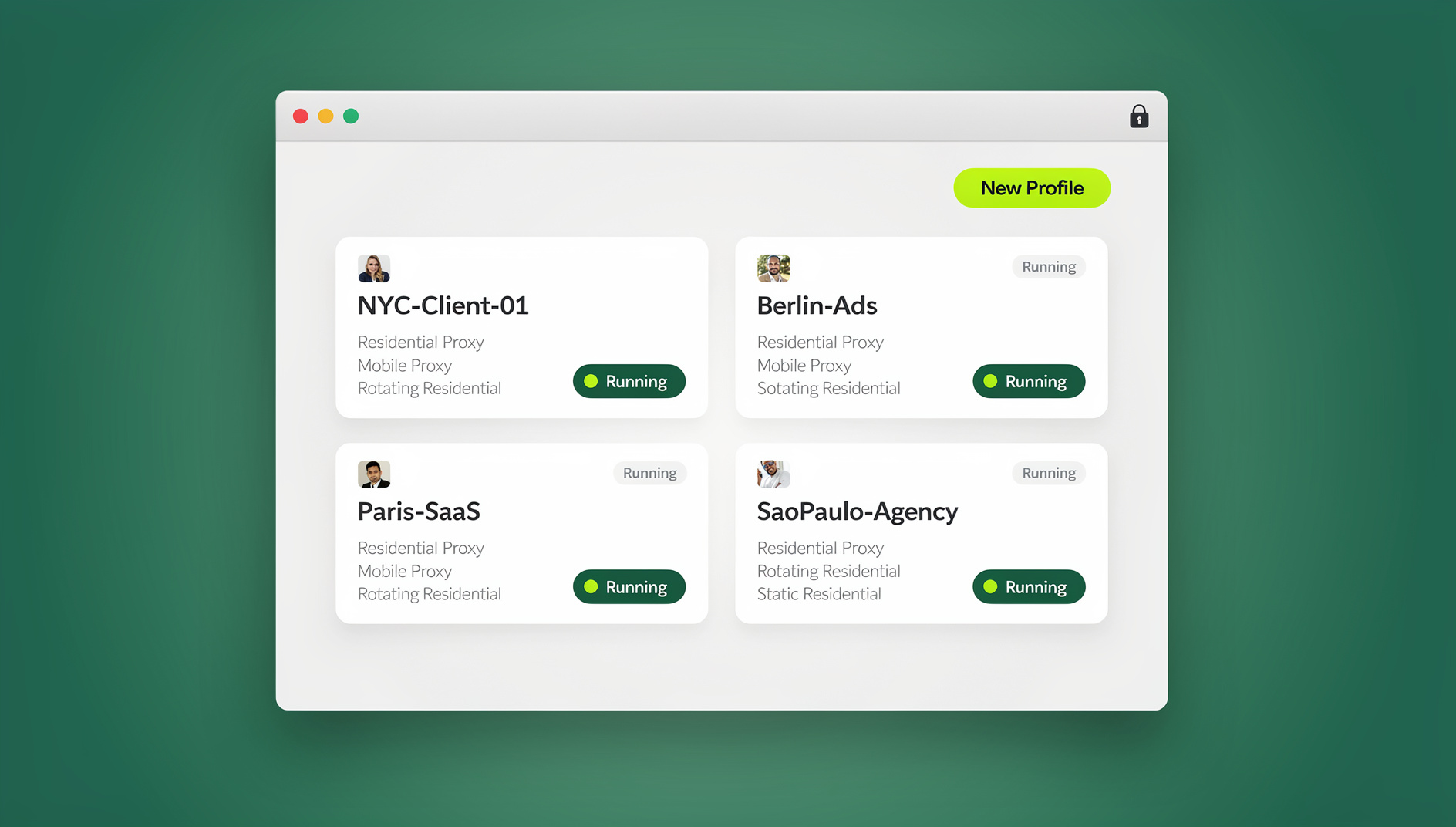
Managing multiple social media profiles gets fast and safe when every account runs in its own isolated session instead of one shared browser profile — that’s the core productivity fix Send.win provides. It separates cookies and logins per profile, lets you hand off a live session without sharing a password, and gives you the choice of a native desktop app or a fully cloud-based session, so brand accounts on X, Instagram, Facebook, LinkedIn, TikTok, YouTube, or Pinterest never bleed into each other.
Why managing multiple social profiles hits a productivity ceiling
Anyone running more than two or three social accounts eventually hits the same three walls:
- Context switching between profiles, tabs, and devices tanks throughput. A standard browser shares cookies and local storage across tabs, so juggling profiles risks “cookie bleed,” accidental cross-posting, and platforms flagging the account for suspicious login patterns.
- Credential sharing across teammates, freelancers, and clients is slow and risky. Passing a password in a spreadsheet or chat message is both a security problem and a compliance headache the moment someone leaves the team.
- Endpoint risk climbs as social managers click third-party tools, shortened links, and unfamiliar dashboards every single day — any one of which can compromise the device the whole team relies on.
A purpose-built multi-profile browser solves all three at once. Instead of duct-taping together separate browsers, private windows, and a spreadsheet of passwords, you get one workspace where every profile is genuinely isolated and access can be shared without ever exposing a login.
What Sendwin actually is (two ways to run isolated profiles)
Send.win gives you two ways to work, and the right one depends on how much you want running on your own machine versus entirely off it.
Sendwin Browser — the native desktop app
Sendwin Browser is a downloadable, native desktop application for Windows, macOS, and Linux. It’s local-first, meaning your sessions run on your own machine for full performance, while an encrypted cloud sync keeps your profiles, cookies, and settings backed up and available if you switch computers. This is the mode most social media managers land on once they’re running dozens of profiles daily, since it feels exactly like a normal browser but with clean separation between every account.
Cloud browser sessions — zero local install
If you’d rather not install anything, Send.win also runs entirely in the cloud. Each session executes on Send.win’s infrastructure and streams to whatever device you’re on, so nothing untrusted ever touches your laptop. Cloud sessions are metered by cloud browsing time rather than a flat monthly cap, which makes this option a good fit for occasional handoffs, quick reviews, or working from a shared or unfamiliar computer.
Both modes give you the same core benefit for social teams: one profile, one isolated environment, no shared cookies — whether that environment lives on your desktop or in the cloud.
Exactly how Sendwin lifts your daily output
1) Open every profile in its own session — no cookie clashes
A normal browser shares storage across tabs. Sendwin gives each profile a clean, separate environment, so you can run Brand A, B, and C at the same time on the same platform with zero conflicts. For anyone scheduling posts, moderating comments, and answering DMs across accounts, that alone saves hours a week and prevents the classic mistake of posting from the wrong account.
2) Switch accounts in one click
Move from Brand A to Brand B instantly — no logging out, no juggling browser profiles, no second browser window open just to keep accounts apart. It’s built into the workspace so you stay in flow instead of hunting for the right tab.
3) Share a session link — without sharing the password
Need a teammate to jump into a client inbox for an hour? Send them a session instead of a password. They get time-boxed access that you can revoke or extend whenever you like, and you can hide sensitive pages like billing before you hand it over. This is the same principle covered in our guide on how to share accounts securely without passwords, and it’s what makes onboarding a freelancer or agency partner painless instead of a security exercise.
4) Protect the device you’re working from
When you run cloud sessions, content executes remotely and only a safe stream reaches your screen. For social teams that click unfamiliar links, shortened URLs, and third-party dashboards constantly, that’s a meaningful layer of protection your regular browser doesn’t offer.
5) Keep identities and regions consistent
Attach a proxy to any session to keep IP and location signals clean per brand or market — useful for agencies running region-specific campaigns or checking how a page renders in a different country, without installing a system-wide VPN client.
6) Work from anywhere with synced profiles
Because your sessions sync to the cloud, you can log in from a different machine and pick up exactly where you left off. That matters for hybrid teams, on-call community moderation, or simply switching from your office desktop to a laptop at home.
Core features that save social teams hours every week
Parallel logins on the same platform
Open several accounts on the same network simultaneously — run creative tests, A/B different captions, or schedule across time zones without constantly re-authenticating or swapping browser profiles.
True session isolation
Each profile is its own environment with separate cookies and local storage, so tests stay clean and one account’s activity never contaminates another’s.
Session sharing with expiry controls
Hand off access with a timer — 30 minutes, an hour, a day — and it expires automatically. Extend it if the reviewer needs more time, or revoke it the moment the task is done.
Proxy support per session
Route individual sessions through the right IP and region to keep client accounts separated and localized feeds accurate, all configured inside the dashboard rather than through a separate VPN app.
Encrypted, sandboxed sessions
Session data is encrypted, and each profile is sandboxed from the others — so nothing one tab does can be read or influenced by another.
Real browser engine, not an emulator
Sendwin runs genuine browser sessions rather than a stripped-down emulation layer, which matters when social platforms serve complex, script-heavy pages that break in lightweight tools.
Isolated profiles for repetitive workflows
Sendwin gives each profile its own cookies, storage, sessions and fingerprint settings, so teams can work across dozens of profiles without clicking through the same posting or reporting steps in a shared browser identity.
Who gets the biggest productivity lift?
Marketers and advertisers
- Manage many ad accounts per platform without logging in and out all day.
- Coordinate regional campaigns and spot-check creatives across multiple feeds at once.
- Hand a live, logged-in session to a creative or compliance reviewer for sign-off — no password exchange required.
Agencies and e-commerce sellers
Agencies juggling several clients’ accounts at once benefit most from a multi-session cloud browser built for agencies, since each client gets a dedicated, isolated session with its own proxy and no risk of one client’s data touching another’s. E-commerce sellers running several storefronts get the same benefit: distinct sessions and IPs per store, with admin tasks kept safer through isolation instead of a shared browser profile.
SEO professionals and researchers
- Test rankings from different locations and profiles without cookie bleed skewing results.
- Run multi-location SERP or feed checks in isolated sessions side by side.
Developers, testers, and remote workers
- Spin up fresh environments for QA or staging tools without polluting local cookies.
- Reduce endpoint risk when visiting untrusted dashboards, staging links, or client previews.
Everyday power users
- Keep personal, freelance, and side-project accounts neatly separated in one workspace instead of three different browsers.
Real-world social workflows, rebuilt for speed
Content publishing at scale
Load brand accounts side by side, paste in copy variations, and schedule across time zones far faster than tabbing between profiles. Isolation guarantees a clean state for each platform’s native scheduler every time.
Community management and support
Open several inboxes in parallel, hand a session to a teammate for surge coverage during a launch, and let timers automatically end access when the shift is over. This applies just as well to managing multiple social profiles across Threads, Bluesky, and X, where fast-moving conversations mean several people often need simultaneous, safe access to the same brand account.
Competitive and creative monitoring
Keep separate identities and IPs for research sessions so platform heuristics don’t tie your monitoring activity back to a client or region. Proxies attach per session right inside Sendwin, with no extra client software.
Brand safety and compliance
Remote execution, sandboxed sessions, and revocable links reduce the blast radius if something goes wrong — a practical upgrade from password spreadsheets or one shared login passed around the team. For a broader look at consolidating your stack, see our roundup of social media management tools that pair well with session-based account handling.
Sendwin pricing for social media teams
Send.win offers paid plans starting at $19/mo, and your first card purchase is covered by a 7-day money-back guarantee, so you can test isolation and sharing on your real accounts before committing long-term.
| Plan | Price | Profiles | Proxy bandwidth | Automation | Seats |
|---|---|---|---|---|---|
| Pro | $19/mo ($6.99/mo billed annually — 63% off) | 150 | 5GB | Included | Individual |
| Team | $49/mo ($20.99/mo billed annually — 57% off) | 500 | 20GB | Included | 16 seats |
Solo marketers and freelancers running a handful of brand accounts typically fit comfortably on Pro, while agencies and in-house teams juggling client rosters and multiple approvers scale up to Team for the extra seats and bandwidth. Check the live pricing page for current details before you subscribe.
Getting started in three steps
- Sign up. Create your Send.win account and choose a paid plan — the first card purchase is covered by a 7-day money-back guarantee, and no local install is required to begin.
- Pick your plan. Start on Pro if you’re managing a personal roster of brand accounts, or go straight to Team if you need more seats and bandwidth for a growing agency.
- Launch your first session. Choose the native Sendwin Browser desktop app if you want local performance with encrypted cloud sync, or spin up a cloud session if you’d rather work with zero install — then log in to your first profile and start switching.
How Sendwin compares to old habits and alternatives
| Approach | Session isolation | Sharing without passwords | Setup effort |
|---|---|---|---|
| Multiple browsers or private windows | Partial — still shares some local state | No | High, manual |
| Shared passwords in a spreadsheet | None | No | Low, but risky |
| Sendwin (desktop app or cloud session) | Full, per profile | Yes, with expiring links | Low |
Running separate browsers or private windows for each brand still leaves some shared local state and doesn’t scale past a handful of accounts. Passing passwords around is fast to set up but creates a permanent security liability. Sendwin’s per-profile isolation, combined with the option to run locally through Sendwin Browser or entirely in the cloud, covers both the security gap and the collaboration gap in one workspace.
🏆 Send.win Verdict
If you’re managing more than two or three social accounts, the productivity math favors a dedicated multi-profile browser over juggling tabs, private windows, or a shared password doc. Sendwin’s per-profile isolation, password-free session sharing, and choice between a native desktop app and zero-install cloud sessions cover the whole workflow — from solo creators to agencies handling dozens of client accounts.
Try Send.win today — choose a paid plan covered by a 7-day money-back guarantee on your first card purchase, and launch your first isolated session in minutes.
Frequently asked questions
Do I need to install anything to use Sendwin?
No, not necessarily. You can install Sendwin Browser, the native desktop app for Windows, macOS, and Linux, if you want local performance with encrypted cloud sync. Or you can run a cloud session that executes entirely remotely and streams to your screen, with nothing installed on your device.
Can I run multiple accounts on the same network without conflicts?
Yes. Each profile runs in its own isolated session with separate cookies and storage, and you can add a proxy per session for clean IP separation if you need it.
How do I let a freelancer or teammate help without giving them my password?
Share a session link instead of credentials, set an expiry timer, and revoke access whenever the task is finished. The teammate works inside the live session without ever seeing the actual login.
What’s the difference between Sendwin Browser and a cloud session?
Sendwin Browser is a downloadable desktop app that runs locally with encrypted cloud sync, best for daily heavy use. Cloud sessions run entirely on Send.win’s servers with zero local install, metered by cloud browsing time, and are ideal for quick access from any device.
Can I automate posting or reporting across profiles?
No. Send.win does not offer an automation interface — there is no API, SDK, headless mode or Selenium/Puppeteer/Playwright support on any plan. Repetitive scheduling or reporting tasks are handled manually within each isolated profile.
Is there a free trial before I have to pay?
No, Send.win does not offer a free trial. Paid plans start at $19/mo, and your first card purchase is covered by a 7-day money-back guarantee, so you can test session isolation and sharing on your real accounts first.
Will Sendwin work for accounts I manage in different regions?
Yes. You can attach a proxy to any session to keep IP and location signals consistent for a given brand or market, which helps when checking localized feeds or running region-specific campaigns.
Is Sendwin better than just using separate browsers for each account?
For more than a couple of profiles, yes. Separate browsers still leave manual setup and some shared local state, while Sendwin gives every profile a fully isolated session plus the ability to share access without handing over a password.