The fastest way to save hours every week with social media management tools is to combine three habits: batch-scheduling content instead of posting ad-hoc, automating repetitive steps like link-tagging and reporting, and eliminating login friction across every account you manage. That last piece is the one most stacks miss — and it’s where a purpose-built browser like Send.win closes the gap.
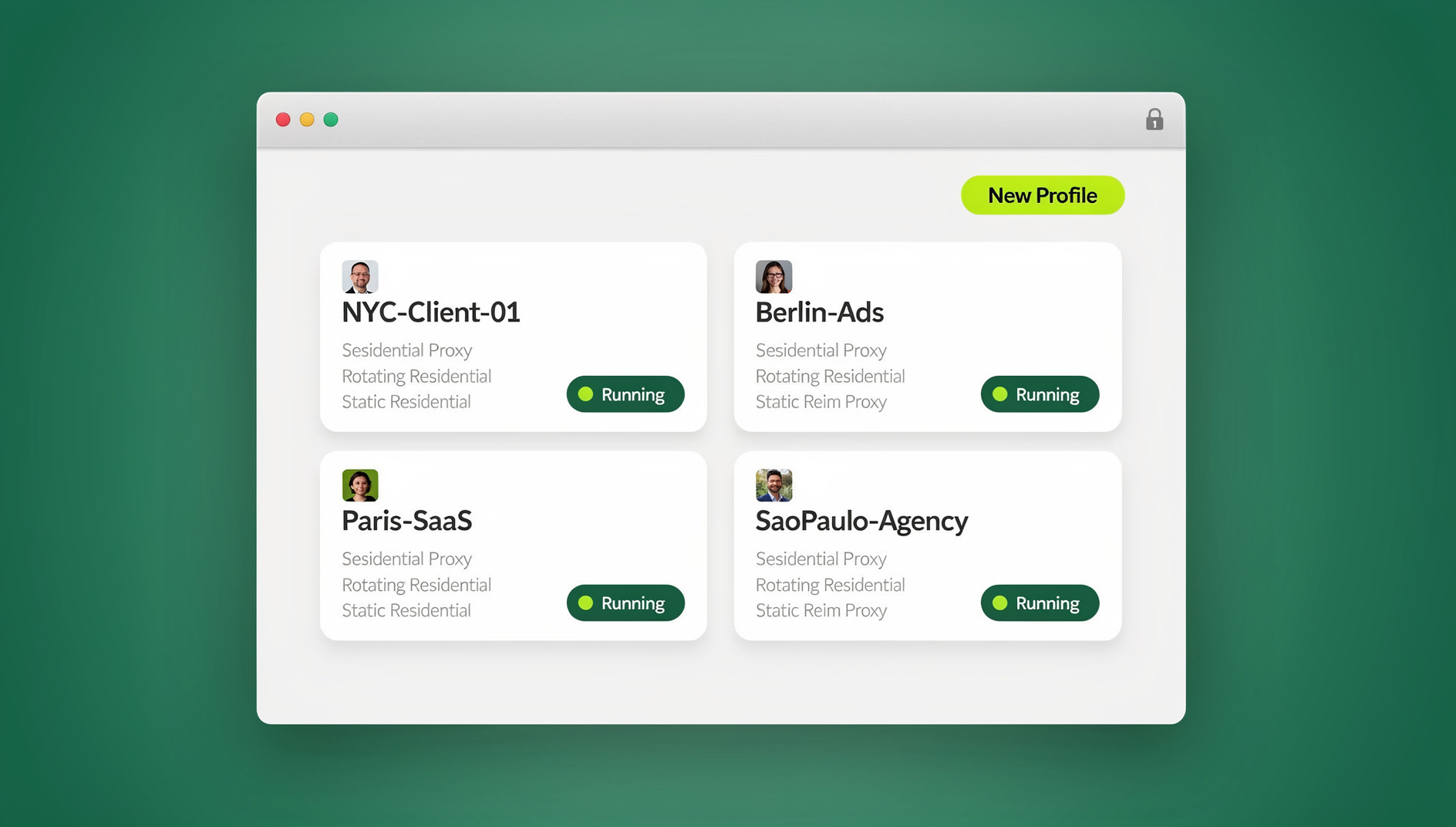
This guide walks through seven practical, low-effort changes you can make this week. We’ll cover scheduling pipelines, workflow automation, multi-account browsing, approvals without password sharing, faster research, creative templates, and reporting. Woven throughout is how Send.win — available as a native desktop app or as a zero-install cloud browser session — removes the account-switching tax that eats into every social manager’s day.
Why Time Slips Away in Social Work (and How to Stop It)
Social media work is interrupt-driven by nature: last-minute promos, customer replies, platform quirks, and cross-team approvals all compete for your attention. Reclaiming hours comes down to two levers:
- Batch what you can. Plan, prepare, schedule, and templatize content in dedicated blocks instead of piecemeal throughout the day.
- Automate what you repeat. Logins, link tagging, cross-posting, approvals, and reporting are all candidates for automation or tooling.
The seven tactics below help you do both, without adding new complexity to your day.
1) Build a Zero-Stress Scheduling Pipeline
A smart scheduling layer is your first line of defense against chaos. Instead of posting reactively, you batch-create content, queue it, and let it publish automatically at your best times.
How to Set It Up
- Content themes and slots. Define 5–8 repeatable categories (education, product, community, UGC, promo, behind-the-scenes) and assign each a publishing slot so planning becomes plug-and-play.
- Asset library. Keep captions, visuals, and hashtags organized so you can drag content straight into the queue.
- Bulk uploads. Use CSV or bulk-import tools to load a week’s worth of content in minutes.
- Approval rules. A simple creator-to-editor-to-approver flow removes last-minute bottlenecks.
Pro Tips
- Schedule evergreen posts on a repeating cadence so the queue never runs dry.
- Standardize UTM templates so every link is tracked the same way (more on this in Tip 7).
- Keep a “rainy day” folder of ready-to-use posts for slow content weeks.
The result: you trade frantic daily posting for one focused batch block — often 60–90 minutes — that fuels your entire week.
2) Automate the Repetitive Workflows You Do More Than Twice a Week
If a step happens more than twice a week, it’s a candidate for automation. Strong candidates include:
- Link shortening and UTM tagging
- Image resizing and format conversion for different platforms
- Cross-posting variants per network
- Social listening alerts by keyword or handle
- Report snapshots delivered on a fixed schedule
Small automations compound fast. Auto-tagging every link with a standard UTM template keeps reporting apples-to-apples. Repurposing a long caption into shorter variants for X or Threads saves the copy-paste cycle entirely. And no-code connectors (Zapier, Make) can move approved content straight into your scheduler, or route form responses into your replies queue, without a developer.
3) Run Multiple Brand Accounts in Parallel — Without Logging In and Out
For most social pros, account switching is the single biggest drag on the day. You juggle client pages, creator profiles, regional accounts, and test accounts — and platforms can flag you if sessions cross-contaminate cookies or device fingerprints.
This is where Send.win earns its keep. It gives every login its own isolated session — no shared cookies, no shared storage — so your Facebook client A, Instagram client B, and LinkedIn client C can stay open side by side without logging out of one to check another. There are two ways to run it, depending on how you work:
- Sendwin Browser (desktop app). A native, downloadable app for Windows, macOS, and Linux. It’s local-first, meaning your sessions live on your machine but sync to the cloud in encrypted form, so switching laptops doesn’t mean re-logging into everything.
- Cloud browser sessions. No install at all — the browser runs entirely in the cloud and streams to whatever device you’re on, metered by cloud browsing time. This is ideal for quick checks from a shared or unmanaged machine.
Why This Matters for Social Teams
- Session isolation per profile. Every brand or client account stays compartmentalized — ideal for agencies juggling both creator and brand roles.
- One-click account switching. Hop between accounts without re-entering credentials, keeping your focus on content and community instead of logins.
- Share the account, not the password. Grant a teammate or freelancer temporary access to a live session instead of handing over a password.
- Bring your own proxy. Assign a proxy per session to preview geo-targeted posts or ads without juggling a separate VPN.
Agencies handling several client brands at once often see the clearest payoff here — if you want the fuller picture of how ad teams keep client accounts separated, this piece on how marketers manage multiple ad accounts safely walks through the setup in more depth.
4) Collaborate With Guardrails: Approvals Without Password Sprawl
Whether you’re in-house or agency-side, collaboration usually starts with “who needs access?” Trading passwords over chat is both risky and slow. A better pattern is session-level collaboration:
- Share a live session link with a timer — 30 minutes, one hour, or a day — so a contractor can tweak a post or check a setting, with access expiring automatically.
- Blur or block sensitive pages (billing, admin, account recovery) before you share a session.
- Keep execution off the collaborator’s device. Because a shared cloud session streams remotely rather than running locally, there’s less exposure to malware or phishing during hand-offs.
You get control, security, and speed, without the password chaos that usually comes with agency collaboration. For teams that need a repeatable way to hand off access across a whole roster of freelancers, this breakdown of how to share app access without passwords covers roles and logs in more detail.
5) Research Faster: Listening, Ad Libraries, and Competitor Checks — Simultaneously
Deep work beats tab-toggling. Keep your listening dashboards, ad libraries, and competitor feeds open at once, each in its own isolated session:
- One session for your brand’s X or LinkedIn search queries
- Another for competitor profiles and ad libraries
- A third for your scheduling dashboard
- A fourth for analytics and UTM checks
Because Send.win’s cloud sessions run real browsers on real machines rather than emulators, your research tools render correctly and behave like a normal desktop session — while each one stays compartmentalized from the others. If you manage brands across regions, picking a nearby cloud endpoint (Americas, Europe, Asia) keeps latency low and previews accurate to what a local user would actually see.
Teams running the same playbook across five or ten networks at once tend to hit the same scheduling pitfalls; this rundown of mistakes to avoid when scheduling across multiple networks is worth a skim before you scale up.
6) Standardize Creative Production With Templates (and Light AI Help)
Templates compound time savings. Build caption frameworks, visual systems, alt-text patterns, and reply scripts once. From there, AI tools can help draft variants, shorten copy for different networks, or translate — while the underlying structure stays consistent.
Ways to Bake Speed Into Creative
- Maintain a brand voice matrix (tone, vocabulary, do’s and don’ts).
- Store hashtag banks per platform and region.
- Build reusable carousel and story layout templates.
- Pre-write promo post skeletons for launches and seasonal events.
- Use QA checklists for links, handles, disclosures, and accessibility (alt text, captions).
You’ll spend more time refining and less time reinventing from scratch every week — a shift that matters even more once you’re managing multiple social profiles securely across newer networks like Threads and Bluesky alongside the established ones.
7) Measure What Matters — Automatically
Dashboards shouldn’t require detective work. Set up a single source of truth that answers “what changed, and what should we do next?” at a glance.
Essentials
- UTM standards baked into every scheduled post (campaign, content, platform).
- Weekly roll-ups that land in your inbox or dashboard automatically.
- A compact engagement, reach, and conversion scorecard per channel.
- Goal-aligned metrics: if a panel doesn’t inform a weekly decision, it’s noise.
The result is consistent, comparable data that supports fast decisions instead of a scavenger hunt through five different platform dashboards.
What Send.win Actually Is
Social teams don’t just need scheduling and analytics — they need frictionless, safe access to multiple accounts every single day. That’s the specific problem Send.win solves. It comes in exactly two forms:
- Sendwin Browser. A native, downloadable desktop app for Windows, macOS, and Linux. It’s local-first — your sessions and profiles live on your device — with encrypted sync to the cloud so you can pick up where you left off on another machine.
- Cloud browser sessions. Run entirely in the cloud with zero local install, streamed to any device and metered by cloud browsing time. Ideal for quick, occasional access from machines you don’t want to configure.
Both modes give every login its own isolated profile, so cookies, storage, and fingerprints never bleed between accounts. Send.win has no automation interface — no API, SDK, headless mode or Selenium/Puppeteer/Playwright support on any plan.
Send.win Pricing: Pick the Right Plan
Send.win has no free trial, but the first card purchase is covered by a 7-day money-back guarantee, so you can test your actual social workflow before committing. You can also preview it for free in the cloud demo at send.win/demo-browser. Compare full plan details on the pricing page.
| Plan | Price | Profiles | Proxy Bandwidth | Automation API | Seats |
|---|---|---|---|---|---|
| Pro | $19/mo ($6.99/mo billed annually — 63% off) | 150 | 5 GB | Included | Individual |
| Team | $49/mo ($20.99/mo billed annually — 57% off) | 500 | 20 GB | Included | 16 |
For a solo social manager juggling a handful of client brands, Pro’s 150 profiles cover most workflows. Agencies running larger rosters, or teams that need to bring more than one or two people into shared sessions, typically outgrow Pro’s seat count and move to Team, which adds more profiles, more proxy bandwidth, and 16 seats.
A Sample “2-Hour Monday + 20-Minute Daily” Social Workflow
Monday (90–120 minutes)
- Plan themes for the week and assign them to your content calendar.
- Draft creatives (captions and visuals) using templates, preparing platform-specific variants.
- Batch-schedule posts with UTM templates applied.
- Open an isolated session for each brand or account in Send.win and pin the ones you’ll monitor closely.
- Share a temporary session with an approver for final checks, with a timer set and billing pages blurred if needed.
Daily (15–20 minutes)
- Triage mentions and DMs, keeping listening and replies in separate sessions for clarity.
- Spot-check analytics for anomalies — creative fatigue, CPM spikes, sudden drops.
- Make micro-pivots: swap a post, retarget a winner, pause a laggard.
- Expire shared sessions you no longer need and close out any high-risk test sessions.
This structure puts you in control of the week without living inside your scheduler around the clock.
Getting Started (Takes Minutes)
- Sign up. Create your account and pick a paid plan — your first card purchase is covered by a 7-day money-back guarantee.
- Choose your mode. Install Sendwin Browser for daily heavy use, or launch a cloud browser session for quick, occasional access with zero setup.
- Open isolated sessions. Create one session per account or brand and start working across all of them in parallel, without logging in and out.
🏆 Send.win Verdict
Scheduling and templates solve half the time-drain problem in social media management — the other half is logging in and out of a dozen accounts all day. Send.win closes that gap with isolated sessions for every brand and client, available either as a native desktop app with encrypted cloud sync or as a zero-install cloud browser session.
Try the Send.win cloud demo — a 3-minute preview without signup, 10 minutes a day with a free account.
FAQs
What’s the single biggest time-saver for social media managers?
Batch scheduling saves the most raw hours, but eliminating login friction across accounts saves the most frustration. Most social managers underestimate how much time disappears into logging out of one client account to log into another — a multi-session browser removes that step entirely.
How does Send.win keep accounts from cross-contaminating?
Every session is isolated — cookies, local storage, and browser fingerprints don’t carry over between accounts, so platforms see genuinely separate sessions rather than one account switching identities.
Can I share access with a freelancer without giving them my password?
Yes. Share a live session instead of credentials, set an expiry timer, and blur or block sensitive pages like billing or account recovery before you send the link.
Do I need the desktop app, or is the cloud browser enough?
If you manage accounts daily from your own machine, Sendwin Browser gives you local-first performance with encrypted cloud sync across devices. If you only need occasional or on-the-go access, a cloud browser session with zero install is usually enough, and it’s billed by cloud browsing time.
Can I automate scheduling checks or QA scripts with Send.win?
No. Send.win has no automation interface — no API, SDK, headless mode or Selenium/Puppeteer/Playwright support on any plan.
Do I need a credit card to try Send.win?
No. Send.win has no free trial; the first card purchase is covered by a 7-day money-back guarantee, and you can preview it for free in the cloud demo.
Which plan fits a small social team?
Pro covers most individual social managers and small agencies with 150 profiles and 5GB of proxy bandwidth. Teams managing more client brands, or needing more than a couple of seats, typically move up to Team for 500 profiles, 20GB of bandwidth, and 16 seats.