Managing multiple social media accounts gets messy fast because every extra login means another password, another set of cookies fighting for space in one browser, and another risk of posting to the wrong client’s page. Send.win solves this by giving every account its own isolated browser session — in a native desktop app or a fully cloud-hosted session — so ten or fifty accounts stay separated, shareable, and fast to switch between.
Why juggling multiple social channels breaks your workflow
If you run five, ten, or fifty social accounts across brands, clients, and regions, you already know the tax it takes on your day. Logging in and out, clearing cookies so one client’s dashboard stops showing another client’s data, hunting for the right tab, and re-explaining passwords to a new hire — none of that moves a campaign forward. It’s pure overhead, and it compounds every time you add another platform or another client.
The root problem is technical: a normal browser stores cookies, cache, and local storage per browser profile, not per account. Open two logins on the same platform in regular tabs and one of them will eventually log the other out, mix up analytics, or trigger a security flag for “suspicious activity.” Social platforms are increasingly aggressive about flagging multiple accounts that share a browser fingerprint, so the workaround (a pile of incognito windows, a second physical laptop, or a separate browser install per client) doesn’t scale either.
How Send.win fixes the multi-account chaos
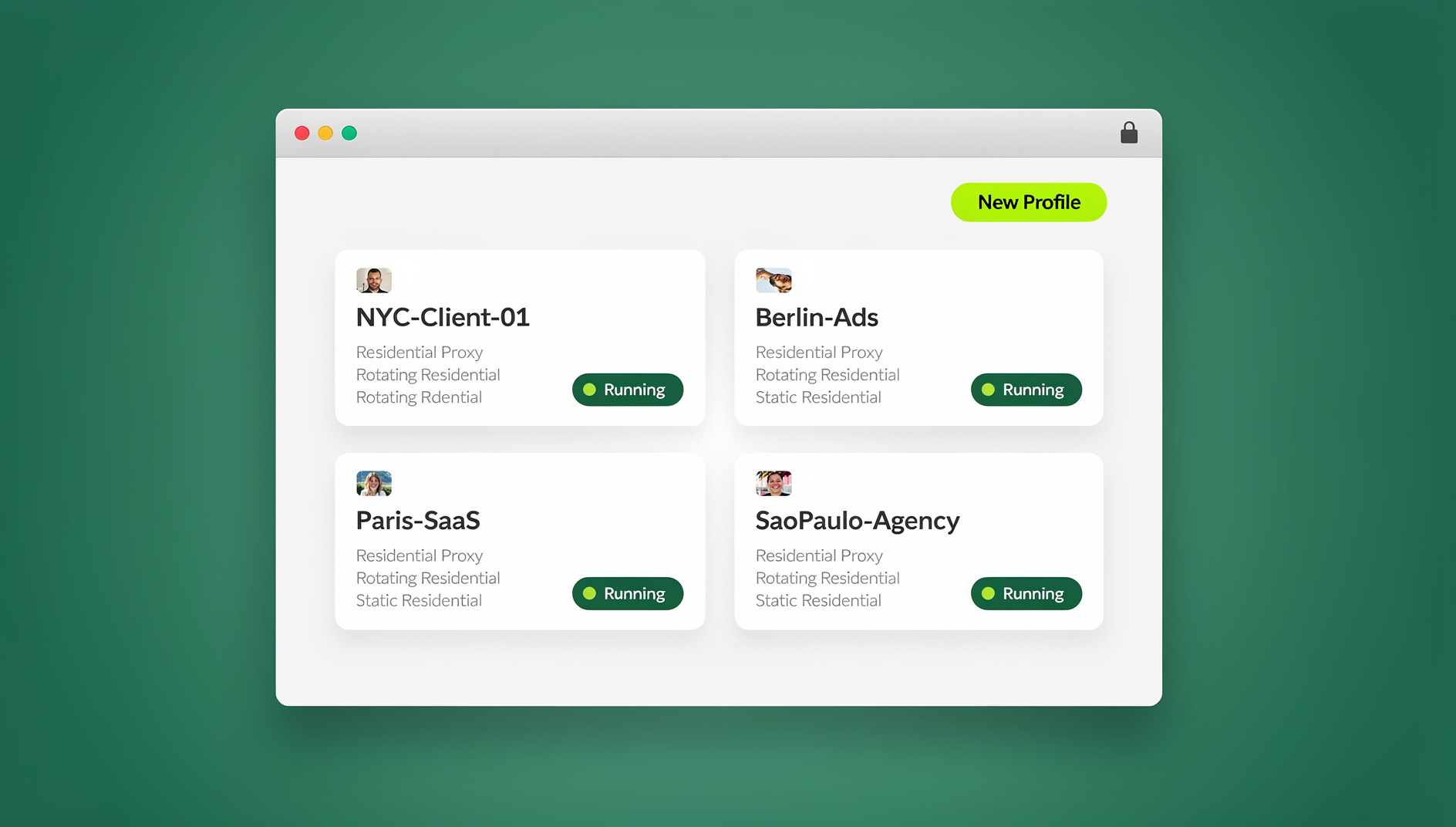
Send.win gives every account its own isolated session with separate cookies, cache, and storage, so nothing bleeds between logins. It works in two modes, and most social media managers end up using both:
- Sendwin Browser (desktop app): a native, downloadable application for Windows, macOS, and Linux. It’s local-first, meaning your sessions live on your machine for speed, and they sync to the cloud in encrypted form so you can pick up the same sessions from another device.
- Cloud browser sessions: fully hosted sessions that run entirely in Send.win’s cloud with zero local install. You open a browser tab, log in, and the entire session — including any proxy you attach — lives remotely. This mode is metered by cloud browsing time rather than a per-seat license, which makes it a good fit for occasional access, shared review sessions, or teams that don’t want anything installed on a laptop.
Because each session is isolated, you can have ClientA’s Instagram, ClientB’s LinkedIn Company Page, and your own X account all open and logged in simultaneously without any of them interfering with each other. Teams managing multi-login profiles for teams typically organize sessions by client or brand so nobody has to guess which login is active.
10 productivity hacks for managing multiple social channels with Send.win
1. Build client “workspaces” with named, color-coded sessions
Create a dedicated set of saved sessions per client or brand — one for organic posting, one for community management, one for ads. Use a consistent naming convention (ClientA_IG_Organic, ClientA_FB_CM, ClientA_Ads) and add an emoji or short tag for quick visual scanning. You’ll stop hunting for the “right” tab and open exactly what you need in seconds, and since each session is isolated, you can keep multiple versions of the same platform open at once without cross-contamination.
2. Time-box your day into single-click sprints
Batch work into 30–60 minute sprints — organic publishing, DM triage, ad QA — and switch sessions with a single click when the sprint ends. Context-switching is one of the biggest hidden costs in social media management; a fixed rotation of saved sessions keeps you from re-authenticating or hunting for tabs every time you change tasks.
3. Share access, not passwords
Instead of typing a client’s password into a spreadsheet or a Slack DM, share a logged-in session directly. A copywriter, designer, or client approver gets a secure, revocable link to the exact account they need — no credentials change hands, and you can cut off access the moment the project ends. This is the same approach covered in our guide to how teams share accounts without passwords, and it eliminates the credential sprawl that comes from juggling a dozen client logins in a shared document.
4. A/B test creatives safely with isolated sessions
Open two isolated sessions of the same platform and post different creative variants from different accounts in parallel. Because storage isn’t shared between sessions, trackers and cookies stay separated, which means cleaner analytics and no risk of one variant’s tracking pixel contaminating the other’s numbers.
5. Validate geo-targeted campaigns with a proxy — no VPN required
Attach a proxy to the session you use for ad previews and localized content checks so you can confirm how a post or ad renders from the audience’s actual region, without changing your device’s VPN settings or network. Our walkthrough on how to add a proxy to any session covers the setup in a couple of clicks — attach it once and the session keeps that location every time you reopen it.
6. Quarantine risky links and cold DMs
For untrusted links — cold outreach, DM attachments, sponsor inquiries you can’t verify — open a fresh cloud browser session instead of clicking through in your main account. Review the material, grab whatever you need, then close the session. Nothing from that link touches your main workspace or your device.
7. Build “publishing bundles” to post once, everywhere
Open every account you’ll post from today — LinkedIn Company Page, X, Instagram, YouTube Community — and save the group as a bundle of saved sessions. When content is approved, open the bundle and publish across every channel in one sitting instead of rebuilding your tab layout from scratch each time.
8. Lock down approvals with time-limited links
Give a client a time-limited link for a single review window instead of standing access. Keep billing and admin pages out of what they can see, and let access expire automatically when the window closes. If they need another look, re-share — there’s no new password or invite to issue.
9. Structure “morning ops” around a saved analytics pack
Save a group of sessions — Instagram Insights, Facebook Analytics, LinkedIn Analytics, YouTube Studio, your UTM dashboard — as a single pack you open first thing. You start the day with context instead of a scavenger hunt through bookmarks, and because sessions sync, you can open the same pack from a different machine without re-authenticating everywhere.
10. Standardize a “crisis mode” playbook
Pre-build a crisis pack: brand-owner accounts, agency admin logins, platform support portals, all pinned and ready. Keep a spare disposable session on hand for investigating unknown links or screenshots during an incident. Having these sessions ready before you need them shaves real minutes off a response when something goes wrong publicly.
Real-world use cases: who benefits most
Send.win is built for anyone who has to juggle more logins than a single browser profile can handle cleanly:
- Social media managers and agencies: run dozens of client accounts side by side without cross-contaminating cookies or triggering platform bot-detection.
- Marketers and advertisers: manage multiple ad accounts, coordinate region-specific campaigns, and check competitor pages from a clean session.
- E-commerce sellers: operate several storefronts across markets without the account-linking risk that comes from sharing a browser fingerprint. Our guide on managing multiple accounts from one browser goes deeper on the account-safety side of this.
- SEO professionals: check rankings and SERPs from different regions and browser profiles without swapping devices.
- Remote teams and freelancers: spin up an isolated session for a new client in seconds instead of provisioning a new laptop profile.
Security and privacy: what’s actually happening under the hood
Every Send.win session — whether it’s running in the Sendwin Browser desktop app or as a cloud session — is sandboxed from every other session on the same account. That isolation is what stops one client’s cookies from leaking into another client’s login, and it’s also what keeps a suspicious link from reaching your main device: a cloud session executes remotely and streams the result to you, so nothing from that page is downloaded or run locally.
Session data that syncs between your desktop app and the cloud is encrypted in transit and at rest, so a synced session isn’t sitting around as plain text on Send.win’s servers or in transit between your machine and the cloud. Because there’s no shared storage between sessions, cross-site tracking that relies on a shared browser fingerprint has nothing to latch onto — each session looks, to the sites you visit, like a separate browser entirely.
Automating repetitive social workflows
Once you’re running your accounts through isolated sessions, the next step for a lot of teams is keeping that work organised: scheduled posting checks, bulk data pulls, or QA passes that log into an account and verify a page renders correctly. Send.win has no automation interface — no API, SDK, headless mode or Selenium/Puppeteer/Playwright support on any plan — so these tasks stay manual, but each profile keeps its own cookies, storage and fingerprint, so work on ClientA’s Instagram session stays separate from ClientB’s.
Send.win pricing at a glance
Send.win has no free trial, but the first card purchase is covered by a 7-day money-back guarantee, so you can test the full workflow — desktop app, cloud sessions, and sharing — before committing to a plan. There’s also a free cloud demo at https://send.win/demo-browser/.
| Plan | Price | Profiles | Proxy bandwidth | Key features |
|---|---|---|---|---|
| Pro | $19/mo or $83.88/yr | 150 | 5GB | Session sharing, proxy support |
| Team | $49/mo or $251.88/yr | 500 | 20GB | 16 seats, advanced sharing controls |
Neither paid tier includes an automation interface, so routine checks stay manual on every plan — the difference between Pro and Team is mainly profile count, bandwidth, and seats.
Get started in 10 minutes
- Sign up: create your Send.win account and pick a paid plan — the first card purchase is covered by a 7-day money-back guarantee.
- Pick your mode: download the Sendwin Browser desktop app for Windows, macOS, or Linux if you want local-first speed with encrypted cloud sync, or launch a cloud browser session straight from your dashboard if you’d rather skip any install entirely.
- Create your first sessions: set up a saved session per client or account, attach a proxy where you need one, and start building the workspaces and bundles described above.
Put it all together: a daily Send.win routine
- Morning ops: open your saved analytics pack to grab performance snapshots across every channel.
- Content sprint: open your publishing bundle and push scheduled updates across accounts in one sitting.
- Community hour: work through DM and comment sessions in a fixed time box so you clear queues without over-investing.
- Ad QA: check geo-targeted creatives through proxy-attached sessions.
- Approvals: share time-limited access for final client sign-off, then let it expire automatically.
- Risky links: open a disposable cloud session for anything you can’t verify, so your main workspace stays clean.
🏆 Send.win Verdict
If you’re managing more than a handful of social accounts, the productivity hacks above only work because the underlying sessions are actually isolated. Send.win’s combination of a native desktop app for local-first speed and on-demand cloud sessions for zero-install access gives social teams both a fast daily driver and a safe way to hand off or quarantine accounts, without the cookie collisions and login juggling that come with stock browser tabs.
Try the Send.win cloud demo — a 3-minute preview without signup, 10 minutes a day with a free account.
Frequently asked questions
Do I need to install anything to use Send.win?
No. You can either download the Sendwin Browser desktop app for Windows, macOS, or Linux for a local-first experience with encrypted cloud sync, or skip any install entirely and run a cloud browser session directly from your dashboard.
How many social accounts can I realistically manage with Send.win?
It depends on your plan — Pro supports up to 150 profiles and Team supports up to 500 — but most social media managers organize accounts into workspaces by client or brand rather than trying to keep every profile open at once.
Will using Send.win get my social accounts flagged or banned?
Isolating sessions reduces the cookie and fingerprint collisions that often trigger platform security flags when multiple accounts share one browser profile. That said, you’re still responsible for following each platform’s own terms of service around multiple accounts.
Can I share a logged-in session with a client or teammate without giving them my password?
Yes. Send.win lets you share a session directly through a secure, revocable link, so a teammate or client can work in the account without ever seeing the password, and you can cut off access at any time.
Does Send.win support proxies for region-specific checks?
Yes. You can attach your own proxy to any session to preview how content or ads render from a specific region, without changing your device’s network settings.
Is there an API for automating social media QA or posting checks?
Send.win has no automation interface: no API, SDK, headless mode or Selenium/Puppeteer/Playwright support on any plan.
What does Send.win cost?
Pro is $19/mo or $83.88/yr and Team is $49/mo or $251.88/yr, and the first card purchase is covered by a 7-day money-back guarantee.
What’s the difference between the Sendwin Browser desktop app and a cloud browser session?
The Sendwin Browser is a native app you install locally; your sessions live on your machine for speed and sync to the cloud in encrypted form. A cloud browser session runs entirely on Send.win’s servers with nothing installed locally, and is metered by cloud browsing time rather than a seat license.