To safely manage 100+ X accounts from one browser, you need per-account session isolation instead of shared browser profiles: every account gets its own cookies, local storage, and optional proxy so nothing bleeds between logins. Send.win delivers this two ways — a native desktop app called Sendwin Browser, or metered cloud browser sessions with zero local install — letting agencies, e-commerce sellers, and social teams run large account fleets without duplicate laptops or policy-breaking automation.
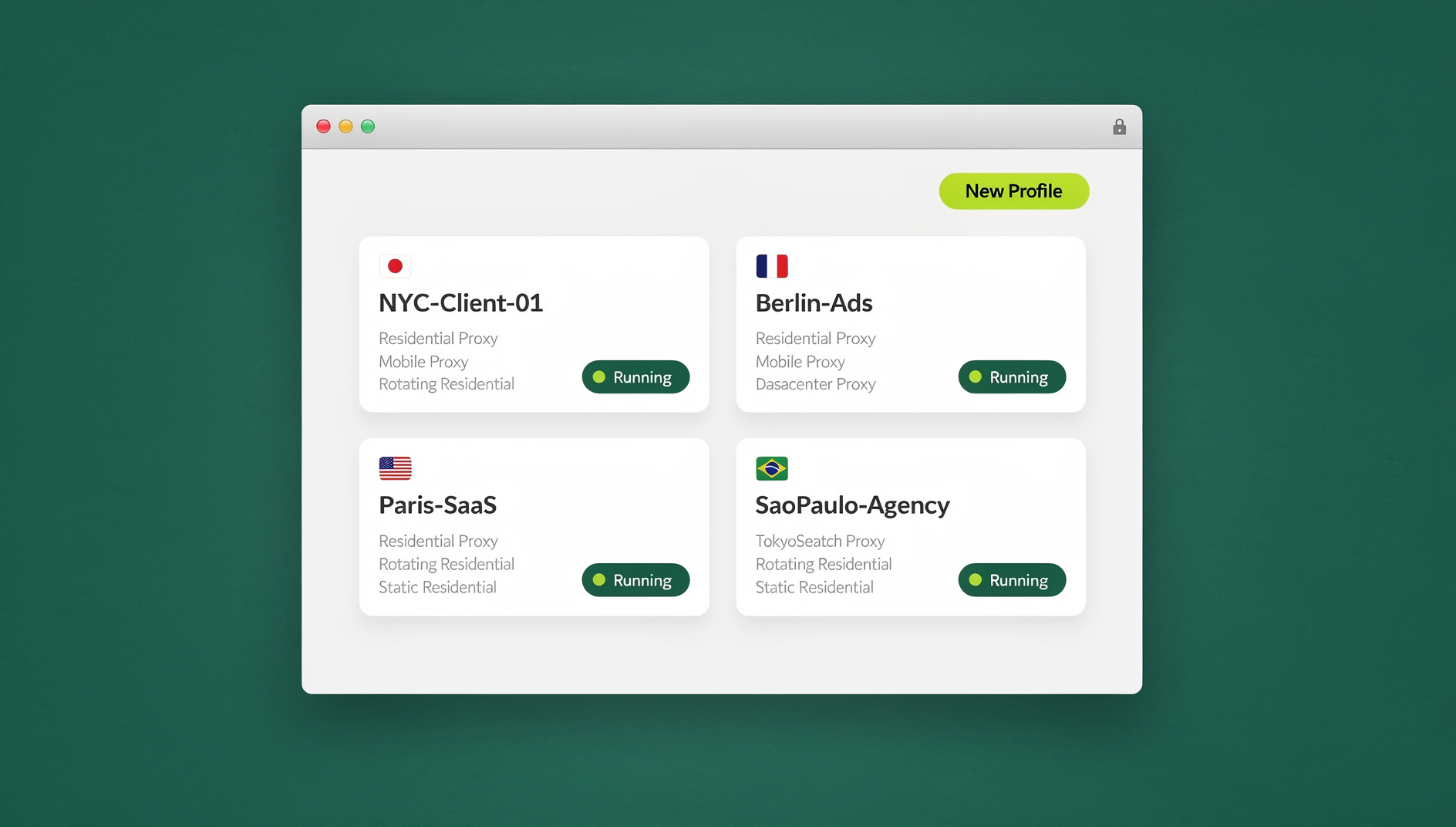
Why “one laptop, one profile” breaks down long before account 20
The extra-Chrome-profile-plus-incognito-plus-second-laptop routine works fine for three or four accounts. It falls apart fast after that. Chrome profiles still share underlying browser fingerprints in subtle ways, incognito windows forget everything the moment you close them, and juggling physical devices doesn’t scale past a single desk. Teams end up with mystery logouts, cross-posted content from the wrong handle, and hours lost to re-authentication. If you’re just standardizing your first handful of profiles, our guide on handling Twitter accounts in the same browser is a good starting point before you scale into fleet territory.
Once you cross into managing dozens of client brands, regional storefronts, or research accounts, you need infrastructure built for isolation at scale — not a stack of workarounds duct-taped onto a consumer browser.
Safety means compliance, not evasion
Before any tooling discussion, get the ground rules straight. “Safe” account management means staying inside X’s terms of service, not finding cleverer ways around them.
- X can restrict visibility or suspend accounts that circumvent technical limits, scrape without permission, or violate platform policies.
- Enforcement typically targets coordinated, repetitive posting across many accounts — identical tweets blasted at the same timestamp are an easy pattern to catch.
- Operate like a real team, not a bot farm: no mass DMs, no rate-limit dodges, no coordinated inauthentic behavior.
- Keep identities separated, content genuinely unique per account, and workflows human-supervised at the approval stage.
Every technique in this guide is aimed at reducing operational risk — mixed-up logins, leaked passwords, inconsistent IP signals — not at evading X’s rules.
The two ways Send.win runs isolated X accounts
Send.win gives you a choice of two architectures depending on how you work, and both solve the cookie-bleed problem that plagues shared browser profiles.
Sendwin Browser is a native, downloadable desktop application for Windows, macOS, and Linux. It’s local-first — your sessions run on your own machine for speed and control — with encrypted cloud sync so saved sessions, proxy assignments, and settings follow you across devices. This is the option most agencies and power users reach for when they want full local performance with the safety net of cloud backup.
Cloud browser sessions run entirely in Send.win’s infrastructure with zero local install. Nothing touches your device’s disk or fingerprint; you’re simply streaming a real, isolated browser session. Usage is metered by cloud browsing time, which makes this option ideal for occasional access, shared team logins, or working from a machine you don’t fully control (a client’s office, a shared workstation, a Chromebook).
| Mode | Where it runs | Best for | Install required |
|---|---|---|---|
| Sendwin Browser | Locally, on your Windows/macOS/Linux machine | Daily-driver account management, heavy tab counts | Yes — one-time desktop download |
| Cloud browser sessions | Send.win’s cloud infrastructure | Occasional access, shared/locked-down devices, quick handoffs | No — runs in-browser, billed by cloud browsing time |
Both modes give each X account its own isolated cookie jar and storage, so logging into Handle #47 never leaks a session token into Handle #12’s tab.
Building a workspace that scales to 100+ accounts
Think of your account fleet as a grid rather than a flat list of logins:
- Rows = brands or projects (Brand A, Brand B, client accounts, regional storefronts).
- Columns = roles or workflows (publishing, community management, listening, ads/reporting).
- Cells = individual Send.win sessions, each with its own cookie jar, storage, and optional proxy.
Create labeled session sets per brand, assign a default proxy that matches the brand’s operating region, and pre-load whichever tools that brand uses — X itself, a scheduler, an analytics dashboard. Read more about how this separation actually works under the hood in our breakdown of session isolation and why it beats shared-profile browsing for anyone running multiple accounts. This model scales linearly: onboarding a new client means spinning up a new session set, with zero changes to existing brands.
Proxies and device signals: consistency, not trickery
The goal with proxies is stability, not deception.
- Use a per-session proxy to keep each account’s location signal stable. Avoid rapid IP hopping, which reads as suspicious to any platform’s trust systems.
- Prefer reputable residential or high-quality datacenter proxies over free or shared ones.
- Match the proxy’s region to where the brand or account genuinely operates — don’t spoof for deception, choose boring, truthful signals.
- Keep the underlying browser current. Sendwin Browser ships regular updates so sessions look like a normal, modern browser on the open web.
Send.win’s Pro plan includes 5GB of proxy bandwidth per month, and Team steps that up to 20GB — plenty of headroom for a fleet of accounts browsing and posting on a normal cadence. If you’re comparing dedicated proxy tooling outside of Send.win, our roundup of proxy browsers covers the trade-offs between free and paid options in more depth.
Content strategy: the real way to avoid restrictions
Most enforcement actions trace back to inauthentic behavior — duplicate content, coordinated bursts, mass replies, DM spam, or automation that games engagement. Address the content layer, not just the technical layer:
- Unique content per account. Never post identical copy at the same time from multiple handles. Rewrite, reschedule, or rotate the format.
- Cadence, not bursts. Spread activity across normal business hours and the account’s own time zone.
- DMs stay opt-in. No unsolicited DM campaigns across the fleet.
- Human in the loop. Automate drafting and scheduling, but keep approvals and replies human.
- Respect rate limits and UI constraints. If X’s interface or API restricts a flow, that’s a signal to slow down, not a wall to climb over.
- Run periodic compliance reviews, especially for regulated industries where a policy slip carries real consequences.
Managing large account fleets with Send.win
Some workflows genuinely need automation — QA checks across dozens of storefronts, scheduled data pulls, or scripted regression tests against your own accounts. Send.win does not offer an automation interface: there is no API, SDK, headless mode or Selenium/Puppeteer/Playwright support on any plan. For routine, low-risk tasks, keep a human in the loop and use Send.win’s isolated profiles to organise your work.
The important distinction: this automates your own browser sessions for legitimate operational work — think automated login-state checks or scheduled screenshot audits — not mass engagement, mass DMs, or anything that mimics coordinated inauthentic behavior on X. Treat automation as a way to remove repetitive clicking from your own workflow, with a human still reviewing anything that gets published.
A scale-ready operating workflow for 100+ accounts
1) Structure your workspace
- Create a folder or label per brand (e.g., “Brand-Alpha”).
- Spin up sessions for publishing, community management, listening, and ads/reporting.
- Attach the brand’s default proxy to each session.
- Pre-authenticate the tools your team uses so everyone is one click from “ready.”
2) Publish and schedule without tripping alarms
- Build genuinely distinct variants for any cross-account campaign — different hooks, CTAs, hashtags, and media.
- Treat your scheduler as a draft box; require human approval before anything sensitive goes live.
- Avoid bot-driven follow/like/DM churn — it’s a classic pattern platforms flag.
3) Community management across many inboxes
- Work in parallel across a manageable number of brands at a time — 6 to 12, or whatever your team can genuinely give attention to.
- Keep suspicious links and unfamiliar sites at arm’s length from your primary device.
- For coverage spikes, hand a colleague temporary access to the exact session they need rather than the password.
4) Share access, never share passwords
Password sprawl is one of the biggest risks in a 100-plus-account operation — spreadsheets, shared password managers, and Slack DMs full of credentials are a breach waiting to happen. Instead, share the logged-in session itself with time-boxed, revocable access. Our guide to how teams share accounts without sharing passwords walks through the access-control model in detail — the short version is that you grant someone a session, not a credential, and you can cut it off instantly when the shift or contract ends.
Send.win pricing for X account fleets
Send.win has no free trial; paid plans start at $19/mo, and your first card purchase is covered by a 7-day money-back guarantee, so you can validate your workspace structure and proxy setup before committing long term.
| Plan | Price | Profiles | Proxy bandwidth | Automation API | Seats |
|---|---|---|---|---|---|
| Free trial | $0 for 30 days, no card needed | Limited | Included | — | 1 |
| Pro | $19/mo ($6.99/mo billed annually — 63% off) | 150 | 5GB | Yes | 1 |
| Team | $49/mo ($20.99/mo billed annually — 57% off) | 500 | 20GB | Yes | 16 |
For a 100-account fleet, Pro’s 150 profiles technically covers you, but most agencies running that many live X accounts alongside other platforms find Team’s 500 profiles and 16 seats a more comfortable ceiling — especially once you factor in separate sessions for publishing, listening, and reporting roles per brand.
Common pitfalls and how Send.win addresses them
| Pitfall | Why it happens | Fix |
|---|---|---|
| Accidental cross-posting | Shared browser profile, no visual separation between accounts | Per-session isolation with clear labels for each brand and role |
| Password sprawl | Credentials copied into spreadsheets, chat, or shared vaults | Share the live session, not the password, with a revocable timer |
| Risky links from mentions/DMs | Untrusted content opened directly on the primary device | Run community management in isolated sessions, away from your main endpoint |
| Frequent re-authentication | Inconsistent IP region per account triggers extra verification | Stable per-session proxies matched to each account’s real region |
| Human error under load | Too many people with standing access to too many accounts | Time-boxed, revocable session sharing instead of permanent logins |
Getting started in three steps
- Sign up. Visit send.win and create your account.
- Pick a plan. Start with the free cloud demo to see how it works, or go straight to Pro or Team if you already know your fleet size.
- Choose your mode. Download Sendwin Browser for daily-driver, high-volume account management, or launch a cloud browser session when you need zero-install, occasional access. Create labeled sessions per brand, attach proxies, and invite teammates with time-boxed access.
🏆 Send.win Verdict
Managing 100+ X accounts safely comes down to isolation, consistency, and access control — not clever workarounds. Send.win covers all three: Sendwin Browser gives you a native, local-first desktop app with encrypted cloud sync for daily-driver account management, while cloud browser sessions handle occasional or shared-device access with zero install. Add per-session proxies and session sharing that never exposes a password, and you have an operationally sound way to run a large X account fleet.
Try the free Send.win cloud demo — a 3-minute preview without signup, or 10 minutes a day with a free account, and set up your first isolated X sessions in minutes.
Frequently asked questions
Is it against X’s rules to run 100+ accounts from one browser?
Running multiple accounts isn’t itself against the rules — X permits legitimate multi-account use for brands, agencies, and creators. What gets accounts suspended is coordinated inauthentic behavior: identical posts, mass DMs, engagement bots, or scraping. Isolation tools like Send.win reduce operational risk, but the content and behavior policies still apply to every account equally.
What’s the difference between Sendwin Browser and cloud browser sessions?
Sendwin Browser is a native desktop app you install on Windows, macOS, or Linux; it runs locally with encrypted cloud sync for your saved sessions. Cloud browser sessions run entirely on Send.win’s infrastructure with no local install at all, and are billed by cloud browsing time. Most heavy daily users prefer the desktop app; occasional or shared-device access is where cloud sessions shine.
How do per-session proxies help with X account safety?
A per-session proxy keeps an account’s IP and region signal stable over time, which reduces unnecessary re-authentication prompts and location-mismatch flags. It’s a stability measure, not a way to spoof identity — the region you choose should genuinely match where the account or brand operates.
Can I automate posting or checks across my X accounts?
No. Send.win has no automation interface — no API, SDK, headless mode or Selenium/Puppeteer/Playwright support on any plan. For legitimate tasks such as login-state checks or scheduled QA, keep a human in the loop, and use Send.win’s isolated profiles to organise your work.
How many team members can access a Send.win account fleet?
The Pro plan supports a single seat, while Team includes 16 seats along with 500 profiles and 20GB of proxy bandwidth — sized for agencies and social teams managing many brands and accounts in parallel.
What happens if I share a session and then need to revoke access?
Session sharing in Send.win is time-boxed and revocable: you grant a teammate access to a specific logged-in session for a set window, and you can cut off that access immediately without ever having shared the underlying password.
Do I need a credit card to try Send.win?
No. Send.win has no free trial. Paid plans start at Pro ($19/mo or $83.88/yr) and Team ($49/mo or $251.88/yr), and your first card purchase is covered by a 7-day money-back guarantee. If you want to see it first, the free cloud demo at https://send.win/demo-browser/ gives you a 3-minute preview without signup, or 10 minutes a day with a free account.