Send.win enables anonymous browsing by running every login in its own isolated profile — either inside its native desktop app or as a fully remote cloud session — with its own cookies, fingerprint, and optional proxy IP. No single profile, tracker, or WebRTC leak can tie your activity back to you or link your other accounts together.
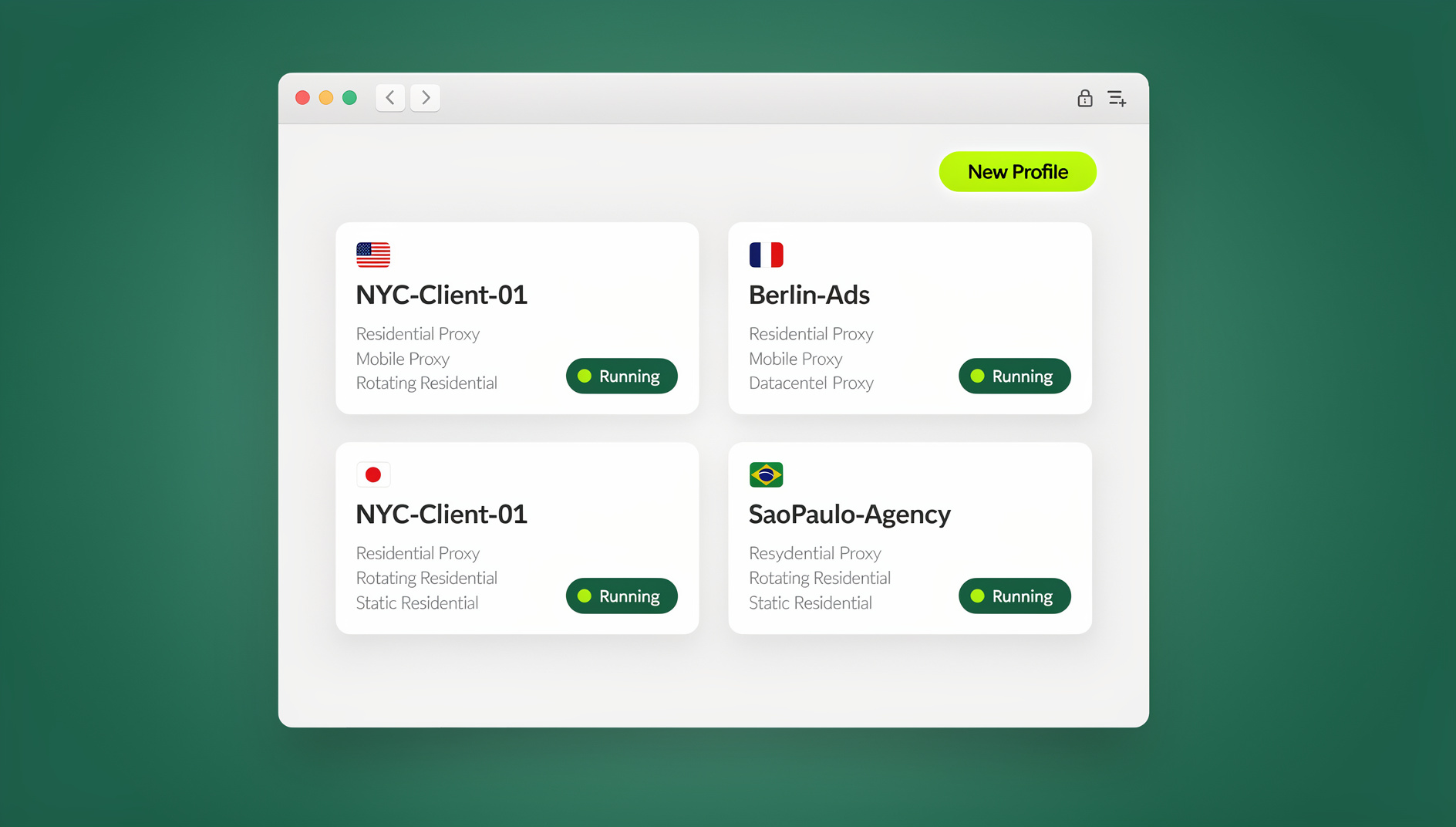
Anonymous browsing isn’t the same thing as opening an Incognito tab. Modern tracking blends cookies, device fingerprints, IP and geo hints, and even WebRTC details to recognize you across sessions. Clear your cookies and you’ll still look unique if your fonts, canvas, WebGL, audio stack, and timezone match a profile a site has already seen.
There’s another common pitfall: WebRTC. A misconfigured setup can reveal your real IP even while a VPN is active. And because third-party cookies are still widely used in 2026, cross-site tracking hasn’t gone away either. The practical takeaway: real anonymity needs layered defenses — isolation, network identity control, and fingerprint separation — not just a “private” browsing window.
Why “private mode” alone isn’t enough in 2026
Incognito and private-browsing modes were designed to solve one narrow problem: stop your browser history and local cookies from persisting on a shared device. They were never built to defeat fingerprinting, hide your IP, or stop cross-site tracking. Close the private window and your device’s canvas rendering, installed fonts, screen resolution, GPU signature, and dozens of other passive signals are exactly the same as they were five minutes ago — which is often enough for a tracking script to recognize you as the same visitor.
The same is true of a VPN used on its own. A VPN swaps your visible IP address, which is genuinely useful, but it does nothing to change your browser’s fingerprint, and it can be undermined entirely by a WebRTC leak that broadcasts your real IP through STUN/TURN requests regardless of what your VPN client shows you. Real anonymous browsing in 2026 means controlling all three layers at once: where the browser executes, what each session can see of your other logins, and which network identity it presents to the outside world.
Meet Send.win: two ways to browse without a trace
Send.win gives you two ways to run an isolated, anonymous browsing session, and which one you reach for depends on the job.
The first is Sendwin Browser, a native desktop app for Windows, macOS, and Linux. It’s local-first — the browser itself runs on your machine — with encrypted cloud sync keeping your profiles, cookies, and proxy assignments backed up and available across devices. This is the mode most people reach for day to day: fast, familiar, and still fully partitioned at the profile level.
The second is a cloud browser session. Instead of running on your device at all, the browser executes entirely on remote infrastructure and streams the page to you, with zero local install required. Nothing from that session — no cookies, no cache, no download history — ever touches your laptop. Cloud sessions are billed by cloud browsing time, which makes them a good fit for one-off anonymous research, sharing a live session with a teammate on a machine that shouldn’t retain anything, or working from a device you don’t fully trust.
Both modes share the same underlying architecture: every profile gets its own session isolation, its own fingerprint surface, and — if you attach one — its own proxy. That consistency is what makes the eight capabilities below work whether you’re running the desktop app or a cloud session.
8 ways Send.win enables real anonymous browsing
1. Choose local-first or zero-footprint, depending on the task
Because Send.win offers both the native desktop app and cloud sessions, you get to pick how much of the browsing happens on your own hardware. Run Sendwin Browser locally when you want speed and offline resilience with encrypted sync in the background. Spin up a cloud session instead when you specifically want nothing left behind on the device you’re using — no cookies, no cache, no credentials, and no local trace for anyone (or anything) with access to that machine to find later.
Why it matters: A one-size-fits-all approach forces a tradeoff between convenience and footprint. Being able to choose per task means you’re never stuck running sensitive research on a machine that keeps a copy, or doing routine daily work in a mode that requires network access every time.
2. Per-profile isolation of cookies, cache, and storage
Every Send.win profile is its own clean slate. Cookies and local storage never mix between profiles, which prevents cross-account contamination and limits cross-site tracking, since a script running in one profile has no way to read what happened in another. On the Pro plan you get up to 150 of these isolated profiles, and Team scales that to 500 — enough to keep a genuinely large set of accounts, clients, or research identities fully separated.
Why it matters: Isolation is the direct antidote to cookie-based tracking and multi-login chaos. Third-party cookies are still common in 2026, so keeping storage separated at the profile level remains one of the highest-leverage things you can do for anonymous browsing.
3. Fingerprint isolation and control per profile
A VPN hides your IP, but it doesn’t touch your browser fingerprint — the combination of fonts, canvas rendering, WebGL output, audio stack, and dozens of other configuration details that can uniquely identify a browser even with cookies cleared. Send.win keeps each profile’s fingerprint isolated from every other profile, so activity in one identity doesn’t bleed a recognizable signature into another.
Why it matters: Sites increasingly rely on browser fingerprint matching precisely because cookies are easy to clear and fingerprints are not. Separating fingerprint surfaces across tasks makes it far harder for anyone to stitch your different identities back together.
4. IP and location control per profile, with real proxy bandwidth
Attach a proxy to a single profile, choose a region, or bring your own proxy provider — your visible IP and location become accurate for the job at hand while staying fully decoupled from your real network. Pro plans include 5GB of proxy bandwidth and Team plans include 20GB, which covers everything from spot-checking a handful of geographies to running sustained multi-region work across a whole team.
Why it matters: Anonymous browsing isn’t just about hiding your IP — it’s about presenting the right IP for the job. Need to see local search results in Paris while checking ads in Tokyo and a storefront in Chicago, all without cross-contaminating any of them? Give each profile its own location and keep every identity clean, even when several geographies are running side by side.
5. WebRTC leak resistance by design
WebRTC can reveal your real IP address via STUN/TURN requests, bypassing some VPNs entirely if it isn’t handled correctly. With Send.win, WebRTC traffic originates from the session’s own network identity — whether that’s the desktop app’s local connection or the cloud session’s infrastructure, plus whatever proxy is attached — never from a mismatched local ISP address underneath a VPN tunnel.
Why it matters: This closes one of the most common WebRTC leaks gaps in DIY privacy setups. When the IP exposed by WebRTC always matches the session’s chosen identity instead of your physical network, you avoid the “how did that site know my real location” moments that undo an otherwise careful setup.
6. Credential-less collaboration: share access, not passwords
Instead of pasting usernames and passwords into chat, you can share a live session link with a teammate, set an expiry timer on that access, and blur or block sensitive pages — billing, payouts, admin panels — before anyone else sees the screen.
Why it matters: Anonymous browsing is also about limiting attribution trails. If a teammate never actually touches the password, you reduce how far a credential can spread, simplify offboarding, and shrink the blast radius if a shared laptop or link is ever compromised.
7. Strong encryption and isolated execution
Send.win uses AES-256 for symmetric encryption and RSA-2048 for key exchange, and profiles are sandboxed from one another whether they’re running locally in the desktop app or remotely in a cloud session. Data syncing between the desktop app and the cloud is encrypted before it ever leaves the device.
Why it matters: “Private” browsing isn’t private if a platform can casually read your cookies, or if malware on a shared device can scrape session tokens sitting in plain storage. Encryption-first sync and sandboxed profiles make both of those common failure modes much less likely.
8. Built for multi-account privacy, governance, and automated testing
The core idea behind Send.win is one tool, many isolated identities — with profile-level separation so teams can work across dozens or hundreds of logins without cross-polluting any of them. Marketers running parallel ad accounts, SEO teams checking managing multiple ad accounts across regions, e-commerce sellers operating several storefronts, and developers or QA testers all lean on the same underlying isolation model. For testers specifically, Send.win’s Automation API — available starting on the Pro plan — lets you drive the desktop app with standard tools like Selenium, Puppeteer, or Playwright, so repeatable, scripted test runs get the same clean, isolated profile as a human session would.
Why it matters: Anonymity and account hygiene are much easier when the tool is built for it from the start. Instead of juggling multiple local browser installs, wiping profiles manually, or hoping yesterday’s session data didn’t bleed into today’s, you get governed, partitioned, shareable, and scriptable sessions out of the box.
How Send.win compares to common “privacy” tactics
| Approach | Local footprint | Fingerprint control | IP / WebRTC alignment | Safe sharing |
|---|---|---|---|---|
| Incognito / private mode | Reduced, but code still runs on your device | None | None — real IP and WebRTC exposed | No |
| Multiple local profiles or a second browser | Still runs on your machine | Weak — shares OS/hardware signals | None by default | No |
| VPN alone | Full local footprint remains | None | IP changes, but WebRTC can still leak | No |
| Send.win desktop app | Local, but profile-isolated and encrypted | Isolated per profile | Aligned per profile, with optional proxy | Yes — timed links, blur |
| Send.win cloud session | None — nothing touches your device | Isolated per session | Aligned to the session/proxy identity | Yes — timed links, blur |
Step-by-step: get anonymous quickly with Send.win
- Pick a mode. Install Sendwin Browser for day-to-day local-first work, or start a cloud session when you want zero local footprint.
- Create a profile and name it by task or client so it’s easy to track later.
- Attach a proxy if you need a specific region or country for that profile.
- Log in. That login stays inside that profile only — nothing bleeds into any other session.
- Share safely if needed. Send a session link, set an expiry timer, and blur any sensitive pages first.
- Close or keep the session. Wrap up a cloud session when you’re done, or leave a desktop profile saved for next time — either way, nothing leaks across profiles.
Pricing: what anonymous browsing with Send.win actually costs
Send.win offers a 30-day free trial with no credit card required, so you can test both the desktop app and cloud sessions before committing to a plan.
| Plan | Monthly price | Billed annually | Profiles | Proxy bandwidth | Automation API | Seats |
|---|---|---|---|---|---|---|
| Pro | $19/mo | $6.99/mo | 150 | 5GB | Included | 1 |
| Team | $49/mo | $20.99/mo | 500 | 20GB | Included | 16 |
Both paid tiers include the Automation API, so scripted, repeatable testing isn’t locked behind the higher Team tier — it’s available to solo users and small teams starting on Pro.
🏆 Send.win Verdict
If you want anonymous browsing you can actually use every day, you need isolation at multiple layers: where the browser runs, what each profile can see, which IP it presents, and how its fingerprint behaves. Send.win covers all four — with a native desktop app for local-first work and a zero-footprint cloud session for when nothing should touch your device — plus per-profile proxies, encrypted sync, and password-free sharing.
Try Send.win free today — start your 30-day trial, no credit card required, and see how isolated, anonymous browsing feels in practice.
Frequently asked questions
What exactly makes Send.win’s browsing anonymous?
Per-profile isolation of cookies and storage, fingerprint isolation between profiles, IP and proxy control per profile, and WebRTC traffic that always matches the session’s chosen identity rather than your real network.
Is Send.win a VPN?
No. A VPN only changes your visible IP address. Send.win adds profile isolation, fingerprint separation, and optional per-profile proxies on top of that, which closes gaps — like WebRTC leaks — that a VPN alone doesn’t address.
Should I use the desktop app or a cloud session?
Use Sendwin Browser, the native desktop app, for regular day-to-day work where you want speed and encrypted sync across your own devices. Use a cloud session when you specifically need zero local footprint — for example, working from a shared or untrusted device.
Can websites detect that I’m using an isolated browsing tool?
Some sites try to detect unusual environments, and no tool can guarantee 100% undetectability. Send.win focuses on genuine isolation plus realistic browser behavior rather than making promises it can’t keep. Always follow each site’s terms of service.
Does Send.win block trackers automatically?
Profile isolation and the absence of shared storage between profiles substantially reduce cross-site tracking on their own. You can still run additional tracker-blocking tools inside a given profile if you want an extra layer.
How much does Send.win cost, and is there a free trial?
There’s a 30-day free trial with no credit card required. After that, Pro is $19/mo ($6.99/mo billed annually — 63% off) with 150 profiles and 5GB of proxy bandwidth, and Team is $49/mo ($20.99/mo billed annually — 57% off) with 500 profiles, 20GB of bandwidth, and 16 seats. Both plans include the Automation API.
Can I automate testing inside Send.win?
Yes. Starting on the Pro plan, the Automation API lets you drive the desktop app with standard tools such as Selenium, Puppeteer, or Playwright, so scripted test runs get the same isolated, clean profile a human session would use.
Does third-party cookie deprecation make this less necessary?
Not really. Cross-site cookies are still widely used across the web in 2026, so profile-level isolation continues to matter a great deal for anyone managing more than one identity or account.
If you want anonymous browsing you can rely on without friction, you need isolation at multiple layers: where the browser runs, what each profile can see, which IP it presents, and how its fingerprint behaves. That’s the practical privacy Send.win delivers in 2026 — a native desktop app for local-first work, zero-footprint cloud sessions when you need them, per-profile proxies, encrypted sync, and collaboration without passwords.