Chrome Profiles are fine for splitting personal and work browsing on one trusted laptop, but they don’t give you real security isolation, per-session proxy control, or a way to share a login without handing over the password. Sendwin vs Chrome Profiles comes down to scale: stick with Chrome Profiles for a handful of personal accounts, and move to Sendwin’s native desktop app or cloud browser sessions once you’re juggling dozens of client logins, need to share access without sharing credentials, or want per-session IP control.
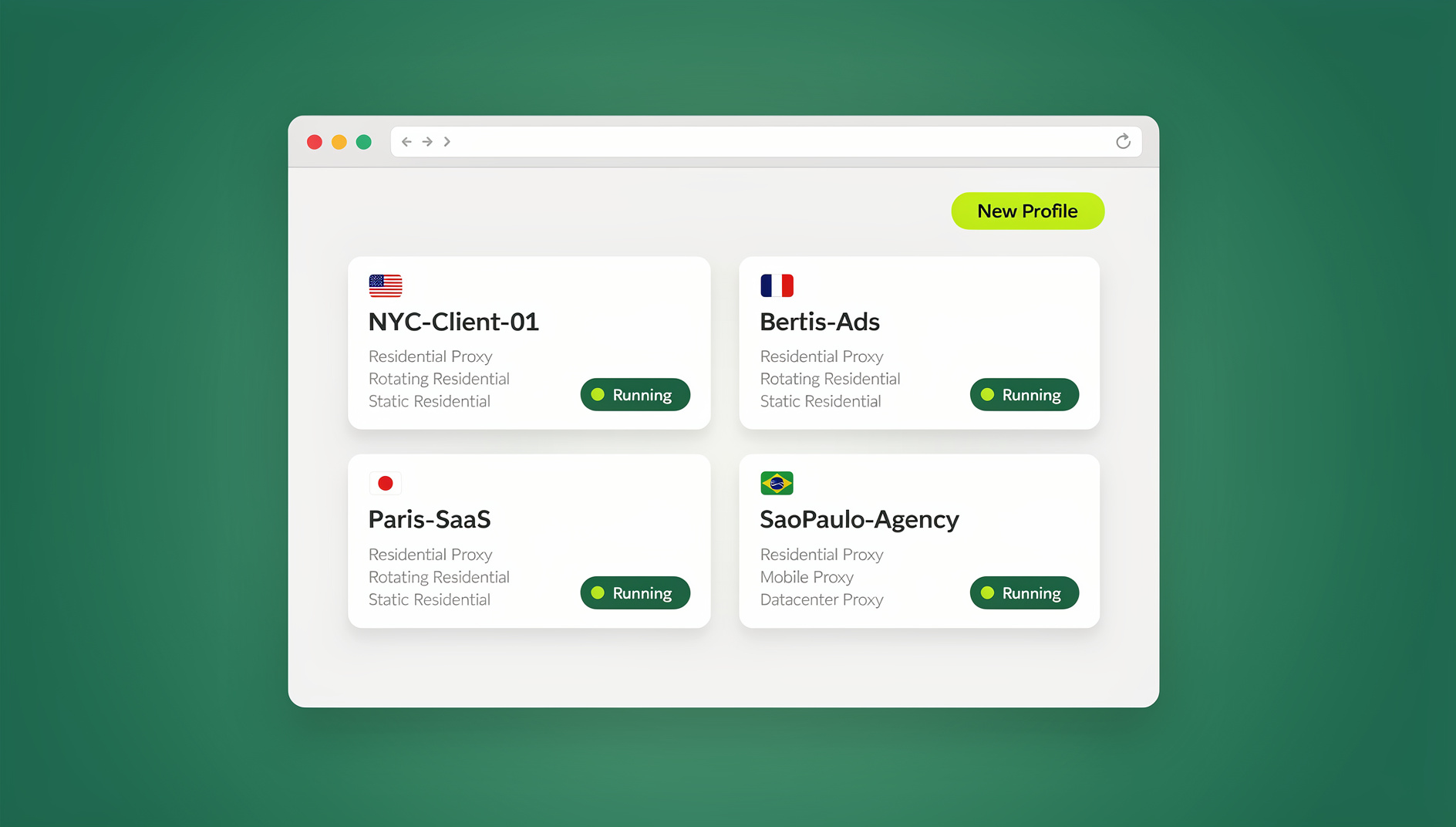
Below you’ll find side-by-side comparisons, real-world scenarios, a pricing breakdown, and a quick-start checklist so you can choose with confidence.
The quick decision
- Use Chrome Profiles when you just want to separate personal vs. work browsing, keep distinct bookmarks and saved passwords, and run a few accounts without heavy workflow needs. Profiles are fast to set up and easy to switch between.
- Use Sendwin when you need real session isolation across dozens of accounts, the ability to share access without sharing passwords, per-session proxies and location control, and team-grade controls for managing logins safely at scale.
What Chrome Profiles do well (and where they strain)
Strengths of Chrome Profiles
- Clean separation for everyday contexts. Each profile keeps its own bookmarks, history, saved passwords, and extension set, which is great for keeping work and personal identities apart.
- Zero learning curve. Anyone who uses Chrome can create and swap profiles from the avatar menu in seconds — no signup, no new app.
- Good for single-user laptops. If you don’t share the device and only run a handful of accounts, Profiles keep things tidy with minimal effort and no added cost.
Limits you’ll feel as you scale
- Not a strong security boundary. Profiles are designed for convenience on a machine you already trust, not as a substitute for real isolation between untrusted accounts.
- Local execution still exposes your endpoint. Every profile runs on the same physical machine. If you open a risky client link or keep sensitive sessions logged in, that risk lands on your laptop, not somewhere disposable.
- Fingerprinting can still correlate activity. Even with separate cookies, sites can identify the same device and browser build across profiles using canvas, WebGL, and font-based browser fingerprinting techniques, quietly linking accounts you meant to keep apart.
- No built-in way to “share access, not passwords.” There’s no native mechanism to grant a colleague time-boxed access to an already-logged-in account without handing over the credentials outright.
- Manual scaling. Ten accounts means ten profiles you create, name, and remember by hand — there’s no bulk creation, grouping, or proxy assignment built in.
Bottom line: Chrome Profiles are excellent for basic separation. If you’re comfortable running everything locally and don’t need to collaborate or scale past a handful of accounts, they’re probably enough.
What Sendwin actually is
Sendwin is a standalone product with two distinct ways to run isolated sessions. The first is the Sendwin Browser, a native desktop application you download and install on Windows, macOS, or Linux. It’s local-first, meaning your browsing happens on your own hardware, and it syncs your encrypted profile data to the cloud so you can pick up the same sessions from another machine. The second option is cloud browser sessions: fully remote browser instances that run entirely on Sendwin’s infrastructure and stream to whatever device you’re on, with no local install at all. Cloud sessions are metered by the cloud browsing time included in your plan, while the desktop app itself isn’t time-limited since the browser is running on hardware you already own.
Both modes give each profile its own cookies, local storage, and — optionally — a dedicated proxy, so accounts stay cleanly separated instead of sharing one browser’s storage the way Chrome Profiles do. If you’re weighing this approach against installing yet another browser add-on, it’s worth reading how a cloud browser vs. extensions for multi-login compares for teams that need to scale past a few accounts.
Sendwin vs. Chrome Profiles — comparison by category
| Category | Chrome Profiles | Sendwin |
|---|---|---|
| Session isolation | Separate cookies/storage, same local Chrome engine and device | Each profile isolated with its own storage; run locally in the desktop app or remotely in a cloud session |
| Security posture | Convenience-oriented, no hard security boundary | Cloud sessions execute remotely so risky pages never touch your endpoint; desktop app profiles stay locally sandboxed from each other |
| IP / geo control | None natively; requires a system-wide VPN | Per-profile proxy assignment for clean, consistent geo signals |
| Sharing access | Share the password or the screen | Share a session without exposing the password, with revoke controls |
| Automation | No official API; scripts hit your local Chrome directly | No automation interface (no API, SDK, headless mode or Selenium/Puppeteer/Playwright support) |
| Cost | Free | No free trial; paid plans from $19/mo, first card purchase covered by a 7-day money-back guarantee |
1) Session isolation & scale
- Chrome Profiles: Per-profile cookies and storage help keep accounts distinct, but everything still runs locally under the same device context. Scaling to dozens of accounts means multiplying full windows and managing them by hand.
- Sendwin: Each profile is its own session isolation boundary, whether you’re running it in the desktop app or as a cloud session. Spin sessions up and tear them down in seconds, run many accounts side by side, and avoid cross-contamination between clients or stores.
2) Security posture
- Chrome Profiles: Convenience-oriented, not a hard security boundary. Best on devices you already trust with users you already trust.
- Sendwin: Cloud sessions execute entirely on remote infrastructure and stream an interactive view to your screen, so a malicious page never runs code on your laptop. The desktop app keeps each profile’s cookies and storage separated locally, and encrypted sync keeps your profile data protected in transit.
3) Identity, IP, and location
- Chrome Profiles: No native per-profile IP or geo separation; you’d need a system-wide VPN or manual proxy juggling per window.
- Sendwin: Per-session proxy assignment lets you bind a specific IP and location to each profile — useful for SEO rank checks, ad previews across regions, and marketplace accounts that need consistent geography.
4) Collaboration & access control
- Chrome Profiles: No “share access, not password” model. Collaboration usually means sharing credentials or your screen.
- Sendwin: Share a live session without revealing the password, add blur or block controls over sensitive areas like billing pages, and revoke access whenever you want. This is the piece contractors and clients feel the most.
5) Local execution vs. real remote browsers
- Chrome Profiles: Each profile can carry its own extensions, but it’s still the same local Chrome engine running on your machine.
- Sendwin: The desktop app runs a real, dedicated browser per profile on your own hardware; cloud sessions run real browsers on remote machines and stream them to you. Either way, a teammate can join a session without installing anything new.
6) Endpoint risk & compliance
- Chrome Profiles: Web code runs locally in every profile, so phishing pages and drive-by downloads target your actual endpoint.
- Sendwin: Cloud sessions keep risky content off laptops and BYOD devices entirely, which reduces the incident surface and simplifies audits for teams that hand out access to contractors.
7) Automation and scripting
- Chrome Profiles: There’s no official API. Any automation you build points at your local Chrome install directly, with no isolation from your day-to-day browsing.
- Sendwin: Each profile keeps its own cookies, storage, sessions and consistent browser fingerprint, so profiles don’t share one browser identity — useful for keeping client work and personal logins separate.
When to stick with Chrome Profiles
Choose Chrome Profiles if most of these sound like you:
- You have 2–5 primary identities (Personal, Work, Side Project) and rarely need parallel logins.
- You don’t share access to logged-in apps with anyone else.
- You’re fine running everything locally and accept the endpoint risk that comes with it.
- You want simple cookie separation and different extension sets per role, nothing more.
Tip: Profiles aren’t lockable vaults. If multiple people use the same computer, use OS-level accounts for stronger separation, or move to a remote-isolation approach instead.
When to move to Sendwin
Choose Sendwin when any of this resonates:
- You manage many accounts — clients, storefronts, ad profiles — and need to work across them in parallel, not sequential log-in/log-out cycles.
- You must share access without sharing passwords, whether that’s contractors, clients, or internal reviewers.
- You need per-session IP or geo control for SEO checks, ad previews, or marketplace platforms that are sensitive to location.
- You open risky links or handle sensitive data and want a way to keep web code off your actual laptop.
- You want disposable sessions you can spin up and discard to keep tests and credentials clean, with each profile keeping its own cookies, storage and fingerprint.
Sendwin feature highlights
- Fast account switching. One-click switching between profiles and truly parallel sessions make multi-account work faster than juggling Chrome windows manually.
- Session isolation on every profile. Prevent cookie bleed, run clean A/B tests, and keep client identities separate without any browser gymnastics.
- Choice of local or remote execution. Run the native Sendwin Browser desktop app when you want sessions on your own hardware, or spin up a cloud browser session when you want zero local footprint.
- Per-session proxies. Assign a dedicated proxy to a profile for IP and location control — more granular than a system-wide VPN when you’re juggling multiple accounts.
- Share access, not passwords. Send a live session link, add blur or block controls over sensitive pages such as billing, and revoke access on demand.
- Encrypted cloud sync. Desktop app profile data syncs encrypted to the cloud, so you can resume the same sessions from another machine.
- No install required for cloud sessions. Launch a cloud browser session straight from your dashboard on any device.
Who uses Sendwin (and why)
- Marketers and advertisers — manage multiple ad accounts, preview geo-targeted creative, and grant temporary access to reviewers without sharing logins.
- E-commerce sellers — operate multiple storefronts without cross-account contamination or cookie bleed between shops.
- SEO professionals — check SERPs across regions with consistent per-session proxies instead of a single system-wide VPN.
- Developers, testers, and remote teams — launch clean test environments and open unfamiliar links away from a personal machine.
- Anyone tired of Chrome’s profile-switching dance — including people who currently rely on managing multiple Chrome accounts by hand and want something built for the job instead.
The hidden factor: fingerprinting
Even with cookie separation, sites can correlate activity across profiles using browser fingerprinting signals — canvas rendering, WebGL output, installed fonts, and other device traits. That’s why Chrome Profiles alone can still leak “same device” signals across accounts you meant to keep apart. Running sessions as genuinely separate instances, whether locally in the desktop app or remotely in a cloud session, and pairing each with its own proxy reduces that correlation by separating both the execution environment and the network identity. If attribution risk matters for your work, real isolation plus per-session proxies is a smarter baseline than profiles alone.
Pricing, trial & plans (Sendwin)
Sendwin has no free trial; paid plans start at $19/mo, and your first card purchase is covered by a 7-day money-back guarantee. If you want to look around first, there’s a free cloud demo you can try without signing up.
| Plan | Monthly | Billed annually | Profiles | Proxy bandwidth | Automation API | Seats |
|---|---|---|---|---|---|---|
| Pro | $19/mo | $6.99/mo | 150 | 5GB | Included | 1 |
| Team | $49/mo | $20.99/mo | 500 | 20GB | Included | 16 |
Sendwin has no automation interface — no API, SDK, headless mode or Selenium, Puppeteer or Playwright support on any plan. For the latest prices and regional details, check the Sendwin pricing page.
Real-world scenarios: exactly when to pick which
1) Two identities, one user (Personal vs. Work)
Pick: Chrome Profiles.
Why: Minimal overhead, separate passwords and extensions, quick swaps — no heavy sharing or geo-testing needed.
2) Agency with dozens of ad accounts
Pick: Sendwin.
Why: Open many clients side by side, assign per-profile proxies, and share a live session with a reviewer without handing over a password. Blur billing pages and let access expire after the meeting.
3) E-commerce team operating multiple storefronts
Pick: Sendwin.
Why: Avoid cookie bleed and reduce attribution risk by isolating each store’s sessions with consistent IP and geo per profile.
4) SEO checks across cities and countries
Pick: Sendwin.
Why: Per-session proxies provide cleaner local signals than a system-wide VPN, and you can run parallel SERP checks across regions instead of switching one connection back and forth.
5) QA and testing with “dirty” states
Pick: Sendwin.
Why: Spin up disposable profiles for a clean slate every run, with each profile keeping its own cookies, storage and fingerprint.
🏆 Send.win Verdict
Chrome Profiles are a fine free habit for splitting a couple of personal identities on a laptop you trust. But the moment you’re managing client logins in parallel, sharing access with contractors, or checking geography-sensitive pages, Profiles start to strain in exactly the places Sendwin was built to cover — real per-session isolation, proxy control and password-free sharing, available on both the native desktop app and cloud browser sessions.
Try Send.win today — plans start at $19/mo, and your first card purchase is covered by a 7-day money-back guarantee.
Frequently asked questions
Is Sendwin a real browser or an emulator?
Sendwin runs real browsers rather than an emulator. The Sendwin Browser is a native desktop app for Windows, macOS, and Linux, and cloud sessions run real remote browser instances that stream to your screen.
Can I really share an account without sharing the password?
Yes. You can send a session link, optionally blur or block sensitive pages such as billing screens, and revoke access at any time — the person you share with never sees the underlying password.
What’s the difference between the desktop app and cloud sessions?
The Sendwin Browser desktop app runs locally on your own Windows, macOS, or Linux machine and syncs profile data to the cloud in encrypted form. Cloud browser sessions run entirely on Sendwin’s infrastructure with no local install, and are metered by the cloud browsing time included in your plan.
Does Sendwin limit how much I can use it?
The desktop app itself isn’t time-metered since it runs on your own hardware. Cloud browser sessions draw down the cloud browsing time allowance included in your plan, so heavy remote-session users should check their plan’s allowance against their workflow.
Can I automate logins with Selenium or Playwright?
No. Sendwin has no automation interface — no API, SDK, headless mode or Selenium, Puppeteer or Playwright support on any plan. What it does offer is per-profile isolation, so each profile keeps its own cookies, storage, sessions and fingerprint.
What about browser fingerprinting?
Fingerprinting can link activity across profiles beyond just cookies. Running sessions as genuinely separate instances and pairing each with its own proxy reduces that correlation by separating both the execution environment and the network identity.
How much does Sendwin cost, and is there a free trial?
Sendwin has no free trial. Pro is $19/mo or $83.88/yr, and Team is $49/mo or $251.88/yr. Your first card purchase is covered by a 7-day money-back guarantee, and there’s a free cloud demo if you want a preview first.
Do Chrome Profiles and Sendwin do the same job?
Not quite. Chrome Profiles separate cookies and bookmarks within the same local browser and device. Sendwin is a browser profile manager that adds real isolation between sessions, per-session proxies and password-free sharing — features Profiles were never designed to provide.
Getting started with Sendwin
- Sign up. Create your account and pick a paid plan — your first card purchase is covered by a 7-day money-back guarantee.
- Pick your mode. Download the native Sendwin Browser desktop app for Windows, macOS, or Linux if you want sessions running on your own hardware, or launch a cloud browser session straight from your dashboard for zero local install.
- Start working. Create your first isolated profile, assign a proxy if you need one, and invite a teammate or client when you’re ready to share access without sharing a password.
Final recommendation
If you’re organizing a couple of personal and work contexts on a trusted machine, Chrome Profiles are perfect — simple, free, and familiar. But once you’re handling multiple accounts in parallel, collaborating without handing over credentials, or testing across regions, you’ll want the stronger isolation and sharing controls that Sendwin’s desktop app and cloud sessions provide.
In short: Profiles give you basic separation and convenience. Sendwin gives you real isolation, scale and collaboration for modern multi-account work.
Ready to try it? Explore Sendwin’s pricing, pick a plan, and launch your first isolated session in minutes.