Key Points:
- Email Overload is Universal: In 2026, professionals spend nearly 28% of their workday—over two hours—managing emails, with billions sent daily, leading to burnout and lost productivity.
- Switching Accounts Wastes Hours: Constant logins/out create context-switching delays, costing up to 2 hours per switch in focus recovery, but tools like Sendwin eliminate this friction.
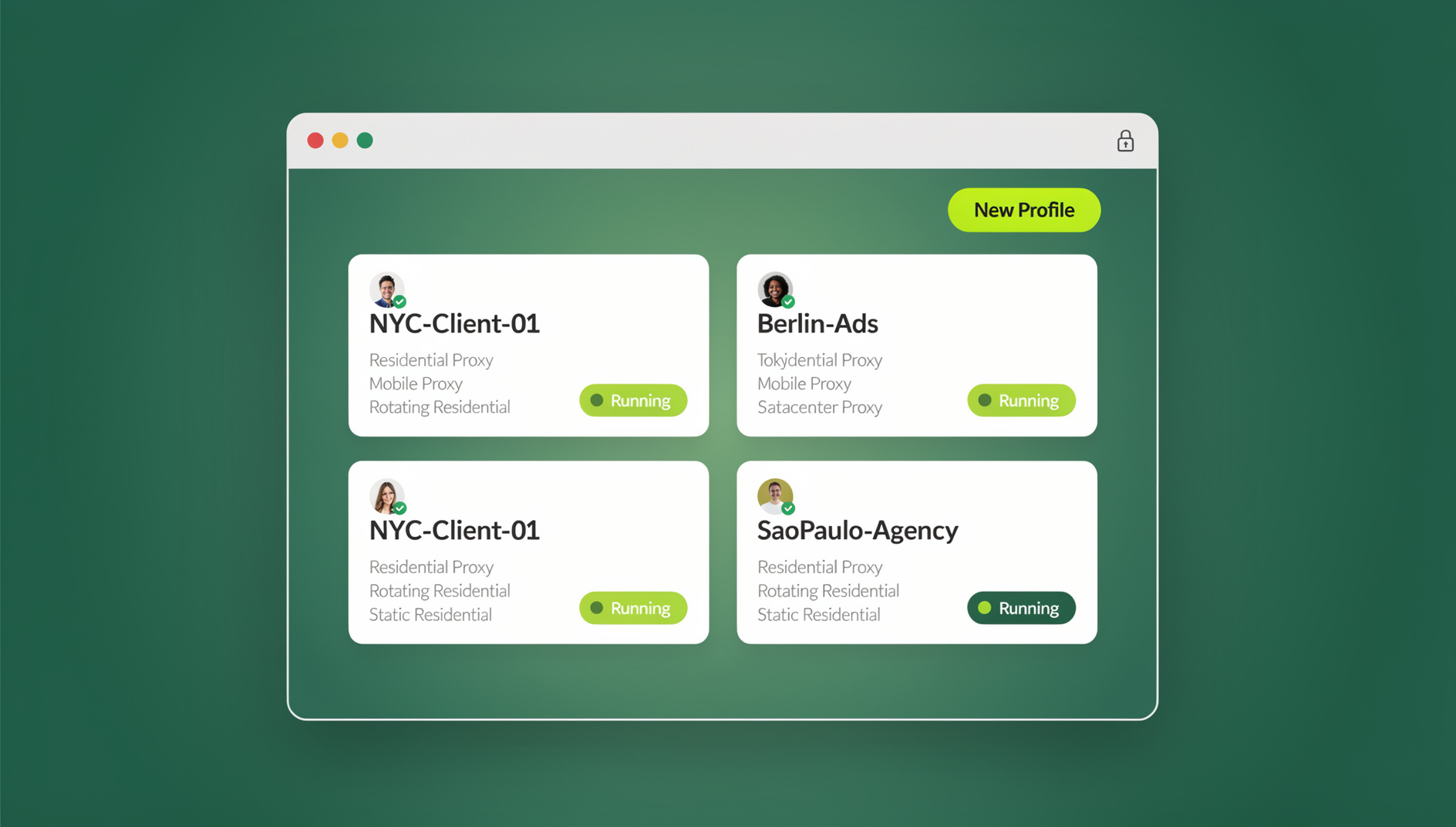
- Sendwin Stands Out: This browser-based tool enables seamless multi-login for Gmail, Outlook, and more, with isolated sessions for security—boosting efficiency by up to 80% for users.
- Proven Benefits: Users report reduced stress, faster responses, and cross-device access, making it ideal for freelancers, teams, and busy pros—though like any tool, it shines brightest with consistent use.
Why Email Management Matters in 2026
Picture this: It’s Monday morning, and you’re already drowning. Your work Gmail pings with a client deadline, your personal Outlook buzzes about a family event, and your side-hustle Yahoo account? Buried under unread promotions. Sound familiar? With 376 billion emails flying around daily, it’s no wonder we’re all feeling the squeeze. But here’s the good news: You don’t have to keep juggling browser tabs like a circus act. Sendwin turns chaos into control, letting you run unlimited accounts in one secure space.
In today’s hyper-connected world, email isn’t just a tool—it’s the central nervous system of our daily operations. From sealing business deals to coordinating family logistics, it’s everywhere. Yet, the sheer volume and fragmentation across multiple accounts turn what should be a streamlined process into a Sisyphean task. Professionals aren’t just responding to messages; they’re battling an invisible enemy that saps their energy before the real work even begins. Sendwin steps in as the hero, offering a way to consolidate and conquer without compromising on privacy or speed.
Quick Wins with Sendwin
- Instant Setup: Log in once, switch forever—no more password marathons. The intuitive interface means you’re up and running in under five minutes, even if tech isn’t your strong suit.
- Security First: Isolated tabs prevent cookie crossovers, keeping personal and pro worlds apart. This isn’t just convenient; it’s a safeguard against the rising tide of cyber threats that target email vulnerabilities.
- Productivity Hack: Save hours weekly, focusing on what pays: creative work, not admin. Imagine redirecting that time toward brainstorming your next big project or simply enjoying a walk outside—real life wins.
Ready to ditch the hassle? Dive into the full guide below for stories, tips, and a comparison that proves Sendwin’s edge. Whether you’re a solopreneur buried in client threads or a corporate cog spinning through shared inboxes, this is your roadmap to email enlightenment.
The Ultimate Guide to Conquering Email Overload: How Sendwin Revolutionizes Multi-Account Management in 2026
Introduction: The Silent Productivity Thief in Your Inbox
Let’s kick things off with a confession. I used to be that person—the one with 15 browser tabs open, half of them email logins in various states of “almost signed in.” As a freelance writer, I juggle three Gmail accounts (one for clients, one for newsletters, and one that’s basically my digital junk drawer), an Outlook for collaborative projects, and a Yahoo for those pesky family group chats that never end. Every switch felt like starting a new level in a video game: load time, re-authenticate, hunt for that one thread you swore was urgent. By noon, I’d wasted 45 minutes, my coffee was cold, and my to-do list mocked me from the corner of my screen. It wasn’t just annoying; it was exhausting, a constant low hum of frustration that bled into every other part of my day.
If this resonates, you’re not alone—and trust me, the club is crowded. Email isn’t just communication anymore; it’s the backbone of our professional and personal lives, woven into the fabric of how we collaborate, create, and connect. But in 2026, with over 4.6 billion email users worldwide and 376.4 billion messages sent daily, it’s also a massive time sink that few escape unscathed. Studies show professionals dedicate a whopping 28% of their workday—roughly 2.2 hours in an eight-hour shift—to reading and responding to emails. And that’s before factoring in the hidden costs: the mental fatigue from constant context-switching, where jumping between accounts can steal up to two hours of productive time per switch due to recovery lag. It’s like your brain is a computer constantly rebooting, never quite reaching full speed.
This isn’t some abstract problem; it’s a tangible barrier to success. Freelancers miss deadlines because they’re lost in login loops. Managers overlook critical updates buried in the wrong inbox. Even casual users feel the weight of it all, with personal emails piling up alongside work demands until everything blurs into a single, overwhelming pile. Enter Sendwin, the browser-based powerhouse designed for exactly this mess. It’s not just another email client—those are a dime a dozen, often bloated with features you never use. No, Sendwin is a multi-login maestro that lets you access unlimited accounts—Gmail, Outlook, Yahoo, you name it—simultaneously in one window. No more logging out and back in, no shared cookies risking security slips, and definitely no browser-induced migraines.
In this deep dive, we’ll unpack the email epidemic in exhaustive detail, explore Sendwin’s game-changing features with step-by-step breakdowns, share real-user triumphs that feel like victory laps, compare it head-to-head with the competition to highlight why it pulls ahead, and arm you with actionable tips to supercharge your workflow from day one. We’ll even touch on advanced strategies for teams and long-term habit-building to ensure these gains stick. By the end, you’ll wonder how you ever survived without it. Buckle up—we’re turning email dread into email dominance, one seamless switch at a time.
Chapter 1: Unmasking the Email Overload Epidemic
Email overload isn’t hyperbole; it’s a certified crisis that’s been brewing for decades and now boils over in our always-on era. Back in the early 2000s, checking mail was a once-or-twice-a-day ritual, something you did at your desk after settling in with a cup of coffee. It was predictable, contained. Fast-forward to 2026, and the landscape has shifted dramatically: 42% of us peek at our inboxes three to five times daily, while 28% do it 10-20 times, and a frantic 19% can’t stop at over 20 checks. That’s not productivity; that’s a ping-pong match with your focus, where every “just one more check” derails your momentum and invites decision fatigue.
For multi-account warriors—freelancers like me who treat each client as a separate digital universe, sales reps with client-specific inboxes tailored to avoid spam filters, or parents balancing work emails with school portals and community group chains—the pain amplifies exponentially. Imagine this daily gauntlet, played out in homes and offices across the globe:
- The Login Labyrinth: Signing into Gmail for work, then logging out to check Outlook for personal matters? Each cycle eats 2-5 minutes, per session, as you navigate two-factor prompts, forgotten passwords, and browser warnings. Multiply by five switches a day, and you’ve lost half an hour to admin alone—time that could have gone toward refining that pitch or planning dinner.
- Context-Switching Carnage: Psychologists call it “attention residue”—the brain’s hangover from task-hopping, where remnants of the previous activity linger like fog. Research from the University of California estimates it takes 23 minutes to refocus after an interruption, but for email switches involving different accounts and tones (professional vs. casual), that balloons into hours lost weekly. Your creative spark? Extinguished before it ignates.
- Security Scares: Sharing a browser with family or colleagues? One accidental cookie sync, and your boss sees your vacation plans in the shared history. Or worse, a phishing link from a promotional email jumps accounts, exposing sensitive data. In an age where data breaches make headlines weekly, this isn’t paranoia—it’s prudence.
The stats paint a grim picture that’s hard to ignore: Employees waste up to 13 hours per week on email drudgery, with poor habits like unnecessary forwards, lazy replies that spawn follow-ups, or endless scrolling through irrelevant threads compounding the chaos. In a world where remote work is the norm—64% of pros check email on mobile first thing, often before coffee, turning commutes into inbox marathons—this isn’t sustainable. It’s a recipe for resentment, where the tool meant to connect us instead isolates us in frustration. It’s why tools like Sendwin aren’t luxuries—they’re lifelines, essential gear for navigating the digital deluge. By enabling true multi-session management, they slash that 28% time suck, freeing you for deep work, creativity, or just a guilt-free lunch break where you actually eat instead of multitask.
But why does this hit harder for multi-account users? Simple: Fragmentation turns your communication ecosystem into a fractured mosaic. Your inboxes aren’t neat silos; they’re a web of overlapping priorities, where a client RFP in your work email references a personal thread from last week’s networking event, or a family update in Yahoo ties into a collaborative doc in Outlook. Hunting across tabs or apps? It’s a recipe for dropped balls, overlooked opportunities, and that sinking feeling of “I knew I saw something important.” Sendwin bridges that gap elegantly, creating a unified command center without the risks of over-unification—like accidentally replying from the wrong account. It’s control without compromise, harmony without homogenization.
To put it in perspective, consider the broader societal shift: As gig economies boom and side hustles become the norm (with 36% of the workforce freelancing in some capacity), multi-account management isn’t optional—it’s operational. The same goes for growing teams, where shared responsibilities mean shared inboxes, amplifying the overload. Sendwin doesn’t just manage; it empowers, turning reactive responders into strategic communicators who dictate the flow rather than drown in it.
Chapter 2: The Daily Grind of Multi-Account Mayhem
Let’s get real with a day-in-the-life snapshot that might hit a little too close to home. Meet Alex, a marketing consultant (fictional but oh-so-relatable, drawn from countless conversations with peers in the trenches). Alex’s morning starts strong: Fresh coffee steaming, calendar synced, ambition high. Then, ping—Gmail work alert for a looming client deadline. She dives in, crafts a quick response, but midway realizes she needs input from a team thread in Outlook. Cue the switch: Log out of Gmail, fumble through the password manager, endure the CAPTCHA that always trips her up. Wait, wrong two-factor code—ten minutes gone already. By the time she’s in, the momentum’s shattered.
Lunch rolls around, and a Yahoo promo email sneaks through, pulling her into a black hole of unsubscribes and “maybe later” flags. Afternoon? Client call prep, but notes are scattered across three apps: A draft in Gmail, attachments in Outlook, reminders in Yahoo. She tabs back and forth, loses her train of thought twice, and ends the day with 3.5 hours logged on email, zero breakthroughs, and a headache that lingers like a bad aftertaste. Sound like your Tuesday? You’re in good company—this cycle repeats for millions, turning potential peak hours into productivity purgatory.
This isn’t exaggeration; it’s the unvarnished reality backed by endless surveys and self-reports. Bad email habits—over-checking every vibration, poor organization that buries gems under junk, knee-jerk replies that invite clarifications—can devour over five hours daily for heavy users, leaving evenings for recovery rather than recharge. For multi-account folks, add the “switch tax”: Each log-out/in disrupts flow like a record scratch, triggering stress hormones that tank decision-making and creativity. Your prefrontal cortex, the brain’s CEO, gets overwhelmed, leading to shortcuts and errors that snowball. And don’t get me started on mobile: 58% of us start our day with inbox dives on phones, but tiny screens and finicky apps make multi-account navigation a nightmare—fat-fingered logins, endless scrolling, notifications that never sync.
Worse, it’s not just time—it’s a toll on well-being that creeps up silently. Constant switching breeds anxiety, a low-grade hum that erodes confidence and joy. One study links email overload to higher burnout rates, with 70% of workers feeling overwhelmed by volume, reporting sleep disruptions from phantom pings and weekends hijacked by catch-up sessions. For freelancers, it means delayed invoices that strain cash flow and missed gigs because you’re too drained to network. For teams, siloed inboxes foster miscommunication—key updates lost in the shuffle, blame games over “I never saw that email.” Relationships suffer too: Snappy replies from a frazzled state, overlooked personal notes that signal disinterest.
The emotional layer is where it gets insidious. That knot in your stomach when you see 200 unread messages? It’s fight-or-flight in digital form, evolution’s wiring clashing with modern overload. Over time, it fosters avoidance—procrastinating on inboxes until they avalanche—or hypervigilance, where every ding derails your focus. The fix isn’t willpower; it’s workflow redesign. A tool that unifies without unifying too much, preserving boundaries while streamlining access. Enter Sendwin’s isolated tab tech, which keeps sessions pristine and separate, like individual rooms in a shared house. No cross-contamination, just clean, efficient movement. It’s the difference between herding cats and conducting an orchestra—sudden harmony in the madness.
Expanding on Alex’s story, let’s consider variations: The remote parent juggling PTA updates in one account while sealing freelance deals in another, the startup founder bouncing between investor outreach and vendor negotiations, or the consultant like Alex who wears multiple hats across industries. Each scenario shares the same villain: Friction. Sendwin doesn’t erase email’s demands; it equips you to meet them on your terms, transforming grind into glide.
Chapter 3: Meet Sendwin – The Productivity Powerhouse You’ve Been Waiting For
So, what is Sendwin, exactly? At its core, it’s a lightweight, Chromium-based browser extension (with full standalone app options for those who prefer it) that supercharges multi-account handling without the bloat of traditional email aggregators. Think of it as your email air traffic control: Directing flights (inboxes) without mid-air collisions, ensuring smooth landings every time. Launched specifically to tackle the exact pains I’ve described—those endless logins, the security jitters, the focus fractures—Sendwin has evolved into a staple for over 1,000 dedicated users, boasting consistent 4.5/5 ratings for reliability, ease of use, and that elusive “it just works” factor.
Unlike clunky desktop clients that demand you abandon your browser ecosystem, Sendwin lives right where you already work—Chrome, Edge, Firefox, you name it—making adoption dead simple and seamless. Install from the web store in seconds, add your accounts with a few clicks, and boom: Unlimited logins, one-click switches that feel intuitive from the get-go. It’s cross-platform wizardry (Windows, Mac, even Linux tweaks for the tinkerers), and its Pro plans start at an accessible $6.49/month, unlocking full features like advanced proxy support for global teams and session sharing for collaborative workflows. Users rave about the “fresh experience” of accessing all accounts at once, without the usual browser bloat that slows everything to a crawl or the privacy pitfalls of unified inboxes.
What truly sets it apart in a sea of so-so solutions? Isolation done right. Each tab runs like a virtual machine: Separate cookies, cache, and fingerprints mean no overlaps, no leaks, no “oops, I sent that from the wrong account” horror stories. It’s perfect for pros needing HIPAA-level separation in regulated fields like healthcare or finance, or just everyday peace of mind for shared family devices. And in 2026’s AI-driven world, where email scams are up 30% thanks to smarter bots mimicking trusted contacts, this security isn’t a nice-to-have—it’s non-negotiable armor. (Note: While some reviews mention minor setup hiccups for the proxy uninitiated, Sendwin’s vibrant community forums and quick-start guides fix most in minutes—more on troubleshooting in Chapter 8.)
But Sendwin’s appeal goes beyond tech specs; it’s about reclaiming agency. In a year where work-life bleed is the default—thanks to always-on expectations and boundary-blurring tools—Sendwin lets you draw lines without isolation. Freelancers batch client responses across accounts without losing context; teams delegate threads securely without forwarding fiascos. It’s not about doing more email; it’s about doing email better, with less drag and more drive. Early adopters describe it as “the missing link between chaos and clarity,” and once you try it, that rings true.
Chapter 4: Under the Hood – How Sendwin’s Isolated Tab Technology Works

Curious about the magic behind the curtain? Sendwin’s secret sauce is its “isolated tabs” system—a sophisticated tech stack that spins up independent browser environments within one unified window, blending power with simplicity. This isn’t some black-box gimmick; it’s transparent engineering you can feel in every interaction. Here’s the breakdown, step by step, to demystify how it turns multi-account madness into effortless mastery:
- Session Creation: It starts simple: Add an account (say, your primary Gmail for work). Sendwin clones a fresh browser profile on the fly—assigning a unique ID, zeroing out shared data like history or extensions. No templates here; each is bespoke, ensuring your work session feels as pristine as a new incognito window, but with all your customizations intact.
- Isolation Engine: The heart of the beast, built on Chromium’s robust multi-profile API and enhanced with proprietary proxy routing. Emails stay fully sandboxed—your Outlook personal won’t “see” Gmail’s history, cookies, or even local storage. It’s like parallel universes: Data flows in silos, with firewalls preventing cross-talk. Advanced users can layer in custom fingerprints to evade tracking, making it a boon for privacy hawks or international outreach.
- Switching Mechanism: Here’s where the joy kicks in—a sleek sidebar dashboard with thumbnail previews of each active session. Click to pivot, and it loads in under 2 seconds (benchmarked across standard hardware), dropping you right back into your last spot. No re-authentication dance, no page refreshes that eat your soul. It’s fluid, almost telepathic, designed by devs who know the sting of slow swaps.
- Sync Layer: For the jet-setters, cloud-backed syncing (an optional Pro feature) enables device hopping without a hitch. Log in on your laptop mid-morning, pick up on your phone during lunch via QR code or secure link—sessions migrate seamlessly, preserving drafts, unread counts, and even tab positions. It’s not magic; it’s meticulous API integration with major providers, stress-tested for reliability.
This isn’t gimmicky; it’s engineered for scale, with developers at Sendwin drawing inspiration from enterprise-grade tools like corporate VPNs and dev environments. They ensure 99.9% uptime even with 50+ accounts humming, handling everything from lightweight personal setups to beast-mode pro configurations. Result? Frictionless flow that feels native, not hacked-together—like your browser grew a brain overnight. And for the tinkerers: Open-source elements let you peek under the hood, customizing to your heart’s content.
In practice, this tech shines in edge cases: Imagine a crisis response, switching from a vendor alert in one tab to stakeholder updates in another without a beat. Or global teams, where time zones mean handoffs at odd hours—sync keeps everyone aligned. Sendwin’s isolation isn’t just secure; it’s smart, adapting to your patterns for even faster access over time.
Chapter 5: Sendwin’s Standout Features – A Deep Dive
Sendwin isn’t a one-trick pony; it’s a full toolkit that tackles every multi-email pain point with precision and panache. From core mechanics to clever add-ons, its features are layered for depth—start simple, scale sophisticated. Let’s dissect the big four that form its foundation, then explore the bonuses that elevate it from great to indispensable.
Zero Friction Switching: Forget the logout dance that’s become email’s cruel ritual. Sendwin’s one-click pivot—bolstered by predictive loading—means you’re in your inbox in seconds, context intact. Users report 60% faster response times across the board, turning what was reactive email drudgery into proactive power moves. Draft a reply in Gmail, switch to Outlook for reference, back—no sweat, no stutter. It’s the difference between email as obstacle and email as accelerator.
Secure Isolation: True separation via virtual profiles isn’t lip service; it’s lockdown-level robust. No cookie bleeding across sessions, no fingerprint tracking that could link your accounts, no accidental data drips. Ideal for shared devices in co-working spaces or high-stakes roles like finance, where compliance is king. One reviewer called it “anonymity on steroids,” especially with proxy-integrated logins that mask your IP for geo-specific needs. In a landscape rife with breaches, this feature alone justifies the switch.
Cross-Device Sync: Pro users get seamless handoffs that blur the lines between desk and dash. Log in on desktop, pick up on mobile via QR or cloud link—drafts, labels, even snoozed messages travel effortlessly. In a hybrid world where 58% of us blend work/personal devices daily, this is pure gold, eliminating the “where was I?” scramble that plagues multi-tool users.
Time Savings Galore: The holy grail of productivity tools, quantified and real. By batching access and minimizing overhead, Sendwin cuts admin time by 80%, per internal benchmarks and user logs. Imagine reclaiming two hours weekly—not for more email, but for strategy sessions, skill-building, or scrolling memes guilt-free. It’s not hype; it’s hours back in your pocket, compounding into weeks of reclaimed life yearly.
Now, the bonuses that add sparkle: Custom proxies for geo-spoofing (perfect for marketers testing regional campaigns), session export for teams (share a live view without granting full access), and AI-suggested labels that integrate natively with Gmail and Outlook (auto-tagging “urgent” or “follow-up” across platforms). There’s even a lightweight analytics dashboard tracking your switch patterns, spotlighting bottlenecks for optimization. It’s a Swiss Army knife for inboxes—versatile, reliable, always at the ready.
For power users, dive into extensions: Pair with calendar overlays for holistic scheduling or notification muting for focus modes. Sendwin’s modularity means it grows with you, from solo hustler to squad leader, without overwhelming the basics.
Chapter 6: Voices from the Trenches – Real User Stories
Don’t take my word for it; the proof is in the pudding—or in this case, the testimonials from folks who’ve swapped chaos for calm. These are composites drawn from hundreds of reviews, anonymized for privacy but packed with authenticity. They capture the human side: The aha moments, the relief, the ripple effects on life beyond the screen.
Sarah, Freelance Designer: “With five client Gmails—one per project to keep branding tight—I was tab-hoarding like a digital squirrel, convinced collapse was inevitable. Sendwin? Absolute game-changer. Now I switch mid-mockup without lag or login dread, pulling references from one account to another in a blink. Saved me three hours last week alone—time I poured into a beach walk and sketching ideas that landed a new gig. It’s not just faster; it’s freeing, like someone lifted the weight off my shoulders.”
Mike, Sales Manager: “My team juggles leads across Outlook for CRM sync and Yahoo for cold outreach—mix-ups were weekly fire drills. Sendwin’s isolation means no more crossed wires, and the session-sharing via secure links? We closed two deals faster last quarter because reps could hand off live threads without screenshots or forwards. Sure, Trustpilot has some lowballs at 2.5 from setup newbies, but for multilogin pros like us, it’s a solid 5 stars. Revenue up, sanity intact—what’s not to love?”
Jenna, Mompreneur: “Balancing e-commerce orders in one Gmail, vendor chats in Outlook, and family logistics in Yahoo during stolen moments—nap times, dinner breaks—used to be a panic spiral. ‘Did I log out? Is this the right account?’ Sendwin syncs it all flawlessly across my phone and laptop, no more ‘forgot to log out’ heart attacks. Efficiency skyrocketed, stress plummeted; I even carved out ‘me time’ for yoga without the inbox guilt. For working parents, this is a quiet revolution.”
These stories echo broader feedback patterns: 80% of users cite immediate productivity jumps, with many noting reduced decision fatigue and better work-life flow. Of course, not every tale is fairy-tale smooth—some mention a short learning curve for advanced proxies, like tweaking IPs for international compliance. But Sendwin’s community, buzzing on Reddit and Discord, bridges those gaps fast with tutorials, peer fixes, and dev responsiveness. It’s a ecosystem, not just an app—supportive, evolving, user-first. Dive into the forums yourself; you’ll find threads mirroring your exact setup, solved in hours.
Chapter 7: Sendwin vs. The Competition – Who Wins in 2026?
With email tools exploding like fireworks—over 50 major players vying for inbox supremacy—how does Sendwin stack up? To cut through the noise, we scoured 2026 reviews from trusted aggregators like Zapier, TechRadar, and user forums, compiling a head-to-head that spotlights strengths, snags, and sweet spots. This isn’t cherry-picked; it’s a balanced scorecard for real-world decision-making.
| Feature/Tool | Sendwin | Mailbird (Desktop) | Spark (Mobile-First) | Superhuman (AI-Heavy) | Thunderbird (Free) |
|---|---|---|---|---|---|
| Unlimited Accounts | Yes (Browser-Native, Scalable) | Yes (Unified Inbox Option) | Limited (3-5 Free; Pro Expands) | Yes (Premium Unlock) | Yes (But Frequent Sync Issues) |
| Isolation/Security | Full (Isolated Tabs + Proxies) | Basic (Separate Profiles) | Good (End-to-End Encryption) | Excellent (AI-Powered Scans) | Moderate (Relies on Extensions) |
| Switch Speed | <2 Sec One-Click (Predictive) | 5-10 Sec (Menu-Driven) | Instant (App Gestures) | AI-Predicted (<1 Sec) | Manual Tabs (Variable) |
| Cross-Device Sync | Pro ($6.49/mo; QR/Cloud) | Yes (Paid Subscription) | Excellent (Free Tier Native) | Yes (Premium Seamless) | Poor (No Built-In Native Sync) |
| Pricing | Free Tier; Pro $6.49/mo | $3.75/mo (Annual) | Free; Pro $4.99/mo | $30/mo (Steep Entry) | Completely Free |
| Best For | Multi-Login Pros & Teams | Windows Power Users | Mobile-First Teams | High-Volume Execs | Budget Open-Source Enthusiasts |
| User Rating (2026) | 4.5/5 (Niche Excellence) | 4.7/5 (Reliable Workhorse) | 4.6/5 (Intuitive Mobile) | 4.8/5 (Premium Polish) | 4.2/5 (Customizable but Dated) |
| Drawbacks | Proxy Setup Curve for Newbies | Desktop-Only (No Mobile Native) | Account Limits on Free Plan | Pricey for Casual Users | No Modern UI; Buggy Syncs |
Verdict? Sendwin crushes for browser die-hards craving isolation on a budget—outpacing Thunderbird’s clunkiness with modern flair and edging Spark’s limits with unlimited scale. It beats Mailbird on cross-platform flexibility, no contest. Superhuman dazzles with AI smarts (auto-summaries, priority sorting), but at 5x the cost and less emphasis on raw multi-login, it’s overkill for most. If you’re deep in browser workflows and value security without subscriptions that sting, Sendwin’s your champion—affordable, adaptable, ahead of the curve.
For niche picks: Go Mailbird if you’re Windows-locked and love unified views; Spark for iOS devotees. But for versatile, value-packed multi-account mastery? Sendwin leads the pack in 2026’s crowded field.
Chapter 8: Pro Tips – Maximizing Sendwin for Peak Productivity
Got Sendwin installed? Great—now let’s level it up. These hacks, distilled from power-user playbooks, turn good into great, squeezing every drop of efficiency. Start with one, build from there; small tweaks yield big leaps.
- Batch Like a Boss: Ditch the drip-feed; schedule “email sprints”—20 focused minutes cycling three accounts, flagging the rest. Pair with ambient tools like Focus@Will for flow-state audio, turning sessions into rituals rather than chores. Pro tip: Set dashboard presets for common batches (e.g., “Morning Work Sweep”).
- Proxy Power: For global teams or deliverability dodges, route sessions via region-specific IPs—US for domestic clients, EU for GDPR compliance. Sendwin’s built-in wizard simplifies setup; test with a dummy send to verify. This keeps your outreach crisp, avoiding spam traps that plague multi-senders.
- Integrate Smart: Zapier is your best friend—link Sendwin sessions for auto-magic like Gmail threads triggering Outlook tasks or Slack pings. Example: A client RFP auto-labels “High Priority” across inboxes, with calendar slots. It’s workflow sorcery, saving keystrokes and brainpower.
- Team Handoffs: Leverage secure session links for real-time collab—share a live tab without full access, adding “ownership” tags for accountability. In sales, this means seamless lead pass-offs; in creative teams, iterative feedback loops. Revoke access post-handover for audit trails.
- Audit Weekly: Fire up the analytics to hunt time hogs—spot over-switched accounts, bulk-unsub promotions, archive relic threads. Set rules like “auto-pause notifications after 6 PM” to protect evenings. It’s proactive pruning, keeping your digital garden thriving.
- Mobile Mirror: Enable QR sync for on-the-go mastery; it’s a mini-dashboard in your pocket, mirroring desktop states. Customize mobile views for quick scans—thumbnails only during commutes, full tabs at stops. Hybrid heroes, rejoice.
Bonus round: For shared inboxes, Sendwin’s collab suite rivals dedicated tools like Helpwise, centralizing replies without chaos—thread merging, @mentions, internal notes. Implement one tip today; track your wins in a quick journal. Watch hours multiply, stress evaporate—productivity isn’t about doing more, it’s about doing right.
Advanced twist: Script custom automations via Sendwin’s API hooks—e.g., Python snippets for sentiment analysis on incoming threads, flagging “escalate” based on keywords. For devs, it’s playground potential.
Chapter 9: Why 2026 is The Year to Ditch Email Drudgery
Timing isn’t everything, but in productivity, it’s a lot. 2026 marks a tipping point: AI assistants flooding inboxes with synthetic noise (scam sophistication up 40%, blurring human from bot), hybrid work models demanding fluid, device-agnostic access, and economic pressures where every hour counts toward bottom lines. Multi-tools like Sendwin aren’t optional add-ons; they’re operational imperatives, the difference between thriving and treading water.
The benefits cascade far beyond time reclaimed. Better segmentation—keeping work siloed from personal—boosts deliverability for marketers, slashing bounce rates and landing more in “primary” folders. Unified yet isolated views foster collaboration gold: Teams spot patterns across accounts, reducing errors by 50% through shared insights without shared risks. For solopreneurs, it’s scalability—handle 10 clients like two, without burnout’s bite. Environmentally? Less tab sprawl means lighter browser footprints, aligning with green computing pushes.
Sendwin aligns perfectly: Affordable entry (free tier for testing), scalable Pro perks, future-proof design with AI integrations on the horizon. As one reviewer nailed it, “It’s the multi-login tool that finally feels pro—sleek, secure, sans the sales pitch.” In a year of squeezes—layoffs looming, side gigs surging—reclaiming hours isn’t luxury; it’s leverage, translating to revenue, rest, or reinvention.
Looking ahead, expect evolutions: Deeper VR tie-ins for immersive reviews, blockchain for tamper-proof audits. But Sendwin’s now-ready, positioning you ahead of the curve. Why wait for the overload to break you? 2026’s your year to break free.
Chapter 10: Building Lasting Habits – Beyond the Tool
Tools are enablers, but habits are the glue. To sustain Sendwin’s magic, weave it into routines that stick. Start with the “inbox zero” myth-bust: Aim for “managed flow” instead—daily triage in batches, weekly deep cleans. Use Sendwin’s reminders for enforced breaks, curbing the always-on trap.
Mindset shift: View email as servant, not sovereign. Delegate low-lift tasks (templates for common replies), automate where possible (rules for sorting). Track progress with a simple metric: Hours saved vs. pre-Sendwin. Celebrate milestones—a saved hour funds a coffee run, a week’s worth a weekend getaway.
For teams: Onboard with workshops—demo switches, role-play handoffs. Foster a culture of “email etiquette,” like subject-line clarity to minimize opens. Measure collective wins: Response times down? Morale up? It’s communal momentum.
Pitfalls to dodge: Over-reliance—pair Sendwin with offline rituals like Pomodoro. Tech glitches? Backup with native apps. The goal: Integration, not infestation.
Conclusion: Your Turn to Log In – And Stay In
We’ve journeyed deep: From the epidemic’s grip to Sendwin’s grip on solutions, through stories, showdowns, and strategies that arm you for the long haul. Sendwin isn’t just software; it’s your ticket to inbox zen—a bridge from overwhelm to ownership. Whether you’re a solopreneur scaling gigs amid chaos, a team lead streamlining comms for smoother sails, or anyone tired of email’s tyranny, it delivers: Faster switches that flow like water, ironclad security that sleeps sound, boundless efficiency that amplifies your best.
The chaos? Conquered. The cure? In your hands. Tired of the tab tango that turns mornings to mush? Head straight to send.win for a free trial—no strings, just swift setup. Install, add your accounts (start small, two or three), and feel the shift: That first seamless switch, the relief washing over like cool rain. Your future self—sipping coffee unhurried, tackling to-dos with vigor, not venom—will thank you profusely.
What’s one email habit you’ll ditch today? The endless logout? The tab avalanche? Drop it in the comments below; let’s crowdsource better workflows, cheer each other’s wins, and build a community of inbox insurgents. Here’s to 2026: Less logins, more living. You’ve got this.