The fastest way to manage multiple email accounts without the constant sign-out-sign-in shuffle is a tool built for parallel sessions rather than a single inbox. Send.win runs Gmail, Outlook, Yahoo, and any other webmail account side by side in isolated sessions — either in its native desktop app or in a disposable cloud browser session — so switching accounts takes one click instead of a full login cycle.
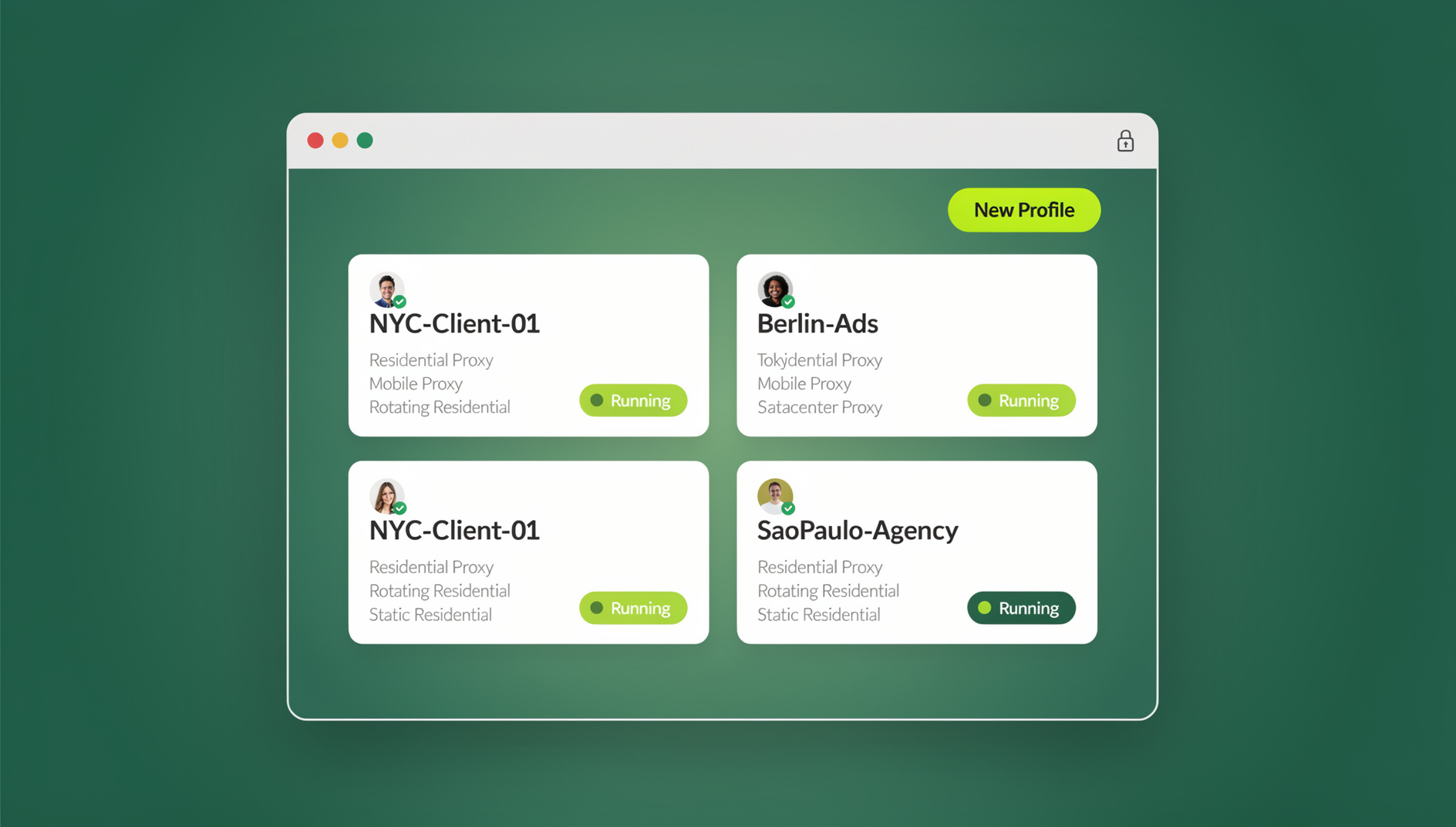
Why Juggling Several Inboxes Drains Your Day
If you run more than one email account — a work Gmail, a personal Outlook, a Yahoo account for family threads, maybe a separate inbox per client — you already know the drill. You log out of one account to check another, wait for the page to reload, re-enter a password or two-factor code, and by the time you’re back in the first inbox you’ve lost the thread you were working on. Multiply that by five or six switches a day and it adds up to real, measurable time loss.
Industry surveys consistently put email at around a quarter of the average knowledge worker’s day — call it two-plus hours spent reading, sorting, and replying. That number climbs sharply for anyone managing multiple accounts, because every switch between inboxes carries a hidden “restart tax”: you have to remember where you left off, re-orient to a different sender list, and often re-authenticate from scratch. None of that is billable, creative, or useful — it’s pure friction.
The fragmentation problem compounds the issue. A client request in your work inbox might reference a thread from a personal account; a shared team inbox in Outlook might need a file that lives in your Gmail drafts. When each account only exists behind its own login wall, cross-referencing them means opening and closing sessions over and over, which is exactly the kind of repetitive task that burns out otherwise productive people.
The Real Cost of Switching Between Email Accounts
Beyond the minutes lost to logging in and out, there are two costs that are easy to underestimate:
- Context-switching fatigue. Every time you jump from one account’s tone and priorities to another’s — professional to casual, urgent to routine — your focus takes time to reset. Do that a dozen times a day and your best working hours get chopped into fragments too small to get anything meaningful done.
- Security and privacy risk. Using the same browser profile for a work account and a personal one means shared cookies, shared autofill, and shared browsing history. On a shared or family device, that’s how a boss ends up seeing a personal calendar invite, or a phishing link clicked in one account exposes session data tied to another.
Neither problem is solved by simply opening more browser tabs. Tabs in the same browser profile still share cookies and local storage, so you haven’t actually separated the accounts — you’ve just made them visually adjacent. What you actually need is session isolation: each account gets its own sandboxed environment, with its own cookies, cache, and login state, while still being reachable from one place.
How Send.win Actually Handles Multiple Email Accounts
Send.win gives you two ways to run multiple email accounts in parallel, and it’s worth being precise about what each one is:
- Sendwin Browser is a native, downloadable desktop application for Windows, macOS, and Linux. It’s local-first — your sessions live on your machine — with encrypted cloud sync so you can pick up the same accounts on another device. You install it once, and every email account you add runs in its own isolated session inside that app.
- Cloud browser sessions run entirely on Send.win’s infrastructure. There’s nothing to install locally — you open a browser tab, spin up a session, and log into an email account inside it. Usage here is metered by cloud browsing time rather than a local install, which makes it a good option if you’re on a locked-down work laptop, a Chromebook, or simply don’t want another application on your machine.
Both modes rely on the same underlying idea: each email account gets its own isolated session — separate cookies, separate cache, separate local storage — so logging into your work Gmail can’t leak into your personal Outlook session, and vice versa. That’s a meaningfully different architecture from just opening two tabs in the same browser window, which is why it eliminates the cross-contamination risk described above. For a deeper look at how this isolation model works under the hood, this session isolation breakdown covers the mechanics in more detail.
Setting Up Multiple Email Accounts in Send.win: Step by Step
Getting from “juggling five logins” to “one click per account” takes about ten minutes. Here’s the general flow:
- Try the free cloud demo. No signup is required for a 3-minute preview, and a free account gives you 10 minutes a day, so you can test the workflow with your real accounts before committing to a plan.
- Choose your mode. Download the Sendwin Browser desktop app if you want a permanent local setup with cloud sync, or launch a cloud browser session if you’d rather not install anything.
- Create a session per email account. Add one session for your work Gmail, another for your personal Outlook, another for a client’s Yahoo account, and so on. Each session is isolated by default.
- Log into each account once, inside its own session. From that point forward, the session remembers the login — no repeated authentication needed.
- Switch between sessions with one click. Instead of logging out of Gmail to check Outlook, you simply click over to the other session; both stay signed in simultaneously.
- Add proxies where you need them (optional). If you’re managing accounts across regions or want consistent IP routing per session, Pro and Team plans include proxy bandwidth you can assign per account.
If Gmail specifically is your main pain point — say you run three or four Gmail accounts for different clients or projects — this step-by-step guide to managing multiple Gmail accounts walks through the Gmail-specific setup in more depth.
Features That Matter for Heavy Email Users
| Feature | What it solves |
|---|---|
| One-click session switching | No more logging out of one account to log into another — every session stays signed in and reachable instantly. |
| Isolated sessions | Cookies, cache, and local storage stay separate per account, so a work account and a personal account never cross-contaminate. |
| Encrypted cloud sync (desktop app) | Set up your email accounts once on the Sendwin Browser desktop app and pick up the same sessions on another device. |
| Cloud browser sessions | Run the same multi-account setup with zero local install — useful for locked-down machines or quick, temporary access. |
| Per-session proxies | Route individual email sessions through different IPs, useful for regional accounts or consistent access patterns. |
| Automation API (Pro plan and up) | No automation interface: Send.win has no API, SDK, headless mode or Selenium/Puppeteer/Playwright support on any plan. |
| Team seats (Team plan) | Sixteen seats for agencies or teams that need shared, isolated access to multiple inboxes without passing around passwords. |
Send.win does not offer an automation interface: there is no API, SDK, headless mode or Selenium/Puppeteer/Playwright support on any plan. Instead, each profile keeps its own consistent browser fingerprint, so profiles do not share one browser identity.
Send.win Pricing for Multi-Account Email Management
| Plan | Price | Profiles | Proxy bandwidth | Notable |
|---|---|---|---|---|
| Free trial | $0 for 30 days | — | — | No credit card required |
| Pro | $19/mo ($83.88/yr) | 150 | 5GB | No automation API |
| Team | $49/mo ($251.88/yr) | 500 | 20GB | No automation API, 16 seats |
For most people managing a handful of personal and work email accounts, the Pro plan’s 150 profiles is far more headroom than you’ll ever need — most users are running somewhere between two and ten sessions. The Team plan makes more sense once you’re sharing access across an agency or support team, where the seat count and larger bandwidth allowance matter more than the profile ceiling. If you’re weighing whether the time saved is worth the subscription, this breakdown on how to save time managing multiple Gmail and social accounts puts real numbers against the trade-off.
Send.win vs Other Multi-Email Tools
Send.win isn’t the only way to handle multiple inboxes — unified email clients like Mailbird, Spark, and Superhuman take a different approach by pulling every account into one merged view rather than isolating them into separate sessions. Here’s how the approaches compare:
| Tool | Approach | Isolation | Starting price | Best for |
|---|---|---|---|---|
| Send.win | Isolated sessions per account (desktop app or cloud) | Full — separate cookies/cache per session | Pro from $19/mo or $83.88/yr; 7-day money-back guarantee on first card purchase | Anyone who wants accounts kept fully separate, not merged |
| Mailbird | Unified inbox, desktop client | Basic account switching, not session-level isolation | Paid tiers, Windows-only | Windows users who want one merged inbox view |
| Spark | Unified inbox, mobile-first | Account-level separation within one app | Free tier with limited accounts; paid tiers add more | Mobile-first teams collaborating on shared inboxes |
| Superhuman | Unified inbox with AI triage | Account-level, no browser-session isolation | Premium, subscription-only | High-volume executives who want AI-assisted sorting |
| Thunderbird | Free open-source desktop client | Manual profile setup required | Free | Budget-conscious users comfortable configuring their own setup |
The core distinction: unified inbox clients are built to merge your accounts into one feed, which is convenient for reading but blurs the boundary between them. Send.win takes the opposite approach — every account stays fully separate at the session level, and you switch between them deliberately, which matters if you need a hard line between work and personal, or between different clients’ inboxes.
Practical Tips to Get More Out of Multi-Account Email Management
- Batch your checks. Instead of pinging between accounts all day, set fixed windows — morning, midday, end of day — and cycle through your sessions in one pass rather than reactively.
- Assign proxies by purpose, not by habit. If you manage accounts tied to different regions or clients, route each session through a proxy that matches its context rather than defaulting to your home connection for everything.
- Keep client and personal sessions permanently separate. Don’t reuse a session across contexts even temporarily; the entire value of isolation disappears the moment you blend two accounts in one window.
- Audit your sessions monthly. Close out sessions for accounts you no longer actively use, and confirm proxy assignments still make sense as your client or account list changes.
These habits matter more the more accounts you’re running. If you’re a freelancer stacking up a separate inbox per client, the discipline of batching and isolating becomes the difference between a manageable day and constant firefighting — this piece on the tool freelancers use to juggle multiple clients goes deeper on that workflow specifically.
🏆 Send.win Verdict
If your real problem is switching between multiple email accounts without logging out and back in, Send.win solves it directly: isolated sessions for every account, a native desktop app or a zero-install cloud browser depending on how you work, and each profile keeps its own consistent browser fingerprint. It won’t merge your inboxes into one feed — and for anyone who needs a hard line between work, personal, and client accounts, that’s the point.
Try the Send.win cloud demo — a 3-minute preview without signup, 10 minutes a day with a free account.
Frequently Asked Questions
What’s the best way to manage multiple email accounts without constantly logging in and out?
Use a tool that gives each account its own isolated session rather than sharing one browser profile across all of them. Send.win does this through the Sendwin Browser desktop app or through cloud browser sessions, letting every account stay signed in simultaneously so you switch with a click instead of a full login cycle.
Is Send.win a desktop app or does it run in the cloud?
Both, depending on what you need. The Sendwin Browser is a native, downloadable desktop app for Windows, macOS, and Linux with local-first storage and encrypted cloud sync. Cloud browser sessions run entirely on Send.win’s servers with nothing to install, metered by cloud browsing time.
Can I automate tasks across my email accounts with Send.win?
No. Send.win does not offer an automation interface: there is no API, SDK, headless mode or Selenium/Puppeteer/Playwright support on any plan.
How much does Send.win cost for managing multiple email accounts?
Send.win has no free trial. Pro is $19/month or $83.88/year with 150 profiles and 5GB of proxy bandwidth. Team is $49/month or $251.88/year with 500 profiles, 20GB of bandwidth, and 16 seats. The first card purchase is covered by a 7-day money-back guarantee, and the only free option is the cloud demo at https://send.win/demo-browser/.
Is it safe to keep work and personal email in the same tool?
It’s safe as long as the tool actually isolates sessions rather than sharing cookies and cache across accounts. Send.win assigns each email account its own isolated session, so a login in one account can’t leak into or affect another, even though both are accessible from the same app.
Can I access the same email sessions from another device?
With the Sendwin Browser desktop app, encrypted cloud sync lets you pick up your sessions on another installation. If you’d rather not install anything at all, a cloud browser session gives you the same multi-account setup from any device with a browser.
How is this different from just using separate browser profiles?
Standard browser profiles require you to manually create, name, and switch between them, and many people end up reusing the same profile out of convenience, which reintroduces the cookie-sharing problem. Send.win is purpose-built around one-click switching between fully isolated sessions, so keeping accounts separate is the default behavior rather than something you have to enforce yourself.
Do I need a credit card to try Send.win?
No. Send.win has no free trial, so you can test the multi-account workflow with your real email accounts using the free cloud demo at https://send.win/demo-browser/ before deciding on a plan.