5 Best Accounting Platforms for Running Multiple Companies
The best accounting software to manage multiple companies depends on how many entities you run: QuickBooks Online Advanced or Xero work well for 2-3 simple entities with manual consolidation, Sage Intacct becomes worth the cost once you’re juggling 5-15 entities and need automated consolidation, and NetSuite OneWorld is built for international operations with unlimited subsidiaries. Below, we break down pricing, consolidation capabilities, and the exact workflows that separate a good fit from an expensive mistake.

Why Multi-Company Accounting Software Matters
Stopping the Duplicate-Entry Problem
Logging into separate accounting systems for each business entity means re-entering vendor details, rebuilding the chart of accounts, and generating reports in multiple disconnected places. Purpose-built multi-entity software eliminates this redundancy with shared vendor databases, unified reporting dashboards, and the ability to post cross-company transactions without exporting and re-importing spreadsheets.
Getting to a Consolidated Financial Picture
Investors, lenders, and parent-company leadership need consolidated statements that combine results across every entity. Without dedicated multi-company software, this consolidation happens manually in spreadsheets — a slow process that introduces transcription errors right when accuracy matters most, like during a raise or an audit.
Keeping Tax and Compliance Straight
Every entity carries its own tax obligations, filing deadlines, and jurisdictional compliance requirements. Multi-entity accounting software tracks these separately per entity while still giving you one dashboard view of every upcoming obligation, so nothing slips through during a busy filing season.
Handling Inter-Company Transactions Correctly
Companies under common ownership routinely transact with each other — shared services, management fees, inventory transfers, intercompany loans. Proper multi-entity accounting records these transactions and then automatically eliminates them during consolidation, so they don’t artificially inflate combined revenue or expenses.
The 5 Best Accounting Platforms for Multiple Companies
1. QuickBooks Online Advanced
QuickBooks Online Advanced is the most widely deployed small-business accounting platform, and its multi-company handling has become far more usable in recent releases.
| Feature | Details |
|---|---|
| Multi-Company Support | Separate subscription per company, single login to switch between them |
| Consolidation | Via third-party apps (Fathom, Reach Reporting) or manual export — no native tool |
| Users | Up to 25 users per company on the Advanced plan |
| Automation | Custom rules, recurring transactions, smart categorization |
| Integrations | 750+ apps via the QuickBooks App Store |
| Pricing | Roughly $100/month per company (Advanced tier); volume discounts available for accountants managing several clients |
Strengths: Nearly every bookkeeper and accountant already knows QuickBooks, the app ecosystem is huge, bank reconciliation is strong, and the mobile app is genuinely usable.
Weaknesses: A separate subscription per entity gets expensive fast, and there’s no native consolidation tool.
Best for: Businesses running 2-5 entities that already use QuickBooks and want to keep their accountant’s workflow unchanged.
2. Xero
Xero is a cloud-first platform that’s especially popular with growing businesses and the advisory firms that serve them.
| Feature | Details |
|---|---|
| Multi-Company Support | Switch between organizations from a single login via Xero HQ |
| Consolidation | Xero HQ dashboard overview, or third-party tools like Syft Analytics for full consolidated statements |
| Users | Unlimited users on every plan |
| Automation | Bank rules, repeating invoices, automatic bill categorization |
| Integrations | 1,000+ apps in the Xero App Store |
| Pricing | Roughly $15-78/month per organization, depending on tier |
Strengths: Unlimited users on every plan, a genuinely clean interface, strong support for overseas operations, and Xero HQ for a quick multi-org overview.
Weaknesses: Per-entity pricing adds up quickly, inventory management is limited, and true consolidation still needs an add-on.
Best for: International businesses with large teams who want a modern interface without per-seat fees.
3. Sage Intacct
Sage Intacct is the go-to mid-market platform purpose-built for multi-entity financial management, and it shows in every workflow.
| Feature | Details |
|---|---|
| Multi-Company Support | Native multi-entity structure with unlimited entities |
| Consolidation | Automated, real-time consolidation with elimination entries built in |
| Inter-Company | Automated inter-company transactions and eliminations |
| Dimensions | Track financials by department, location, project, and customer without extra chart-of-accounts complexity |
| Reporting | Consolidated and entity-level financial reports side by side |
| Pricing | Typically starts around $15,000-25,000/year depending on entity count and modules |
Strengths: Best-in-class multi-entity handling, real-time consolidation, AICPA-preferred status, and dimensional reporting that most competitors can’t match.
Weaknesses: Expensive, a longer implementation timeline, and genuinely overkill for a simple two-entity business.
Best for: Companies running 5+ entities, complex ownership structures, or businesses preparing for an audit or IPO.
4. FreshBooks
FreshBooks is built for service businesses and freelancers, and it offers multi-company support through its higher-tier plans.
| Feature | Details |
|---|---|
| Multi-Company Support | Separate accounts per business, single login available across them |
| Consolidation | No native consolidation |
| Strong Suit | Time tracking, project accounting, and polished client invoicing |
| Users | Up to 10 per account |
| Pricing | Roughly $7.60-27.50/month per company |
Best for: Service businesses and freelancers running 2-3 simple entities where invoicing and time tracking matter more than consolidation.
5. NetSuite (Oracle)
NetSuite is the enterprise-grade ERP with comprehensive multi-subsidiary management baked into its core.
| Feature | Details |
|---|---|
| Multi-Company Support | OneWorld module supports unlimited subsidiaries |
| Consolidation | Real-time with full multi-currency support |
| Inter-Company | Automated transactions, eliminations, and transfer pricing |
| Global Reach | Multi-currency, multi-language, multi-tax-jurisdiction out of the box |
| ERP Scope | Inventory, CRM, and e-commerce all integrated alongside financials |
| Pricing | Starting around $999/month plus per-user licensing fees |
Best for: Large enterprises with international subsidiaries and operational complexity that a pure accounting tool can’t handle alone.
Feature Comparison Matrix
| Feature | QuickBooks | Xero | Sage Intacct | FreshBooks | NetSuite |
|---|---|---|---|---|---|
| Native Multi-Entity | Separate subs | Separate orgs | Yes | Separate accounts | Yes |
| Auto Consolidation | No | No | Yes | No | Yes |
| Inter-Company Automation | No | No | Yes | No | Yes |
| Multi-Currency | Yes | Yes | Yes | Yes | Yes |
| Unlimited Users | No (25 max) | Yes | Per quote | No (10 max) | Per quote |
| API Access | Yes | Yes | Yes | Yes | Yes |
| Mobile App Quality | Excellent | Good | Limited | Good | Limited |
How to Choose the Right Platform
Running 2-3 Simple Entities
QuickBooks Online or Xero, paired with manual consolidation via a spreadsheet or a reporting add-on, is the pragmatic choice here. Per-entity cost stays manageable, and most bookkeepers already know these platforms cold.
Running 5-15 Entities With Moderate Complexity
Sage Intacct delivers the best value at this scale. Its native multi-entity structure with automated consolidation removes the manual reconciliation work that QuickBooks and Xero would otherwise require every closing cycle.
Running 15+ Entities or International Operations
NetSuite OneWorld handles unlimited subsidiaries with multi-currency, multi-language, and multi-tax-jurisdiction support baked in. The investment is significant, but it pays for itself in the manual consolidation hours it eliminates.
Running Service-Based Entities
FreshBooks fits service businesses managing 2-3 separate entities where time tracking and client invoicing are the primary needs. Its simplicity is the whole point — don’t pay for consolidation features you won’t use.
Managing Software Access Across Entities
Once team members need access to accounting software across several entities, access management becomes its own project:
- Role-based access: Set permissions per entity — not everyone on the team needs visibility into every company’s books.
- Audit trails: Make sure every action is logged and traceable to a specific user, not a shared login.
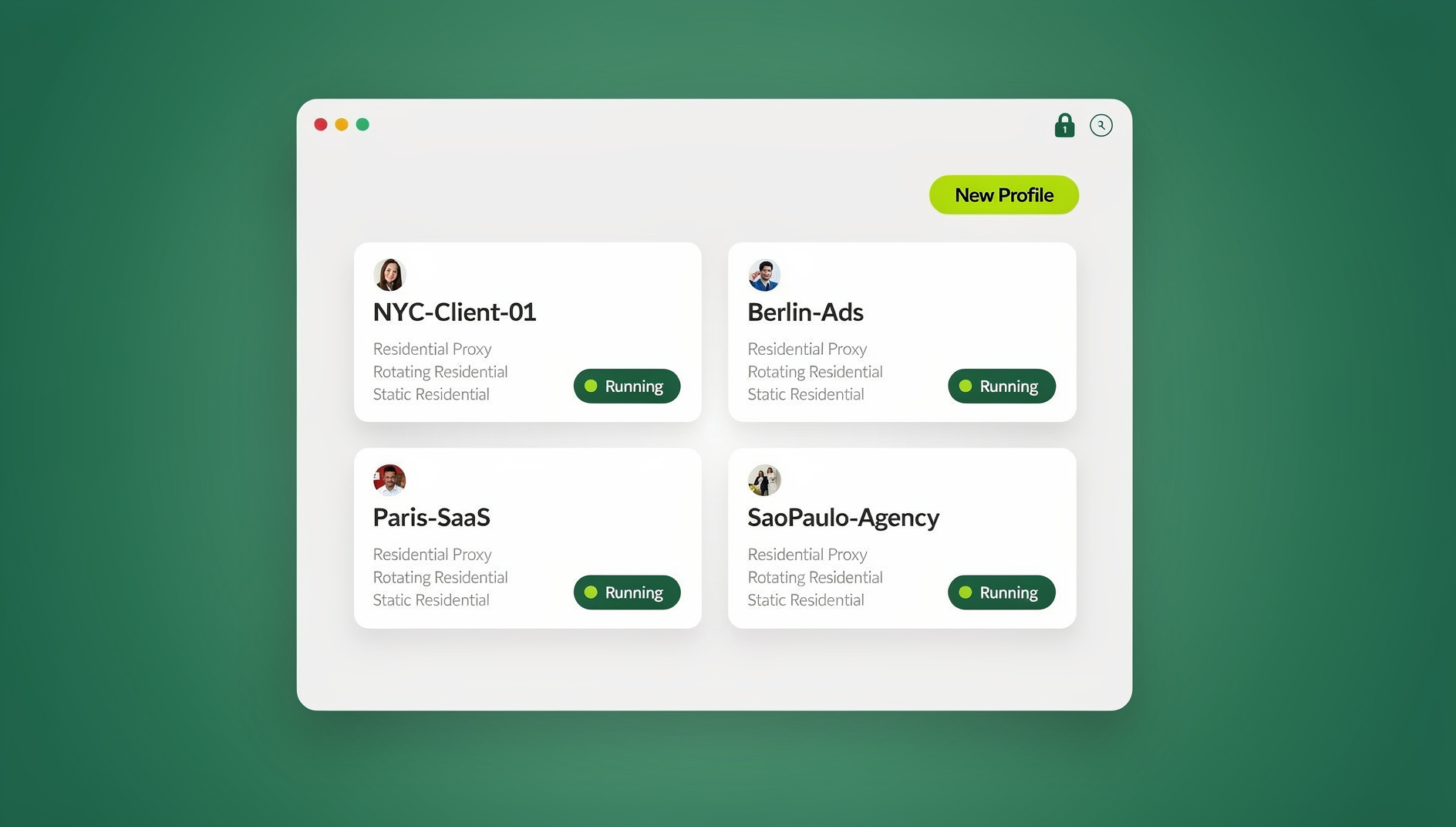
- Session separation: When staff juggle logins for entities with separate subscriptions, isolated browser sessions keep each company’s cookies and login state independent so one tab can’t accidentally leak into another. Cloud browser isolation and dedicated session isolation tools handle this without asking staff to memorize which browser profile belongs to which entity.
- Password policy: Unique credentials per entity, stored in a team password manager rather than shared documents.
This same access-separation problem shows up any time a team manages several logins side by side — bank portals, payroll systems, or client accounting files. A multi-login browser setup that keeps each entity’s session sandboxed is a cleaner fix than juggling private windows or logging in and out repeatedly, and it’s the same underlying pattern behind broader multi-account management practices used across finance, agency, and e-commerce teams.
Implementation Best Practices
Standardize the Chart of Accounts First
Before setting up multi-entity accounting, standardize your chart of accounts across all entities. This is what makes consolidation accurate and reporting consistent later. Common practices worth adopting:
- Use the same account numbering scheme across every entity
- Add entity-specific subaccounts only where genuinely needed
- Document account definitions so usage stays consistent as staff turn over
- Review and clean up the chart quarterly, not once a year
The Consolidation Process, Step by Step
- Close each entity’s books for the period
- Adjust for inter-company transactions, eliminating matching payables and receivables
- Convert foreign-currency balances to your reporting currency, if applicable
- Generate consolidated financial statements
- Review every elimination entry for accuracy before finalizing
- Archive the consolidation workpapers for audit trail purposes
🏆 Send.win Verdict
Accounting software solves consolidation and reporting, but it doesn’t solve the practical problem of staff logging into multiple entities’ portals — bank feeds, payroll dashboards, client accounting files — throughout the day without cookies and sessions bleeding into each other. Send.win gives every entity its own isolated browsing profile with a separate fingerprint, cookie jar, and login state, so a bookkeeper can have five companies’ financial portals open at once without one session ever contaminating another.
Try Send.win free today — 30 days, no credit card required.
Common Multi-Entity Migration Mistakes
Migrating All Entities at Once
Moving five or ten companies onto a new platform simultaneously multiplies the chance that something breaks silently — a missing tax code here, a mis-mapped account there. Migrate one entity first, run it in parallel with the old system for a full closing cycle, confirm the numbers tie out, then move the rest in waves.
Skipping the Opening Balance Reconciliation
Every entity’s opening balances need to be reconciled against the prior system before you trust a single report out of the new one. Skipping this step is the single most common source of “the numbers don’t match” panic in month two.
Ignoring User Permission Sprawl
As entities get added, it’s tempting to just give the bookkeeper access to everything rather than scoping permissions per entity. This works until an entity is sold, a contractor’s engagement ends, or an auditor asks who had access to what — at which point undoing broad access retroactively is far harder than scoping it correctly from day one.
Underestimating Change Management
Staff who’ve used QuickBooks for a decade don’t switch to Sage Intacct or NetSuite painlessly. Budget for training time and expect a slower close for the first one or two cycles post-migration — treating it as a one-week transition is the most common reason multi-entity rollouts go over budget.
Frequently Asked Questions
Can I use one QuickBooks subscription for multiple companies?
No. QuickBooks Online requires a separate subscription per company, though you can access all of them from a single login. QuickBooks Desktop Enterprise allows up to 15 company files on one license, but it’s Windows-only.
What’s the cheapest way to manage accounting for multiple businesses?
Wave Accounting (free) supports separate company profiles, and Xero Starter (around $15/month per org) is the most affordable paid option. For very basic needs, separate spreadsheets with a shared consolidation template can carry 2-3 entities for a while.
Do I need a separate bank account for each company?
Yes, always. Commingling funds between separate legal entities compromises liability protection and creates accounting headaches that outlast any software choice. Each entity needs its own bank accounts, connected to your accounting software separately.
How do I handle inter-company transactions?
Record receivables and payables between entities exactly as you would with any external party, but tag them as inter-company. During consolidation, these transactions get eliminated so they don’t inflate combined revenue or expenses. Sage Intacct and NetSuite automate this step entirely.
Can my accountant access all my companies from one login?
Yes. QuickBooks, Xero, and most cloud accounting platforms let accountants access multiple client companies through a dedicated advisor login, which is how most cross-client accounting access works in practice.
What’s the real cost difference between QuickBooks and Sage Intacct at 8 entities?
QuickBooks Advanced at 8 entities runs roughly $800/month in subscriptions alone, plus the staff hours spent manually consolidating each month. Sage Intacct’s flat-rate pricing at that scale is often comparable or cheaper once you factor in the automated consolidation time it saves — the crossover point is usually somewhere between 5 and 8 entities.
Does multi-entity software replace the need for a bookkeeper?
No. It removes duplicate data entry and manual consolidation, but someone still needs to review transactions, catch coding errors, and interpret the reports. Multi-entity software makes a bookkeeper more efficient across more entities — it doesn’t remove the role.
Conclusion
The best accounting software to manage multiple companies scales with your complexity, not your ambition. Start with QuickBooks or Xero for 2-3 simple entities, move to Sage Intacct once consolidation and inter-company transactions become a monthly headache, and graduate to NetSuite when you’re running international operations at real scale.
Whichever platform you land on, invest the time upfront in standardizing your chart of accounts and documenting your consolidation workflow. The software is only as good as the process behind it — and keeping each entity’s day-to-day access clean and separated makes reporting, consolidation, and tax season dramatically less painful every single cycle.