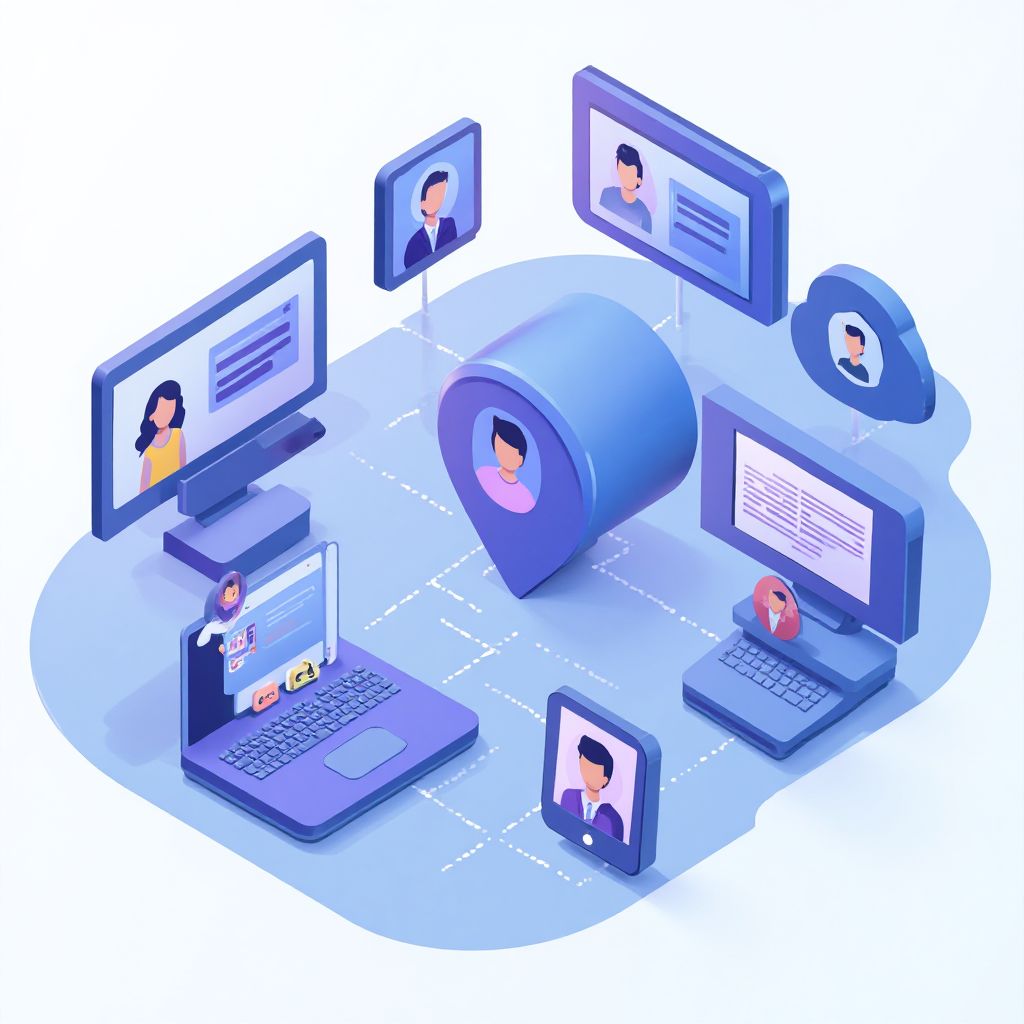

How B2B Support Systems Manage Multiple Products and Services Under One Account
Modern b2b support systems manage multiple products services under one account by deploying unified identity management, shared database schemas with logical tenant isolation, and centralized customer dashboards. This structure lets support agents handle multiple subscriptions, support tiers, and billing cycles from a single console. In this guide, we explore the architectures, platforms, and session management tools that simplify B2B multi-product operations.


The Evolution of Multi-Product B2B Customer Support
In the early days of enterprise software, a B2B vendor typically sold a single software package. That software was installed on-premises, and support was managed via simple ticketing queues. However, as the software-as-a-service (SaaS) model matured, companies expanded their portfolios. Today, a single enterprise client may purchase a CRM tool, a marketing automation suite, and an analytics package from the same vendor. Additionally, they may contract for professional onboarding services and ongoing premium support. Managing all of these distinct offerings under a single client account has become a major technical and operational hurdle.
Without unified architectures, support agents find themselves switching between disconnected interfaces, manually transferring customer data, and struggling to understand the customer’s overall health. To build a system that scales, organizations must move from product-centric databases to account-centric data systems.
In this article, we will break down the underlying technical structures that make this integration possible. We will examine the security implications of maintaining multiple products under a single login and provide concrete strategies that your operations team can implement to reduce overhead and improve customer retention.
Core Architectural Models for Multi-Product Support
To successfully implement a framework where B2B support systems manage multiple products services under one account, companies rely on specific database and identity patterns. There are two primary approaches: the Hub-and-Spoke model and the Federated Data model.
The Hub-and-Spoke Model
In a Hub-and-Spoke architecture, a central “hub” acts as the single source of truth for the customer’s master identity, billing agreements, global permissions, and overall account status. Each individual product or service operates as a “spoke” that communicates back to the hub via robust APIs. When a customer logs in, the hub authenticates them and checks their entitlements. If they have active subscriptions to Product A and Product B, the hub permits access. The support team also interacts with the hub, gaining a complete overview of the client’s products and open tickets across all spokes.
This model is highly scalable because it isolates the core account logic from the specific business logic of each product. If you launch a new product, you simply connect it as a new spoke without modifying the central registration database or changing how customer profiles are loaded by support agents.
The Federated Data Model
In a federated architecture, products maintain their own independent databases and identity systems, but a translation layer maps the accounts together in real-time. This model is often used by companies that grow through acquisitions, where integrating legacy databases is too costly or time-consuming. While harder to maintain due to latency and sync issues, it allows support teams to query multiple systems and aggregate the findings under a single virtual dashboard.
The main drawback of the federated model is its dependency on consistent mapping keys. If Client A is registered as “Acme Corp” in Product A’s database and “Acme LLC” in Product B’s database, the federation layer may fail to link them, forcing support agents to manual resolve conflicts.
Implementing a Unified Identity Layer (SSO)
Central to either model is a Single Sign-On (SSO) system. Instead of requiring users to remember unique passwords for every service, the identity provider (IdP) validates their identity once. Using secure SAML or OIDC tokens, the user is automatically logged into all authorized tools. For support agents, a unified identity layer ensures they can log in as a customer (impersonation mode) securely and trace issues across the client’s entire service footprint.
Key Challenges in Managing Multiple Products Under a Single B2B Account
Even with a sound architectural model, support teams face significant hurdles when attempting to manage multiple products under one account. Understanding these pain points is critical before selecting a platform.
Data Siloes and Context Switching
When support data is siloed, agents spend more time searching for information than solving problems. If a customer reports an issue with their email marketing tool, but the billing data lives in a separate portal, the agent must jump between windows. This context-switching degrades resolution times and increases agent fatigue. To prevent this, support systems must pull customer health scores, billing status, and ticket history into a single screen.
Furthermore, without a central data warehouse, generating comprehensive reports on customer satisfaction (CSAT) or Net Promoter Score (NPS) across different products becomes a manual spreadsheet project. Management remains blind to whether a client is thriving with one tool but planning to churn because another tool is failing.
Cookie and Session Contamination
When agents troubleshoot issues by logging into different customer portals or staging environments, standard web browsers fail. Web browsers store cookies globally or per domain, meaning logging into Client A’s dashboard can overwrite the session for Client B. This leads to configuration mistakes and accidental data exposure. Using a professional cookie management tool can help, but for true isolation, support teams need isolated browser environments that segment sessions entirely.
Without separation, an agent might accidentally perform an administrative action in Client A’s environment while believing they are in Client B’s dashboard. In enterprise B2B support, where access to financial data or configuration settings is common, this type of error can result in severe compliance violations and loss of client trust.
Complex Entitlements and Billing Inconsistencies
Different products often run on different pricing schemes. One might charge per user seat, another might use volume-based pricing, and a third might be a fixed monthly service fee. Consolidating these into a single invoice while keeping support tiers aligned is incredibly complex. A customer might have enterprise-level support for their database but only basic support for their analytics tool. The support platform must dynamically flag these differences to the agent.
If the support agent is unaware of these entitlement nuances, they may spend hours providing premium troubleshooting for a service that the client has only paid a basic support fee for, draining company resources. Alternatively, they might delay assistance to a high-paying enterprise client because the ticket was routed to a low-priority queue.
5 Strategies for Unifying B2B Support Across Multiple Products
To overcome these challenges and ensure your B2B support systems manage multiple products services under one account, implement these five strategic solutions.
1. Deploy Unified Identity and Role-Based Access
Implement a central identity registry. Ensure that when a client administrator adds a new user, they can define permissions across all products simultaneously. For example, a user could be an “Admin” on the core CRM but a “Viewer” on the analytics module. The support ticketing system should automatically ingest these roles so agents know who they are speaking with and what permissions they hold.
This approach simplifies user lifecycle management. When a client employee leaves the organization, the client admin can disable their access from a single portal, instantly revoking access across all products. This prevents stale accounts from remaining active, which represents a major security vulnerability.
2. Consolidate into a 360-Degree Support Profile
Build a customer profile dashboard that aggregates data from all product lines. When an agent opens a ticket, they should immediately see:
- Active services and their corresponding SLAs
- Recent usage volume and billing standing
- Ticketing history for every product in the portfolio
- Aggregated satisfaction scores (CSAT)
This allows the agent to recognize if a minor issue on a low-tier product is affecting a client who spends heavily on other services.
For example, if an enterprise customer is currently experiencing a critical outage on Product A, the agent handling a simple configuration question on Product B will see the alert and treat the customer with appropriate care, acknowledging the ongoing incident.
3. Use Isolated Browser Environments for Agent Access
To safely switch between client dashboards without logging out or mixing up data, support teams must run segregated browser sessions. Standard browsers like Google Chrome make this difficult. To solve this, agents can transition to a dedicated Chrome multi account configuration, or better yet, use a dedicated multi-login browser that isolates cookies, cache, and local storage per session.
By using separate profiles, support staff can remain logged into different customer portals simultaneously. This is especially vital when testing cross-product integrations or verifying that settings have saved correctly across different environments. It also prevents the repetitive login/logout cycle that wastes hours of agent time every single week.
4. Automate Ticket Routing Based on Product Tags
Create routing trees that analyze incoming tickets and assign them to the correct specialized teams. If a ticket contains issues related to both Product A and Product B, the system should allow sub-tickets to be generated and linked. This ensures that specialists handle the technical aspects while the primary account manager maintains overall communication with the client.
Smart routing should also evaluate client value. If a customer is high-value on Product A but low-value on Product B, the ticket regarding Product B should still receive escalated routing to prevent overall customer frustration. This holistic prioritization is key to maximizing customer lifetime value (LTV).
5. Set Up an Integrated Knowledge Base with Global Search
Avoid hosting separate help centers for each product. Build a single customer portal where users can search for answers. If they type a query, the system should return relevant articles from all product lines, labeled clearly. This self-service approach reduces overall ticket volume and increases customer satisfaction.
To make the knowledge base effective, configure search algorithms to prioritize results based on the customer’s active subscriptions. If a customer only uses Product A, they should not be cluttered with troubleshooting articles for Product B unless they explicitly expand their search.
Comparing Platforms for Multi-Product Support Management
Choosing the right platform is critical for executing your multi-product strategy. Below is a comparison of how popular B2B systems stack up when managing multiple products and services under a single account.
| Platform | Multi-Product Architecture | Session Isolation | API and Automation | Best For |
|---|---|---|---|---|
| Salesforce Service Cloud | Native Hub-and-Spoke data objects | Requires manual session setup | Excellent REST APIs and flow automation | Large enterprises with complex sales cycles |
| Zendesk Enterprise | Supports multiple brands and products | No browser-level isolation | Robust API ecosystem | Mid-to-large support operations |
| HubSpot Service Hub | Custom properties and product libraries | None natively | Easy-to-use workflows | Growing companies seeking clean UX |
| Send.win Desktop | Unified session and profile isolation | Full container-level separation | Automation API on Pro/Team plans | Support ops and account switchers |
Security and Compliance in Multi-Product B2B Systems
When B2B support systems manage multiple products services under one account, security must be a primary design consideration. A breach in one product must not compromise the integrity of another. The following principles should guide your security architecture.
Principle of Least Privilege (PoLP)
Ensure that both clients and internal support agents only have access to the specific products and databases necessary for their roles. If an agent only supports Product A, they should not have access to Product B’s administration backend. Centralized logging should track every access request and configuration change.
Additionally, client users should be restricted. Enforcing this segregation at the account level prevents data leaks within the client organization.
Data Residency and Compliance
Different products may handle different types of sensitive data. For example, a healthcare analytics tool must comply with HIPAA, while a payment service must meet PCI-DSS standards. When these products are managed under a single account, the system must ensure that data is stored in compliant hosting regions and is properly encrypted both at rest and in transit.
To safely manage these setups, support agents often use a dedicated browser for ads management and client verification, which ensures that all connections are routed through secure, dedicated proxies to maintain compliance and avoid triggering IP flags. This is also critical when dealing with multiple merchant or billing platforms, similar to managing multiple Amazon accounts without causing security cross-linking.
Leveraging Send.win for B2B Operations and Multi-Account Management
Regardless of which ticketing platform you use, your team will eventually face the challenge of accessing multiple client portals and product dashboards simultaneously. This is where Send.win provides a powerful operational solution.
Send.win is designed specifically for teams that need to run multiple parallel browser sessions securely. Rather than relying on simple browser profiles that share local data, Send.win provides complete container isolation. Each session runs in its own sandbox with unique cookies, storage, and fingerprint data, ensuring zero cross-talk.
Send.win does not offer or require any browser add-ons or legacy browser plugins. Instead, it offers two primary modes of operation:
- Sendwin Browser (native desktop app): A secure, downloadable desktop client for Windows, macOS, and Linux that runs profiles locally with high performance.
- Cloud browser sessions: Segregated browser sessions hosted in the cloud, allowing agents to access pre-configured customer dashboards from any device without installing software locally.
Additionally, Send.win features a developer-friendly Automation API, allowing teams to automate login flows, scrape data, or run parallel testing scripts. The Automation API is available on the Pro plan and above, making it highly accessible for growing teams.
For B2B companies, this operational layout means that support representatives do not have to waste valuable minutes logging out of one customer’s account to log into another. They can run active sessions side-by-side, verify configuration settings in real-time, and resolve complex integration tickets in a fraction of the time.
Pricing and Support Plans
Send.win offers clear pricing tailored to both individual operators and large enterprise support teams. Every plan begins with a generous 30-day free trial, allowing you to test the session isolation and API features without any upfront commitment.
- Pro Plan: $19 per month (or $6.99 per month when billed annually). This plan includes 150 isolated profiles, 5GB of proxy bandwidth, and full access to the local Automation API.
- Team Plan: $49 per month (or $20.99 per month when billed annually). This tier scales to 500 profiles, 20GB of proxy bandwidth, the Automation API, and up to 16 team seats for collaborative session sharing.
- Add-Ons: If you need more resources, you can add extra profiles for $0.05 per profile or purchase additional proxy bandwidth for $6.00 per GB.
🏆 Send.win Verdict
Managing multiple products and services under a single B2B account requires seamless session handling. Send.win offers isolated browser profiles and robust multi-account controls that allow your support team to navigate different customer environments and product dashboards concurrently without session collisions or security risks.
Try Send.win free today — streamline your B2B support operations and eliminate login friction today.
Frequently Asked Questions
How do B2B support systems manage multiple products under one account?
They do this by employing a unified database registry, utilizing a central Single Sign-On (SSO) server, and structuring customer profiles around account-level entitlements rather than product-specific data silos.
What is the difference between multi-product support and multi-tenant support?
Multi-tenant support isolates data between different customer companies (tenants) using the same application instance. Multi-product support manages different applications and service offerings (products) within a single customer company’s account.
Why do traditional helpdesks fail at managing multiple services?
Traditional systems are built with single-product queues, meaning data cannot easily flow across different teams. This forces agents to switch tabs constantly, leading to delays and inconsistent customer support experiences.
How can support agents log into multiple customer portals safely?
Agents can use sandboxed browser containers, such as the Sendwin Browser desktop client, to keep cookies and session data separated. This prevents one customer’s portal session from logging out or bleeding into another.
What pricing plans does Send.win offer for B2B support teams?
Send.win offers a Pro plan for $19 monthly ($6.99 annually) and a Team plan for $49 monthly ($20.99 annually). Both plans include a 30-day free trial and feature the Automation API for session script control.
Does Send.win require a browser add-on or local installation?
No, there is no browser add-on or web store file to install. You can use Send.win’s cloud browser sessions directly in your web browser with no local setup, or download the native Sendwin Browser desktop client for local rendering.
How does a unified identity provider benefit B2B multi-product platforms?
It provides a single authentication point, allowing clients to access all their subscribed services with one set of credentials and enabling support agents to impersonate customer environments securely during troubleshooting.
Can I automate B2B support workflows using Send.win’s API?
Yes. Send.win offers a local Automation API on its Pro and Team plans, which allows developers to run Playwright, Puppeteer, or Selenium scripts to automate administrative tasks and test account integrations.