The Agency Way to Manage Multiple Instagram Accounts
To manage multiple Instagram accounts without getting them linked or flagged, combine Instagram’s native 5-account switching for casual use with browser-level isolation — unique fingerprints, separate cookies, and dedicated IPs per account — for anything professional. Influencers, agencies, and e-commerce sellers running five, ten, or fifty profiles all hit the same wall: Instagram’s own tools stop at convenience, not security. Below are the seven real methods that scale from a single side-hustle account to a full agency roster.

Why So Many People Need More Than One Instagram Account
Brand and Niche Separation
Creators split content by niche to keep audiences relevant — a fitness influencer might run separate accounts for workouts, nutrition, and product reviews rather than mixing them into one feed. Engagement rates and analytics both improve when the audience for each account is genuinely interested in that account’s specific content.
Agency and Client Management
Social media agencies typically run five to twenty client accounts at once. Each client expects a distinct content calendar, a consistent posting voice, and zero risk of one client’s draft post accidentally going out on another client’s feed — a mistake that’s far more common than it should be when everything lives in one browser tab.
E-Commerce and Multi-Store Operations
Sellers running multiple Shopify, Etsy, or Amazon storefronts often need a dedicated Instagram presence per product line or brand. Separate accounts let each store build its own following and run targeted promotions without diluting the parent brand’s identity.
Testing and Growth Experiments
Running parallel test accounts lets marketers A/B test captions, hashtag sets, and posting windows with clean data — what wins for one demographic can flop for another, and mixing test traffic into a main account muddies the results.
Instagram’s Built-In Multi-Account Switching
Instagram natively supports up to 5 accounts per device:
- Open Instagram and tap your profile picture
- Tap the menu (≡) → Settings and privacy
- Scroll to “Add account” and log in with the second account’s credentials
- Long-press your profile picture to switch between logged-in accounts
This is free and instant, but it comes with real limits: a hard cap of 5 accounts, every account sharing the same device fingerprint and IP address, no team access controls, and every account’s notifications landing on one phone. For a solo creator running two accounts, that’s rarely a problem. For anyone managing accounts that need to look and behave independently, it’s the first thing platforms cross-reference when investigating suspicious activity.
7 Ways to Manage Multiple Instagram Accounts
1. Instagram’s Native Account Switching
Best for casual users with 2-5 accounts and low security requirements. Free, instant, and requires no extra tools — but all accounts remain visibly linked at the device level.
2. Social Media Management Platforms
Tools like Hootsuite, Buffer, and Later connect to Instagram’s official API to schedule posts and pull analytics from one dashboard across many accounts.
- Pros: Official API access, scheduling, analytics, team seats
- Cons: Can’t handle DMs or interactive Stories; monthly cost scales with account count
- Best for: Scheduling and reporting across 5-20 accounts
3. Browser Profile Isolation
Using separate Chrome multi-account profiles lets you log into more accounts than the app allows, each keeping its own cookies and login session.
- Pros: Free, full web feature set, effectively unlimited accounts
- Cons: Same device fingerprint and IP across profiles; manual switching
- Best for: Budget setups with 5-10 low-risk accounts
4. Antidetect and Cloud Browser Isolation
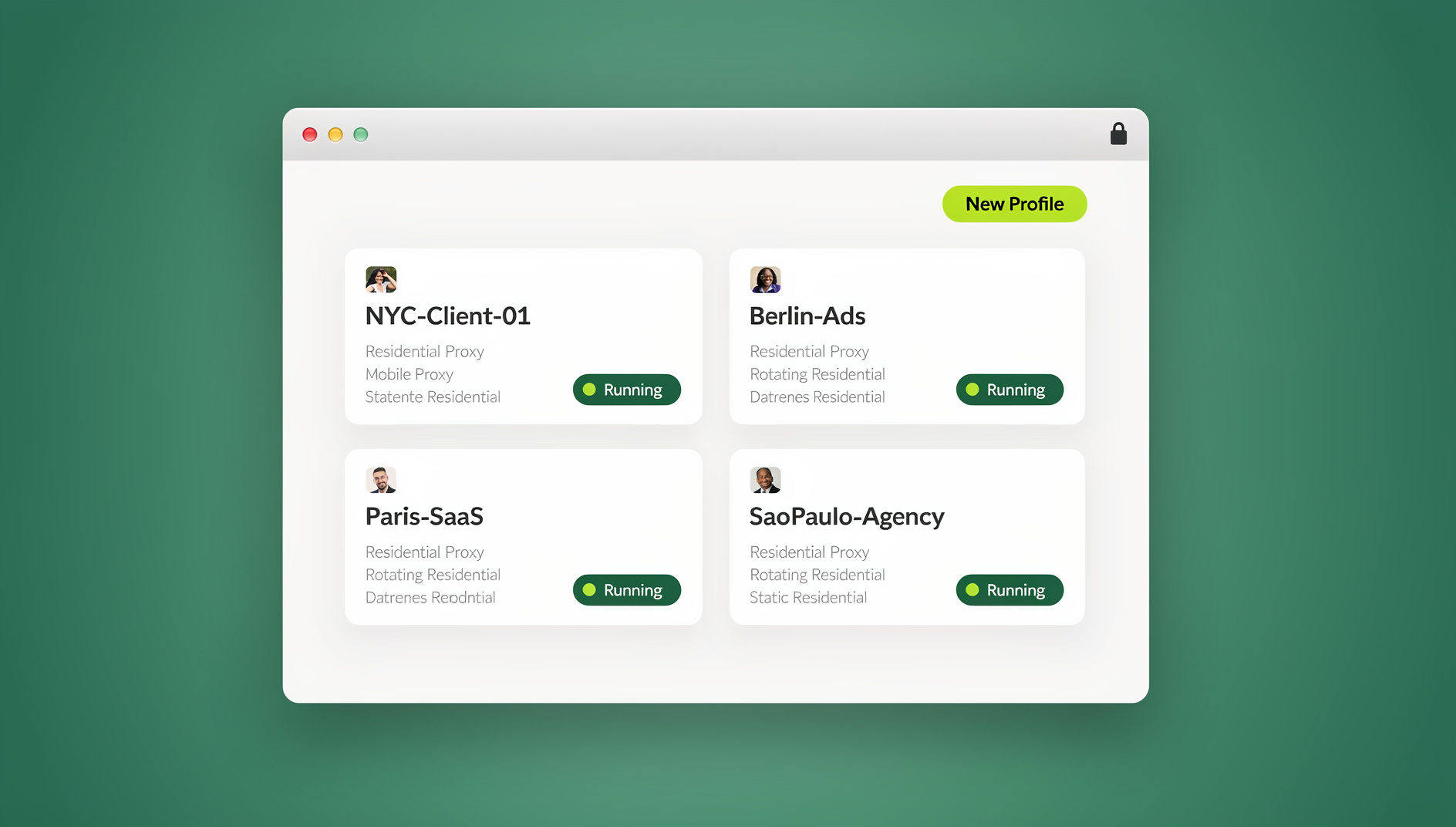
For serious multi-account work, antidetect browsers give each Instagram profile a distinct browser fingerprint — canvas, WebGL, audio context, and navigator properties that no longer match across accounts. Send.win runs each profile as an isolated browser isolation technology environment, whether through the native Sendwin Browser desktop app or a cloud browser session that needs no install. Every profile gets its own session isolation — separate cookies, cache, and local storage — plus its own IP when paired with a proxy, so dozens of Instagram accounts can run from one dashboard with no cross-contamination between them.
- Pros: Full fingerprint and session isolation, proxy pairing, team profile sharing
- Cons: Requires a paid subscription
- Best for: Agencies and e-commerce operators running 10+ accounts professionally
5. Mobile Device Farms
Some operations use several physical phones, each running one or two accounts, for genuine hardware-level isolation.
- Pros: Real device fingerprints, full native app features
- Cons: Expensive, hard to scale, ongoing charging and maintenance overhead
- Best for: Small operations of 3-5 accounts needing full app functionality
6. Delegated Team Access Without Password Sharing
Agencies increasingly avoid handing raw passwords to every team member. Instead, a manager creates the isolated profile once, then shares access to that specific profile with a virtual assistant or team member — access can be revoked instantly when a contract ends, without ever resetting the underlying Instagram password.
- Pros: No shared credentials, instant revocation, clean audit trail of who accessed what
- Cons: Requires a platform that supports profile-level sharing
- Best for: Agencies with rotating contractors or VAs
7. Scheduled Content Batching
Rather than logging in daily, batch a week or month of content in one sitting using a shared calendar tool, then schedule delivery through your management platform of choice, reserving live logins only for real-time engagement.
- Pros: Fewer logins per account per week, lower detection surface, better time management
- Cons: Still requires periodic manual engagement to avoid looking automated
- Best for: Any scale, especially teams managing 10+ accounts
Step-by-Step: Professional Instagram Multi-Account Setup
Step 1: Account Planning
Document each account before you touch a login screen:
| Field | Example |
|---|---|
| Account Username | @brandname_official |
| Purpose | Main brand account |
| Target Audience | 25-34 F, fitness enthusiasts |
| Posting Schedule | Daily at 9am, 6pm local time |
| Content Pillars | Workouts, nutrition, motivation |
| Assigned Proxy | US residential — regional match |
| Browser Profile | Profile #12 |
Step 2: Set Up Isolated Environments
For each account, spin up a dedicated profile with a unique fingerprint (canvas, WebGL, fonts, screen size), a matching residential proxy, its own cookie and local-storage container, and a timezone/language setting consistent with the proxy’s location.
Step 3: Account Warmup Protocol
New Instagram accounts need gradual activity to avoid tripping spam filters:
| Day Range | Activity |
|---|---|
| Days 1-3 | Complete profile setup, follow 5-10 accounts, browse feed 15 min/day |
| Days 4-7 | Post first 3 pieces of content, like 20-30 posts, leave 5 genuine comments |
| Days 8-14 | Post daily, increase follows to 20/day, engage with hashtag communities |
| Days 15-30 | Start Stories and Reels, use the full feature set, raise engagement volume |
| Day 30+ | Full activity, ads-eligible, normal operations |
Step 4: Content Pipeline
- Content calendar: map 2-4 weeks per account in a shared tool like Notion or Airtable
- Asset library: organize images, video, and templates by account/brand in cloud storage
- Approval flow: set up a review step for client accounts before anything posts
- Staggered publishing: space posting times across accounts to avoid identical-timestamp patterns
Step 5: Monitor and Optimize
- Engagement rate (likes + comments / followers × 100)
- Follower growth rate
- Story completion rate
- Reach and impressions trend
- Best-performing content types per account
Comparison: Instagram Multi-Account Management Options
| Solution | Max Accounts | Fingerprint Isolation | Full Features | Team Support | Price Range |
|---|---|---|---|---|---|
| Instagram App | 5 | No | Yes | No | Free |
| Hootsuite/Buffer | 50+ | No | Partial | Yes | $49-599/mo |
| Chrome Profiles | Unlimited | No | Web only | No | Free |
| Antidetect Browser | Unlimited | Yes | Web only | Yes | $50-300/mo |
| Send.win | Unlimited | Yes | Desktop app + cloud sessions | Yes | From $6.99/mo (Pro, annual) |
Safe Automation Practices
Instagram actively detects and penalizes bot-like behavior. If you automate any part of the workflow:
- Schedule posts through Instagram’s official API or approved partners — never third-party posting bots
- Automate analytics collection, not engagement actions
- Randomize delays between actions to avoid mechanical timing patterns
- Never automate DMs — this is one of the fastest paths to a ban
- Respect informal rate limits: roughly 60 likes/hour, 20 follows/hour, 10 comments/hour
Technical teams that need to script repetitive, non-Instagram-facing tasks — reporting, QA checks on a dashboard, monitoring — can do so against isolated Send.win profiles using Selenium, Puppeteer, or Playwright through the Automation API, available on both the Pro and Team plans.
Common Mistakes to Avoid
- Reusing hashtags across accounts: unique hashtag sets per niche prevent Instagram from correlating accounts by tag overlap.
- Posting at identical times: stagger schedules by at least 30 minutes between accounts.
- Neglecting engagement: posting without replying to comments or DMs reads as automated behavior.
- Cross-posting the same Reel or Story: identical media across accounts is one of the clearest linking signals.
- Registering with the same email domain: spread account registrations across different email providers.
🏆 Send.win Verdict
Instagram’s own account switcher works fine for two or three personal profiles, and scheduling tools like Buffer handle posting and analytics well. Neither one solves the actual risk of managing 10+ accounts: shared fingerprints and IPs that make Instagram’s fraud systems treat separate businesses as one operator. Send.win gives every account its own fingerprint, cookies, and IP — whether you run profiles through the native Sendwin Browser desktop app or a no-install cloud browser session — plus team sharing without passwords and an Automation API for scripting repetitive, non-engagement tasks.
Try Send.win free today — start your 30-day free trial, no credit card required.
Frequently Asked Questions
How many Instagram accounts can I manage at once?
The Instagram app supports 5 accounts per device. With browser-based isolation or a cloud browser platform like Send.win, you can manage effectively unlimited accounts, each with its own login session. The practical ceiling depends on how much content and engagement each account genuinely needs.
Will Instagram ban me for having multiple accounts?
Instagram permits multiple accounts but suspends them if it detects automated behavior, spam, or community guideline violations. Proper session isolation combined with human-paced activity patterns is what actually prevents accounts from being flagged as linked.
What’s the cheapest way to manage multiple Instagram accounts?
Instagram’s built-in switching (up to 5 accounts) paired with a free-tier scheduling tool covers casual use at no cost. For genuine isolation at scale, a paid browser isolation plan typically delivers better value per account than stacking multiple free tools that don’t solve the fingerprint problem.
Can I use the same phone number for multiple Instagram accounts?
Instagram allows one phone number per account, and reusing a number across accounts links them in Instagram’s internal systems. Use distinct phone numbers, or email-only registration, to keep accounts separated.
How do I stop Instagram from linking my accounts?
Use separate browser profiles or devices, unique IP addresses via proxies, different email addresses and phone numbers, and avoid logging into multiple accounts from the same shared network. Antidetect and cloud browser tools automate most of this isolation for you.
Does Send.win require installing software?
Not necessarily. Send.win offers two real modes: the native Sendwin Browser desktop app for Windows, macOS, and Linux, and cloud browser sessions that run entirely in the cloud with no local install at all. Pick whichever fits your workflow — many teams use both.
Is there a free trial before I pay for a multi-account tool?
Send.win offers a 30-day free trial with no credit card required, so you can test isolated profiles against your real Instagram accounts before committing to the Pro plan ($6.99/month billed annually) or the Team plan ($20.99/month billed annually) for larger rosters.
What’s the difference between Chrome profiles and an antidetect browser for Instagram?
Standard Chrome profiles separate cookies but typically still share the same underlying browser fingerprint and IP address. An antidetect browser like Send.win assigns each profile a genuinely distinct fingerprint and can pair it with its own proxy, which is a meaningfully stronger separation for accounts platforms actively watch for shared-device patterns.
Bottom Line
Learning to manage multiple Instagram accounts comes down to matching the tool to your scale. Casual users are fine with Instagram’s native 5-account switching. Anyone managing 10 or more accounts professionally — agencies, e-commerce sellers, multi-brand creators — needs real fingerprint and session isolation, dedicated proxies, and a structured content pipeline to keep every account healthy. Treat each profile as its own identity with its own device environment, and scaling becomes a matter of repeating a process that already works.