How to Manage Multiple TikTok Accounts Without Cross-Linking Them
To manage multiple TikTok accounts safely, give each one its own device fingerprint, its own IP address, and completely original content — TikTok’s detection systems link accounts by how they look technically, not just by what they post. Creators running niche channels, agencies handling 15+ client profiles, and TikTok Shop sellers all hit the same wall: the moment two accounts share a device ID, browser fingerprint, or IP address, TikTok can treat them as the same operator and cascade a violation on one into a restriction on both.

This guide covers every method — free and paid — for keeping TikTok accounts genuinely separate. TikTok’s algorithm-driven discovery gives every account independent viral potential, which is exactly why the platform’s anti-abuse systems have gotten so aggressive about detecting centrally controlled account networks.
Who Actually Needs to Manage Multiple TikTok Accounts
The reasons vary widely, but the technical risk is identical across all of them. Content creators run separate niche channels — a cooking account, a fitness account, a tech-review account — because algorithmic discovery rewards focused, single-topic feeds over one generalist account. Agencies manage a portfolio of client accounts simultaneously, often 10-20 at once, where a mistake on one client’s account can’t be allowed to touch another’s. E-commerce brands run distinct TikTok Shop storefronts per product line or region. And brand marketing teams keep a corporate account separate from personal accounts belonging to the same employees, since the two shouldn’t ever look connected in TikTok’s systems. In every case, the platform doesn’t care why you’re running multiple accounts — only whether it can detect a shared device, IP, or fingerprint behind them.
How TikTok Detects Linked Accounts
TikTok’s Community Guidelines explicitly prohibit operating multiple accounts “to artificially increase views, likes, or followers.” Enforcement runs on four main signals:
- Device fingerprint sharing — TikTok reads device-level identifiers. Accounts originating from the same phone ID or browser fingerprint get flagged for review.
- IP address patterns — multiple accounts posting or engaging from one IP address raise immediate flags, especially when the volume looks coordinated.
- Content duplication — TikTok hashes video content, so posting the same or near-identical clip across accounts triggers automated removal even after light edits.
- Engagement manipulation — accounts that consistently like, follow, or comment on each other in a repeating pattern get flagged for coordinated inauthentic behavior.
Method 1: TikTok’s Native Account Switching
The TikTok app lets up to three accounts stay logged in at once — tap your profile picture, then “Switch account.” On desktop at tiktok.com, only one account can be active per browser session.
Pros
- Free and built into the app.
- Instant switching between logged-in accounts.
Cons
- Capped at three accounts on mobile.
- Desktop supports only one active session per browser.
- All three accounts share the same device ID, IP address, and browser fingerprint — TikTok can tell they’re the same person.
- A violation on one account can get the others on that device restricted too.
Method 2: Separate Physical Phones
Some creators buy a dedicated phone per TikTok account, each with its own device ID, SIM card, and TikTok install.
Pros
- Genuine hardware separation.
- Each phone has a real, unique device ID.
Cons
- $200-500 per phone adds up fast.
- Impractical past 3-4 accounts.
- Juggling multiple physical devices is logistically painful.
- Connecting to the same Wi-Fi still shares the IP address.
Method 3: TikTok Business Center
TikTok’s Business Center is its answer to Meta’s Business Manager — agencies request partnership access to client ad accounts and business profiles through it.
Pros
- Official TikTok solution, built for agencies.
- Role-based access (Admin, Operator, Viewer).
- Centralized billing and campaign management.
Cons
- Covers TikTok Ads Manager only — not organic content.
- You still need native login access to post, reply to comments, go live, or manage TikTok Shop listings.
- Access still routes through your personal browser, which fingerprint-links every client account you touch.
Method 4: Cloud Browser Isolation
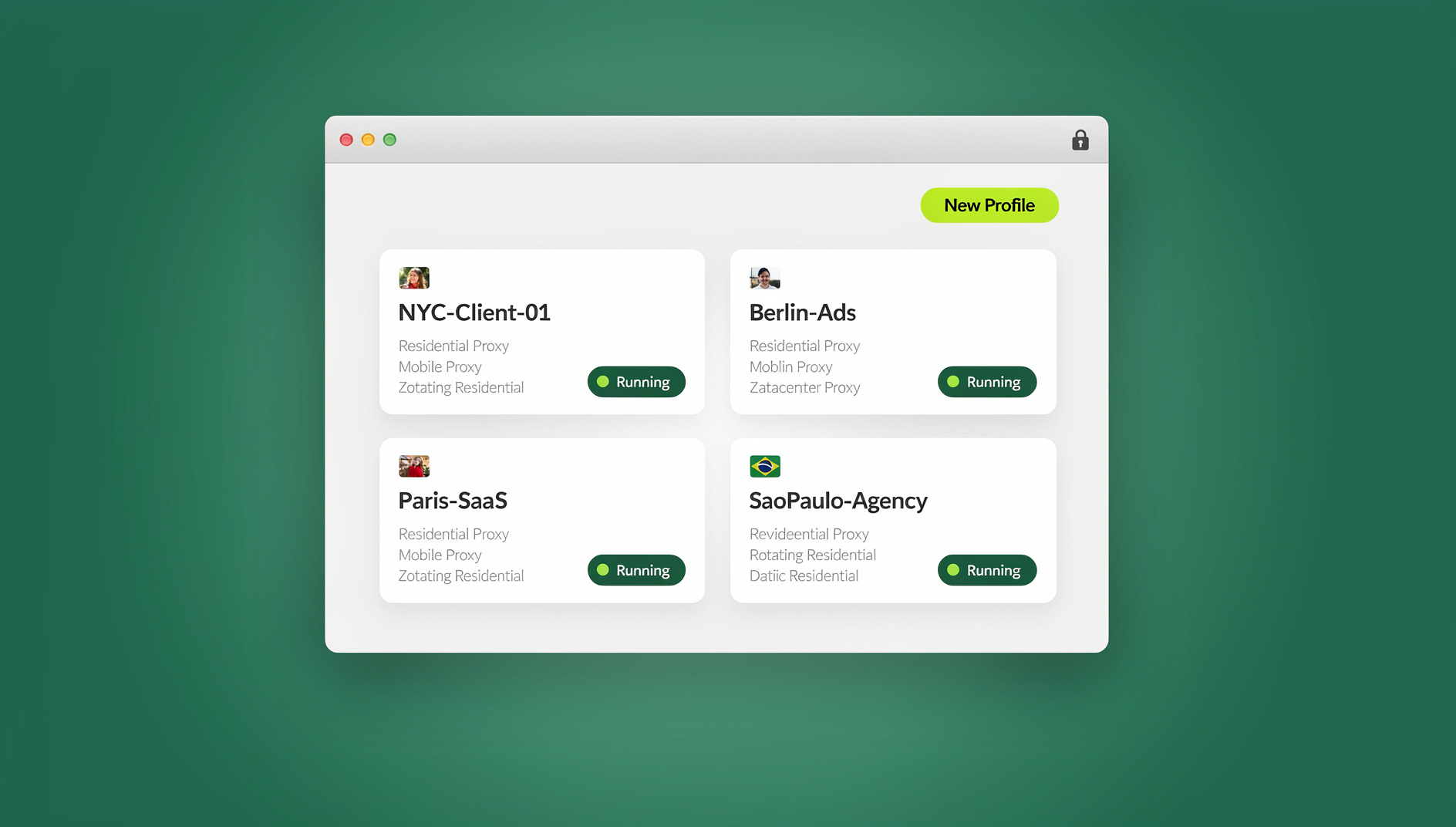
For agencies and creators who need to manage multiple TikTok accounts with zero cross-linking risk, cloud browser isolation is the most complete solution available. A platform like Send.win runs each TikTok login in its own cloud browser session — its own fingerprint, its own residential proxy, its own cookie jar — with no local installation needed to open it.
How It Works
- Create a dedicated profile per TikTok account — “Creator: Fitness TikTok,” “Client: Brand X TikTok.”
- Assign each profile its own residential proxy. The fitness account connects from a Los Angeles IP; the brand account connects from Chicago.
- Each profile generates a distinct browser fingerprint, so TikTok sees independent devices, not one operator.
- Log into each TikTok account once inside its profile — the session persists, so there’s no daily re-authentication.
Prefer to run everything locally instead of in the cloud? Sendwin Browser, the native desktop app, applies the same per-profile fingerprint and proxy isolation without opening a browser tab in the cloud at all.
Method Comparison
| Method | Max Accounts | Fingerprint Isolation | IP Isolation | Cost |
|---|---|---|---|---|
| Native App Switching | 3 | No | No | Free |
| Separate Phones | 3-4 | Yes (per device) | Only off shared Wi-Fi | $200-500 each |
| TikTok Business Center | N/A (ads only) | No | No | Free (ad spend separate) |
| Cloud Browser Isolation | Effectively unlimited | Yes | Yes, unique proxy per profile | Paid |
Content Strategy for Multi-Account TikTok Operations
1. Unique Content Per Account
Never repost the same video across accounts — TikTok’s video hashing flags duplicates and can restrict every account involved. Each account needs original, niche-specific content.
2. Staggered Posting Schedules
Posting to five accounts within the same 10-minute window from the same IP reads as coordinated behavior. Stagger posting times and keep each account inside its own isolated session so every post originates from a different fingerprint and IP.
3. Independent Engagement Patterns
Don’t let your own accounts like, follow, or comment on each other. Cross-engagement between accounts you control is the single most common way new multi-account managers get flagged for using multiple accounts.
4. Separate Phone Numbers
Register each account with a unique phone number — reusing numbers across accounts is an instant, permanent link. Virtual number services can supply numbers in bulk if you’re scaling past a handful of accounts.
TikTok Shop Multi-Account Management
E-commerce sellers running several TikTok Shop storefronts face extra scrutiny: TikTok Shop verifies sellers through business licenses, tax IDs, and payment methods, and operating multiple shops without real business-entity separation can get every shop suspended together. Each TikTok Shop needs its own registered business entity, its own settlement bank account, its own isolated browser profile with a unique fingerprint and proxy, and independent inventory with no duplicate product listings.
Going Live Across Multiple Accounts
TikTok Live requires native platform access — no API or automation tool can start a live stream on your behalf. Agencies running simultaneous live shopping events for multiple TikTok accounts need isolated browser environments so each stream originates from its own profile, with nothing tying one broadcast to another.
Team Delegation for TikTok Accounts
TikTok’s native team tools are thin compared to Meta’s — for organic content, there’s no role-based access beyond handing someone your password. The workaround agencies use: authenticate each client’s TikTok account inside a dedicated cloud browser profile, then share the logged-in session with a content creator or community manager. They post and reply natively without ever seeing the password, and you revoke access the moment the engagement ends.
Troubleshooting Common Issues
Phone Verification Loops
TikTok may demand phone re-verification when it notices unusual login patterns — a new device, IP, or rapid account switching. A dedicated, persistent profile per account with a stable proxy largely prevents this from triggering in the first place.
Shadow-Restricted Reach
A sudden drop in views without a visible strike often traces back to a shared fingerprint or IP flagged for coordinated behavior elsewhere in your account network, not the content itself.
Cascading Restrictions
If one account in a shared-device group violates guidelines, TikTok can restrict every linked account. Proper isolation contains a strike to the single account that earned it.
Notifications and Analytics Getting Mixed Up
Switching between accounts inside the same app or browser tends to scramble which notifications, drafts, and analytics dashboards belong to which account. Keeping each account inside its own dedicated profile — rather than logging in and out of one session — avoids this entirely, since each environment only ever knows about the account it holds.
The Real Cost of Getting This Wrong
The math on cross-linking is unforgiving once an account has real followers, ad spend, or TikTok Shop revenue attached to it. A single cascading restriction across a shared-device account group can wipe out months of organic growth on every linked account simultaneously, not just the one that triggered it. For agencies, that’s a client relationship damaged by a preventable technical mistake rather than a content or strategy failure. A properly configured multi-login browser setup costs a fraction of what a single lost client account represents, which is why professional operators treat isolation as infrastructure, not an optional upgrade.
Choosing the Right Method for Your Needs
Match the method to what’s actually at stake:
- One or two personal accounts, low stakes — native app switching is genuinely fine.
- A handful of niche creator accounts — separate phones work if the budget and hassle are acceptable.
- Running TikTok ad campaigns for clients — TikTok Business Center handles the ads side, but you’ll still need isolated browser access for organic posting.
- Agencies, TikTok Shop sellers, or anything that can’t afford a cascading restriction — cloud browser isolation is the only method that removes fingerprint and IP linking entirely.
🏆 Send.win Verdict
Native app switching is fine for one or two personal TikTok accounts, and separate phones can carry a small creator lineup. Past that — agencies, TikTok Shop sellers, or anyone running more than a couple of accounts where a cascading restriction would actually hurt — Send.win’s cloud browser sessions give every TikTok login its own fingerprint, proxy, and cookie jar, with no install required. Prefer to work locally? Sendwin Browser applies the same isolation on your own desktop.
Try Send.win free for 30 days — no credit card required.
Frequently Asked Questions
How many TikTok accounts can one person have?
TikTok’s terms allow up to three accounts logged in per device at once, but there’s no stated per-person limit beyond that. The key requirement is that accounts stay genuinely distinct and don’t engage in coordinated behavior with each other.
Will TikTok ban me for using a VPN?
Not automatically, but datacenter VPN IPs get heavily scrutinized. Residential proxies are far more reliable for ongoing account management. Rapidly switching locations — US to UK to Japan in one session — will trigger security checkpoints regardless of which you use.
Can I use the same email for multiple TikTok accounts?
No. Every TikTok account needs its own unique email address or phone number at registration.
What happens if one of my TikTok accounts gets banned?
If that account is properly isolated in its own profile with a unique fingerprint and proxy, the ban stays contained to it. If accounts share a fingerprint or IP, TikTok can cascade the restriction to every linked account.
Does TikTok Business Center replace the need for browser isolation?
No. Business Center only covers TikTok Ads Manager access. Posting organic content, replying to comments, going live, and managing TikTok Shop still require native login access through a real browser session, which is where fingerprint isolation matters.
Can I manage TikTok accounts from a phone using cloud browser sessions?
Yes. Because the session runs remotely, you can open it from a phone’s browser without installing anything locally — useful for checking in on client accounts away from your main desktop.
Is running multiple TikTok accounts against the rules?
Not inherently. TikTok’s guidelines target using multiple accounts to artificially inflate views, likes, or followers, or to coordinate engagement between accounts — not the simple fact of running more than one genuine account.
How do I know if two of my TikTok accounts are linked?
Warning signs include both accounts receiving similar restrictions around the same time, unexpected phone verification prompts after switching between them, or a sudden reach drop across accounts that share a device, IP, or Wi-Fi network.