Agencies and franchise marketers manage multiple Google My Business accounts (now officially called Google Business Profile) by layering three tools: Google’s own bulk management dashboard for setup and organization, a third-party local SEO platform for daily posting and rank tracking, and isolated browser profiles for the native login access that suspensions, verifications, and review disputes require. Skipping that third layer is the single biggest reason agencies see cascade suspensions across unrelated client listings.

Managing one Google Business Profile listing is simple. Managing 20, 100, or 500 across different clients or franchise locations multiplies every recurring task — review responses, seasonal hours updates, weekly posts, and the verification and suspension issues Google’s automated systems hand out with little warning. The methods below cover the full stack, from Google’s free tools to the native-access layer most guides skip entirely.
Most agencies discover the gap the hard way: everything runs smoothly through a bulk dashboard and a third-party reporting tool, right up until one listing gets suspended and someone has to log into that specific client’s Gmail to file an appeal — from the same browser they used for the last six clients that morning.
Why Google’s Systems Get Suspicious of Multi-Account Management
Google doesn’t explicitly prohibit one person or agency managing many business profiles. What its security algorithms distrust is a single device and IP address rapidly accessing dozens of unrelated Google accounts — a pattern that looks identical to review manipulation or listing fraud, even when it isn’t.
- Suspicious activity locks. Google can lock a client’s account if it detects the same browser fingerprint touching 30 different Gmail logins in one afternoon.
- Cascade suspensions. If one listing gets suspended for a policy violation, Google’s algorithm can flag other profiles managed from the same login environment — even completely unrelated businesses.
- Extended verification loops. Adding a new location while logged in from an account Google has already flagged for unusual access patterns can trigger manual verification (postcard or video call) that delays a client’s visibility for weeks.
None of this is arbitrary. Google’s fraud systems were built to catch networks of fake local listings and review manipulation rings, and the raw signal they key on — one device and IP touching many unrelated accounts in a short window — happens to look identical whether it’s a bad actor or a legitimate agency doing its job. The fix isn’t working around Google’s rules; it’s giving each client account a distinct enough footprint that the pattern never gets triggered in the first place.
Method 1: Google’s Business Profile Manager Dashboard
Google provides an official bulk management tool for organizations with more than 10 locations, accessible through business.google.com under an Organization account.
Pros
- Free and official — zero policy risk.
- Supports bulk location upload via spreadsheet.
- Centralized review management across every listing.
- Location groups for organizing franchise networks.
Cons
- The interface slows down noticeably past 100+ locations.
- Analytics are thin compared to dedicated local SEO tools.
- No built-in rank tracking — you can’t see where a client sits in the Maps 3-pack for specific keywords.
- You still need native account access for escalations like suspensions or re-verifications.
Method 2: Third-Party Local SEO Platforms
Most agencies layer a platform like BrightLocal, Whitespark, LocalViking, or Yext on top of Google’s own dashboard.
Pros
- Local rank tracking broken down by geographic grid, so you can see exactly where each location ranks for target keywords.
- Automated posting — scheduled promotional, event, and offer posts across every location at once.
- Centralized review inbox with AI-assisted response suggestions.
- Citation management to keep name/address/phone details consistent across hundreds of directories.
Cons
- Per-location pricing gets expensive fast past 100 listings.
- Google’s frequent Business Profile API changes cause occasional temporary feature breakage.
- No help for emergencies — suspensions and video verifications still require logging into the specific Google account natively.
Method 3: Isolated Browser Profiles for Native Account Access
The piece neither of the first two methods replaces is secure, native login access to each client’s individual Google account. When you need to log directly into Client A’s Gmail to dispute a fake review, complete a video verification, or file a suspension appeal, and then do the same for Client B and Client C — all from your standard Chrome browser — Google tracks the shared browser fingerprint and IP address across every session. That’s exactly the pattern that creates a detectable link between unrelated businesses and triggers cascade suspensions.
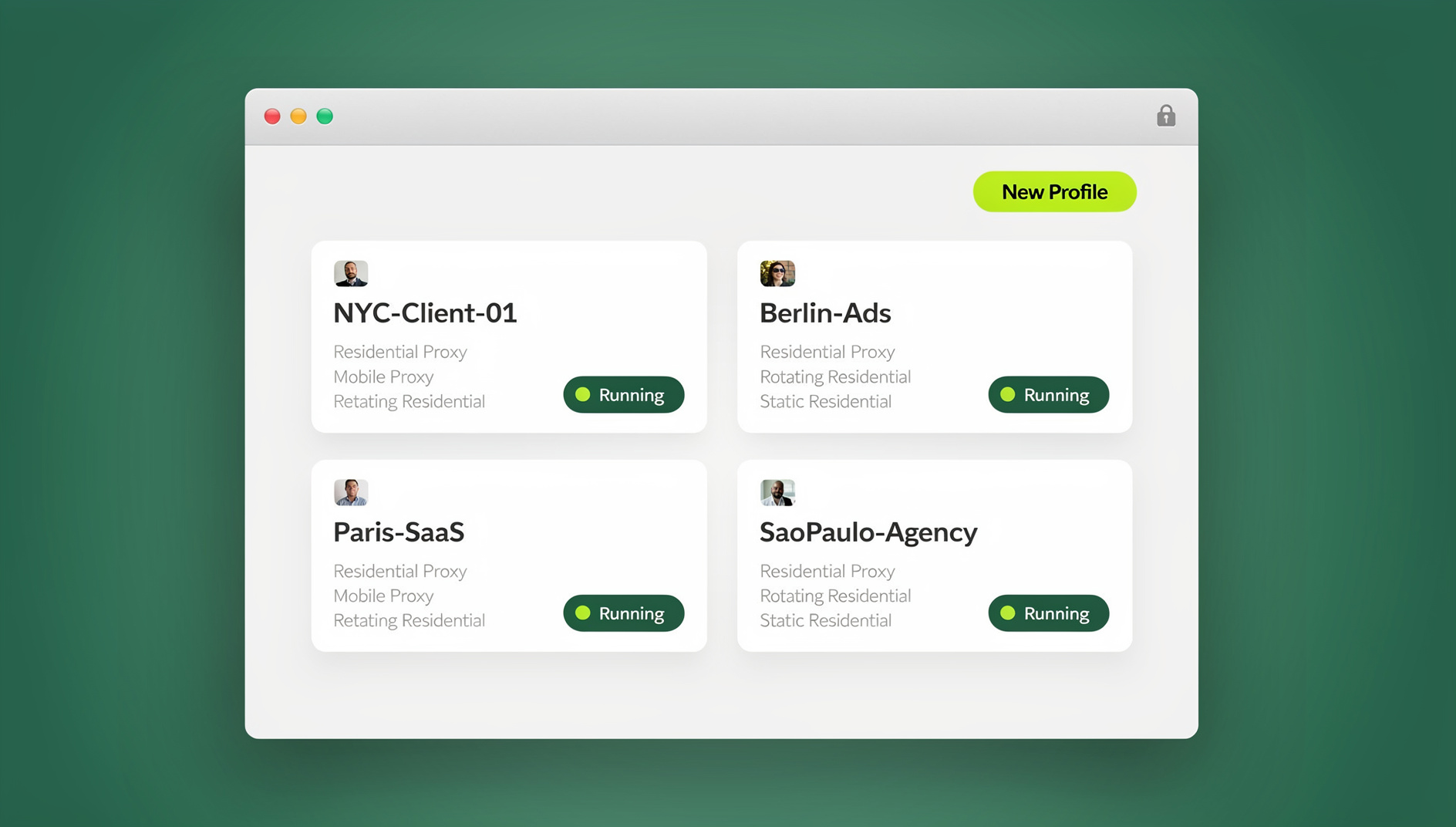
A multi-login browser like Send.win solves this by giving each client its own isolated cloud browser profile:
- “Client A — Gmail” gets its own unique fingerprint and a residential proxy matched to the client’s actual city.
- “Client B — Gmail” gets a completely separate identity and proxy.
- Google sees two independent users on two different machines in two different locations — because, functionally, they are.
Setting Up Isolated Profiles for Client GBP Accounts
None of this requires rebuilding your existing workflow. Here’s a practical rollout agencies can follow in an afternoon:
- Try the free cloud demo. Send.win has no free trial, but you can preview it in the free cloud demo at https://send.win/demo-browser/ before committing to a paid plan, so you can test the setup against a handful of real client accounts first.
- Create one profile per client, not per location. A franchise client with 15 locations under one Gmail account still only needs one isolated profile; a separate profile is only needed per distinct Google login.
- Attach a proxy matched to the client’s home market. Use Send.win’s built-in residential proxies, or bring your own, so each client’s profile connects from a consistent, plausible location every session.
- Reserve these profiles for native tasks. Route day-to-day posting and rank tracking through your local SEO platform as usual; use the isolated profile specifically for logins, verifications, and appeals.
- Document which profile belongs to which client. With dozens of client accounts, a simple naming convention (client name plus account type) prevents someone on the team from logging into the wrong profile during an urgent suspension appeal.
The Professional Three-Layer Workflow
The agencies that scale past a handful of locations without cascade suspensions run all three methods together, each covering a different job.
Layer 1: Google’s Official Dashboard
Handle initial location setup, business information updates, and broad organizational control here — it’s free and it’s the foundation everything else sits on.
Layer 2: A Third-Party Local SEO Platform
BrightLocal or LocalViking handles the daily grind: post scheduling, rank tracking, and review responses — realistically 80% of the recurring workload.
Layer 3: Isolated Browser Profiles for Escalations
Reserve dedicated, isolated profiles for the high-stakes native tasks that can’t go through an API:
- Filing suspension reinstatement appeals natively, under the correct owner account.
- Completing video verification calls through the specific client Gmail.
- Disputing malicious fake reviews that require native Google account interaction.
- Managing Google Ads campaigns tied to a specific Business Profile listing.
Franchise-Specific Workflows
Franchise networks add a wrinkle: corporate needs oversight, but individual franchise owners need to respond to local reviews with their own voice and authenticity. Using session sharing, a corporate team can authenticate each franchise location’s Google account inside its own isolated profile, then share that session securely with the local manager. The manager responds to reviews, updates hours, and posts local content natively — without ever seeing the account password, and without contaminating the corporate agency’s main browser environment.
This matters more than it sounds. Franchise owners who feel like they’re posting through a faceless corporate account tend to write generic, low-effort review responses — customers can usually tell. Giving the local manager real, native access (even if it’s technically a shared session) produces noticeably more authentic responses, without the corporate office having to hand over a password it can’t easily revoke later.
Common Mistakes When Managing Multiple GBP Listings
1. Using one Gmail account as Manager on every listing
A single “agency@gmail.com” added as Manager across all client profiles is a single point of failure — lock that account and you lose access to everything at once, and Google can algorithmically link every managed business back to it.
2. Ignoring review velocity
If a competitor is earning five reviews a week and your client gets one a month, local rankings decline regardless of how well the listing itself is optimized. Pair your management workflow with an active review-generation program.
3. Skipping Google Posts
Weekly posts (offers, updates, events) signal to Google that a listing is actively managed. Agencies that skip this consistently underperform in local rankings against those that maintain a steady posting cadence.
4. Handling every escalation from the same browser session
It’s tempting to just log into whichever client’s Gmail you need next, from whatever browser tab is already open, especially during a busy week. That convenience is exactly what creates the shared-fingerprint pattern Google’s systems flag. Keeping even a rough separation — a distinct profile for your five or ten most active clients — cuts the risk dramatically without adding much overhead to your day.
Comparing the Three Methods
| Method | Best For | Handles Suspensions/Verification? |
|---|---|---|
| Google Business Profile Manager | Bulk setup, basic organization | No — dashboard only |
| Third-party local SEO platform | Daily posting, rank tracking, reviews | No — API access only |
| Isolated browser profiles (Send.win) | Native login for escalations and verification | Yes — full native access, isolated per client |
🏆 Send.win Verdict
Google’s own dashboard and a third-party local SEO platform cover setup, posting, and rank tracking well — but neither one can safely log you into a client’s Gmail for a suspension appeal or video verification. Send.win gives every client account its own isolated browser profile and matching proxy, so escalations don’t put your other clients’ listings at risk.
Try Send.win today — plans start at $19/month, the first card purchase is covered by a 7-day money-back guarantee, and every client’s Google account gets its own clean, isolated profile.
Frequently Asked Questions
Can I manage multiple Google Business Profiles without an agency account?
Yes. You can be added as a Manager on individual listings using your personal Gmail, but Google’s Organization dashboard is strongly recommended once you pass roughly 10 locations, for both scale and organization.
How do I prevent suspensions when managing many GBP listings?
Use isolated browser environments with a unique proxy per client rather than accessing 20+ client Gmail accounts from the same browser and IP in quick succession — a browser profile manager approach applies the same principle Send.win uses for native access.
What happens if a client’s Google Business Profile gets suspended?
You must log into the specific owner Gmail account natively and submit a reinstatement request through the GBP dashboard. Google typically responds within 3-7 business days; a pre-authenticated, isolated browser profile saves real time during that process.
Is Google My Business the same as Google Business Profile?
Yes — Google rebranded Google My Business to Google Business Profile, dropping the standalone app in favor of managing listings directly through Google Search and Maps. The underlying account and listing structure is unchanged.
Do I need a browser extension to manage multiple Google Business Profile accounts safely?
No. Isolated multi-account management is handled through a dedicated multi-login browser rather than a browser extension — Send.win runs as a native Sendwin Browser desktop app or as a cloud browser session, neither of which is an extension.
Can a franchise manager respond to reviews without knowing the corporate Google password?
Yes, if the corporate team shares the specific profile session rather than the account credentials themselves. The manager gets native access to respond and post, and the corporate team can revoke that access at any time.
How much does Send.win cost for agencies managing many client profiles?
Send.win has no free trial; the Pro plan is $19/month or $83.88/year, and the Team plan is $49/month or $251.88/year and adds more seats and shared profiles for larger agency teams. The first card purchase is covered by a 7-day money-back guarantee, and the only free option is the cloud demo at https://send.win/demo-browser/. Compared to per-location pricing on most local SEO platforms, that flat per-seat cost stays predictable even as your client roster grows.