Can You Really Run Multiple Accounts on One iPad?
Yes — but not as iPadOS users. Multiple accounts on one iPad works when you stop treating the tablet as the container and start treating it as a screen. iPadOS has no multi-user mode for ordinary owners, and Shared iPad needs device management plus Managed Apple Accounts. The practical answer for agencies and social teams is a cloud browser: each account lives in its own isolated profile with its own cookies, storage, fingerprint settings and proxy exit, and the iPad opens whichever one you need.
📌 TL;DR Executive Summary
- Core Takeaway: iPadOS ships one user account per device. Shared iPad exists, but it needs a supervised iPad with 32 GB or more, an MDM service and Managed Apple Accounts — an IT project, not a settings toggle.
- Key Risk/Challenge: Even with separate logins, every session still leaves through the same iPad and the same public IP, and password handoffs with 2FA leave you no record of who did what.
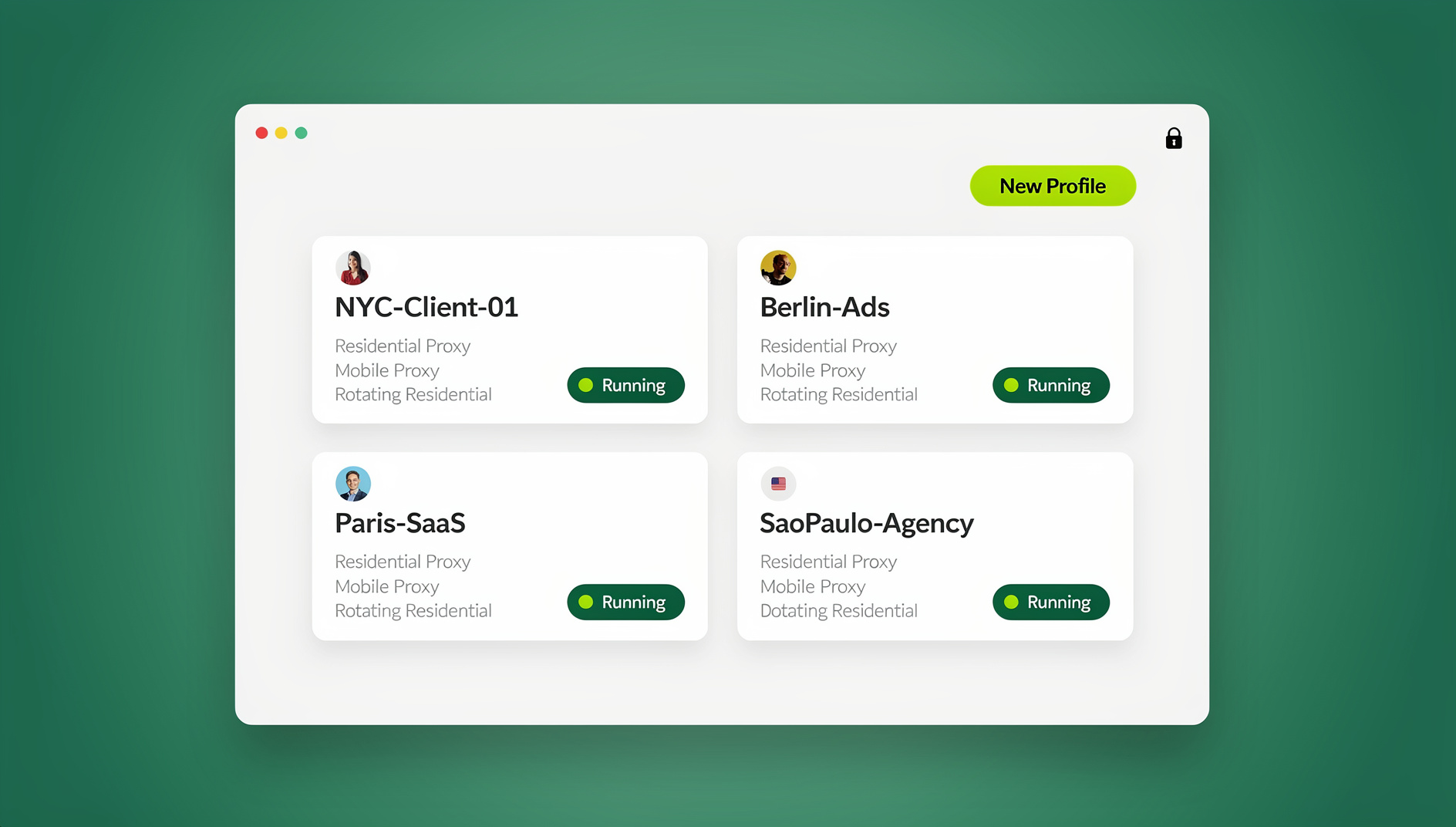
- Recommended Solution: Keep the iPad as the screen and run each account in its own cloud browser profile with its own cookies, storage, fingerprint settings and proxy exit. Send.win’s cloud browser runs in Safari with nothing to install on the tablet.
Why the iPad Says No: The Four Options Apple Actually Offers
Most guides blur these features together. Each solves a different problem, and none of them hands an agency six clean client environments on one tablet.
Shared iPad is an IT feature, not a user feature
Shared iPad is the closest thing to real accounts on an iPad. It requires a supervised device enrolled in a mobile device management service, Managed Apple Accounts issued through Apple Business Manager or Apple School Manager, and at least 32 GB of storage. Enrolment generally assumes hardware bought through Apple or an authorised reseller, which is why Shared iPad is usually an IT rollout in schools and multi-shift workplaces rather than something you switch on at an agency desk.
Storage is carved up per user. On a 32 GB iPad, Apple reserves about 10 GB for the OS and 8 GB for apps and media, with a minimum of 1 GB per user and 2 GB on 64 GB and larger devices. With no quota configured, the device defaults to a maximum of 10 users. Updates add friction: only the MDM service, or Apple Configurator and Finder on a Mac, can start an iPadOS upgrade, and moving to iPadOS 17 required removing every user first because of file-system changes. Apple’s Shared iPad overview lists the requirements, and the preparation guide covers quotas and upgrades.
Temporary Sessions are wiped at logout
On iPadOS 13.4 and later, a Shared iPad can hand out a Temporary Session: the person taps Guest at the lock screen without a password, and everything, browsing history included, is deleted on logout. Fine for a visitor, poor for client work, because a Temporary Session cannot change account settings and often cannot sign in to Apple services such as Messages or the App Store. Apple has announced Authenticated Guest Mode for an update to iPadOS 27, which authenticates the guest against a Managed Apple Account with single sign-on and removes the need for per-device storage quotas. It is still an MDM feature.
Family Sharing is not account separation
Family Sharing lets up to six people share purchases, Apple subscriptions and iCloud storage while each keeps a separate Apple ID. It is built for a household on shared devices, so two Family members still use the same iPad, the same browser build and the same network. Nothing about one client’s session is isolated from the next person’s.
Guided Access and the folder-and-browser workarounds
Guided Access locks the iPad to a single app until someone enters a passcode — Settings > Accessibility > Guided Access — and it is genuinely useful for kiosks and for handing a tablet to a child. The rest of the common advice is organisational: a different browser per client, a different email app, separate home screen folders. It keeps the icons tidy; it does not split cookies inside one browser, and it does not change the address every login leaves from.
| Option | What it separates | What you need | Fit for client accounts |
|---|---|---|---|
| Shared iPad | Full user sessions with per-user storage | Supervised iPad, MDM, Managed Apple Accounts, 32 GB+ | Only if your organisation already runs MDM |
| Temporary Session | Nothing — wiped on logout | Shared iPad, iPadOS 13.4+ | No; most Apple services are unavailable inside it |
| Family Sharing | Purchases and iCloud storage | Up to six people with separate Apple IDs | No; shared device, shared network |
| Guided Access | One app on screen | Passcode via Accessibility settings | Kiosk use only |
| Cloud browser profiles | Cookies, storage, fingerprint settings and proxy exit IP | A browser on the iPad and a Send.win account | Yes — the unit of separation matches the account |
What a Six-Client Morning Looks Like Without Separation
Picture an account manager with six clients, a 9:00 stand-up and a tablet on a stand. A typical morning runs like this.
08:40 — the login queue
Two Instagram accounts, a Meta Business Manager inbox, a TikTok inbox, an Amazon Seller Central account and a support inbox. On a plain iPad that is six sign-outs and six sign-ins before the first call, each one waiting on a 2FA code that lands on somebody else’s phone. Saved passwords barely help: on a Shared iPad, Safari AutoFill cannot save passwords at all unless a configuration profile lists the allowed domains.
09:15 — the cross-post
The Instagram app holds one session at a time. Log in as the second client and the first is silently gone; forget to switch back and the next Story goes out on the wrong brand. Recovering means deleting the post and rebuilding trust you cannot invoice for.
10:30 — the password in the chat
A client drops their Seller Central password into a message, the 2FA code goes to their operations lead who is in a meeting, and you sit idle for twenty minutes. When the contract ends, nobody can say with confidence who still has that password.
The same morning with isolated cloud profiles
You open Safari on the iPad, sign in to your Send.win workspace and get a list of named profiles instead of a login form. The retail client’s Instagram profile opens already signed in, through a proxy whose exit IP sits in that client’s country, so the ad preview shows the right currency. You close the tab and open the Seller Central profile. No sign-out, no 2FA ping-pong, no wrong-brand post. When a client wants to watch you work, you share the live cloud session instead of screen-sharing a password — the mechanics are the same as on a phone, and how cloud browser sessions work explains what runs where.
Where It Breaks: Four Risks Specific to iPad Work
1. Compliance is per platform, not per device
You may only operate accounts you own or are authorised to manage, and you have to follow each platform’s terms. A second profile is not a permission slip: it separates sessions, it does not create a right to another account. If an account is restricted or suspended, the fix is the platform’s own appeal or verification process, never a fresh profile, which just moves the problem and drags your other accounts into the same conversation.
2. One browser, one cookie jar
Log client A out and client B’s session starts inside the environment A was just using: same cookies left behind, same autofill store, same history, same fingerprint surface — the canvas, WebGL and audio output a site can read. That is a privacy problem before it is anything else, especially on a tablet handed around a co-working desk. If you want to know what those surfaces reveal, this piece on how to check your browser fingerprint is a sober starting point.
3. Password handoffs and shared logins
Passwords in chat, 2FA codes sent to someone else’s phone, no record of who logged in when. Rotating a password after a contractor leaves locks out three other people mid-campaign, and a single shared inbox everyone logs into makes the audit trail worse rather than better.
4. One iPad, one IP address
Every account you open leaves through the same public IP: office Wi-Fi, home fibre or a café. Switching Apple IDs does not change it, and neither does a second browser. It also breaks regional checks — a UK client’s ad preview served from a US connection is not the preview you were asked to verify.
Setting Up Cloud Profiles for iPad Work, Step by Step
The first account takes an hour including the client call. Each one after that takes ten minutes.
- Decide the unit of separation. One profile per login, not per client. A client with an Instagram account, a Facebook page and an ads account gets three profiles, because those are three separate sessions with three separate session stores.
- Open the cloud browser from Safari. Nothing to install on the iPad — profiles run on Send.win’s cloud server in Helsinki, Finland (EU), which is what lets a tablet do work that normally needs a laptop. A three-minute demo needs no signup, and a free account gets 10 minutes a day; the desktop app itself needs Pro or Team.
- Name the profile by client, platform and region, then add a note with the client’s timezone so a colleague opening it at 2 a.m. knows what “today” means for that account. The walkthrough on how to create multiple sessions in the cloud browser covers the click path.
- Attach the network. Both plans ship 20 residential proxies with metered bandwidth, and you can paste your own HTTP or SOCKS5 proxy instead. Timezone, locale, WebRTC and geolocation follow the exit IP automatically, so the profile behaves as if it sits in the client’s market.
- Sign in once, with the client on the call. They approve the 2FA prompt on their own phone while you are both watching, then you close the tab. The session stays saved inside the profile.
- Share the profile, not the password. A paid teammate you share with opens it already signed in. For a review call, share a live cloud session and let the client watch the work happen.
- Keep heavy days on the desktop. Sendwin Browser runs on Windows 10/11, macOS 12+ and Linux, is built on Chromium and keeps profiles local to that machine. Up to 50 profiles can be open at once on every plan, and cloud sync carries 20 profiles on Pro and 100 on Team.
- Know the boundary. There is no API, SDK, headless mode or Selenium/Puppeteer/Playwright integration on any plan. Every session is a person clicking, which is what authorised client access should look like.
Scaling Past Six Clients Inside Each Platform’s Rules
Adding profiles is easy. Adding them in a way that survives a client review, a policy change and a leaver’s last day is the actual work.
Meta: use Business Manager roles
An agency should be granted partner or admin access to a client’s Business Manager rather than logging in as the client’s personal profile. Each ad account and page then has named people with named permissions, and removing a departing colleague is one toggle. Keep one profile per client Business Manager so the right person always lands in the right account.
Amazon: one account per region, by approval
Amazon expects one seller account per region and a formal approval request for anything beyond that. Do not use extra profiles to run accounts you were not approved for — that is the fastest way to lose the approved ones too. Use profiles to keep regions apart and give each marketplace its own network exit.
Instagram, TikTok and YouTube: the native switcher first
If a platform lets you hold several brands under one login, that is usually the cleaner route: fewer 2FA prompts, a platform-side audit trail, and less to hand over when the contract ends. Reach for a separate profile when the logins genuinely belong to different people or different legal entities.
Google: manager accounts before more logins
Google Ads manager accounts exist so one team can administer many client accounts without sharing credentials. Use them, and reserve profiles for the cases that need a distinct session — a client’s Search Console, Analytics or Merchant Center.
Watch bandwidth and seats, not just profile count
Profile limits are what people fixate on and rarely the binding constraint; bandwidth and seats are. Cloud browsing carries no daily time limit on either plan, but proxy traffic is metered at 5 GB on Pro and 20 GB on Team per month. Extra GB costs $6, extra profiles $0.05 each. Audit which profiles actually need a residential exit — a client’s own analytics dashboard usually does not, and a logged-in ad account usually does. The trade-offs of routing per profile are covered in why use a residential proxy.
| Limit | Pro — $19/mo or $83.88/yr | Team — $49/mo or $251.88/yr |
|---|---|---|
| Saved browser profiles | 150 | 500 |
| Proxy bandwidth / month | 5 GB | 20 GB |
| Residential proxies included | 20 | 20 |
| Cloud sessions at once | 3 | 9 |
| Profiles open at once (desktop) | Up to 50 | Up to 50 |
| Team seats | 6 | 16 |
🏆 Send.win Verdict
Send.win will not give you iPad user accounts — nothing will, short of an MDM rollout on supervised hardware. What it does is remove the reason you wanted them: each client account gets its own isolated profile with its own cookies, storage, fingerprint settings and proxy exit, and the iPad becomes a thin screen onto those profiles through the cloud browser, with shared profiles for teammates and live sessions for client reviews. For an agency juggling six to sixty client logins, that is the difference between a tablet that can do the work and a tablet that can only read email.
See Send.win plans — from $19/mo with residential proxies included, or start with the free cloud demo: three minutes without signup, 10 minutes a day with a free account.
Frequently Asked Questions
Can I have multiple user accounts on an iPad?
Not the way a Mac or a Windows PC allows. iPadOS is a single-user system, and the only true multi-user mode is Shared iPad, which requires a supervised device, an MDM service and Managed Apple Accounts. For everyone else, separation has to come from the software layer — separate browser profiles rather than separate OS accounts.
Does Shared iPad need MDM?
Yes. Shared iPad is set up and managed through a mobile device management service, with Managed Apple Accounts created in Apple Business Manager or Apple School Manager. The device needs at least 32 GB of storage and must be supervised, and enrolment generally assumes hardware purchased through Apple or an authorised reseller.
Can I run multiple accounts on one iPad without MDM?
You can, just not as separate iPadOS users. Run each account inside its own cloud browser profile and open those profiles from Safari. Each one keeps its own cookies, storage, fingerprint settings and proxy exit IP, so nothing carries over from one client session to the next.
Does switching Apple IDs on one iPad change my IP address?
No. Your IP address comes from the network the iPad is connected to, not from the Apple ID signed in. Switching accounts, using another browser or opening a private tab all leave through the same connection. Only a proxy or a cloud session with its own exit changes the address a site sees.
Is Family Sharing a way to separate client accounts?
No. Family Sharing covers up to six people who share purchases, Apple subscriptions and iCloud storage, with each member keeping a separate Apple ID. It assumes those people share devices, so it does nothing to isolate one client’s browsing session from another’s.
How many users can a Shared iPad hold?
With no quota or user maximum configured, a Shared iPad defaults to a maximum of 10 users and splits storage by device capacity — on a 32 GB iPad, roughly 1 GB per user after the OS and app allocation. Administrators set the limit and the per-user quota through the MDM service.
How do I reset a forgotten Shared iPad passcode?
An administrator resets it in Apple Business under People > Users > More > Lock. The federated authentication password stays unchanged; only the device passcode is reissued. Outside an MDM setup there is no passcode to reset at all.
Can I share a logged-in client profile without handing over the password?
Yes, with profile sharing to a paid teammate: they open the shared profile already signed in and the password never changes hands. Live cloud sessions can be shared the same way for client reviews, and everything stays inside accounts you are authorised to manage.
How Send.win Helps With Multiple Accounts On One Ipad
Send.win is a browser profile manager for professionals and teams: every account gets its own isolated browser profile.
- Isolated profiles – separate cookies, storage and sessions per profile
- Fingerprint protection – each profile keeps its own consistent browser fingerprint, so profiles never share one browser identity
- Desktop app + cloud browser – native app for Windows, macOS and Linux, or run profiles in the cloud with no install
- Residential proxies included – on Pro and Team, with timezone and locale matched to the proxy
- Team sharing – share a signed-in profile with a teammate without sharing the password
Try the free cloud demo — no install — or download the desktop app. Paid plans start at $19/month, and your first card purchase is covered by a 7-day money-back guarantee (see pricing).