What Is a Selenium Browser Fingerprint?
A selenium browser fingerprint is the collection of JavaScript properties, rendering signatures, and behavioral patterns that reveal a page is being driven by Selenium WebDriver instead of a human. Anti-bot systems read signals like navigator.webdriver, canvas/WebGL output, and mouse-movement timing to flag automated sessions — and once flagged, the account or IP gets rate-limited, challenged, or banned outright.
Modern detection doesn’t stop at your IP address. Cloudflare, DataDome, and PerimeterX all run dozens of checks against your browser environment before deciding whether you’re a real visitor. If you run scrapers, QA suites, or multi-account workflows on Selenium, understanding exactly which properties give you away is the first step to fixing them — and knowing when patching stops being worth the effort.
How Websites Detect Selenium Automation
JavaScript Property Detection
Selenium leaves fingerprints directly in the page’s JavaScript environment. These are the properties anti-bot scripts check first, because they’re cheap to read and rarely spoofed correctly:
| Detection Method | What It Checks | Selenium Default | Normal Browser |
|---|---|---|---|
navigator.webdriver |
WebDriver automation flag | true |
undefined or false |
window.chrome |
Chrome runtime object | Missing or incomplete | Present with full properties |
navigator.plugins |
Installed plugins list | Empty array | PDF viewer and others populated |
navigator.languages |
Language preference list | Often just ["en"] |
["en-US", "en"] |
Permissions.query |
Permission API behavior | Abnormal responses | Standard, consistent responses |
| CDP (Chrome DevTools Protocol) | Remote debugger presence | Active | Inactive |
Canvas, WebGL, and Audio Fingerprinting
Beyond JavaScript flags, sites silently render hidden graphics and audio to extract a hardware-level signature:
- Canvas fingerprint: renders text or shapes off-screen, reads back the pixel data, and hashes it — GPU driver and font rendering differences make the hash unique.
- WebGL fingerprint: renders 3D primitives and reads the
UNMASKED_VENDOR_WEBGL/UNMASKED_RENDERER_WEBGLstrings to identify your actual GPU. - AudioContext fingerprint: processes a synthetic audio signal through your sound stack and hashes the output waveform.
Selenium running in headless mode, or with a stock ChromeDriver binary, tends to produce identical hashes across every session — an instant tell to anyone comparing sessions at scale. Understanding canvas fingerprinting separately from WebGL fingerprinting matters because each one is patched differently, and missing either leaves a detectable gap.
Behavioral Signals
Even a Selenium instance with a perfectly patched fingerprint can still get caught on how it interacts with the page, because interaction patterns are harder to fake convincingly than static properties:
- Mouse movements: Selenium’s default
.click()teleports the cursor with no travel path. - Typing patterns: keys are sent at uniform, machine-perfect intervals.
- Scroll behavior: pages load and actions fire immediately with no natural scroll-and-pause rhythm.
- Timing: perfectly consistent delays between actions instead of human randomness.
- Viewport size: unusual dimensions that match default headless-mode resolutions.
Behavioral scoring is exactly why PerimeterX and DataDome remain hard to bypass even after every JavaScript property has been patched — they build a statistical model of “human-like” interaction over the session rather than checking a single static value once at page load.
What Happens Once Your Fingerprint Gets Flagged?
Detection rarely means an instant, visible block. Most anti-bot systems respond in stages, and knowing which stage you’re in tells you how close you are to losing the account or IP entirely:
- Silent degradation: the site serves slightly different (often stale or incomplete) data to your session without any visible error.
- Step-up challenges: a CAPTCHA or JS challenge appears where a normal visitor wouldn’t see one.
- Rate limiting: requests start returning 429s or timing out well before any published limit.
- IP or device blacklisting: the flagged fingerprint or IP is blocked outright, often for days rather than minutes.
- Account suspension: on logged-in platforms, the account tied to the flagged session gets locked pending a manual review.
The further down that list you end up, the more expensive the mistake — which is why testing a new Selenium setup against detection sites before pointing it at a real target matters more than any single evasion trick.
Which Anti-Bot Systems Catch Selenium Most Often?
| System | Detection Techniques | Difficulty to Bypass |
|---|---|---|
| Cloudflare Bot Management | JS challenges, fingerprinting, behavioral scoring | Very High |
| DataDome | ML-based behavior analysis, device fingerprinting | Very High |
| PerimeterX (HUMAN) | Behavioral biometrics, fingerprinting | High |
| Akamai Bot Manager | Sensor data, fingerprinting, IP reputation | High |
| reCAPTCHA v3 | Behavior scoring, interaction patterns | Medium |
| hCaptcha | Visual challenges plus passive detection | Medium |
Selenium Fingerprint Evasion Techniques
1. Patch navigator.webdriver
# Python - Selenium 4+
from selenium import webdriver
from selenium.webdriver.chrome.options import Options

options = Options()
options.add_argument('--disable-blink-features=AutomationControlled')
options.add_experimental_option('excludeSwitches', ['enable-automation'])
options.add_experimental_option('useAutomationExtension', False)

driver = webdriver.Chrome(options=options)
driver.execute_cdp_cmd('Page.addScriptToEvaluateOnNewDocument', {
    'source': '''
        Object.defineProperty(navigator, 'webdriver', { get: () => undefined });
    '''
})
2. Use undetected-chromedriver
# pip install undetected-chromedriver
import undetected_chromedriver as uc

driver = uc.Chrome()
driver.get('https://nowsecure.nl')  # Bot detection test site
This library automatically patches many of the common Selenium tells — navigator.webdriver, CDP signatures, and automation switches — without you touching each property by hand.
3. Playwright with the Stealth Plugin
# pip install playwright playwright-stealth
from playwright.sync_api import sync_playwright
from playwright_stealth import stealth_sync

with sync_playwright() as p:
    browser = p.chromium.launch(headless=False)
    page = browser.new_page()
    stealth_sync(page)
    page.goto('https://bot.sannysoft.com')
4. Puppeteer with puppeteer-extra-plugin-stealth
// npm install puppeteer puppeteer-extra puppeteer-extra-plugin-stealth
const puppeteer = require('puppeteer-extra');
const StealthPlugin = require('puppeteer-extra-plugin-stealth');
puppeteer.use(StealthPlugin());

const browser = await puppeteer.launch({ headless: false });
const page = await browser.newPage();
await page.goto('https://bot.sannysoft.com');
Advanced Fingerprint Spoofing
Canvas Fingerprint Randomization
driver.execute_cdp_cmd('Page.addScriptToEvaluateOnNewDocument', {
    'source': '''
        const originalToDataURL = HTMLCanvasElement.prototype.toDataURL;
        HTMLCanvasElement.prototype.toDataURL = function(type) {
            if (type === 'image/png' || type === undefined) {
                const ctx = this.getContext('2d');
                const noise = Math.random() * 0.01;
                ctx.globalAlpha = 1 - noise;
            }
            return originalToDataURL.apply(this, arguments);
        };
    '''
})
WebGL Fingerprint Spoofing
- Override
UNMASKED_VENDOR_WEBGLandUNMASKED_RENDERER_WEBGLresponses. - Randomize WebGL parameter output per session instead of returning the same static values.
- Match spoofed values to real GPU/driver combinations — an implausible GPU string is its own red flag.
User Agent and Platform Consistency
Every fingerprint component has to agree with every other one:
- If the UA string says Windows,
navigator.platformmust reportWin32. - If the UA says Chrome 121,
navigator.userAgentDatamust match that version. - Screen resolution should match a display size that actually ships.
- Timezone must align with the IP’s real geographic location.
Why Cloud Browser Profiles Beat the Selenium Patching Arms Race
Manually maintaining a selenium browser fingerprint is a losing race — every Chrome update can silently break your patches, and anti-bot vendors retrain their models constantly. For production scraping or multi-account management at scale, teams increasingly skip the patch-and-pray cycle by running real, unpatched browser profiles instead of a modified Selenium instance.
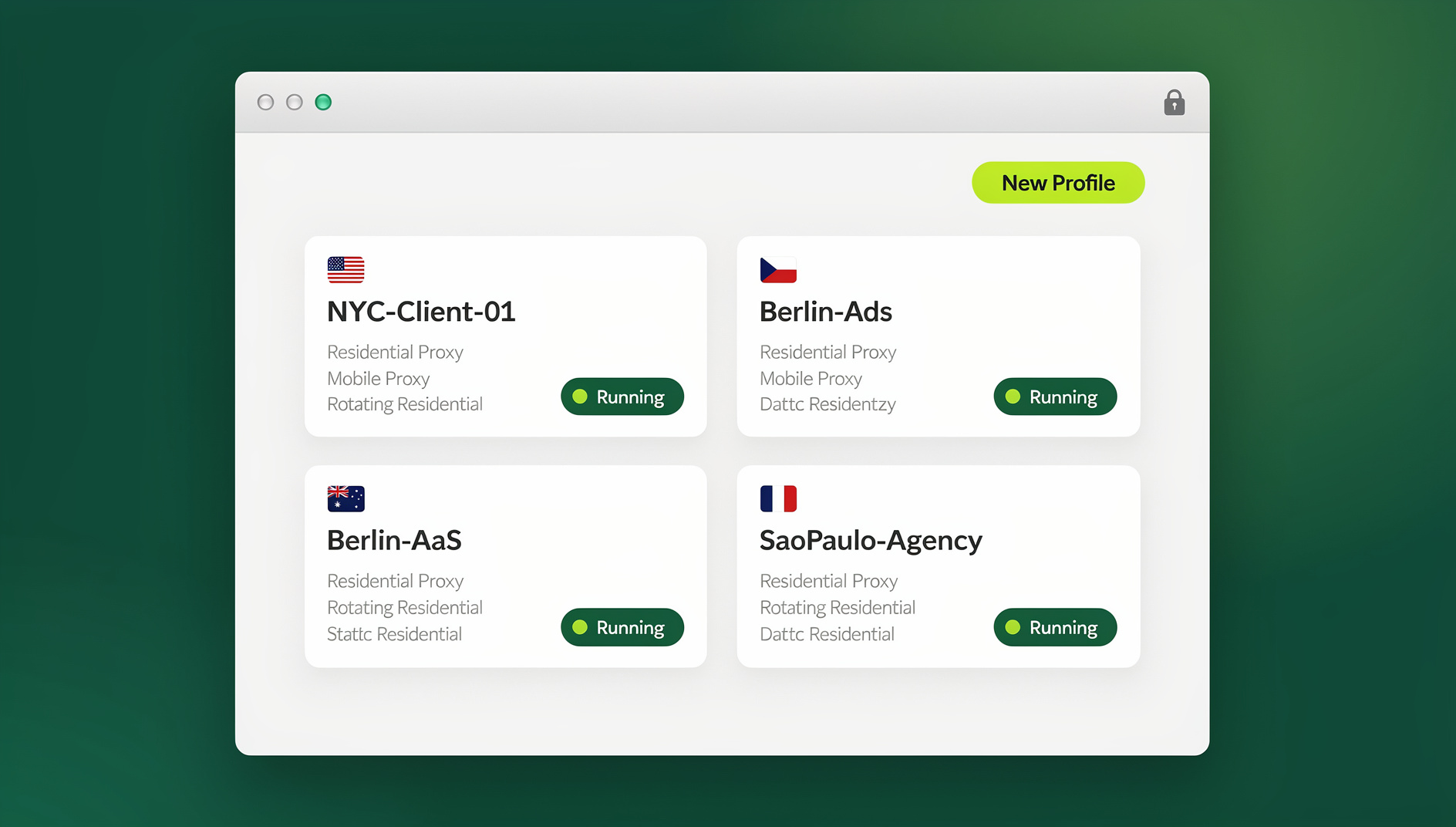
This is where multi login browsers like Send.win change the equation:
- Unique fingerprint per profile — canvas, WebGL, fonts, and AudioContext output differ from one profile to the next, generated once and kept stable rather than patched live.
- A real browser environment — profiles run in the Sendwin Browser desktop app or a cloud browser session, not a modified Selenium instance, so each profile keeps its own consistent browser fingerprint.
- Per-profile proxies — each profile can carry its own IP, matched to that profile’s timezone and locale.
- Isolated profiles with consistent fingerprints — Send.win is a browser profile manager: each profile keeps its own cookies, storage, sessions and consistent browser fingerprint, so profiles do not share one browser identity.
If your workflow also needs to keep logged-in sessions separated across accounts, pairing this with proper session isolation prevents cookies and storage from leaking between profiles the way they can in a single shared Selenium session.
Testing Your Fingerprint Before You Scale
Before running a Selenium setup against production traffic, check what it actually reveals:
| Site | URL | What It Tests |
|---|---|---|
| Bot Sannysoft | bot.sannysoft.com | Comprehensive automation detection |
| NowSecure | nowsecure.nl | Cloudflare challenge pass/fail |
| BrowserLeaks | browserleaks.com | Detailed fingerprint breakdown |
| CreepJS | abrahamjuliot.github.io/creepjs | Advanced fingerprint entropy scoring |
| Pixelscan | pixelscan.net | Fingerprint consistency check |
Selenium vs. Playwright vs. Puppeteer: Detection Footprint
All three automation frameworks share the same underlying weakness — a real browser engine driven by a remote protocol leaves traces — but they don’t leave identical traces:
| Framework | Default Detection Footprint | Stealth Tooling Maturity |
|---|---|---|
| Selenium | Highest — sets navigator.webdriver and CDP flags by default |
Mature (undetected-chromedriver) |
| Puppeteer | Medium — CDP-based, fewer legacy tells than raw Selenium | Mature (puppeteer-extra-plugin-stealth) |
| Playwright | Lowest out of the box among the three | Maturing (playwright-stealth) |
None of the three frameworks close the gap entirely on their own, which is why teams running production automation increasingly pair whichever framework they already use with a real, non-automated browser profile instead of relying on stealth patches alone.
Selenium Fingerprint Best Practices
- Avoid headless mode on any site with real anti-bot protection — it’s the single easiest detection vector to trip.
- Randomize timing between actions using normal distributions rather than uniform random delays.
- Simulate mouse movement along natural curves instead of instant cursor teleportation.
- Rotate user agents between sessions, but keep the UA fixed within a single session.
- Match every fingerprint component — UA, platform, screen size, timezone, and language all have to agree.
- Use residential proxies — datacenter IP ranges are flagged almost instantly by major anti-bot vendors.
- Keep profiles persistent — wiping cookies every run looks more suspicious than a normal returning visitor.
- Re-test regularly against detection sites before scaling up any campaign or scrape job.
🏆 Send.win Verdict
Patching a selenium browser fingerprint by hand works until the next Chrome release or the next anti-bot model update breaks it. Send.win takes a different approach: each profile runs as a real Chrome environment with its own consistent canvas, WebGL, and font signature, plus its own proxy, so profiles do not share one browser identity.
Try Send.win today — plans start at $19/month, and your first card purchase is covered by a 7-day money-back guarantee.
Frequently Asked Questions
Can Selenium be made completely undetectable?
Not entirely. Advanced anti-bot systems score hundreds of signals with machine learning, so tools like undetected-chromedriver reduce detection significantly but can’t guarantee invisibility against every vendor. Running real, unpatched browser profiles instead of a modified Selenium instance avoids the underlying problem rather than patching around it.
Is it legal to spoof a browser fingerprint?
Spoofing fingerprints for privacy is legal in most jurisdictions, but circumventing a specific site’s anti-bot protections may violate its Terms of Service. Check the rules for your specific use case, especially on platforms that actively enforce single-account policies.
Does undetected-chromedriver still work with Selenium 4?
Yes. It’s actively maintained and compatible with Selenium 4, patching Chrome at launch while supporting standard Selenium WebDriver commands.
How do anti-bot systems detect headless Chrome specifically?
Headless Chrome ships different defaults for navigator.plugins, window.chrome, screen dimensions, and WebGL rendering paths. Some systems also check for a missing PDF viewer plugin or subtly different image rendering behavior that only shows up in headless mode.
Is Selenium or Playwright better for avoiding detection?
Playwright generally ships a smaller detection footprint out of the box. With stealth plugins applied, both frameworks reach similar evasion levels — but neither matches a real, unmodified browser profile with proper canvas and WebGL fingerprint handling built in from the start.
Does changing my user agent alone fix Selenium detection?
No. A mismatched user agent without matching navigator.platform, screen resolution, and timezone is often more suspicious than the default Selenium UA, because it signals someone actively tampered with just one property.
What’s the fastest way to check if my Selenium setup is flagged?
Run it against bot.sannysoft.com first — it surfaces the most common automation tells (WebDriver flag, plugin list, CDP artifacts) in a single readable report before you invest time in a full scrape or campaign.
Conclusion
A selenium browser fingerprint is built from dozens of small signals — JavaScript properties, canvas and WebGL output, and behavioral timing — and any one of them left unpatched can flag your automation. Basic fixes like disabling the automation-controlled flag get you past weak checks; undetected-chromedriver, stealth plugins, and manual canvas/WebGL spoofing handle the rest, but every layer needs re-testing as browsers and anti-bot models change.
For production, multi-account work where a ban means lost revenue, the more durable approach is skipping the patch cycle altogether. Real browser profiles — each with its own stable fingerprint and proxy, and automatable through a proper API rather than a modified WebDriver — remove the detection surface instead of hiding it.