Running multiple accounts on the same platform used to be a gray area. In 2026, it isn’t. Every major site — from Amazon and eBay to Meta, Google Ads, and even loan and gambling platforms — now runs device fingerprinting, IP analysis, and behavioral biometrics that flag “multi-accounting” the moment two logins look connected. For businesses, that means real financial exposure: chargeback fraud, coupon abuse, fake reviews, and coordinated account takeovers. For legitimate teams and professionals — agencies running client ad accounts, sellers operating multiple stores, freelancers juggling client logins — it means a constant risk of being caught in the same net as bad actors, even when nothing they’re doing is against the rules.
This guide breaks down what multi-accounting actually is, why platforms treat it as a threat, the concrete risks it creates for both individuals and businesses, and — most importantly — how to run multiple accounts the right way, with proper isolation, so you never get flagged for something you didn’t intend to do wrong.
What Counts as “Running Multiple Accounts” in 2026
Multi-accounting (sometimes called “multi-login”) simply means one person, device, or organization controls more than one account on the same platform. That’s it — the definition says nothing about intent. Two very different groups fall under this umbrella:
- Legitimate operators: agencies managing ad accounts for multiple clients, e-commerce sellers running several storefronts, social media managers handling dozens of client profiles, QA teams testing region-specific experiences, and freelancers who need separate logins for separate clients.
- Bad actors: fraudsters farming welcome bonuses and referral credits, scammers posting fake reviews, people evading a ban by spinning up a fresh identity, and organized rings running coordinated account takeovers or chargeback fraud at scale.
The problem is that most platforms can’t easily tell these two groups apart from the outside. A shared IP address, a matching browser fingerprint, or overlapping login times all look identical to a detection system — whether the accounts belong to a marketing agency or a fraud ring. That’s why the risk conversation matters just as much for honest businesses as it does for platforms trying to stop abuse.
Why Platforms and Businesses Crack Down on Multi-Accounting
Fraud teams don’t ban multi-accounting because they enjoy inconveniencing users. They do it because unchecked multi-accounting has a direct line to lost revenue. The most common abuse patterns businesses are defending against include:
1. Coupon and Promo Abuse
Sign-up bonuses, referral credits, and first-order discounts are designed to acquire one new customer per incentive. When a single person opens ten accounts to claim the same $25 welcome credit ten times, the acquisition cost math collapses. Retailers and SaaS companies lose real margin to this every quarter, and it’s one of the top reasons free-trial and referral programs get quietly shut down or heavily restricted.
2. Fake Reviews and Manufactured Social Proof
A large share of “verified” reviews on marketplaces are seeded through secondary accounts controlled by the seller or a paid review ring. This inflates ratings artificially, misleads real buyers, and — once discovered — triggers marketplace-wide penalties that can include listing removal or account suspension for the seller, not just the fake reviewer.
3. Ban Evasion and History Resets
Users who get banned, blacklisted, or hit with a poor credit or trust score frequently try to reset the slate with a brand-new account on the same device and network. Platforms treat this specifically as evasion, and getting caught doing it usually escalates the penalty from “account suspended” to “permanently blacklisted at the device and network level.”
4. Coordinated Account Takeover and Carding
Because opening an account is free, fraud rings mass-create accounts to test stolen card numbers (“carding”), launder gift card balances, or build sleeper accounts they activate later for a larger attack. This is the category platforms invest the most detection budget in, and it’s why even innocent multi-account use can get swept up in aggressive automated bans.
The Real Risks of Running Multiple Accounts
Whether your multi-accounting is completely legitimate or not, the exposure is real on both sides. Here’s how the risk breaks down.
Risks to Individuals and Teams
| Risk | What Happens |
|---|---|
| Account suspension or permanent ban | Detection systems flag the link between accounts and suspend all of them, not just the newest one. |
| Device and IP blacklisting | Once your device fingerprint or IP is flagged, every future account you open from it starts under suspicion — even ones with nothing to hide. |
| Credential exposure | Sharing plaintext logins across a team (spreadsheets, chat messages) means passwords sit unencrypted on multiple machines, an easy target for a single compromised device. |
| Cross-contamination of data | Cookies, cache, and autofill data bleed between accounts in the same browser profile, occasionally exposing one client’s data inside another client’s session. |
| Lost revenue and access | A banned ad account, seller account, or freelance login can mean an instant, unrecoverable loss of income for the person or team running it. |
Risks to Businesses and Platforms
- Direct financial loss from promo abuse, chargeback fraud, and fake-account payment fraud.
- Distorted analytics and decision-making when a meaningful share of “users” are actually the same person or bot ring inflating engagement or conversion numbers.
- Reputational damage when fake reviews or manipulated ratings are exposed publicly.
- Regulatory and compliance exposure in regulated industries (lending, gambling, fintech) where duplicate-identity fraud can trigger audits or fines.
- Increased support and fraud-ops overhead chasing down which accounts are connected and why.
How Platforms Detect Multi-Accounting
Modern fraud detection doesn’t rely on a single signal — it correlates several at once to build a confidence score. Understanding these signals is useful whether you’re a business building defenses or a professional trying to avoid false-positive bans.
| Detection Method | What It Looks For |
|---|---|
| Browser fingerprinting | Canvas, WebGL, fonts, screen resolution, timezone, and dozens of other attributes combined into a near-unique signature. Learn more in our browser fingerprint guide. |
| IP and network analysis | Shared IPs, known VPN/datacenter ranges, and suspicious ASN or ISP patterns across “different” accounts. |
| Behavioral biometrics | Typing cadence, mouse movement, scroll patterns, and even device tilt on mobile — increasingly used to link accounts by “how” someone browses, not just where from. |
| Email and phone intelligence | Domain age, disposable-email detection, and phone number reuse across signups. |
| Cookie and storage correlation | Shared local storage, cache artifacts, or login cookies left behind in the same browser profile. |
| Device biometrics | Hardware IDs, GPU signatures, and OS-level identifiers that persist even after clearing cookies. |
Industries Where This Risk Hits Hardest
- E-commerce and marketplaces: promo abuse, fake reviews, and coordinated chargeback fraud are constant threats to seller and buyer trust.
- Online gambling and gaming: “smurfing” and bonus-abuse rings specifically target welcome offers and skill-based matchmaking systems.
- Travel and hospitality: fraudulent bookings, fake cancellations, and review manipulation hit brand reputation directly.
- Lending and fintech: duplicate-identity fraud lets bad actors default on multiple loans or bypass credit checks entirely.
- Social media and advertising: agencies and marketers running dozens of legitimate client ad accounts are frequently caught in the same enforcement sweep as fraud rings, since the underlying signals look similar.
How Businesses Can Protect Themselves From Multi-Accounting Abuse
If you run a platform, marketplace, or SaaS product, the goal isn’t to eliminate multi-accounting entirely — it’s to separate the abusive kind from the legitimate kind before it costs you money. A layered approach works best:
- Deploy device and browser fingerprinting to detect when “different” signups are actually coming from the same hardware.
- Add IP and network reputation checks to flag known VPN, datacenter, or proxy ranges associated with fraud.
- Layer in behavioral analysis so you’re not relying on any single signal that a sophisticated actor could spoof.
- Require step-up verification (email confirmation, phone OTP, or ID checks) for actions that carry real financial risk — redeeming a bonus, requesting a payout, or listing a high-value item.
- Rate-limit and monitor high-value promotions specifically, since these are the highest-abuse surface area.
- Give legitimate power users a documented path — verified business accounts, agency partner programs, or API access — so your fraud rules don’t accidentally punish your best customers.
How to Run Multiple Accounts Safely (Without Getting Flagged)
For everyone on the legitimate side of this — agencies, sellers, marketers, remote teams — the fix isn’t “stop using multiple accounts.” It’s isolating each account properly so it doesn’t get correlated with the others in the first place. This is exactly the problem a browser profile manager like Send.win is built to solve.
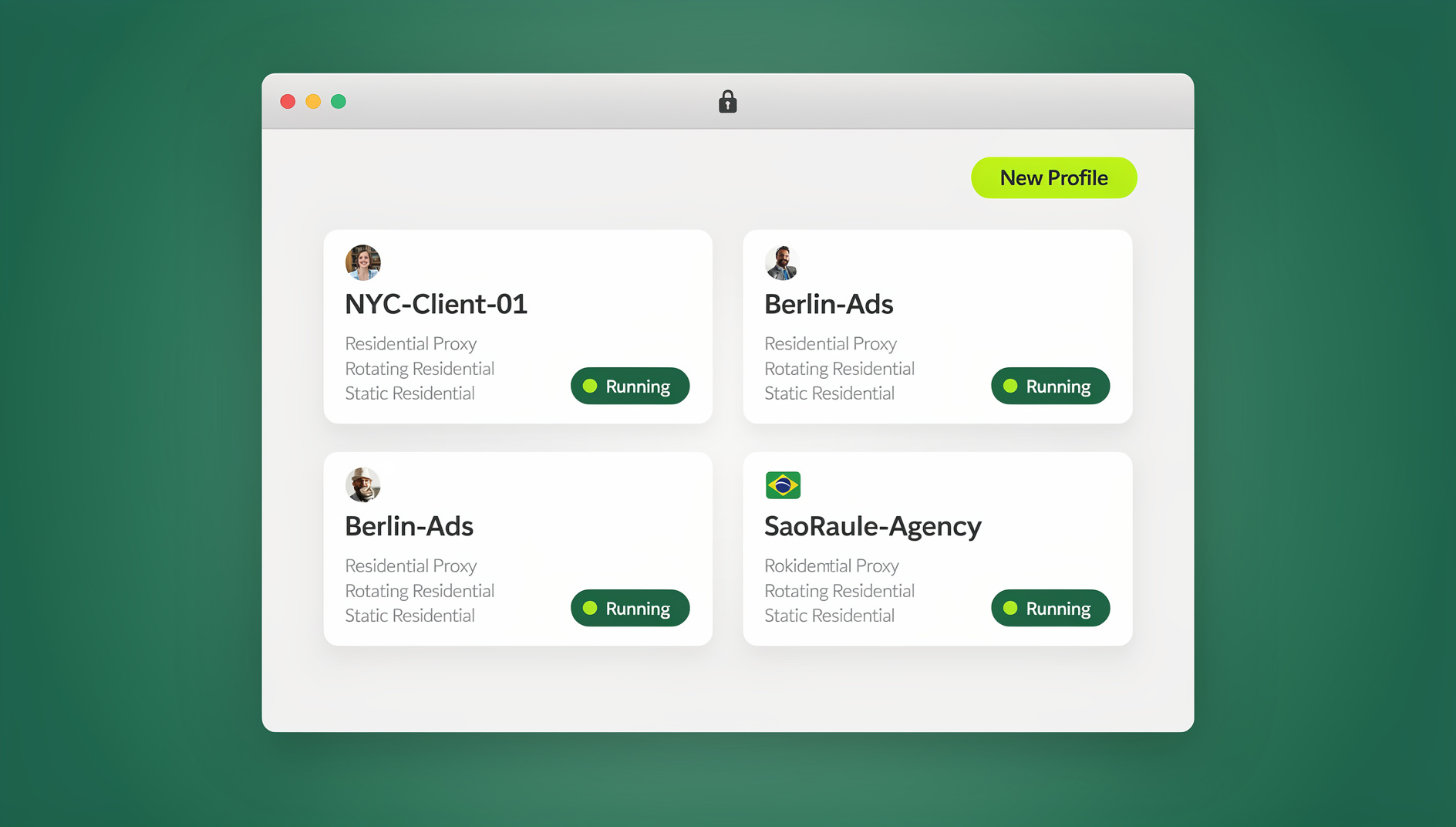
Send.win gives every account its own isolated browser profile with a unique digital fingerprint (canvas, WebGL, fonts, timezone, and more), its own cookie jar, and — if you need it — its own dedicated proxy, so each profile looks like a genuinely separate device and location to any site you log into. That’s the same multi-login browser approach professional teams use to avoid the account-linking problem entirely, instead of hoping a platform’s fraud system gives them the benefit of the doubt.
Setting Up Isolated Profiles With Send.win: Step by Step
- Sign up for a paid plan at send.win — the first card purchase is covered by a 7-day money-back guarantee, or try the free cloud demo first.
- Create a new profile for each account you manage — client, store, or team member — and give it a unique fingerprint automatically.
- Attach a proxy to each profile if you need geographic or network separation; Send.win supports built-in residential, datacenter, and mobile proxy options per profile.
- Install the Desktop app (native clients for Windows, macOS, and Linux) if you want profiles to run outside a browser tab, launch faster, and stay isolated from your everyday browsing environment entirely.
- Share profiles with your team on the Team plan instead of sharing raw passwords — teammates get session access without ever seeing the underlying credentials, which closes the exact plaintext-password leak risk described earlier.
Because each profile keeps its own session isolation, cookies, cache, and login state never bleed between accounts — which also solves the cross-contamination risk that causes accidental data leaks between clients on a shared team computer.
Basic Workarounds vs. a Real Multi-Login Browser
Many people try to solve this with free tools first — incognito windows, separate Chrome profiles, or a consumer VPN. These help a little, but they don’t actually isolate the fingerprint signals platforms rely on, which is why accounts still get linked and flagged.
| Approach | Fingerprint Isolation | Proxy Included | Team Sharing | Automation Support |
|---|---|---|---|---|
| Incognito / private window | None — same device fingerprint every time | No | No | No |
| Separate browser profiles | Partial — cookies separate, fingerprint identical | No | No | No |
| Consumer VPN alone | None — only IP changes | Single shared IP for all traffic | No | No |
| Send.win | Unique fingerprint per profile | Built-in, per-profile | Password-free sharing (Team plan) | No |
For teams managing several ad accounts safely, this difference isn’t cosmetic — it’s the line between a platform seeing ten unrelated clients and a platform seeing one entity running ten accounts.
🏆 Send.win Verdict
Running multiple accounts isn’t inherently risky — running them without proper isolation is. Send.win gives every account its own fingerprint, cookie jar, and proxy, plus a native Desktop app for Windows, macOS, and Linux. It’s the difference between hoping a platform’s fraud system doesn’t flag you and keeping each account’s cookies, storage and fingerprint separate.
Try Send.win today — plans start at $19/month, with a 7-day money-back guarantee on your first card purchase, and isolate every account before it becomes a ban.
Frequently Asked Questions
Is running multiple accounts illegal?
Usually not illegal in a criminal sense, but it typically violates a platform’s Terms of Service. That means the consequence is account suspension or a permanent ban rather than legal action — unless the accounts are used for fraud, identity theft, or financial crimes, which can escalate into genuine legal liability.
Can a platform ban me just for using a VPN across accounts?
Not on its own — but a shared IP combined with a matching device fingerprint, similar behavior patterns, or overlapping login times is usually enough to trigger a review or automatic suspension, even if each account is otherwise legitimate.
How do businesses tell the difference between a fraud ring and a legitimate agency?
Most can’t, at the raw signal level — a shared IP and similar browsing patterns look the same either way. This is why verified business programs, documented API access, and dedicated partner channels exist: they give platforms a legitimate path to trust genuine multi-account operators.
Does clearing cookies stop my accounts from being linked?
No. Cookies are only one signal among many. Device and browser fingerprinting, IP reputation, and behavioral patterns persist even after cookies are cleared, which is why clearing your cache rarely prevents an account link once a platform has flagged it.
What’s the safest way for an agency to manage many client accounts?
Give every client account its own isolated browser profile with a unique fingerprint and, where possible, its own proxy — rather than logging into all of them from the same browser, IP, and device. A dedicated multi-login browser automates this instead of relying on manual incognito windows.
Is Send.win only for browser-based work, or can it run installed apps too?
Send.win has a native Desktop app for Windows, macOS, and Linux in addition to its browser-based profiles, so teams aren’t limited to a single browser tab per account and can run isolated sessions as standalone applications.
Can I automate logins and repetitive tasks across multiple accounts?
No — Send.win does not offer an automation interface: there is no API, SDK, headless mode or Selenium/Puppeteer/Playwright support on any plan.
How much does Send.win cost?
Send.win has no free trial. Pro is $19/month and Team is $49/month, and the first card purchase is covered by a 7-day money-back guarantee. The only free option is the cloud demo at https://send.win/demo-browser/.