Zscaler Browser Isolation: What the Term Actually Means
What does browser isolation Zscaler mean in plain terms? It means the web page you open runs on a Zscaler cloud server instead of your laptop, and only a rendering of that page — pixels or a rebuilt copy of the layout — reaches your browser. Scripts, exploits and drive-by downloads stay inside the sandbox. Zscaler now sells the capability as Zero Trust Browser, triggered by policy rules inside Zscaler Internet Access.
📌 TL;DR Executive Summary
- Core Takeaway: Zscaler browser isolation — now branded Zero Trust Browser — moves the browsing session into a disposable container and streams a safe rendering to the endpoint, so page code never executes on the device.
- Key Risk/Challenge: It covers only HTTP and HTTPS browser traffic, adds tens of milliseconds of input latency, meters isolation traffic at 1.5 GB per user per month on the Advanced add-on, and has no published per-seat list price.
- Recommended Solution: Isolate selectively by URL category and user risk, pilot against measurable latency and frame-rate targets, and keep account or profile separation in a tool built for that separate job.
How Zscaler Browser Isolation Works Under the Hood
Isolation is not a filter. A filter inspects a page and decides whether to block it; isolation moves the page somewhere your device cannot be hurt by it. When a policy rule in Zscaler Internet Access matches a request, that request is handed to a disposable browser container on Zscaler infrastructure. The container loads the site, runs its JavaScript and holds the cookies. Your machine only receives output.
What does browser isolation Zscaler mean for the page itself? The answer sits entirely in the output format, because that format decides how the page feels in daily use.
Pixel streaming: only pictures come down
The remote browser renders the page and encodes each frame, roughly like a one-way video call. Your clicks and keystrokes travel back up. Nothing executable crosses the wire, which is the strongest version of the guarantee. The trade-off is bandwidth and a slightly soft feel: text can look fuzzy, scrolling trails a frame behind, and video inside the page competes with the page itself for the same pipe.
DOM reconstruction: a rebuilt page instead of a video
Instead of pixels, the remote browser sends a sanitised version of the page’s DOM — its structure and styling — and your local browser draws it. Bandwidth drops, text stays sharp and copy-paste behaves closer to normal. Fidelity is the catch: complex single-page apps can render oddly or miss events. Zscaler’s DOM-proxy mode picked up improved DOM diffs and event handling in mid-2026, which cut repaint artefacts on many SPAs. It is the same argument behind cloud browser with UI mode versus scripted sessions.
Turbo Mode and Smart Isolation
Turbo Mode sends WebGL rendering instructions instead of raw pixel frames, so the device’s own GPU draws the page locally. It exists to answer the lag and soft-text complaints that pixel streaming attracts, particularly on graphics-heavy pages. Smart Isolation attacks the other problem — admin workload — by using ZIA’s TLS inspection to detect suspicious destinations and route them into isolation automatically instead of making you maintain a list.
| Rendering mode | What crosses the network | Bandwidth profile | Best fit |
|---|---|---|---|
| Pixel streaming | Encoded screen frames plus input events | Heaviest — full frames | Untrusted or unknown sites, rich media pages |
| DOM reconstruction | Sanitised DOM diffs and events | Lightest — structure only | Text-heavy internal apps, longer sessions |
| Turbo Mode | WebGL draw instructions for the local GPU | Varies with scene complexity | Maps, charts and 3D content |
Three places the isolated browser can live
Zscaler describes three isolation types, and the choice changes your operational load more than your security posture. Remote isolation runs in a cloud sandbox and is the default for most deployments. On-premises isolation keeps containers on your own infrastructure, which suits regulated data that cannot leave the building. Client-side isolation runs in a virtualised sandbox on the device and wipes data after each session — low latency, but it trusts the endpoint to host the sandbox.
Sessions inherit ZIA’s data loss prevention and sandbox verdicts, and session metadata, file events and policy hits can be exported over CEF or Syslog into your SIEM. Without that export you have a control nobody can audit.
What Zscaler Isolation Covers — and What It Leaves Out
Ask “what does browser isolation Zscaler mean for my traffic” and the honest answer is narrower than most admins expect. Most rollout surprises come from the edges rather than the core.
Only HTTP and HTTPS in a browser
Zscaler browser isolation works only with HTTP and HTTPS traffic in the browser. Zscaler is explicit that isolation supplements other cybersecurity functions and is not network security: it reduces the endpoint attack surface for browser-borne threats and complements a secure web gateway rather than replacing one. URL filtering, category coverage and acceptable-use reporting still come from the gateway.
Files travel a different road
Uploads and downloads route through a separate wildcard domain that must be configured and allowed. Follow one download end to end: the user clicks a link, the remote browser fetches the file inside the container, policy decides whether to block it, allow it or flatten it through content disarm and reconstruction (PDF flattening is one of the listed Advanced features), and only then is the clean file handed to the endpoint through that wildcard domain. If the domain is not allowed on your firewall or proxy, the download fails without a clear error — a reliable source of first-week tickets.
Anything that pins a certificate
Zscaler cannot inspect certificate-pinned applications such as the Microsoft 365 desktop clients, so those paths sit outside isolation entirely. If your staff work in desktop Outlook and Teams rather than the browser, a large share of their day stays outside the isolated surface no matter how the policy is written.
Why It Matters — and Who It Actually Affects
The browser is the one place where untrusted content from anywhere on the internet meets a device holding session cookies, tokens and access to internal tools. Remote browser isolation breaks that meeting by architecture rather than by recognition: it does not need to know a site is malicious to protect you from it, which is why it holds up against phishing kits and zero-days that signature engines have not seen yet.
The scale argument deserves care. Verizon’s 2026 Data Breach Investigations Report found the human element involved in 62% of breaches. Zscaler attributes to Gartner an estimate that browser isolation can reduce attacks on end-user systems by up to 70%, and states it is trusted by more than 40% of the Fortune 500. Both are vendor-quoted figures — useful for framing a business case, not for setting expectations.
Most affected in practice:
- Security teams running ZIA, who need a containment control for uncategorised and newly registered domains.
- IT admins managing BYOD and contractors, where the device is unmanaged and cannot be trusted to resist a drive-by download.
- Agencies and support desks whose staff open links from clients, vendors and unknown correspondents all day.
- Finance and HR, who receive invoices and applications as links and attachments from outside the organisation.
It does not change who you are online
Isolation protects the endpoint. It does not anonymise the user: requests originate from Zscaler’s infrastructure rather than the user’s own connection, credentials can pass through per policy, and your logs still record who browsed what and when. Nothing about it separates one account from another. If your question is how sites recognise returning visitors rather than how pages reach the endpoint, the browser fingerprinting APIs comparison covers that ground separately.
The Real Cost: Latency, Bandwidth and Licensing
What does browser isolation Zscaler mean for the budget? You spend two currencies at once — milliseconds and gigabytes — and both are easy to underestimate.
Latency
Third-party reviews put typical added input latency for form-heavy SaaS in the 40-120 ms range. A sensible pilot target is no more than 120 ms added input latency, a page-load increase under 20%, and above 15 frames per second for anyone on pixel streaming. Since March 2026 customers report modest gains from an accelerated transport protocol and edge point-of-presence work, but geography still dominates: a user two hops from the nearest POP feels the distance more than any tuning does.
Bandwidth metering
The Zero Trust Browser Advanced add-on includes 1.5 GB per user per month of isolation traffic, upgradeable to unlimited. That meter is easy to misjudge. A user streaming video or living in a heavy dashboard all day consumes far more than a spreadsheet user, and the average hides it. Measure per-application consumption during the pilot before you promise to isolate everything.
Licensing
Zscaler publishes no list price per seat. Isolation arrives inside the platform bundles — both Essentials Platform and the recommended Zscaler Platform include standard Sandbox, Firewall, Isolation (Cyber Isolation Standard) and correlated threat insights — or as the standalone Advanced add-on. Reseller quotes in June 2026 indicated roughly $4 to $9 per user per month for isolation seats, depending on volume and feature set; treat that as an indication, never a price list. Zscaler’s recent results show growth shifting toward Z-Flex consumption licensing, which pools modules into one drawdown rather than selling them line by line.
| Packaging | What it includes |
|---|---|
| Zero Trust Browser Advanced add-on | Isolation of unknown destinations at a 100 MB limit per user, blocking of uploads and downloads, copy/paste/print control, local browser rendering, isolation plus quarantine, flattened PDF and CDR downloads, browser-in-browser, 1.5 GB/user/month of isolation traffic upgradeable to unlimited |
| Essentials Platform and Zscaler Platform bundles | Standard Sandbox, Firewall, Isolation (Cyber Isolation Standard) and correlated threat insights; standalone products and advanced modules purchased separately |
| Per-seat list price | Not published; availability depends on ZIA edition and bundle |
| Reseller indications, June 2026 | Roughly $4-$9 per user per month, volume and feature dependent |
| Z-Flex consumption licensing | Modules drawn from a single pool instead of separate line items |
A Practical Checklist Before You Turn Isolation On
- Inventory real browsing. Pull 30 days of ZIA logs and list the top destinations by category and user group. You cannot choose policy for traffic you have not counted.
- Split the estate three ways: allow, filter, isolate. Isolation is the expensive middle option — reserve it for categories where you cannot predict the content.
- Write the pilot KPIs down first: added input latency at or under 120 ms, page-load delta under 20%, pixel-stream frame rate above 15 fps.
- Configure the file-transfer wildcard domain in your firewall and proxy before day one, then test a PDF download and an upload in each direction.
- Decide clipboard, download and print policy per category and record the decision. Strict containment means switching those off deliberately for sensitive sites.
- Choose credential handling: SAML or OIDC single sign-on for the isolation layer, plus a clear decision on whether credentials pass through into isolated sessions.
- List your certificate-pinned applications and state in writing that they sit outside the isolated surface.
- Wire the logs up. Export session metadata, file events and policy hits over CEF or Syslog so the control is auditable, then retest your heaviest single-page apps in DOM-proxy mode after each platform update.
Common Mistakes With Zscaler Browser Isolation
- Shipping on defaults. Usability-first settings give you the latency cost without the containment benefit for the sites that matter.
- Forgetting the file path. Downloads that fail silently look like a broken browser, and users report it as one.
- Treating isolation as a gateway replacement. It protects by architecture, but it does not do URL categorisation or acceptable-use reporting. Keep both.
- Assuming desktop apps are covered. Certificate-pinned clients sit outside the model, so scope your claims accordingly.
- Shipping without a feel test. If a critical tool becomes painful, people move the work to a personal device and you have less visibility than before.
- Confusing content isolation with account separation. Isolation keeps page code off the endpoint; it does nothing to stop two client accounts sharing cookies in one browser.
Where Send.win Fits — and Where It Does Not
Zscaler isolation and Send.win answer different questions. Zscaler asks: is this page safe to execute on this device? Send.win asks: is this browser context separate from the other twelve I am responsible for?
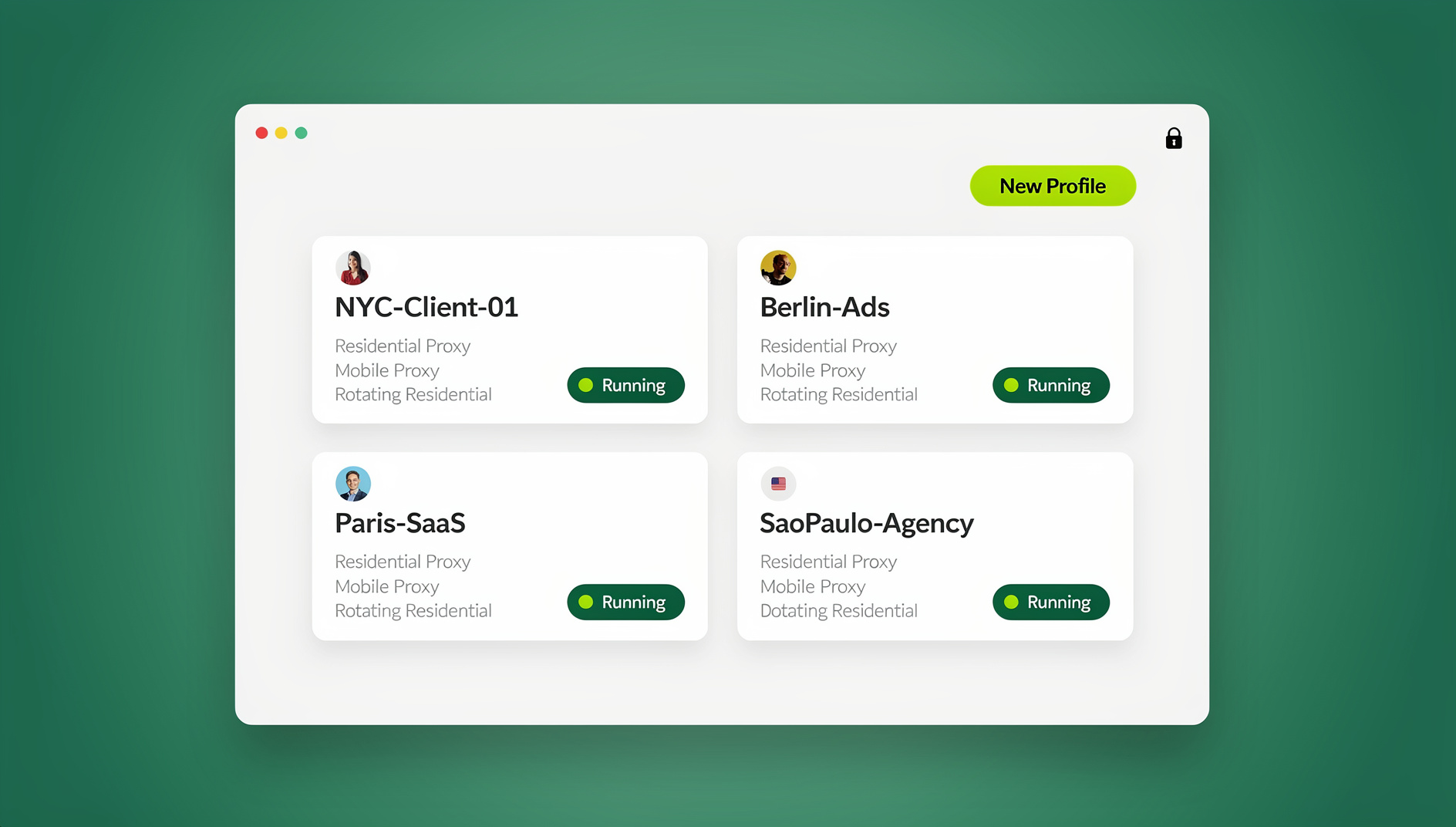
Send.win is a browser profile manager. Each profile is an isolated browser profile with its own cookies, storage, sessions, fingerprint settings and proxy, so an agency keeps client ad accounts or storefronts from bleeding into each other, and a support team can reproduce a customer’s session in the right region. It runs as the Sendwin Browser desktop app on Windows, macOS and Linux, or as cloud browser profiles on Send.win’s server in Helsinki, reachable from any device with nothing to install. Residential proxies are included on paid plans, and every profile keeps its own consistent fingerprint as a privacy measure rather than a shared browser identity.
What it is not: not a remote browser isolation product, with no content inspection, sandboxing or disarm, and no API, SDK, headless mode or automation interface on any plan. Where your security team already runs ZIA with isolation, the two coexist — isolation keeps the endpoint clean, profile separation keeps account contexts clean.
Use isolation when the page is the threat; use profile separation when the account context is the problem. Neither is a way around a platform’s rules: Send.win’s acceptable use policy expects accounts you own or are authorised to manage, and platform limits are handled through each platform’s own approval routes. If what you need is a disposable session on a machine you do not control, start with cloud browsers without installing anything before you compare enterprise isolation suites.
🏆 Send.win Verdict
Zscaler browser isolation answers a security question — how do I stop untrusted page code from running on an endpoint — and it answers it well, at the price of latency, bandwidth metering and a scope that stops at HTTP, HTTPS and the browser. It does not answer the account question, and no amount of isolation stops two client logins sharing one cookie jar. If your team manages client accounts, storefronts or support sessions, Send.win handles that layer with separate profiles, separate fingerprints and separate proxies, on the desktop app or in the cloud.
See Send.win plans — paid plans start at $19/mo on Pro (150 profiles, 5 GB/month of proxy bandwidth) or $49/mo on Team (500 profiles, 20 GB/month, 16 seats), every first card purchase covered by a 7-day money-back guarantee, and the free cloud demo needs no install if you want to see the cloud browser first.
Frequently Asked Questions
What does browser isolation Zscaler mean?
It means Zscaler runs the web page inside a container on its own infrastructure and sends only a rendering back to your device. Scripts, exploits and downloads execute in that container, not on your machine. Policy rules in Zscaler Internet Access decide which destinations get that treatment.
Is Zscaler Zero Trust Browser the same as Cloud Browser Isolation?
Same product family, new name. It was previously branded Zscaler Isolation and Cloud Browser Isolation, and now sits inside the Zero Trust Exchange as Zero Trust Browser, offered in three form factors: cloud browser isolation, a browser extension and an Enterprise Browser.
Does Zscaler browser isolation slow down browsing?
It can. Third-party reviews put added input latency for form-heavy SaaS at roughly 40-120 ms, and a reasonable pilot target is under 120 ms added latency, less than a 20% page-load increase and above 15 fps on pixel-streamed pages. Turbo Mode and the 2026 transport work reduce the effect but cannot remove the distance between user and point of presence.
How much does Zscaler browser isolation cost?
Zscaler publishes no per-seat list price. Isolation comes inside platform bundles or as the Zero Trust Browser Advanced add-on, and reseller quotes in mid-2026 indicated roughly $4-$9 per user per month depending on volume and feature set. Confirm with your account team, and check how isolation traffic beyond 1.5 GB per user per month is treated.
What is Turbo Mode in Zscaler isolation?
Turbo Mode sends WebGL rendering instructions instead of raw pixel frames, so the device’s GPU draws the page locally. It targets the lag and soft-text complaints that pixel streaming attracts, especially on graphics-heavy pages.
Which traffic does Zscaler isolation not cover?
Only HTTP and HTTPS traffic inside the browser is isolated. File uploads and downloads use a separate wildcard domain you must configure and allow, and certificate-pinned apps such as the Microsoft 365 desktop clients sit outside isolation because Zscaler cannot inspect them.
Is Zscaler browser isolation the same as a VPN?
No. A VPN tunnels your traffic to another network; browser isolation removes the page from your device entirely and streams the result back. Zscaler describes isolation as a supplement to other security functions rather than a network security product.
Is browser isolation the same as a secure enterprise browser?
No — they address overlapping problems from opposite ends. If the web page is the threat, isolate it remotely; if the app is trusted but you need to control the user, device or data, enforce policy inside a locally running browser session. Most organisations apply remote isolation selectively because running every site remotely is resource intensive and costly.
Run What Does Browser Isolation Zscaler Mean in the Cloud With Send.win
Send.win’s cloud browser runs isolated browser profiles on a server in the EU — open a clean session from any device without installing anything:
- Instant cloud sessions – launch an isolated browser in seconds, no local install
- Isolated profiles – separate cookies, storage and fingerprint settings per session
- Cloud sync & profile sharing – pick up the same profiles on the desktop app (Windows, macOS, Linux) or share them with your team
- Residential proxies included – on Pro and Team, with timezone and locale matched to the proxy
You can try it right now: the Send.win demo browser opens an isolated cloud session directly in this browser tab. Paid plans start at $19/month, with a 7-day money-back guarantee on your first card purchase — see pricing.