Multi login chrome extension tools have gone from a nice-to-have to a non-negotiable part of running any online business in 2026. If you manage more than one social account, ad account, marketplace store, or client login, logging in and out of a single Chrome profile all day is no longer just annoying — it is actively risky. Cookie-based tracking, browser fingerprinting, and stricter anti-fraud systems mean that mixing multiple identities inside one browser session can get accounts flagged, locked, or permanently banned.
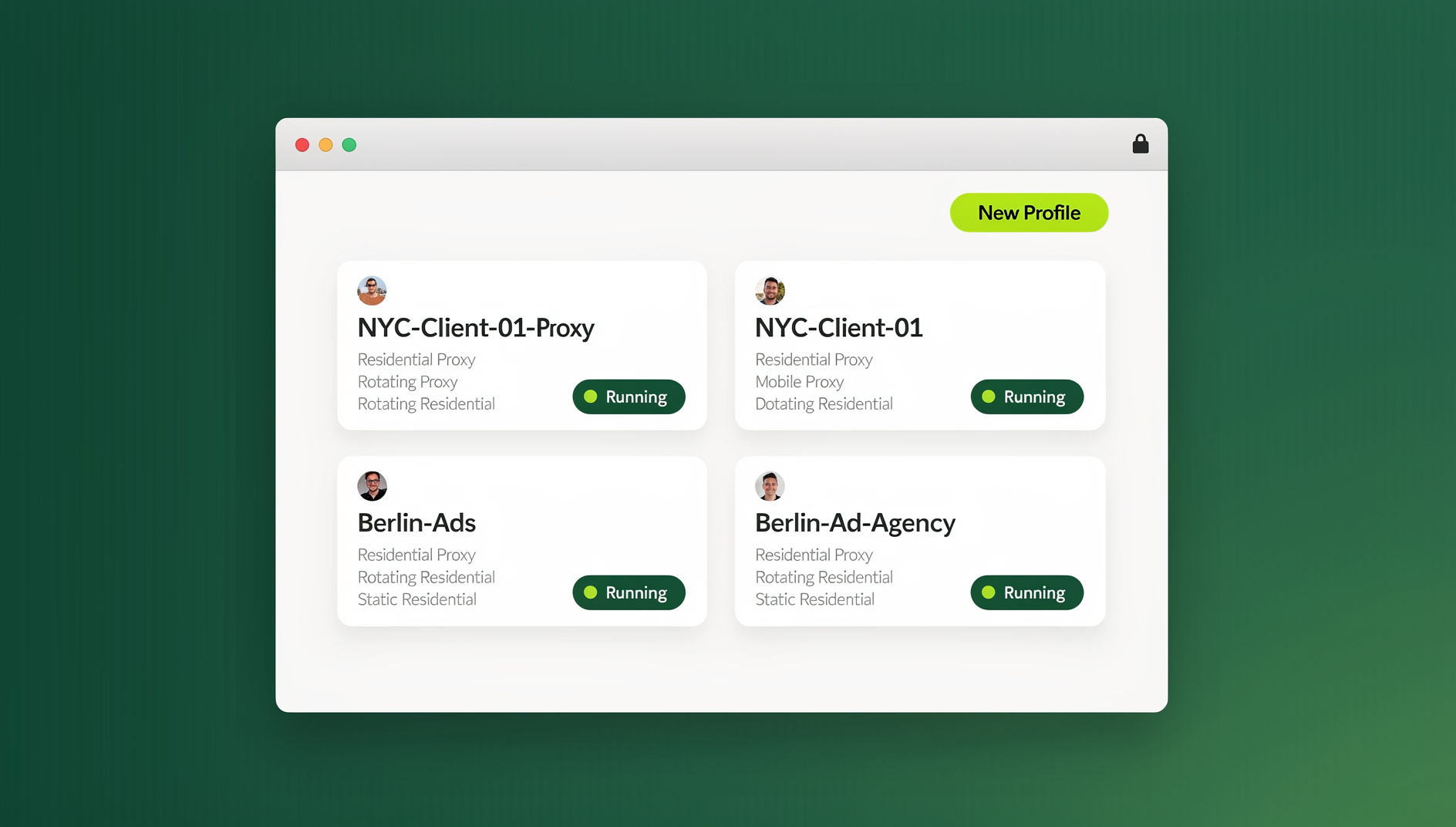

This guide explains exactly why a multi login chrome extension has become essential, how the underlying technology works, what separates a basic session switcher from a true browser profile manager, and how to set one up the right way — including the Desktop app and cloud browser options that most “top 5” listicles never mention.
What Is a Multi Login Chrome Extension?
A multi login chrome extension is a browser add-on (or, increasingly, a full browser replacement) that lets you run several independent, isolated sessions of the same website at the same time — without logging out, without opening a separate incognito window, and without one account’s cookies leaking into another. Instead of one Chrome profile juggling five Gmail accounts, a multi login extension creates five separate “browser identities,” each with its own cookies, local storage, cache, and (in more advanced tools) its own fingerprint.
The category exists because Chrome was never designed for this use case. Chrome profiles were built for one person switching between a work identity and a personal identity — not for an agency running 40 client ad accounts or a seller operating a dozen storefronts. That gap is exactly what tools like multi-login browser software were built to close.
Why a Multi Login Chrome Extension Is Necessary in 2026
Three things changed between the early days of “just use incognito mode” and today, and together they make a dedicated multi login chrome extension necessary rather than optional.
1. Browser Fingerprinting Got Much Better at Spotting You
Platforms no longer rely only on cookies to identify you. Canvas rendering, WebGL output, installed fonts, screen resolution, timezone, and dozens of other data points are combined into a fingerprint that can re-identify a device even after cookies are cleared or a VPN is switched on. Simply opening a new incognito window does nothing to change this fingerprint — which is why so many “anonymous” sessions still get linked back to the same underlying device. A proper multi login extension needs to randomize or isolate these signals per profile, not just clear cookies. If you want the full technical breakdown, our guide on browser fingerprinting protection covers exactly what gets tracked and how isolation defeats it.
2. Platforms Are Actively Hunting for Linked Accounts
Social networks, marketplaces, ad platforms, and payment processors all run automated systems that look for signals suggesting one person controls multiple accounts from the same device: shared cookies, matching fingerprints, identical IP addresses, or accounts logged in back-to-back in the same tab. Getting flagged doesn’t always mean an instant ban — more often it means shadowbans, review holds, or sudden verification requests that quietly kill productivity. A multi login chrome extension that gives each profile its own isolated environment (and ideally its own proxy) removes the single biggest trigger for these systems.
3. Remote and Multi-Account Work Became the Default
Freelancers manage client accounts. Agencies run dozens of ad accounts in parallel. Sellers operate multiple storefronts on the same marketplace. Social media managers post across a dozen brand profiles daily. None of this was normal when Chrome profiles were designed, and none of it works well without dedicated tooling. Manually logging out and back in isn’t just slow — it’s the exact behavior pattern that trips fraud detection.
How Multi Login Chrome Extensions Actually Work
Not all “multi-account” tools solve the same problem. It helps to understand the three tiers of technology, since the terminology gets used loosely across the industry.
| Approach | What It Isolates | Fingerprint Protection | Best For |
|---|---|---|---|
| Native Chrome Profiles | Cookies, local storage, extensions | None — same device fingerprint everywhere | Personal vs. work separation only |
| Session/Tab Managers (basic multi-login extensions) | Cookies and session tokens per tab | Minimal or none | Casual multi-account browsing |
| Antidetect / Multi-Login Browsers (e.g. Send.win) | Cookies, storage, cache, AND browser fingerprint per profile | Full — unique canvas, WebGL, fonts, timezone, and more per profile | Agencies, sellers, marketers, teams managing accounts at scale |
This is the key distinction: a simple session switcher stops your accounts from sharing a login, but it does nothing about the underlying fingerprint. Platforms that specifically hunt for multi-accounting (ad networks, marketplaces, banking, dating apps) will still connect the dots. A real antidetect multi-login solution assigns each profile a consistent, unique fingerprint that looks like a genuinely different device every time.
Key Features to Look For in a Multi Login Chrome Extension in 2026
Whether you’re comparing extensions or full antidetect browsers, these are the features that actually matter in 2026:
- Unlimited or high profile limits — you shouldn’t be capped at 5-10 accounts if you’re running a team or agency.
- Per-profile fingerprint isolation — canvas, WebGL, audio context, fonts, and hardware signals should differ per profile, not just cookies.
- Built-in proxy management — the ability to attach a residential, datacenter, or mobile proxy to each profile individually, matched to the account’s expected geography.
- Team sharing without password sharing — the ability to give teammates access to a session without ever exposing the underlying password.
- Cross-platform support — a browser extension alone won’t help a team running mixed Windows, macOS, and Linux machines.
- Automation support — for agencies and QA teams that need to script logins, checks, or repetitive tasks rather than clicking through them manually.
- Session/cookie backup — so a browser crash or device change doesn’t wipe out months of “trusted device” trust built up on an account.
Step-by-Step: Setting Up a Multi Login Chrome Extension with Send.win
Send.win covers this entire feature list, and it’s worth walking through exactly how setup works across its two access modes — the native Sendwin Browser desktop app and zero-install cloud browser sessions.
Step 1: Download the Sendwin Browser (or Start a Cloud Session)
- Go to send.win and download the native Sendwin Browser app for Windows, macOS, or Linux — or launch a Cloud Browser session directly with zero local install.
- Sign up for a paid plan — Send.win has no free trial, but your first card purchase is covered by a 7-day money-back guarantee, and you can preview it free in the cloud demo.
- Open the desktop app (or your cloud session in a browser tab) and sign in.
- Create your first profile, giving it a name (e.g. “Client A – Instagram”) so profiles stay organized as the list grows.
Step 2: Configure Each Profile
- Assign a proxy to the profile if the account needs to appear in a specific country or region.
- Choose or let Send.win auto-generate a consistent fingerprint for that profile (screen resolution, timezone, user agent, WebGL/canvas values).
- Log into the target account inside that isolated profile. From this point forward, the session, cookies, and fingerprint stay locked to this profile only.
Step 3: Switch Between Accounts Instantly
Once profiles are set up, switching accounts is a single click from the Sendwin Browser dashboard — no logging out, no clearing cookies, no risk of session bleed between accounts. Each profile opens in its own isolated window that behaves like an entirely separate device to the website on the other end.
Step 4: Run a Cloud Browser Session When You Don’t Want a Local Install
If you’re jumping between machines or don’t want to install anything locally, Send.win’s cloud browser sessions run entirely in the cloud, metered by cloud browsing time instead of a local install. The free cloud demo includes 10 minutes of cloud browsing per day with a free account — enough to test the workflow. The Pro plan removes the daily cap with unlimited cloud browsing time, 20 saved cloud sessions, and 3 concurrent sessions, while the Team plan adds more concurrent sessions and 16 team seats for agencies working side by side. Most teams running accounts at scale keep the native Sendwin Browser for day-to-day heavy lifting and lean on cloud sessions for quick, on-the-go access from any device.
Step 5: Manage Repetitive Logins Across Many Profiles
Multi Login Chrome Extension vs. Common Alternatives
| Tool Type | Fingerprint Isolation | Proxy Support | Team Sharing | Automation API | Desktop App |
|---|---|---|---|---|---|
| Native Chrome Profiles | No | Manual, per-profile setup | No | No | N/A (built into Chrome) |
| Password Managers (e.g. LastPass) | No | No | Password sharing, not session sharing | No | No |
| Basic Session-Switcher Extensions | Rarely | Rarely | Rarely | No | No |
| Send.win | Yes — per profile | Yes — built-in proxy manager | Yes — share sessions without passwords | Yes — Team plan | Yes — Windows/macOS/Linux |
For a closer look at how dedicated multi-login tooling stacks up against simply using more Chrome profiles, see our comparison on Sendwin vs Chrome Profiles.
Who Actually Needs a Multi Login Chrome Extension?
This isn’t just a tool for “power users.” In practice, the people who benefit most fall into a handful of clear categories:
- Social media managers juggling multiple client brand accounts across Instagram, TikTok, Facebook, and X without cross-contaminating sessions.
- E-commerce sellers running multiple storefronts on Amazon, eBay, Etsy, or Shopify who need each store to look like it’s operated independently.
- Digital marketing agencies managing dozens of client ad accounts across Meta, Google, and TikTok Ads, where account cross-linking can trigger platform-wide review holds.
- Affiliate marketers running parallel campaigns that need to stay isolated from each other for compliance and tracking accuracy.
- QA and dev teams testing logged-in states across many test accounts without constantly clearing browser data.
- Freelancers who manage several clients’ tools and dashboards from one laptop and can’t risk mixing up sessions.
Best Practices for Safe Multi-Account Management
Installing a multi login chrome extension is the first step — using it correctly is what actually keeps accounts safe long term.
- Match proxies to the account’s real-world location. A US-based Instagram account logging in through a Southeast Asian IP is a classic red flag.
- Keep one profile permanently mapped to one account. Don’t reuse a “clean” profile across multiple accounts — that defeats the purpose of isolation.
- Warm up new profiles gradually. A brand-new fingerprint that immediately performs high-volume actions looks as suspicious as a shared one.
- Use session isolation consistently, not just occasionally. Switching back to a shared browser “just this once” is how accounts get linked. Our session isolation guide covers the mechanics of why this matters.
- Back up profile data. Export or sync profiles so a hardware failure doesn’t cost you accounts with months of trust built up.
- Audit team access regularly. If you share profiles with a team, review who has access on a schedule — not just when someone leaves.
Pricing: What a Multi Login Chrome Extension Should Cost
Send.win keeps pricing straightforward, with paid plans and a free cloud demo rather than a crippled trial:
- Paid plans — Pro from $19/month, Team from $49/month; the first card purchase is covered by a 7-day money-back guarantee.
- Pro plan — $19/month — built for individuals and small teams managing multiple accounts and profiles.
- Team plan — $49/month — adds team seats and higher profile/bandwidth limits.
🏆 Send.win Verdict
If you’re managing more than two or three online accounts, a basic Chrome profile or a bare-bones session switcher isn’t enough anymore — modern fingerprinting and anti-fraud systems will eventually connect the dots. Send.win solves this properly: per-profile fingerprint isolation, built-in proxy management, password-free team sharing, and a native Desktop app for Windows/macOS/Linux. It’s the multi-account browser solution built for how people actually manage accounts in 2026.
Try Send.win today — plans start at $19/mo, and your first card purchase is covered by a 7-day money-back guarantee.
Frequently Asked Questions
Is a multi login chrome extension the same as an antidetect browser?
Not always. A basic multi login extension may only isolate cookies and session tokens, while a browser profile manager like Send.win also gives each profile its own consistent browser fingerprint (canvas, WebGL, fonts, timezone, and more). If you need separate, organised identities per profile, you need the fingerprint-isolation layer, not just session switching.
Will using a multi login chrome extension get my accounts banned?
No — used correctly, it does the opposite. The extension itself doesn’t violate platform terms simply by existing; the goal is to prevent platforms from linking accounts that are meant to be operated independently, such as separate client accounts or separate stores. Problems usually come from misuse, such as running the same account through the same profile as another linked account, not from the tool itself.
Do I need a separate proxy for every profile?
It’s strongly recommended, especially for accounts on ad platforms, marketplaces, or social networks with strict multi-account policies. Pairing each isolated fingerprint with its own matching proxy (ideally from the account’s expected region) removes the IP address as a linking signal between profiles.
Can I use Send.win without installing the Desktop app?
Yes. Send.win’s cloud browser sessions run entirely in the cloud with zero local install, so you can open an isolated profile straight from a browser tab on any machine. The free cloud demo includes 10 minutes of cloud browsing per day with a free account; Pro and Team plans unlock unlimited cloud browsing time and more saved, concurrent sessions. There’s no browser extension involved at any point — it’s either the native Sendwin Browser desktop app or a cloud session.
Where Send.win Fits
How many accounts can I manage with a multi login chrome extension?
This depends on the plan. Send.win’s Pro plan supports up to 150 profiles, while the Team plan raises that to 500 profiles along with more proxy bandwidth and team seats. Most individuals and small teams find the Pro tier plenty; agencies and larger teams typically move to Team.
Is it legal to manage multiple accounts on the same platform?
In most cases, yes — many platforms explicitly allow multiple accounts for legitimate business reasons (multiple stores, multiple client brands, multiple ad accounts). What’s typically against terms of service is using multiple accounts to manipulate votes, reviews, promotions, or bypass a ban — not the multi-account management itself. Always check the specific platform’s terms if you’re unsure.
How is Send.win different from just using Chrome’s built-in profiles?
Chrome profiles isolate cookies and extensions but share the exact same underlying device fingerprint across every profile — meaning platforms can still see they’re all coming from the same machine. Send.win generates a distinct, consistent fingerprint per profile, adds built-in proxy management, and supports team sharing that Chrome profiles were never designed to handle.