What Is Send.win, Really? (It’s More Than a Simple Login Switcher)
Send.win is a full browser profile manager built for anyone who needs to run more than one account, identity, or client workspace without one login bleeding into another. It gives every profile its own isolated browser fingerprint, its own cookies and local storage, and — if you want it — its own residential or datacenter proxy, so each session keeps its own separate cookies, storage and fingerprint. In 2026, that platform runs in two ways: as a native desktop app, or as a fully cloud-hosted session you can open without installing anything.
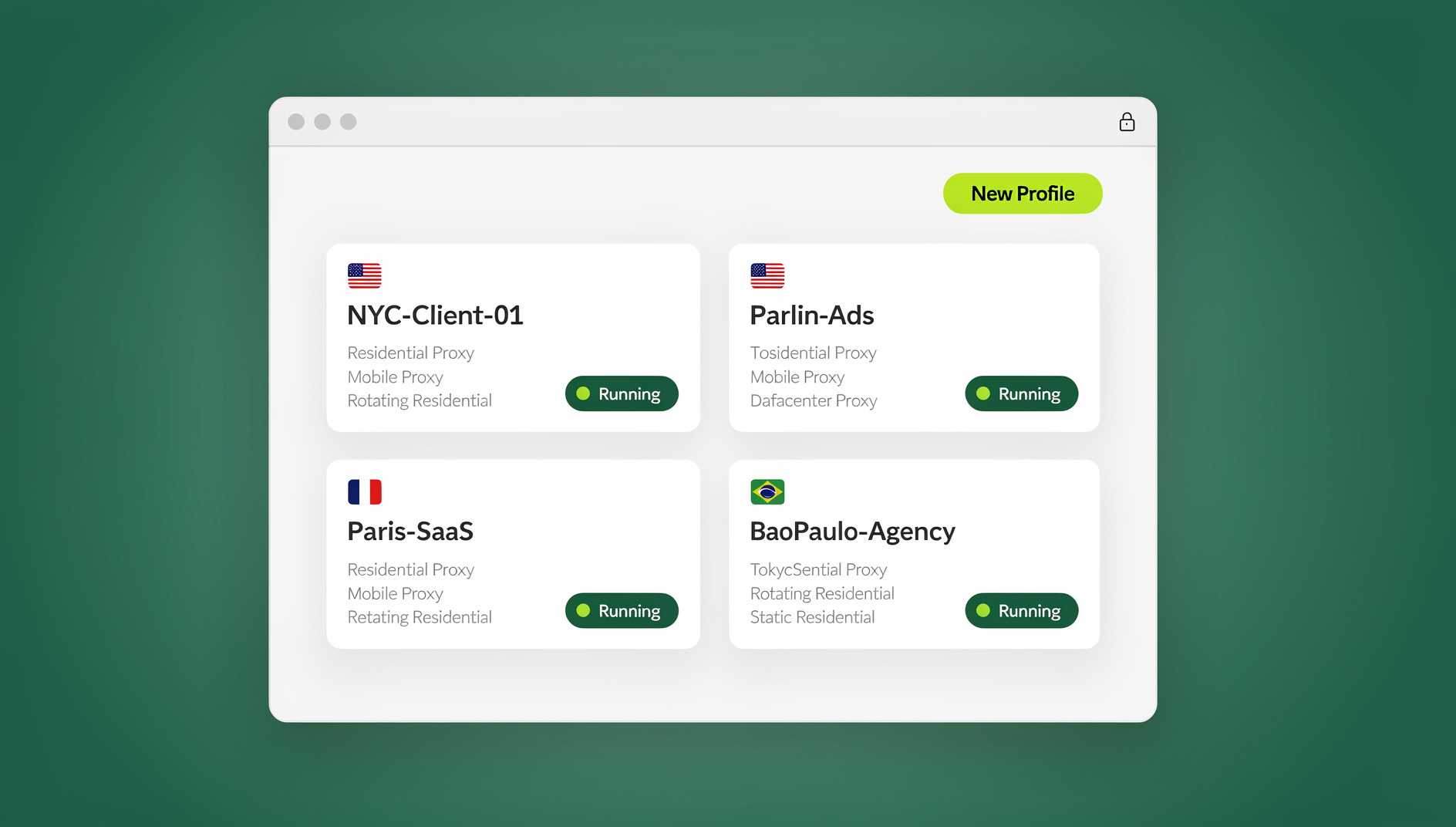
The real product today centers on two ways to run it: a native desktop app for Windows, macOS, and Linux that runs dozens or hundreds of isolated browser profiles locally, plus cloud browser sessions you can spin up from anywhere without installing anything. If your last impression of Send.win was a simple login switcher, this guide rewrites that — and updates the original five reasons into a 2026-accurate picture of why people actually use it.
The 5 (Now 9) Reasons People Use Send.win in 2026
The original version of this post gave five reasons to use Send.win. They still hold up, but the product has grown enough that a modern list needs a few additions. Here’s the full, updated set.
1. Genuine Fingerprint Isolation, Not Just Password Storage
The 2023 version of Send.win described “session isolation on every tab” — that’s still true, but it undersells what’s happening under the hood. Each profile gets its own canvas, WebGL, audio, font, and hardware fingerprint, plus its own cookie jar and local storage. Platforms like Amazon, Facebook, and Google use exactly these signals to link accounts together and flag them for review. Isolating the fingerprint — not just the password — is what actually keeps accounts from being connected behind the scenes.
2. Built-In Proxy Management
Every profile can be paired with its own residential, datacenter, or mobile proxy directly inside Send.win, so the IP address matches the fingerprint and the timezone/locale settings. You don’t need a separate proxy manager bolted on top — it’s part of the same interface where you create and launch the profile.
3. Team Sharing Without Handing Out Passwords
Agencies and small teams running client accounts constantly run into the same problem: sharing a login means sharing the password, and sharing the password means losing control over who can change it, export data, or lock everyone else out. Send.win lets you share a profile’s active session with a teammate without ever exposing the underlying credentials, and you can revoke access instantly when someone leaves the project.
4. A Real Desktop App — Not Just a Browser Tab
This is the biggest change since the original article. Send.win now ships a native desktop application for Windows, macOS, and Linux. Instead of juggling isolated sessions inside browser tabs, the desktop app manages your entire profile library — hundreds of accounts, each with its own fingerprint and proxy — as a single organized workspace. It’s the primary way most power users, agencies, and e-commerce sellers run Send.win today.
5. Cloud Browser Sessions for Access From Anywhere
Not everyone wants to install software on every machine they use. Send.win’s cloud browser sessions run your profiles entirely in the cloud — you open a link, and the isolated, fingerprinted session is already there, no local install required. It’s metered by monthly cloud browsing time on paid plans, similar to how proxy bandwidth is metered, and it’s the right answer for teams that need “log in from any device” access without provisioning a laptop for every hire.
6. Isolated profiles with their own fingerprint and proxy
On the Team plan, Send.win lets teams organise and share isolated profiles, each with its own cookies, storage, fingerprint settings and proxy, so QA teams, growth teams, and internal tooling can keep sessions separate instead of sharing one browser identity.
7. Faster Onboarding Than a Manual, Multi-Step Setup
Both the desktop app and cloud browser sessions come with guided profile-creation wizards, proxy pairing, and one-click sharing built in from the start, cutting what would otherwise be a manual, multi-step setup down to just a couple of clicks per profile.
8. Cost-Effective at Every Scale
Send.win has no free trial, but the first card purchase is covered by a 7-day money-back guarantee, and the paid tiers are priced to scale with how many profiles and how much proxy bandwidth you actually need, rather than forcing a flat enterprise price on solo users. More on current 2026 pricing below.
9. Cross-Platform Consistency
Whether you’re on the desktop app or a cloud session, the underlying fingerprint and proxy configuration for a given profile stays consistent. That matters if you’re managing the same set of accounts across a laptop at the office and a cloud session on the road.
How Send.win Actually Works: Two Ways to Run a Profile
One of the most common points of confusion is treating Send.win as one single thing. In reality it offers two distinct ways to run an isolated profile, and picking the right one matters.
| Mode | Best For | Install Required? | Where It Runs |
|---|---|---|---|
| Desktop App | Power users, agencies, e-commerce sellers running many profiles | Yes (native Windows/macOS/Linux client) | Locally, as its own application |
| Cloud Browser Sessions | Teams needing access from any device, no local install | No — opens in a link/tab | In the cloud, streamed to your device |
Most people who start out with quick, ad hoc account switching in a single browser tab are actually better served by the desktop app once they’re managing more than a handful of profiles — it’s built specifically for that kind of volume, with a searchable profile library, bulk proxy assignment, and team-sharing controls that a single browser tab alone doesn’t offer.
Step-by-Step: Setting Up Send.win in 2026
The setup process is straightforward whichever mode you choose. Here’s the current, accurate path.
- Try the free cloud demo at send.win — a 3-minute preview without signup, or 10 minutes a day with a free account.
- Choose your mode: download the desktop app for Windows, macOS, or Linux if you’re running profiles locally, or launch straight into a cloud browser session if you’d rather skip installation entirely.
- Create your first profile. Give it a name, pick a fingerprint template (OS, browser version, screen resolution), and assign a proxy if the account needs a specific location.
- Log into the account inside that profile. From this point forward, that profile’s cookies, storage, and fingerprint stay isolated from every other profile you run.
- Repeat for each additional account — email, social, marketplace, ad platform, whatever you’re managing — creating one profile per identity.
- Invite teammates and share specific profiles if you’re working with a team, without ever sharing the raw password.
For a hands-on walkthrough of session creation, this guide to managing multiple login sessions covers the session-creation workflow in more depth, while heavier users will want to look at how a dedicated multi-login browser handles account safety at scale.
Send.win for Teams: Isolated Profiles and Cloud Sessions
The single biggest capability the original 2023 article couldn’t have mentioned is the cloud browser. It lets teams open isolated Send.win profiles from anywhere — except every session already comes with its own isolated fingerprint and, if configured, its own proxy.
In practice, that means:
- QA teams can run cross-browser, cross-fingerprint test suites without manually spinning up dozens of VMs.
- Growth and marketing teams can automate repetitive multi-account tasks — posting, checking, data collection — without the fingerprint collisions that trigger platform bans.
- Internal tools and dashboards can trigger Send.win sessions directly from a script, rather than requiring someone to click through the desktop app or a cloud session by hand.
Send.win vs. Basic Browser Profiles vs. Other Multi-Login Tools
| Feature | Regular Browser Profiles | Generic Multi-Login Extension | Send.win |
|---|---|---|---|
| Unique fingerprint per profile | No | Partial | Yes |
| Built-in proxy management | No | Sometimes | Yes |
| Native desktop app | N/A | Rarely | Yes (Windows/macOS/Linux) |
| Cloud browser sessions | No | Rarely | Yes |
| Automation API (Selenium/Puppeteer/Playwright) | No | Rarely | No |
| Team sharing without passwords | No | Sometimes | Yes |
This is the gap that made the original “5 reasons” post feel thin — regular Chrome profiles or a bare-bones extension can switch accounts, but they don’t isolate the underlying fingerprint, and they definitely don’t offer a desktop app or cloud sessions. For a deeper look at how fingerprint-based tools stack up against each other, the best antidetect browser comparison breaks down several options side by side.
Who Actually Needs This?
- E-commerce sellers running multiple marketplace or ad accounts who can’t risk cross-account linking triggering a suspension.
- Marketing and social media managers juggling client accounts across platforms from one machine.
- Agencies that need to share account access with contractors and staff without distributing passwords.
- Freelancers managing separate client workspaces that shouldn’t touch each other.
- QA and dev teams that need repeatable, isolated browser environments for automated testing.
- Remote teams who need to access shared sessions from personal devices without installing software on each one.
If any of that sounds familiar, it’s worth understanding exactly how isolating sessions protects data across accounts — this session isolation guide walks through the mechanics in more detail.
Send.win Pricing in 2026
| Plan | Price | Profiles | Proxy Bandwidth | Key Extras |
|---|---|---|---|---|
| Free Trial | $0 for 30 days, no credit card | Limited | Limited | Full feature preview |
| Pro | $19/mo ($6.99/mo billed annually — 63% off) | 150 | 5GB | Desktop app, cloud sessions |
| Team | $49/mo ($20.99/mo billed annually — 57% off) | 500 | 20GB | 16 seats, team sharing |
Add-ons are available for teams that outgrow their plan’s limits — extra proxy bandwidth at $6/GB and extra profile slots at $0.05 each — so scaling up doesn’t mean jumping to a whole new tier before you actually need it.
Common Mistakes to Avoid With Multi-Login Tools
- Reusing the same proxy across multiple profiles. This defeats the purpose of fingerprint isolation — two “different” accounts sharing one IP is one of the easiest ways platforms link them.
- Skipping proxy assignment entirely. A perfectly isolated fingerprint on your real home IP still ties every profile back to the same network.
- Sharing raw passwords with teammates instead of using session-sharing features, which removes the ability to revoke access cleanly.
- Sticking with ad hoc, single-tab account switching when the desktop app or cloud sessions would actually fit the workload better.
- Manually repeating routine multi-account tasks instead of organising them into separate profiles once volume justifies it.
🏆 Send.win Verdict
The original “5 reasons” for using Send.win — security, ease of use, time savings, access anywhere, and cost — are still valid in 2026, but the product behind them has matured into a full browser profile manager. Between genuine fingerprint isolation, a native desktop app, and cloud browser sessions, Send.win now covers everything from a solo freelancer switching between two client accounts to an agency managing hundreds of isolated profiles at once.
Try Send.win today — the first card purchase is covered by a 7-day money-back guarantee, and see the difference between switching accounts and actually isolating them.
Frequently Asked Questions
Is Send.win a Chrome extension or a separate browser?
No, Send.win is not a Chrome extension. It’s a native desktop app for Windows, macOS, and Linux for running profiles locally, plus fully cloud-hosted browser sessions you can open with zero local install. Most active users manage their profiles through the desktop app, with cloud sessions available whenever they need access from another device.
Does Send.win require installing software?
It depends on which mode you use. The desktop app requires a local install. Cloud browser sessions do not — you open a session in your existing browser without installing anything, which is useful for accessing profiles from a device you don’t want to configure.
What’s the difference between Send.win and just using Chrome profiles?
Chrome’s built-in profiles separate cookies and bookmarks, but they don’t change the underlying browser fingerprint — canvas, WebGL, fonts, and other signals still look identical across profiles on the same machine. Send.win gives each profile a genuinely unique fingerprint and, optionally, its own proxy, which is what actually prevents platforms from linking accounts together.
Can I automate Send.win with Selenium, Puppeteer, or Playwright?
No. Send.win has no automation interface — no API, SDK, headless mode or Selenium/Puppeteer/Playwright support on any plan. What it does offer is isolated profiles, each with its own cookies, storage, fingerprint settings and proxy.
How much does Send.win cost in 2026?
There’s no free trial; the first card purchase is covered by a 7-day money-back guarantee, and the only free option is the cloud demo at https://send.win/demo-browser/. The Pro plan is $19/month or $83.88/year. The Team plan is $49/month or $251.88/year.
Can I share a Send.win profile with a teammate without giving them the password?
Yes. Send.win supports sharing an active session with teammates without exposing the account’s underlying credentials, and you can revoke that access at any time — useful for agencies and teams working with contractors on client accounts.
Do I need proxies to use Send.win effectively?
You don’t strictly need one for every profile, but it’s strongly recommended if you’re managing accounts that shouldn’t be linked to each other. Send.win includes built-in proxy management, so you can pair each profile with a matching residential, datacenter, or mobile proxy directly in the same interface where you create the profile.
Is Send.win only for e-commerce sellers and marketers?
No. While account sellers and agencies are common users, freelancers managing separate client workspaces, remote teams needing shared access without shared passwords, and QA teams needing isolated test environments all use Send.win for the same underlying reason — isolating sessions instead of letting them overlap.