A multi-login browser lets you run dozens of accounts on the same website at the same time, each in its own isolated session with separate cookies, local storage, and login state, so nothing from one profile ever leaks into another. Send.win delivers this through two modes — a native Sendwin Browser desktop app and metered cloud browser sessions — both built around the same rule: one account per container, always.
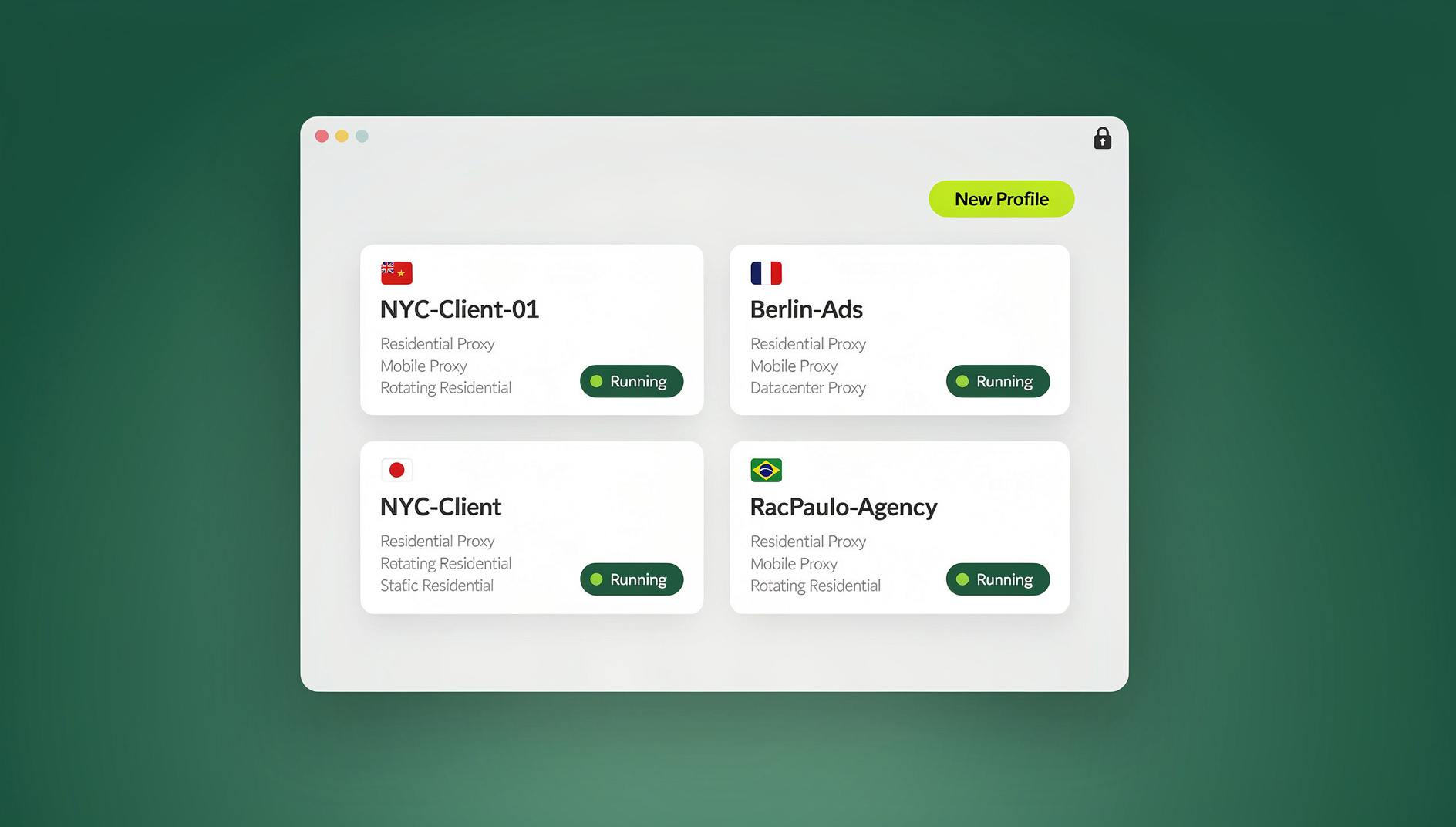
If your day involves jumping between client dashboards, ad accounts, storefronts, and social profiles, you already know the pain of constant sign-outs and cookie collisions. Incognito windows help a little, until you need ten of them open at once. This guide breaks down what a multi-login browser actually does, why the common workarounds fall apart at scale, and how Send.win handles isolation, proxies, and safe team sharing without the guesswork.
What Is a Multi-Login Browser?
A multi-login browser is built to open multiple, isolated sessions on the same website at the same time. Each profile behaves like its own separate environment, with its own cookies, cache, local storage, and browser fingerprint signals. Your “Client A” session cannot leak into “Client B,” and your personal accounts stay walled off from your work accounts. This is different from simply juggling a plain multi-account browser setup on top of your existing Chrome profile — true isolation means each session has its own execution context, not just a swapped cookie jar.
Why Incognito, Extra Profiles, or a Second Browser Aren’t Enough
- Incognito windows wipe data when closed, but they don’t let you keep two clean, persistent identities open side-by-side on the same site.
- Separate Chrome or Firefox profiles work for a handful of accounts, but managing dozens becomes unmanageable fast, and all of that data sits exposed on your local machine.
- A second or third browser just creates tab chaos, and it still gives you no clean way to hand off access to a teammate without sharing a password.
A purpose-built multi-login browser standardizes isolation, makes switching between sessions instant, and gives you a safe way to collaborate without ever typing a shared password into a login form.
Two Ways to Run Send.win: Desktop App or Cloud Sessions
Send.win isn’t a single tool — it’s two complementary ways to get the same isolation, and you can mix both depending on the task. The first is Sendwin Browser, a native, downloadable desktop application for Windows, macOS, and Linux. It’s local-first, meaning your profiles and sessions live on your own machine, with encrypted cloud sync keeping everything backed up and available if you switch computers. The second is cloud browser sessions, which run entirely on Send.win’s infrastructure and stream to your screen — nothing installs locally, and usage is metered by cloud browsing time rather than a flat per-seat fee.
| Mode | Where it runs | Best for | Install required |
|---|---|---|---|
| Sendwin Browser (desktop app) | Locally on your Windows, macOS, or Linux machine | Daily multi-account work, offline-capable sessions | Yes — one-time download |
| Cloud browser sessions | On Send.win’s servers, streamed to your device | Shared team access, disposable sessions, working from a locked-down or borrowed device | No — runs in any modern browser |
Both modes give you the same session isolation and sharing features underneath. The desktop app is the natural home for anyone doing sustained daily work across many accounts, since your profiles stay local and load instantly. Cloud sessions shine when you need to hand a teammate temporary access, work from a device you don’t fully control, or spin up a disposable environment for a single risky task.
Core Features That Make Multi-Login Work
Session Isolation on Every Profile
Each profile in Send.win is its own sealed container. Cookies, local storage, cache, and other identity signals never cross between sessions. That matters most when you’re A/B testing ad creatives or checkout flows — without isolation, pixels and cookies from one test can quietly pollute another, skewing your results without you ever noticing.
Bring Your Own Proxy
Attach a proxy to any session to hold a consistent IP address and location. This is useful for localized SERP checks, region-specific storefront previews, ad-preview QA, and competitor monitoring, where a stable, believable IP matters as much as a clean cookie jar.
Share a Session, Not a Password
Rather than handing a teammate or client your login credentials, Send.win lets you share accounts without passwords through a secure session link. The recipient works inside a live, already-logged-in session, and you can revoke access at any time. This is especially useful for agencies, contractors, and short-term reviewers who need in-and-out access without ever seeing a credential.
Session Timers and Page Blur
Add a timer to any shared session — 30 minutes, an hour, a day — so access expires automatically instead of relying on someone remembering to revoke it. You can also blur or block specific pages within a session, which is handy for hiding billing details, personal information, or other sensitive panels while a collaborator works alongside you.
Encryption and Sandboxed Execution
Send.win applies AES-256 for symmetric encryption and RSA-2048 for asymmetric operations to protect session data in transit and at rest. In cloud sessions, web pages execute on Send.win’s infrastructure rather than on your endpoint, which keeps risky scripts, malware, and phishing payloads away from your actual device. Close the session and the entire environment disappears with it.
No Automation API for Scripted Workflows
Who Uses a Multi-Login Browser (and Why)
Marketers and Advertisers
Marketers managing several ad accounts across Meta, Google, TikTok, and LinkedIn need a dependable browser for ads management that keeps pixels, cookies, and login state from bleeding between clients. Session sharing lets a client or reviewer approve creative without ever touching a password, and proxy-per-session support keeps geo-targeted campaigns testing accurately.
E-Commerce Sellers and Marketplace Operators
Running several storefronts on the same platform safely means keeping each one in its own clean session. Sellers use regional proxies to preview localized pricing and promotions, and lean on page blur to keep billing panels hidden when a contractor is helping manage the back end.
SEO Professionals and Growth Teams
Checking rankings and SERPs from different regions, toggling between CMS logins, analytics dashboards, and link-building accounts, all without cross-contaminating session signals, is a daily task for growth teams. Clean isolation means test results stay trustworthy instead of getting muddied by leftover cookies from a different account.
Developers, Testers, and QA
QA teams use disposable sessions to open untrusted links or reproduce bugs without risking their main machine, then share that exact session with a teammate to debug together — no local setup required on their end.
Remote Workers, Agencies, and Contractors
Agencies juggling many clients rely on strict identity separation, timed access for external collaborators, and the ability to hand off a session without leaving sensitive credentials on a shared or borrowed device.
A note on compliance: always use multi-login tools within each platform’s Terms of Service and applicable laws. Isolation keeps your workflow clean; it doesn’t override any site’s own rules.
Send.win vs. Old Habits and Other Tools
| Approach | How it compares |
|---|---|
| Incognito windows / extra browser profiles | Send.win gives you true concurrency with clean isolation and instant switching, instead of serializing logins one at a time. |
| A second or third local browser | Send.win consolidates every account into one dashboard with labeled, color-coded sessions instead of scattering tabs across separate apps. |
| Chrome’s built-in profile switcher | Chrome profiles share some underlying signals and require manual switching; see our breakdown of Sendwin vs Chrome profiles for when each makes sense. |
| Local VM farms | You don’t manage images, patches, or disk bloat — Send.win keeps the desktop app and cloud sessions updated so you spend time on work, not maintenance. |
Send.win Pricing
Send.win has no free trial; paid plans are Pro at $19/mo or $83.88/yr and Team at $49/mo or $251.88/yr, and your first card purchase is covered by a 7-day money-back guarantee. If you want to try it before paying, the free cloud demo at send.win/demo-browser/ gives you a 3-minute preview without signup, or 10 minutes a day with a free account.
| Plan | Monthly price | Annual price | Profiles | Proxy bandwidth | Automation API | Seats |
|---|---|---|---|---|---|---|
| Pro | $19/mo | $6.99/mo billed annually | 150 | 5GB | Included | Individual |
| Team | $49/mo | $20.99/mo billed annually | 500 | 20GB | Included | 16 seats |
Both plans include the same core browser profile manager features, so scripting isn’t reserved for the top tier — Team simply adds more profiles, more bandwidth, and room for a larger team to work from shared seats. You can review the latest details directly at send.win/pricing.
Getting Started in 3 Steps
- Try the free cloud demo. Visit send.win and open the free cloud demo at send.win/demo-browser/ for a 3-minute preview without signup, or 10 minutes a day with a free account.
- Choose your mode. Download the Sendwin Browser desktop app for daily multi-account work on Windows, macOS, or Linux, or launch a cloud browser session straight from your dashboard when you need zero-install, shareable access.
- Create your first sessions. Name each profile, optionally attach a proxy and pick a region, then open as many isolated sessions as your workflow needs. If you’re collaborating, share a session link, set a timer, and blur any sensitive pages before handing it off.
Best Practices for Safe, Compliant Multi-Login
- Respect each platform’s Terms of Service. Isolation keeps your sessions clean; it doesn’t change what a platform allows.
- Keep signals consistent. When testing localized content, pair a matching proxy with the session’s intended region.
- Use blur and block controls during collaboration to limit exposure of billing details or personal information.
- Reach for disposable cloud sessions for risky links, one-time reviews, or anything you don’t want touching your main environment.
- Let sync handle backup. With the desktop app’s encrypted cloud sync, you don’t need to manually export or back up profiles.
🏆 Send.win Verdict
If you’re tired of logging in and out to manage separate accounts, a purpose-built multi-login browser is worth adopting, and Send.win covers both ends of the spectrum well: the Sendwin Browser desktop app for daily, local-first multi-account work with encrypted cloud sync, and metered cloud sessions for zero-install, shareable access when you need it. Session isolation, proxy support, password-free sharing, and a separate fingerprint per profile make it a practical choice for marketers, e-commerce sellers, SEO teams, and agencies alike.
Try the Send.win cloud demo — a 3-minute preview without signup, or 10 minutes a day with a free account.
Frequently Asked Questions
Is Send.win a browser profile manager?
No. Send.win’s focus is productivity, privacy, and safe collaboration — session isolation, password-free sharing, and either local or cloud execution. It’s built to help you manage legitimate multiple accounts within each platform’s rules, not to evade platform detection systems.
Do I need to install anything?
It depends on the mode. The Sendwin Browser desktop app is a one-time download for Windows, macOS, or Linux. Cloud browser sessions need no install at all — you launch them straight from your web dashboard and they stream to whatever device you’re using.
What’s the difference between the desktop app and cloud sessions?
The desktop app is local-first: your profiles live on your machine with encrypted cloud sync for backup and portability. Cloud sessions run entirely on Send.win’s servers and are metered by cloud browsing time, which makes them ideal for quick, shareable, or disposable work rather than sustained daily use.
Can I automate tasks across my profiles?
No. Send.win has no Automation API, SDK, headless mode or Selenium/Puppeteer/Playwright support on any plan, so you cannot script actions against individual isolated profiles.
Is there a free trial?
No. Send.win has no free trial; paid plans are Pro at $19/mo or $83.88/yr and Team at $49/mo or $251.88/yr, with the first card purchase covered by a 7-day money-back guarantee. The only free option is the cloud demo at send.win/demo-browser/.
How is my data kept secure?
Send.win uses AES-256 for symmetric encryption and RSA-2048 for asymmetric operations, combined with per-session isolation so profiles never share cookies or storage with one another.
What if I need to show a colleague something sensitive?
Share a session link instead of a password, set a timer to auto-expire access, and use the blur or block controls to hide specific pages or sections during the handoff. You can revoke access at any moment.
Which plan should I choose, Pro or Team?
Pro covers individuals managing up to 150 profiles with 5GB of proxy bandwidth, which is enough for most solo marketers, sellers, and freelancers. Team steps up to 500 profiles, 20GB of bandwidth, and 16 seats, making it the better fit once you’re coordinating a full agency or in-house team.