The best browser for ads management isolates every ad account in its own environment — separate cookies, a unique fingerprint, and its own IP address — so platforms like Google, Meta, and TikTok can’t link your accounts together. Whether you’re an agency running client campaigns, an in-house team managing multiple brands, or a solo affiliate scaling ad spend, that isolation is what keeps accounts alive long enough to actually optimize them.
What Is a Browser for Ads Management?
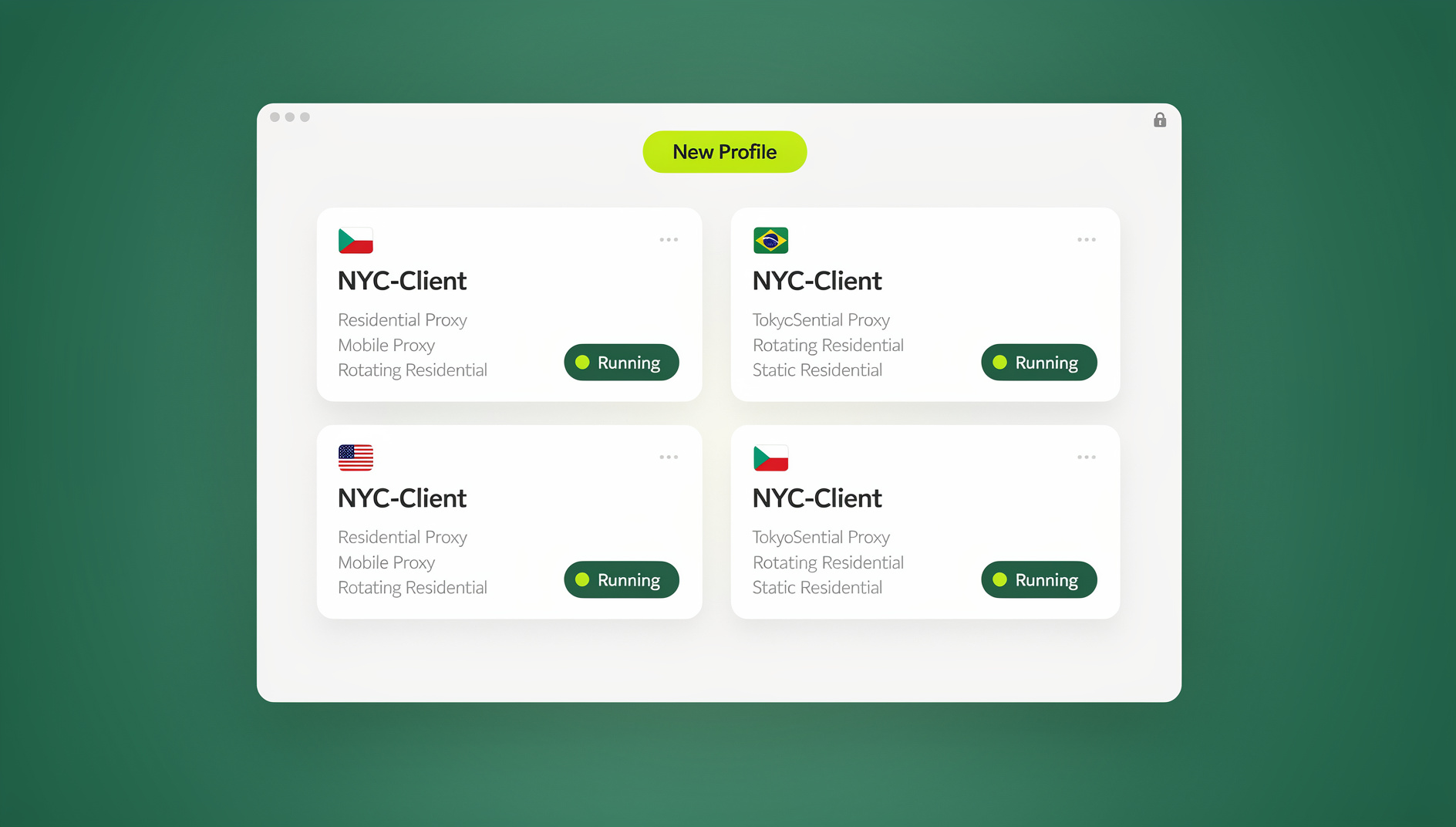
A browser for ads management is a browser environment built specifically to run several advertising accounts side by side without any of them “leaking” into one another. Instead of one Chrome window juggling five logged-in Google Ads accounts through tab-switching (which shares cookies, cache, and a single device fingerprint across all of them), each ad account gets its own isolated profile — its own cookies, local storage, browser fingerprint, and often its own IP address via a proxy.
This matters because ad platforms don’t just check who’s logged in — they fingerprint the device and browser rendering it. Two “different” accounts that share a fingerprint, an IP, or a cookie trail read as the same operator to Google’s or Meta’s fraud systems, and that’s exactly the pattern that gets multiple accounts suspended together.
Why Standard Browsers Put Ad Accounts at Risk
Chrome, Firefox, and Edge were never designed for running parallel ad accounts. Even Chrome’s built-in profile switcher shares enough underlying browser data — canvas rendering, WebGL output, installed fonts, timezone, and often the same IP — that platforms can still tie separate profiles back to one person.
How Ad Platforms Detect Linked Accounts
- Browser fingerprinting — canvas, WebGL, audio, and font rendering create a near-unique signature for your device that persists across logins
- Cookie and local storage tracking — shared session data between “separate” accounts opened in the same browser instance
- IP address monitoring — multiple accounts logging in from the same residential or office IP within a short window
- Behavioral analysis — identical login times, budget increments, targeting settings, or creative patterns across accounts
- Payment method overlap — a shared credit card, PayPal account, or billing address instantly connects two “unrelated” ad accounts
Agencies and marketers who want to manage multiple ad accounts safely generally build isolation in from day one rather than trying to fix it after a platform has already flagged a pattern.
What Happens When Platforms Link Your Accounts
- Simultaneous suspension of every account the platform believes is connected
- Forfeited ad spend and any outstanding account balance
- Loss of campaign history, audience data, and optimization signals built up over months
- Device and IP blacklisting that makes opening new accounts harder
- Manual review delays that can freeze active campaigns for weeks
Must-Have Features in an Ads Management Browser
Complete Session Isolation
Each ad account needs its own sandboxed profile: separate cookies, cache, local storage, and browsing history, with zero data sharing between profiles. This is the baseline — without it, none of the other features matter.
Fingerprint Protection
A proper ads management browser generates a distinct, consistent fingerprint per profile rather than reusing your real device’s signature everywhere. That covers canvas fingerprinting, WebGL output, audio stack characteristics, installed fonts, and reported hardware specs like CPU core count and memory.
Proxy Integration Per Profile
Every ad account should route through its own IP, ideally matching the geographic location tied to the account’s billing or registration details. Look for sticky sessions (so the IP doesn’t rotate mid-campaign) and solid WebRTC leak protection, since a leaking real IP defeats the purpose of the proxy entirely.
Team Roles and Secure Sharing
Agencies need to hand campaign access to account managers, clients, or contractors without ever handing over the actual login credentials. That means granular permissions (view-only, edit, full control), an activity log for accountability, and the ability to revoke access instantly when a contractor’s engagement ends.
Automation and Bulk Operations
Larger operations eventually need to script repetitive tasks — bulk campaign creation, budget adjustments, or scheduled report pulls — across dozens of profiles. That requires a browser environment that automation tools like Selenium, Puppeteer, or Playwright can actually attach to, rather than a closed black box.
Best Browsers for Ads Management in 2026
Here’s how the main options in this space compare, including where a cloud-first approach like Send.win fits in.
1. Multilogin
Type: Premium antidetect browser
Best for: Large agencies running 50+ ad accounts
Pricing: Roughly $99–$399/month
Pros: Mature fingerprint engine, two browser cores (Mimic and Stealthfox), deep team permission controls, an automation API.
Cons: Expensive for smaller teams, a genuinely complex onboarding process, and it’s desktop-only with no cloud option.
2. GoLogin
Type: Cloud-synced antidetect browser
Best for: Social media advertisers managing a moderate number of accounts
Pricing: Roughly $24–$149/month
Pros: Cloud-stored profiles, mobile fingerprint emulation, more approachable pricing than Multilogin.
Cons: Fingerprints have been flagged on stricter platforms, and automation support is more limited.
3. AdsPower
Type: E-commerce-leaning antidetect browser
Best for: Marketplace and Amazon sellers running ads alongside storefront accounts
Pricing: Free tier up to roughly $30+/month for paid plans
Pros: Usable free tier, built-in RPA automation, bulk profile actions.
Cons: The free tier is thin, and the tool is built more around e-commerce workflows than ad-platform-specific needs.
4. Send.win
Type: Native desktop app with local-first encrypted sync, plus fully cloud-run sessions
Best for: Agencies and marketers who want isolated ad-account profiles without committing to one machine or a single deployment model
Pricing: No free trial; paid plans from $19/month, with the first card purchase covered by a 7-day money-back guarantee
Pros: Choice between a downloadable desktop app (Windows, macOS, Linux) or zero-install cloud browser sessions, per-profile proxy assignment, team seats with granular sharing, and a consistent per-profile browser fingerprint.
Cons: Cloud sessions are metered by browsing time, so very heavy cloud usage needs plan-level attention.
| Feature | Multilogin | GoLogin | AdsPower | Send.win |
|---|---|---|---|---|
| Deployment | Desktop only | Desktop + cloud sync | Desktop only | Desktop app OR zero-install cloud sessions |
| Starting price | ~$99/month | ~$24/month | Free–$30/month | $19/month |
| Team collaboration | Yes, advanced | Limited | Basic | Yes — up to 16 seats on Team plan |
| Automation API | No | Limited | Built-in RPA | No |
| Proxy bandwidth included | Varies by plan | Varies by plan | Varies by plan | 5GB (Pro) / 20GB (Team) |
Send.win for Ads Management: Desktop App or Cloud Sessions
Send.win takes a different approach than a single-mode browser tool by giving advertisers two ways to run isolated ad-account profiles, and letting them pick per use case.
Sendwin Browser is a native, downloadable desktop application for Windows, macOS, and Linux. It’s local-first, meaning your profiles and sessions live on your machine, with encrypted cloud sync keeping everything backed up and available if you move to another computer. This is the natural fit for advertisers who run a lot of daily campaign work and want the full performance of a native app.
Cloud browser sessions run entirely in the cloud with zero local install — useful for account managers on shared or locked-down machines, or for spinning up a quick isolated session to check a client’s campaign without touching your main setup. Cloud sessions are metered by cloud browsing time rather than a flat seat price, so occasional use stays cheap.
For each ad account profile, whichever mode you use, Send.win handles fingerprint generation, per-profile proxy assignment, and secure profile sharing with teammates — without ever exposing the underlying login credentials.
Agencies juggling several platforms at once can run Facebook, Instagram, and Google Ads in parallel without cross-contamination, keeping each client’s account isolated even when campaigns launch on the same day.
Pricing: Send.win has no free trial. The Pro plan runs $19/month or $83.88/year with 150 profiles and 5GB of proxy bandwidth. The Team plan is $49/month or $251.88/year with 500 profiles, 20GB of bandwidth, and 16 seats for agency collaboration. The first card purchase is covered by a 7-day money-back guarantee, and there is a free cloud demo at https://send.win/demo-browser/.
Platform-Specific Ads Management Strategies
Google Ads Management
Google’s detection is particularly thorough. Practical guidelines:
- Use a fully separate Google account for each Ads profile — no shared Gmail logins across accounts
- Assign proxies that match the geographic location tied to each account’s registration
- Avoid near-identical keyword lists and bidding strategies across accounts you manage
- Vary billing cycles and payment methods where the client relationship allows it
- Point accounts to different landing pages rather than one shared URL
Facebook and Instagram (Meta) Ads Management
Meta links accounts aggressively through its Business Manager structure. Requirements that actually hold up:
- A completely separate browser profile per Business Manager, not just a different login tab
- Unique phone numbers for two-factor verification on each account
- Different payment methods per ad account wherever possible
- Varied creative assets and ad copy instead of reusing the same creative across accounts
- Staggered campaign launch times rather than switching on every account at once
TikTok Ads Management
TikTok’s ad platform is newer than Google’s or Meta’s but has tightened enforcement quickly:
- Separate TikTok Business Centers per profile
- Mobile-consistent fingerprints for features that expect a mobile-style session
- Distinct video creative and hashtag strategy per account rather than reposting the same assets
Common Mistakes in Ads Management
1. Reusing Payment Methods
Sharing a credit card or PayPal account across ad profiles is one of the fastest ways to link them. Use dedicated virtual card numbers per account where the platform and payment processor allow it.
2. Copy-Pasting Campaign Structures
Identical targeting, budgets, and posting schedules across accounts create a pattern that’s easy for fraud systems to flag. Vary the setup meaningfully account to account.
3. Skipping the Warm-Up Period
Launching large budgets on a brand-new account immediately tends to trigger fraud review. Start with modest spend and scale gradually over two to four weeks.
4. Logging In Without Verifying Isolation
Accessing an account before confirming the profile’s fingerprint and proxy are actually active exposes the connection you were trying to avoid. Check the isolation setup before every login session, not just once at setup.
🏆 Send.win Verdict
For advertisers managing more than a handful of ad accounts, isolation isn’t optional — it’s the difference between campaigns that survive long enough to optimize and accounts that get swept up in a related-account ban. Send.win covers both ends of how modern teams work: a native desktop app with encrypted cloud sync for day-to-day campaign management, and zero-install cloud sessions for quick, on-the-go account access. With per-profile proxy assignment, secure team sharing, and a separate fingerprint for each profile, it’s a practical, affordably priced fit for agencies and in-house marketers running Google, Meta, or TikTok campaigns in parallel.
Try Send.win today — plans start at $19/mo, and your first card purchase is covered by a 7-day money-back guarantee.
Frequently Asked Questions
Is using multiple ad accounts against platform policies?
Not inherently. Platforms generally allow multiple accounts for legitimate business structures — agencies serving different clients, or a company running separate brands. What violates policy is using multiple accounts to evade a ban, manipulate spend limits, or circumvent ad review.
How many ad accounts can I manage safely with one browser setup?
With genuine session isolation and per-account proxies in place, the practical limit is usually your available time and proxy budget rather than the browser technology itself — agencies routinely run dozens of isolated profiles.
Do I need a dedicated proxy for every ad account?
For major platforms like Google Ads and Meta, yes. Each account should route through its own IP, ideally one that matches the account’s registered location, to avoid the “same IP, different accounts” pattern that triggers review.
Can Google, Meta, or TikTok detect an antidetect or isolation browser?
Weak or poorly maintained fingerprint spoofing can be detected. Well-built isolation — where each profile presents a coherent, believable fingerprint rather than an obviously randomized one — is far harder for platform fraud systems to flag.
What’s the difference between Send.win’s desktop app and cloud sessions?
Sendwin Browser is a native app you install on Windows, macOS, or Linux, storing profiles locally with encrypted cloud sync as backup. Cloud browser sessions run entirely in the cloud with no local install, billed by cloud browsing time — a better fit for occasional or on-the-go account access.
Can I automate ad account tasks with Send.win?
No. Send.win has no automation interface — no API, SDK, headless mode or Selenium/Puppeteer/Playwright support on any plan. It is built for managing isolated browser profiles manually, with separate cookies, storage and fingerprint per profile.
How much does Send.win cost for an agency managing many ad accounts?
Send.win has no free trial. The Pro plan is $19/month or $83.88/year with 150 profiles and 5GB of proxy bandwidth. The Team plan, built for agencies, is $49/month or $251.88/year with 500 profiles, 20GB of bandwidth, and 16 seats. The first card purchase is covered by a 7-day money-back guarantee.
Conclusion
Running ads across multiple accounts safely comes down to genuine isolation — separate fingerprints, separate IPs, and separate payment trails — combined with disciplined account habits like staggered launches and gradual budget warm-ups. Send.win’s combination of a native desktop app and on-demand cloud sessions gives advertisers a flexible, affordably priced way to keep every ad account isolated without maintaining a pile of separate machines or logins.