Ad account cross-contamination happens when Facebook, Instagram, and Google can tell that several of your ad accounts share the same cookies, browser fingerprint, or IP address, triggering the linked-account flags that lead to disapprovals, restrictions, or outright bans. The fix is to give every ad account its own isolated browsing environment with a unique fingerprint and its own IP, which is exactly what Send.win’s profile-based sessions are built to do, so you can run Meta and Google campaigns side by side without one account’s history bleeding into another’s.
If you manage ad accounts for multiple clients, brands, or test variants, you already know the drill: one account gets a policy warning, and suddenly two or three “unrelated” accounts get restricted within days. That’s not a coincidence and it’s not bad luck — it’s the ad platforms’ own detection systems doing exactly what they’re designed to do. This guide breaks down why cross-contamination happens, what it actually costs you, and how to structure Facebook, Instagram, and Google Ads work so each account looks — and behaves — like it belongs to a genuinely separate operator.
What Ad Account Cross-Contamination Actually Is
Cross-contamination is what happens when data that should stay siloed to one ad account instead leaks into another. That data includes browser cookies, device and canvas fingerprints, login IP addresses, and even behavioral patterns like how quickly you switch between accounts. Meta and Google don’t need to see your name to connect two accounts — they just need enough overlapping signals to conclude, correctly or not, that the same person or team is behind both.
The Three Signals That Give You Away
- Shared cookies and browser fingerprints: Standard browser profiles (even “separate” Chrome profiles in some cases) can still expose matching canvas, WebGL, font, and hardware fingerprints across tabs, which is often enough for platforms to cluster accounts together.
- Overlapping IP addresses: Logging into five ad accounts from the same home or office IP, especially in a tight time window, is one of the strongest multi-accounting signals Meta and Google use. It doesn’t matter whether the accounts belong to five different clients — the IP overlap reads as one operator.
- Session and login bleed: Switching between accounts in the same browser session without clearing state leaves behind autofill data, saved payment tokens, and session storage that can silently link accounts weeks later.
Why the Platforms Are So Aggressive About It
Facebook and Google both police multi-accounting hard because it’s the mechanism behind a huge share of ad fraud, coupon abuse, and policy-violation workarounds. The unfortunate side effect is that legitimate agencies, freelancers, and in-house marketers running several accounts get caught in the same net as bad actors. A Google Ads suspension notice for “unusual account behavior” or a Meta Business Manager restriction citing “related accounts” rarely comes with a clear explanation — it’s an algorithmic judgment call, and by the time you see it, the damage to your campaigns is already done.
What Cross-Contamination Actually Costs You
The direct cost is obvious: a suspended account stops spending, stops delivering, and stops generating revenue the moment it’s flagged. But the indirect costs are usually worse. If you’re an agency managing accounts for multiple clients, a linked-account flag on one client can drag a second, completely unrelated client’s account into review. Ad spend that was mid-flight gets paused. Pixel and conversion data collected up to that point may become unusable if the account is permanently disabled rather than just restricted.
Then there’s the trust cost. Explaining to a client that their Google Ads account got suspended because of something that happened in a different client’s account is not a fun conversation, and it’s one that repeat offenses make progressively harder to have. Agencies that build their ad account management workflow around genuine isolation from day one rarely have to have that conversation at all.
Why Running Ads in Parallel Is Worth the Setup Effort
None of this means you should avoid running multiple ad accounts — it means you need the right infrastructure underneath them. Managing Facebook, Instagram, and Google campaigns in parallel, done properly, is one of the biggest efficiency unlocks available to marketers and agencies.
| Benefit | What it looks like in practice |
|---|---|
| Platform diversification | Instagram’s visual format captures younger, discovery-driven audiences while Google Search captures high-intent buyers already looking for a solution — running both catches demand at different funnel stages. |
| Faster testing cycles | Separate, isolated accounts let you test creative, audiences, and bidding strategies in parallel instead of sequentially, which compresses your learning timeline dramatically. |
| Client and brand separation | Agencies can run distinct accounts per client or per brand without any risk of one client’s account history affecting another’s standing. |
| Resilience against single-account risk | If one account does get restricted, campaigns on genuinely isolated accounts keep running instead of the whole operation stalling out. |
The catch is that these benefits only materialize if the accounts are actually isolated. Running them all from the same browser, same IP, and same device fingerprint just multiplies your exposure instead of your reach.
How Send.win Solves Cross-Contamination
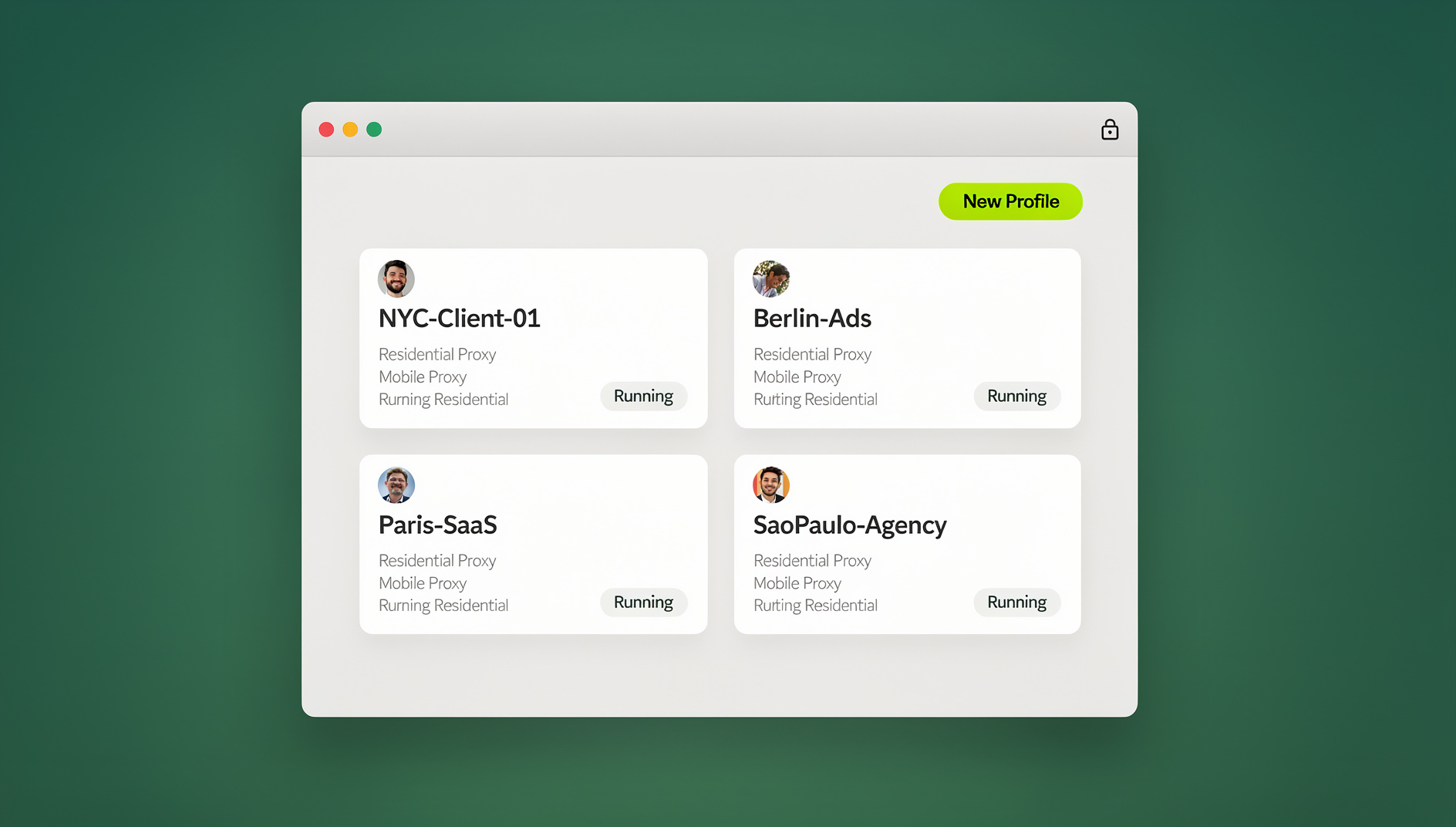
Send.win gives every ad account its own isolated browser profile — separate cookies, separate local storage, separate canvas and WebGL fingerprint, and its own proxy connection if you attach one. Nothing written inside one profile is visible to, or shared with, any other profile, so Facebook, Instagram, and Google can’t connect your accounts through shared browser signals.
There are two ways to run Send.win, and picking the right one depends on how your team works:
- Sendwin Browser (native desktop app): A downloadable application for Windows, macOS, and Linux. It’s local-first, meaning your profiles and session data live on your machine, with encrypted cloud sync keeping everything backed up and available if you move to another computer. This is the better fit if you want local automation scripts to interact directly with your browser profiles.
- Cloud browser sessions: Ad accounts run entirely in the cloud with zero local install — nothing to download, nothing to configure on your device. Usage is metered by cloud browsing time, which suits teams that need to spin up sessions from any machine, including shared or locked-down computers.
Either way, each ad account gets its own profile, and you can manage multiple ad accounts without sharing passwords by handing teammates access to a specific profile rather than the underlying login credentials.
Proxy Support: Solving the IP Overlap Problem
Isolated cookies and fingerprints handle half the problem — the other half is the IP address itself. Send.win lets you attach your own proxy to each individual profile, so every ad account can log in from a distinct IP that matches its intended audience geography. For Google Ads especially, where the same IP logging into several accounts is one of the fastest routes to a “suspicious activity” review, per-profile proxy assignment removes that single largest red flag. If you’re new to proxy selection, it’s worth understanding how proxies differ from VPNs for ad account masking before you commit to a provider.
Managing Repetitive Campaign Tasks
Once you’re managing more than a handful of accounts, some campaign tasks become worth streamlining — pulling performance exports, running scheduled QA checks on landing pages, or bulk-updating budgets across profiles. Send.win has no automation interface: there is no API, SDK, headless mode or Selenium/Puppeteer/Playwright support on any plan, so these tasks are handled manually within each isolated profile. Each profile keeps its own cookies, storage, fingerprint and proxy, so work in one profile stays separate from the others.
Setting Up Isolated Facebook Ad Accounts
Facebook and Instagram share a Business Manager backend, so isolation needs to happen at the account level, not just the platform level.
- Create a separate Send.win profile for each Facebook Business Manager or ad account you operate.
- Attach a dedicated proxy to each profile, matched to the geography that account’s audience or billing address expects.
- Log into that account only from within its assigned profile — never switch accounts inside the same browser tab or profile.
- Let each profile build its own natural browsing and login history before you scale ad spend on it.
This structure means testing a new ad creative or bid strategy on one client’s account never touches another client’s account history, cookies, or login pattern.
Running Instagram Ads Without Meta Cross-Linking
Because Instagram ads are managed through the same Meta ecosystem as Facebook, the isolation rules carry over directly. The extra wrinkle with Instagram is that many teams also manage the organic Instagram profile alongside the ad account, which adds another login surface that needs its own isolated session. Keep the ad-management login and any connected creator or business profile inside the same dedicated profile so the platform sees one consistent identity per account, not a scattered set of logins from different fingerprints.
Managing Google Ads Alongside Meta Campaigns
Google Ads suspensions frequently cite “unusual payment activity” or policy violations, and IP-based account linking is a common underlying trigger even when the stated reason is something else. When you’re running Google Ads accounts in parallel with your Meta accounts:
- Keep Google Ads Manager (MCC) child accounts in their own profiles rather than bouncing between them inside one browser session.
- Match each account’s proxy location to its billing country and target geography to avoid location-mismatch flags.
- Avoid logging into personal Gmail or other Google services in the same profile you use for a client’s Ads account — Google’s cross-product signals can connect the two.
Agencies running affiliate or performance campaigns across both networks often find it useful to review how others structure their setups when they scale affiliate campaigns securely across multiple ad platforms at once.
Isolation Approaches Compared
| Approach | Cookie/fingerprint isolation | IP isolation | Best for |
|---|---|---|---|
| One browser, multiple logins | None — full overlap | None | Never recommended for ad accounts |
| Separate browser profiles only | Partial | None (same IP) | Very small-scale personal use only |
| Proxy alone, single browser | None | Full | Not sufficient on its own |
| Send.win isolated profiles + proxy | Full, per profile | Full, per profile | Agencies and marketers running multiple ad accounts |
Send.win Pricing for Ad Account Management
Send.win has no free trial. Paid plans start at $19/mo for Pro (or $83.88/yr), and the first card purchase is covered by a 7-day money-back guarantee, so you can test isolated profiles on your actual ad accounts before committing. The only free option is the cloud demo at https://send.win/demo-browser/.
| Plan | Monthly price | Annual price | Profiles | Proxy bandwidth | Seats | |
|---|---|---|---|---|---|---|
| Pro | $19/mo | $6.99/mo billed annually | 150 | 5GB | Included | 1 |
| Team | $49/mo | $20.99/mo billed annually | 500 | 20GB | Included | 16 |
For most solo marketers running a handful of client accounts, Pro’s 150 profiles and 5GB of proxy bandwidth is more than enough headroom. Agencies juggling dozens of clients across Facebook, Instagram, and Google typically outgrow that and move to Team for the extra bandwidth and seats.
🏆 Send.win Verdict
Cross-contamination isn’t bad luck — it’s Meta and Google detecting shared cookies, fingerprints, and IPs across accounts that were never actually isolated in the first place. Send.win fixes the root cause by giving each ad account its own profile, its own fingerprint, and its own proxy connection, whether you run it as the native Sendwin Browser desktop app or as a zero-install cloud session. For agencies and marketers running Facebook, Instagram, and Google campaigns side by side, that’s the difference between scaling confidently and losing accounts to a flag you never saw coming.
Try Send.win today — plans start at $19/mo, the first card purchase is covered by a 7-day money-back guarantee, and you can isolate your first ad accounts in minutes.
Frequently Asked Questions
What’s the most common cause of ad account suspensions?
Policy violations and “unusual activity” flags are the most cited reasons, but a large share of those flags trace back to detectable overlap between accounts — shared cookies, matching browser fingerprints, or logins from the same IP address within a short window.
Do I need to install anything to use Send.win?
That depends on which mode you choose. The Sendwin Browser is a native desktop app for Windows, macOS, and Linux that you download once and then sync across devices with encrypted cloud sync. Cloud browser sessions need no local install at all — everything runs remotely, metered by cloud browsing time, which is handy on shared or restricted machines.
Is proxy support really necessary, or is browser isolation enough?
Both matter, and neither substitutes for the other. Isolated cookies and fingerprints stop platforms from linking accounts through browser signals, but a shared IP address is its own independent linking signal. Pairing a unique profile with a dedicated proxy closes both gaps at once.
Can agencies manage client ad accounts without sharing passwords?
Yes. Send.win profiles can be shared with teammates or contractors at the session level, so someone can work inside a client’s ad account profile without ever seeing the actual login credentials.
How many ad accounts can I manage on one Send.win plan?
The Pro plan supports up to 150 isolated profiles and the Team plan supports up to 500, which covers most agencies managing Facebook, Instagram, and Google accounts across a large client roster.
Can I automate ad account tasks with Send.win?
No. Send.win has no automation interface: there is no API, SDK, headless mode or Selenium/Puppeteer/Playwright support on any plan. Each profile still keeps its own isolated cookies, storage, fingerprint and proxy.
Will running multiple isolated accounts guarantee I never get flagged?
No tool can promise zero risk, since platforms also weigh payment methods, content policy compliance, and account behavior over time. What proper isolation does is remove the technical overlap signals that cause otherwise-unrelated accounts to get pulled into the same review.
Do I need a new proxy for every single ad account?
It’s the safest practice, especially for accounts in different target geographies. At minimum, avoid reusing the same proxy IP across accounts that shouldn’t appear related, since a shared IP undoes much of the benefit of separate browser profiles.
Getting Facebook, Instagram, and Google campaigns to run in parallel without stepping on each other isn’t about working harder inside each platform — it’s about fixing the infrastructure underneath all of them. Isolated profiles, dedicated proxies, and a clear separation between accounts turn multi-account advertising from a liability into a genuine scaling advantage.