The safest way to manage multiple ad accounts without passwords is to stop sharing credentials in the first place: give every account its own isolated browser profile or session, then hand teammates a time-limited, revocable link instead of a login. Send.win builds this workflow around a native desktop app and disposable cloud sessions, so agencies and marketers can run dozens of client ad accounts side by side without a single password ever changing hands.
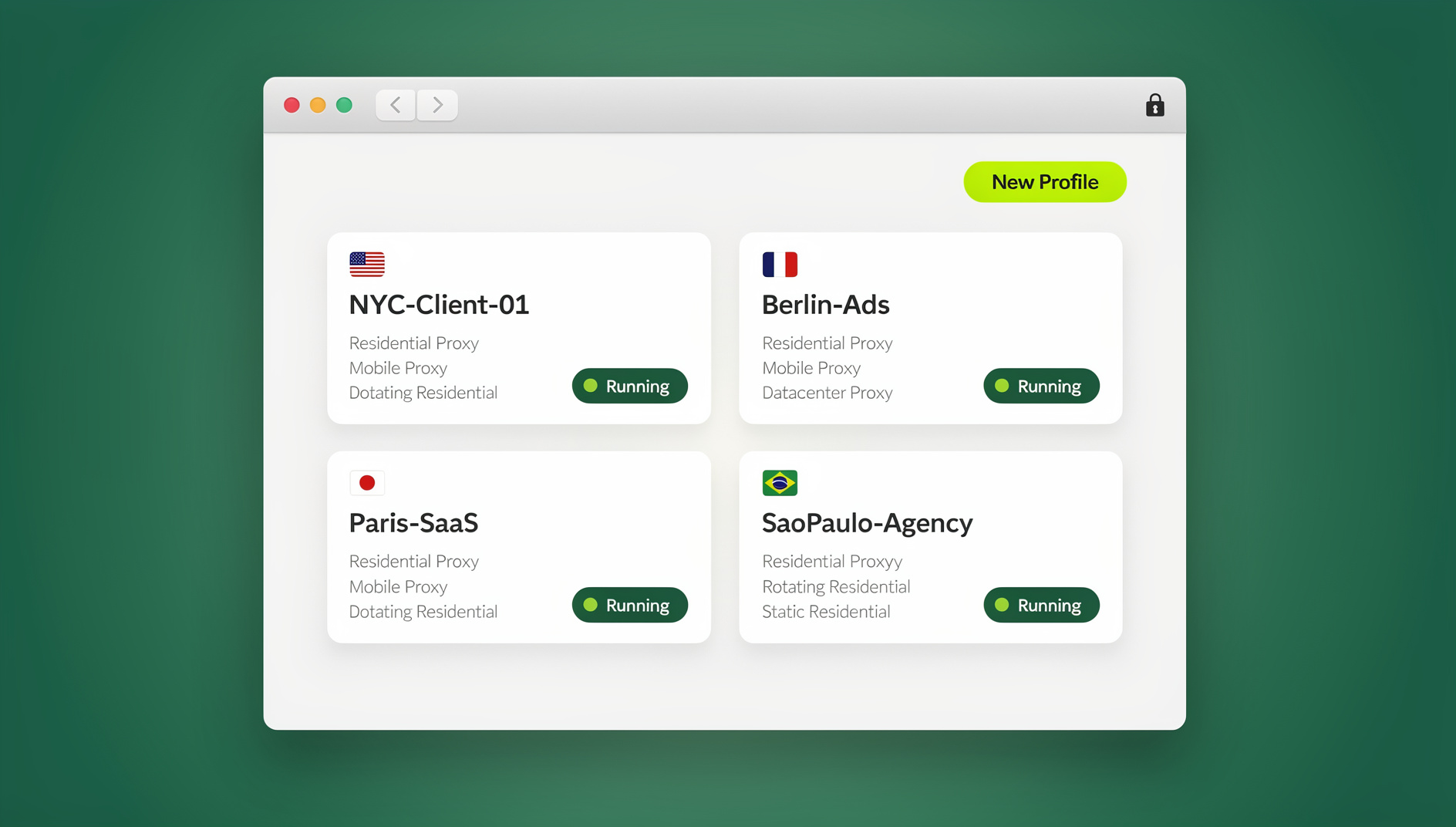
If you’ve ever pasted a Meta Business Manager login into Slack, texted a Google Ads password to a new media buyer, or watched a client account get flagged after three people logged in from the same laptop in one afternoon, you already know why this matters. This guide walks through exactly how to run multiple ad accounts without passwords — the risks that make credential sharing a bad habit, the two ways Send.win lets you separate every login, a step-by-step setup, and how the approach compares to Chrome profiles, VMs, and password managers.
Why Password Sharing Breaks Ad Operations
The real risks behind sharing ad account credentials
Agencies and in-house marketers who juggle several ad accounts almost always start the same way: one spreadsheet of logins, shared over Slack or email whenever someone new needs access. It works until it doesn’t.
- Security exposure. Every time a password travels through chat, email, or a shared doc, it sits somewhere it can leak. One compromised inbox can cascade into every brand account tied to that credential.
- Platform compliance. Meta, Google, and TikTok increasingly treat unexplained logins from unfamiliar devices or shared credentials as a fraud signal, not a convenience — it can trigger identity checks, temporary holds, or account review at the worst possible moment in a campaign.
- Human error. Copy-pasting the wrong password, editing the wrong tab, or forgetting to log out of a client account before switching to a competitor’s — all of it gets easier to do the more accounts one person is juggling in a single browser window.
- No audit trail. Once a password is shared, you lose visibility into who actually made a change, when, and from where. When a budget gets mysteriously edited, “who had the login” isn’t a useful answer.
The fix: isolate every login instead of handing it over
The alternative to sharing a password is to never let the password leave your hands at all. Instead, each ad account gets its own isolated environment — separate cookies, separate cache, separate storage — and teammates get access to that environment, not the credential behind it. That’s the core idea behind a proper browser for ads management: one account per container, with the isolation enforced by the tool rather than by trusting everyone to be careful.
Two Ways Send.win Lets You Separate Every Ad Account
Send.win runs in exactly two modes, and understanding the difference helps you pick the right one for a given team or client.
Sendwin Browser: the native desktop app
Sendwin Browser is a downloadable, native desktop application for Windows, macOS, and Linux. It’s local-first, meaning your profiles and sessions live on your machine for fast, responsive switching, while an encrypted cloud sync keeps everything backed up and available if you move to a different computer. Each ad account gets its own profile inside the app — its own cookies, local storage, and (if you attach one) its own proxy — so logging into Client A’s Google Ads account never bleeds into Client B’s Meta account, even if both are open in adjacent tabs.
Cloud browser sessions: nothing to install
The second mode runs entirely in the cloud. You launch a session from your dashboard and it streams to whatever device you’re on — no download, no local install. Cloud sessions are metered by cloud browsing time included in your plan, which makes them a good fit for occasional access, quick client reviews, or handing a contractor a single session without giving them the full desktop app. Both modes give you the same core benefit: the account’s actual login stays inside an isolated session that you control, never in a message or a spreadsheet.
How to Manage Multiple Ad Accounts Without Passwords, Step by Step
1. Create one profile or session per ad account
Whether you’re using the desktop app or a cloud session, the rule is the same: one account, one container. Name each profile clearly — “Acme — Meta Ads,” “Acme — Google Ads,” “Bolt Co — TikTok Ads” — so nobody accidentally edits the wrong client’s budget. Because each profile keeps its own cookies and storage, there’s no risk of one login carrying over into another, even on the same ad platform.
2. Switch between accounts in one click
Once every account has its own profile, moving between clients stops requiring a sign-out and sign-in cycle. This is the practical payoff of one-click account switching — you jump straight from reviewing one client’s budget to approving another’s creative, with each session exactly where you left it.
3. Share sessions, not credentials
When a teammate, freelancer, or client needs temporary access, invite them into a running session instead of sending a password. They can work inside the account as if they were logged in themselves, without ever seeing the underlying credential. Set an expiry — 30 minutes, an hour, a day — and revoke access the moment the task is done.
4. Keep proxy and location consistent per account
Attach a proxy to each profile so a given client’s account is always accessed from a stable, consistent location rather than whatever network you happen to be on that day. This matters more than it sounds: platforms flag accounts that suddenly appear to log in from a different city or country, and a consistent IP per account avoids that friction entirely — no system-wide VPN required.
5. Blur or block sensitive pages before you share
Before handing a session to a contractor or a client’s junior team member, blur or block pages you don’t want them to see — billing details, connected payment methods, admin settings. This keeps access genuinely least-privilege instead of all-or-nothing.
Running Multiple Ad Platforms Without Cross-Contamination
Most ad accounts don’t exist in isolation — a single client typically needs Meta, Google, and often TikTok or Pinterest running at the same time. Doing that safely from one machine means each platform’s login has to stay in its own lane. Agencies that run Facebook, Instagram, and Google Ads in parallel without cross-contamination typically assign each platform its own profile and proxy per client, so a pixel firing in one account, a cookie set by one platform, or a flagged IP never touches a sibling account for the same brand.
Key Features That Make Password-Free Ad Management Work
| Feature | What it does for ad account management |
|---|---|
| Per-profile session isolation | Separate cookies, cache, and storage per account — no cross-account bleed, even on the same platform |
| One-click switching | Jump between client accounts instantly without re-authenticating |
| Time-boxed session sharing | Invite a teammate into a live session with an expiry, then revoke instantly |
| Page blur and block | Hide billing or admin pages before sharing a session with a contractor |
| Bring-your-own proxy | Assign a stable IP and region to each account for consistent geo and identity |
| AES-256 / RSA-2048 encryption | Industry-standard encryption for data at rest and in transit |
| Automation API (from Pro) | No automation interface: Send.win has no API, SDK, headless mode or Selenium/Puppeteer/Playwright support on any plan |
Who Benefits Most from Password-Free Ad Account Management?
Marketers and advertisers
Run several client ad accounts at once, test creative and copy variations faster, and bring on freelance help without ever disclosing a credential.
Agencies and freelancers
Standardize how the whole team touches client logins: blur billing pages, set timers, revoke instantly, and keep a clean record of who accessed what.
E-commerce sellers
Operate several storefront ad accounts without risking the cross-account contamination that can trigger a platform review.
SEO and growth teams
Test ads, landing pages, and rankings from different regions using proxy-attached sessions, side by side, without a VPN client running on every machine.
Developers and QA testers
Send.win Pricing for Ad Teams
Send.win has no free trial, but paid plans start at $19/mo and your first card purchase is covered by a 7-day money-back guarantee, so you can test the isolation model against your own client accounts before committing. There’s also a free cloud demo you can try without signing up.
| Plan | Price | Profiles | Proxy bandwidth | Automation API | Seats |
|---|---|---|---|---|---|
| Free trial | No free trial — paid plans from $19/mo, first card purchase covered by a 7-day money-back guarantee; free cloud demo available | Limited | Limited | Not included | 1 |
| Pro | $19/mo ($6.99/mo billed annually — 63% off) | 150 | 5 GB | Included | 1 |
| Team | $49/mo ($20.99/mo billed annually — 57% off) | 500 | 20 GB | Included | 16 |
Send.win has no automation interface — no API, SDK, headless mode or Selenium/Puppeteer/Playwright support on any plan. For the current numbers and any regional variations, check send.win/pricing directly.
Send.win vs. Common Alternatives
| Approach | Isolation between accounts | Password-free sharing | Setup effort |
|---|---|---|---|
| Chrome profiles / incognito | Partial — still runs locally, still shares some fingerprint signals | No | Manual, gets messy past a handful of accounts |
| Generic remote desktops / VMs | Strong, but heavy to provision and maintain | Depends on setup | High — overkill for day-to-day ad ops |
| Password manager alone | None — credentials are still shared, just stored more neatly | No, it hands over the password | Low, but doesn’t solve the actual problem |
| Send.win | Per-account profile or session isolation | Yes — timed, revocable session sharing | Low — native app or cloud session, ready in minutes |
Chrome profiles help a little, but they still run locally and managing dozens of them by hand gets unwieldy fast. Remote desktops and VMs give strong isolation but take real effort to provision and maintain for something as routine as ad account switching. A password manager alone solves storage, not collaboration — someone still ends up with the actual password. Send.win is built specifically for this job: isolate the account, share the session, keep the credential out of it entirely.
🏆 Send.win Verdict
If your agency’s password-sharing habit is a shared doc and good intentions, it’s only a matter of time before an account gets flagged or a credential leaks. Send.win replaces that habit with per-account isolation — either the native Sendwin Browser desktop app or a zero-install cloud session — plus timed, revocable session sharing so teammates can work inside an account without ever seeing the password. Pair that with per-session proxies and page blur, and managing dozens of ad accounts stops being a security liability.
Try Send.win today — paid plans start at $19/mo with a 7-day money-back guarantee on your first card purchase, and give every client account its own isolated login.
Frequently Asked Questions
Is managing ad accounts this way allowed by ad platforms?
You’re still bound by each platform’s own Terms of Service around account access and delegated permissions. Send.win doesn’t bypass those rules — it gives you a safer, isolated workspace for accessing accounts you’re already authorized to manage, and you remain responsible for following each platform’s policies.
Do I need a VPN as well?
Not usually. Attaching a proxy to each profile or session gives you a stable, consistent IP and region per account, which covers what most teams were using a system-wide VPN for.
What’s the difference between the desktop app and a cloud session?
Sendwin Browser is a native app you download for Windows, macOS, or Linux — it’s local-first with encrypted cloud sync, good for daily, heavy use. Cloud browser sessions run entirely remotely and stream to your device with nothing to install, better suited to occasional access or handing a one-off session to someone outside your team.
Can I automate reporting across several ad accounts?
No. Send.win has no automation interface — no API, SDK, headless mode or Selenium/Puppeteer/Playwright support on any plan. You can still keep each account in its own isolated profile with separate cookies, storage and fingerprint settings.
How many ad accounts can I realistically run at once?
That depends on your plan’s profile limit — Pro includes 150 profiles and Team includes 500 — so most agencies and in-house teams have plenty of headroom before they’d need to consolidate or upgrade.
What happens when I revoke a shared session?
Access ends immediately. Because the teammate or contractor never had the actual password, there’s nothing to rotate afterward — revoking the session is the entire cleanup step.
Are Send.win sessions “real” browsers?
Yes. The desktop app runs a real, native browser on your machine, and cloud sessions stream a real browser running remotely — neither is an emulator, which matters for ad platforms that behave differently in stripped-down or virtualized browser environments.
Is there a free way to try this before paying?
No. Send.win has no free trial, but paid plans start at $19/mo and your first card purchase is covered by a 7-day money-back guarantee, which is enough time to migrate a handful of client accounts and test the workflow properly.