One-click account switching means moving between client logins instantly — no logout, no private window, no risk of posting to the wrong brand — because every account lives in its own isolated profile. Send.win delivers this through a native desktop app called Sendwin Browser and through disposable cloud browser sessions, so an agency juggling ten clients’ Meta, Google Ads, and Shopify logins can switch between them as fast as clicking a tab.
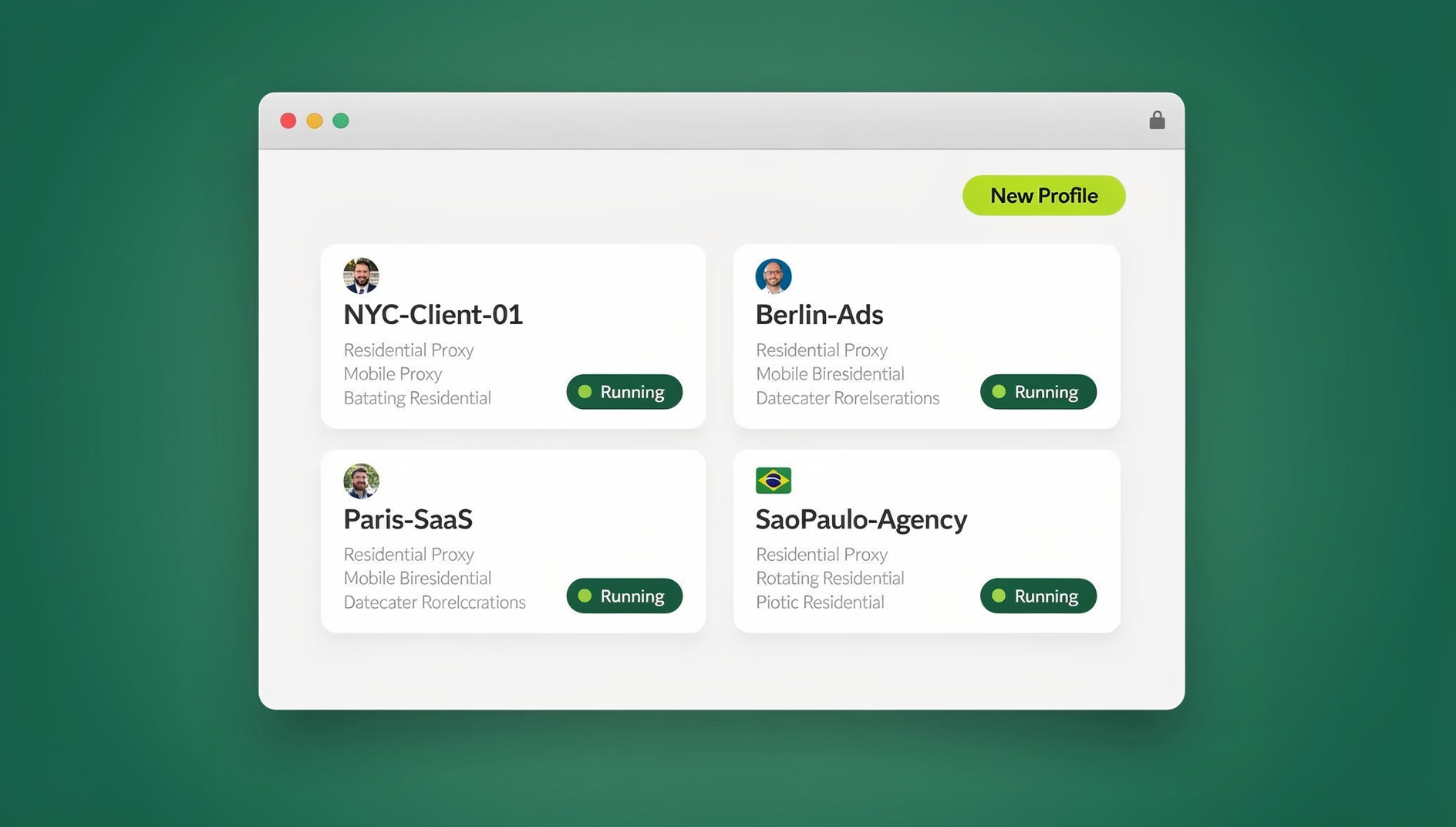
If you’re running an agency, you already know the drill: ten clients, thirty logins, five tool stacks per brand. Even on a calm day, your team bounces between Meta, Google Ads, TikTok, Shopify, Stripe, Search Console, and that one client’s custom CMS. The real overhead isn’t the seconds spent logging in — it’s the context switching that knocks your brain out of flow, increases error rates, and quietly eats margins.
Traditional browsers make this worse. Tabs in the same window share cookies and local storage, so you’re forever juggling profiles, private windows, and “secondary browsers” to stop one brand’s session from trampling another’s. It’s fragile, tedious, and one accidental post from the wrong account can create a very public mess.
There’s a better pattern: one-click account switching designed for multi-brand work from the ground up. That’s where Send.win comes in — a multi-account platform purpose-built for agencies that need airtight isolation, instant switching, and secure collaboration across dozens of logins, without forcing everyone onto a single fragile browser profile.
Ready to switch accounts in one click? Get started with Send.win — paid plans start at $19/mo, and your first card purchase is covered by a 7-day money-back guarantee.
What “one-click account switching” actually requires
At agency scale, “switching” isn’t just moving from Tab A to Tab B. To be genuinely useful, it has to guarantee three things:
- Isolation: Every account lives in its own sealed profile so cookies, cache, local storage, and even device fingerprints never bleed into each other.
- Speed: Moving between accounts is instant — no logouts, no re-authentication, no device gymnastics.
- Safety: Your laptop stays clean, teammates can help without ever seeing a password, and you can cut off access the moment a project ends.
Send.win implements this with per-profile session isolation — each profile behaves like its own browser — plus one-click switching inside a single workspace, and controlled sharing that keeps credentials out of Slack messages and shared docs entirely.
Meet Send.win: two ways to run one-click switching
Send.win is built as its own product with two distinct modes, and agencies typically end up using both depending on the job.
1. Sendwin Browser (native desktop app)
Sendwin Browser is a downloadable, native application for Windows, macOS, and Linux. It’s local-first, meaning your profiles run on your own machine for full speed and compatibility with the heaviest ad-platform dashboards, while session data syncs to the cloud in encrypted form so your team’s profiles stay backed up and shareable across devices. This is the mode most agencies live in day-to-day: open a profile per client, switch between them with a click, and keep working even if your internet blips for a second.
2. Cloud browser sessions
For work that shouldn’t touch a laptop at all — reviewing a sketchy link, spinning up a throwaway environment for a contractor, or running a session from a machine that doesn’t have Sendwin Browser installed — Send.win also offers cloud browser sessions that run entirely on remote infrastructure with zero local install. You open a session in your regular web browser, and it’s billed by cloud browsing time rather than living permanently on your device.
The two modes solve different problems: the desktop app is your daily driver for account management at speed, and cloud sessions are the release valve for one-off, disposable, or higher-risk browsing that you’d rather keep off the endpoint entirely. Agencies exploring this pattern in more depth may want to read our breakdown of a multi-session cloud browser built for agency growth.
Core benefits for agencies
- Multiple logins made easy: Operate many accounts side-by-side — even on the same website — without conflicts. Teams report dramatically faster throughput once they stop juggling profiles and re-auth loops.
- Isolation on every profile: Each profile has its own cookies and storage, keeping client A completely separate from client B, whether you’re in the desktop app or a cloud session.
- Switch accounts with one click: Stay in flow as you move between brand workspaces; no logout/login rituals or private windows.
- Share access, not passwords: Need help on a client task? Share a live, time-boxed session so a teammate can act without ever seeing credentials. Revoke in a click.
- Blur or block sensitive pages: Hide billing, owner settings, or personal data before you share a session, so reviewers can do their job without seeing what they shouldn’t.
- BYO proxy per profile: Attach a unique IP to each brand or region — useful for SERP checks, ad verification, and marketplace ops — without installing a device-wide VPN.
- Real browser engines: You get compatibility with the complex web apps agencies rely on — no emulators, no hacks.
- Global coverage: Choose proxy locations that match each client’s market for lower-friction reviews and market-accurate testing.
Many agencies see a real drop in handoff time once they stop juggling logins and profiles by hand. If you bill by outcomes, not hours, that’s margin you get to keep.
Why Send.win beats your current workaround
“We use multiple desktop profiles and two browsers.”
That gives you partial isolation, but it still piles on mental overhead and cross-posting risk. You’re also missing revocable sharing, per-profile proxies, blur/block controls, and the option to push riskier browsing into a disposable cloud session instead of your primary machine.
“We just share passwords in Slack (or a doc).”
Password sharing creates audit nightmares, increases breach risk, and slows you down when people leave the team. The direction is clear: share access, not secrets — exactly the pattern Send.win is built around, and one worth reading more about in our piece on how to share access, not credentials across a growing team.
“We rely on a VPN.”
VPNs change the whole device’s network identity and add client overhead for everyone. Agencies usually need per-profile IP control instead — Brand A routes through Paris, Brand B through Chicago — without touching the machine’s baseline connection. That’s a one-click proxy assignment inside Send.win, scoped to a single profile rather than the whole device.
Agency workflows you can accelerate today
1) Paid social and performance squads
Keep each client’s ad accounts in their own profile, switch with one click, and ship creative approvals faster. When compliance wants a look, share a time-boxed session that auto-expires, and blur billing pages so reviewers can’t wander. Teams running dozens of ad accounts in parallel often lean on this pattern to manage multiple ad accounts safely without tripping platform duplicate-account flags.
2) SEO and content teams
Run multi-region SERP checks and on-page tests in parallel by attaching different proxies to different profiles. Isolation prevents the cookie pollution that skews results or trips anti-automation flags on search engines.
3) E-commerce operations
Operate multiple storefronts or marketplaces side-by-side — support inbox, listings, ads, analytics — without cross-contamination. Share a profile with a vendor for a limited window, then revoke access the moment the job is done.
4) Client onboarding and support
Invite a specialist into a running session to set up pixels, check events, or triage a suspended ad account. No password emails, no one-off seats on the client’s platform, and no “who changed the password?” drama afterward.
5) QA, developers, and automation
Each Send.win profile keeps its own cookies and storage, so parallel work across client accounts never collides. For anything that shouldn’t touch a laptop at all, spin up a disposable cloud session instead and let it disappear when you’re done.
Security and privacy: the non-negotiables for agency owners
- No shared storage between profiles: Other profiles and sites can’t observe activity because each one is sealed off from the rest.
- Encrypted sync: Sendwin Browser is local-first, with profile data syncing to the cloud in encrypted form so a lost laptop doesn’t mean lost sessions.
- Access without shared credentials: Share a live session link, set a timer, blur or block sensitive routes, and revoke instantly.
- Disposable cloud sessions for risky browsing: Anything you’d rather not run on a client-facing laptop can be pushed to a cloud session that leaves no local footprint.
Adopt “just-in-time” and “least-privilege” access without rewiring your entire stack. Send.win makes it practical for agencies that don’t have a dedicated security team.
The day-to-day quality-of-life upgrades
- Label and color-code profiles per client: Keep every brand’s tools, proxies, and identities grouped and consistent.
- Cross-platform desktop app: Windows, macOS, and Linux are all supported, so mixed-device teams aren’t left out.
- Cloud sessions for guests and one-off tasks: No need to onboard every contractor onto the desktop app just to review one thing.
- Generous bandwidth allowances: Proxy bandwidth scales with your plan, so multi-region work doesn’t hit a wall mid-month.
- Intuitive interface: Launch, switch, share, revoke — without training your whole org on a new IT stack.
How Send.win compares to common alternatives
| Approach | What you gain | What you lose |
|---|---|---|
| Multiple local profiles and a second browser | Some isolation | Cognitive load, no revocable sharing, no per-profile proxies, easy to make mistakes |
| Password managers and shared credentials | Centralized storage | Risky sharing culture, messy audit trails, no session-level revocation or blur/block |
| Device-wide VPN | Network-level privacy | Over-broad changes, added client overhead, no per-profile granularity for multi-brand work |
| Send.win (desktop app + cloud sessions) | Per-profile isolation, one-click switching, session sharing with timers, BYO proxy, disposable cloud sessions for risky browsing | Requires adopting a new (simple) workflow instead of stock Chrome |
Send.win’s “share access, not secrets” pattern gives agencies granular control that DIY setups can’t match — and having both a fast local app and a zero-install cloud option means you’re not locked into one model for every job. If you’re weighing this against an extension-based multi-login tool, it’s worth reading our comparison of cloud browser vs. extensions for multi-login before you commit a whole team to either approach.
Implementation playbook: roll out one-click switching in your agency
- Start with the high-churn pod: Pick a team (e.g., paid social and community) that flips between accounts all day.
- Define a profile set per client: Label with brand, channel, and region (e.g., “Acme – Meta – EU”). Attach the right proxy per profile.
- Map the access policy: Who needs view versus action access? Where should blur/block apply? What’s the default session timer?
- Pilot sharing and revocation: Have reviewers join a live session for approvals, auto-expiring in 30-60 minutes.
- Decide desktop app vs. cloud session per use case: Daily account management goes in Sendwin Browser; one-off or higher-risk browsing goes in a cloud session.
- Measure the lift: Track tickets resolved per day, creative tests per week, and handoff time. Many teams recover hours weekly.
- Scale to other pods: Once the playbook is smooth, roll it out to SEO, e-commerce ops, client services, and QA.
Getting started
- Sign up: Create your account and choose a paid plan — Pro is $19/mo or $83.88/yr, Team is $49/mo or $251.88/yr — and your first card purchase is covered by a 7-day money-back guarantee, so there’s no risk in testing the workflow with your team first.
- Choose your mode: Download Sendwin Browser for your daily account-switching work, or launch a cloud session straight from your existing browser for anything disposable.
- Select a plan as you scale: Move to Pro or Team once you know how many profiles, how much proxy bandwidth, and how many seats your agency actually needs.
Try it now: open the free cloud demo or pick a plan at send.win.
Plans and pricing: how to pick the right fit
Send.win’s paid tiers are built around limits that matter in agency life: how many profiles you can run, how much proxy bandwidth you get, and how many team seats come with the plan.
- Free cloud demo: 10 minutes a day, no credit card required — enough to try one-click switching before you commit; your first card purchase is covered by a 7-day money-back guarantee.
- Pro — $19/mo or $83.88/yr: 150 profiles and 5GB of proxy bandwidth, which covers most small-to-mid agency pods running several clients each.
- Team — $49/mo or $251.88/yr: 500 profiles, 20GB of proxy bandwidth, and 16 seats — built for agencies running many brands across a full department.
For the latest plan specifics and any current promotions, check the live pricing page before you commit budget. When in doubt, start on Pro and upgrade to Team once your profile count and seat needs settle.
🏆 Send.win Verdict
If your agency is still juggling desktop profiles, a second browser, and passwords pasted into Slack, one-click account switching pays for itself in the first week. Send.win’s native Sendwin Browser handles daily multi-client account management at full speed, while cloud browser sessions give you a zero-install option for guests, contractors, and anything you’d rather not run on a client-facing laptop. Add per-profile proxies and revocable session sharing, and you’ve got a setup that scales from a two-person pod to a full department without changing tools.
Get started with Send.win — paid plans start at $19/mo, your first card purchase is covered by a 7-day money-back guarantee, and you can switch your first client accounts in one click.
Frequently asked questions
Do I need to install anything on my team’s laptops?
Only if you want the fastest daily experience: Sendwin Browser is a native desktop app for Windows, macOS, and Linux. If you’d rather not install anything, you can launch a cloud browser session from your existing browser instead, with zero local install.
Will switching accounts log me out elsewhere?
No. Each profile is isolated, so you can run multiple accounts on the same site simultaneously without conflicts or cookie bleed, whether you’re in the desktop app or a cloud session.
How do I let a freelancer help without handing over a password?
Share a live session link, set a timer, blur or block sensitive routes, and revoke when finished — no secrets exchanged, no password reset once the project ends.
What’s the difference between Sendwin Browser and a cloud browser session?
Sendwin Browser is a downloadable desktop app that runs profiles locally on your machine with encrypted cloud sync, ideal for daily account management. Cloud browser sessions run entirely on remote infrastructure with no local install, billed by cloud browsing time, and are ideal for one-off or higher-risk browsing.
Can I automate logins and repetitive tasks?
No. Send.win has no automation interface — no API, SDK, headless mode or Selenium/Puppeteer/Playwright support on any plan — so QA checks and repetitive data tasks are handled through the app’s profile workflow rather than by scripting.
What about regions and IPs for ad reviews or SEO checks?
Attach a proxy to any individual profile so each brand or market keeps a stable, consistent IP identity without touching your device’s own network settings.
Is there a free trial, and does it require a credit card?
No — Send.win has no free trial. Paid plans start at $19/mo (Pro) or $49/mo (Team), and your first card purchase is covered by a 7-day money-back guarantee. The only free option is the cloud demo at https://send.win/demo-browser/, a 3-minute preview without signup (10 minutes a day with a free account).
How many profiles do I get on paid plans?
Pro includes 150 profiles and 5GB of proxy bandwidth; Team includes 500 profiles, 20GB of proxy bandwidth, and 16 seats.
The bottom line for agency owners
Agencies don’t win by logging in faster; they win by reducing switching costs, eliminating errors, and collaborating safely across dozens of client environments. One-click account switching is the multiplier, and Send.win delivers it two ways — a native desktop app for daily speed, and disposable cloud sessions for anything that shouldn’t touch the laptop at all — backed by per-profile isolation and revocable session sharing.
Ready to see the lift for yourself? Paid plans start at $19/mo, your first card purchase is covered by a 7-day money-back guarantee, and you can switch your first client accounts in minutes: https://send.win.