A team browser is a shared, permissioned browser session that lets a colleague use a logged-in account without ever seeing the password. Instead of emailing credentials or adding another name to a shared vault, you launch a session in Send.win, hand over a time-boxed link, and revoke it the moment the task is done — faster than a password reset, and with a clear record of who did what.
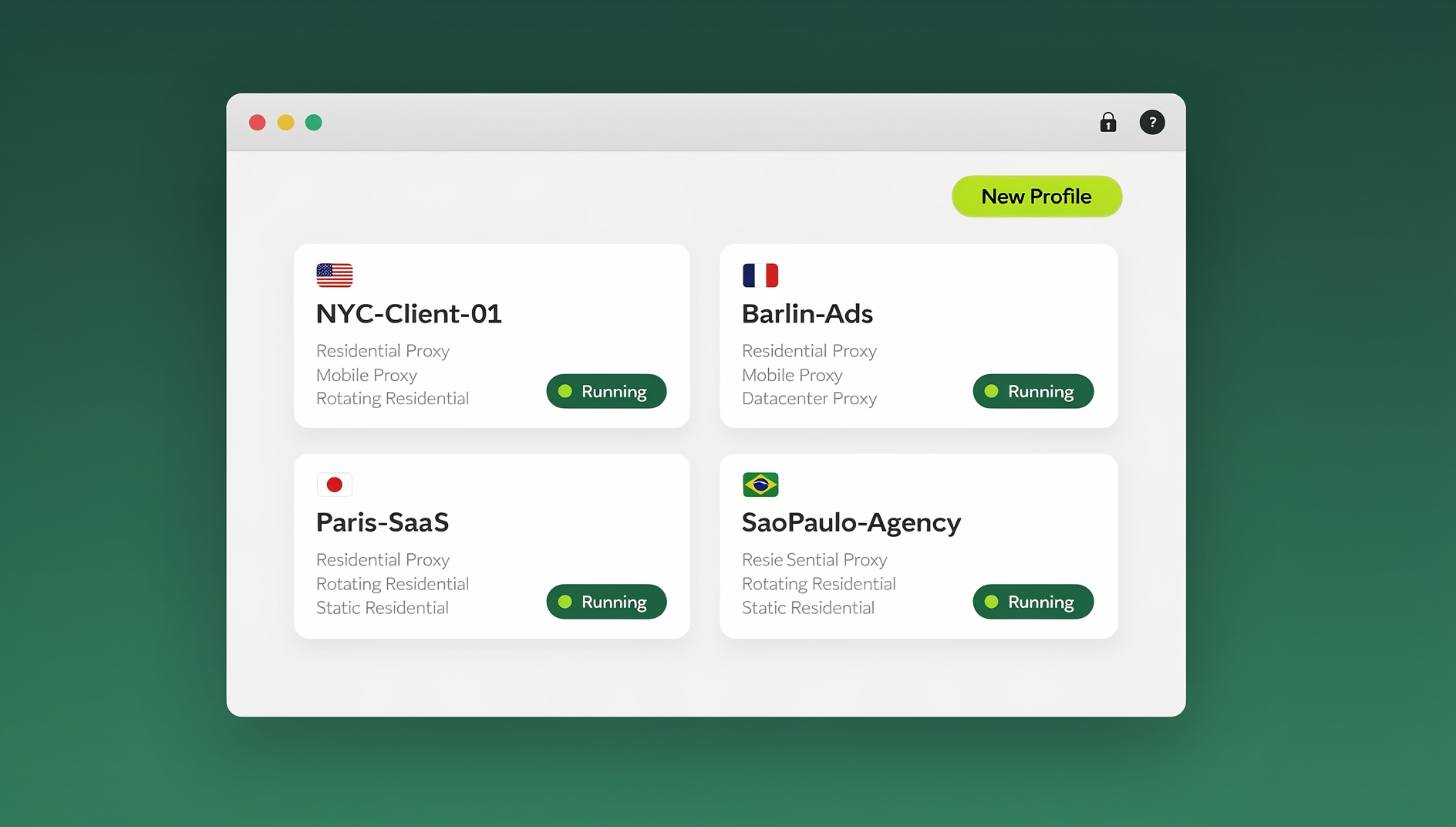
This guide breaks down how a team browser actually works, why “share access, not credentials” should be the default policy for any team juggling ad accounts, marketplace dashboards, CMS logins, or analytics suites, and how Send.win implements that model with per-tab session isolation, encrypted remote execution, proxy controls, and one-click revocation. You’ll also find accurate current pricing, a three-step setup, and answers to the questions teams ask most before switching away from password sharing.
What Is a Team Browser, Exactly?
A team browser separates who can log in from who can use the account right now. Rather than distributing a password to every person who might need access, one person authenticates once and then shares the running, already-logged-in session with teammates — for a set window of time, with sensitive pages hidden if needed, and with the ability to cut access instantly.
Send.win offers two ways to work this way. The first is cloud browser sessions: a browser instance that runs entirely on Send.win’s infrastructure and streams to your screen, with zero local install required. Because the page code executes remotely rather than on your laptop, a malicious or compromised page never actually runs on your device — you’re only ever looking at a safe interactive stream, and usage is metered by cloud browsing time. This is the mode most teams reach for when they need to hand a session to someone else quickly.
The second is the Sendwin Browser, a native desktop app for Windows, macOS, and Linux that you download and run locally, with your profiles and cookies synced to the cloud in encrypted form. It’s the better fit for someone who owns an account long-term and wants a persistent, local-first browser rather than a session they spin up on demand. Teams frequently use both: the desktop app for the accounts an individual owns day to day, and cloud sessions for anything that needs to be handed off, reviewed, or shared with a contractor or client.
Why “Share Access, Not Credentials” Should Be Your Default
Sharing passwords creates credential sprawl and a string of “who changed that?” moments. It invites password reuse, complicates multi-factor authentication, and makes accountability almost impossible — once three people know a password, you can no longer prove who did what inside the account.
A team browser flips that. You share a session, not a secret. Your colleague completes the task, and if you’ve enabled logging you can see when access started, how long it lasted, and what changed. When the work is done, you revoke the session and move on — no password reset emails, no re-inviting someone to a shared vault, no awkward “can you 2FA me in” messages. For distributed and contractor-heavy teams especially, this kind of secure session sharing for remote teams turns account handoffs from a security exception into a routine, auditable action.
How Send.win’s Team Browser Model Works
Per-tab session isolation
Every tab in Send.win runs in its own isolated container with independent storage, cookies, and identity. That means you can be logged into several accounts on the same platform at once — no logout/login loop, no cookie bleed between accounts, and far fewer “oops, wrong account” mistakes. For anyone managing several client accounts, ad accounts, or storefronts, this is the single feature that makes multi-account work sane. It pairs naturally with multi-login profiles for teams, where each teammate gets clean, parallel sessions instead of fighting over one shared login.
One-click session sharing, no passwords involved
When a teammate needs to jump into an ad account or CMS right now, you share the live session rather than the login. They interact with the account exactly as if they were logged in, but the underlying credentials never leave your account. You can set a timer — 30 minutes, an hour, a day — and blur or block sensitive pages (billing, owner settings, payment details) before handing the session over. When the task wraps up, you revoke access with one click. This is the practical version of what we cover in sharing app access without passwords: links, roles, and logs instead of a password everyone has to remember.
Remote execution keeps risk off your endpoint
Because cloud sessions execute on Send.win’s servers rather than the device in front of you, your laptop only ever receives a rendered, interactive stream. An unfamiliar link, a staging build, or a site you don’t fully trust can be opened in a disposable session without exposing your actual machine to whatever that page tries to run. Combined with per-session isolation, this gives teams a workable answer to “can I let a freelancer click this link without risking our machines” — yes, inside an isolated cloud session that gets discarded afterward.
Privacy by design: no shared storage between tabs
Send.win doesn’t share storage across tabs, which cuts down on cross-tab tracking and accidental data carryover between accounts. If your team is constantly switching between client environments or test accounts, this “clean room” behavior keeps each session tidy and prevents one account’s cookies or history from leaking into another.
Proxy and location controls with global endpoints
You can attach your own proxy to an individual session for IP and location control — useful for checking how an ad, a storefront, or a search result actually looks in a specific country, rather than guessing from a single office IP. Pair that with Send.win’s endpoints across the Americas, Europe, and Asia to keep latency low for teammates working from different regions.
Manual session sharing for QA and developer teams
For teams that need repeatable testing rather than manual clicking, Send.win’s isolated browser profiles let you run checks against a real browser environment while keeping staging credentials quarantined from anyone who only needs to review results. Each profile keeps its own cookies, storage and fingerprint, so reviewers can work in a separate session without touching the credentials you use for testing.
Activity logs and audit trails
Where compliance or simple accountability matters, a trail matters more than a policy document. Session timers, share controls, and optional activity logging together let you grant exactly the access someone needs for exactly as long as they need it — and show, after the fact, that you did.
Who Benefits Most? Real-World Use Cases
Marketers and advertisers
Run several ad accounts side by side, test creatives in parallel, and bring a contractor into a session without ever handing over a login. Teams that manage multiple ad accounts safely this way stop juggling separate browser profiles or private windows just to keep clients from bleeding into each other.
E-commerce sellers
Operate several storefronts across marketplaces in separate tabs, then bring a virtual assistant into a time-boxed session to process orders or update listings. Blur the billing or owner-settings pages first, and set a one-hour timer so access expires automatically instead of relying on someone to remember to log out.
SEO professionals
Run multi-location SERP checks by assigning a region-appropriate proxy to each session and picking the nearest endpoint. Keep test environments clean between checks, and share a time-limited session with a client for a quick review — no credentials change hands, and nothing lingers after the review is done.
Developers, QA, and testers
Reproduce bugs by switching accounts with one click, keep staging or admin credentials quarantined from reviewers, and dispose of risky sessions in seconds. Because sessions run remotely, exploring an unfamiliar URL or a third-party integration carries less risk to the machine you actually work on, and each profile keeps its own cookies, storage and fingerprint so scripted checks stay isolated from your everyday browsing.
Remote workers and everyday power users
Juggle multiple Gmail, social, analytics, or project-management logins without OS-level profiles or a separate device for every account. With per-tab isolation and one-click switching, moving between contexts stops being a chore.
Password Sharing vs. Team Browser Session Sharing
| Factor | Password Sharing | Team Browser (Send.win) |
|---|---|---|
| What the recipient sees | The actual password | A live session — never the credentials |
| Revoking access | Requires a password change, breaking access for everyone | One click, instant, affects only that session |
| Time-boxing access | Manual, easy to forget | Built-in session timers (30 min, 1 hour, 1 day) |
| Hiding sensitive pages | Not possible | Blur or block specific pages before sharing |
| Multi-account use | Cookie collisions, forced logout/login | Per-tab isolation, simultaneous logins |
| Audit trail | None — actions aren’t attributable | Session logs show when and how long access was used |
| MFA compatibility | Awkward — recipient needs the second factor too | Not needed — original login stays with the account owner |
Send.win Plans and Pricing for Teams
Send.win has no free trial, but the first card purchase is covered by a 7-day money-back guarantee, so you can test session sharing with your actual team before committing. Current plans:
- Pro — $19/month, or $83.88/year. Includes 150 profiles and 5GB of proxy bandwidth.
- Team — $49/month, or $251.88/year. Includes 500 profiles, 20GB of proxy bandwidth, and 16 seats — the plan most agencies and multi-person teams land on for shared session access.
Check the live pricing page for current numbers before you commit a team to a tier, since exact allowances can shift as the product evolves.
Getting Started: Share Your First Session in 3 Steps
- Sign up. Create an account and choose a paid plan — the first card purchase is covered by a 7-day money-back guarantee, or try the free cloud demo at https://send.win/demo-browser/ to get your first session running.
- Pick your plan. Start on Pro if you’re a solo operator or small team; move to Team once you need more seats, more profiles, or more proxy bandwidth.
- Launch and share. Open a cloud browser session from your dashboard, log in once, attach a proxy if the task needs a specific region, then share the session with a teammate — timer set, sensitive pages blurred, revoked the moment the job is done.
Best-Practice Checklist for Secure Access Delegation
- Default to session sharing. Replace password handoffs with revocable session links as a matter of policy, not exception.
- Blur or block first. Hide billing, owner settings, or anything a reviewer or contractor doesn’t need to see before you share.
- Match regions. Use proxies and endpoints that align with where the account is actually used, to see what your customers see and avoid unnecessary flags.
- One account, one tab. Rely on per-tab isolation instead of juggling local profiles or a second browser.
- Set a timer, every time. Even trusted teammates shouldn’t have standing access longer than the task requires.
- Review and expire. Check activity logs periodically and let sessions lapse rather than accumulating standing access nobody remembers granting.
🏆 Send.win Verdict
If your team still emails passwords around to get someone into an ad account or a CMS, a team browser is the fix. Send.win lets you share a live, permissioned session instead of a credential — with per-tab isolation, session timers, blur/block controls, and one-click revocation — so delegation stops being a security trade-off. Pair cloud sessions for handoffs with the downloadable Sendwin Browser desktop app for accounts you own long-term, and you cover both ends of how a team actually works.
Try the Send.win cloud demo — a 3-minute preview without signup, 10 minutes a day with a free account.
Frequently Asked Questions
Is sharing a session through Send.win actually safe?
Yes. Your teammate uses a running session, not your password. Sessions are isolated per tab, and you control the timer, blur/block settings, and revocation — none of which is possible when you simply hand over a login.
What’s the difference between a cloud session and the Sendwin Browser app?
A cloud browser session runs entirely on Send.win’s servers and streams to your screen, with nothing to install and usage metered by cloud browsing time, making it the fastest way to hand work to someone else. The Sendwin Browser is a native desktop app for Windows, macOS, and Linux that you download and run locally, with profiles and cookies synced to the cloud in encrypted form, better suited to accounts you own and use day to day.
What happens to my device’s security when I use a cloud session?
Pages execute remotely and stream to your screen, so untrusted code from a page you’re checking never actually runs on your laptop — you’re only receiving a safe, interactive view of it.
Can I automate tasks inside a shared workflow?
No. Send.win has no automation interface — no API, SDK, headless mode or Selenium/Puppeteer/Playwright support on any plan. QA and dev teams use isolated browser profiles to keep separate sessions, cookies and storage for manual checks.
Can I simulate different locations for testing?
Yes. Attach your own proxy to a session and choose from Send.win’s global endpoints across the Americas, Europe, and Asia for lower latency and more accurate region-specific testing.
Are there time limits on sessions?
Session timers are a control you set when sharing access — 30 minutes, an hour, a day — so you decide how long a teammate’s access lasts. They exist to limit access deliberately, not to cap how long you can work.
What’s the difference between Pro and Team for a small agency?
Pro covers 150 profiles and 5GB of proxy bandwidth for a single operator or small group. Team scales that to 500 profiles, 20GB of bandwidth, and 16 seats, which is usually the point where a growing agency needs it.
Is there a free trial before I commit my team to a plan?
No — there is no free trial. The first card purchase is covered by a 7-day money-back guarantee, and the only free option is the cloud demo at https://send.win/demo-browser/, long enough to test session sharing on a real workflow before choosing a plan.