A multi account browser is a tool that gives every account you manage its own isolated browser profile — separate cookies, cache, local storage, and a unique fingerprint — so platforms see distinct users instead of one person cycling through logins. That isolation is exactly what stops social networks, marketplaces, and ad platforms from linking your accounts together and banning them as a group.
What Is a Multi Account Browser?
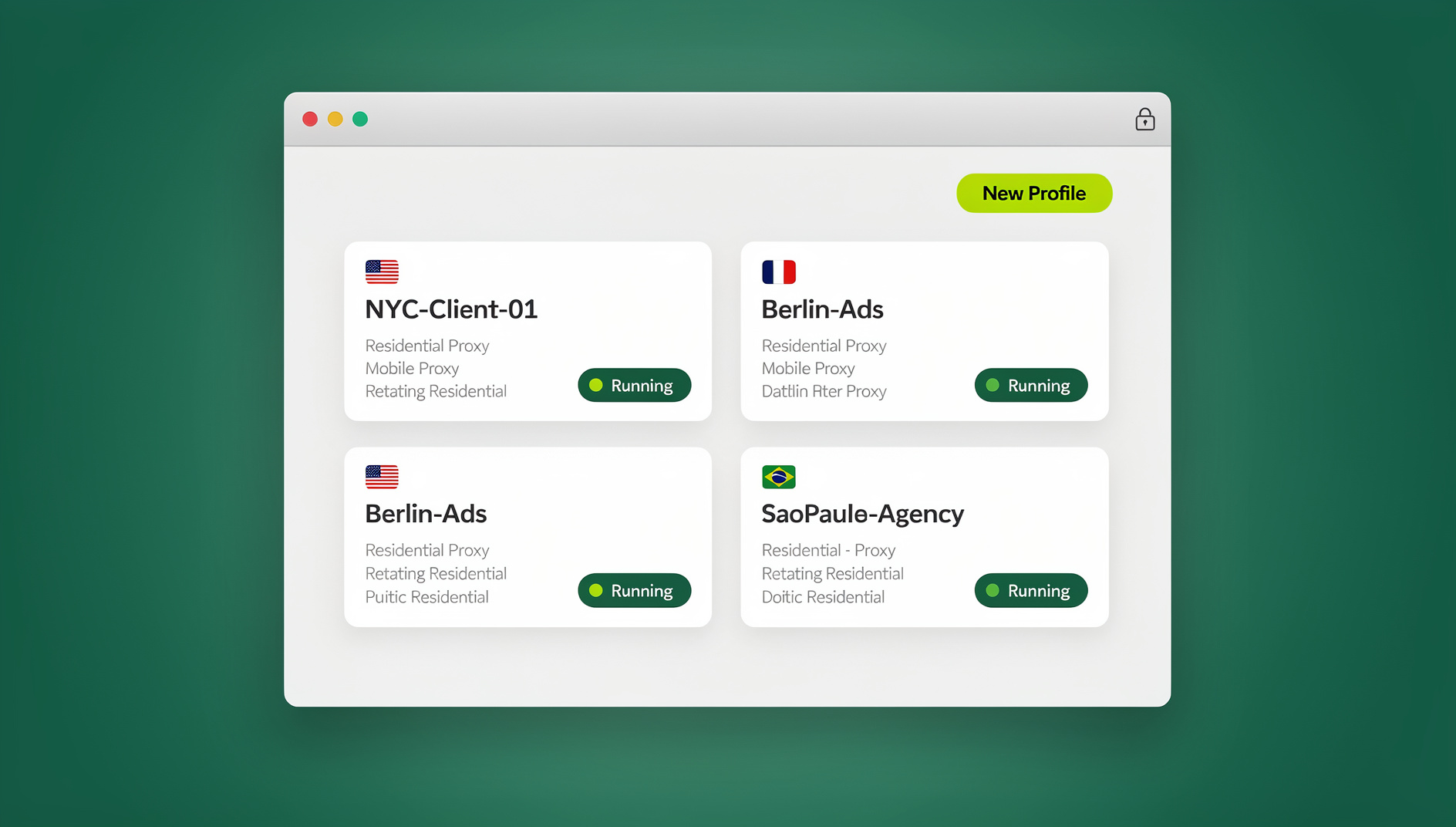
A multi account browser replaces tabs and windows with “profiles.” Each profile behaves like a completely separate computer as far as any website is concerned. Instead of logging out of one account to log into another — the way you’d use Chrome or Safari — you open a new profile that’s already a different “person” to the site you’re visiting. Every profile carries its own:
- Cookies and cache, so nothing from one account bleeds into another
- Browser fingerprint — canvas, WebGL, fonts, screen size, and user-agent all vary between profiles
- Proxy connection, so each profile can browse from a different IP address
- Local storage and session tokens, kept fully separate from every other profile
- Login session, so you can stay signed into dozens of accounts at once without re-authenticating
Why Regular Browsers, Incognito Mode, and Multiple Installs All Fail
Browser Fingerprinting Links Your Accounts Anyway
Even with different usernames and passwords, a standard browser presents the same fingerprint every time: the same canvas rendering signature, the same installed fonts, the same GPU and CPU identifiers, the same screen resolution and timezone. Platforms use exactly these signals to connect accounts that are logically separate but technically identical — which is how casual multi-accounting gets caught and suspended in bulk.
Incognito Mode Isn’t Real Isolation
Private or incognito windows only stop your browser from saving history and cookies locally after you close the tab. They do nothing to change your canvas fingerprint, your WebGL signature, your IP address, or the risk of WebRTC leaks exposing your real location. Two incognito windows on the same machine still look like the same device to any site that’s paying attention.
Running Five Different Browsers Doesn’t Scale
Some people install Chrome, Firefox, Edge, Brave, and Opera and assign one account to each. It works for a handful of accounts, but it caps out fast — system resources balloon, organization becomes a mess, and the underlying hardware fingerprint (GPU, CPU, screen) is still shared across every one of those installs. There’s also no clean way to hand a teammate access to just one account without giving them the whole device.
Built-In Browser Profiles Aren’t Enough Either
Chrome and Firefox profiles keep bookmarks and extensions separate, but they typically still share the same IP address and much of the same fingerprinting surface. They were built for one person switching between “Work” and “Personal,” not for isolating dozens of accounts that need to look like they belong to entirely different people.
Who Actually Needs a Multi Account Browser?
Social Media Managers
Agencies and freelancers running Instagram, Facebook, TikTok, LinkedIn, and Pinterest accounts for multiple clients need each account fully isolated, always logged in, and ideally routed through a region-appropriate proxy — without one client’s account ever touching another’s fingerprint.
E-Commerce Sellers
Sellers running multiple storefronts on Amazon, eBay, Etsy, or Shopify need separate fingerprints and IPs per store to stay compliant with each marketplace’s one-account policies and avoid the cascading suspensions that come from linked accounts.
Marketing and Ad Agencies
Agencies managing ad accounts for many clients need dedicated profiles, team-level access controls, and a clear audit trail. Choosing the best browser for multiple accounts usually comes down to how cleanly it separates client work without adding friction for the whole team.
Affiliate Marketers
Affiliate marketers running parallel campaigns need isolated testing environments, different traffic sources per offer, and the ability to A/B test landing pages without one flagged account taking others down with it.
Developers and QA Teams
Engineering teams need multiple test accounts, different permission levels, and clean environments for reproducing bugs — all without contaminating a real production login with test data.
How Send.win Handles Multi-Account Isolation
Send.win approaches multi-account management two ways, depending on how you like to work. The first is Sendwin Browser, a native desktop app you download for Windows, macOS, or Linux — it’s local-first, meaning your profiles and fingerprints run on your own machine, with encrypted cloud sync keeping everything backed up and available across devices. The second is cloud browser sessions, which run entirely on Send.win’s infrastructure with zero local installation — you open a session in a tab, and usage is metered by cloud browsing time rather than tied to your own hardware. Both modes give every profile its own fingerprint, proxy, and storage.
Fingerprint Isolation
- A distinct canvas rendering signature per profile
- An independent WebGL vendor/renderer signature
- A configurable user-agent string and screen resolution
- Its own timezone and language settings
- A stable font configuration that stays consistent across sessions
Per-Profile Proxy Integration
Every profile can carry its own HTTP, HTTPS, or SOCKS5 proxy, with support for residential, datacenter, and mobile proxy providers. Matching a profile’s proxy location to its configured timezone and language is one of the simplest ways to improve browser fingerprinting protection, and Send.win handles both the fingerprint and the proxy from the same profile screen.
Team Collaboration
Profiles can be shared with teammates using role-based permissions instead of shared passwords, with activity logs so you can see who accessed what and when — useful for agencies handing client accounts between team members without ever exposing the underlying login.
Organization at Scale
Folders, tags, custom notes, and bulk operations keep profiles searchable once you’re past a handful of accounts, and templates let you spin up a new profile with the right region, proxy, and fingerprint settings pre-filled in seconds.
Setting Up Multi-Account Management with Send.win
Step 1: Choose a Paid Plan
Send.win has no free trial; paid plans start at $19/mo (Pro) or $49/mo (Team), and your first card purchase is covered by a 7-day money-back guarantee. You can also preview it for free with the cloud demo at send.win/demo-browser before committing to a plan.
Step 2: Choose Desktop App or Cloud Session
Download the native Sendwin Browser if you want profiles stored locally with encrypted cloud sync, or spin up a cloud browser session if you’d rather not install anything and only need occasional, metered use.
Step 3: Create Your First Profile
Name the profile, let Send.win auto-generate a fingerprint or customize it manually, and attach a proxy if you have one ready.
Step 4: Log Into the Account
The platform sees a unique, isolated user with no link back to any of your other profiles. The session persists between launches, so you won’t be re-authenticating every time.
Step 5: Repeat and Organize
Create one profile per account, then organize with folders and tags as the number grows — naming conventions like Client_Platform_Account save real time once you’re past a dozen profiles.
Automating Multi-Account Workflows
Once you’re managing more than a handful of profiles, clicking through each one manually stops scaling. Send.win has no automation interface — no API, SDK, headless mode or Selenium/Puppeteer/Playwright support on any plan — so scripted workflows aren’t an option. What each profile does give you is its own isolated cookies, storage, sessions, fingerprint settings and proxy, so your manual work in one profile stays separate from the others.
Best Practices for Safe Multi-Account Management
One Account Per Profile
Never log multiple accounts into the same profile. Doing so links their fingerprints, defeats the entire point of isolation, and increases ban risk for both accounts at once.
Match Proxies to Profiles
Assign one dedicated proxy per profile rather than sharing a single IP across several sensitive accounts, and align the proxy’s location with the profile’s timezone for a coherent identity.
Behave Like a Real User
Warm new profiles up gradually, respect each platform’s rate limits, and vary activity patterns rather than performing the same action on every profile at the exact same second.
Keep Profiles Organized
Consistent naming, tags, and folders prevent the kind of mix-ups that lead to posting from — or logging into — the wrong client’s account.
Plan for Scale Early
The moment you’re running more than a couple dozen profiles, templates and bulk operations matter more than any single feature. If you’re weighing how to safely manage 100+ accounts from one browser, the isolation principles don’t change — you just need heavier automation and stricter naming discipline behind them.
Multi Account Browser vs Traditional Methods
| Feature | Regular Browser | Incognito Mode | Send.win |
|---|---|---|---|
| Simultaneous logins | Log out/in required | Limited windows | Unlimited profiles at once |
| Fingerprint isolation | None — all linked | None — identical fingerprint | Unique fingerprint per profile |
| Proxy support | System-wide only | System-wide only | Per-profile proxy assignment |
| Session persistence | Yes | Cleared on close | Yes, across devices |
| Team access | Not possible | Not possible | Role-based sharing |
| Automation | Ad hoc scripts only | Not applicable | No |
| Install required | N/A | N/A | Choice of native desktop app or zero-install cloud session |
Send.win Pricing for Multi-Account Management
Send.win has no free trial; paid plans start at $19/mo (Pro) or $49/mo (Team), with the first card purchase covered by a 7-day money-back guarantee. You can also preview it for free with the cloud demo at send.win/demo-browser before paying anything.
| Plan | Monthly Price | Annual Price | Profiles | Proxy Bandwidth | Seats | |
|---|---|---|---|---|---|---|
| Pro | $19/mo | $6.99/mo billed annually | 150 | 5GB | Included | 1 |
| Team | $49/mo | $20.99/mo billed annually | 500 | 20GB | Included | 16 |
Both plans include the same core browser profile manager features, so a solo operator on Pro gets the same isolated profiles, fingerprint settings and proxy support as a full team — Team simply adds more profiles, more proxy bandwidth, and room for up to 16 seats. If you’re still comparing tools before committing, this breakdown of Send.win vs. other multi-login browsers is a useful next read.
Common Multi-Account Management Challenges
Session Timeouts
Repeatedly logging in and out raises suspicion with platform fraud systems. Send.win keeps sessions persistent across profile launches so you’re not re-authenticating every time you switch accounts.
Scaling Past a Few Dozen Profiles
Managing hundreds of profiles by hand becomes chaotic fast. Templates, bulk profile creation, and consistent tagging are what keep large operations manageable rather than any single isolation feature.
Team Handoffs
When a profile needs to move between teammates, role-based sharing means access can be granted or revoked without ever exposing the underlying password.
🏆 Send.win Verdict
For anyone juggling more than two or three accounts on the same platform, a dedicated multi account browser isn’t optional — it’s the difference between staying logged in safely and losing accounts to a linked-fingerprint ban wave. Send.win covers both ends of the spectrum: a native desktop app when you want profiles running locally with encrypted cloud sync, and zero-install cloud sessions when you’d rather not touch your own hardware at all. Either way, every profile gets its own fingerprint, proxy, and login state.
Try the Send.win cloud demo — a 3-minute preview without signup, 10 minutes a day with a free account.
Frequently Asked Questions
What is a multi account browser used for?
It’s used to run several accounts on the same platform — social media, marketplaces, ad networks — at the same time, without the platform detecting that the accounts belong to the same person or device. Each profile gets its own fingerprint, cookies, and often its own proxy.
Is it against the rules to use a multi-account browser?
It depends entirely on the platform and how you use it. Most platforms restrict abusive behavior — spam, evading a ban, manipulating engagement — rather than the existence of multiple legitimate accounts. Always check the specific terms of service for each platform you’re operating on, and keep one real account per profile.
What’s the difference between Send.win’s desktop app and its cloud sessions?
The Sendwin Browser is a native app you download for Windows, macOS, or Linux; it runs profiles locally on your machine with encrypted cloud sync for backup. Cloud browser sessions instead run entirely on Send.win’s servers with no local installation, billed by cloud browsing time rather than tied to your device.
Can I automate logins across multiple Send.win profiles?
No. Send.win has no automation interface — no API, SDK, headless mode or Selenium/Puppeteer/Playwright support on any plan. Each profile does keep its own isolated cookies, storage, sessions, fingerprint settings and proxy for manual browsing.
How many profiles can I create?
The Pro plan includes 150 profiles and the Team plan includes 500, alongside 5GB and 20GB of proxy bandwidth respectively.
Do I need a credit card to try Send.win?
No. Send.win has no free trial; paid plans start at $19/mo (Pro) or $49/mo (Team), and the first card purchase is covered by a 7-day money-back guarantee. The only free option is the cloud demo at send.win/demo-browser.
Can my team share access to the same profiles?
Yes. Profiles can be shared with role-based permissions instead of shared passwords, and the Team plan supports up to 16 seats with activity logs for auditing who accessed what.
Does a multi-account browser guarantee my accounts will never get banned?
No tool can guarantee zero risk. Isolation removes the main technical cause of linked-account bans — a shared fingerprint or IP — but you still need to follow each platform’s rules, warm up new accounts gradually, and behave like a normal user.