Browser fingerprinting protection means preventing sites from identifying your device through its canvas rendering, WebGL signature, fonts, and dozens of other silent data points — not just blocking cookies. Clearing cookies, using incognito mode, or switching VPN servers does nothing to change your fingerprint. Real protection requires either isolating each browsing profile in its own environment or randomizing the underlying signals, which is exactly what a tool like Send.win is built to do.
What Is Browser Fingerprinting?
Browser fingerprinting is a tracking technique that collects information about your browser configuration and device to build a unique identifier without ever setting a cookie. Unlike cookies, which live in local storage and can be deleted in two clicks, a fingerprint is derived from your hardware and software characteristics — so it persists no matter how often you clear your browsing data.
Every time you load a page, your browser quietly exposes dozens of data points that, combined, can identify you with 95-99% accuracy:
- User-Agent string — browser type, version, and operating system
- Screen resolution — display width, height, and color depth
- Installed fonts — the specific list of fonts available on your system
- Timezone and language — your approximate location and locale preferences
- Canvas fingerprint — how your GPU and drivers render a hidden test image
- WebGL fingerprint — your 3D graphics rendering signature
- Audio fingerprint — how your device processes an audio signal
- Hardware information — CPU core count, GPU model, battery status
- WebRTC data — real-time communication capabilities and local IP addresses
How Fingerprinting Actually Tracks You
Canvas Fingerprinting
The most widely used technique relies on the HTML5 Canvas API. A site instructs your browser to draw an invisible image, and the microscopic differences in how your specific GPU, drivers, and anti-aliasing settings render that image produce a unique hash. Two identical laptop models can still generate different canvas hashes because of driver version differences alone. For a deeper technical walkthrough of how this works and how it’s blocked, see our canvas fingerprinting guide.
WebGL Fingerprinting
WebGL fingerprinting works the same way but through 3D rendering instead of 2D. Your GPU vendor, renderer string, driver version, and supported extensions all combine into a distinctive signature that’s exposed to any page that asks for it. We break down the exposed parameters and mitigation options in our WebGL fingerprinting guide.
Audio Fingerprinting
The Web Audio API can be probed to fingerprint how your device processes sound, even when nothing is actually played out loud. Tiny variances in the audio stack — sample rate handling, hardware DSP behavior — create another identifier that stacks on top of canvas and WebGL data.
Font Fingerprinting
Sites can detect which fonts are installed by measuring how text renders in different typefaces. The specific combination of fonts on your machine — especially unusual ones from design software or regional language packs — is often unique enough on its own to narrow you down to a handful of users worldwide.
Why Fingerprinting Protection Actually Matters
Fingerprinting is more dangerous than cookie tracking for four concrete reasons:
- It can’t be deleted. Clearing history, using private mode, and restarting your browser all leave the underlying hardware and software signature untouched.
- It works across every site you visit. Ad networks and analytics platforms use fingerprints to stitch together a single profile of your browsing habits, purchases, and interests across thousands of unrelated domains.
- It bypasses cookie consent entirely. GDPR and similar laws require consent banners for cookies, but fingerprinting collection happens silently in the background with no prompt at all.
- It links accounts you never meant to connect. Platforms use fingerprint matching to tie multiple accounts to one underlying device, which is how sellers, agencies, and researchers running several profiles end up suspended even when each account is used legitimately.
Traditional Protection Methods and Why They Fall Short
Incognito or Private Mode
Private browsing only stops your browser from saving local history and cookies. Your canvas fingerprint, WebGL signature, installed fonts, and screen resolution are all identical to your normal browsing session — a tracker can match you in private mode just as easily as outside it.
VPN Services
A VPN changes your IP address, nothing else. Your browser configuration, canvas hash, and font list stay exactly the same regardless of which VPN server you connect through, so a tracking script can recognize you across “different” sessions in seconds.
Anti-Fingerprinting Browser Add-Ons
Add-ons that claim to block fingerprinting typically only interfere with one or two techniques (usually canvas), while leaving WebGL, audio, and font fingerprints untouched. Worse, an unusual combination of installed add-ons is itself a fingerprinting signal — the presence of a niche privacy add-on can make you stand out more, not less, and many detection scripts specifically flag known anti-fingerprinting tooling.
Tor Browser
Tor genuinely reduces fingerprinting by making all users look nearly identical, but the trade-offs are steep: browsing speeds are slow, many mainstream sites block Tor exit nodes outright, and logging into most personal or business accounts through Tor triggers immediate fraud flags. It’s excellent for anonymity research, impractical for daily account or business use.
How Send.win Delivers Real Fingerprinting Protection
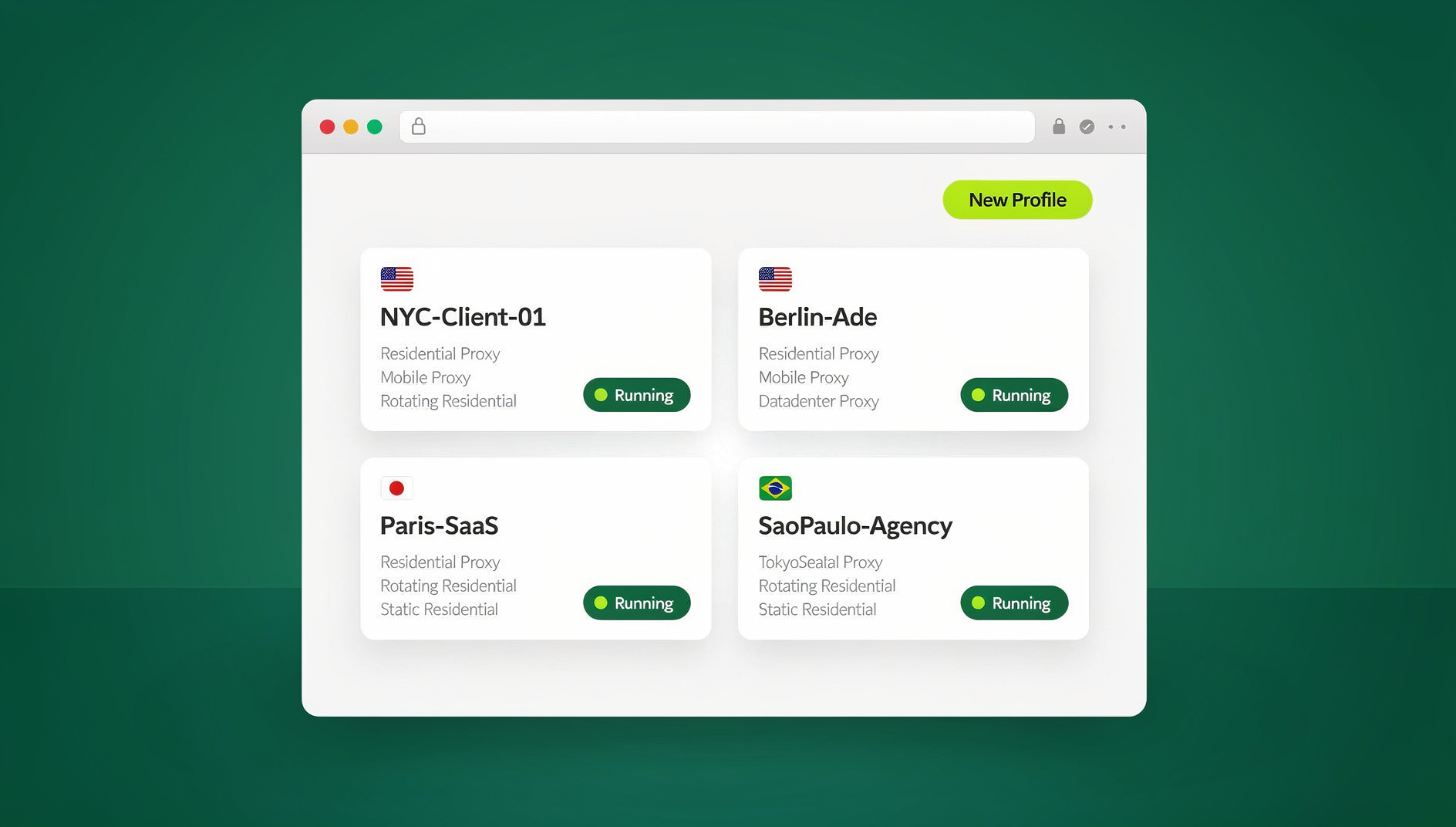
Send.win takes a fundamentally different approach from VPNs or add-ons: instead of patching individual leaks, it gives every browsing profile its own isolated, consistent identity. You can run this two ways.
The first is the Sendwin Browser — a native, downloadable desktop app for Windows, macOS, and Linux. It’s local-first, meaning your profiles and sessions live on your own machine, with encrypted cloud sync keeping them backed up and available across devices. The second option is a cloud browser session, which runs entirely on Send.win’s infrastructure with zero local install — you open a session in your regular browser tab and it’s metered by cloud browsing time rather than taking up disk space or CPU on your device.
Whichever mode you use, each profile gets its own generated fingerprint:
- A distinct canvas rendering signature per profile
- An independent WebGL vendor/renderer signature
- A configurable user-agent string and screen resolution
- Its own timezone and language settings
- A stable, believable font list
- A separate audio processing fingerprint
Crucially, Send.win keeps each profile’s fingerprint consistent across sessions rather than randomizing it every time you log in. Constantly-changing fingerprints on the same account are themselves a red flag to fraud-detection systems — a profile that looks the same every time you return is what actually keeps trusted accounts trusted.
WebRTC Leak Protection
WebRTC can expose your real local IP address even while a VPN is active, silently defeating the rest of your setup. Send.win closes this hole per profile so your real network identity never leaks through peer connection requests; our WebRTC leak protection guide covers exactly how that leak happens and how it’s closed.
Automation Without Breaking Isolation
If you need to run repetitive workflows — QA testing, scraping, scheduled account checks — Send.win does not offer an automation interface: there is no API, SDK, headless mode or Selenium/Puppeteer/Playwright support on any plan. Each profile still keeps its own isolated cookies, storage and consistent fingerprint for manual browsing.
Testing Your Fingerprint Protection
Before and after setting up isolated profiles, it’s worth verifying your protection with independent tools rather than taking any vendor’s word for it, including ours:
AmIUnique.org
Shows how unique your current fingerprint is against a large public database of collected fingerprints. A well-isolated profile should show up as distinct from your normal browser fingerprint every time you check.
BrowserLeaks.com
A comprehensive test suite covering canvas, WebGL, fonts, audio, and WebRTC in one place — useful for spot-checking every category discussed above in a single pass.
Cover Your Tracks (EFF)
The Electronic Frontier Foundation’s tracking-protection test (the modern successor to the older Panopticlick tool) scores how trackable your browser is and whether your fingerprint is unique among recent visitors.
CreepJS
A more aggressive, developer-oriented fingerprinting detector that also flags inconsistencies — like a canvas signature that doesn’t match your claimed operating system — which is exactly the kind of mismatch cheap spoofing tools tend to create.
Who Actually Needs This
Fingerprinting protection isn’t a niche concern for the paranoid — it’s operationally necessary for several groups:
- Privacy-conscious individuals — journalists, researchers, and anyone who doesn’t want a permanent cross-site profile built on them
- Multi-account operators — social media managers, e-commerce sellers, and agencies running several client or brand accounts that must never appear linked
- Security professionals — penetration testers and bug bounty hunters who need a clean, unlinkable environment for each engagement
- Business researchers — competitive intelligence teams, price-comparison tools, and SEO professionals who get blocked or served skewed data once a site recognizes their fingerprint
If you’re managing several client accounts on the same machine, it’s worth pairing fingerprint isolation with the broader workflow habits covered in our guide to what a browser fingerprint actually is and how it differs from ordinary session tracking.
Setting Up Fingerprinting Protection Step by Step
Step 1: Start Your Free Trial
Send.win has no free trial; paid plans start at Pro $19/mo or $83.88/yr, and the first card purchase is covered by a 7-day money-back guarantee. You can also preview it with the free cloud demo at https://send.win/demo-browser/ before committing to a plan.
Step 2: Choose Desktop App or Cloud Session
Download the native Sendwin Browser app if you want profiles stored locally with encrypted cloud sync, or spin up a cloud browser session if you’d rather not install anything and only need occasional metered use.
Step 3: Create a Profile Per Account or Task
Assign each profile its own fingerprint parameters and, ideally, a dedicated proxy so the IP geography matches the fingerprint’s timezone and language.
Step 4: Verify With Independent Tools
Run each profile through AmIUnique, BrowserLeaks, and CreepJS to confirm no two profiles look related and that nothing about the fingerprint looks internally inconsistent.
Step 5: Make It Your Default Workflow
Once verified, route account management and sensitive research through Send.win profiles rather than your everyday browser.
Send.win Pricing
| Plan | Monthly Price | Annual Price | Profiles | Proxy Bandwidth | Automation API | Seats |
|---|---|---|---|---|---|---|
| Pro | $19/mo | $6.99/mo billed annually | 150 | 5GB | Included | 1 |
| Team | $49/mo | $20.99/mo billed annually | 500 | 20GB | Included | 16 |
Both plans include the same core browser profile features, so managing isolated profiles isn’t gated behind the more expensive tier — a solo operator on Pro gets the same profile isolation as a full team.
Comparing Protection Methods
| Method | Blocks Fingerprinting? | Ease of Use | Speed | Good for Multiple Accounts? |
|---|---|---|---|---|
| Incognito Mode | No | Easy | Fast | No |
| VPN | No (IP only) | Easy | Variable | No |
| Anti-fingerprint add-on | Partial | Moderate | Fast | Limited |
| Tor Browser | Yes | Difficult | Slow | No |
| Send.win | Yes, per profile | Easy | Fast | Yes |
Best Practices for Long-Term Protection
- Keep one profile per account. Reusing a single fingerprint across unrelated accounts defeats the purpose of isolation.
- Pair each profile with a dedicated proxy. Match the proxy’s location to the profile’s configured timezone and language for a coherent identity.
- Don’t over-randomize. A fingerprint that changes every login looks more suspicious to fraud systems than one that stays stable over time.
- Limit unnecessary browser add-ons inside any profile — every extra add-on is another fingerprinting surface.
- Re-check protection periodically with the testing tools above, since fingerprinting techniques evolve as browsers add new APIs.
Emerging Fingerprinting Threats in 2026
Behavioral Fingerprinting
Beyond static technical signals, trackers increasingly analyze mouse movement patterns, typing rhythm, and scroll behavior to build a behavioral signature layered on top of the technical one.
Machine-Learning-Assisted Fingerprinting
Modern tracking scripts combine hundreds of weaker signals with ML models to identify users even when any single data point looks unremarkable. Isolated, internally-consistent profiles are the best defense, since inconsistent or impossible parameter combinations are exactly what these models are trained to flag.
Cross-Device Correlation
Trackers also try to link your phone, laptop, and tablet into one identity graph. Keeping each business or research profile confined to its own isolated environment — rather than logging into the same accounts everywhere — limits how much cross-device correlation is even possible.
Legal and Ethical Considerations
Protecting yourself from fingerprinting is legal and broadly uncontroversial when used for personal privacy, legitimate multi-account business management, or authorized security research. It’s a different matter to use isolated profiles to violate a specific platform’s terms of service or to commit fraud — the technology is neutral, but always check the rules of the platforms you’re operating on.
🏆 Send.win Verdict
Incognito mode, VPNs, and anti-fingerprinting add-ons each address one narrow piece of the tracking problem while leaving the rest of your fingerprint exposed. Send.win instead gives every profile — whether run through the native desktop app or a cloud session — its own consistent, isolated identity, closing canvas, WebGL, audio, font, and WebRTC leaks at once without breaking the accounts you actually need to keep logged in.
Try the Send.win cloud demo — a 3-minute preview without signup, 10 minutes a day with a free account.
Frequently Asked Questions
Does clearing cookies remove my browser fingerprint?
No. Cookies and fingerprints are unrelated mechanisms. Clearing cookies only removes locally stored data; your canvas, WebGL, font, and audio fingerprints are derived from your hardware and software and remain identical afterward.
Can a VPN alone stop browser fingerprinting?
No. A VPN only changes your IP address. Every other fingerprinting signal — canvas rendering, WebGL signature, fonts, screen resolution — stays exactly the same regardless of which VPN server you connect through.
Is Tor Browser the best fingerprinting protection?
Tor offers strong protection by making users look alike, but it’s slow, frequently blocked by mainstream sites, and impractical for logging into personal or business accounts, which is why most people need a faster, account-friendly alternative like isolated browser profiles.
Does Send.win require installing anything?
You have both options. The Sendwin Browser is a native desktop app for Windows, macOS, and Linux with encrypted cloud sync, while cloud browser sessions run entirely on Send.win’s servers with no local install at all.
Does Send.win offer a free trial?
Yes — 30 days, no credit card required, on either the Pro or Team plan.
Will using isolated profiles get my accounts flagged?
The opposite is usually true. Sites flag accounts more often when a fingerprint changes unexpectedly between sessions. Send.win profiles keep a consistent fingerprint per account, which looks like normal, stable usage rather than suspicious churn.
Can I automate testing through a fingerprint-protected profile?
No. Send.win has no automation interface: there is no API, SDK, headless mode or Selenium/Puppeteer/Playwright support on any plan. Each profile still keeps its own isolated, consistent cookies, storage and fingerprint for manual browsing.
What’s the difference between fingerprinting and cookie tracking?
Cookies are files stored in your browser that you can delete; fingerprinting instead reads characteristics of your device and browser configuration that exist regardless of storage, so it survives cookie clearing, private browsing, and even switching networks.