An antidetect browser is a tool that gives every browser profile its own isolated fingerprint — canvas rendering, WebGL signature, user-agent, timezone, fonts — so each account you run looks like a completely different device to the websites you visit. Send.win delivers this through a native desktop app or disposable cloud browser sessions, with paid plans starting at $19/mo and a 7-day money-back guarantee on your first card purchase, making it a practical starting point for anyone managing multiple accounts or tightening their browsing privacy in 2026.
What Is an Antidetect Browser?
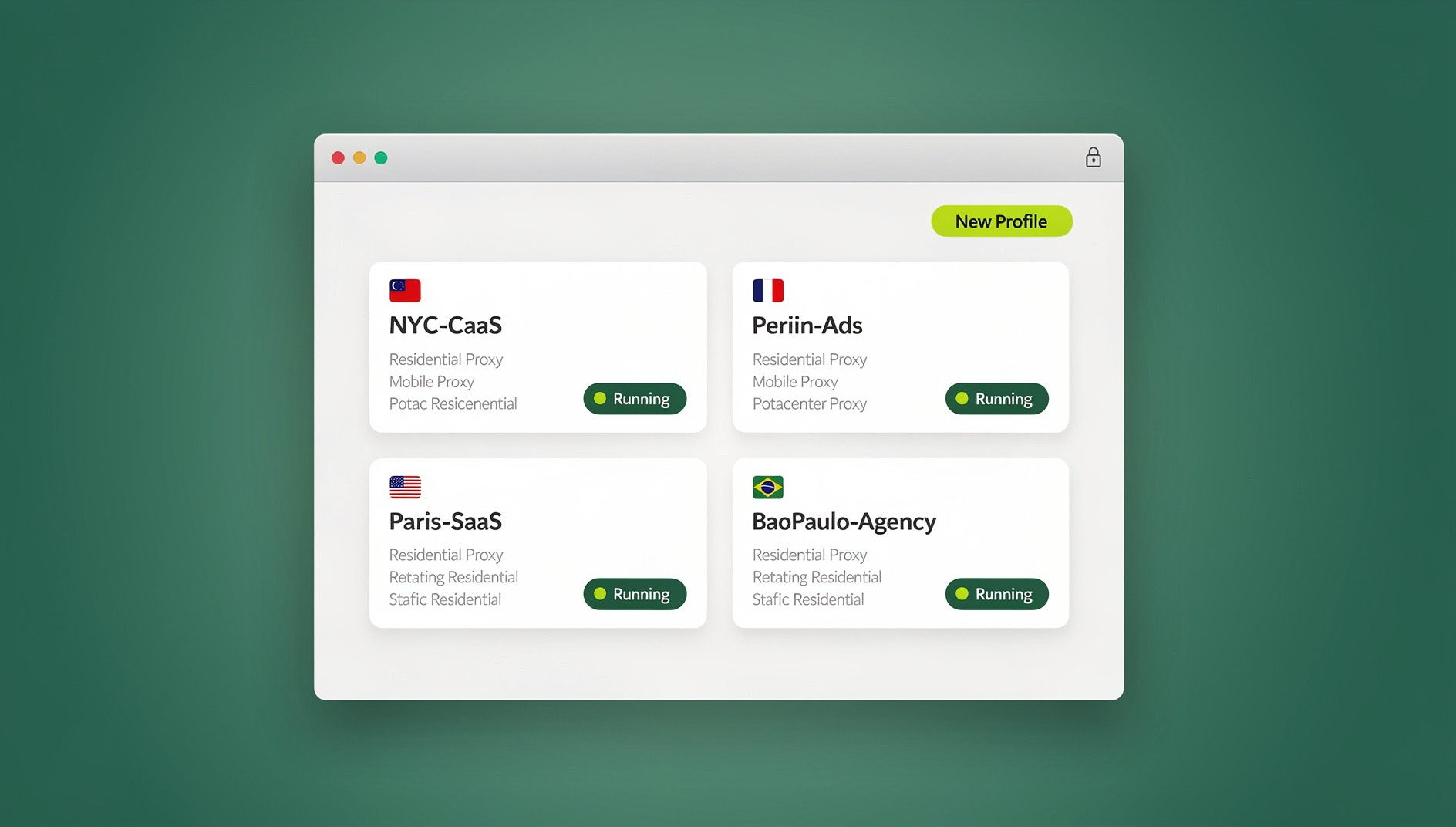
Every regular browser — Chrome, Firefox, Edge, Safari — leaks a surprising amount of identifying detail just by loading a page. Sites don’t need cookies to recognize you; they can read dozens of small technical signals and combine them into a fingerprint that’s often unique to your specific machine. An antidetect browser is built specifically to interrupt that process. Instead of exposing your real hardware and software signature, it generates a consistent, isolated fingerprint per profile, so each profile appears to belong to a separate person on a separate device.
The parameters an antidetect browser typically randomizes or masks include:
- Canvas fingerprints — unique identifiers created by how your GPU and drivers render graphics
- WebGL fingerprints — 3D rendering signatures tied to your graphics hardware
- User-agent strings — the browser and operating system your session reports
- Screen resolution and timezone — location and device indicators
- Fonts and plugins — the specific software installed on your machine
- IP address — your network location, usually handled through a paired proxy
By controlling all of these at once, an antidetect browser creates genuinely isolated profiles rather than just a private tab that still shares your underlying hardware signature.
Why You Need an Antidetect Browser
Multi-Account Management
If you manage more than one account on the same platform — social media, marketplaces, ad accounts — fingerprinting is how platforms quietly link them back to a single person, even if you’re using different emails, passwords, and IP addresses. Once accounts are linked, the consequences show up fast:
- Account suspensions and shadow bans
- Restricted access to platform features
- Lost revenue while you wait for an appeal or rebuild
- Hours spent re-creating accounts that get flagged again
An antidetect browser breaks that link by giving each account its own fingerprint from the start, rather than trying to clean up after a platform has already connected the dots.
Privacy Protection
Even outside of multi-account work, fingerprinting is a genuine privacy problem for everyday browsing. Ad networks, data brokers, and analytics companies use it to track you across sites that have nothing to do with each other, building a profile of your habits without ever needing a cookie to persist. An antidetect browser (or, for lighter everyday use, a browsing setup that at least randomizes the most identifying signals) makes that kind of cross-site tracking meaningfully harder.
E-Commerce and Dropshipping
Sellers on Amazon, eBay, Etsy, and Shopify routinely need more than one storefront — to test different product niches, separate brands, or serve region-specific marketplaces. Most of these platforms explicitly restrict multiple accounts per operator, but that restriction is aimed at abuse, not at legitimate businesses running parallel storefronts. An antidetect browser is what makes it possible to operate those storefronts without one account’s history bleeding into another’s and triggering a review.
The Fingerprint Signals That Actually Matter
Not every fingerprinting vector carries the same weight. Understanding which ones matter most helps you evaluate whether a given tool — antidetect or otherwise — is actually doing the job:
| Signal | What it reveals | Why it matters |
|---|---|---|
| Canvas fingerprint | A near-unique hash based on how your GPU renders a hidden test image | Stable across sessions unless deliberately spoofed — one of the strongest linking signals |
| WebGL fingerprint | 3D rendering details tied to your specific graphics card and driver | Hard to fake convincingly without dedicated tooling |
| User-agent / OS | Browser version, operating system, device type | Easy to spoof but easy for sites to cross-check against other signals |
| Timezone / locale | Approximate geographic region | Mismatches with your IP’s geolocation are a common detection flag |
| Fonts and plugins | Installed software list | Adds entropy that makes a fingerprint more unique |
| IP address | Network location and ISP | Needs a proxy alongside fingerprint masking — one without the other is incomplete |
This is why a real browser fingerprint is made of dozens of small signals rather than one obvious marker, and why masking only the IP address (what a plain VPN does) leaves the rest of the fingerprint fully exposed. The canvas signal in particular deserves its own attention — this canvas fingerprinting guide breaks down exactly how it’s generated and why it’s so hard to spoof convincingly with a basic extension.
Free Antidetect Browser Options in 2026: What’s Really Available
Searches for a completely free antidetect browser turn up three recurring categories, and it’s worth being honest about the limits of each before you commit time to one.
Browser Extensions
Free fingerprint-randomizing extensions modify a handful of basic parameters — usually canvas noise and user-agent — but they run inside your existing browser profile, which means they don’t provide true isolation between accounts. Advanced fingerprinting scripts can often detect the randomization pattern itself, and because these extensions have deep page access, some carry real data-tracking risk of their own.
Open-Source Builds
Custom Chromium builds and DIY fingerprint-spoofing projects exist, but they require real technical setup: compiling or configuring the build yourself, keeping it patched as detection methods evolve, and troubleshooting without vendor support. For a solo user managing two or three accounts, the time investment usually outweighs the savings.
Trials With Catches
Most commercial antidetect browsers offer a trial, but the fine print tends to include one or more of: mandatory credit card entry before you can start, a window as short as three to seven days, a capped number of profiles, and automatic billing the moment the trial ends if you forget to cancel. That combination makes “free trial” functionally closer to “free preview” for a lot of these tools.
How Send.win Runs a Browser Profile Manager: Desktop App vs Cloud Sessions
Send.win gives you two distinct ways to run isolated, fingerprint-protected profiles, and it’s worth understanding the difference before you pick one:
- Sendwin Browser is a native, downloadable desktop application for Windows, macOS, and Linux. It’s local-first — your profiles and sessions live on your machine — with encrypted cloud sync so the same profiles are available if you set up Send.win on a second computer.
- Cloud browser sessions run entirely on Send.win’s infrastructure. There’s nothing to install locally: you open a session in your existing browser and it behaves like an isolated remote machine, metered by cloud browsing time rather than a local install.
| Aspect | Sendwin Browser (desktop app) | Cloud browser sessions |
|---|---|---|
| Installation | One-time native install, Windows/macOS/Linux | None — runs in your existing browser tab |
| Where sessions live | Local-first, with encrypted cloud sync | Entirely in the cloud |
| Metering | Tied to your plan’s profile allowance | Metered by cloud browsing time |
| Best for | Daily, heavy multi-profile use on a personal machine | Locked-down work devices, quick temporary access, Chromebooks |
| Automation support | No — no API, SDK, headless mode or Selenium/Puppeteer/Playwright support | Not the primary use case |
Neither mode is objectively “better” — they solve different problems. Someone running twenty client storefronts daily generally wants the desktop app for speed and persistence; someone who just needs to check one region-locked account occasionally is better served spinning up a disposable cloud session and closing it when done.
Getting Started with Send.win
Setting up your first isolated profiles takes a few minutes:
- Start on a paid plan. There is no free trial, but your first card purchase is covered by a 7-day money-back guarantee, so you can test real workflows before committing.
- Choose your mode. Download the Sendwin Browser desktop app for a permanent local setup with cloud sync, or launch a cloud browser session if you’d rather install nothing.
- Create a profile per account or identity. Each profile gets its own isolated fingerprint, cookies, and cache from the moment you create it.
- Attach a proxy where it matters. Pair each profile with a residential or mobile proxy that matches its intended region for consistent IP behavior.
- Log in once per profile. From that point, the profile remembers its session — no need to re-authenticate every time you switch.
- Organize as you scale. Name profiles clearly (client, platform, purpose) so managing dozens of them stays manageable rather than chaotic.
If your specific pain point is social account management rather than fingerprinting in the abstract, this guide to managing multiple Facebook accounts walks through the platform-specific setup in more detail.
No Automation API
Send.win does not offer an Automation API, SDK, headless mode or support for Selenium, Puppeteer or Playwright on any plan. Each profile is managed through the desktop app or cloud browser sessions, with its own cookies, storage, sessions and fingerprint settings.
- Use Playwright’s or Puppeteer’s normal
page.goto(),page.click(), andpage.fill()calls against that profile exactly as you would in any other automated browser session - Repeat the same script across multiple isolated profiles for rule-based, repetitive tasks — form submissions, scheduled checks, data pulls
Send.win Pricing
| Plan | Price | Profiles | Proxy bandwidth | Notable |
|---|---|---|---|---|
| Free trial | $0 for 30 days | — | — | No credit card required |
| Pro | $19/mo or $83.88/yr | 150 | 5GB | No automation API |
| Team | $49/mo or $251.88/yr | 500 | 20GB | No automation API, 16 seats |
For most solo users and small agencies, the Pro plan’s 150 profiles is well beyond what a handful of accounts or storefronts requires. The Team plan earns its price when the seat count and larger bandwidth allowance matter more than the profile ceiling — agencies handing shared, isolated access to multiple team members rather than one operator running everything alone.
Send.win vs Other Browser Profile Managers
Here’s how Send.win’s pricing model compares to the commercial tools most people evaluate alongside it:
| Tool | Trial | Credit card required | Starting price | Notable limitation |
|---|---|---|---|---|
| Send.win | No free trial; 7-day money-back guarantee on first card purchase | Yes | $19/mo (Pro) | No automation API on any plan |
| Multilogin | Short trial | Yes | Higher entry pricing | Auto-billing risk if trial isn’t cancelled in time |
| GoLogin | Free plan available | No, for free tier | Free tier is heavily capped | Free plan limited to a small handful of profiles |
| AdsPower | Limited free tier | No, for free tier | Free tier is heavily capped | Desktop-only install, no cloud session option |
| Kameleo | Short trial | Varies | Higher entry pricing | Restricted access during the trial window |
For a deeper side-by-side if Multilogin is specifically the tool you’re weighing Send.win against, this Multilogin alternative comparison goes further into feature parity and pricing specifics.
Real-World Use Cases for an Antidetect Browser
Social Media Management
Agencies and social media managers running client accounts across Instagram, Facebook, X, or TikTok need each client’s account fully isolated from the others — both for the client’s protection and to avoid one flagged account dragging down the rest.
E-Commerce and Dropshipping
Multiple storefronts across Amazon, eBay, Shopify, and Etsy each need a clean fingerprint so a suspension on one account doesn’t cascade into a review of every other store tied to the same operator.
Affiliate Marketing
Running multiple campaigns, landing pages, or network accounts side by side requires isolation so performance data and account history don’t cross-contaminate between test variants.
Web Scraping and Market Research
Competitive research — pricing checks, geo-restricted content, market trend monitoring — benefits from isolated profiles that don’t accumulate the browsing history or rate-limit flags of a single shared session.
Best Practices for Using an Antidetect Browser
Keep Profiles Organized
Use a consistent naming convention (client, platform, purpose), tag profiles by category, and archive ones you’re no longer actively using so a growing profile list doesn’t become unmanageable.
Pair With Quality Proxies
Fingerprint masking handles the browser side; a residential or mobile proxy handles the network side. Combining the two is what actually closes the gap — free or shared proxies tend to be flagged quickly and undermine the isolation you’ve built elsewhere.
Maintain Consistent Fingerprints
Once a profile is established, avoid changing its timezone, language, or proxy on a whim. Sudden parameter changes on an account with history look more suspicious than a stable, consistent fingerprint that ages naturally.
Follow Platform Guidelines
An antidetect browser is a privacy and operations tool, not a license to violate a platform’s terms of service. Use it to run legitimate parallel accounts and protect your privacy — not to manufacture fake engagement or defraud a platform.
🏆 Send.win Verdict
If you need genuinely isolated browser profiles without the credit-card-first, time-boxed trials most tools force on you, Send.win is a strong starting point: paid plans starting at $19/mo with a 7-day money-back guarantee on your first card purchase, a choice between a native desktop app and zero-install cloud sessions, and a free cloud demo you can try in three minutes without signing up. It’s not a magic bypass for platform rules — it’s the isolation layer that lets you run legitimate multi-account work without one profile’s history contaminating another’s.
Try the Send.win cloud demo — a 3-minute preview without signup, 10 minutes a day with a free account.
Frequently Asked Questions
Is it legal to use an antidetect browser?
Yes. Antidetect browsers are legal privacy and multi-account management tools. Legality depends on what you do with the isolation, not the tool itself — using one for legitimate business accounts or privacy protection is fine, while using it to defraud a platform or violate its terms of service is not.
Can websites detect that I’m using an antidetect browser?
Well-built antidetect browsers mask fingerprint signals convincingly enough that sophisticated detection systems generally can’t distinguish a profile from a genuine device, though no tool can guarantee permanent undetectability as fingerprinting techniques keep evolving on both sides.
Do I still need a proxy or VPN with an antidetect browser?
Yes. Fingerprint masking and IP address are separate problems. An antidetect browser handles the fingerprint; a residential or mobile proxy handles the network location. Send.win supports pairing proxies with individual profiles for full coverage.
How many browser profiles can I create with Send.win?
The Pro plan includes 150 profiles and the Team plan includes 500, alongside 5GB and 20GB of proxy bandwidth respectively. There is no free trial, but your first card purchase is covered by a 7-day money-back guarantee.
Should I use the desktop app or a cloud browser session?
Use the Sendwin Browser desktop app if you’re running profiles daily on a personal machine and want local-first storage with encrypted cloud sync. Use a cloud browser session if you’re on a locked-down device, want zero local install, or only need occasional, temporary access.
Can I automate tasks across my antidetect browser profiles?
No. Send.win has no automation interface — no API, SDK, headless mode or Selenium/Puppeteer/Playwright support on any plan. Each profile is managed through the desktop app or cloud browser sessions.
Is there a free trial, and do I need a credit card to start?
Send.win has no free trial. Paid plans start at $19/mo for Pro or $49/mo for Team, and your first card purchase is covered by a 7-day money-back guarantee. You can also preview the cloud browser for free at the demo.
Will my accounts and data stay safe?
Send.win’s desktop app is local-first with encrypted cloud sync, and cloud sessions run in isolated environments, so profile data and cookies for one account are never exposed to another. As with any tool, pairing it with strong, unique passwords per account adds another layer of protection.